
Which AI Video Editor Is Best for Ads in 2026? 5 Top Tools Compared
Other
Quick Summary
In this guide, we review the best AI video editor for ads. Here are our top picks:
- Klap: For turning long-form content into high-performing ad clips,
- Arcads: For generating avatar-based UGC ads from scratch
- Creatify: For scaling product-led ad variations from URLs
Visit the Klap blog for more useful video editing tools reviews and product guides like this.
Looking for the Right AI Video Editor for Ads?
Ad creative is now a volume game. Platforms like Meta and TikTok reward constant creative refresh, and brands test dozens of video variations to fight fatigue and find winners.
That creates a simple problem: teams need to produce more ad videos without slowing down their workflow. AI video editors can help, but only when the tool matches the job.
The trouble is that “best AI editor for ads” has become a confusing category. It now includes tools for generating ads from prompts, editing existing footage, and repurposing long-form videos into short ad creatives.
In this Klap guide, we separate those tool types, then review the five AI video editors that actually make sense for ad workflows.
Why Listen to Us?
At Klap, we have helped millions of creators turn long-form videos into short clips, many of which run as paid creative across TikTok, Meta, YouTube Shorts, and LinkedIn. That gives us a direct view into what works in performance-led short-form video and where teams get stuck.
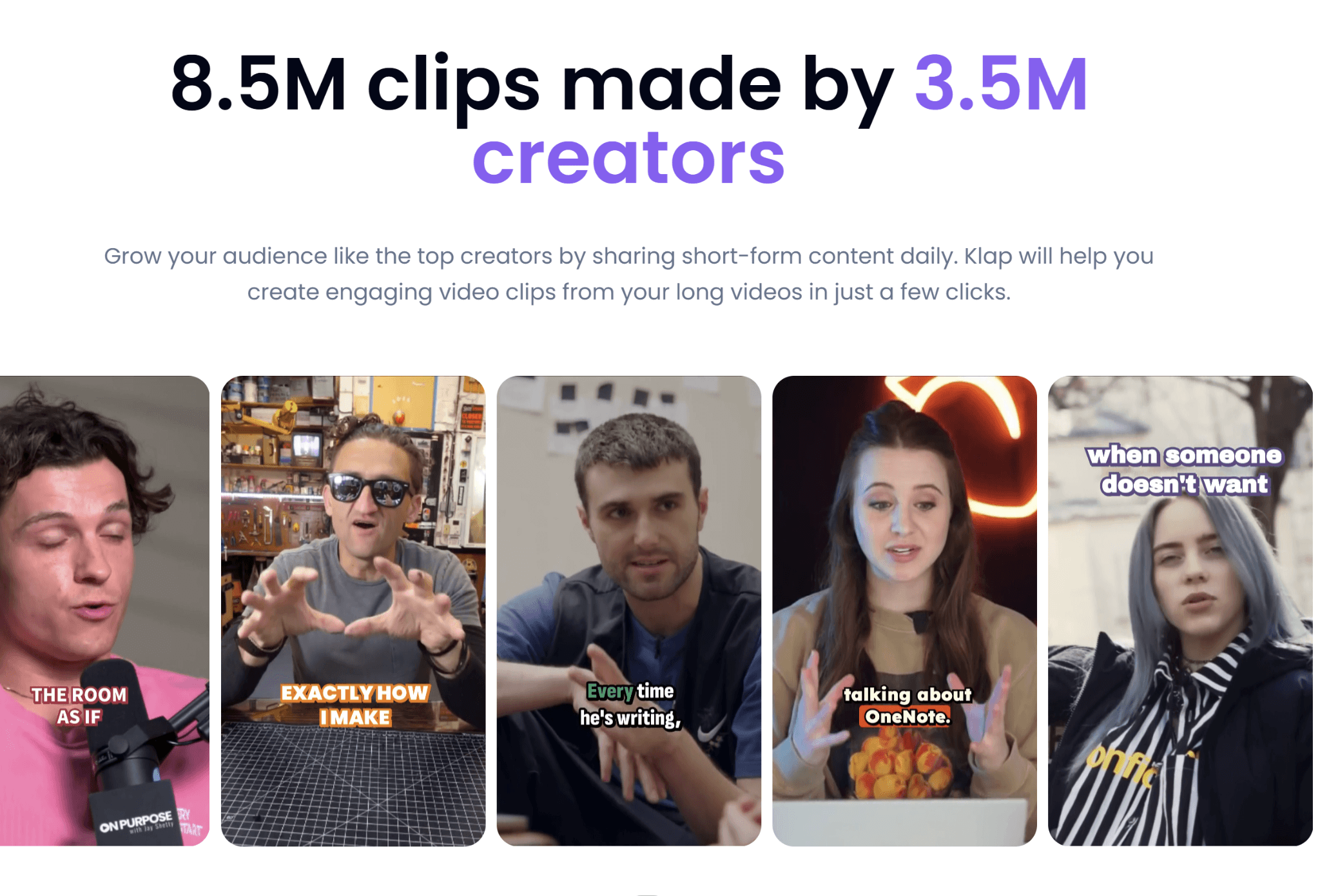
The recommendations in this guide come from what we see succeed in real campaigns, not feature checklists.
What Is an AI Video Editor for Ads?
An AI video editor for ads uses machine learning to create or edit paid social video faster, reducing manual editing work. The category covers three main tool types, and understanding the difference matters when choosing the right one:
- AI ad generators: Create avatar or UGC style ads from a prompt or product URL (e.g., Arcads, Creatify, HeyGen). Best if you have no footage.
- AI clip generators: Turn long videos into short ad creatives (e.g., Klap, OpusClip). Best for podcasts, webinars, or interviews.
- AI assisted editors: Speed up manual editing workflows but still require hands on work (e.g., Descript, Veed).
Why Is an AI Video Editor for Ads Important?
- Lower production costs at scale: Cuts per-video production costs compared to traditional editing, freeing more budget for media spend.
- Faster creative refresh cycles: Matches the weekly update cadence platforms like Meta and TikTok reward, where ad fatigue happens quickly.
- High-volume ad testing: Generates dozens of creative variations per campaign without needing to increase headcount.
- Instant global localization: Turns one master ad into multiple languages with synced voice and captions for different markets.
- More focus on strategy, less editing: Lets creative teams spend time on hooks, angles, and offers instead of manual timeline work.
5 Best AI Video Editors for Ads
Here is a comparison table of the AI video editors for ads considered in this guide:

1. Klap
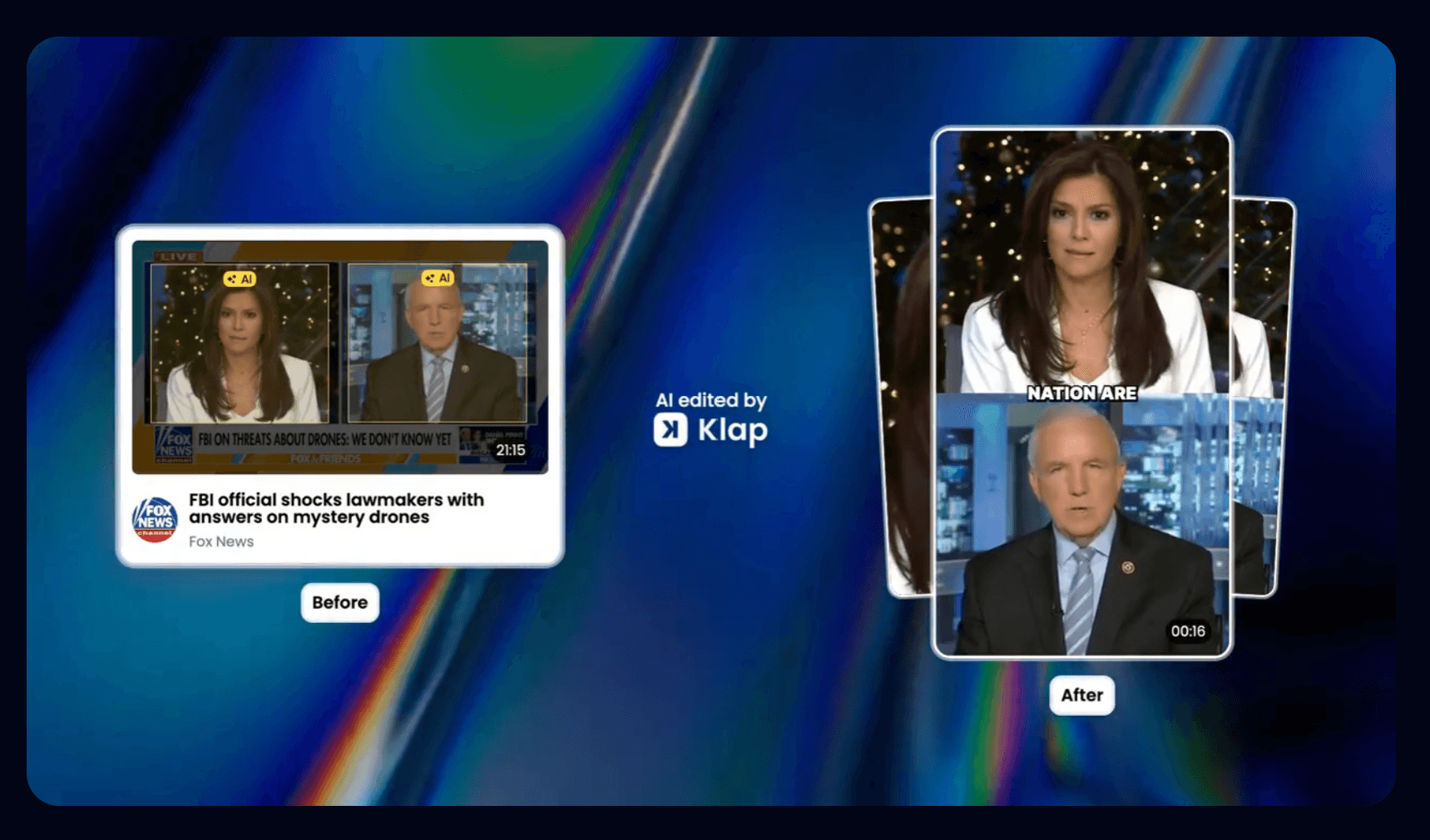
Klap is an AI video editor that turns long-form videos into short vertical clips for paid and organic distribution. It automatically adds captions, reframes content for vertical formats, and supports your publishing workflows. It is strongest when your source material is dialogue-heavy, such as podcasts, webinars, interviews, founder talks, or educational content.
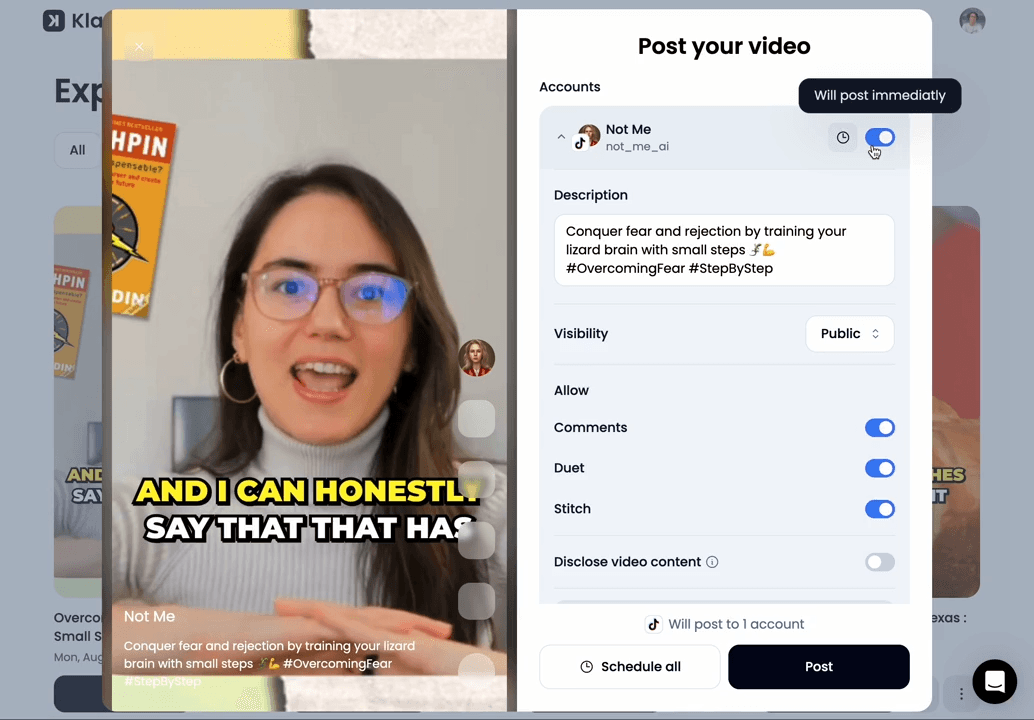
In ad workflows, this matters because many high-performing short-form ads come from unscripted moments such as testimonials, founder commentary, and spontaneous reactions. Finding and editing these manually takes time. Klap is built to surface these moments and convert them into usable ad creatives quickly.
Two key capabilities stand out for performance marketing use cases. First, our virality score provides an additional signal for prioritizing clips during testing, which matters when you are generating 20 variants per campaign and need to prioritize spend.
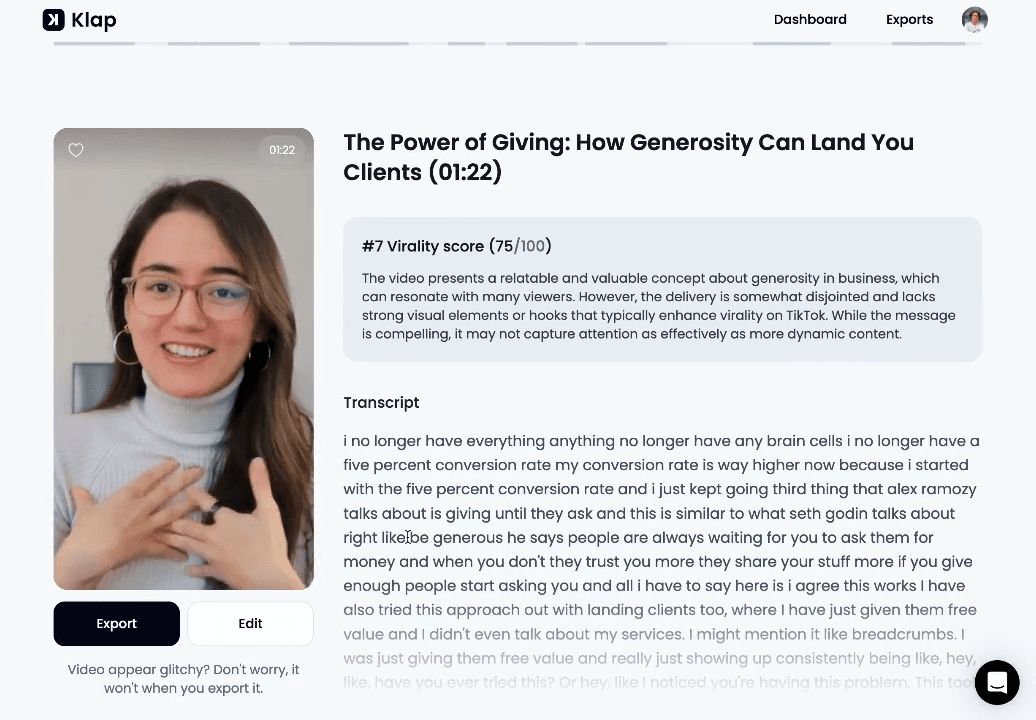
Second, AI Reframe 2 uses scene-aware layouts including split screen, screencast, and gaming, so the same source video produces ad-feed-quality output without manual keyframing.
Key Features
- AI clip extraction and reframing: Automatically identify key moments in long-form videos and reframe them into vertical formats ready for short-form platforms.
- Dynamic captions: Burns in styled captions automatically, which matters since most social video plays are muted in feed.
- AI dubbing and translation: Localizes one master clip into 52 languages with matched audio.
- Direct publishing: Schedules and posts to TikTok, Instagram, YouTube, and LinkedIn from the same screen.
- Custom branding: Applies your logo, fonts, colors, and framing across every clip generated.
- 4K export: Renders clips at 4K resolution on Business and above for ads that need top quality on Meta and YouTube placements.
Pricing
- Free: 1 video and 10 watermarked clips, no credit card required
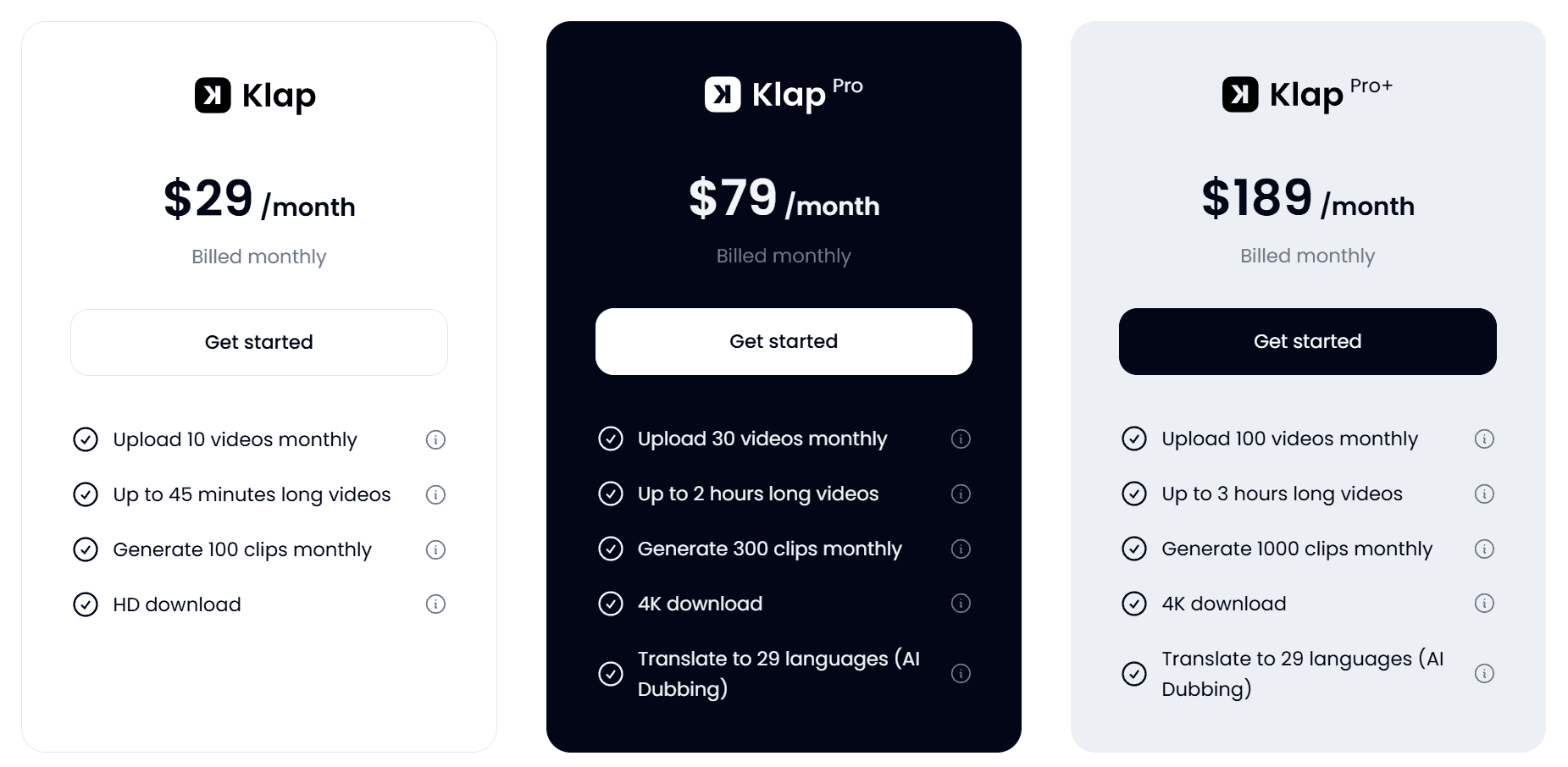
- Basic ($29/month): Up to 10 videos and 100 clips monthly
- Pro ($79/month): 30 videos, 300 clips, 4K downloads
- Pro+ ($189/month): 100 videos and 1,000 clips monthly
You can compare these plans extensively on our pricing page.
Pros
- Fastest workflow from long-form footage to ad-ready vertical clips
- Built-in publishing removes the need for a separate scheduler
- Multilingual dubbing supports international ad accounts without re-shoots
Cons
- Free tier is a one-time trial, not a working plan
2. Arcads
Arcads is an AI video ad creation platform that generates UGC-style and avatar-based ads using a library of 1,000+ AI actors. It is built for performance marketers who want to create, edit, and launch paid social ads without traditional production workflows.
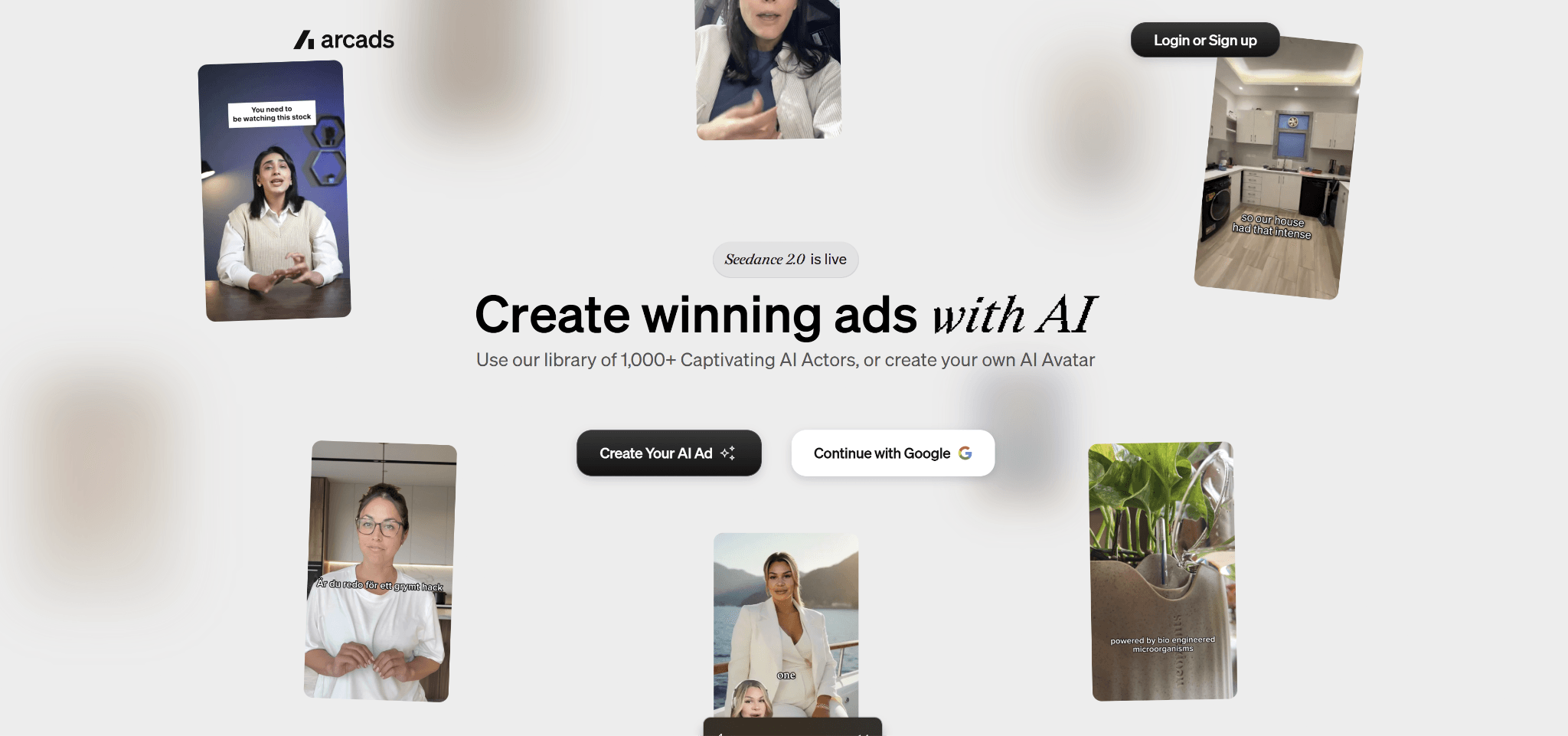
Unlike tools that repurpose existing footage, Arcads focuses on creating ads from scratch using scripts, avatars, and templates. You can also edit, translate, caption, and remix ads within a single workflow.
Key Features
- AI actor library: Access to 1,000+ AI actors for UGC-style and spokesperson ads, or create custom avatars.
- AI ad generation: Create scripted video ads from prompts, products, or marketing briefs.
- Built-in editing tools: Includes captioning, background removal, voice changes, translation, and video refinement tools.
- Localization tools: Translate and adapt ads into multiple languages for different markets.
- Ad presets: Pre-built performance-focused formats to speed up ad creation.
Pricing
Available on request.
Pros
- Strong for generating ads without existing footage
- Large library of AI actors for UGC-style content
- Full workflow for creation, editing, and localization in one place
Cons
- Not transparent with pricing upfront
- Less useful for repurposing existing long-form content
- Can feel complex for simple ad creation needs
3. Creatify
Creatify is an AI ad platform that turns product pages or simple ideas into ready-to-run video ads using AI actors, templates, and automated editing. It is built for performance marketers who need to produce a high volume of ad variations without going through traditional production.
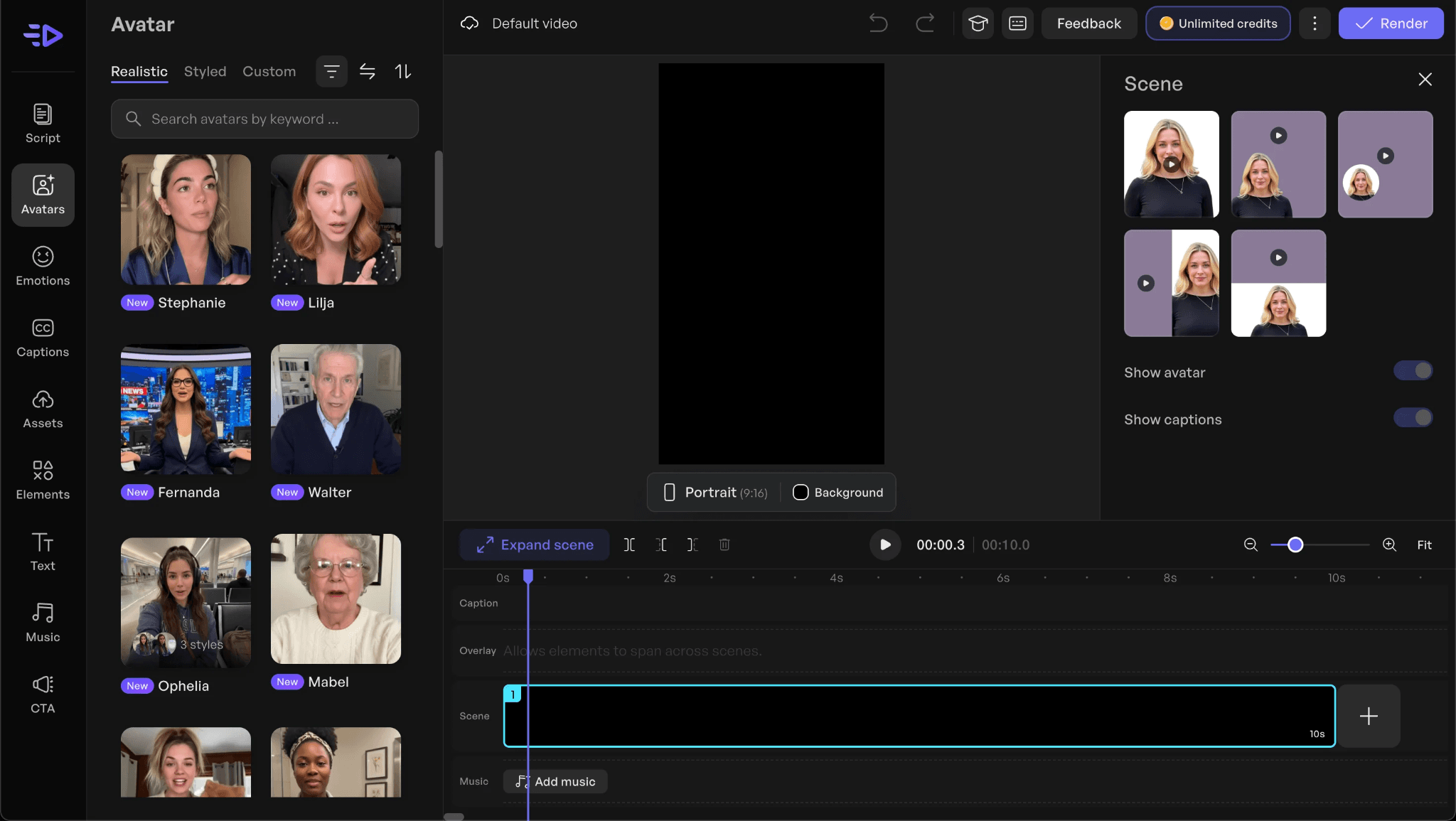
Instead of working from existing footage, it generates ads directly from a URL or prompt, then lets you spin out multiple UGC or cinematic versions in batches. It also includes tools for browsing competitor ads, testing variations, and tracking performance.
Key Features
- AI ad agent & URL-to-video: Converts product pages or prompts into structured video ads automatically.
- Batch ad creation: Generates multiple ad variations in one workflow for testing different hooks and angles.
- AI actor library: Access to 1,500+ AI actors for UGC-style and spokesperson ads.
- Ad templates: 500+ Pre-built formats designed for performance marketing use cases.
- Competitor Ad Library: Browse and analyze ads running across Meta to identify winning patterns.
Pricing
Creatify offers a Free Plan that includes 10 monthly credits, alongside three paid plans:
- Starter: $33/month for 100 credits, basic tools, templates, and limited actors
- Pro: Starts at $49/month for expanded credits, full actor library, analytics, competitor tracking, and launch tools
- Enterprise: Custom pricing with API access, white-label options, and managed services
Pros
- Large template and AI actor library
- Built-in competitor research and analytics tools
- End-to-end workflow from creation to launch
Cons
- Credit cost per video is unpredictable
- Best results depend heavily on input quality and prompt structure
- Avatar quality is uneven across the library
4. HeyGen
HeyGen is an AI avatar platform built for spokesperson-style videos at scale, with strong video translation and full video generation capabilities. Its standout feature is video translation, where you can upload a video and generate localized versions in 175+ languages with voice cloning and lip-sync support.
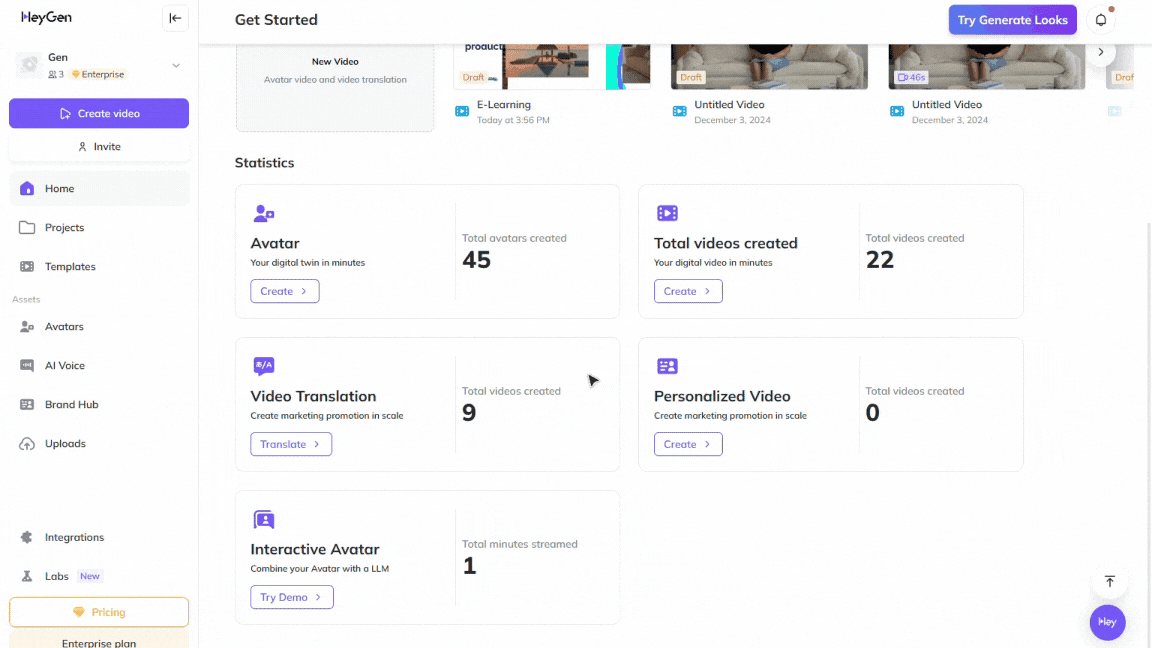
For paid media teams running multi-market campaigns, it replaces separate production per region by adapting one video across languages without reshoots. Its Avatar IV model delivers highly realistic AI spokesperson output.
Key Features
- Text-to-video generation: Creates full videos from scripts, documents, or prompts using AI avatars and voiceovers.
- AI avatars: Includes stock avatars, photo avatars, and custom digital twins that mimic real people.
- AI video translation: Translates and dubs videos into 175+ languages with voice cloning and lip-sync support.
- Photo-to-video: Turns static images into animated talking video content.
- AI studio editor: Text-based editor for adjusting tone, gestures, delivery, and pacing.
Pricing
In addition to the limited free plan, Heygen has three paid plans:
- Creator ($29/month): Longer videos, 1080p export, and voice cloning.
- Pro ($49/month): 4K export, faster processing, higher usage limits, and advanced editing features
- Business (149/month): Scalable video creation for teams and businesses.
Pros
- Strongest multilingual translation in the category
- High-quality avatar output with Avatar IV
- Works well for ads, training, and scalable content production
Cons
- Less control compared to traditional editing tools
- Business plan can become expensive with added seats
- Lip sync can drift in some non-English languages
5. OpusClip
OpusClip is an AI video clipping tool that turns long-form videos into short, social-ready clips and publishes them across platforms like TikTok, YouTube Shorts, and Instagram Reels. The platform is built for creators and teams who want to repurpose long videos into multiple short-form assets with minimal manual editing.
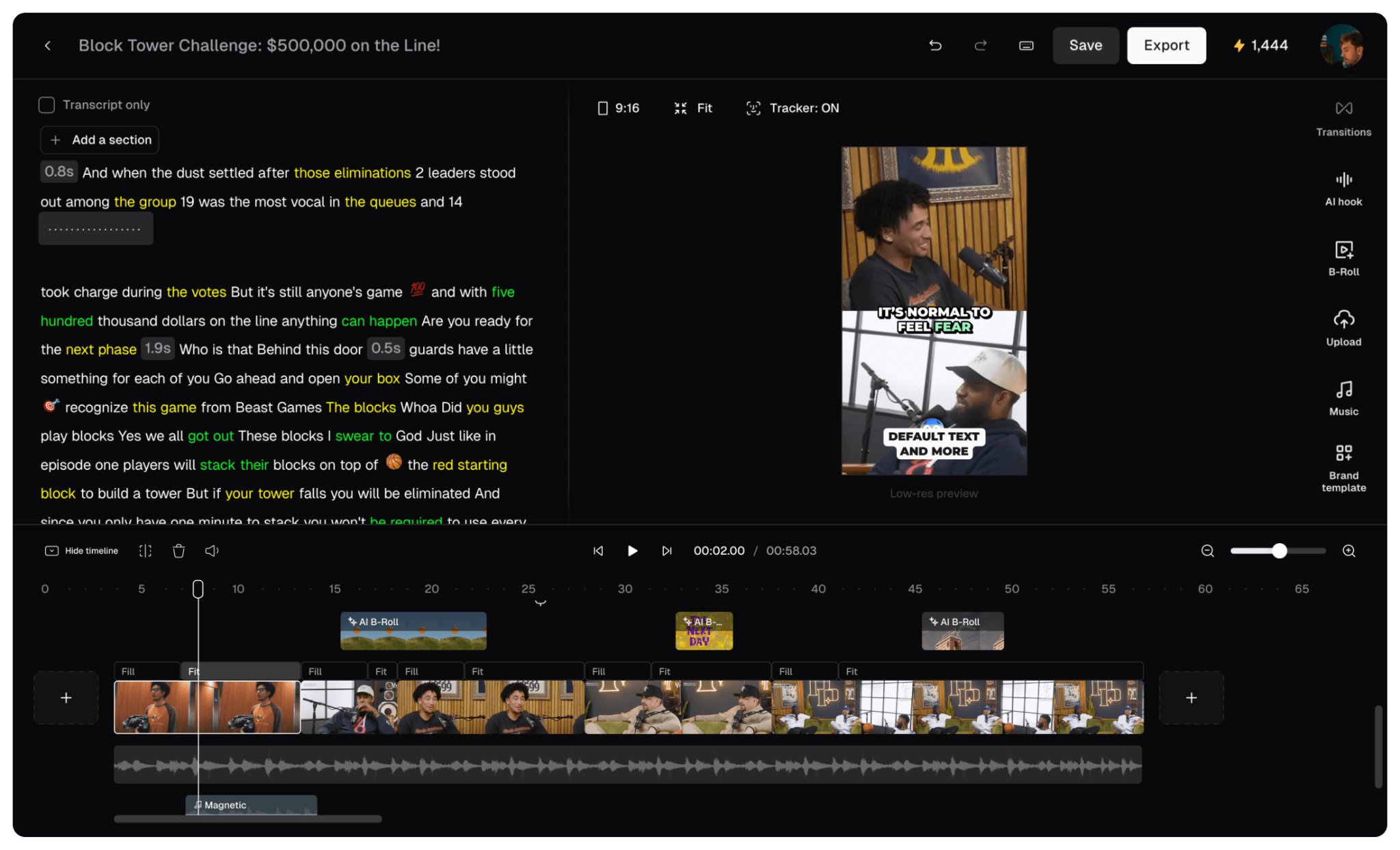
Unlike full video creation tools, it focuses on extracting viral moments from existing content using AI models like ClipAnything and ReframeAnything to generate multiple shorts from one video.
Key Features
- AI clipping models: Identifies highlight moments across podcasts, vlogs, gaming, interviews, and explainer videos to create short clips.
- AI reframing: Automatically resizes videos for different platforms while keeping subjects centered and tracked.
- AI captions: Generates styled captions with emojis and keyword highlights for better engagement.
- AI B-roll and audio tools: Enhances clips with added visuals and improved sound quality.
- Publishing tools: Enables direct posting or scheduling across major social platforms.
Pricing
OpusClip offers a free plan with limited credits and watermark exports. Paid plans include:
- Starter ($15/month): Basic clipping, captions, and publishing tools for individual creators
- Pro ($29/month): Expanded credits, team features, B-roll tools, multiple formats, and scheduling
- Business (custom pricing): Advanced automation, API access, integrations, and enterprise-level support
Pros
- Strong AI hook detection on standard talking-head content
- Affordable entry tier for solo creators
- Supports team collaboration and workflows
Cons
- Advanced automation features locked behind higher tiers
- Less control compared to manual editing tools
- Scheduler reliability is inconsistent
Turn Long Videos Into High-Performing Ad Clips With Klap
Choosing the best AI video editor for ads in 2026 depends on what you already have. Some tools generate ads from scratch using avatars and product inputs, while others focus on repurposing long-form content into short clips for testing.
If your workflow starts with podcasts, webinars, interviews, or founder-led content, Klap is built specifically for that use case. It turns long-form videos into ready-to-test short clips in minutes, helping teams scale ad variations without manual editing.
Try Klap free and turn your first video into multiple ad-ready clips today.
