
The 12 Best AI Video Editing Software Tools for 2025
Other
The world of video editing is changing fast. In 2024, AI-powered tools processed over 500 million hours of video content, automating tasks that once took days. Now, in 2025, the best AI video editing software isn't just about adding fancy effects; it's about fundamentally changing your workflow. From automatically turning a one-hour podcast into ten viral-ready social clips to removing awkward silences with a single click, AI is making high-quality video creation more accessible than ever before.
But with dozens of options flooding the market, how do you pick the right one? This guide cuts through the noise. We provide actionable insights into the top 12 platforms, breaking down who they're for, their standout features, and their honest limitations. Whether you're a professional editor looking to speed up your timeline, a social media manager needing to repurpose content at scale, or a solo creator trying to maximize your output, this resource will help you find the perfect AI partner. Understanding these tools is a key part of the larger picture; to further explore the broader implications of artificial intelligence in media, you can delve into mastering AI content creation for your business.
We've done the research so you can make an informed decision and get back to creating. Each review includes screenshots, pros and cons, and direct links to help you find the ideal software to save time, scale your output, and produce more engaging content, faster. Let's dive in.
1. Klap
Best for: Rapidly repurposing long-form videos into viral short-form clips
Klap has established itself as an essential tool for creators and marketers looking to maximize their content reach with minimal effort. It is purpose-built to solve a single, critical problem: converting long-form videos from sources like YouTube or podcasts into a high volume of engaging, social-ready vertical shorts. Its "one-and-done" workflow automates what traditionally takes hours of manual editing, making it a standout choice in the best AI video editing software category.
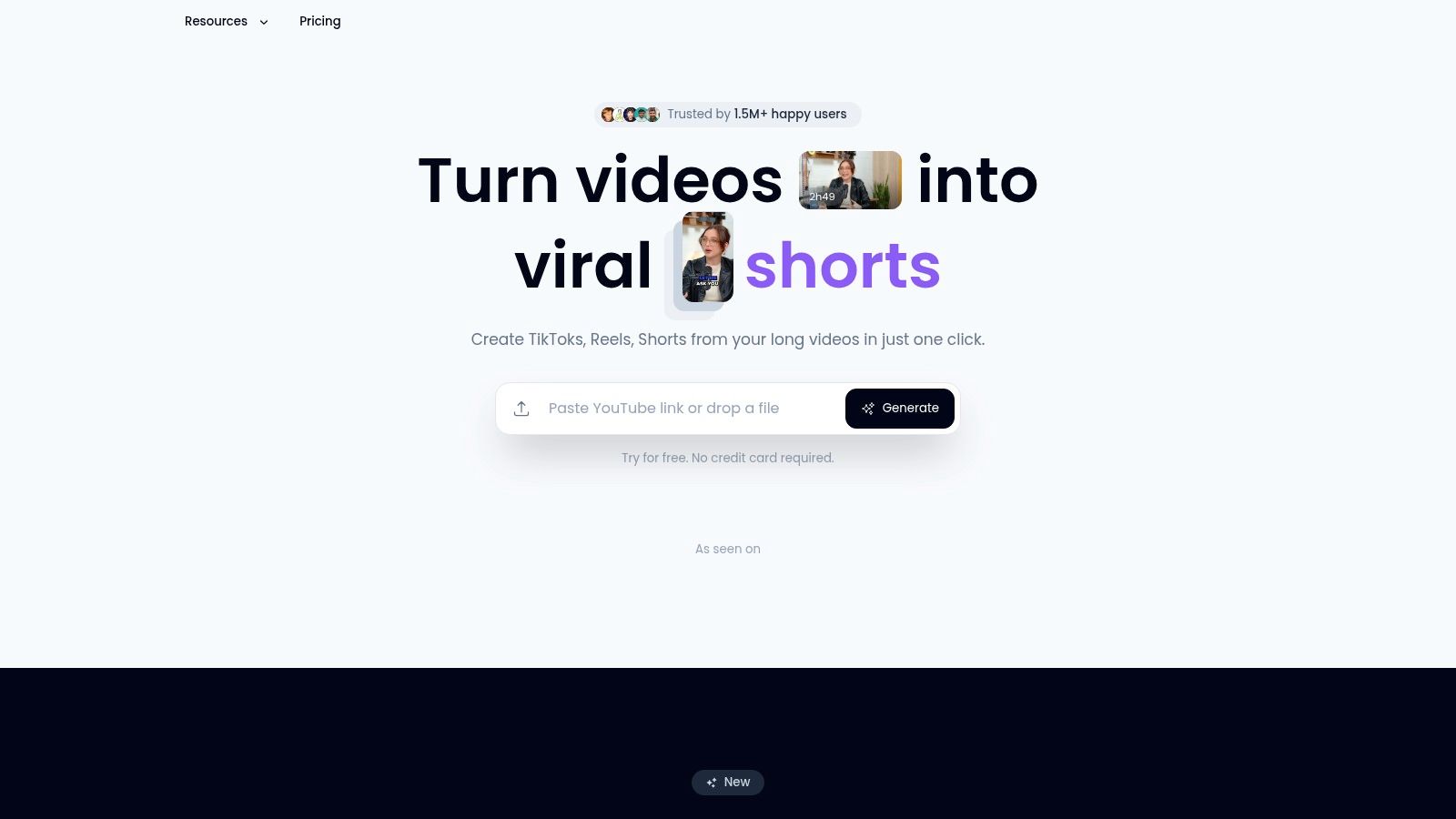
The platform’s core strength lies in its intelligent automation. Simply paste a YouTube link, and Klap’s AI gets to work. It transcribes the audio, identifies the most compelling topics and potential "hooks," and generates a dozen or more clips in minutes. Its AI Reframe 2 engine then intelligently adjusts the framing for a 9:16 aspect ratio, choosing between layouts like split-screen for interviews or speaker focus for solo presentations. It even scores each clip's viral potential to help you prioritize what to post first.
Key Features & Use Cases
- Automated Clip Generation: The AI scans for engaging moments, saving users hours of searching for highlights. This is ideal for podcasters turning a one-hour episode into 10-15 TikToks or Reels.
- AI Smart Framing (AI Reframe 2): Dynamically reframes horizontal video for vertical screens, ensuring the primary speaker or action is always centered. It auto-detects faces and applies the best layout.
- Auto-Generated Captions: Creates and animates dynamic, styled subtitles, a crucial feature for silent viewing on social media. The platform supports transcription and editing in 52 languages.
- Brand Customization: Maintain brand consistency by uploading custom fonts, logos, and color palettes to apply across all generated clips.
- Direct Publishing & Scheduling: Once clips are approved, you can publish them directly to TikTok, Instagram Reels, and YouTube Shorts, streamlining the entire content distribution workflow.
Practical Insights & Limitations
Klap excels with dialogue-heavy content like interviews, educational videos, and commentary. Its AI relies heavily on analyzing speech patterns to identify engaging segments. Consequently, it is less effective for content with minimal talking, such as cinematic B-roll, music videos, or vlogs driven by visuals rather than conversation.
The platform is designed for speed and scale. While you can fine-tune the AI's suggestions by adjusting clip start/end points and editing captions, it is not a full-featured video editor for complex cuts or adding external media.
Pricing
Klap offers a limited free trial to generate clips from one video. For serious creators, the Klap Pro plan at $29/month unlocks full access, making it a highly accessible investment for the significant time savings it provides.
Website: https://klap.app
2. Adobe Premiere Pro (Adobe)
Best for: Professional editors seeking AI-powered workflow acceleration in a traditional NLE
Adobe Premiere Pro solidifies its position as an industry titan by seamlessly weaving advanced AI into its robust, non-linear editing environment. While many tools focus on automating the entire process, Premiere Pro uses AI to augment the professional workflow, giving creators granular control powered by intelligent assistance. It’s the go-to choice for serious YouTubers, production houses, and marketing teams who need deep editing capabilities without sacrificing the efficiency gains of modern AI.
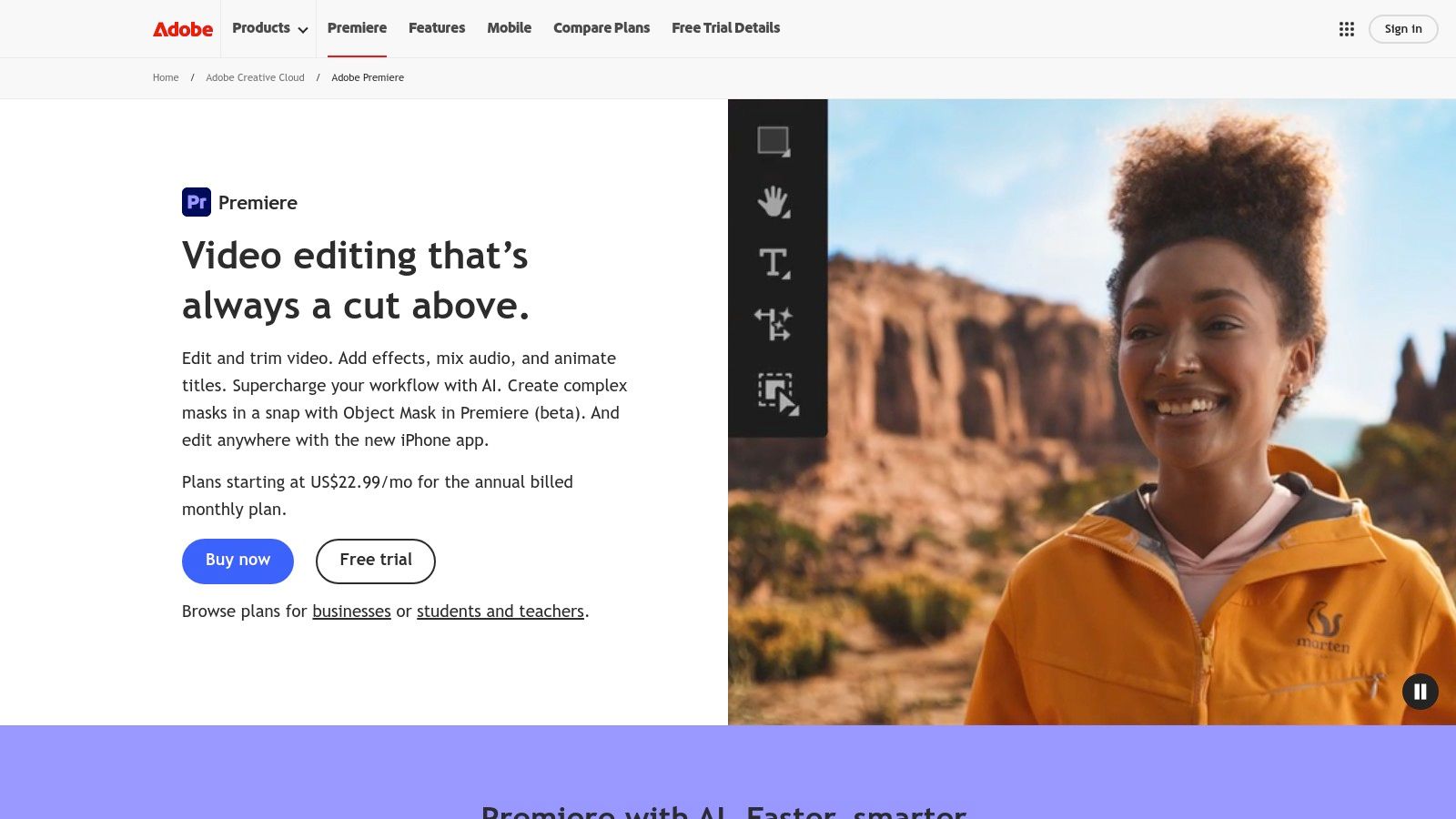
What sets it apart is the integration of Adobe Firefly, its proprietary generative AI. This powers game-changing features like Generative Extend, allowing you to seamlessly lengthen clips by creating new frames, or add/remove objects with a simple text prompt. Its AI-driven text-based editing and natural language search let you find specific moments in your footage just by typing what was said, cutting down manual scrubbing time by up to 60% according to user reports.
Key Features & Use Cases
- Generative AI (Adobe Firefly): Use Generative Extend to pad a shot's duration or Generative Fill to remove unwanted background elements. This is perfect for correcting framing issues or creating clean plates for visual effects.
- AI-Powered Transcription & Captions: Automatically generate highly accurate transcripts, then instantly create and translate captions into multiple languages. This is invaluable for creators targeting a global audience.
- Enhanced Speech & Audio Remix: AI tools can remove background noise and reverb from dialogue with a single click or automatically re-time music tracks to fit the duration of your video edit.
Pricing & Platform
Access to Premiere Pro is available through an Adobe Creative Cloud subscription.
PlanPrice (Annual, Billed Monthly)Key Features Included
Premiere Pro
Starts at $22.99/mo
Premiere Pro, 100GB cloud storage
Creative Cloud All Apps
Starts at $59.99/mo
All Adobe apps, including After Effects
Pros:
- Deep integration into the professional Adobe ecosystem (After Effects, Frame.io).
- Frequent, powerful AI feature updates backed by Adobe Firefly.
- Vast community and extensive learning resources available.
Cons:
- Steeper learning curve compared to template-based editors.
- Subscription-only model can be costly over time.
Website: https://www.adobe.com/products/premiere.html
3. Blackmagic Design – DaVinci Resolve / Resolve Studio
Best for: Filmmakers and colorists who need an all-in-one post-production suite with a one-time purchase
DaVinci Resolve has evolved from an elite color-grading suite into a comprehensive, all-in-one post-production powerhouse. Its unique selling point is the DaVinci Neural Engine, which infuses every part of the workflow, from editing to audio, with powerful AI capabilities. This makes it one of the best AI video editing software options for filmmakers and creators who demand professional-grade tools without a recurring subscription fee, as its robust free version is often more than enough for many projects.

What makes Resolve stand out is its integrated workflow. Instead of jumping between applications, you can edit, color grade, create visual effects, and mix audio all within the same interface. The AI-driven Magic Mask allows for incredibly fast and accurate object selection for targeted color corrections or effects, while features like Voice Isolation and Dialogue Leveler in its Fairlight audio page can clean up challenging audio recordings with a single click, saving hours of manual work.
Key Features & Use Cases
- DaVinci Neural Engine: Powers features like Magic Mask for AI-driven rotoscoping, Smart Reframe for automatically creating vertical or square versions of your video, and Object Removal to clean up shots.
- AI-Powered Audio Tools: Use Voice Isolation to eliminate background noise from dialogue or the Dialogue Leveler to ensure consistent audio levels across clips. This is ideal for podcasters and interviewers.
- Integrated VFX and Color: Seamlessly switch between the Edit, Color, Fusion (VFX), and Fairlight (audio) pages. The AI features are deeply integrated, allowing for a fluid, non-disruptive creative process.
Pricing & Platform
DaVinci Resolve offers a uniquely accessible pricing model with a powerful free version and a one-time purchase for the Studio upgrade.
PlanPriceKey Features Included
DaVinci Resolve
Free
Professional editing, color, VFX, and audio tools
DaVinci Resolve Studio
$295 (One-Time)
All free features plus Neural Engine tools, advanced noise reduction, more plugins
Pros:
- Extremely powerful free version suitable for professional work.
- One-time purchase for the Studio version offers incredible long-term value.
- Truly integrated, all-in-one post-production environment.
Cons:
- Steeper learning curve, especially for the Fusion and Fairlight pages.
- The most powerful AI features are locked behind the paid Studio version.
Website: https://www.blackmagicdesign.com/products/davinciresolve/
4. Apple Final Cut Pro
Best for: Mac users who want a highly optimized, one-time purchase professional editor
Apple Final Cut Pro stands out as a powerhouse for macOS users, blending a highly optimized, professional editing environment with intelligent, AI-assisted features. Unlike cloud-based platforms, Final Cut Pro is a desktop application renowned for its incredible performance on Apple silicon. It leverages machine learning to streamline complex tasks, making it a top choice for filmmakers, YouTubers, and content creators who are invested in the Apple ecosystem and demand both speed and precision.
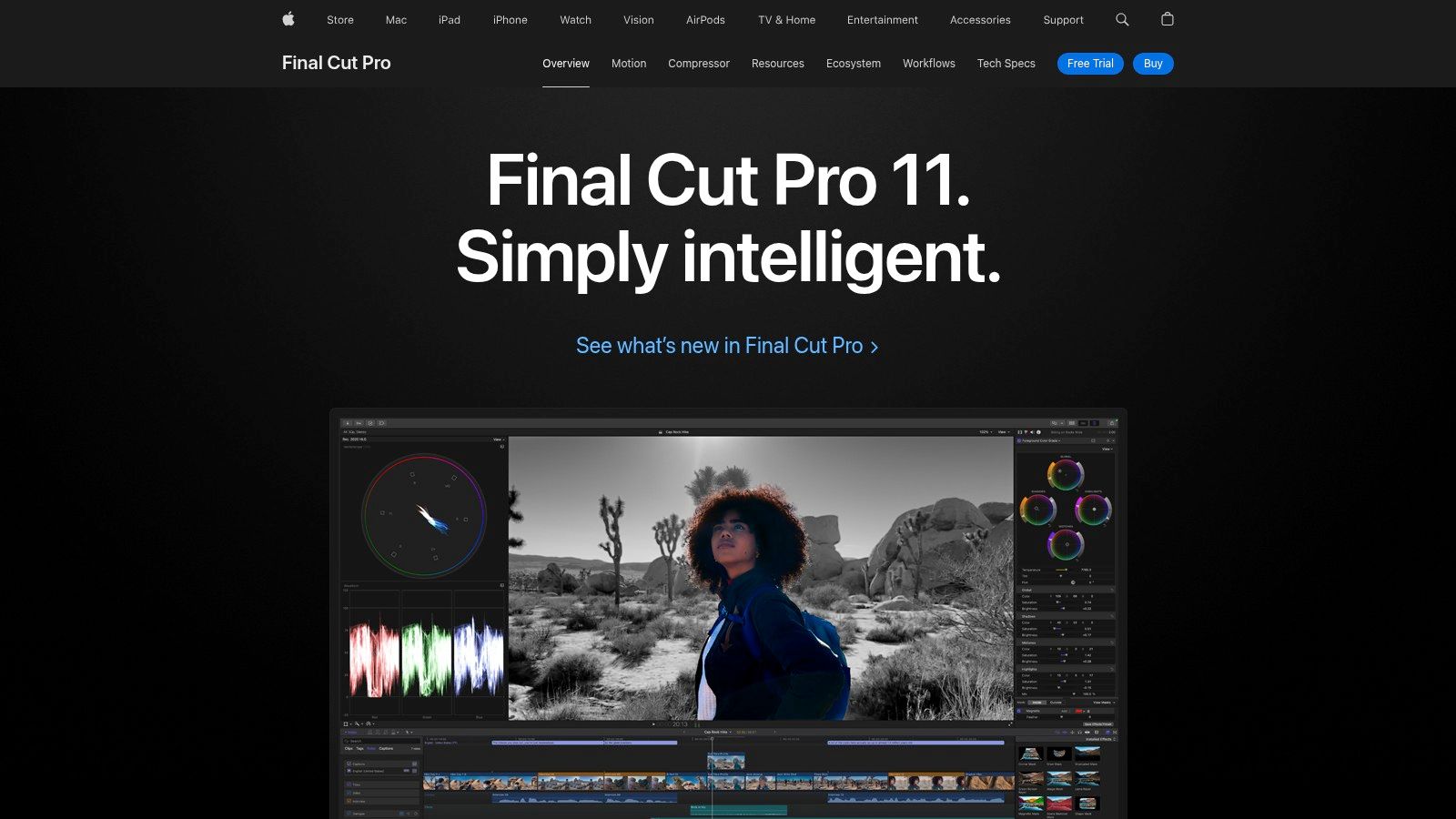
What makes Final Cut Pro a unique contender in the best AI video editing software space is its focus on enhancing the edit rather than fully automating it. Features like Smart Conform analyze clips to automatically crop them for social media formats like vertical or square video. Its AI also powers incredibly fluid slow-motion effects and intelligent color balancing, saving editors significant time on manual adjustments while delivering cinematic results.
Key Features & Use Cases
- Machine Learning Analysis: Use Smart Conform to automatically reframe widescreen video for vertical platforms like TikTok or Instagram Reels. The AI identifies the dominant motion or subject to keep the action centered.
- Enhanced Light & Color: The AI-driven color balancing tool analyzes your footage and makes intelligent adjustments to contrast and saturation with a single click, providing a perfect starting point for more detailed color grading.
- Smooth Slo-Mo: Final Cut Pro uses advanced optical flow analysis, an AI technique, to blend and synthesize new frames, creating exceptionally smooth and high-quality slow-motion effects from standard-speed footage.
Pricing & Platform
Final Cut Pro is available exclusively on the Mac App Store as a one-time purchase.
ProductPrice (One-Time)Key Features Included
Final Cut Pro
$299.99
Full professional editing suite, free updates
90-Day Free Trial
Free
Full access to all features for 90 days
Pros:
- Excellent value with a one-time purchase model and free future updates.
- Unmatched performance and optimization on Macs with M-series chips.
- Intuitive magnetic timeline and superior media organization.
Cons:
- Exclusively available on macOS, locking out Windows users.
- Cloud collaboration workflows are less integrated than subscription-based competitors.
Website: https://www.apple.com/final-cut-pro/
5. Microsoft Clipchamp
Best for: Beginners and Microsoft 365 users needing a quick, browser-based video editor
Microsoft Clipchamp makes video editing incredibly accessible, positioning itself as a powerful, browser-based tool perfect for quick social media content and straightforward projects. Integrated directly into Windows and available with Microsoft 365, it leverages AI to simplify common editing tasks without overwhelming users. It's the ideal choice for marketers, educators, and small business owners who need to create polished, professional-looking videos quickly and don't require the complex feature sets of high-end, non-linear editing software.
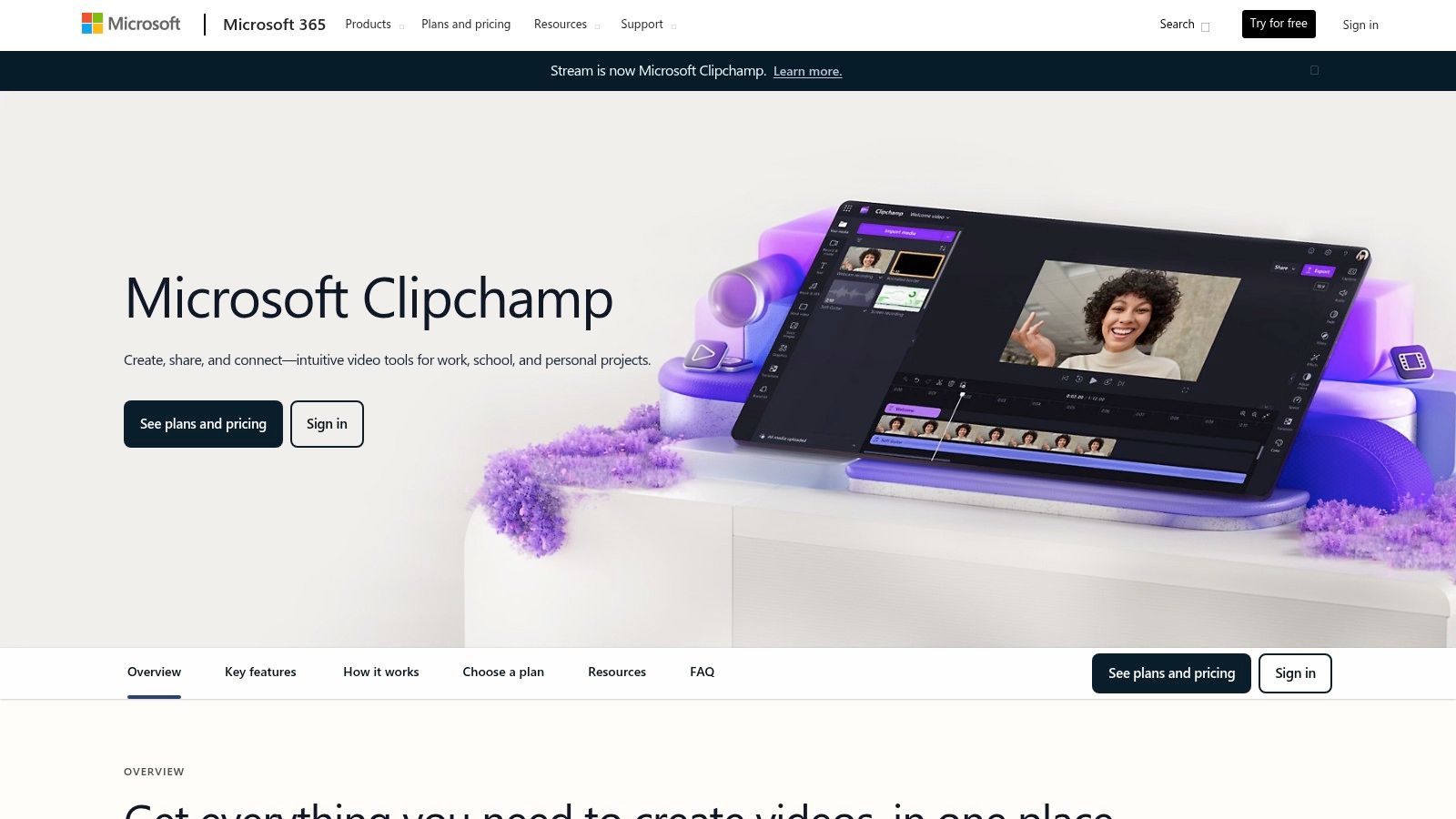
What makes Clipchamp a standout in the crowded field of the best AI video editing software is its seamless user experience and generous free tier. The AI-assisted Auto Compose feature can analyze your media clips, music, and style preferences to instantly assemble a draft video, intelligently arranging scenes and syncing them to the beat. This drastically reduces the initial editing workload, allowing creators to focus on refining the final product rather than starting from a blank timeline.
Key Features & Use Cases
- Auto Compose: Let AI create an initial video draft for you. This is perfect for users who need to produce social media ads, recap videos, or slideshows with minimal hands-on editing time.
- AI-Powered Captions & Text-to-Speech: Automatically generate accurate captions for your videos in seconds, and use the text-to-speech feature to create professional voiceovers in over 70 languages with various voice styles.
- Speaker Coach: Receive real-time feedback on your speech delivery, including pace, pitch, and use of filler words, to help you create more confident and engaging video presentations.
Pricing & Platform
Clipchamp offers a free plan with impressive features, with a paid tier unlocking premium assets and capabilities.
PlanPrice (Annual, Billed Monthly)Key Features Included
Free
$0/mo
Unlimited 1080p exports, Auto Compose
Premium
Starts at $11.99/mo
4K exports, premium stock assets, branding
Pros:
- Extremely accessible browser-based editor, no downloads required.
- Generous free plan with unlimited 1080p exports.
- Seamless integration for Microsoft 365 subscribers.
Cons:
- AI features are less advanced than dedicated professional NLEs.
- Limited to a single video track, making complex edits difficult.
Website: https://www.microsoft.com/en-us/microsoft-365/clipchamp
6. Descript
Best for: Podcasters and content creators who edit dialogue-heavy videos
Descript revolutionizes video editing by treating your footage like a text document. Instead of manipulating timelines, you edit the auto-generated transcript, and the video cuts follow suit. This text-based approach makes it one of the most intuitive and fastest tools on the market, especially for creators whose content is dialogue-driven, such as podcasters, interviewers, and educators. It’s a powerful piece of AI video editing software for anyone who values speed and simplicity over complex visual effects.
What makes Descript unique is its comprehensive suite of AI tools built around the transcript. Features like Studio Sound can remove background noise and enhance voice quality with a single click, making amateur recordings sound professional. Its Overdub feature allows you to clone your voice to correct mistakes or add new words without re-recording, a massive time-saver for narration and voice-over work. This focus on audio and text makes it an unparalleled solution for polishing spoken content.
Key Features & Use Cases
- Text-Based Video Editing: Edit video by simply deleting or rearranging text in the transcript. Ideal for quickly cutting down interviews, webinars, and podcasts into concise clips.
- Studio Sound & Overdub: Use Studio Sound to clean up poor audio recordings instantly. Overdub is perfect for correcting small errors in voice-overs or updating spoken content post-production.
- Automatic Transcription & Subtitles: Generate highly accurate transcripts and instantly burn them into your video as captions. Descript's subtitle tool is a great asset for creating accessible content; learn more about the best subtitle generators.
Pricing & Platform
Descript offers a free tier and several paid subscription plans with more features and transcription hours.
PlanPrice (Annual, Billed Monthly)Key Features Included
Creator
Starts at $12/mo
10 hrs transcription/month, Studio Sound
Pro
Starts at $24/mo
30 hrs transcription/month, Overdub
Pros:
- Fast turnaround for shorts, explainers, and podcast-to-video workflows.
- Very gentle learning curve for non-editors.
- Powerful AI audio enhancement and voice cloning features.
Cons:
- Not a full VFX/compositing environment.
- Transcripts and some features are subject to credits/limits.
Website: https://www.descript.com/
7. Wondershare Filmora
Best for: YouTubers and aspiring creators who want a balance of simplicity and powerful AI tools
Wondershare Filmora strikes an excellent balance between user-friendliness and powerful AI functionality, making it a favorite among aspiring creators and seasoned YouTubers. It bypasses the steep learning curve of professional-grade software by offering a suite of one-click AI tools within a clean, intuitive interface. Filmora is designed for those who want to produce polished, engaging content quickly, leveraging AI to handle tedious tasks like reframing and subtitle creation without getting bogged down in complex settings.
What makes Filmora stand out is its accessibility. Features like AI Portrait can instantly remove video backgrounds without a green screen, while Auto Reframe intelligently adjusts your video to different aspect ratios for social media. This focus on practical, time-saving tools makes it one of the best AI video editing software options for creators who need to maintain a consistent output across multiple platforms without spending hours on manual edits.
Key Features & Use Cases
- AI Smart Cutout & Portrait: Effortlessly isolate subjects or remove backgrounds with a single click. This is perfect for creating dynamic product showcases or professional-looking vlogs without special equipment.
- Auto Reframe: Automatically detects the main subject and resizes videos for different platforms like TikTok, Instagram Reels, or YouTube Shorts, saving significant editing time.
- Silence Detection & Subtitles: Instantly find and remove dead air or long pauses in your footage. The AI can also generate and customize subtitles, boosting accessibility and viewer retention.
Pricing & Platform
Filmora is available for Windows and macOS with flexible purchasing options.
PlanPriceKey Features Included
Annual Plan
$49.99/year
All features, updates, 10 GB cloud storage
Perpetual Plan
$79.99 (one-time)
Lifetime access to Filmora 13
Pros:
- Easy to start for casual and pro-am creators.
- Affordable tiers and many one-click effects.
- Large library of templates and assets via Filmstock integration.
Cons:
- Add-ons and asset subscriptions can increase total cost.
- Some users report dissatisfaction with licensing upsells.
Website: https://filmora.wondershare.com/
8. Movavi Video Editor
Best for: Beginners and hobbyists looking for an extremely simple, budget-friendly editor
Movavi Video Editor carves out a niche by making AI-powered editing accessible to everyone, regardless of technical skill. It’s an ideal entry point for beginners, casual creators, and small businesses who need a fast, intuitive tool without the intimidating complexity of professional software. The platform focuses on one-click AI solutions that solve common editing problems, allowing users to produce polished content for social media and personal projects with minimal effort.
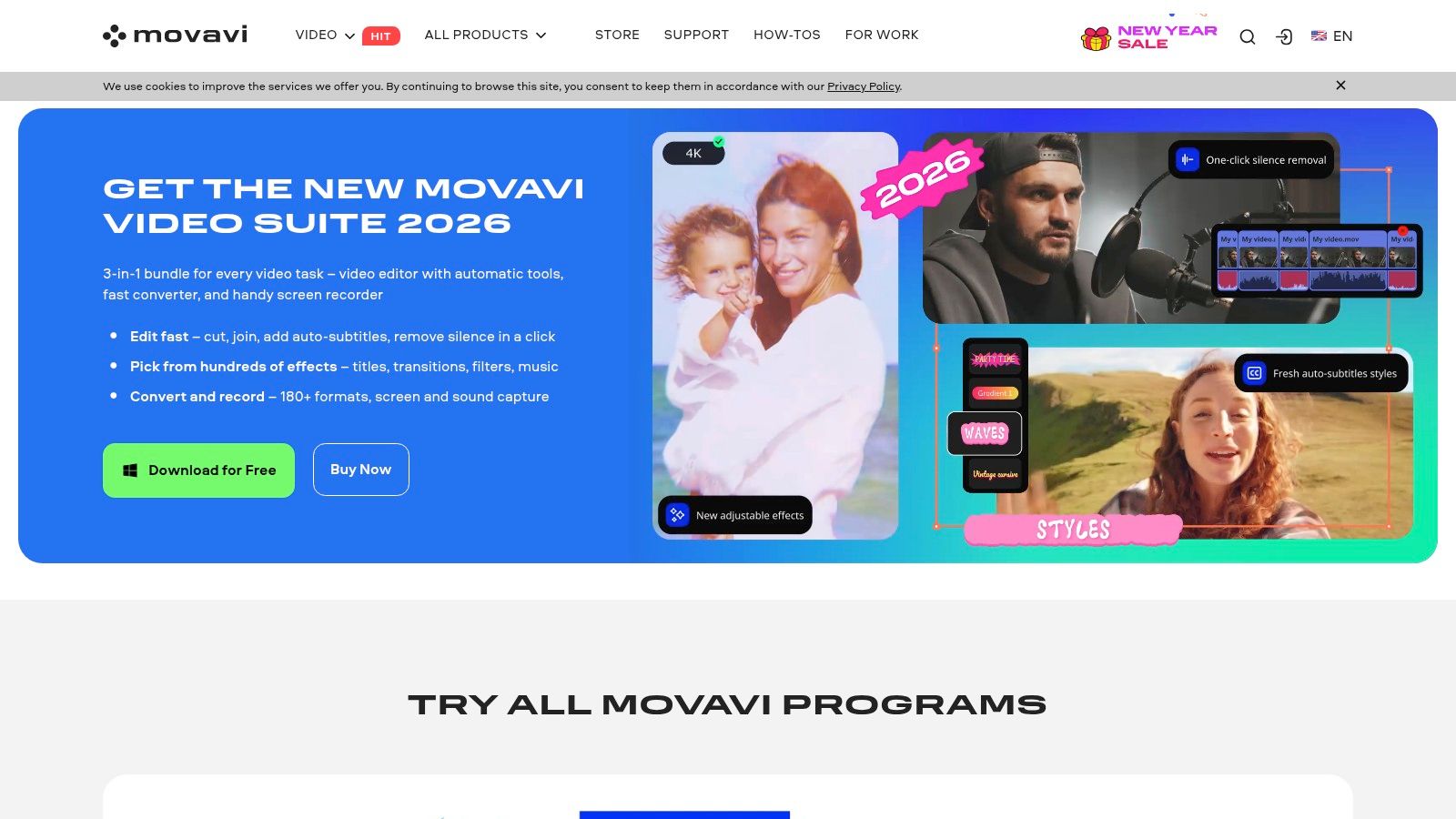
What makes Movavi stand out is its commitment to drag-and-drop simplicity, augmented by practical AI. Features like AI auto-subtitles and silence removal streamline the most tedious parts of video creation, turning hours of work into a few clicks. Its clean interface, combined with social-first templates and fast processing speeds, makes it one of the best AI video editing software options for users who prioritize speed and ease of use over deep, granular control.
Key Features & Use Cases
- AI Auto-Subtitles: Generate subtitles for your videos automatically, saving significant time on manual transcription. This is perfect for creators making content for platforms where users watch with the sound off.
- AI Silence Removal: Instantly find and cut out awkward pauses and silent segments from your footage. This feature is a game-changer for podcasters, interviewers, and tutorial creators looking to improve pacing.
- Drag-and-Drop Simplicity: Build videos quickly using a library of pre-made templates, effects, and transitions designed for popular social media formats like TikTok and Instagram Reels.
Pricing & Platform
Movavi is available as a standalone purchase or as part of a larger creative suite.
PlanPrice (One-Time)Key Features Included
Video Editor
Starts at $79.95
Standalone video editor with all features
Movavi Unlimited
Starts at $129.95/year
All Movavi apps, including photo and screen tools
Pros:
- Extremely low learning curve, ideal for beginners.
- Budget-friendly with one-time purchase options and frequent discounts.
- Available on multiple storefronts, including Steam.
Cons:
- Lacks advanced color grading, audio mixing, and collaboration tools.
- AI feature set is less comprehensive than professional NLEs.
Website: https://www.movavi.com/video-editor/
9. VEED.IO
Best for: Marketing teams and businesses needing a collaborative, web-based video toolkit
VEED.IO has carved out a niche as the ultimate web-based AI video editor for teams that prioritize speed and collaboration over granular editing control. It’s designed for social media managers, marketers, and educators who need to produce high-quality, engaging videos without a steep learning curve. The platform bundles a comprehensive suite of AI tools into a single, accessible interface, making it one of the best AI video editing software choices for quick-turnaround projects.

What makes VEED.IO stand out is its focus on content accessibility and creation from scratch. Its AI-powered subtitling is remarkably accurate and supports translation into dozens of languages, instantly broadening a video's reach. Furthermore, its text-to-video, AI avatar, and voice generation tools allow users to create entire video assets from a simple text prompt, which is perfect for producing training materials or social media explainers without ever needing a camera.
Key Features & Use Cases
- AI Auto-Subtitles & Translation: Automatically generate and translate captions with near-perfect accuracy. This is a game-changer for creators targeting international audiences or ensuring content is accessible.
- Text-to-Video & AI Avatars: Generate complete videos, including AI-generated voiceovers and lifelike avatars, from a script. This is ideal for corporate training modules, HR announcements, and marketing videos.
- Template-Driven Workflows: Leverage a vast library of templates to quickly format videos for different social media platforms like TikTok, Instagram Reels, and YouTube Shorts.
- Cloud-Based Collaboration: Teams can work on projects simultaneously, leaving comments and edits in real-time without downloading any software.
Pricing & Platform
VEED.IO offers several subscription tiers, including a free plan with watermarked exports.
PlanPrice (Annual, Billed Monthly)Key Features Included
Basic
Starts at $15/mo
No watermark, 30 min/mo AI subtitles
Pro
Starts at $24/mo
Brand Kit, 120 min/mo AI subtitles
Business
Starts at $59/mo
4K export, video analytics
Pros:
- Extremely fast, template-driven workflows ideal for non-editors.
- Fully cloud-based, enabling seamless team collaboration from anywhere.
- Excellent AI subtitling and translation capabilities.
Cons:
- Credit-based system for some AI features can be confusing.
- Pricing structure and feature entitlements have received mixed user feedback.
Website: https://www.veed.io/
10. Kapwing
Best for: Social media managers and teams needing fast, collaborative content creation
Kapwing carves out its niche as a highly accessible, browser-based AI video editor designed for speed and collaboration. It's the ideal tool for social media teams, educators, and creators who need to produce a high volume of short-form content quickly without a steep learning curve. Kapwing uses AI not to overwhelm, but to streamline common, repetitive tasks like subtitling, resizing, and removing silences, making it a powerful asset for fast-paced workflows.
What makes Kapwing stand out is its emphasis on collaborative, template-driven creation. Its AI features, like Smart Cut, automatically find and remove silences, while its auto-subtitling tool can generate and translate captions in seconds. This focus on simplifying the most time-consuming parts of social video creation makes it a go-to for teams needing to maintain brand consistency and high output. It effectively bridges the gap between basic template apps and complex desktop software.
Key Features & Use Cases
- Automatic Subtitles & Translation: Instantly generate accurate captions for your videos and translate them into multiple languages to broaden your audience reach.
- AI-Powered Smart Tools: Use Smart Cut to automatically remove dead air, Clean Audio to reduce background noise, and find-and-replace text within your video's subtitles. This is a huge time-saver for polishing interviews and tutorials.
- Collaborative Workspaces: Invite team members to edit projects simultaneously in a shared, cloud-based environment, perfect for agency and marketing team approvals.
- Text-to-Speech & AI Dubbing: Create voice-overs from text in various voices or automatically dub your video's dialogue into another language, great for content localization. For more options, explore other AI short video generator tools.
Pricing & Platform
Kapwing offers a free tier and several paid plans with a transparent, credit-based system for AI features.
PlanPrice (Annual, Billed Monthly)Key Features Included
Free
$0/mo
Watermarked exports, 720p resolution
Pro
Starts at $16/mo
No watermark, 4K export, 300 AI credits/mo
Business
Starts at $50/mo
Brand Kit, Consolidated billing, 600 AI credits/mo
Pros:
- Extremely user-friendly and browser-based, no downloads needed.
- Excellent tools for subtitling and social media repurposing.
- Transparent, credit-based system for AI feature usage.
Cons:
- Not a replacement for complex, professional editing software.
- The free plan includes a watermark on all video exports.
Website: https://www.kapwing.com/
11. Runway (RunwayML)
Best for: Artists and creatives experimenting with generative AI video
Runway has positioned itself at the cutting edge of generative AI, offering a suite of tools that feel like a glimpse into the future of video creation. Unlike traditional editors that add AI features, Runway is an AI-first platform built for generating and manipulating video content with text prompts and simple controls. It’s the ideal sandbox for artists, marketers, and filmmakers looking to create unique b-roll, conceptual visuals, or stylized video clips that would be impossible or too expensive to shoot traditionally.

What makes Runway stand out are its powerful generative video models, like Gen-3 Alpha. This core technology allows users to generate high-quality video clips from text or still images, offering an unparalleled level of creative freedom. Beyond generation, the platform includes a range of "AI Magic Tools" for tasks like removing backgrounds, erasing objects with Inpainting, or automatically creating slow-motion effects, making it a versatile tool for complex post-production tasks.
Key Features & Use Cases
- Text/Image-to-Video Generation: Use models like Gen-3 Alpha to create video clips from simple text prompts or by animating a static image. This is perfect for generating abstract backgrounds, concept visualizations, or unique b-roll.
- AI Magic Tools: Leverage a full suite of AI-powered editing functions, including background removal, object inpainting, and motion tracking. These are invaluable for VFX artists and marketers needing to quickly modify existing footage.
- Full Editing Suite: While known for generation, Runway also includes a multi-track video editor, allowing you to assemble your AI-generated clips with traditional footage, add audio, and export a final product without leaving the platform.
Pricing & Platform
Runway operates on a credit-based subscription model, where different actions consume a set number of credits.
PlanPrice (Annual, Billed Monthly)Key Features Included
Standard
$12/user/mo
625 credits/mo, 1080p exports
Pro
$28/user/mo
1250 credits/mo, 4K exports, more AI tools
Unlimited
$76/user/mo
Unlimited relaxed video generations, 2250 credits
Pros:
- State-of-the-art generative video models for creative ideation.
- Comprehensive suite of "AI Magic Tools" in one platform.
- Clear, tiered plans and a straightforward credit system.
Cons:
- Credit usage can be unpredictable and costly for large or experimental projects.
- Free plan capacity can be throttled during periods of high user demand.
Website: https://runwayml.com/
12. Avid Media Composer
Best for: Film/TV editors and large production teams working on narrative content
Avid Media Composer is the undisputed powerhouse for Hollywood-grade film and television production, integrating targeted AI to solve specific, high-level workflow challenges. Unlike platforms focused on full automation, Avid uses AI to enhance its legendary media management and narrative editing capabilities. This makes it the essential choice for large-scale productions, documentary filmmakers, and collaborative teams where dialogue and script are central to the editing process.
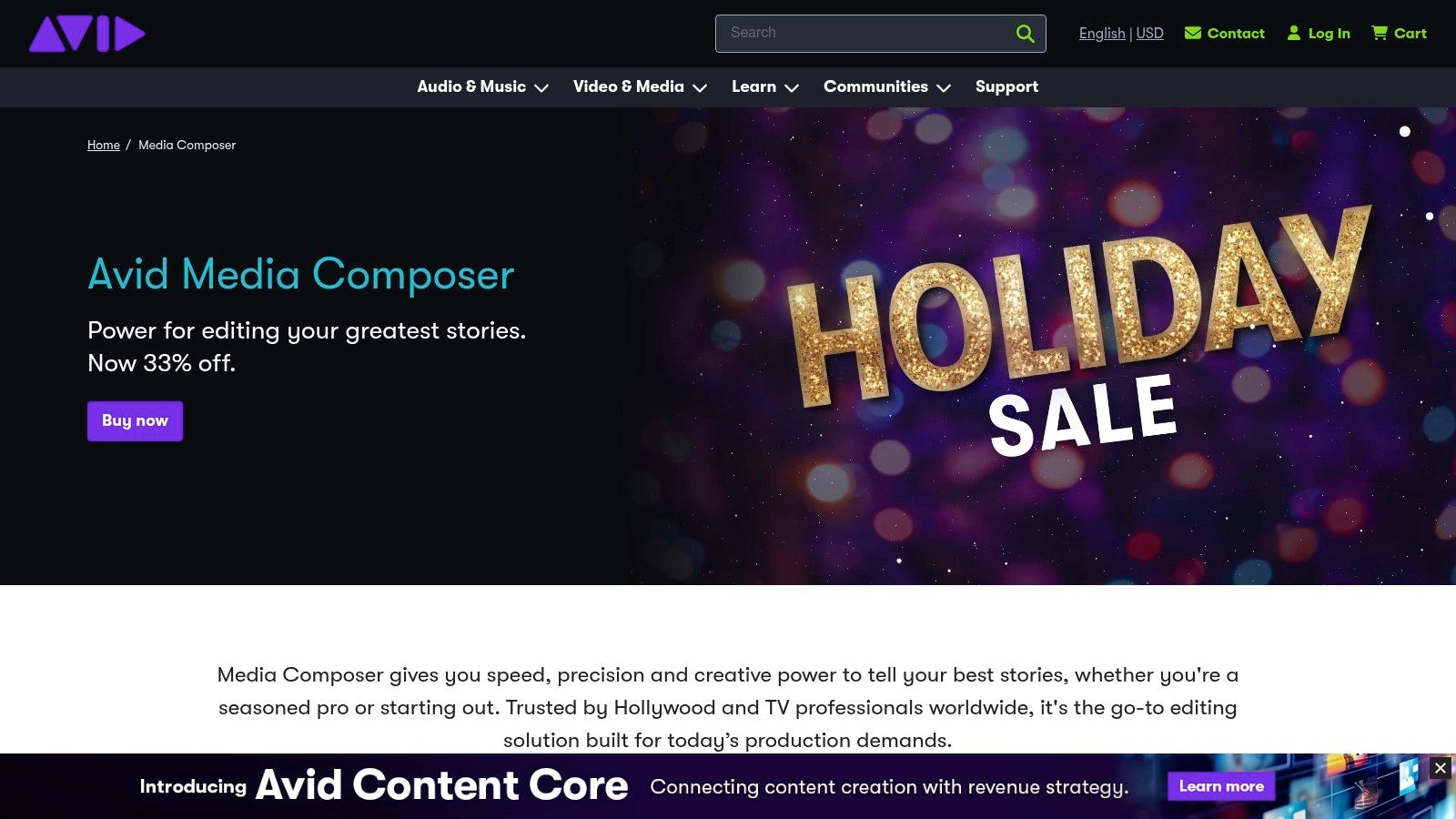
What sets Avid apart is its specialized AI toolkit designed for narrative content. Features like ScriptSync AI and PhraseFind AI don't just transcribe dialogue; they phonetically index every spoken word across all project media. This allows editors to instantly locate any line of dialogue or specific take by simply typing it in or clicking on the script. For long-form projects with thousands of clips, this AI-driven search function can save hundreds of hours of manual logging and searching.
Key Features & Use Cases
- ScriptSync AI & PhraseFind AI: Automatically syncs video clips to their corresponding lines in a script and enables phonetic search across all media. This is a game-changer for documentary and narrative editors needing to find specific sound bites or alternate takes instantly.
- Robust Media Management: Designed for massive projects, its media management systems are built for stability and team-based collaboration, ensuring assets are organized and accessible in complex pipelines.
- Timeline & Trim Tools: Offers industry-leading editing and trimming tools that provide the precision required for feature film and broadcast television workflows.
Pricing & Platform
Avid Media Composer is available through various subscription tiers.
PlanPrice (Annual, Billed Monthly)Key Features Included
Media Composer
Starts at $23.99/mo
Core editing software
Media Composer | Ultimate
Starts at $49.99/mo
Adds advanced collaboration tools
Media Composer | Enterprise
Custom pricing
Tailored for large broadcast teams
Pros:
- Proven reliability in demanding professional production environments.
- AI tools dramatically accelerate dialogue-based editing workflows.
- Unmatched media management and collaborative capabilities.
Cons:
- Steep learning curve not suited for casual users or beginners.
- AI add-ons like ScriptSync and PhraseFind may require separate licensing.
Website: https://www.avid.com/media-composer
Top 12 AI Video Editors: Feature Comparison
ProductCore featuresUX / Quality (★)Value & Price (💰)Target audience (👥)Unique selling points (✨)
Klap 🏆
AI clip generation, auto-reframe, captions, viral scoring, native publish
★★★★☆ fast, social-optimized
💰 Free trial; Pro $29/mo
👥 Creators, marketers, agencies
✨ Auto-hook detection, AI Reframe 2, brand kit
Adobe Premiere Pro
Pro NLE, Firefly generative tools, After Effects/Frame.io integration
★★★★★ industry‑grade
💰 Subscription (Creative Cloud)
👥 Professional editors, studios
✨ Deep timeline, generative fills, ecosystem
DaVinci Resolve / Studio
Edit + color + Fairlight audio + Fusion VFX, Neural Engine
★★★★☆ studio-grade
💰 Free tier; Studio one‑time license
👥 Colorists, post houses, pros
✨ Best‑in‑class color, Magic Mask, perpetual license
Apple Final Cut Pro
Mac‑optimized NLE, AI color/slo‑mo, Motion/Compressor integration
★★★★☆ very fast on M‑series
💰 One‑time purchase (trial available)
👥 macOS creators, solo pros
✨ Optimized Apple silicon performance
Microsoft Clipchamp
Browser editor, auto‑captions, backgrounds, templates, 1080p export
★★★☆☆ simple web UX
💰 Free tier; MS365 bundles
👥 Casual creators, MS users
✨ Windows/MS365 integration, templates
Descript
Transcript‑driven editing, Overdub voice clone, Studio Sound
★★★★☆ text‑first, fast for talk
💰 Freemium; credits/limits for some features
👥 Podcasters, educators, talk creators
✨ Edit-by-text, AI voice cloning
Wondershare Filmora
One‑click AI reframe/portrait, templates, effects library
★★★☆☆ easy & friendly
💰 Affordable tiers; add‑ons cost extra
👥 Casual & pro‑am creators
✨ Large effects/templates, one‑click tools
Movavi Video Editor
Auto‑subtitles, silence removal, social templates, fast export
★★★☆☆ beginner‑friendly
💰 Budget pricing; frequent discounts
👥 Beginners, hobbyists
✨ Simple workflows, promo pricing
VEED.IO
Auto subtitles/translation, text‑to‑video, AI avatars, brand kit
★★★★☆ cloud collaboration
💰 Tiered plans; credit models
👥 Marketing teams, educators
✨ AI avatars/voices, template workflows
Kapwing
Auto-subtitle/dubbing, AI cuts, templates, collaborative workspaces
★★★★☆ fast & accessible
💰 Freemium; paid removes watermark
👥 Social teams, educators
✨ Collaborative browser editor, clear credits
Runway
Generative video, inpainting, background removal, lip‑sync
★★★★☆ cutting‑edge tools
💰 Credit‑based pricing
👥 Artists, stylists, concept teams
✨ State‑of‑the‑art generative video models
Avid Media Composer
ScriptSync, PhraseFind, robust media/collab pipelines
★★★★☆ enterprise/pro workflows
💰 Subscription; AI add‑ons possible
👥 Film/TV editors, long‑form teams
✨ Film/TV media mgmt, dialog search AI
Our Final Recommendation: What's the Best AI Video Editor for You?
Navigating the landscape of the best AI video editing software can feel overwhelming, but as we've explored, the right choice hinges entirely on your specific workflow, goals, and technical expertise. The explosion of AI has not created a single "best" editor; instead, it has produced a new generation of specialized tools designed to solve distinct problems for different types of creators. The key takeaway is to match the tool to the task, not the other way around.
Traditional, timeline-based editors are not disappearing. For seasoned professionals and those requiring granular creative control, platforms like Adobe Premiere Pro and DaVinci Resolve Studio remain the industry standard. Their AI features, such as Premiere's Text-Based Editing and Resolve's Neural Engine, are powerful workflow accelerants. They are designed to augment the skills of an experienced editor, not replace them. These tools are the equivalent of giving a master carpenter a powered saw; it makes their work faster and more efficient without sacrificing precision.
On the other end of the spectrum, accessible tools like Wondershare Filmora, VEED.IO, and Microsoft Clipchamp have democratized video creation. Their AI-driven templates, stock media assistants, and one-click effects are perfect for social media managers, small business owners, and beginners who need to produce polished content without a steep learning curve. These platforms prioritize speed and simplicity, making them ideal for quick-turnaround projects where good enough is better than perfect.
The New Paradigm: AI-Powered Repurposing
However, a significant portion of modern creators, especially YouTubers, podcasters, and brand marketers, face a unique and demanding challenge: content repurposing. The primary bottleneck is no longer the creation of the core long-form video but the painstaking process of mining it for dozens of high-potential short-form clips for platforms like TikTok, Instagram Reels, and YouTube Shorts. This is where a fundamental shift in tooling becomes necessary.
For this specific, high-leverage task, a general-purpose editor is inefficient. Manually scrubbing through an hour-long podcast to find 10 engaging, 60-second moments, then reframing, captioning, and exporting each one is a multi-hour job. This is the precise problem that specialized AI tools are built to solve, and it’s where Klap truly shines as our top recommendation for content repurposers.
Its AI isn't just a feature; it's the entire engine. By analyzing transcripts, video context, and virality signals, Klap automates the most time-consuming parts of the process. It doesn't just cut clips; it identifies the most compelling hooks, reframes the speaker perfectly for vertical viewing, and adds dynamic, engaging captions. For a creator, this translates into a massive ROI. Spending 10 hours a month editing shorts can be reduced to just one, freeing up 9 hours to script, film, or engage with your community. This shift from manual editor to content strategist is what makes tools like Klap a game-changer. While a tool like Descript offers excellent transcription and podcast-focused features, Klap’s laser focus on creating viral-ready short video clips gives it a distinct advantage for this use case.
Ultimately, choosing the best AI video editing software requires a clear understanding of your primary objective. Are you crafting a cinematic masterpiece, a quick social ad, or a content engine to fuel audience growth? Your answer will point you to the right category of tool. For the modern creator focused on maximizing reach and engagement, the smartest investment is in a tool that automates the most repetitive, time-consuming task, and for that, a specialized AI repurposing platform is the clear winner.
Ready to stop manually cutting clips and start multiplying your content output? See for yourself how Klap uses AI to turn one long video into a dozen viral-ready shorts in minutes. Try Klap for free and reclaim hours of your time.
