
Here are the Top 5 Submagic Alternatives for AI Captions, Clips, and Video Repurposing
Tools for Creators
Quick Summary
This guide compares the best Submagic alternatives for different video workflows. Here are our top picks:
- Klap: For turning long videos into multiple ready to post clips.
- ZapCap: For fast captions, templates, hooks, and browser based editing.
- Exemplary AI: For repurposing recordings into clips, transcripts, summaries, blogs, and show notes.
For more guides like this, visit the Klap blog.
Looking for a Submagic Alternative that Fits How you Actually Create?
If Submagic feels close but not quite right, the issue is probably not “features.” It is the workflow. Some creators need better long form clipping. Others need a free editor, stronger timeline control, team comments, AI avatars, or a cleaner way to edit podcast and interview content.
In this Klap guide, we review the best five Submagic alternatives by real use case, not just tool popularity. We cover where each option works best, what to check before paying, and why Klap is the strongest fit when you want to repurpose long videos into platform ready clips faster.
Why Listen To Us?
At Klap, we help creators, marketers, and media teams turn long videos into clips for TikTok, Reels, Shorts, and LinkedIn. About 3.5M creators have used our AI clip maker to make 8.5M clips, and teams at Netflix, Red Bull, Spotify, Stanford, Adidas, Bolt, and BuzzFeed use us for repurposing.
That gives us a clear view of what a good Submagic alternative should do. It should find strong moments, reframe clips, add captions, and help you publish faster.
What Is Submagic?
Submagic is an AI video editing platform for creators, agencies, and marketing teams that want to create short form videos faster. It helps users add captions, trim clips, remove silences, insert B roll, clean audio, translate captions, and publish content across social platforms.
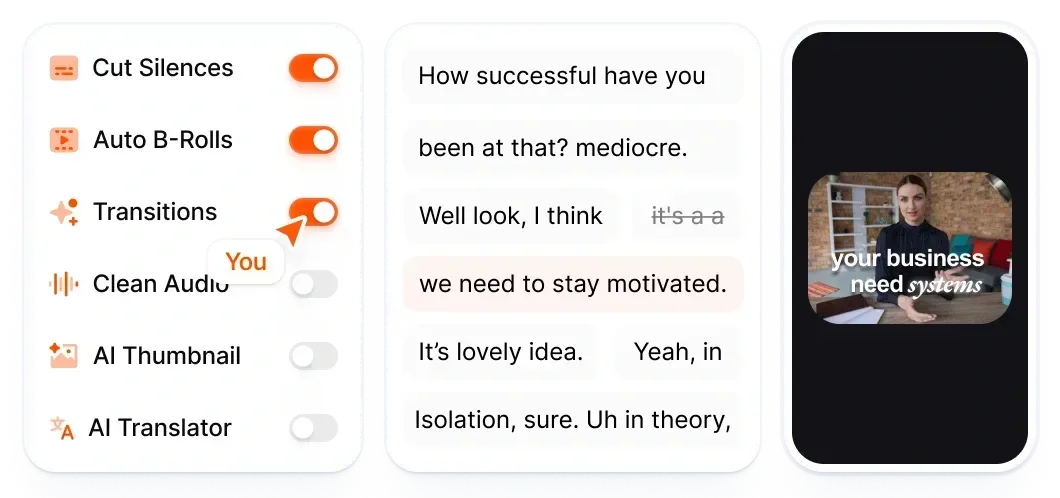
Submagic is a strong fit when you already have short videos or long recordings and want to turn them into polished social clips without editing every detail manually.
Key Features
- AI Captions: Generates styled captions for short form videos.
- Magic Clips: Turns long videos into multiple short clips.
- AI Video Editing: Trims, cuts, removes silences, and speeds up editing.
- B Roll And Audio Tools: Adds visual support and cleans up audio.
- Publishing Tools: Helps publish content to TikTok, YouTube, and Instagram.
Pricing
Submagic has three paid plans:
- Starter ($19/member/month): For 15 videos, captions, trimming, and 1080p exports.
- Pro ($39/member/month): For 40 videos, AI hooks, clean audio, translations, brand kits, and publishing.
- Business + API ($69/member/month): For 100 videos, 4K exports, templates, API access, and priority support.
The Magic Clips add on costs $19/member/month.
Why Consider a Submagic Alternative?
Long Videos Can Hit Plan Limits Quickly
Submagic is useful for short form video content editing, but its video length limits can be restrictive for long recordings. Starter supports 2 minute videos, Pro supports 5 minute videos, and Business supports 30 minute videos.
That can be a problem for podcasters, webinar teams, and YouTube creators working with longer source files that require full AI clipping.
Magic Clips Costs Extra
Long video clipping is available through Magic Clips, but it is sold as an add on. That means users who mainly want to turn long videos into short clips need to factor in the extra cost, not just the base plan price.
It Is Built Around Short Form Polish
Submagic focuses on captions, B roll, silence removal, short form edits, and publishing. That is helpful for social clips, but users who need deeper timeline control, advanced manual editing, or broader production workflows may prefer a different video editing software.
AI Output Still Needs Human Review
Submagic can find moments, add captions, and improve videos quickly. But creators still need to review clip choices, caption accuracy, pacing, and brand fit to ensure accuracy. This extra layer can quickly add up, especially for interviews, client work, or technical content.
Best 5 Submagic Alternatives to Consider
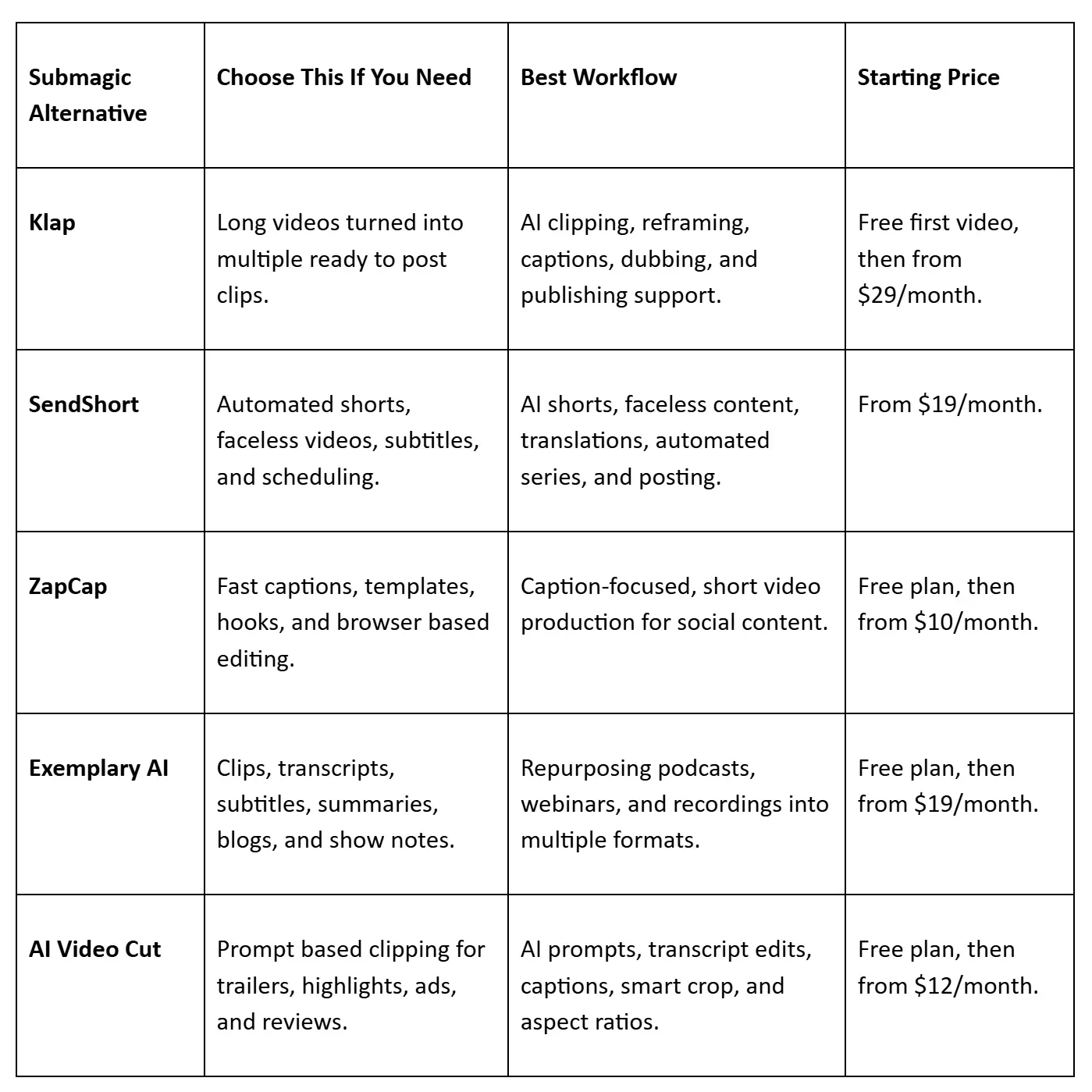
Here’s a side-by-side comparison of the Submagic alternatives covered in this guide:
1. Klap
Klap is an AI clip generator built to turn long videos into short clips for TikTok, Reels, Shorts, and LinkedIn. If Submagic is strongest for polishing short-form videos with captions and quick edits, Klap is stronger for creators who start with longer source material and need multiple clips from one recording.
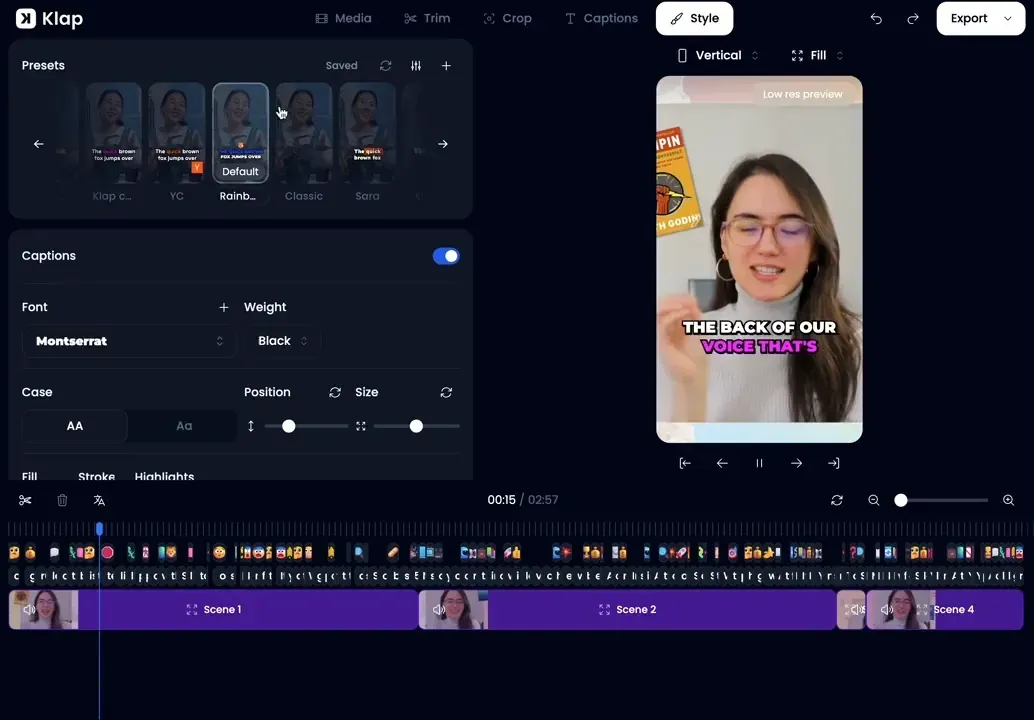
That distinction is important. For example, a podcast host does not just need captions. They need a repeatable way to repurpose podcast content into clips that can stand alone on social media.
With Klap, the best moments are found automatically, reframed into vertical clips, captioned, translated where needed, and prepared for publishing. If YouTube is your main source channel, Klap also fits workflows where you need to create YouTube Shorts from existing videos.
Simply paste a YouTube link or upload a file, then the AI clip maker finds strong moments, edits them into clips, reframes the subject, adds captions, and helps you publish or schedule across social channels.
Key Features
- Long Video to Short Video Converter: Finds strong moments and turns long videos into ready clips.
- AI Reframe 2: Automatically resizes clips with layouts built for social platforms.
- Auto Reframing: Keeps key subjects visible when clips shift vertical formats online.
- Engaging Captions: Adds styled subtitles that make social clips easier to watch.
- AI Dubbing: Translates clips into 29 languages for wider audience reach.
- Publish and Schedule: Helps share finished clips across major social platforms faster.
- Virality Score: Helps prioritize AI shorts with stronger potential before publishing decisions.
Pricing
You can generate your first video for free, then choose from three paid plans for creators, teams, and agencies:
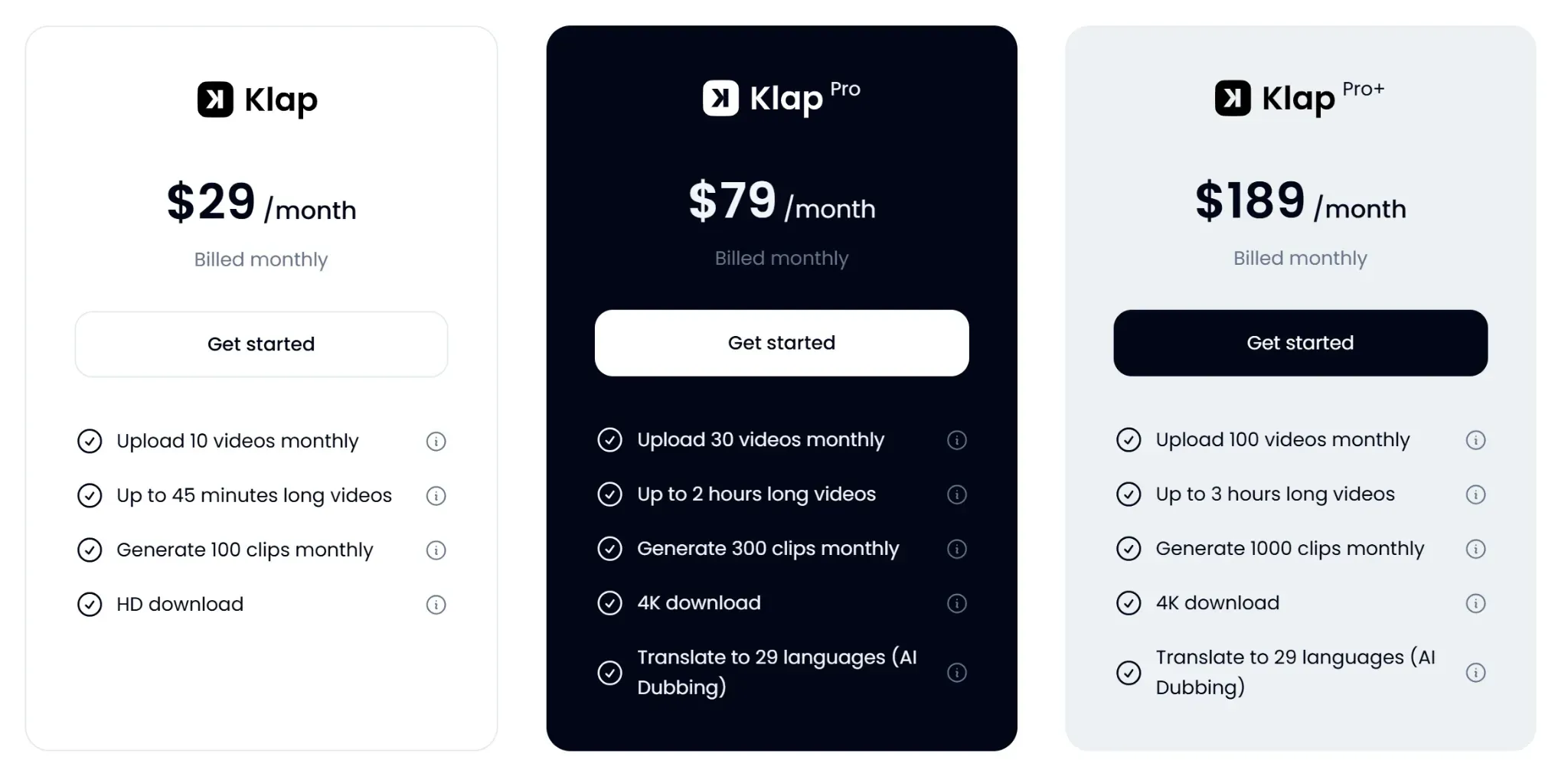
- Starter ($29/month) for 100 clips monthly and 45-minute videos.
- Pro ($79/month) for 300 clips, 2-hour videos, 4K downloads, and AI dubbing.
- Pro+ ($189/month) for 1,000 clips, 3-hour videos, 4K downloads, and AI dubbing.
Pros
- Turns one recording into many usable clips
- AI clipping is inbuilt and available across all plans
- Reduces manual searching through long source videos
- Reframing supports interviews, tutorials, and screen recordings
- Publishing tools help maintain consistent posting cadence
Cons
- A paid plan is required for more than one video
2. SendShort
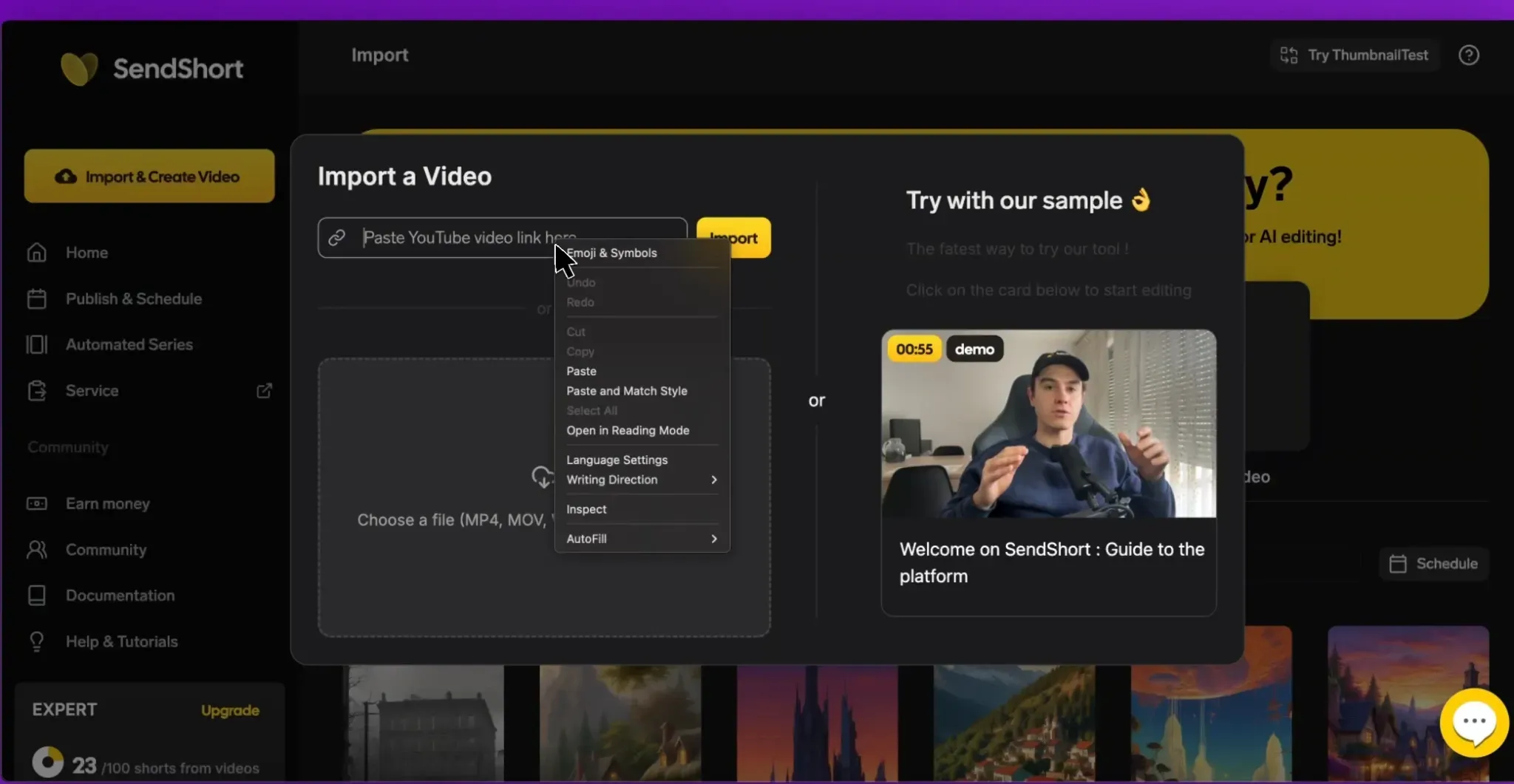
SendShort is an AI short form video tool for creators who want fast clipping, faceless video creation, subtitles, and scheduling in one place. As a Submagic alternative, it fits users who want more automation around long video to short creation, AI generated stories, voiceovers, captions, translations, and automated series.
Key Features
- Auto Shorts: Creates multiple shorts from uploaded videos or links.
- Auto Subtitles: Adds customizable captions with multilingual support.
- Faceless Video AI: Creates videos using visuals, voiceovers, and text.
- Auto Translation: Translates subtitles into more than 30 languages.
- Automated Publishing: Schedules and publishes across multiple platforms.
Pricing
SendShort has three paid plans:
- Starter ($19/month) for 20 monthly shorts and 1080p exports.
- Professional ($29/month) for 50 shorts, custom themes, translation, noise reduction, and automated series.
- Business ($59/month) for unlimited shorts, long video to shorts, 4K exports, etc.
Pros
- Strong fit for faceless video workflows
- Automates several repetitive editing tasks quickly
- Scheduling helps creators publish more consistently
Cons
- Long video clipping requires Business plan
- Starter video length is quite limited
- Faceless output still needs human review
3. ZapCap
ZapCap is an AI captioning and short video editing tool that focuses on making videos easier to watch with accurate captions, caption templates, hooks, descriptions, B roll, silence removal, and browser based editing.
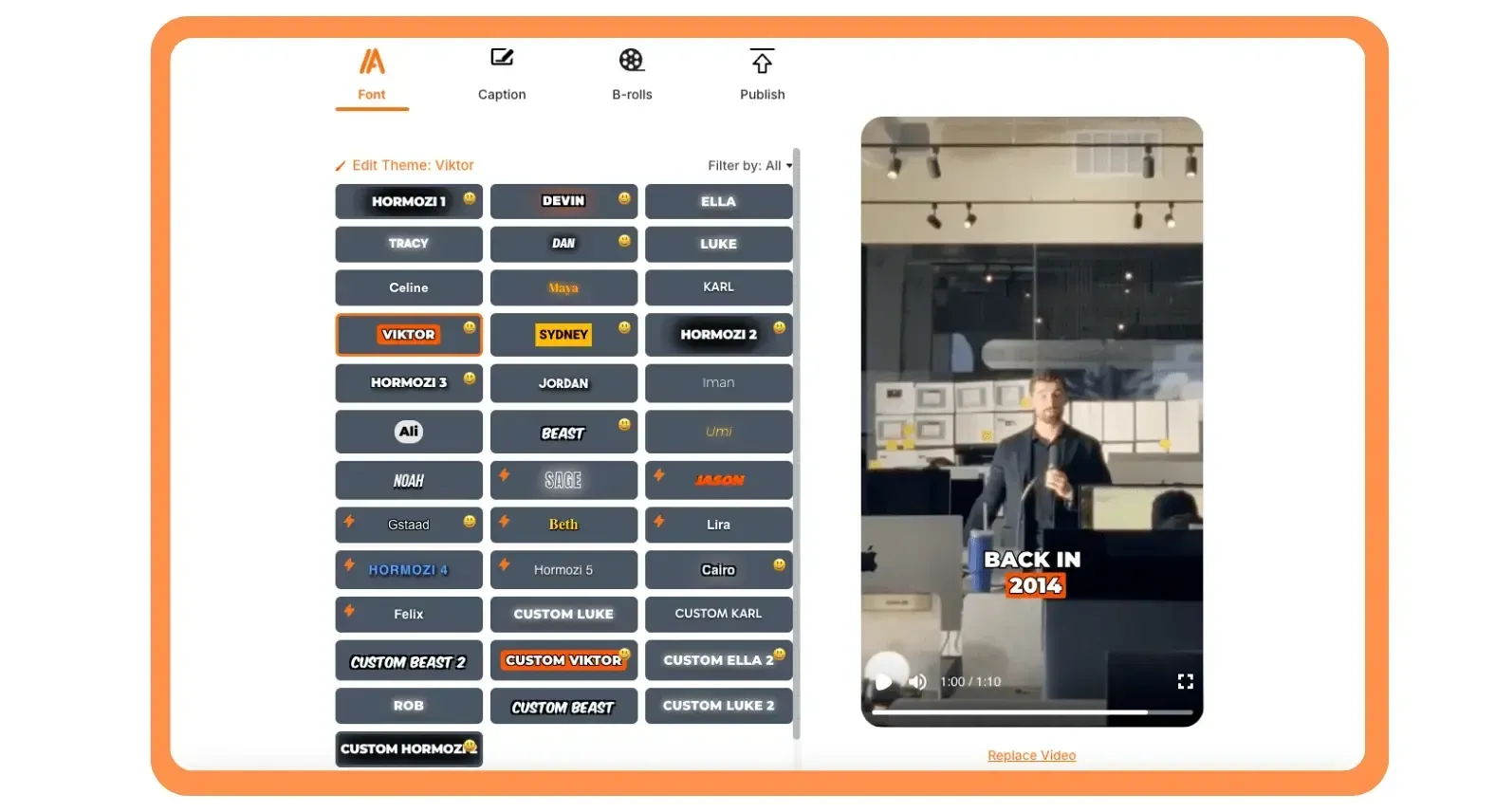
Compared with Submagic, ZapCap is a better fit when captions are the main job to be done. If you need deep long video repurposing, it may feel lighter than tools built specifically for turning long recordings into multiple clips.
Key Features
- AI Captions: Generates captions in 90+ languages.
- Dynamic Templates: Gives creators customizable caption styles.
- Viral Video Clipper: Creates short clips from longer videos.
- Auto Descriptions: Generates tags, hooks, and descriptions.
- Browser Editing: Supports upload, caption editing, and export online.
Pricing
ZapCap has a free plan with three videos monthly, and three paid plans:
- Starter ($10/month) for 15 videos and 2 minute exports.
- Pro ($20/month) for 50 videos, faster processing, premium templates, and API access.
- Agency Plus ($40/month) for unlimited videos and 10 minute exports.
Pros
- Browser workflow works across desktop and mobile
- Free plan allows low risk monthly testing
- Custom templates help repeat branded caption styles
Cons
- Short video limits restrict longer repurposing workflows
- Clipper depth may trail dedicated repurposing tools
- Best value depends on caption heavy output
4. Exemplary AI
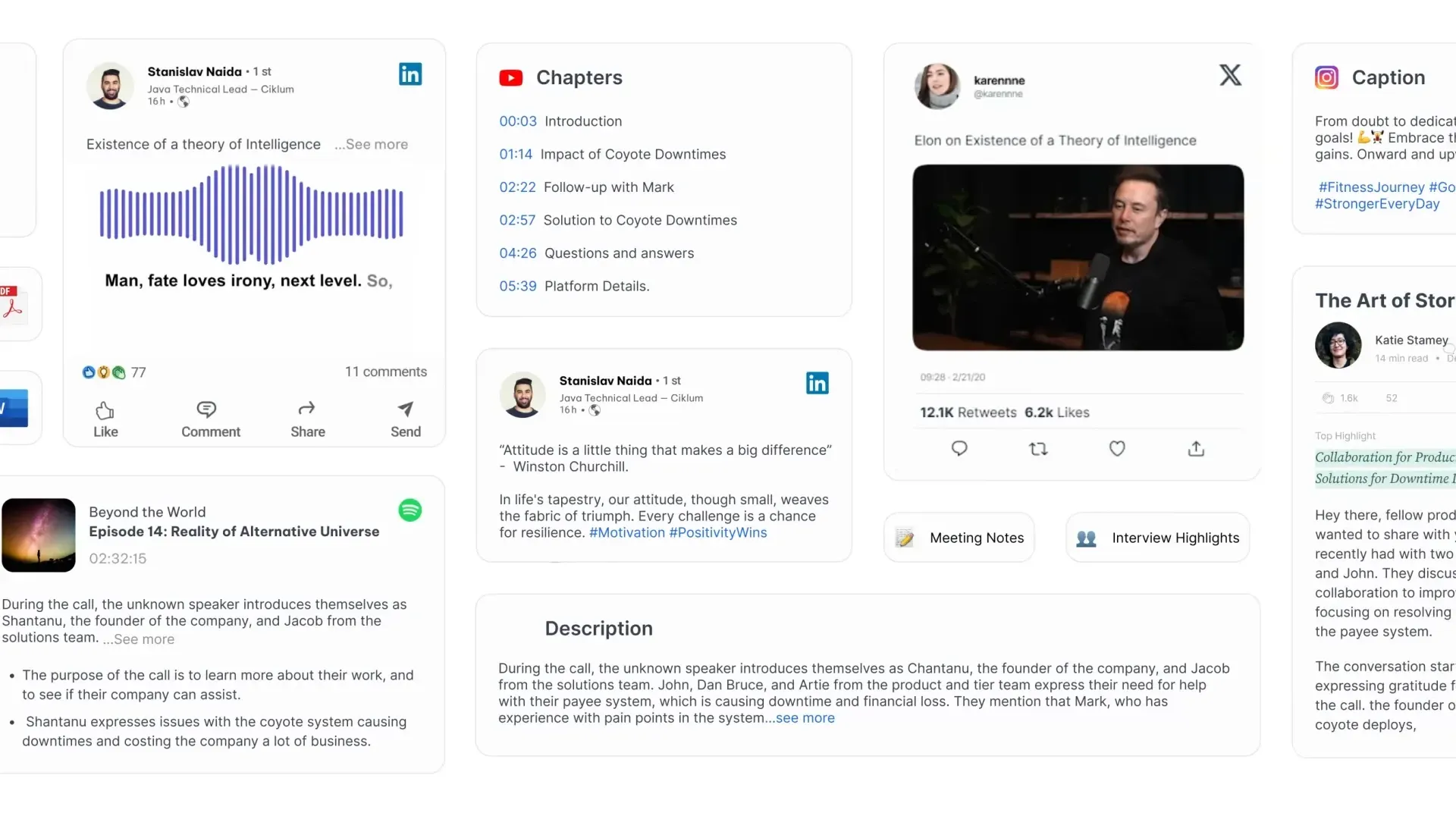
Exemplary AI is an AI repurposing platform for creators and teams working with video, audio, and podcasts. Instead of focusing only on short video polish, it turns one recording into clips, transcripts, subtitles, summaries, show notes, chapters, blogs, and social posts. It is better for teams that need written assets alongside video clips from the same source.
Key Features
- AI Clips: Turns long videos into social media ready clips.
- Transcription: Converts audio and video into editable transcripts.
- Subtitle Translation: Creates subtitles in more than 120 languages.
- AI Content: Generates summaries, blogs, chapters, and show notes.
- Transcript Editing: Lets users edit video from the transcript.
Pricing
Exemplary AI has a free plan with 60 upload minutes, 1 GB uploads, and basic AI tools. Paid plans include:
- Starter ($15/month) for 200 minutes, 100 GB storage, 1080p exports, and 200 video exports.
- Pro ($29/month) for 600 minutes, 3 users, API access, 500 exports, and unlimited content generations.
Pros
- Handles audio and video repurposing together
- Useful written outputs beyond video clips
- Generous upload length on paid plans
Cons
- Clip exports are capped at ten minutes
- Visual editing depth may feel limited
- Best fit requires content repurposing needs
5. AI Video Cut
AI Video Cut is an AI short video maker that turns long videos into shorter clips using ready made prompts, custom prompts, captions, smart cropping, and transcript based editing. Unlike Submagic, it is more focused on prompt driven clip creation, where users can tell the AI what kind of moment to extract, such as a trailer, funny clip, product review, or highlight.

Key Features
- Ready Made Prompts: Helps create trailers, highlights, ads, and viral clips.
- Custom Prompts: Lets users guide how the AI cuts videos.
- Transcript Editing: Removes unwanted moments by editing text.
- Smart Crop: Detects faces and keeps speakers framed.
- Aspect Ratios: Exports in 9:16, 4:3, 1:1, or original size.
Pricing
AI Video Cut has a free plan and two paid plans:
- Free includes 50 minutes (one-time), watermark, 30 minute files, and 2 GB uploads.
- Starter ($12/month) for 150 minutes, no watermark, 2 hour files, and unlimited editing.
- Pro ($18/month) for 300 minutes and 3 hour files.
Pros
- Prompt workflow gives users more clip direction
- Free plan supports meaningful first time testing
- Paid plans allow longer source videos
Cons
- Free exports include a visible watermark
- Some branding features are still upcoming
- Storage limits may affect ongoing projects
Klap is the #1 Submagic Alternative for Long Video Repurposing
Submagic is useful when you need captions, quick edits, B roll, and short form polish. But the alternatives above solve different problems.
Klap is the ideal Submagic alternative when your starting point is a long video and your goal is to create multiple clips from it. As an AI clip generator, it helps you find strong moments, reframe them for social platforms, add captions, translate clips, and prepare them for publishing without searching through the full recording by hand.
Try Klap for free today.
