
Clip AI: Transform Content Into Social Shorts 2026
Other
You already have the raw material.
There's a webinar recording, a customer interview, a podcast episode, maybe a product walkthrough sitting on YouTube or in a cloud folder. The problem isn't lack of content. The problem is that long-form video rarely ships itself into TikTok, Reels, and Shorts. Someone still has to watch it, mark timestamps, cut the strongest moments, resize for vertical, add captions, and make sure the clip starts with something that earns attention.
That's where the process often stalls. The long video gets published once, then ignored. Not because it lacks value, but because manual repurposing is tedious, slow, and hard to scale when the content calendar is already full.
Clip AI matters because it changes that bottleneck. Instead of treating editing as a frame-by-frame production task, it treats video repurposing like a search and selection problem. The tool watches the footage, looks for moments that feel like hooks, reframes the video for mobile, adds captions, and gives you drafts you can refine instead of clips you must build from scratch.
Used well, that's not just a time saver. It's a mindset shift. The smartest creators don't expect Clip AI to replace judgment. They use it to compress the less impactful work so they can spend more time on message, positioning, and distribution.
From Hours of Footage to Viral Clip in Minutes
A familiar pattern shows up in content teams. You record something useful, then the file disappears into a backlog.
A founder records a strong podcast interview with several clean soundbites. A marketing team runs a webinar packed with objections, answers, and product examples. A coach films a long Q&A session that would work perfectly as short educational clips. Weeks later, none of it has been repurposed because nobody wants to spend an afternoon dragging through the timeline for usable moments.
Manual clipping breaks down in three places:
- Discovery takes too long. You have to find the sections worth clipping before you can even start editing.
- Formatting adds another layer. A horizontal video usually needs reframing, cropping, and subtitle work before it's usable on social.
- Volume becomes unrealistic. One long recording might contain many short posts, but producing them one by one drains time fast.
That's why Clip AI has become so relevant for creators and marketers. It takes the repetitive part of repurposing and compresses it into a review workflow. You upload a long video, get a set of suggested clips, and spend your time choosing and polishing rather than hunting and assembling.
Practical rule: If your long-form library keeps growing while your short-form output stays flat, the problem usually isn't strategy. It's production friction.
The appeal isn't just speed. It's consistency. Teams that publish short-form regularly usually aren't manually reinventing the process for every recording. They've built a system where one source asset can feed multiple channels.
That's the core shift behind Clip AI. It lets a podcast become a week of social posts. It lets a webinar turn into educational snippets, objection-handling clips, and sales-enablement assets. It lets one recording do more work without demanding the same amount of editing labor every time.
What Is Clip AI and Why Should You Care
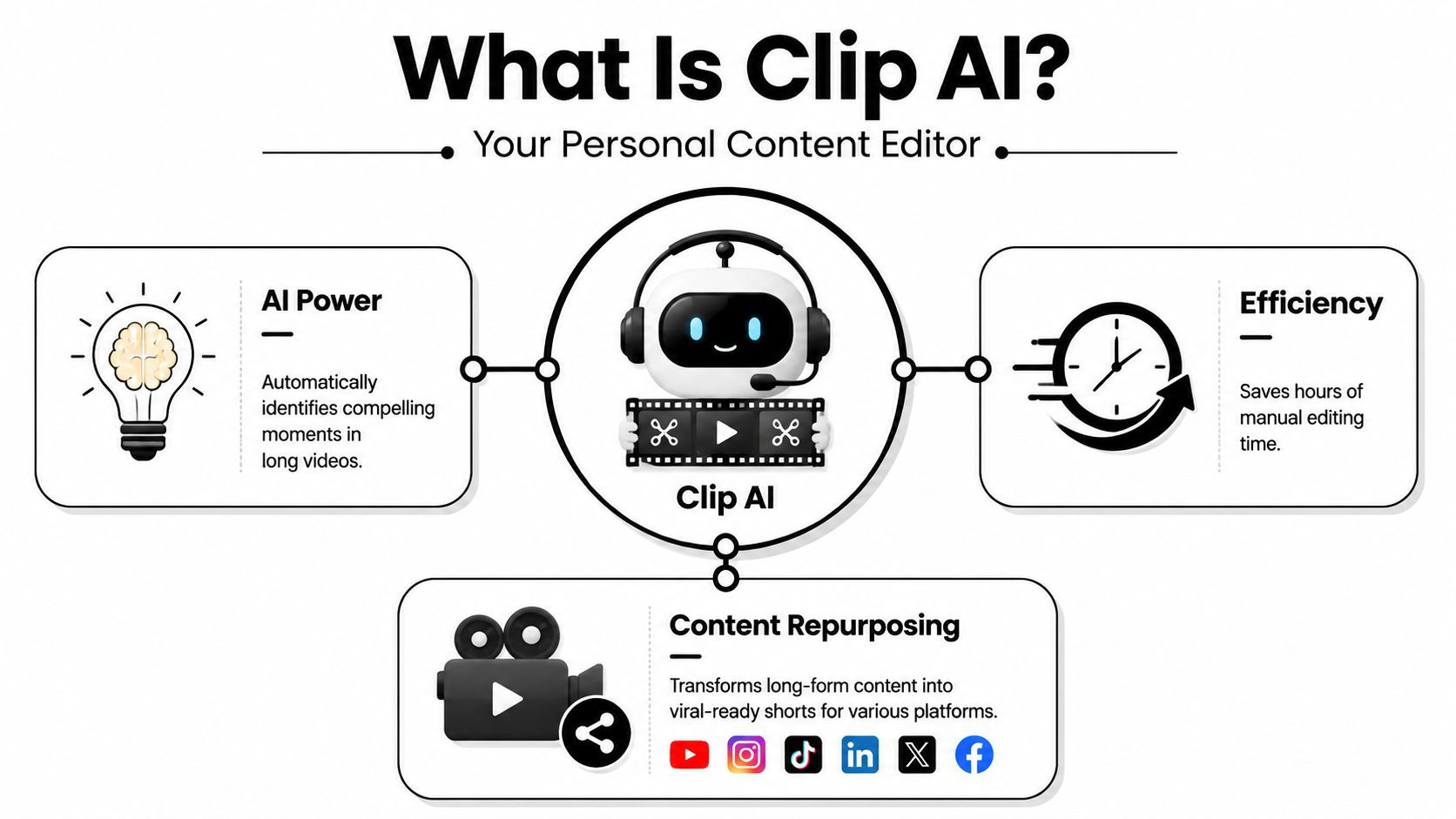
Clip AI is best understood as an AI editing assistant for repurposing long-form video into short-form content.
It doesn't just trim footage randomly. It analyzes the video, identifies moments that seem meaningful or attention-worthy, repackages them for social formats, and gives you editable outputs. In practical terms, that means finding likely hooks, reframing speakers for vertical viewing, and generating captions so the clip is ready for platforms where people scroll quickly and often watch with sound off.
What it actually replaces
Clip AI doesn't replace creative direction. It replaces the repetitive middle.
Think of the workflow it shortens:
- Watch the full recording.
- Mark possible moments.
- Cut rough clips.
- Resize each one for vertical.
- Add subtitles.
- Check whether the opening lands fast enough.
That's the work that commonly slows down groups. The AI handles the first-pass production work so you can spend more time on editorial judgment.
Why this matters now
Short-form distribution rewards teams that can publish often, learn quickly, and adapt. Most creators already have enough source material. What they lack is a practical way to turn long-form assets into a steady stream of shorts without adding another editor to the process.
That's why Clip AI has become strategically useful, especially for teams working with podcasts, webinars, interviews, and educational content. If you're trying to get more mileage from recorded sessions, it fits naturally into a repurposing stack. For webinar teams in particular, there's a useful breakdown of boosting webinar ROI for B2B marketers that aligns closely with this thinking.
If you want to go deeper on how AI tools surface usable moments inside long videos, this guide on finding useful segments inside video content is a practical companion.
The strategic reason to care
The biggest mistake is treating Clip AI like an auto-viral button. It's better viewed as a throughput tool.
Used badly, it creates a pile of average clips. Used well, it helps you test more hooks, publish more consistently, and learn faster from your own footage. That's a serious advantage for marketers who already have strong long-form content but haven't built an efficient repurposing engine around it.
How the AI Automatically Finds Your Best Moments
You upload a 45-minute podcast episode. Ten minutes later, you have a batch of short clips with captions, vertical framing, and a few segments that are close to publishable. That result can feel opaque unless you understand what the tool is optimizing for.
Under the hood, many Clip AI tools borrow from the same vision-language direction that made OpenAI's CLIP influential. CLIP connected images and text in a shared model space, which helped establish a practical pattern for matching visual content to language-based concepts instead of relying only on narrow labels (OpenAI CLIP overview, CLIP technical summary with deployment constraints).
For creators and marketers, the key point is simple. The system is not watching your video like an editor with taste, brand context, and audience intuition. It is scoring segments for signals that often translate well into short-form content.

Hook detection from speech and structure
The first pass usually starts with the transcript.
The model looks for moments that feel complete on their own. A sharp opinion, a clear lesson, a surprising claim, a direct answer, or a short story with tension and payoff will usually rank higher than a long setup. This is why source material with strong verbal signposting performs better in clipping tools. Phrases like “here's the mistake,” “what changed was,” or “the reason this worked” give the system clean editorial boundaries.
That matters because Clip AI is best used as a selector, not a judge. It narrows a long recording into candidates that are structurally suited to short-form distribution. You still decide whether the moment fits your audience, offer, and brand voice.
Reframing for mobile viewing
Finding the moment is only half the job. The clip also has to survive the feed.
After the tool selects candidate segments, it reformats them for vertical viewing, tracks the speaker, and tries to keep the focal point on screen. In a talking-head interview, that usually means following the active speaker. In a product walkthrough or webinar, it means guessing which region of the frame matters most.
Human review still proves its worth. Automated crops can miss subtle cues. Small on-screen text, quick gestures, multi-person layouts, and slides with dense information often need manual correction because the model is optimizing for visibility, not for your exact editorial intent.
If you want a practical example of that selection process, this guide on using AI to find highlights in video shows how highlight detection works on longer recordings.
A quick demonstration helps make the workflow concrete:
Captions and packaging
The final layer is packaging. The tool transcribes the clip, generates subtitles, and applies a visual treatment that makes the segment easier to consume on mobile.
This step influences performance more than many teams expect. A solid moment with readable captions and clean framing often beats a stronger idea presented poorly. That is why the smartest way to use Clip AI is as a collaboration model. Let the system handle first-pass selection and formatting, then step in where judgment matters: tightening the hook, correcting the crop, refining the caption style, and choosing the clips that match your content strategy.
The AI's real job isn't to decide what will go viral. It's to hand you a shortlist that's far better than starting from a blank timeline.
The Real-World Benefits and Honest Limitations
Clip AI earns its place in the workflow for one reason. It cuts the time between recording and publishing.
That matters if you run a podcast, webinar, interview series, or customer education program. Instead of treating every long-form asset like a one-off edit, you can treat it like source material for multiple short videos, each with a different job. One clip can drive reach. Another can support retargeting. A third can give sales a useful follow-up asset.

Where Clip AI helps immediately
The payoff is operational.
AreaWhat improves
Clip discovery
Teams spend less time scrubbing long recordings to find usable moments
Format conversion
Vertical reframing, resizing, and subtitles happen earlier, with less manual setup
Output volume
One source video can produce several draft clips for review
Testing
Marketers can test different hooks, themes, and audience angles from the same recording
That shift changes how teams use content. A webinar is no longer just an on-demand replay. It becomes a bank of short assets for social distribution, nurture emails, paid tests, and sales enablement. If you want a clearer picture of that repurposing model, this guide on turning a long video into short video clips shows how the workflow typically comes together.
Speed is the first gain. Optionality is the bigger one.
Where it still falls short
Clip AI does not replace editorial judgment. It compresses the rough-cut stage.
The misses tend to show up in familiar places:
- Context-heavy humor: sarcasm, irony, and slow-build punchlines often lose their meaning when isolated
- Weak source material: poor audio, overlapping speakers, and muddy visuals reduce selection quality
- False hooks: a dramatic line can look strong in the editor and fall flat in the feed
- Audience mismatch: the system may favor broad-interest moments over the specifics that drive qualified attention or conversions
That last limitation affects strategy more than production. A creator chasing reach might accept a broader, more emotional clip. A B2B team trying to generate pipeline usually needs sharper, more practical excerpts. Same source video. Different definition of a good clip.
This is the mindset shift that makes Clip AI useful. Treat the system as a fast first-pass editor, not as the final authority on what deserves distribution.
Bias and blind spots still matter
There is also a less visible constraint. Models reflect the patterns in the data they were trained on, and those patterns are uneven.
Analysts at Microsoft found that CLIP systems performed worse on images captured by blind and low-vision users than on typical web-crawled images, and disability-related objects appeared far less often in the caption datasets they examined. For creators, the practical takeaway is straightforward. Performance can drop when your footage, subject matter, or audience context sits outside the patterns the model sees most often.
That affects more than accessibility content. It can show up in specialized tools, industry-specific visuals, non-standard filming environments, and communities whose visual norms are underrepresented in common training data.
Use AI for speed. Keep human review for judgment, audience fit, and edge cases.
If your team is comparing clipping tools with broader generation platforms, this roundup of top free AI video creation software helps frame where each category fits.
Your New Workflow From Long-Form to Viral Short
The best Clip AI workflow is not fully automated. It's staged.
The machine handles the heavy production work first. Then the human steps in as editor, strategist, and quality control. That's the model that scales.
Start with ingestion, not editing
First, bring in the source asset. That usually means uploading a file or pasting a video link.
At this point, don't overthink clip ideas yet. The goal is to feed the system a source video with strong raw ingredients: clear audio, one strong topic per section, and speakers who get to the point. AI clipping works much better when the source recording already has spoken structure.

If you're building a broader stack around this process, it can help to compare adjacent tools too, especially if your workflow includes generation as well as clipping. This overview of top free AI video creation software is useful for understanding where clipping tools sit relative to other AI video products.
Let the AI generate candidates
Next comes the draft-generation phase.
A tool such as Klap can take a long-form video, analyze it, propose short clips, reframe them for vertical viewing, and add captions. Clip AI then earns its place. You're no longer starting with an empty timeline. You're starting with options.
That changes how you work. Instead of asking, “What can I make from this?” you ask, “Which of these drafts deserves to ship?”
Review like a director
This is an essential step.
The broader AI video market keeps circling the same issue: workflow reliability. Tools can generate output quickly, but users still need to trust what gets selected and how it's packaged. Practical guidance in AI video creation also stresses that more explicit, structured instructions usually improve outputs, which points to the same reality for clipping workflows. Human review is what turns raw automation into publishable content (AI video guidance on reliability and explicit direction).
A good review pass usually includes:
- Trim the start harder. Many AI-selected clips still begin a beat too early.
- Check the payoff. If the clip opens with tension, make sure it resolves clearly.
- Fix captions. Auto-captions are useful drafts, not final copy.
- Validate the crop. Reframing can miss gestures, slides, or product details.
- Match the platform. A clip for Shorts may need a different pace than a clip for LinkedIn.
Treat the AI like an assistant editor. It brings selects. You approve the final cut.
Export and publish with intent
Once the edits are tightened, export platform-ready versions and publish with a testing mindset.
Don't dump every generated clip online. Pick the ones that support a content goal. Some clips should attract new viewers. Some should answer objections. Some should build authority. Repurposing works best when the source video gets split into roles, not just fragments.
Beyond Generation Tips for Maximum Engagement
Generating clips is the easy part. Turning them into posts people watch is where strategy shows up.
Most creators lose performance in the last mile. They accept the AI's first cut, first caption styling, first cover frame, and first opening line. That leaves value on the table.
Rewrite the first seconds
The opening is where most short clips win or lose.
If the AI gives you three decent candidates from the same moment, don't just compare them by topic. Compare them by first line. A strong idea can underperform because the setup is slow. A simpler clip can win because it starts with friction, surprise, or specificity.
Try this review filter:
- Lead with tension: Open on the problem, not the warm-up.
- Cut throat-clearing: Remove “so,” “basically,” and long scene-setting intros.
- Favor complete thoughts: The best short clips feel self-contained, even when pulled from a longer conversation.
Refine captions like copy, not transcription
Auto-captions are usually serviceable. They're rarely sharp.
Edit them the way you'd edit ad copy or social copy. Highlight the key phrase. Simplify awkward wording. Keep punctuation readable. If your brand voice is conversational, make the captions sound like your brand instead of a transcript dump.
A few caption fixes matter a lot:
ElementBetter approach
Keyword emphasis
Highlight the phrase people should remember
Readability
Break long lines earlier
Brand voice
Remove robotic phrasing and filler words
Accuracy
Correct names, product terms, and jargon
Choose a cover frame on purpose
Default thumbnails are often weak.
The system may choose a neutral speaking frame when the better option is a moment of reaction, a visible result, a surprising slide, or a clear product shot. The cover should create curiosity without confusing the viewer about what the clip contains.
Good Clip AI users don't stop at automation. They use automation to create more shots on goal, then improve the packaging manually.
Test families of clips, not single posts
The biggest strategic upside of Clip AI is that it makes testing easier.
Instead of betting on one short from a one-hour video, you can test different angles from the same source material. One version can lean educational. Another can lean contrarian. Another can answer a customer objection directly. That gives you a cleaner read on what your audience wants from the same base content.
The key is to learn in batches. If several clips from one topic work, make more from that topic. If only strong-opinion openings land, adjust future source recordings so speakers state stronger positions earlier.
The Future Is Collaborative Not Just Automated
The most useful way to think about Clip AI is simple. It's not a replacement for the creator. It's a force multiplier for the creator who already understands audience, message, and timing.
The AI is fast. It can scan, shortlist, caption, crop, and package. But it doesn't know your offer the way you do. It doesn't know which soundbite attracts the wrong audience, which joke needs context, or which moment drives conversions instead of views.
That's why the winning mindset is collaborative. Let the machine do the repetitive work. Keep the human in charge of judgment.
Teams that understand this get more than faster editing. They get a repeatable repurposing system. Long-form content stops being a one-time asset and starts becoming a content pipeline. That's the primary value of Clip AI. Not automated virality, but a practical way to reclaim time and turn strong source material into more opportunities to reach the right people.
If you want a simpler way to turn long videos into social-ready shorts, Klap is built for exactly that workflow. You can upload or link a long-form video, let the AI generate clipped drafts with reframing and captions, then review and export the versions you want to publish.
