
AI Video Translator: A Creator's Guide to Global Content
Other
You've probably felt this already. You publish a solid video, the editing is tight, the hook lands, the comments are positive, and then growth flattens anyway. A few viewers ask for subtitles in another language. Someone else says they'd share it with their team if there were a dubbed version. You know there's demand, but translating video still sounds like a separate production job you don't have time for.
That's where an AI video translator starts to matter. Not as a novelty feature. Not as a fancy add-on. As part of the way modern creators turn one video into many assets for many audiences.
Your Content Is Great So Why Isn't It Growing
A common plateau looks like this. You've already reached the obvious audience in your main language. Your shorts are consistent. Your long-form content has value. But every new upload has to work harder for the same result because you're still distributing one message to one language group.
That's frustrating because the content itself often isn't the problem. Distribution is.
An AI video translator changes the question from “Should I localize this?” to “Which parts of my content library are worth localizing first?” That's a much better place to be, because now translation becomes a growth lever inside your publishing workflow.
The shift is bigger than many creators realize. The AI video translation market is estimated at USD 2.7 billion in 2024 and projected to reach USD 33.4 billion by 2034, with a 28.7% CAGR. That matters because it signals that video translation is moving into mainstream content infrastructure, not staying a niche post-production service.
The growth bottleneck is often language, not quality
If you teach, explain, review, interview, or demo anything on camera, your content already has export potential. The bottleneck is that your spoken language limits who can easily consume it.
A finance educator in English can help viewers in Latin America. A product marketer in French can sell to English-speaking buyers. A podcast clip in one language can become several localized shorts without changing the original idea.
Main takeaway: If people already want your content, translation helps more of them understand it without asking you to remake the video from scratch.
Creators sometimes assume translation is only for giant media brands. It isn't. It fits especially well for creators who already repurpose content, because the raw material is already there.
What an AI Video Translator Actually Does
At the simplest level, an AI video translator takes the spoken content in a video and creates a version your audience can consume in another language. But that description undersells it.
A better mental model is this: it's a digital localization team in a box.
You give it a video. It listens to what was said, turns that speech into text, translates the meaning, and then produces output your audience can use. That output might be subtitles, dubbed audio, or a more complete translated version that feels closer to the original delivery.
It does more than captions
People often confuse three different jobs:
- Subtitling: The tool adds translated text on screen.
- Dubbing: The tool generates spoken audio in another language.
- Lip-sync and presentation matching: Some tools try to align new speech with the timing and look of the original performance.
Those aren't the same thing. If you only need accessibility or quick testing, subtitles may be enough. If you want a localized ad, sales video, tutorial, or talking-head short to feel native, dubbing becomes more useful.
Think in outputs, not just features
The easiest way to evaluate an AI video translator is to ask what final asset you need.
NeedUseful output
Faster international publishing
Subtitles
More natural viewer experience
Dubbed audio
Localized social clips
Dubbed short-form video with captions
Internal training or product walkthroughs
Subtitle and voiceover options
That's why modern tools feel like a leap beyond basic caption generators. They're not only writing text on screen. They're helping you create a multilingual version of the same asset.
A translated subtitle file is helpful. A translated video you can actually publish is a workflow upgrade.
For creators, that distinction matters. If you're already cutting clips from webinars, podcasts, YouTube uploads, or demos, translation isn't a separate craft project. It's another output format.
How The Magic Happens Under The Hood
Most AI video translation tools follow a multistage pipeline. They first transcribe speech, then translate the transcript, then generate dubbed audio or subtitles. Product documentation from Synthesia shows this workflow clearly, including transcript review before export, which matters because mistakes early in the process can carry through the final version. You can see that workflow in Synthesia's video translator documentation.

Stage one, the AI listens
Everything starts with speech recognition. The tool takes your video audio and turns spoken words into text.
This sounds simple until you hit real-world audio. Fast speakers, overlapping voices, brand names, accents, filler words, and weak microphones all make this step harder. If the system hears the wrong phrase here, the next stage translates the wrong phrase too.
That's why transcript editing matters so much. If you want a clean downstream result, start with a clean transcript. A helpful companion workflow is turning spoken content into editable text first, which is why guides on video to transcript workflows are so useful before you ever translate.
Stage two, the AI interprets meaning
Once the transcript exists, the tool translates the text into the target language. This is the part often envisioned when hearing “translation,” but it's really the middle of the process.
The system isn't just replacing words one by one. It has to preserve intent, phrasing, and timing well enough for the final asset to feel coherent. Short-form content makes this more obvious. A joke that lands in one language may need different wording in another. A product demo with interface labels may need tighter sentence structures so captions still fit the screen.
Stage three, the AI writes or speaks the result
The final output usually goes in one of two directions:
- Subtitle output: The translated text appears as captions or exportable subtitle files.
- Dubbed output: The tool generates speech in the target language and aligns it to the original video timing.
Some tools also sync audio more tightly to on-screen pacing so the video feels less obviously translated. That's especially useful for social clips and talking-head explainers where timing is part of the content.
Why small errors become big ones
This is the key thing many users miss. AI video translation is not one magic button. It's a chain.
If the first stage mishears “annual recurring revenue” as something else, the translation stage works from bad input. Then the dubbing stage speaks that mistake confidently. The output may sound polished while still being wrong.
Practical rule: Review names, jargon, acronyms, and any sentence that carries business or educational meaning before you export.
The better tools understand this. They let you review transcripts, adjust wording, and sometimes tune pronunciation before generating the final video.
Accuracy Privacy and The Human Touch
People usually ask the wrong question first. They ask, “Is AI translation accurate?” The better question is, “Accurate for what kind of content?”
For straightforward material, AI can be very useful. Tutorials, product walkthroughs, internal updates, simple explainers, and direct-to-camera summaries usually translate well because the language is literal and the structure is clear.
Things get trickier when the meaning depends on culture, subtext, or style.
Where AI does well and where it still needs help
AI tends to handle these cases well:
- Clear educational content: Step-by-step teaching, software tutorials, and procedural videos.
- Direct marketing copy: Product benefits, offers, feature rundowns, and demos.
- Short social summaries: Clips where the message is brief and concrete.
Human review becomes more important for:
- Humor and idioms: A phrase can be grammatically correct and still feel wrong.
- Brand-sensitive messaging: Tone matters as much as meaning.
- Technical or regulated topics: Industry vocabulary needs careful checking.
- On-screen text-heavy videos: Slides, charts, and overlays may need separate localization work.
AI is fast at first drafts. Humans are still better at protecting nuance.
That doesn't mean AI failed. It means the workflow should match the stakes. If you're translating a casual short, a light review pass may be enough. If you're localizing a legal explainer, medical tutorial, or brand campaign, you want a person checking terminology and tone before publishing.
Privacy is part of tool selection
When you upload video to any cloud tool, you should ask practical questions before you commit:
- What happens to uploaded files? Look for clear retention and deletion policies.
- Can your team control access? Especially important for client work and internal recordings.
- Is transcript editing available? It improves quality and reduces the risk of publishing machine-made errors.
- Does the system process on-screen text too? If your videos include slides or screenshots, it helps to evaluate text extraction services alongside speech workflows.
A useful rule is to classify your content before you translate it. Public educational clips are low risk. Unreleased product demos, customer calls, and confidential internal training are not.
The best workflow is human-in-the-loop
You don't need a full translation department. You need checkpoints.
Have someone review the transcript. Check key terminology. Watch the dubbed version once before export. If the video contains jokes, cultural references, or sales messaging, let a native speaker spot-check the final cut.
That's the difference between using AI casually and using it professionally.
Smart Use Cases For Creators and Marketers
The strongest use cases don't treat translation as a one-off trick. They use it to extend the life of content that already works.

That lines up with marketer behavior too. Vizard reports that 75% of marketers believe video translation increases engagement, which is why localization now shows up in growth discussions, not just accessibility checklists.
The educator with one lesson and many audiences
An educator records a detailed lesson in English. The original version works on YouTube, but the topic also has demand in Spanish and Portuguese-speaking markets.
Instead of re-recording the lesson, they localize the strongest segments first. Intro clips become short translated explainers. The full lesson gets subtitles. High-performing sections get dubbed versions for reuse in courses or social posts.
The key advantage isn't just reach. It's that the educator keeps the same core curriculum and multiplies the ways it can travel.
The podcaster turning interviews into global shorts
Podcast interviews are packed with clips that stand alone. A sharp answer, a surprising quote, a useful framework. Those moments already work in short form, which makes them ideal for translation.
A podcaster can cut one standout answer into multiple short clips, then localize the clips that are most universal. That's often more efficient than translating the entire episode.
If you want to see how vocal localization fits that kind of workflow, this guide on English to French vocal translation is a practical example of how spoken content can be adapted for a new audience.
Here's a quick visual walkthrough of multilingual video translation in action:
The B2B marketer localizing product demos
B2B teams often create one strong product demo and use it everywhere. Website. outbound sales. onboarding. webinars. But a demo that works in one language still leaves opportunity on the table.
A marketer can localize the same demo for regional sales teams, paid campaigns, or landing pages without rebuilding the asset from zero. The message stays aligned. The production workload stays manageable.
For teams exploring broader automation around this, it helps to look at adjacent strategy examples too. This roundup of AI in marketing examples for 2026 is useful because it places translation inside a larger AI-enabled content system, rather than treating it like an isolated tool.
Good localization doesn't create a new content strategy. It lets one good strategy travel further.
How To Choose The Right AI Video Translator
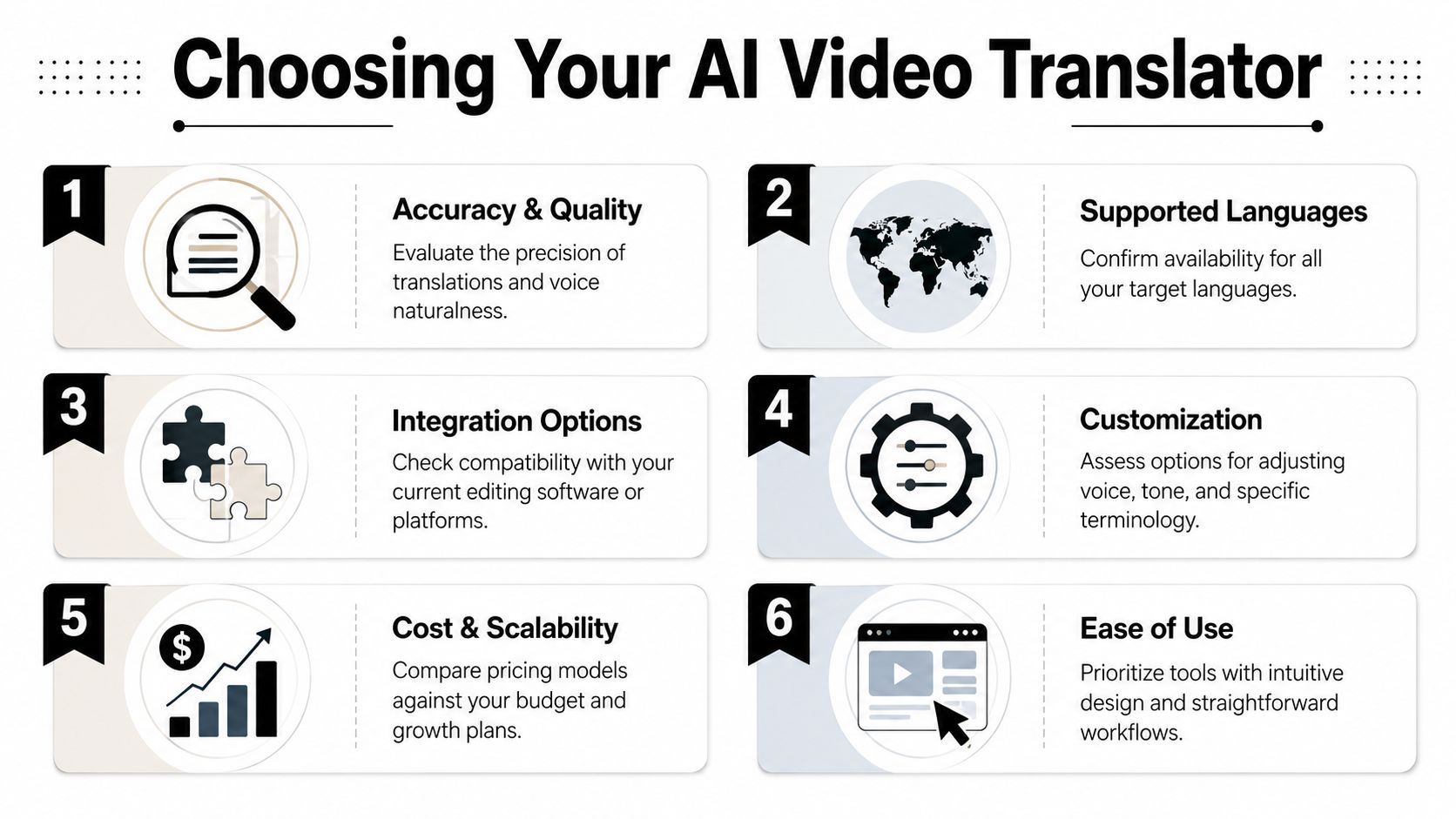
Most buyers start by comparing language counts. That's understandable, but it's incomplete. The better question is whether a tool fits the kind of videos you publish.
Language coverage matters, but so do limits on upload size, duration, speech length, and output format. Smartcat's category overview highlights this trade-off clearly: some tools advertise very broad coverage, while others place stricter limits on files and runtime. For example, Smartcat notes broad support ranges across tools, while ElevenLabs limits uploads to 1 minute or 50 MB. That's not a flaw. It just means some tools fit short-form workflows better than others.
Start with your actual content format
Before comparing brands, answer these questions:
- Short clips or longer videos: A tool optimized for social snippets may struggle with webinars or classes.
- Subtitles or dubbing: If your audience watches muted social video, subtitle quality may matter more than voice generation.
- Single speaker or many speakers: Multi-speaker interviews add complexity.
- Talking head or screen recording: Screen text may need separate handling.
That first pass eliminates a lot of bad fits quickly.
A practical checklist for evaluation
Use this when testing an AI video translator:
- Transcript control: Can you edit the transcript before translation?
- Terminology handling: Can you correct names, jargon, and product language?
- Voice output quality: Does the dubbed audio sound natural enough for your brand?
- Export options: Can you get subtitle files, video files, or both?
- Workflow fit: Does it slot into the tools you already use?
- Limits that matter: Duration caps, file caps, and format restrictions can slow batch production.
A creator clipping social content may prefer a faster, simpler tool with tighter limits. A training team may accept a slower workflow if the controls are better.
Match the tool to the publishing goal
Here's a simple method for understanding this:
Publishing goalWhat to prioritize
Localized shorts
Speed, subtitle quality, short-form support
Sales demos
Dub voice quality, transcript editing, export control
Educational libraries
Accuracy, glossary handling, review workflow
Agency production
File flexibility, team workflow, batching
If you're testing options for direct publishing needs, a practical place to compare workflows is an AI tool to translate videos. Use that kind of product page to check supported outputs, language options, and whether the tool looks built for your actual content type.
Don't ask which tool is best in general. Ask which tool removes the most friction from your current workflow.
Integrating Translation Into Your Repurposing Workflow
The biggest mistake is treating translation like the final step after everything else is done. That creates extra work because you're localizing assets that may never matter.
A smarter setup starts earlier. First identify the parts of a long video worth repurposing. Then translate the pieces most likely to perform across markets.

Build the workflow around reusable moments
A strong repurposing system often looks like this:
- Start with pillar content such as a webinar, podcast, interview, tutorial, or product walkthrough.
- Extract the strongest moments that can stand alone as short clips.
- Edit for platform fit so the framing, pacing, and captions work for vertical viewing.
- Translate the clips with the widest potential rather than localizing everything blindly.
- Publish by market with language-specific captions, dubbing, or both.
This approach is efficient because not every minute of a long video deserves translation. Some moments are too context-dependent. Others are universal and easy to localize.
Translation works better when repurposing comes first
For creators and marketers, the workflow takes on a strategic dimension. A long-form video may contain several useful hooks, but only a few are strong enough to travel internationally.
One tool commonly used at the clip-generation stage is Klap, which turns long videos into social-ready short clips with reframing, captions, resizing, and editing for vertical platforms. In a practical workflow, a team can extract short segments first, then send those clips into translation for market-specific distribution.
That changes the economics of effort. You're no longer translating an hour of footage because you recorded an hour of footage. You're translating the moments that already proved they deserve distribution.
One video can become a localized content set
Think about one recorded webinar. Inside it, you might have:
- A product claim clip for paid social
- A how-it-works clip for organic shorts
- A testimonial moment for retargeting
- A key quote for regional sales outreach
Each asset can be translated differently depending on the audience and platform. Some need subtitles only. Some need dubbing. Some may only need a transcript and repackaged on-screen text.
That's the core value of the AI video translator today. It's not just helping you translate videos. It's helping you expand a repurposing workflow into a multilingual distribution system.
If you already have long-form videos sitting on YouTube, in webinar recordings, or in your podcast library, Klap can help you turn them into social-ready short clips before you localize the strongest ones for new markets. That gives you a cleaner path from one source video to many publishable assets.
