
Top 10 Content Planning Tools for Creators in 2026
Other
You're staring at a half-finished calendar, three different draft docs, and a pile of video ideas that never quite make it into publishable posts. The problem usually isn't creativity, it's workflow. Good content planning tools turn scattered ideas into a system, then make that system easy enough to repeat when deadlines pile up and clients want changes at the last minute.
Choosing a planner that works from ideation through publishing and repurposing is key. That matters even more now that structured planning has gone mainstream, with 77% of marketing organizations worldwide using some form of content planning or project management tool by 2025, up from 48% in 2018 (Quso.ai), and with content workflows increasingly tied to automation and AI-assisted production. If your stack still lives in spreadsheets, the gap shows fast, especially when one long-form video could become a week's worth of short-form assets.
For creators who want to move faster, the smartest setup pairs a planner with an AI repurposing tool like Klap. That lets you build the calendar once, then turn long-form video into short clips without rebuilding the entire workflow. If you want a deeper look at AI in production, the AI driven content creation guide is a useful companion read.
1. CoSchedule
CoSchedule makes the most sense when one calendar has to hold everything, blog posts, social updates, campaign launches, and client or department visibility. Its strength is not just scheduling, it's centralization. That's why teams that need a shared editorial system usually land here first.
CoSchedule works well for people who think in campaigns instead of isolated posts. The unified calendar, Kanban and table views, campaign timelines, reporting, and guest access are useful when writers, approvers, and social managers all touch the same work. Agency sub-calendars are especially practical when one team is managing multiple brands and doesn't want every asset floating in the same stream.
Where CoSchedule helps most
The platform is strongest when you need clear grouping and accountability. If your team is coordinating launches across several channels, the campaign view helps prevent the usual problem of one team member publishing something before another team is ready.
Practical rule: use CoSchedule when your bottleneck is coordination, not idea generation.
The trade-off is straightforward. Pricing for the Content Calendar and Marketing Suite isn't public, so sales contact is part of the buying process, and X or Twitter profiles are billed separately from included profiles. That can make it less attractive for lean teams that want simple, transparent pricing. For teams with a real campaign engine, though, the structure usually outweighs the friction.

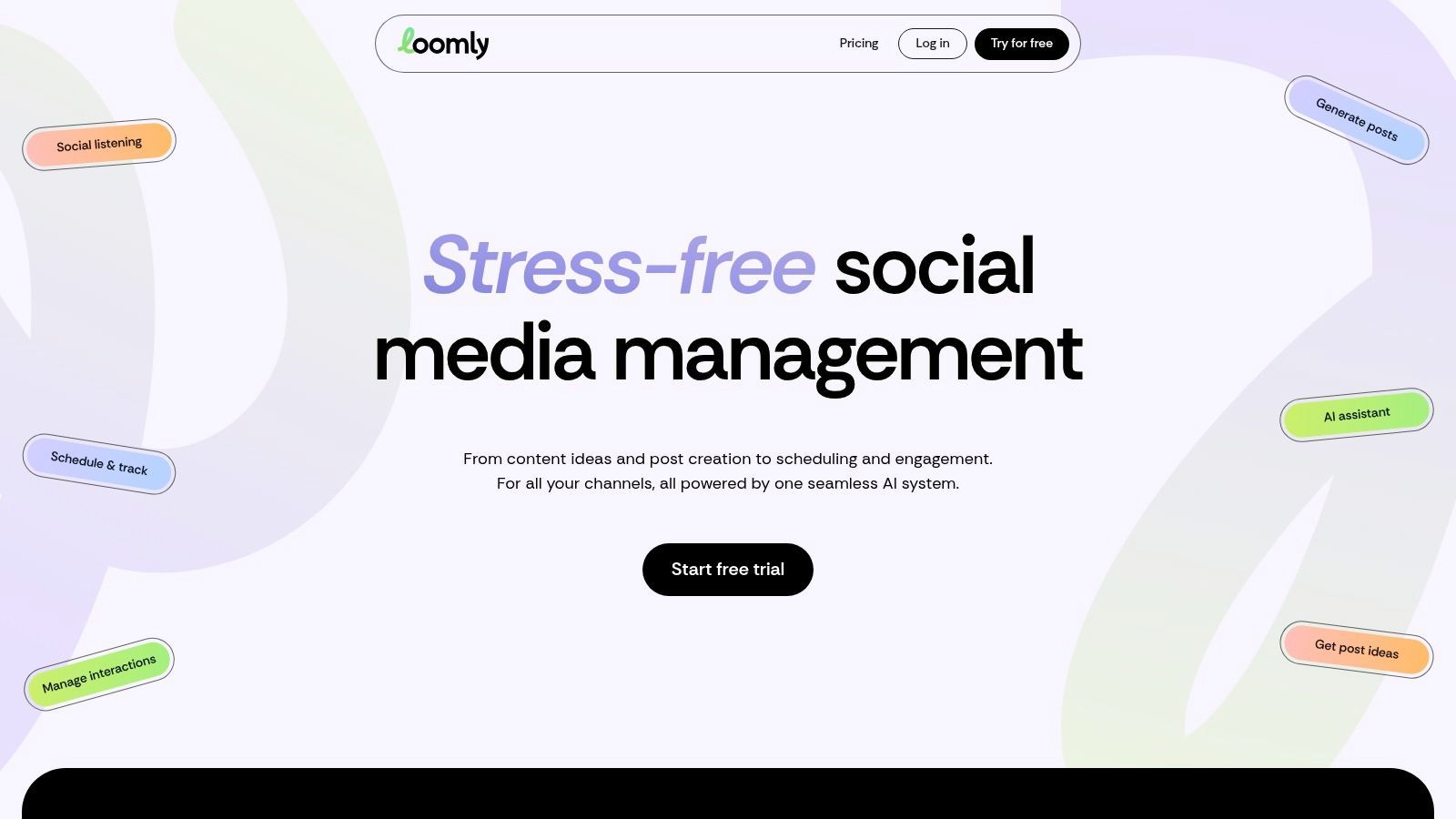
2. Loomly
Loomly is one of the cleanest choices for social-first teams that need approvals without making clients or non-technical reviewers learn a complicated system. It feels approachable, but it still gives you enough structure to keep a team from working out of inboxes and chat threads. That balance is why agencies often like it.
The platform includes visual calendars, a content library, approval workflows, role management, an AI assistant for captions and content ideas, and analytics. Its broad integrations matter if you're publishing to Instagram, TikTok, YouTube, and other networks from one workflow. When stakeholders need to comment without wrestling with the interface, Loomly is easy to hand off.
Good fit and real limits
Loomly is strong when the planning process depends on feedback. A client can review ideas, an editor can approve copy, and a social manager can keep the pipeline moving without creating three separate versions of the same post.
It does have trade-offs. AI usage is limited on lower tiers, and advanced branding or deeper role controls sit on higher plans. That means small teams can start comfortably, but they may outgrow the lower tiers once collaboration gets more formal.
A lot of teams choose Loomly because it keeps the review process visible. It's not trying to be a full operating system for every kind of work, and that focus is a strength when social content is the main priority.
3. Later
Later fits creators who think visually and publish heavily on Instagram, TikTok, and Shorts-style formats. The planner is built around content that has to look right before it goes live, which matters more than many teams admit. A messy layout can slow down a visual strategy faster than a weak caption can.
Its visual planner, bulk scheduling, auto-publish support, analytics, best-time-to-post guidance, Link in Bio, and hashtag suggestions make it useful for brands that want one place to stage social assets. The social set model is also handy when one creator or agency manages multiple profiles or client accounts. That structure reduces the “where did that post belong?” problem that tends to show up at scale.
Why creators keep coming back to Later
Later is easy to understand at a glance. That lowers friction for creators who don't want a heavy system, but still need enough scheduling control to plan across profiles.
The downside is that the starter plan limits users and posts per profile, and some of the more advanced analytics live on higher tiers. If your team needs deep reporting, Later can feel lighter than you want. If you mainly need visual planning and repeatable publishing, it's a strong fit.
The best use case is a creator-led workflow that already knows what to publish and just needs a clean way to stage it. Later won't replace a broader content operations system, but it's very good at making social execution feel manageable.
4. Hootsuite
Hootsuite is built for teams that need more than a calendar. It brings publishing, inbox management, listening, AI-assisted drafting, and governance into one mature platform. That breadth is useful when a content team sits inside a larger organization with approval layers and compliance concerns.
Hootsuite is especially strong for complex orgs that need routing and oversight. The content calendar and unlimited scheduling on paid plans help, but the bigger value comes from team approvals, assignments, social listening, and advanced analytics. Those features matter when brand safety and response management are part of the job.
If you're also refining your social system, the social media marketing best practices guide can help connect planning with execution.
When Hootsuite is worth the overhead
Hootsuite becomes attractive when the calendar is only one part of the job. Social managers can assign work, route approvals, and monitor conversations without jumping across separate tools.
The trade-off is cost and complexity. Seat-based pricing can add up quickly, and the advanced feature set can be more than a small team needs. In practice, that means Hootsuite is best when governance, multiple users, and reporting depth are essential.
A tool like Hootsuite should reduce coordination cost, not become another layer of admin.
If you're a solo creator or a small brand posting a few times a week, it may be more platform than you need. If you're managing many accounts or operating inside a regulated environment, it starts to make sense fast.
5. Buffer
Buffer is the cleanest “keep it simple” option on this list. It's budget-friendly, easy to learn, and designed for creators or small brands that want to schedule social content without committing to a heavyweight suite. The per-channel model is a major reason people choose it.
The calendar and queue support unlimited scheduled posts on paid plans, and Buffer adds an AI assistant for ideas and drafting, a community inbox, analytics, and transparent pricing. For freelancers and agencies, paying for only the profiles you use is a practical advantage. It keeps the stack lean when account counts are still small.
The case for Buffer
Buffer works best when consistency matters more than complex campaign operations. If your team wants a straightforward place to plan and publish social posts, it gets out of the way.
The generous free tier makes it easy to test before committing. That's helpful for creators who aren't sure whether they need a bigger system yet. The trade-off is that advanced analytics and more advanced features sit behind paid tiers, and the per-channel model can become pricey as account counts climb.
For many small teams, that's still a fair exchange. Buffer is not trying to be an all-in-one content headquarters, and that restraint is part of why it stays useful.
6. Sprout Social
Sprout Social is the analytics-first option for teams that want publishing and reporting to live in the same system. It's built for people who need to explain content performance to stakeholders, not just push posts into a queue. That makes it a favorite for brands with managers, clients, or executives looking over the work.
The platform includes a collaborative publishing calendar, workflows, Smart Inbox engagement tools, advanced analytics, competitor benchmarking, and link sharing for reports and calendar views. The reporting depth is one of its main selling points. It's easier to bring a stakeholder into the process when the data and calendar are both easy to share.
Where Sprout Social earns its keep
Sprout Social is especially useful when social planning is tied to analysis. Teams can see what performed, compare activity, and share reports without reconstructing the story in slides or spreadsheets.
That said, seat-based pricing can get expensive as teams grow, and some listening or analytics features are add-ons or higher-tier capabilities. So this is not the low-friction choice for a tiny team. It's the choice for organizations that want planning, engagement, and measurement in one place.
The best fit is a team that lives in reporting cycles. If leadership wants clarity on what the calendar produced, Sprout Social makes that conversation easier.
7. Planable
Planable is built around collaboration, not just scheduling. Its biggest advantage is how easy it makes feedback on actual post mockups. That matters for agencies and brands where approval threads can waste more time than drafting ever did.
The tool offers visual calendar, list and board views, multi-level approvals, shareable links without login requirements, inline comments, client-friendly review flows, and bulk actions. The WYSIWYG previews are a major win, because reviewers can see almost exactly what will publish. That reduces confusion and cuts down on approval back-and-forth.
The best tools for content creators article pairs well with Planable if your workflow has to cover planning and creation, not just review.
Why approval-first teams pick it
Planable works when the main pain point is sign-off. It's easy to drop into an existing stack because it doesn't try to replace everything else.
Use Planable when the review stage is where work slows down.
The trade-off is that inbox and listening features are lighter than in all-in-one tools, and pricing is per workspace, which can add friction if your agency has many separate client spaces. Still, if clients need fast approvals and visual clarity, it's one of the most practical tools on the market.

8. StoryChief
StoryChief sits closer to content operations than simple social scheduling. It's useful for teams that need to plan articles, collaborate on briefs, publish to multiple channels, and keep SEO in the loop without splitting the workflow across too many apps. That makes it a strong option for editorial teams that also need distribution.
The platform combines editorial planning, AI-assisted briefs, multi-channel publishing to CMSs and social platforms, SEO tools, analytics, and strategy features. It also integrates with systems like Contentful and major social networks, which helps teams connect publishing with their existing stack. For agencies managing several client websites, that connection is often the difference between tidy operations and chaos.
What StoryChief does well
StoryChief is strongest when planning and distribution need to stay close together. Editors, strategists, and publishers can work from the same source of truth instead of bouncing between different dashboards.
The trade-off is complexity. Pricing and AI credit packs can be harder to parse than simple subscription tiers, and it can be overkill if your only need is basic social scheduling. That said, teams that produce both long-form editorial content and social assets often find the added depth worthwhile.
It's also one of the better choices if you want to connect strategy to execution in a single place. When the workflow spans blog, social, and SEO, StoryChief keeps the handoff cleaner than lighter planners do.

9. Airtable
Airtable is what teams choose when off-the-shelf calendars aren't flexible enough. It behaves like a database, but it still feels accessible enough to become a real content operating system. That's why it works so well for bespoke workflows.
The tool gives you calendar, Kanban, grid, and interface views, plus automations, forms, integrations, templates, role controls, and read-only sharing. That mix lets teams build calendars, briefs, approval flows, asset trackers, and campaign systems in one place. It's one of the few tools that can expand from a small editorial board into a more serious content ops stack.
The workflow standardization link is relevant here because Airtable works best when the process itself is defined clearly first.
When Airtable becomes the right answer
Airtable excels when you need structure without rigidity. You can shape it around the way your team works, instead of forcing your process into someone else's template.
The downside is setup. Airtable asks for more structure upfront than plug-and-play tools, and advanced features sit on higher tiers. If your team wants immediate simplicity, that can feel like work before the work. If you want a customized system that connects content planning to assets, campaigns, and approvals, the flexibility is hard to beat.
Airtable is often the right choice when your content process is unique enough that a generic planner keeps getting in the way.

10. Notion
Notion works like a content OS when you want planning, briefs, SOPs, and production tracking in one workspace. It's flexible enough to serve solo creators and cross-functional teams, which is why it shows up in so many content stacks. The key is to treat it like a system, not just a notes app.
Its databases, calendar, board, and timeline views make it easy to build content calendars and production pipelines. Templates for briefs help standardize the work, while permissions, teamspaces, guest sharing, native AI, and Custom Agents extend it beyond static documentation. The result is a planner that can hold strategy, execution, and reference material together.
Where Notion shines and where it slows down
Notion is best when content planning is part of a larger operational picture. Teams can store SOPs, draft briefs, assign ownership, and keep documentation in the same place they're using for the calendar.
The trade-off is setup time. Notion needs thoughtful design to match your workflow, and some AI or agent features use paid credits beyond the plan price. That makes it less turnkey than dedicated social planners. Still, for teams that want flexibility and a unified workspace, it's one of the strongest options available.
If your team already juggles campaigns, docs, and approvals across multiple tools, Notion can simplify the map. It just works best when someone takes ownership of the structure early.

Top 10 Content Planning Tools Comparison
ToolCore featuresUX & quality (★)Value & pricing (💰)Target audience (👥)Standout USP (✨/🏆)
CoSchedule
Unified content calendar, social scheduling, campaign timelines, guest access
★★★★☆
💰💰💰
👥 Marketing teams & agencies
✨ Campaign grouping & reporting; agency sub-calendars 🏆
Loomly
Visual calendars, approval workflows, AI ideation, analytics
★★★★☆
💰💰
👥 Small teams, agencies, client reviewers
✨ Client-friendly approvals + AI content ideas 🏆
Later
Visual planner, bulk scheduling, auto-publish, best-time suggestions
★★★★☆
💰💰
👥 Creators, influencer teams, brands
✨ Creator-focused visual planning & bulk tools 🏆
Hootsuite
Content calendar, team approvals, social listening, AI drafting
★★★★☆
💰💰💰💰
👥 Large teams & enterprises
🏆 Enterprise governance, listening & scale ✨
Buffer
Calendar/queue, AI assistant, community inbox, per-channel pricing
★★★★☆
💰
👥 Creators, small brands, freelancers
✨ Simple, transparent pricing & easy onboarding 🏆
Sprout Social
Collaborative publishing, Smart Inbox, deep analytics, benchmarking
★★★★★
💰💰💰💰
👥 Teams needing advanced analytics & engagement
🏆 Best-in-class reporting & competitor insights ✨
Planable
Visual previews, inline comments, multi-level approvals, bulk actions
★★★★☆
💰💰
👥 Agencies & brands needing client sign-off
✨ WYSIWYG client approvals & shareable links 🏆
StoryChief
Editorial planning, multi-channel publishing, SEO tools, CMS integr.
★★★★☆
💰💰💰
👥 Editorial teams & content agencies
✨ Bridges long-form editorial + social publishing 🏆
Airtable
Customizable DBs, calendar/kanban/grid views, automations, templates
★★★★☆
💰💰💰
👥 Ops & teams that need bespoke workflows
✨ Highly customizable content ops platform 🏆
Notion
Databases, templates, teamspaces, AI agents & automation
★★★★☆
💰💰
👥 Cross-functional content ops & small teams
✨ All-in-one content OS with AI agents 🏆
Your Next Step Choose a Tool and Start Planning
The right content planning tools cut the noise out of creative work. They give you one system for ideas, deadlines, approvals, publishing, and the follow-through that turns a post from “done” into useful. The best choice depends on how your team works, whether that's a simple social queue, a campaign calendar, or a flexible workspace that can handle briefs and SOPs too.
The smarter question isn't which tool has the most features. It's which tool will keep your workflow moving when the work gets messy. A small creator may only need Buffer or Later. An agency may need Planable, Loomly, or CoSchedule. A team building a more custom operating system may do better with Airtable or Notion. And if long-form video is part of your pipeline, Klap fits naturally as the repurposing layer that turns one asset into short clips for Shorts, Reels, and TikTok.
There's also a planning discipline that matters no matter which platform you choose. Build around a manageable four-week horizon when the system is new, then expand as the process stabilizes, and leave some room for reactive content so the calendar doesn't become brittle. That's how a planner stops being a spreadsheet replacement and starts becoming a real content engine.
Klap helps you turn long-form video into short, social-ready clips that fit the rest of your planning workflow. If you're already organizing content in a planner, Klap gives you a direct way to repurpose that material into Shorts, Reels, and TikTok clips without adding more manual editing to your calendar.
