
Video to Transcript: A Creator's Guide for 2026
Other
You've probably got this problem right now. A podcast episode, webinar, interview, course lesson, or YouTube upload is live, but the useful parts are buried inside a timeline. You remember a strong quote at minute 18, a clean explanation near the end, and at least three short clips that would work on Reels or Shorts. Finding them again means scrubbing through the video, guessing, and wasting time.
That's why a solid video to transcript workflow matters. Once speech becomes searchable text, the job changes. You can scan ideas, pull captions, turn one long recording into multiple posts, and spot the exact moment worth clipping.
The trap is thinking the transcript is the finish line. It isn't. The transcript is the working file that makes the rest of your content system faster, cleaner, and much easier to scale.
Why Your Video Content Needs a Transcript
A lot of creators treat transcripts like admin work. Upload the file, get text, move on. In practice, a transcript is what turns a single video asset into something you can reuse.
Without one, your content stays locked in video form. That means your tutorial can't easily become a blog post, your interview insights are hard to quote, and your editor has to hunt manually for usable moments. Even simple tasks like writing show notes or clean captions take longer than they should.
The old manual route explains why this matters. Creating a verbatim transcript of one hour of audio or video takes a minimum of four hours according to Sage's overview of transcription in qualitative research. That 4:1 time ratio is brutal if you publish regularly.
What stays hidden without text
A transcript enables practical jobs that are annoying to do from raw video alone:
- Search and retrieval: Find the exact sentence where you explained a concept, answered an objection, or told a story worth clipping.
- Accessibility support: Give people a readable version of the content when they can't listen.
- Repurposing: Turn one recording into summaries, email copy, carousels, quote posts, and short-form scripts.
For teams doing interviews or customer research, transcripts also make pattern spotting much easier. If you're using recorded conversations to sharpen messaging or strategy, this piece on improving agency brainstorming with research is a useful complement because the value isn't just the recording. It's what you can extract from it.
A video file is hard to skim. A transcript is easy to scan, tag, edit, and reuse.
The missed opportunity creators feel later
The pain usually shows up after publishing, not before. You know the long-form piece has good material, but you don't have a clean way to turn that material into more content. So the webinar sits there. The podcast lives once. The YouTube upload gets posted and forgotten.
That's the reason to care about video to transcript workflows. They don't just save effort. They keep good ideas from dying inside a file.
Choosing Your Transcription Method
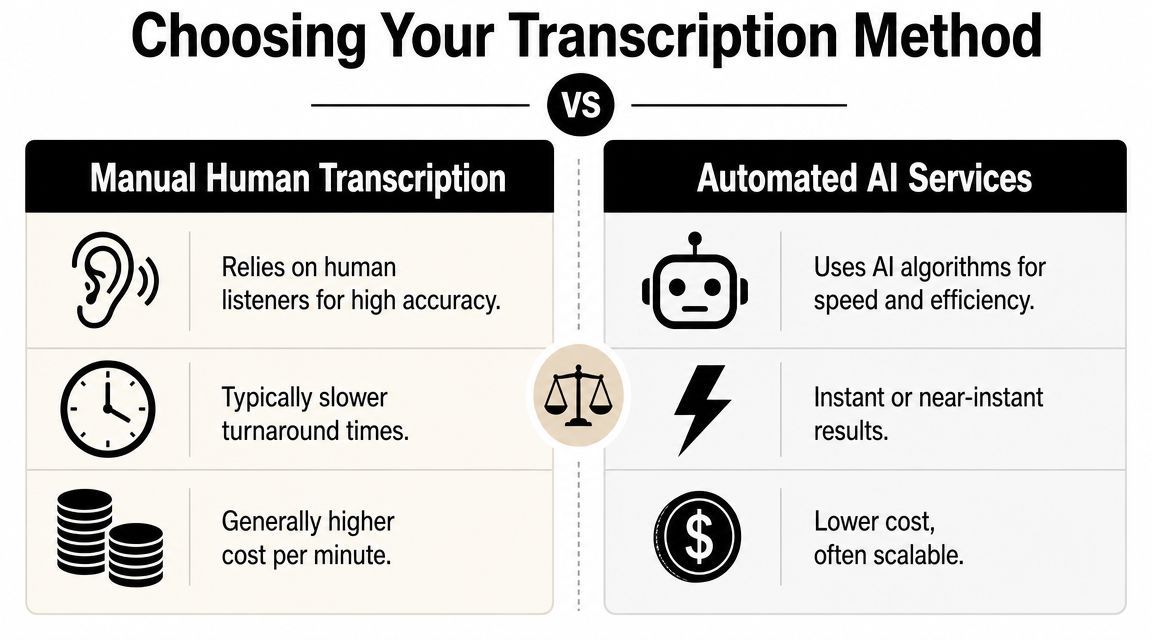
There are two practical options. You either use a human service, or you use AI. Both work. The right choice depends on how precise you need the transcript to be and how quickly you need it back.
When human transcription makes sense
Human transcription is the slower, more careful option. It fits work where wording matters a lot, such as legal, compliance, formal documentation, or transcripts that will be quoted directly with minimal editing.
Rev says videos under 30 minutes can be returned in less than 12 hours with human transcription and at least 99% accuracy, while AI tools can process video in seconds according to this overview of modern video transcription tools.
That trade-off is simple. Human review buys precision, but you wait longer.
When AI is the better fit
For creators, marketers, and social teams, AI is usually the first move. It's fast, cheap to test, and good enough to create a strong draft for editing. Modern tools also do more than speech recognition. They can identify speakers and support over 50 languages, which is useful when you're handling interviews, webinars, or global content.
If your real goal is publishing efficiently, AI tends to fit better than a fully manual process. This broader guide for effective content marketing is worth reading alongside your transcription setup because content production usually breaks when one step is too slow for the rest of the workflow.
Decision rule: Use human transcription when exact wording is business-critical. Use AI when speed, iteration, and repurposing matter more.
A side by side way to decide
NeedBetter fit
Fast draft for captions, blogs, notes, and clips
AI
Formal transcript with minimal correction
Human
Multilingual support and speaker detection
AI
High-stakes wording where small mistakes matter
Human
If your source is a YouTube upload, this walkthrough on how to transcribe a YouTube video is a practical starting point.
Most creators don't need to pay for maximum precision on every file. They need a transcript that arrives fast, is easy to clean up, and fits the rest of their publishing system.
Getting an Accurate Automated Transcript
AI transcription is easiest to blame and easiest to misuse. Most bad outputs start before the upload. If the audio is muddy, the language setting is wrong, or the tool has no clue how many people are speaking, cleanup gets messy fast.
Start with the file, not the tool
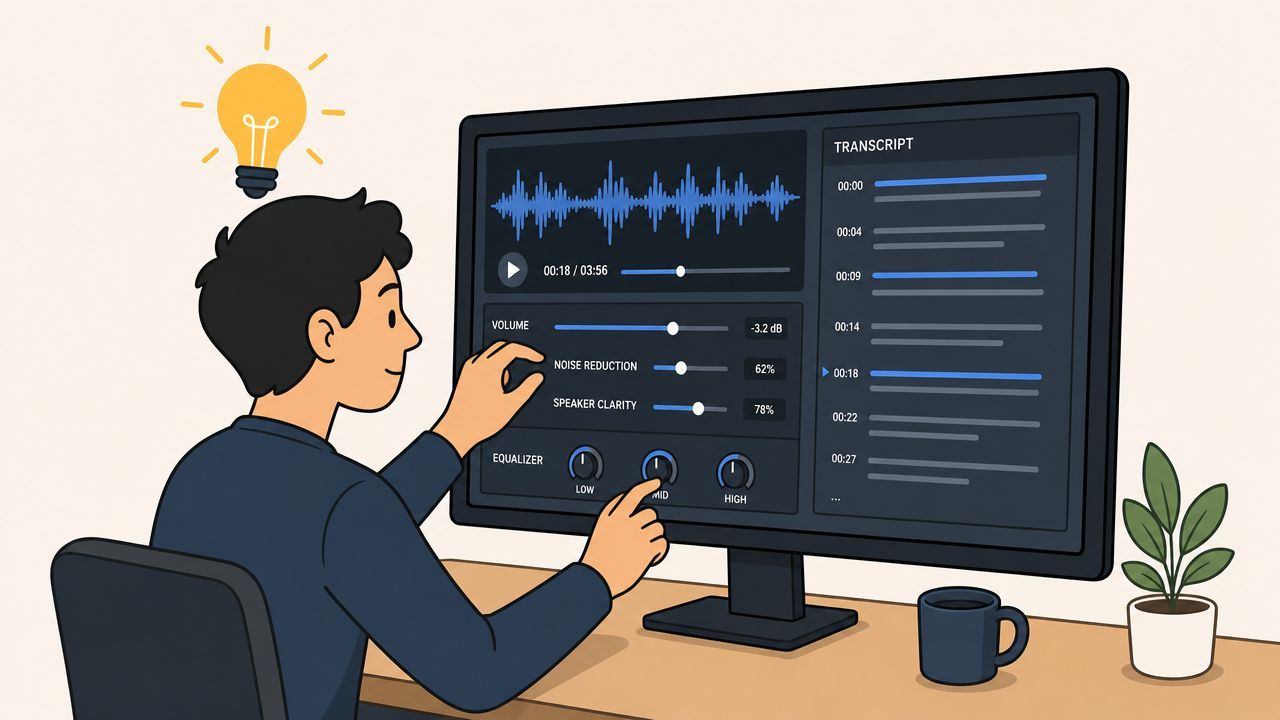
A clean transcript starts with a clean source. Before uploading anything, check the actual audio track.
Use this quick preflight:
- Listen for noise: Air conditioning hum, keyboard taps, room echo, and traffic all make recognition worse.
- Trim dead space: Long intros, music beds, and empty sections don't help the transcript and can create junk text.
- Export the cleanest version available: Don't upload a compressed social download if you still have the original recording.
If you're recording regularly, the easiest accuracy win happens before editing. Put the microphone closer to the speaker, reduce room echo, and keep people from talking over each other.
Set the obvious options correctly
A surprising amount of cleanup comes from missed settings.
- Choose the right language: Don't leave autodetect on if you already know the spoken language.
- Turn on speaker detection: If the platform supports it, this saves a lot of relabeling later.
- Use timestamps: They make review much faster when you need to jump back to unclear phrases.
- Name speakers if the tool allows it: Especially useful for podcasts, interviews, and client calls.
Use a fallback mindset
One smart operational approach is not relying on a single transcription source for every file. A published implementation described a fallback chain that tries official subtitles first, then platform auto-captions, then a general-purpose ASR system such as Whisper, and finally a custom fallback model. It reported a 99.9% success rate, with failures concentrated in edge cases like silent videos, pure music, or corrupted files, as explained in this write-up of a multi-tier transcript system.
That approach is useful even if you're not building software. It suggests a practical habit: if one source gives you weak output, don't keep forcing it. Try another source before you start hand-fixing everything.
Bad transcripts often come from bad inputs, not bad tools.
What works best in day-to-day production
For most creator workflows, the winning setup is simple. Use AI to create the first draft, keep timestamps on, and review the transcript while the original audio is still fresh in your mind. If you wait a week, cleanup feels slower because you no longer remember what was said.
A good automated transcript should reduce effort, not create a second editing job. That only happens when you set the job up properly from the start.
Editing and Quality Control for a Perfect Transcript
An AI transcript is a draft. Treating it like a finished asset is where sloppy captions, awkward blog quotes, and broken clip subtitles come from.

Even on clear audio, AI transcription typically lands around 90 to 96 percent accuracy, and performance drops when there's background noise, overlapping speakers, or accents, as noted in Choppity's review of transcription accuracy and editing needs. That's good enough for a first pass. It's not good enough to publish blind.
The fast QA checklist
You don't need to re-transcribe the whole file. You need a focused review.
- Fix names and jargon: Product names, industry terms, and proper nouns are common failure points.
- Check speaker labels: Podcasts and interviews go sideways fast when the wrong person gets credited.
- Repair punctuation: Raw transcript text often reads like one long breath. Add stops where meaning changes.
- Verify unclear moments with timestamps: Jump straight to sections where the wording feels off.
- Remove filler if needed: For captions, show notes, and blog reuse, “um,” repeated starts, and verbal detours often need trimming.
Where most people waste time
The mistake is editing every line with the same level of attention. That turns review into a slow, expensive chore.
Use a triage approach instead:
Transcript useReview standard
Internal notes or rough research
Light cleanup
Captions for public video
Medium cleanup
Published transcript, quoted copy, or client deliverable
Full review
That one decision changes the amount of work dramatically.
Timestamps are your leverage
Academic guidance highlighted in the source above recommends adding timestamps every minute or at unclear passages so editors can verify and correct low-confidence segments efficiently. In practice, timestamps are what keep quality control from turning into a full replay session.
If the transcript will be reused for content production, they're even more useful. Editors can jump to the exact line, copy a clean quote, or find the start and end of a potential clip without scrubbing manually.
For a more detailed process, this guide on how do you write a transcript is a useful reference point.
The professional difference isn't getting a transcript. It's doing the review that makes the transcript usable.
Putting Your Transcript to Work with Klap
A clean transcript earns its value after editing. That's when it stops being documentation and starts becoming production material.

The most immediate use is captions. Once your transcript is corrected and timed properly, you can turn spoken content into readable on-screen text without manually typing lines from scratch. That matters for social clips, explainers, interviews, and any video where viewers may watch with sound low or off.
But captions are only the first layer. The bigger win is that your transcript becomes a map of the content.
Use the transcript to find clip-worthy moments
When I'm reviewing long-form content, I'm usually looking for four things in the text:
- A strong opening line: Something that works as a hook in the first seconds.
- A clean standalone answer: A section that makes sense without the full episode.
- A moment of tension or surprise: Contrarian advice, a mistake, a sharp opinion.
- A practical takeaway: A step, framework, or sentence people will save.
Finding those moments in text is much faster than finding them on the timeline alone. You can skim, highlight, and shortlist before touching the editor.
Why transcript quality affects short-form output
If the transcript is messy, short-form repurposing gets messy too. Captions break at the wrong words. Hooks get missed because the phrasing isn't captured properly. Editors spend time fixing text instead of shaping clips.
This is why the market is moving beyond simple transcription. Adobe says Speech to Text can generate transcripts and translate captions into 27 languages, while transcript outputs can also be exported to subtitle formats like SRT and VTT for broader reuse in publishing workflows, as described on Adobe's Speech to Text page. The transcript isn't the product anymore. It's the input for localization, captioning, and content distribution.
Turning transcript text into social clips
For repurposing tasks, specialized tools become useful. Klap takes a long-form video, analyzes the transcript and content, identifies engaging segments, reframes them for vertical formats, adds captions, and lets you review the results before export. That's a different job from plain transcription software. It's closer to a transcript-powered clipping workflow.
Here's the product in action:
A practical repurposing workflow
If your goal is reach, not just recordkeeping, this sequence works well:
- Generate the transcript
- Clean obvious errors and confirm timestamps
- Highlight likely hooks in the text
- Turn those sections into captioned clips
- Export subtitles and transcript files for other channels
- Reuse the same text for summaries, posts, and descriptions
That's the primary advantage of a good video to transcript system. You stop treating each video as one output and start treating it as a source file for many outputs.
Exporting Your Transcript in the Right Format
The last step is choosing the format that fits the job. This sounds minor until you upload the wrong file and have to redo it.
The simple format guide
- TXT works when you need plain text. Use it for blog drafting, note-taking, summaries, or sending raw copy to a writer or editor.
- SRT is the common subtitle format for platform uploads. It's usually the safe choice when you want timed captions on video platforms.
- VTT is useful for web video players and environments that support richer caption behavior.
If you're adding captions to published videos, match the export format to the destination first. Don't choose based on what looks familiar. Choose based on where the file will be used.
A good rule is simple. If the transcript will be read as a document, export TXT. If it needs timing, export SRT or VTT. If you want a practical walkthrough for the caption side, this guide on how to add captions to videos covers the platform-facing part of the process.
Frequently Asked Questions About Video Transcription
What's the difference between a transcript and captions
A transcript is the full text version of what's said in the video. Captions are timed text that appears on screen in sync with the audio. You can create captions from a transcript, but the timed formatting is what makes captions work during playback.
How should I handle different languages
Start by selecting the correct source language in your transcription tool instead of relying on autodetect. If you need multilingual distribution, keep the original transcript clean first, then generate translated captions or exports from that corrected version. That reduces mistakes from spreading downstream.
Should I use AI or pay for human transcription
Use AI when you need speed and a workable first draft for editing, captions, notes, or clip production. Pay for human transcription when wording needs to be very precise and the transcript itself is the final deliverable. For most creator workflows, AI plus review is the practical middle ground.
If you're already sitting on long videos and want to turn them into publishable short clips faster, Klap is built for that workflow. Upload or link a long-form video, review the transcript-driven clips it generates, edit captions and timing, then export social-ready versions for Shorts, Reels, or TikTok.
