
Third Party Integrations: A Practical Guide for 2026
Other

More than nine in ten web pages now include one or more third parties, and the share still sits at 90%+ even after a slight year-over-year decline, according to the 2025 HTTP Archive/Web Almanac on third parties. That's the cleanest way to understand modern software and modern publishing, third party integrations aren't add-ons anymore, they're the plumbing that lets products publish, measure, and move content across the web.
For creator tools and marketing teams, that shift is visible in the everyday work of turning one video into a dozen usable assets. A long-form interview gets clipped, captioned, reframed, pushed to social, tracked in analytics, and embedded in a landing page, and almost every step depends on a connected system outside the core app. The key question isn't whether to integrate, it's how to do it without creating a maintenance burden that outlives the campaign.
Why Third Party Integrations Are Now Default Infrastructure
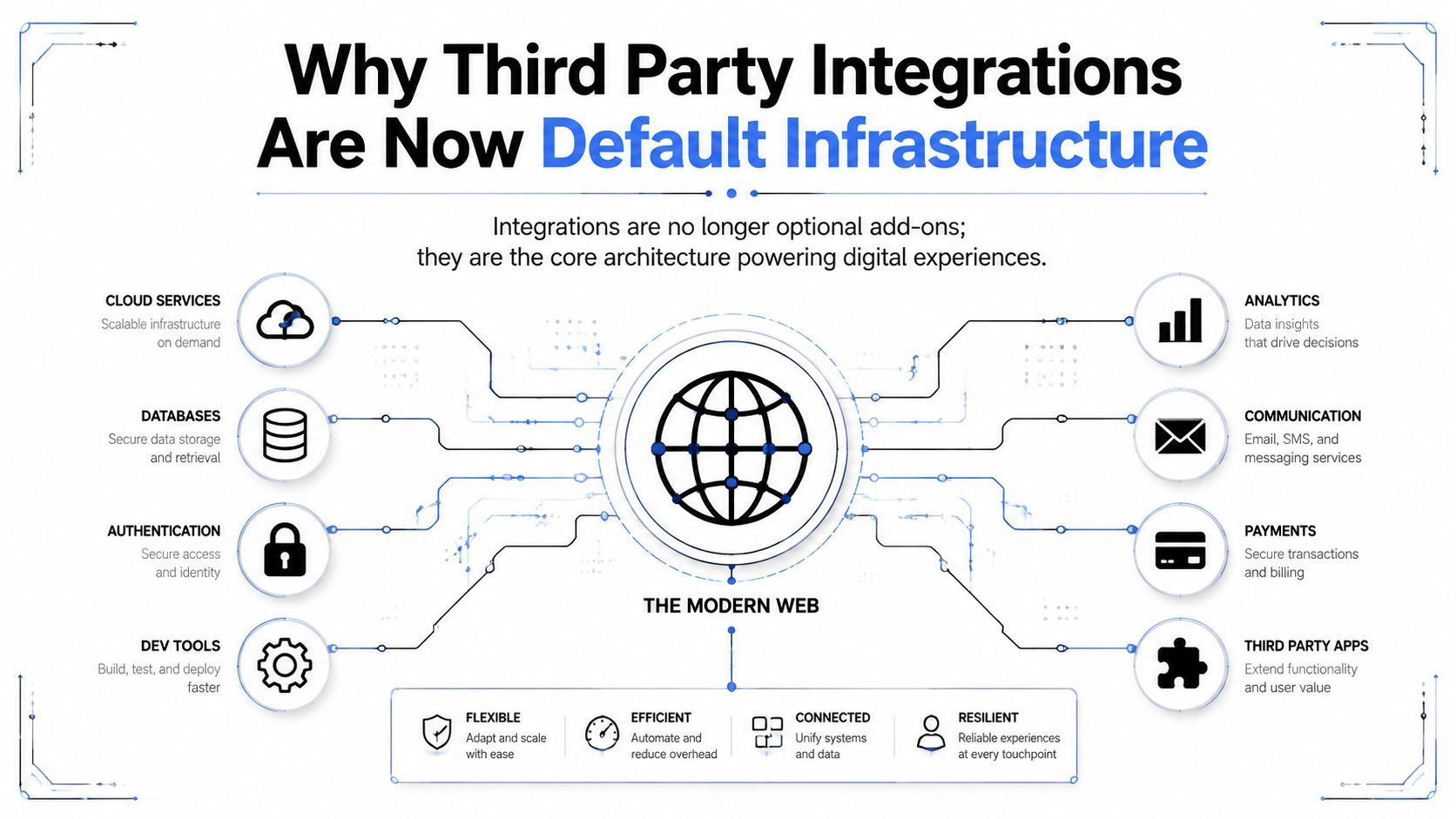
Third party integrations now sit inside the operating model of most digital products. Analysts at the HTTP Archive/Web Almanac found that third parties appear on the vast majority of web pages, which is a clear signal that external code, services, and data paths are part of how the web is built and run.
For content teams, that dependency shows up in daily production work. A marketer does not just publish a clip, they move metadata into a CMS, route the asset to social platforms, attach captions, and sometimes sync performance back into reporting tools. Each handoff depends on a system outside the core app, and each one replaces manual work with a controlled connection between tools.
The operational meaning for creator workflows
For creator tools, the value shows up after the export button. A tool like Klap can turn a long video into social-ready clips, but those clips only create more value if they can move into the systems where the team publishes, measures, and stores work. That usually means connecting to external platforms for publishing, analytics, storage, or scheduling, because no single app owns the full workflow end to end.
Practical rule: if a workflow has to cross product boundaries more than once, it already needs integration planning.
That is why integrations function like infrastructure instead of convenience. They let teams standardize publishing, measurement, and distribution without rebuilding every function in-house, which matters when creators need to ship more short-form output from the same source video. The strongest stacks focus on the handoffs that save time in production and avoid the ones that create maintenance debt later.
Common Types of Third Party Integrations Explained

APIs
An API is the most direct path between systems. In a creator workflow, that might mean pulling analytics from a video platform into a dashboard, or sending a clip from a content tool into another service through defined endpoints and structured requests.
The advantage is control. You can map fields, define the payload you want, and decide exactly what the receiving system gets. The trade-off is that APIs usually demand more careful setup than a drag-and-drop tool, because authentication, request structure, and data mapping sit at the center of the work. They also create an ownership question that teams sometimes ignore at first, since someone has to keep the integration working when the API changes or a field disappears.
Webhooks
A webhook is event-driven. A new upload, a completed export, or a publishing event can trigger the next step automatically, which makes webhooks a strong fit when timing matters more than batch syncing.
That matters in creator stacks because content does not always move on a schedule. When a clip is ready, the next tool should know immediately, not after someone checks a dashboard. Webhooks are the better choice when you want low-latency handoffs and fewer polling jobs running in the background, but they also need clear retry logic and monitoring so missed events do not turn into silent workflow gaps.
OAuth and connector platforms
OAuth solves delegated access. It lets one app connect to another without forcing users to hand over passwords, which is why it shows up everywhere from publishing workflows to analytics dashboards.
Connector platforms sit one layer higher. Tools such as Zapier or Make handle no-code workflow orchestration, which is useful when a marketing team wants to route a clip, update a sheet, and ping a Slack channel without involving engineering. For less technical teams, these platforms often become the fastest way to prove a workflow before hardening it later. The trade-off is maintenance debt, since every extra automation adds another place where permissions, field names, or app behavior can break.
The type of integration you choose usually says more about ownership than it does about technology.
That is the useful mental model. APIs, webhooks, OAuth, and connector platforms all move data, but they differ in who controls the connection, how quickly it reacts, and how much ongoing maintenance it demands once real users start relying on it. As noted in Merge, the right model depends on whether your team needs direct control, event-based automation, delegated access, or a lightweight no-code layer that can be changed without waiting on engineering.
Benefits of Integrations for Creators and Marketers
Third party integrations earn their keep when they remove repetitive work from the publishing cycle. A creator who can move one source video into several channel-ready outputs spends less time on admin and more time on editing, testing hooks, or planning the next shoot. That's where integrations stop being a technical preference and become an output multiplier.
Automation that cuts manual handoffs
The first benefit is automation. When clips, captions, and metadata move from one system to another without exports, downloads, or copy-paste steps, teams avoid the little delays that pile up across a week of publishing.
That's especially valuable for social teams managing multiple destinations at once. A workflow that sends clips to TikTok, Instagram Reels, and YouTube Shorts from one source file keeps the publishing motion consistent, which is hard to do when every platform depends on a separate upload path.
Centralized measurement and distribution
The second benefit is cleaner visibility. Instead of checking performance in isolated silos, integrations can bring the data back into a central place where marketers see which clips, formats, or hooks are working across channels.
That doesn't just help reporting. It changes what gets produced next, because teams can keep using the clips that travel well and retire the ones that stall. Distribution becomes less about “getting it posted” and more about learning which version of the asset deserves more attention.
A leaner repurposing stack
The third benefit is content reuse. A long-form video can become short clips, embeds, landing page assets, newsletter inserts, or social posts without starting from scratch each time. For teams with tight production capacity, that kind of reuse is often the difference between a handful of posts and a repeatable content engine.
Used well, integrations make the stack feel smaller, not larger. They replace one-off work with dependable paths, which is the only way content teams keep pace without turning every launch into a manual project.
Security Risks and Governance Concerns You Cannot Ignore
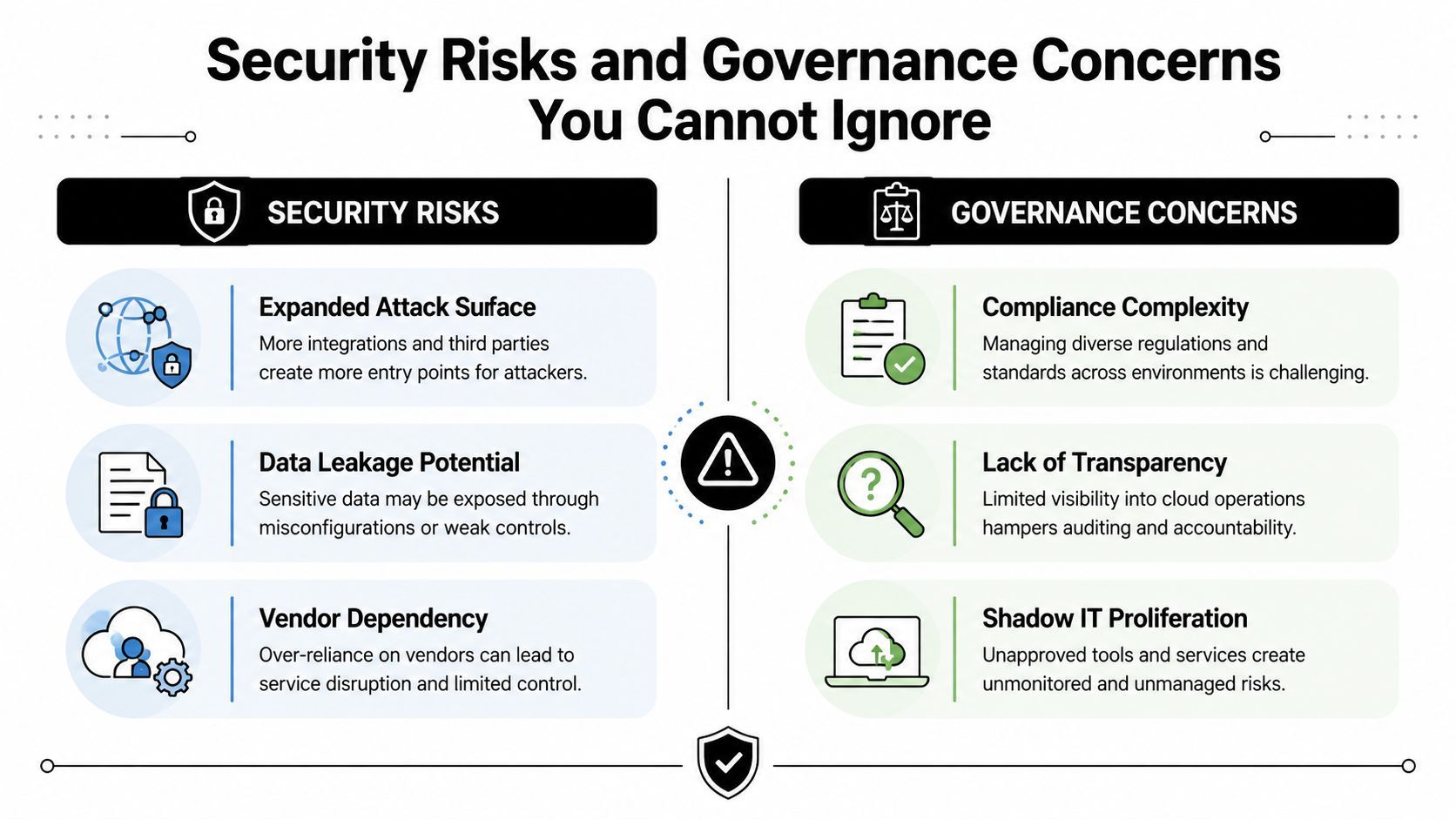
Third party integrations extend your system, and they extend your risk surface at the same time. In 2023, SecurityScorecard and the Cyentia Institute reported that 98% of organizations worldwide were connected to at least one third-party vendor that had been breached in the previous two years, and they found that third-party vendors were five times more likely to show poor security (Cybersecurity Dive summary of the report).
Governance matters just as much as security. The same research said the information services sector averaged 25 vendor relationships, compared with an overall average of 10 third-party vendors, while healthcare averaged 15.5 and financial services 6.5. It also found that half of organizations had indirect links to at least 200 fourth-party vendors that had already suffered breaches.
What usually breaks first
The first failures are usually operational, not dramatic. Excessive permission scope, stale access, and hidden dependencies create the most common problems. A marketing app can keep access long after a test campaign ends, and a vendor can change its API without warning, which leaves a workflow failing in the background until someone notices the missing output.
That's why integration approval needs a clear process. EDUCAUSE recommends routing requests through an existing ticketing system, sending them to an oversight group, recording approved tools in a software catalog, and reviewing them periodically as part of ongoing governance (EDUCAUSE).
Contracts and data handling need the same discipline. If your team is reviewing vendor access, it helps to keep the agreement in one place, such as Klap's data protection agreement, so legal, security, and operations are working from the same terms instead of trying to reconstruct them later.
Practical rule: if nobody owns the integration after launch, the organization is already paying for the risk.
A healthy integration program treats access, cataloging, and periodic review as part of the product lifecycle. Paperwork after a problem appears does not protect the workflow that is already running.
Choosing the Right Integration Model for Your Workflow
The right model depends on who needs the connection, how much complexity the team can absorb, and who will own the fix when something breaks. For some workflows, a simple connector is enough. For others, the hidden cost of patching and permission drift makes a more structured architecture the smarter choice.
The distinction matters because third party integrations can sit in very different layers of the stack. Prismatic notes that some models are native, where the product and integration feel smooth to the user, while others rely on an external platform that provides the connection logic, authentication, and maintenance (Prismatic). If you need a public API reference for a deeper build, Klap documents one at its API page.
Integration Model Comparison
ModelSetup ComplexityMaintenance BurdenBest For
Native integrations
Low for the user, higher for the product team
Product team owns most of it
Teams that want the smoothest experience
Middleware platforms
Low to moderate
Shared, but can get messy across many Zaps or scenarios
Small teams and fast experiments
Embedded iPaaS
Moderate
More structured, easier to govern
Teams that need repeatable workflows at scale
Unified APIs
Moderate to high
Lower drift across multiple services
Products that need one interface across many vendors
Native integrations usually win on user experience because the handoff feels built in. Middleware is faster to stand up, but it can become brittle when too many no-code automations depend on people remembering where each step lives. Embedded iPaaS and unified APIs ask for more upfront design, yet they usually make ownership clearer when the workflow becomes business-critical.
The key decision point is permissions and future maintenance. If the integration touches publishing, customer data, or a high-volume content pipeline, pick the model that gives you the cleanest path for access control, troubleshooting, and future change management, not just the one that looks simplest on day one.
Evaluation and Testing Checklist Before You Connect

A bad integration usually looks fine in a demo and then starts failing once real content, real permissions, and real API traffic hit it. Before anything goes live, treat the connector like a production dependency that needs clear ownership, failure handling, and a rollback plan.
Atlas Business recommends checking for security credentials such as ISO 27001, SOC 2, or NIST compliance, reviewing audit or penetration-test reports, and confirming whether the vendor has a bug bounty program or formal vulnerability disclosure policy (Atlas Business).
The pre-connect checklist
- Verify security posture. Check the vendor's security credentials, then read the audit material instead of relying on the homepage claim.
- Review authentication. Confirm the integration uses OAuth2, OpenID Connect, or JWT, and limit the permissions to the smallest workable scope. A broad token may save setup time, but it also creates a wider blast radius if the key leaks or a contractor keeps access longer than intended.
- Define the integration path. Pin down exact endpoints, parameters, and whether the server or SDK will execute the request before development begins (Medium).
- Test both success and failure. Validate happy-path behavior and failure-path behavior, then measure success rates and latency so the team knows what “healthy” looks like. Test expired tokens, missing fields, rate limits, and partial outages, because those are the cases that usually surface in production first.
- Document the workflow. Write down ownership, retry behavior, and the troubleshooting steps future engineers will need if the vendor changes an endpoint.
Practical rule: a connector isn't ready until someone other than the builder can explain how it fails.
Permission audits matter after launch too. Teams need to remove stale access, review field mappings whenever either platform changes, and define what happens during API downtime so the workflow does not depend on tribal knowledge (OneNine).
Teams that standardize how work moves between tools usually have fewer surprises later, because the same discipline that reduces editing variance also reduces handoff risk. Klap's workflow standardization guide is a useful reference for that operating habit, since the underlying goal is the same, keep the process repeatable enough that a changing API does not turn into hidden maintenance debt.
Real Integration Examples for Video Content Workflows
A content team usually feels integration quality most when a video leaves the editing environment and enters the distribution layer. That's where the workflow can either move smoothly or turn into a pile of downloads, renames, uploads, and forgotten captions. The strongest setups solve a specific handoff, not a vague “connect everything” goal.
Social publishing
The most obvious example is direct publishing to TikTok, Instagram Reels, and YouTube Shorts. Those connections turn a clip export into an actual distribution path, which saves the team from re-uploading the same asset three times with three different sets of metadata.
CMS and landing pages
CMS integrations matter when clips need to live beyond social. A marketing team can place short-form video inside a blog post, a product page, or a campaign landing page so the same asset supports discovery and conversion without another round of manual formatting.
Analytics and transcription
Analytics integrations pull channel performance back into one place, which helps teams compare content without opening multiple dashboards. Transcription service integrations improve caption accuracy, which matters when a short clip needs clean text for accessibility, search, and social viewing.
Scheduling and orchestration
Scheduling tools handle the release pattern. Instead of publishing whenever someone has time, the team can queue clips, stagger launches, and coordinate multi-platform drops from one plan.
Klap fits naturally in that stack as one option for turning long-form video into short clips that can then move through publishing, analytics, or scheduling tools. The value isn't just in clip generation, it's in how easily the output can travel into the rest of the workflow.
Maintaining Integrations as an Ongoing Discipline
Third party integrations don't fail only at launch, they fail when nobody is watching. The common breakpoints are authentication token expiration, schema drift from upstream API changes, permission scope creep, and quiet downtime that leaves a queue stuck until a human checks it.
That's why ownership matters more than enthusiasm. Every integration needs a named owner, monitoring for success and latency, and a review cadence that catches broken mappings or stale permissions before the team feels the impact.
The best teams treat integrations like living production systems. They document the flow, keep an eye on vendor changes, and decide in advance what happens when an API stops responding, because reliability after launch is what determines whether the workflow scales or becomes hidden maintenance debt.
If you want a cleaner way to turn long videos into short-form assets that can move through social publishing and automation workflows, explore Klap. It's built for teams that need output they can ship, not just clips they can export.
