
5 Best Video Clipping Software Tools for Repurposing Long Videos
Other
Quick Summary
In this guide, we review the best video clipping software for creators, marketers, and teams. Here are our top picks:
- Klap: Best for fast, automated conversion of long-form speaking content into ready-to-publish clips.
- Vizard AI: Best for quickly repurposing webinars, podcasts, and interviews into social clips.
- Riverside: Best for recording-first workflows that combine capture and clipping in one platform.
Visit the Klap blog today for more in-depth product reviews and comparisons.
Wondering Which Video Clipping Software is the Right Fit?
One long video can turn into dozens of short clips, but editing them manually takes time most teams do not have. That is where video clipping software helps. The right tool can find highlights, reframe footage, add captions, and speed up publishing.
In this Klap guide, we break down the best video clipping software based on what you actually need, from podcasts to viral videos and gaming content.
Why Listen to Us?
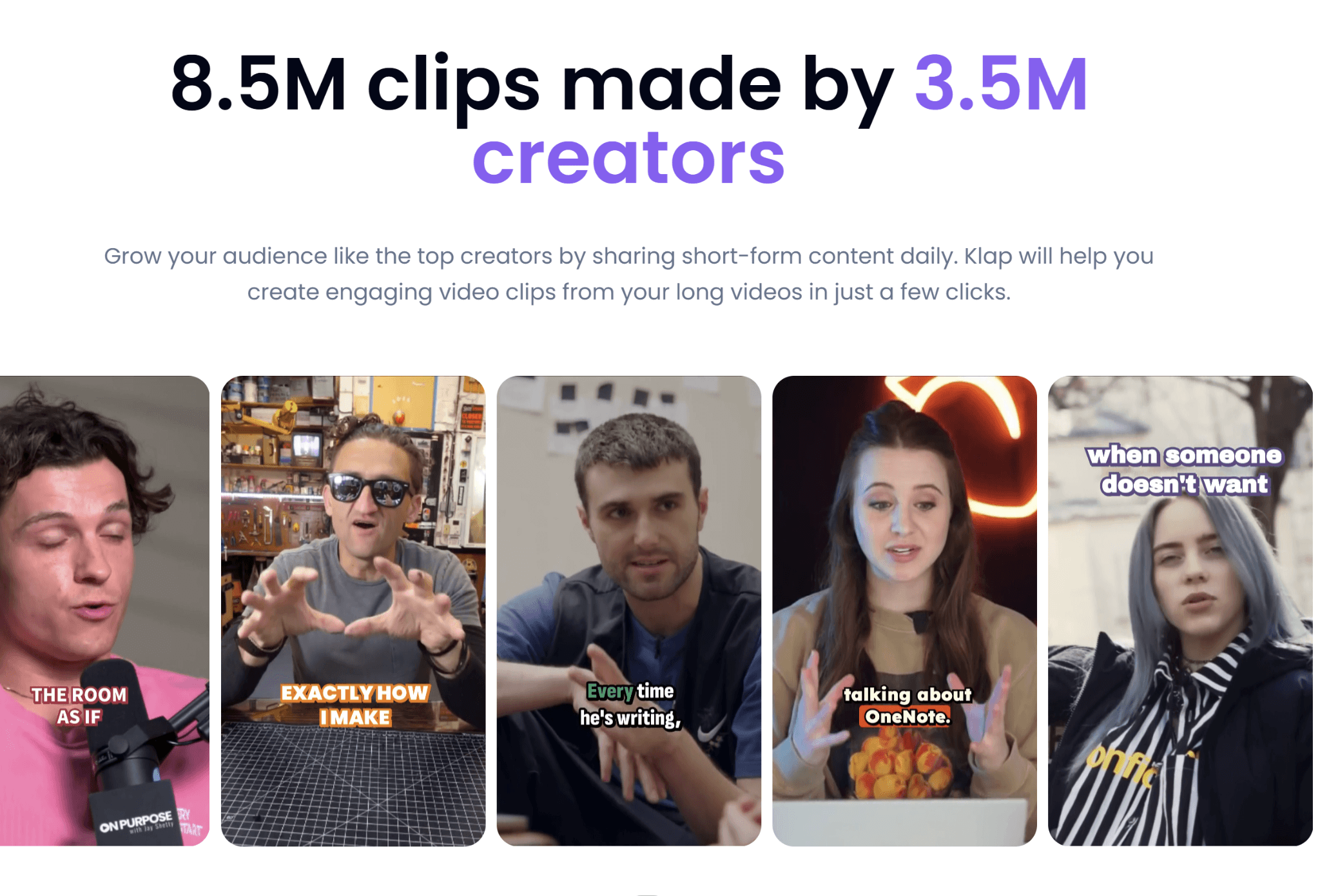
At Klap, we have helped millions of creators and teams turn long videos into short clips for TikTok, Reels, Shorts, and LinkedIn. That gives us a close view of what makes clipping workflows fast and where they break down.
We also test the tools in this category regularly, since most creators rely on more than one platform to keep content moving.
What Is Video Clipping Software?
Video clipping software is a tool that takes long-form videos and turns them into short, shareable clips. Instead of manually scrubbing through hours of footage, these tools help identify key moments, trim them into segments, and prepare them for platforms like TikTok, Instagram Reels, YouTube Shorts, and LinkedIn.
Most tools also go beyond simple cutting. They can automatically reframe videos for vertical formats, generate captions, improve audio, and suggest highlights that are likely to perform well. Some also add publishing or scheduling features to help teams post content faster.
Why Use Video Clipping Software?
- Faster content repurposing: Turn one long video into multiple clips without editing everything by hand.
- More publishing volume: Consistency matters on short form platforms, and clipping tools help keep pace.
- Better platform formatting: Resize videos automatically for Shorts, Reels, TikTok, and LinkedIn.
- Less editing work: Spend more time testing hooks and ideas instead of cutting timelines.
- More content from a single recording: One webinar, podcast, or livestream can become multiple platform-ready clips without rebuilding edits from scratch.
- More value from every recording: Get multiple pieces of content from a single webinar, podcast, or livestream.
Top 5 Video Clipping Software Tools to Pick From
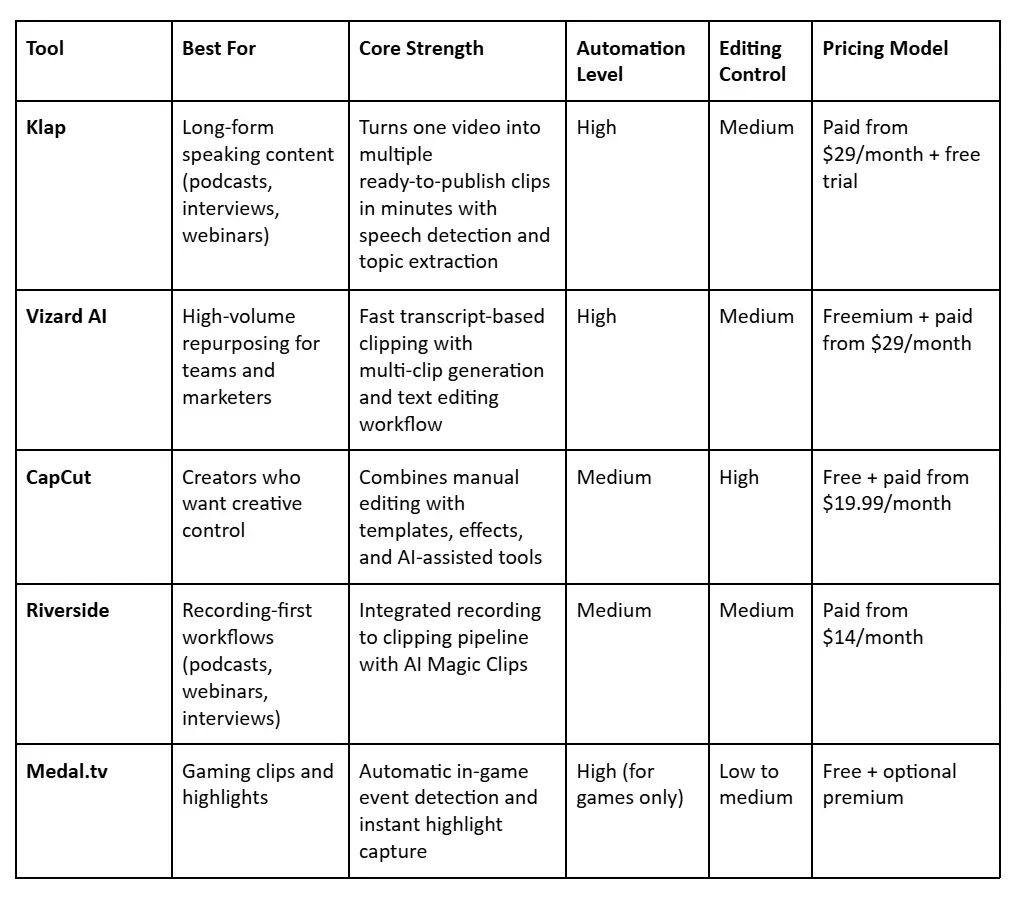
Here is a comparison table showing how each video clipping tool differs in workflow, automation level, and ideal use case
1. Klap
Klap is a video clipping software built to turn long-form videos into short, vertical clips that are ready for publishing. It focuses on speech detection and topic extraction to surface moments that typically perform well as short-form content.
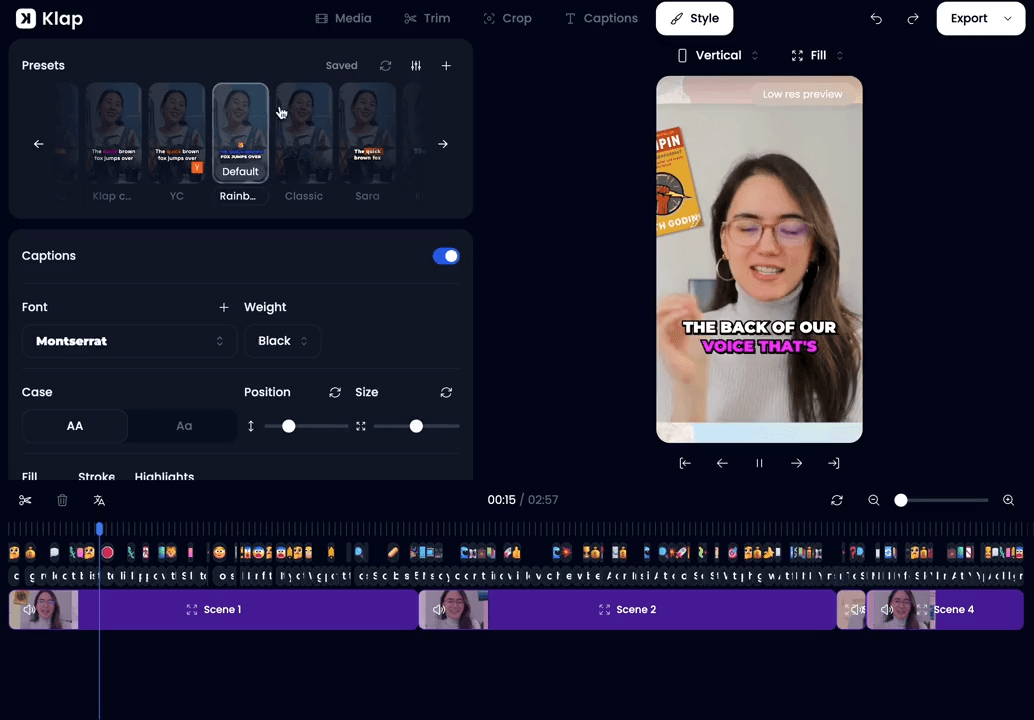
Simply upload a video and Klap uses AI to detect the most engaging spoken moments, then automatically cuts them into short-form videos with framing and subtitles. That way, a 3-minute video can become multiple clips formatted for TikTok, Instagram Reels, or YouTube Shorts within minutes, without losing quality.
What makes Klap different as a video clipping software is how much it automates in one pass. It combines topic detection, facial tracking, and subtitle generation so you do not need separate tools for clipping, captions, and reframing. This reduces the back-and-forth usually involved in short-form editing workflows.
It also supports editing and transcription in 52 languages, which helps you localize content without rebuilding edits from scratch. The result is a faster path from long video to multiple publish-ready clips, especially if your team produces content consistently across platforms.
Key Features
- AI clip detection: Identifies high-engagement spoken moments and turns them into short clips.
- One-click clipping: Converts a single long video into multiple short clips in minutes.
- Smart reframing: Automatically adjusts framing for vertical formats like TikTok and Reels.
- Dynamic AI captions: Generates captions synced with speech and facial movement.
- Multi-language support: Transcribes and edits videos in 52 languages.
- Direct publishing: Schedules and posts clips directly to TikTok, Instagram, YouTube, and LinkedIn.
- Custom branding: Applies logos, fonts, and brand styles consistently across all clips.
Pricing
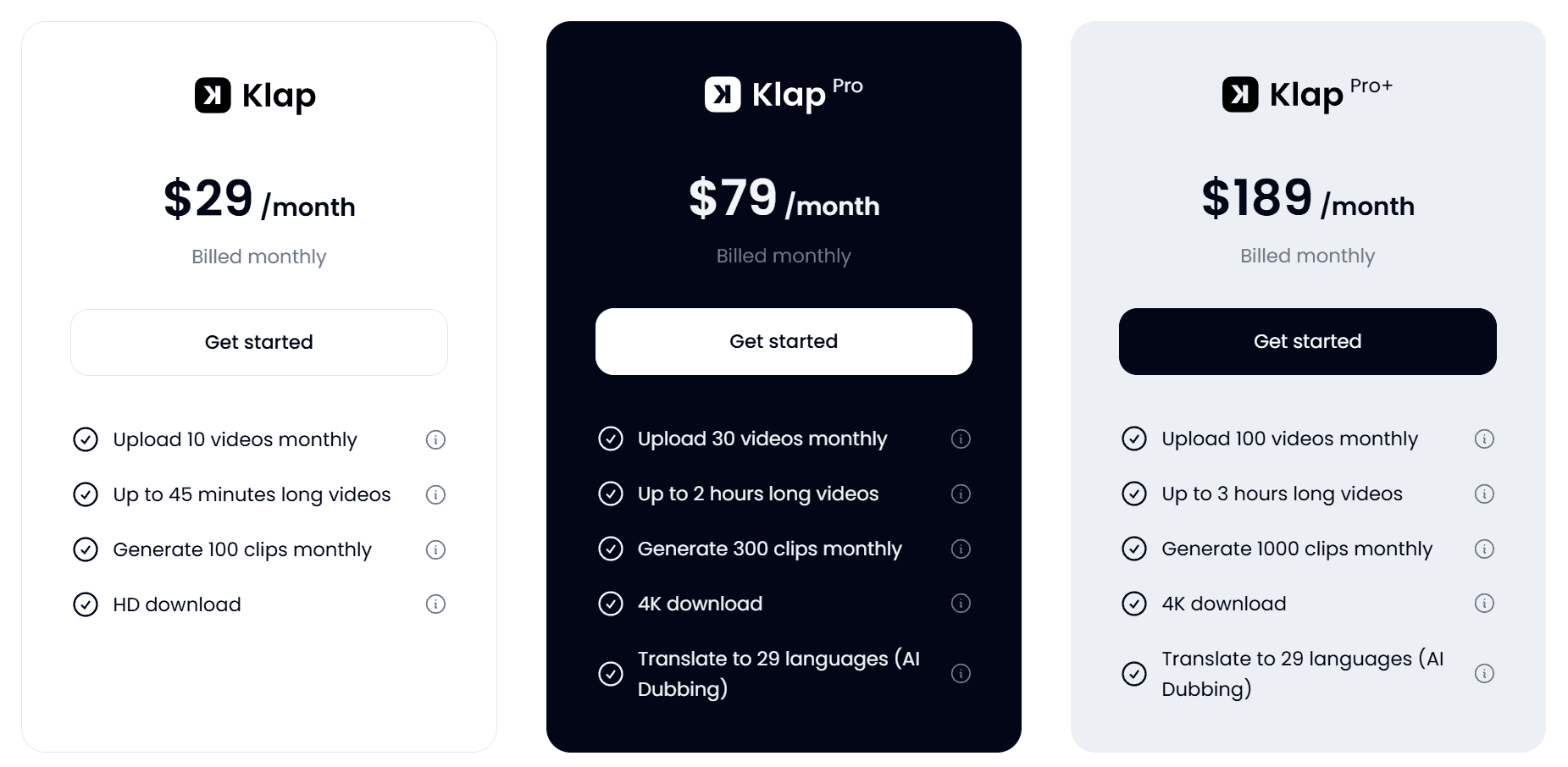
- Free: 1 video and 10 watermarked clips, no credit card required
- Basic ($29/month): Up to 10 videos and 100 clips monthly
- Pro ($79/month): More upload volume plus 4K downloads
- Pro+ ($189/month): Higher limits for agencies and teams
You can compare these plans extensively on our pricing page.
Pros
- Fast workflow for repurposing long videos
- Strong vertical reframing for short form
- Publishing built into the workflow
- Useful for podcasts, webinars, and interviews
Cons
- Free plan is limited
2. Vizard AI
Vizard AI is video clipping software that turns long-form videos into high volumes of short clips, with a strong focus on automation and speed at scale. It processes transcripts, detects highlight moments, and generates multiple platform-ready clips from a single upload or link.
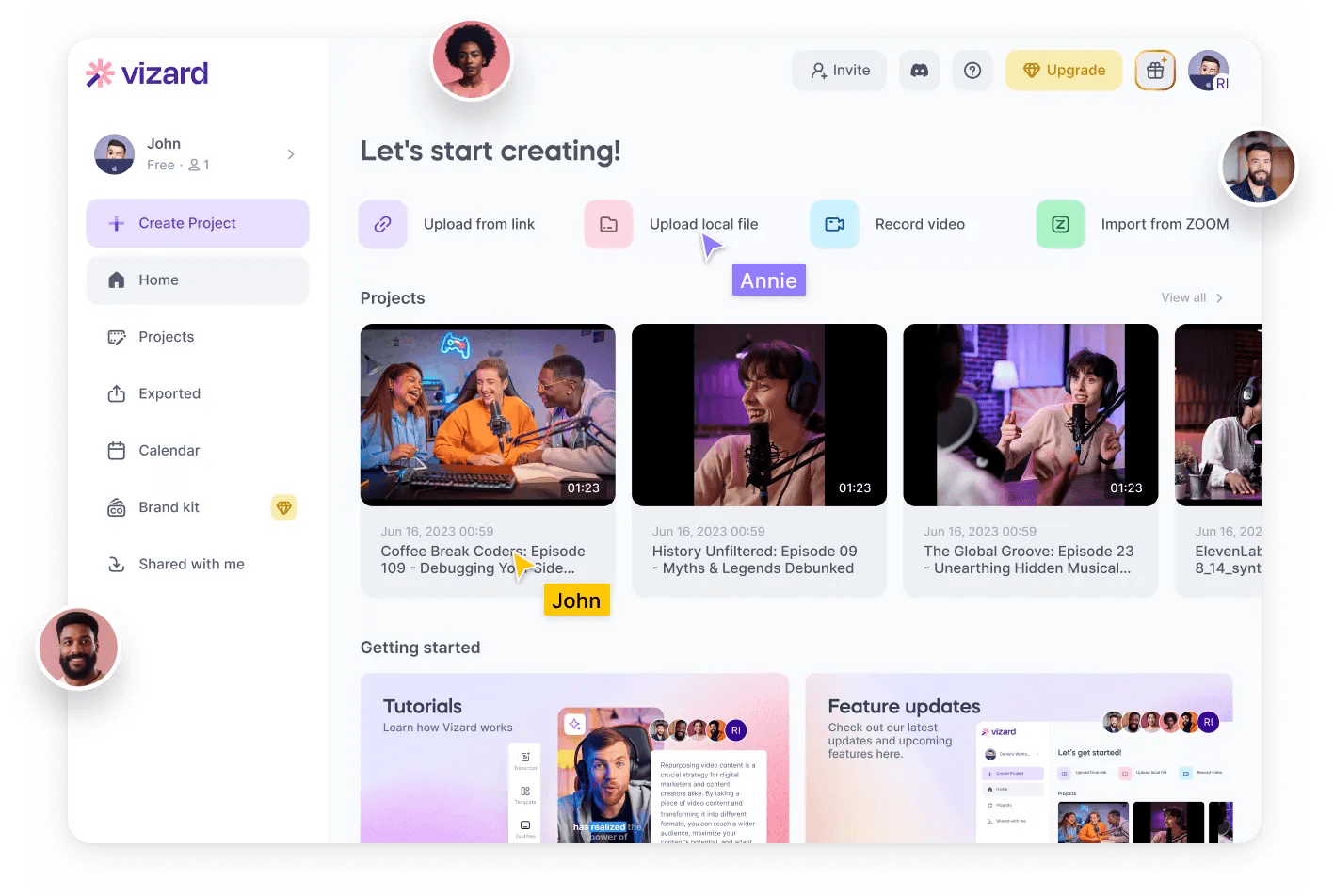
The tool automatically reframes videos for vertical formats, adds captions, and supports direct publishing. It also offers transcript-based editing, allowing users to cut videos by editing text instead of timelines.
Key Features
- AI clip detection: Identifies engaging moments in long videos and turns them into short clips.
- Smart reframing: Automatically resizes videos for TikTok, Reels, and Shorts with subject tracking.
- AI captioning: Generates and translates captions for global audiences.
- Text-based editing: Allows video edits by editing the transcript directly.
- Team workspace: Enables collaboration, shared projects, and client previews.
Pricing
Vizard AI offers a free plan with 60 credits and basic clipping features. Paid plans include:
- Creator plan ($29/month): Adds watermark-free exports, 4K video, scheduling, and 600 monthly credits
- Business plan ($39/month): Adds collaboration features, team access, and branding controls like custom fonts and brand kits
Pros
- Fast end-to-end workflow from upload to final clip
- Transcript-based editing speeds up revisions
- Supports scheduling and multi-platform distribution
- Suitable for teams
Cons
- Manual editing required for precise cuts
- Strict credit system drains minutes quickly
- Free plan leaves visible video watermarks
3. CapCut
CapCut is a video editing and clipping tool that blends AI-assisted features with manual editing control. It is built for creators who want to clip and refine videos while also controlling visuals, transitions, and effects.
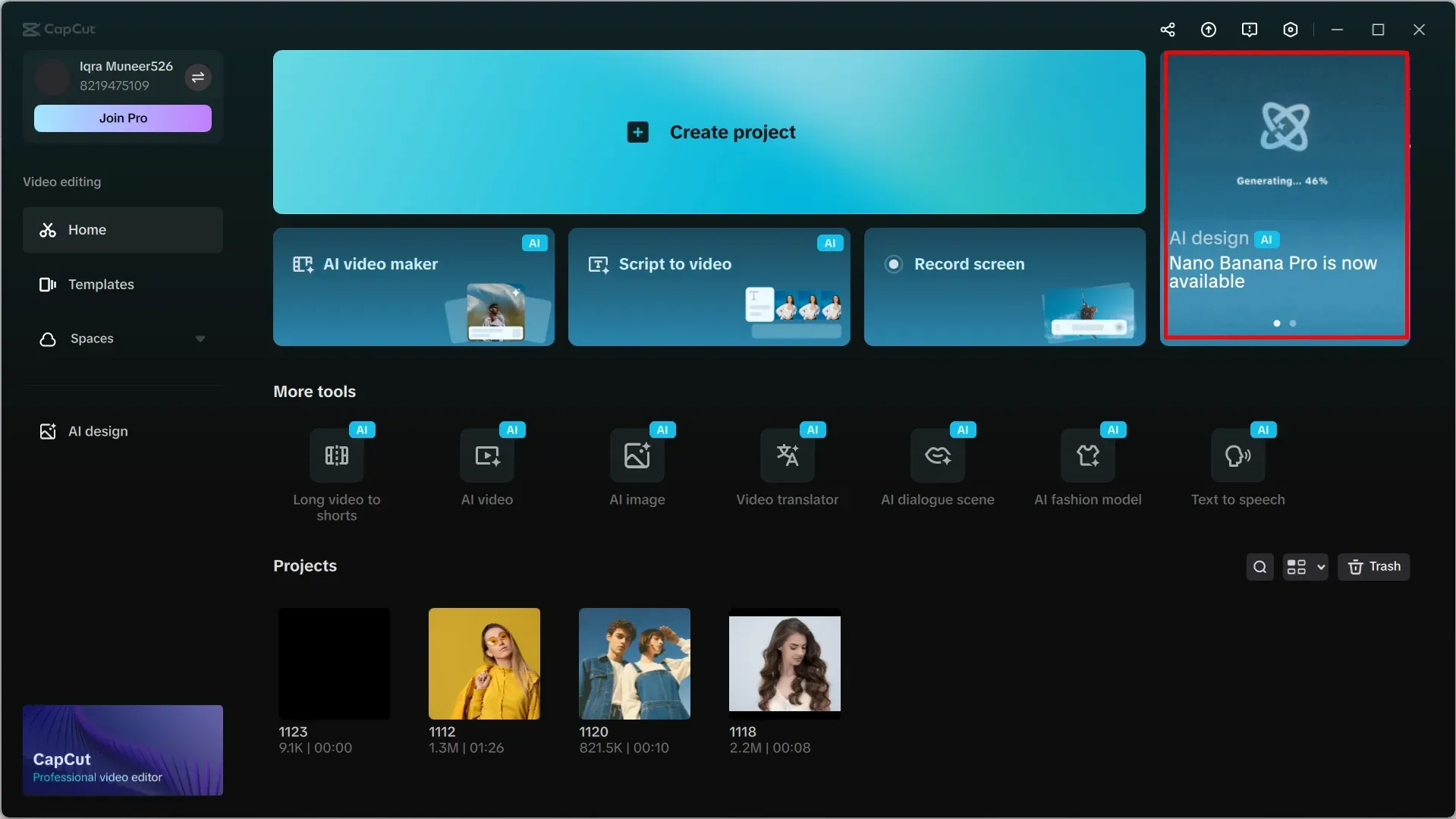
After uploading footage, you can trim, reframe, and enhance clips with captions, overlays, and styling tools. It works well for polished short-form content but requires more manual effort than automated clipping tools, making it slower for high-volume repurposing workflows.
Key Features
- Template-based clipping: Access ready-made video clip templates for fast social content creation.
- AI-assisted editing tools: Speed up trimming, transitions, and basic video adjustments.
- Creative effects suite: Enhance clips with filters, overlays, animations, and text styling.
- Music and audio integration: Add soundtracks and sync audio to video clips easily.
- Multi-format export: Export videos in formats optimized for TikTok, Instagram, YouTube, and more.
Pricing
CapCut offers a Pro subscription starting at $9.99 per month or $89.99 per year for individual users.
Pros
- Large template library speeds up clip creation for social content
- Flexible for both beginners and experienced editors
- Available on both desktop and mobile devices
Cons
- Many core features require paid subscriptions.
- Some creators have expressed privacy concerns due to data collection practices.
- Heavy files and timelines can cause major software lag
4. Riverside
Riverside is an AI-powered recording and content platform that also supports video clipping through its “Magic Clips” workflow. The tool is designed for creators and teams who record long-form content like podcasts, interviews, webinars, and virtual shows, then repurpose it into short, shareable clips.
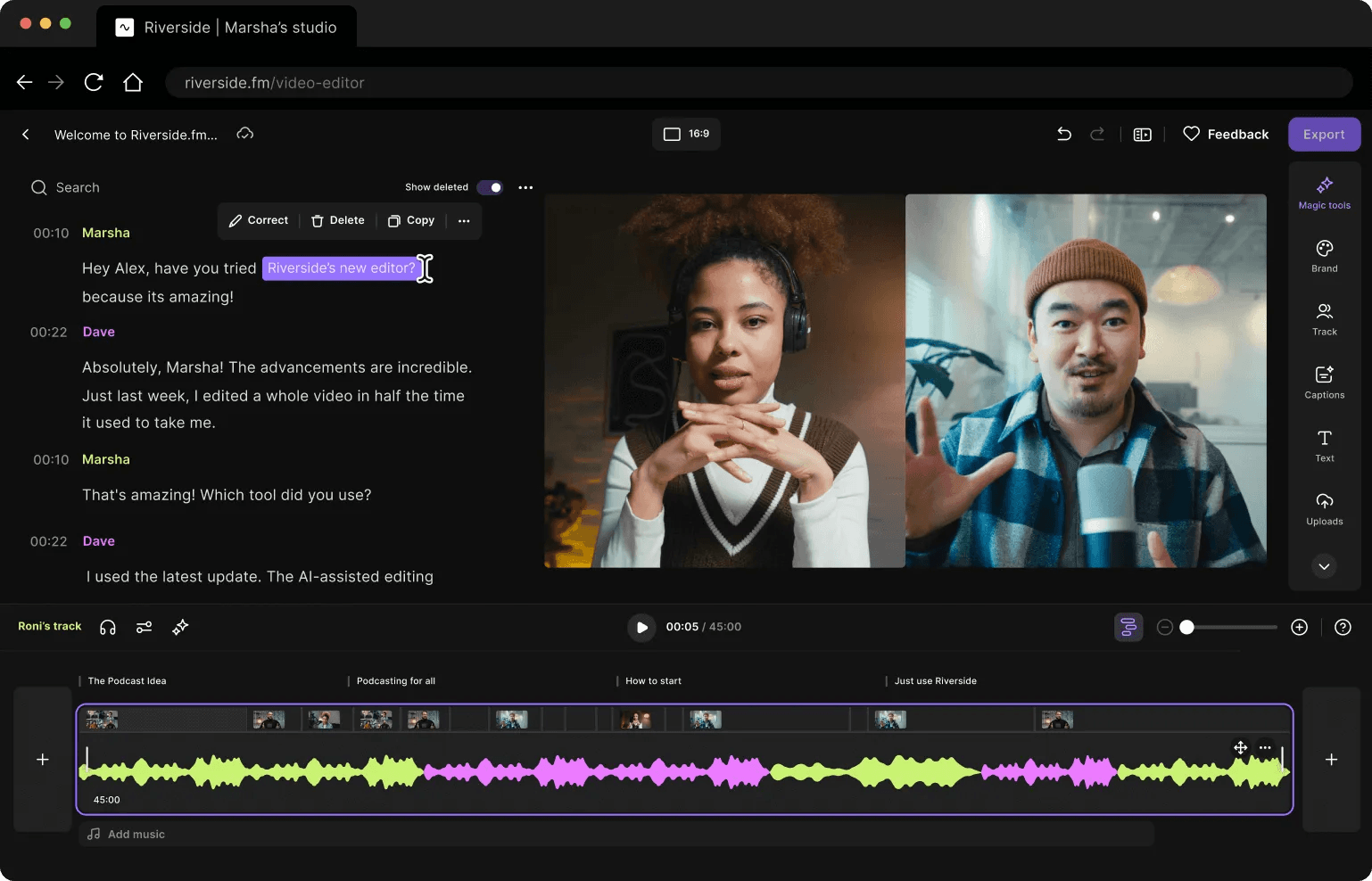
The strength of Riverside is that clipping is built into the recording workflow, so teams can go from live sessions to social-ready clips without switching tools.
Key Features
- Magic clips: Automatically extract highlight moments from long recordings.
- AI transcription: Convert speech into editable text for fast clip creation.
- Text-based editing: Edit video by editing transcripts instead of timelines.
- Auto captions: Generate and style captions for short-form distribution.
- Brand kits: Apply consistent logos, colors, and layouts across clips.
Pricing
Riverside offers four paid plans:
- Pro ($29/month): Recording, AI editing tools, Magic Clips, and publishing features
- Live ($39/month): Adds live streaming, multistreaming, and audience engagement tools
- Webinar ($99/month): Webinar hosting, registration tools, and lead capture integrations
- Business (custom pricing): Advanced collaboration, unlimited recording, and enterprise controls
All plans include a free trial period.
Pros
- Supports publishing and repurposing from one platform
- Good fit for podcasts, interviews, and webinar content pipelines
- Useful AI tools reduce manual editing time significantly
Cons
- Can feel complex for simple short-form editing needs
- Clunky workflow when importing external files
- Best features are tied to recording workflow, not external footage
5. Medal.tv
Medal is video clipping software built for gamers who want to automatically capture, edit, and share gameplay highlights. It runs in the background on PC and mobile, recording gameplay and turning key moments into short clips for platforms like TikTok, YouTube Shorts, and Instagram Reels.

The platform also supports full session recording, so users can combine long gameplay footage with short highlight clips in one library. Everything is synced to the cloud for fast sharing and access across devices.
Key Features
- Game event detection: Automatically captures gameplay moments like kills, wins, and highlights.
- Auto clipping: Records clips in real time based on in game triggers or events.
- Full session recording: Records entire gameplay sessions with bookmark support.
- In app editing: Trim clips and add effects, captions, and audio inside the platform.
- Instant sharing: Generates shareable links for Discord and social platforms.
Pricing
Medal is free to use on PC and mobile with core recording and clipping features. Premium plans add cloud storage, enhanced editing capabilities, and expanded library management.
Pricing varies by region and platform, check the Medal.tv website for current rates.
Pros
- Lightweight performance with minimal impact on gameplay
- Easy sharing through instant links and cloud storage
- Good organization system for large clip libraries
Cons
- Focused mainly on gaming, not general video content
- Editing tools are simpler compared to full video editors
- Cloud and advanced features require premium upgrade
Turn Long Videos Into Ready-to-Publish Clips With Klap
Video clipping tools solve different problems depending on the workflow. Some focus on gaming highlights, others on manual editing, while many repurpose long-form spoken content into short social clips. The key difference is how much automation each tool provides versus how much editing effort is still required.
If your workflow involves long-form content and your goal is to publish more short clips faster, Klap is built for that exact job. It helps turn one long video into multiple ready-to-publish clips without spending hours in an editing timeline.
Try Klap for free and turn your first video into clips in minutes.
