
How to Clip YouTube Video: 4 Methods for 2026
Other
You've probably done this already. You publish a solid YouTube video, know there are at least a few strong moments inside it, then leave the whole thing sitting in your backlog because turning one long video into usable shorts feels like another full editing job.
That's the core problem behind the search for how to clip a YouTube video. It isn't just about cutting timestamps. It's about building a workflow that lets one video do more work across Shorts, Reels, and TikTok without eating your week.
The Untapped Goldmine in Your YouTube Backlog
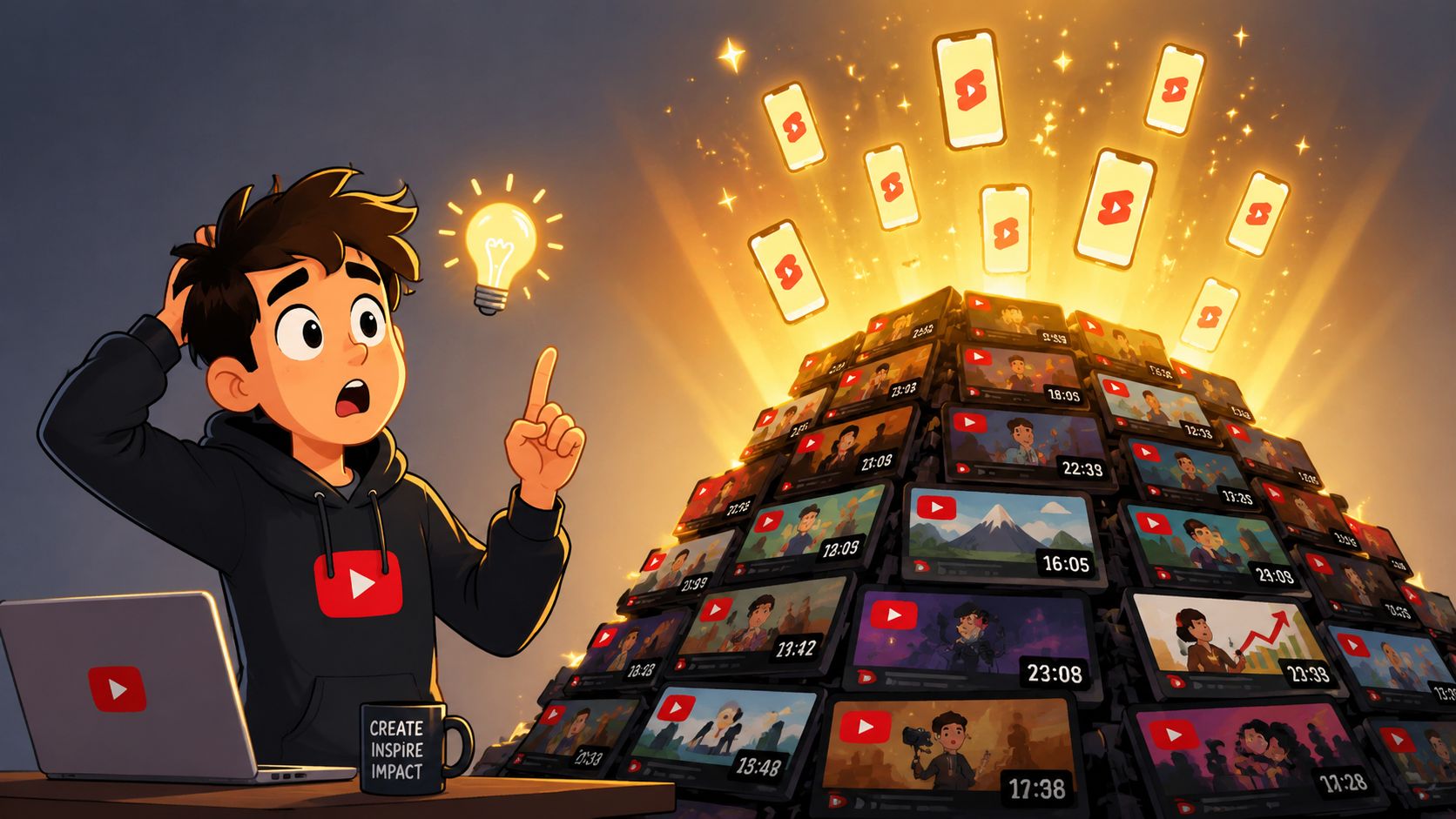
Most creators don't have a content problem. They have a repurposing problem.
A podcast episode, webinar, tutorial, interview, or talking-head breakdown can contain multiple short segments worth posting. The friction comes after recording. You need to find the moment, cut it cleanly, resize it for vertical viewing, add captions, and make sure it still feels coherent when someone sees it cold in a feed.
That effort matters because the audience is already there. YouTube Shorts gets around 70 billion daily views, the average YouTube Short is 33 seconds long, and YouTube generated $36 billion in advertising revenue in 2024, according to Hootsuite's YouTube statistics roundup. Short-form isn't a side format anymore. It's where a lot of discovery happens.
Clipping is only the first step
If you want to clip YouTube video content well, think in layers:
- Moment selection: Find a section that works as a standalone idea.
- Format adaptation: Turn horizontal source footage into a vertical post that still keeps the subject readable.
- Context packaging: Add captions and framing so the clip makes sense without the full episode around it.
- Distribution logic: Match one source video to several short posts instead of forcing one clip to carry everything.
The creators who get the most from long-form content usually don't treat old uploads as archives. They treat them as inventory.
There's also a second payoff. Once you start clipping, you can mine the same material for text content. If you want that side of the workflow too, this walkthrough on how to find X post ideas from videos is useful for turning spoken content into written social posts.
The workflow usually evolves in stages
Many users start with the easiest built-in option. Then they move to manual editing. Then they hit the wall: too much repetitive work, not enough output.
That's when clipping stops being a one-off task and becomes a systems question. The method you choose determines whether repurposing feels manageable or permanently delayed.
Method 1 The Built-In YouTube Tools
YouTube gives you a couple of native ways to isolate part of a video. They're helpful, but only if you understand what they're built for.
The Clip feature is for sharing, not repurposing
YouTube's native Clip feature lets you create a shareable segment from a video or live stream with a selectable length between 5 and 60 seconds, and on mobile the workflow is straightforward: open the video, tap Clip below Subscribe, drag the slider, then tap Share clip, as explained in YouTube's help documentation.
That sounds close to what creators want. In practice, it solves a narrower problem.
It gives you a shareable URL, not a finished video file. So if your goal is to post a short to TikTok, Instagram Reels, or Shorts as a standalone asset, you're still not done. You've marked the moment, but you haven't produced the clip.
Practical rule: Use YouTube Clip when you want to point people back to the original video. Don't use it when you need a platform-ready short.
Where native tools help
There are still situations where built-in tools are worth using.
- Quick audience sharing: A viewer or team member can grab a moment fast.
- Internal review: You can identify a candidate segment before doing a proper edit.
- Low-friction testing: If you're not sure which part of a long video deserves full repurposing effort, clipping can act like a rough shortlist.
For a more detailed walkthrough of extracting moments from YouTube videos, Klap also has a practical post on how to take clips from a YouTube video.
Where native tools break down
The limitations show up as soon as you care about social distribution quality.
ToolGood forMain limit
YouTube Clip
Sharing a moment from an existing video
No standalone export file
Basic trimming in YouTube workflow
Minor cleanup on your own uploads
Not designed for short-form repurposing across platforms
The primary gap is format control. You still need to handle vertical framing, on-screen captions, and platform-specific delivery somewhere else.
If you only need a quick share, YouTube's native options are fine. If you're trying to clip YouTube video content into a repeatable short-form pipeline, they're the starting point, not the full solution.
Method 2 The Manual Download and Edit Workflow
This is the route many creators take after outgrowing YouTube's built-in tools. It works. It also creates the editing treadmill that makes repurposing hard to sustain.
What the manual grind looks like
The pattern is familiar.
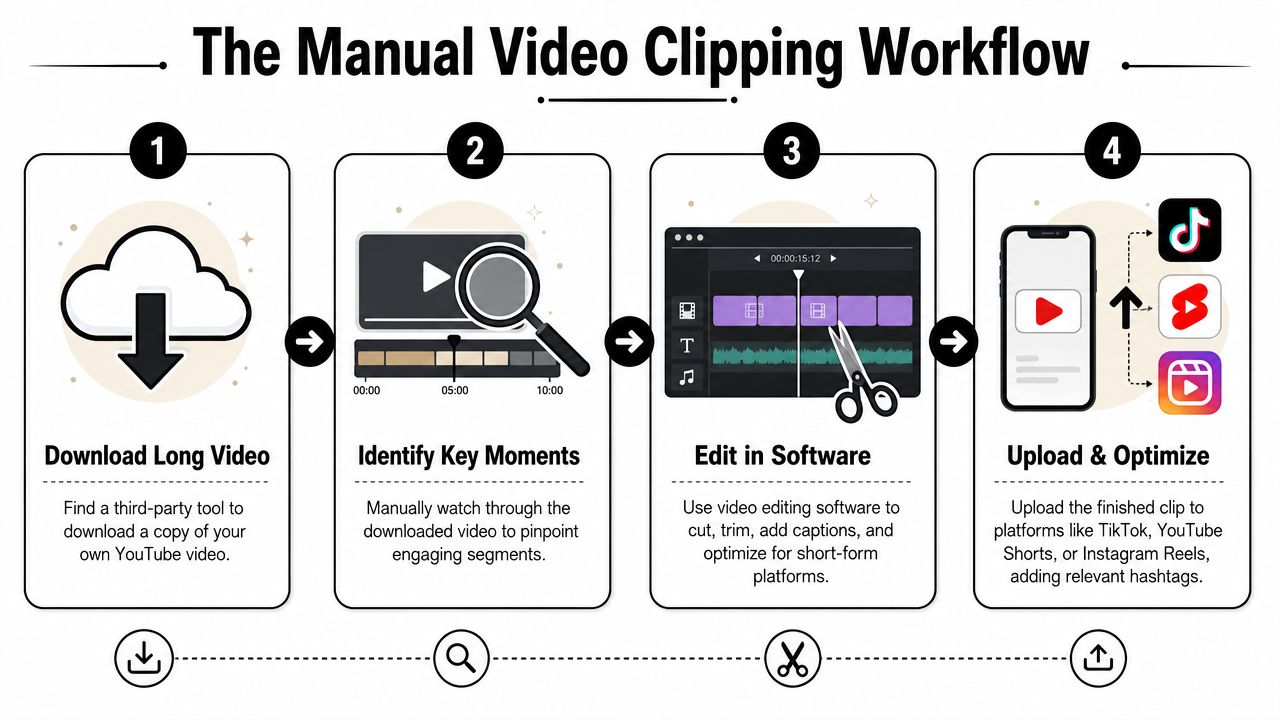
First, you get a local copy of your own video. Then you import it into an editor like Premiere Pro, Final Cut Pro, DaVinci Resolve, or CapCut. Then the work starts: scrubbing a long timeline, listening for one section that starts cleanly, ends cleanly, and still has enough energy to stop a scroll.
It is easy to underestimate how much judgment lives in this phase. A clip that sounds good in the middle of a full interview often falls apart by itself. It starts too late, assumes too much context, or lands without a clear takeaway.
The hidden work is not the cut
The actual cut is the easy part. The drag comes from everything around it.
- Finding the boundary: You need a beginning that hooks and an ending that feels complete.
- Reframing: A 16:9 YouTube video rarely drops neatly into a 9:16 frame.
- Captions: Even if your editor has auto-captions, you still need to check timing, line breaks, and obvious errors.
- Output management: One source clip often needs different treatments depending on where you plan to post it.
Independent guidance on short-form clipping points to 9:16 vertical as the most effective operational format for smartphone viewing, and it also notes that AI clipping systems typically detect strong moments by analyzing transcript and visual cues. The same guidance warns that clipping without reformatting and captioning leaves mobile viewers without enough context to stay engaged. That's laid out clearly in this piece on how to get clips from YouTube videos.
If you skip the resize and caption pass, you haven't finished the clip. You've only shortened the video.
Why manual editing still matters
There's a reason experienced editors still use this workflow. It gives you full control.
You can tighten pauses exactly where you want. You can choose the emotional beat instead of the obvious one. You can shape a clip around brand voice, pacing, and audience nuance in a way templates won't.
But control has a cost. Manual clipping is slow, repetitive, and hard to scale if you want consistent short-form output from every long upload.
When this method makes sense
Use the manual workflow if:
- You need precision: Branded promos, sales edits, or heavily designed videos.
- Your footage is visually complex: Multiple speakers, layered visuals, demos, or lots of on-screen action.
- You only need a few clips: The setup cost is easier to justify when output volume is low.
Skip it as your default if your backlog is growing faster than your editing time. That's usually the point where creators stop asking how to clip a YouTube video and start asking how to stop spending their week inside a timeline.
Method 3 The AI-Powered Klap Workflow
The biggest change in clipping workflows isn't better scissors. It's moving the work of finding, framing, and packaging the moment upstream.
Instead of downloading a file, opening an editor, and hunting manually, you start with the source link and let the system surface candidate clips for review.
What changes in an AI workflow
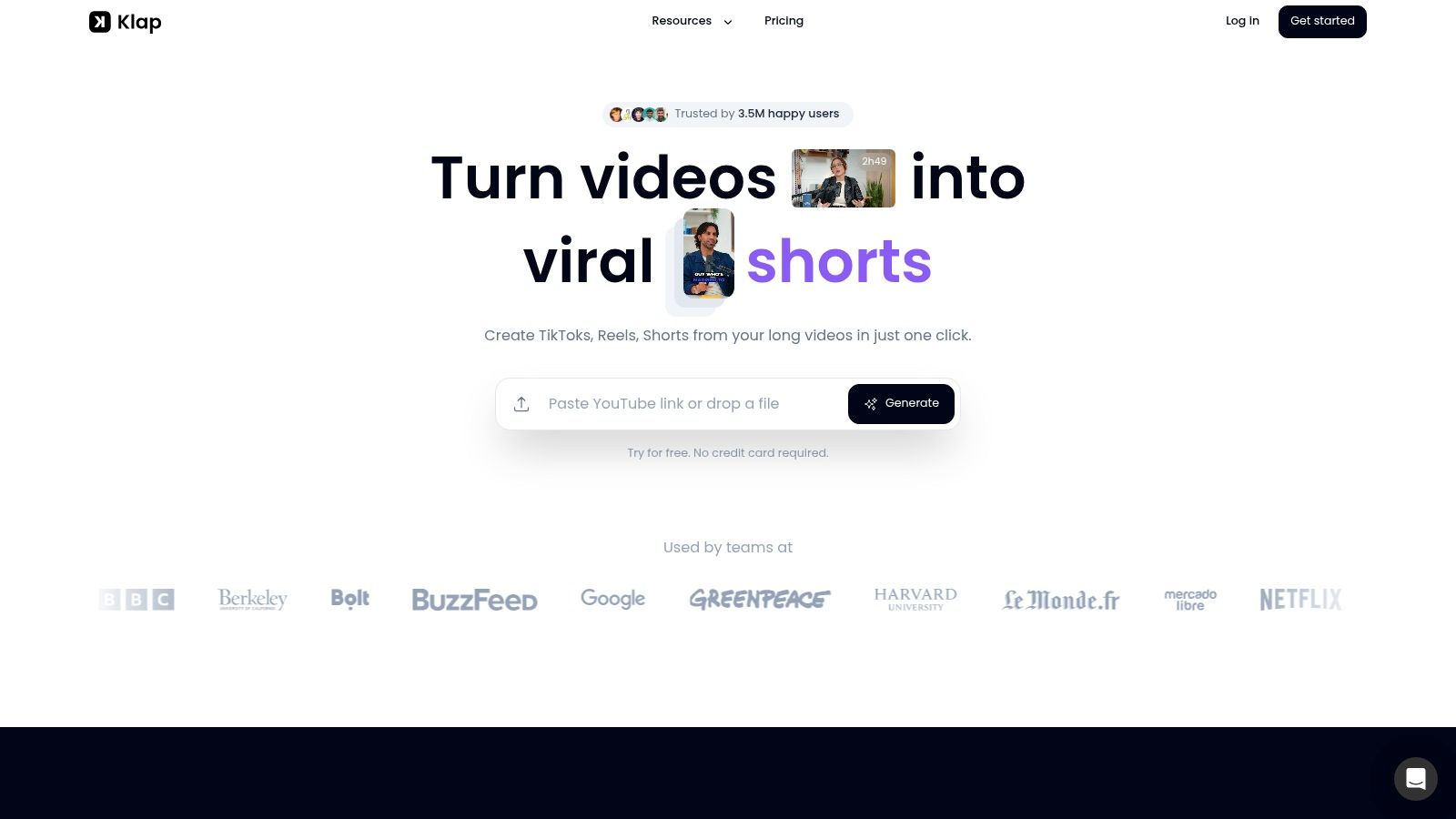
With an AI clipper, the sequence is simpler. Paste a YouTube link or upload the file. The system analyzes the video, identifies likely short-form moments, reframes them for mobile, generates captions, and gives you editable outputs instead of a blank timeline.
That shift matters most for creators working with podcasts, interviews, educational videos, and webinars. In those formats, the hard part usually isn't visual editing. It's deciding where the clip should begin and end.
One under-discussed angle in clipping is audio-first selection. Existing advice often spends more time on transitions and framing than on how to detect the best standalone moment from speech rhythm, pauses, and emphasis. That gap shows up most clearly in podcast and interview content, where the strongest clips are often the ones with a clean hook and a complete thought. This is discussed qualitatively in this YouTube breakdown of audio-first clipping workflows.
Why automation helps most with repurposing
A strong clip for one platform can still fail after resizing. Faces drift out of frame. Captions crowd the subject. Key visual context gets cropped away.
That's why the format side matters as much as the selection side. A key advantage of AI clipping is automatic multi-platform adaptation. This type of system handles reframing so the subject, captions, and focus stay usable across Shorts, Reels, and TikTok, which is the core format-adaptation problem described in this platform-specific clipping discussion.
If you want a broader view of where these systems fit in a creator stack, Secta Labs has a useful guide on AI tools for content production that helps place video clipping alongside writing, design, and post-production tools.
A practical AI workflow for YouTube clips
The useful way to think about AI clipping is not “one click and done.” It's “first pass automation, final pass judgment.”
A typical workflow looks like this:
- Paste the source video
Add your YouTube link instead of exporting and re-uploading files manually. - Review candidate clips
Let the system surface moments that already look self-contained, then reject the weak ones fast. - Adjust the framing and captions
Tighten the start, fix wording, and check that the vertical crop still keeps attention on the right subject. - Export for posting
Deliver a short-form asset that already fits feed viewing instead of a rough draft that still needs rework.
One tool built around this process is Klap's AI video clipping tool, which turns long-form videos into short social-ready clips with reframing, captions, and editing controls.
Where AI gets the biggest win
The time savings aren't only about editing. They come from reducing repeated decisions.
Manual workflows force you to answer the same questions every time: Where's the hook? Where should the cut start? How do I frame this for vertical? What caption style should I apply? AI systems absorb a chunk of that repetitive work so you can spend your attention where it matters.
Here's a quick product walkthrough in action:
What still needs a human
AI can surface good candidates. It still can't fully own editorial judgment.
You should still review for:
- Context: Does the clip make sense to someone who never saw the full video?
- Tone: Does the selected excerpt sound like your brand and not just a dramatic fragment?
- Accuracy: Are the captions correct, especially for names, jargon, or technical terms?
- Pacing: Does the opening line stop a scroll, or does it warm up too slowly?
The fastest workflow is usually AI for discovery, then a human pass for taste.
That's the essential evolution. You stop treating clipping as a series of manual edits and start treating it like content extraction with quality control.
What Makes a Good Clip Go Viral
A lot of creators learn how to clip YouTube video content, then post clips that technically look fine but don't travel. The issue usually isn't the export. It's the clip choice and packaging.
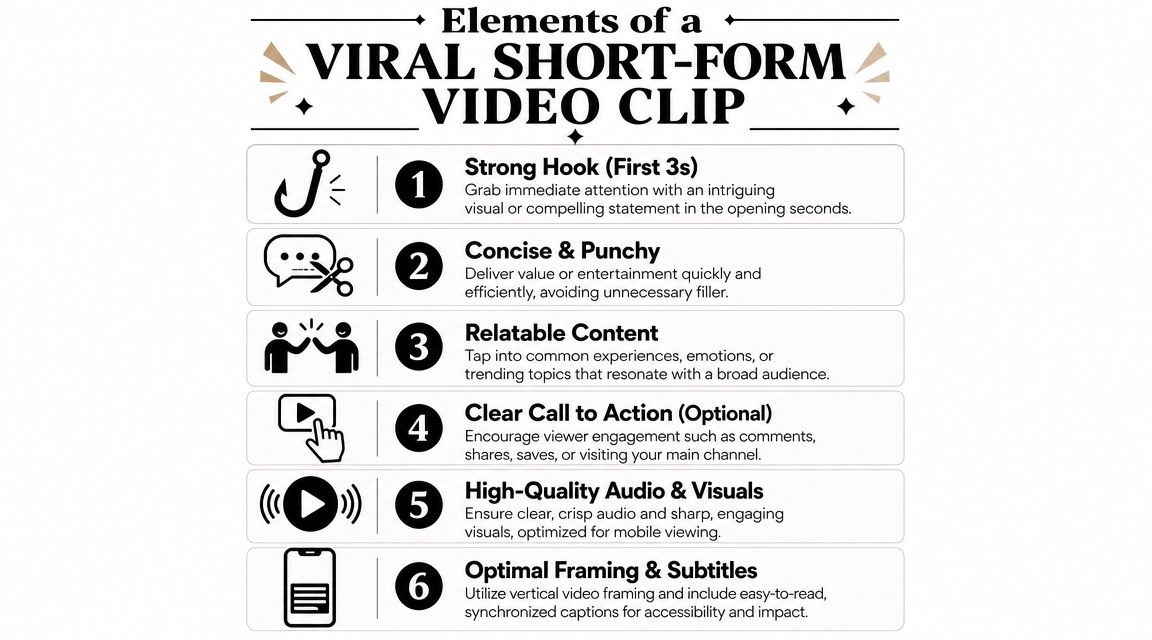
Strong clips feel complete fast
Short-form viewers decide quickly. If your opening takes too long to reach the point, they're gone.
The best clips usually have three traits:
- A clear first line: It starts with tension, surprise, a takeaway, or a direct claim.
- A self-contained middle: The viewer can follow the point without needing the full episode.
- A satisfying end: It lands on a conclusion, punchline, or next-step insight.
A good short doesn't feel like a random excerpt. It feels like a miniature finished piece.
Captions and framing carry more weight than most people think
Feed viewers often encounter your content in low-attention conditions. They may not have sound on. They may only give you a second before deciding.
That makes burned-in captions, clean vertical framing, and readable visual hierarchy part of the content itself, not decoration. If the face is cropped awkwardly or the text fights the image, retention drops even when the spoken idea is strong.
If you want a deeper breakdown of the anatomy of short-form performance, this piece on what makes a video go viral covers the strategic side well.
Good clips don't just contain value. They present value instantly.
Use engagement ratios as a reality check
You don't need to guess whether a repurposed clip is connecting. Track a few signals consistently.
Industry benchmarks highlighted in this YouTube analytics guide from Improvado suggest creators often evaluate clips against roughly 40 likes per 1,000 views, or about 4%, and around 5 comments per 1,000 views, or about 0.5%. The same guide also notes that YouTube Analytics includes real-time views for the last 48 hours, which helps creators see performance feedback quickly.
Those benchmarks aren't a promise. They're a reference point.
If a clip gets views but weak likes and comments, the opening may be fine while the substance is forgettable. If comments are strong but views stall, the packaging may be weak even though the topic is resonating with the people who do watch.
A simple review filter
Before posting a clip, ask:
QuestionWhat you want
Does the first line hook immediately?
A direct claim, tension point, or curiosity gap
Can it stand alone?
No missing setup from the full video
Does it read without sound?
Clear captions and visible speaker focus
Would someone comment on it?
An opinion, lesson, or reaction-worthy moment
That check catches a lot of weak posts before they go live.
Conclusion From Clipper to Content Strategist
There are really four ways to approach this job. You can use YouTube's built-in tools for quick sharing. You can do the full manual download-and-edit route. You can move to an AI-assisted workflow that handles discovery, reframing, and captions. Or you can think one level higher and build a repurposing system around every long-form upload.
That last shift is the one that changes results.
When you clip YouTube video content strategically, you stop asking, “How do I cut this file?” and start asking, “How many useful assets can I pull from this recording?” That's a better question because it values both your time and your backlog.
If you only need an occasional clip, native tools or manual editing may be enough. If you want consistent short-form output from long videos, automation becomes less of a convenience and more of a practical requirement.
If you want a faster way to turn YouTube videos, podcasts, webinars, or interviews into vertical clips with captions and mobile-friendly reframing, Klap is built for that workflow. Paste a video link, review the suggested clips, make your edits, and export posts that are ready for Shorts, Reels, and TikTok.
