
Workflow Standardization Guide to Scale Your Content Output
Other
If your content team keeps asking why a simple repurposing task takes so long, the answer is usually hiding in plain sight. One editor names files one way, another uses a different approval path, a social manager posts when the clip finally arrives, and the podcast host waits while someone redoes the same cuts by hand. By the time the workflow reaches the actual publishing step, the team has already lost time, energy, and consistency.
That's why workflow standardization matters. It turns messy repetition into a repeatable system, so the same kind of task gets done the same way every time, whether the work happens across creators, clients, locations, or shifts. Once that foundation is in place, tools become easier to use, training gets simpler, and AI has something reliable to work with instead of improvising around chaos.
The Daily Chaos That Workflow Standardization Fixes
The easiest way to spot a workflow problem is to watch the same request bounce through a team in three different forms. One creator uploads a raw interview with a clean filename, another drops a file called “final_final_2,” and a third sends a link with no notes at all. By the time an editor starts clipping, they've already spent energy figuring out what the request even is.
That pattern gets worse in repurposing. A social manager may recut a clip from scratch because the first version didn't match the platform, the captions, or the brand voice. An agency team may brief each client differently, which means every handoff feels like a new job instead of a repeatable process. The result is familiar, missed posting windows, off-brand hooks, and editors who spend more time interpreting requests than editing video.
Practical rule: if a task keeps getting re-explained, rechecked, or redone, it's not just a capacity issue. It's a workflow design issue.
A good way to think about this is through the idea of a canonical process model, the single source of truth for how a task should run. In content operations, that might mean one standard way to intake a video, name files, assign reviewers, and approve final clips. Without that model, every person creates their own mini-system, and the team can't compare performance cleanly.
For teams tracking deadlines, the ripple effect shows up fast. If a clip misses the window, the damage isn't just the delay, it's the compounding rework across publishing, scheduling, and approvals. A practical example of how teams keep that from spiraling is deadline tracking for content workflows, which works best when the underlying process is already standardized.
What Workflow Standardization Actually Means
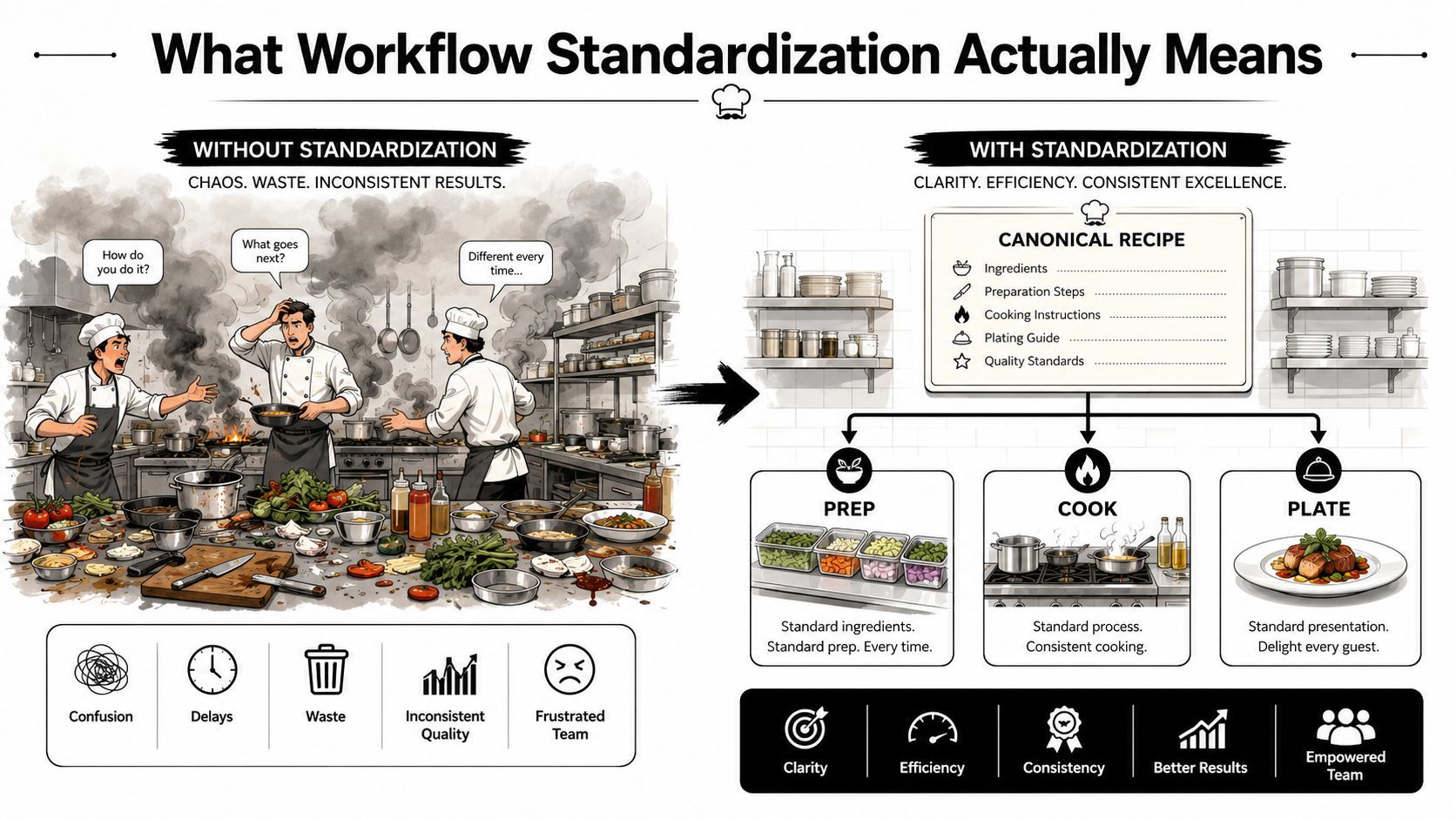
A useful way to understand workflow standardization is to think about a restaurant kitchen. If every cook invents their own version of the same dish, customers get inconsistent meals, and the head chef can't tell whether the problem came from prep, plating, or timing. The kitchen only becomes manageable when there's a recipe, a station layout, and a checklist everyone follows.
That's the same logic behind the academic idea of business process standardization, which defines it as creating an enhanced and approved master process and then unifying the variants around it. In plain English, the team looks at how people do the work, identifies the best-performing method, writes it down as the standard, trains everyone on it, and checks that the team follows it. The point isn't to remove judgment, it's to reserve judgment for the moments where the process needs it.
The three building blocks
A strong standard has three parts. First is the canonical process model, the source of truth for steps, inputs, handoffs, and control points. Second is standard work, the documented version of the best path through the task. Third is deviation handling, which defines what happens when reality doesn't match the recipe.
That structure matters because standardization is more than documentation. Modern workflow guidance treats it as a system of sequence, role assignment, quality checks, and monitoring, often supported by automation to reduce human error and keep compliance visible Springer synthesis on business process standardization. In a content team, that can mean one intake form, one review sequence, one approval owner, and one publishing handoff.
Standardization doesn't flatten work. It makes the routine parts predictable so the team can spend attention where it actually matters.
If you can explain the idea in one sentence, you're close to the mark. Workflow standardization means choosing one best way to run a recurring task, writing it into a shared process, and making sure the team executes it consistently.
Why Standardization Is the Prerequisite for Automation and ROI
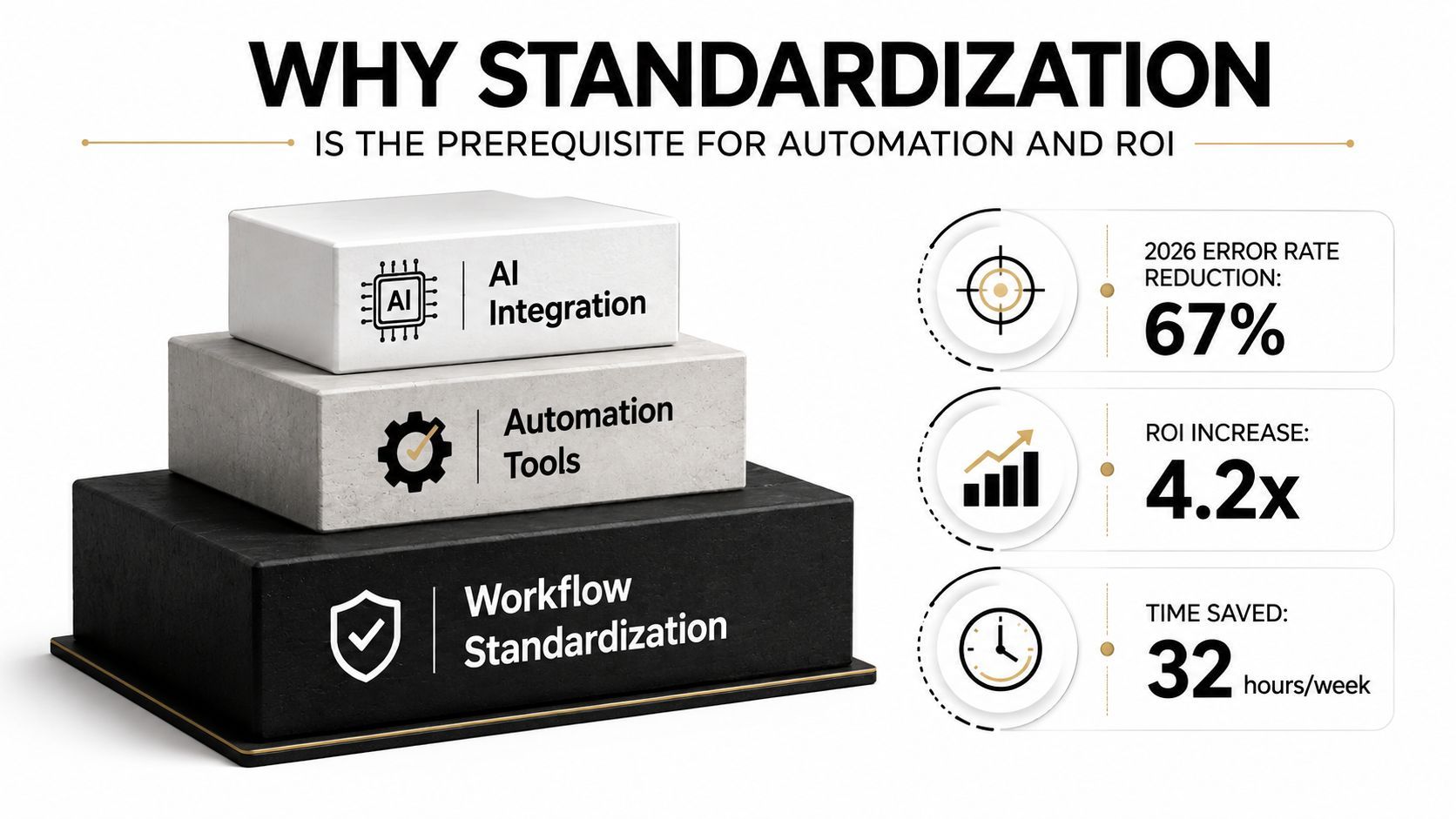
Automation only helps when the underlying process is already worth repeating. A 2026 industry synthesis says 60% of organizations report ROI within 12 months of implementing workflow automation, automated processes deliver average productivity gains of 25% to 30%, error rates drop by 40% to 75% versus manual processing, employee satisfaction improves by 15% to 35%, and 65% of organizations are expanding automation initiatives workflow automation statistics. Those numbers are compelling, but they don't happen by accident.
The trap is simple. If you automate a messy workflow, you just get faster mess. Every unclear handoff, duplicate tool, and inconsistent status definition gets amplified instead of fixed. That's why standardization comes first, because it gives automation a stable pattern to follow.
The sequence that actually works
Start with the process, not the tool. Define the canonical version of the workflow, then measure how it behaves in the world, then automate the stable version. Once the work is standardized, software can enforce required steps, surface exceptions, and keep execution consistent across teams.
That sequencing is the reason process discipline has become inseparable from automation. When a workflow is standardized, it's easier to replicate across distributed teams and easier to improve because everyone is looking at the same steps and the same control points. If the process itself keeps changing, no automation layer can reliably compensate.
For teams using video tools, this matters in practical ways. A platform like Klap can scan long-form footage and help generate short clips, but it still works best when the team has already agreed on intake, review, naming, and publishing rules. Otherwise, the tool becomes one more place where variation creeps in.
Automation should accelerate a known process, not rescue an undefined one.
A good operations lead treats standardization as the thing that makes ROI possible later. It's not bureaucratic overhead, it's the work that turns software from a convenience into a repeatable operating advantage.
A Five-Phase Framework to Standardize Any Content Workflow

Phase 1. Audit the current state
Start by counting variation. How many ways does the team handle the same task, who owns each step, and where do handoffs break? In a content workflow, that might mean comparing how different editors name source files, choose hooks, or request approvals.
Phase 2. Define the canonical model
Keep the most efficient or control-complete elements from the variants, then write the workflow as the standard path. A good model is short enough to follow and specific enough to audit. If the review step needs two checks, say so. If the source file must include a publish date, make that explicit.
Phase 3. Document it as trackable work
Turn the model into a live workflow with steps, owners, deadlines, required fields, and control points. Don't bury it in a static PDF nobody opens. The better pattern is to make the workflow machine-checkable at the point of entry, because that's where drift usually starts. Guidance from enterprise workflow tooling recommends rolling out required fields in stages, announcing templates, monitoring for about a week, and auditing monthly so exceptions are caught early workflow standardization with required fields and triggers.
Phase 4. Roll it out with training
A standard is only real when people use it. Training sessions and internal FAQs make the workflow visible, while phased triggers help teams adopt it without breaking their current load. If a creative team is updating clip titles or captions, the standard should feel like a shared operating path, not a surprise rule.
Phase 5. Measure and audit
One practical guide recommends running a new workflow for 30 days with strict measurement of completion rates, deviation rates, and cycle times before expanding to the next process workflow standardization operating rule. That's a useful discipline because it validates execution, not just policy. Another governance guide recommends defining true exceptions, assigning approvers, recording the deviation, and reviewing repeat cases for pattern changes exception handling in standardized workflows.
A helpful resource for agencies and service teams is agency growth systems explained, especially where standard process design has to scale across multiple client demands.
How Standardized Workflows Speed Up Video Repurposing With Klap
A long-form video repurposing workflow becomes much easier to manage when every step has a name and an owner. A creator uploads a YouTube episode or podcast, the tool scans for hooks, captions the clip, reframes it for vertical formats, and prepares short versions for platforms like TikTok, Reels, and Shorts. That's useful on its own, but it becomes much more reliable when the team agrees on how the pipeline starts and ends.
Here's the difference. In an unstandardized team, one editor uses a different aspect ratio, another approves clips through chat, and a third posts whenever they finish. In a standardized team, source intake has a checklist, clip generation follows a template, review has a clear SLA, and publishing runs on a defined cadence. The tool stops being a one-off helper and becomes one repeatable step inside a bigger production system.
That's where the guide to scaling content with AI becomes relevant. Scaling gets easier when AI is used inside a controlled workflow, not around a loose one. The same principle applies when a team uses Klap's clipping workflow guide to structure output around predictable steps, roles, and handoffs.
A simple repurposing flow
- Intake the source video. Use one checklist for file type, title, topic, and destination platforms.
- Generate candidate clips. Let the software identify potential hooks and draft vertical cuts.
- Review against the standard. Check whether the clip matches the brand voice, timing rules, and caption format.
- Publish on schedule. Use the same approval and export path every time.
When that flow is standardized, the team spends less time deciding what to do next. They spend more time improving the content itself, which is where the value is.
Knowing What to Standardize and What to Leave Flexible
Not every workflow deserves the same level of control. A useful way to judge is to treat standardization like a portfolio decision, where some tasks need tight rules and others need room for local judgment. That distinction keeps teams from turning governance into a blunt instrument.
A practical decision frame
- Standardize tightly: revenue-touching workflows, compliance-heavy processes, and high-frequency tasks where mistakes are costly or repeatable.
- Use a standard core with local variants: internal collaboration workflows, especially when different regions, clients, or departments need small adjustments.
- Leave mostly flexible: creative judgment work where the output depends on taste, timing, or context more than routine execution.
Many teams get confused. They assume standardization means every step must be identical everywhere. In practice, the better model is often standard core plus controlled variation, especially when the same workflow needs to work across different markets or customer segments.
Practical rule: if variation helps the work, document it as an approved branch. If variation only exists because people are improvising, standardize it.
The governance piece matters too. Define what counts as a real exception, who can approve it, where it gets logged, and how repeated exceptions feed back into the standard. That turns deviation into data instead of an informal workaround. It also protects creative teams from false bureaucracy, because they're not being asked to flatten judgment, only to make it visible when they step outside the norm.
A strong standardization program doesn't punish flexibility. It makes flexibility intentional.
Common Pitfalls That Cause Standardization Programs to Fail
The first mistake is trying to standardize everything at once. Teams get change fatigue, leaders get shallow buy-in, and the standard ends up too broad to be useful. A better move is to start with the one workflow that causes the most pain, then prove the model before expanding it.
The second mistake is confusing documentation with execution. A beautiful SOP that nobody follows is just shelfware with better formatting. The fix is to make the workflow trackable, assign owners, and inspect real usage, not just the written policy.
The third mistake is standardizing work that depends on judgment. Creative teams usually resent rigid rules when the job requires taste, timing, or client nuance. The right answer is to standardize the repeatable core and leave the high-judgment part alone.
Early warning signs and fixes
- The team keeps asking for the same clarification. The standard is unclear. Tighten the steps and ownership.
- People route around the process. The workflow is too hard to use. Simplify the intake and approval path.
- Exceptions keep showing up in the same place. The standard missed a real-world branch. Log the pattern and update the model.
- Editors ignore the template. The workflow isn't machine-checkable. Add required fields and phased triggers.
The final failure mode is letting the standard calcify. One guide on process standardization recommends continuous monitoring with KPIs like cycle time, error rates, or compliance scores because standardization isn't a one-time event process standardization and monitoring. That matters in content teams too, because the best standard today can drift as platforms, audience behavior, or editorial priorities change.
Standardization should make work lighter, not more brittle. If it feels like a cage, the process is probably overdesigned.
Measuring, Iterating, and Keeping the Standard Alive
A workflow standard only stays useful if it's measured like a living system. I look at four metrics first, cycle time from intake to delivery, completion rate against the canonical steps, deviation rate, and rework rate. Those four numbers tell you whether the team is using the standard or just pretending to.
The review cadence
During rollout, do weekly spot-checks. Once the workflow is stable, move to monthly audits. Then use a quarterly review to examine the standard itself against the pattern of exception logs and repeated workarounds.
That cadence matters because drift usually starts subtly. A reviewer skips one field, an editor changes one filename, or a manager approves by message instead of through the workflow. None of those actions looks dramatic by itself, but together they erode the whole system.
What to do with deviation logs
When a pattern shows up, update the standard, don't just nag the team. If three people keep making the same exception, the workflow probably missed a real constraint or a missing decision point. That's the moment to refine the process model, not blame the operator.
A good standardization habit is to keep the operating rule simple:
- Measure the workflow.
- Review the exceptions.
- Adjust the standard.
- Train the team again.
Keep the process easy to follow, then make drift visible fast.
If you want a compact checklist to pin in your project tool, use this: track cycle time, completion, deviation, and rework, review exception patterns monthly, and revise the workflow when the same exception repeats. That's how a standard stays alive long after the rollout is over.
If your content team is still repurposing video by hand, start with one workflow and standardize it this week. Pick the highest-pain clip pipeline, define the canonical steps, assign owners, and make the handoffs visible inside Klap so the process becomes repeatable instead of improvised. A small, well-governed standard will save more time than a dozen scattered fixes, and Klap is one tool that can sit inside that system once the workflow is clear.
