
Best Aspect Ratio for TikTok: Here’s What to Know as a Creator
Content Creation
-2.png&w=3840&q=75)
Quick Summary
The best aspect ratio for TikTok is 9:16 (1080x1920 pixels), designed specifically for vertical mobile viewing. While TikTok technically supports 1:1 (square) and 16:9 (horizontal) formats, these alternatives result in black bars and reduced screen space that affect engagement. In this article, we'll break down why 9:16 dominates, when other ratios might work, and how to format your videos for maximum visibility.
Struggling With Low TikTok Views?
You edited the perfect video. The hook is strong, the content delivers, and the pacing feels right. But when you post it, something's off. Views are lower than expected, with little or no engagement.
Before you blame the algorithm or your content strategy, check your aspect ratio. TikTok is built for vertical video, and posting in the wrong format sends a clear signal to both viewers and the algorithm: this wasn't made for TikTok.
Videos with black bars look repurposed, and these formatting issues don't just affect aesthetics; they directly impact watch time, completion rates, and whether TikTok pushes your content to the ‘For You’ page.
In this Klap guide, we'll explain the best aspect ratio for TikTok, show you exactly why it works, and share alternative formats that might perform better.
But first…
Why Listen to Us?
Klap has helped over 1.7 million creators turn long-form videos into optimized clips for TikTok, Instagram Reels, and YouTube Shorts. We've analyzed millions of videos to understand how aspect ratio affects engagement, reach, and algorithm performance. Our insights come from real data, helping creators avoid the formatting mistakes that affect performance before a video even has a chance to go viral.
What is the Best Aspect Ratio for TikTok?
The best aspect ratio for TikTok is 9:16 (vertical), with dimensions of 1080 pixels wide by 1920 pixels tall. This format fills the entire mobile screen, removes distracting black bars, and matches how most users naturally hold their phones while scrolling.
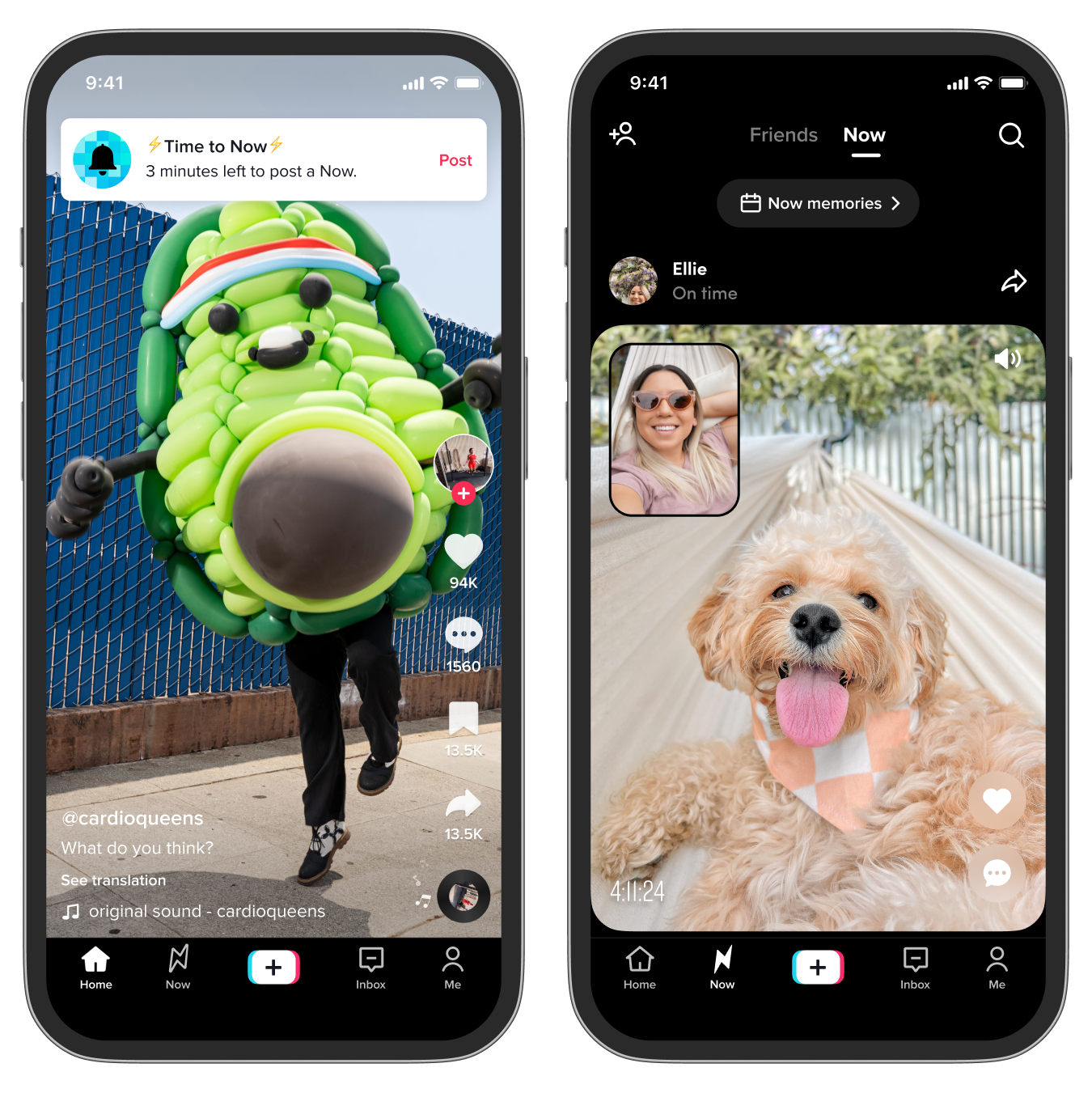
TikTok's algorithm prioritizes videos formatted for full-screen viewing because they generate higher watch time and completion rates. Videos shot at 9:16 also benefit from TikTok's mobile-first interface.
Captions, interaction buttons, and profile information all sit in specific zones designed around vertical video. Using the correct aspect ratio ensures none of your visual elements get covered or cropped by the app's UI.
Understanding TikTok's Supported Aspect Ratios
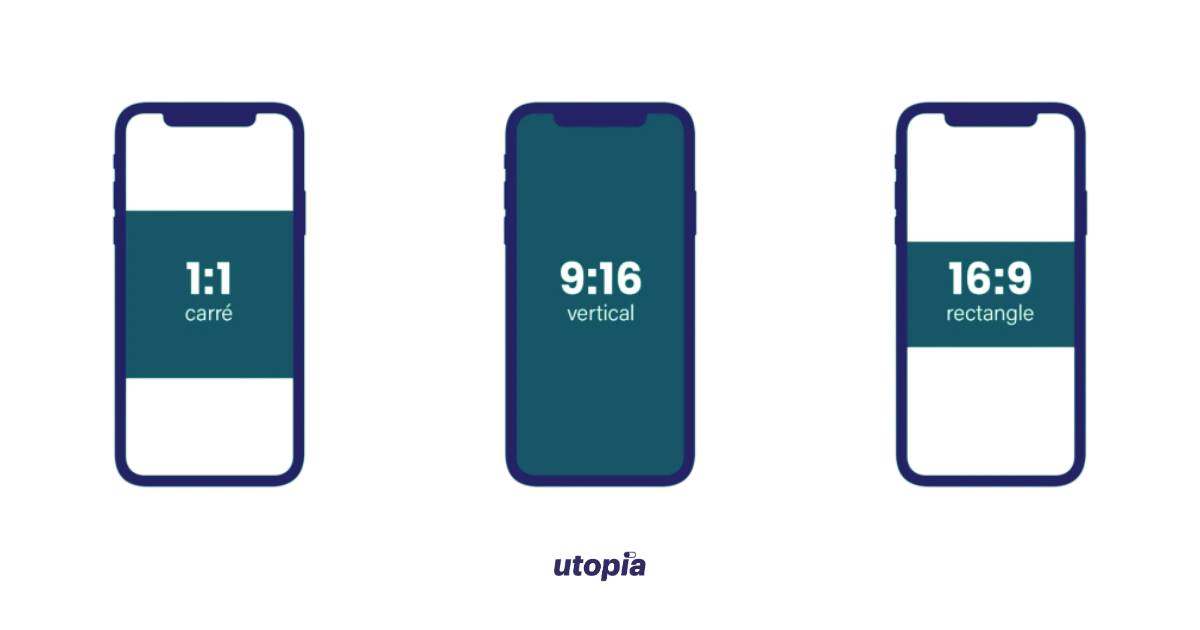
9:16 (Vertical): The TikTok Standard
This is the native TikTok format and should be your default choice for all content. Videos shot at 9:16 perform best algorithmically.
This format works for:
- Direct-to-camera content: Like head videos, tutorials, and personal vlogs
- Product demonstrations: Showcasing features without losing screen space
- Storytelling and skits: Narrative content that benefits from full immersion
- Dance and trend participation: Movement-based content designed for vertical viewing
- Educational content: Step-by-step guides where every pixel of screen space matters
1:1 (Square): Limited Use Cases
Square videos are technically supported but display with black bars above and below the content. This shrinks your visible screen area by approximately 40%, making text harder to read and visuals less impactful.
Square format might work for:
- Repurposed Instagram content: If you're cross-posting older square videos
- Static graphics or memes: Image-based content where the square format doesn't affect visibility
- Product photography: Still images showcasing items from multiple angles
The reality is that square videos rarely perform as well as vertical content. Viewers perceive them as repurposed or outdated, which affects engagement and sharing behavior.
16:9 (Horizontal): The Exception
Horizontal videos appear smaller on TikTok, with massive black bars on the top and bottom that make them look completely out of place. Text becomes unreadable, faces shrink to a thumbnail size, and the viewing experience is just not great.
Nonetheless, there are some exceptions where horizontal videos still work:
- Viral clips and memes: Content so funny or shocking that format doesn't matter
- Screen recordings: Gameplay footage or reaction clips from other platforms
- Trending moments: Clips pulled from TV shows, interviews, or news that people want to share, regardless of format
- Breaking content: Timely videos where speed matters more than quality
If the moment itself is strong enough, viewers don't care about black bars. They engage because of what's happening, not how it's framed.
Technical Specification for TikTok Videos
Optimal Resolution
1080 x 1920 pixels (1080p HD) is the recommended resolution. This standard balances visual quality with file size, ensuring your videos look sharp without getting aggressively compressed by TikTok's upload system. Uploading lower resolutions like 720p or 480p results in pixelation and blurriness, especially after TikTok applies its automatic compression.
4K Upload
TikTok technically supports 4K resolution (2160 x 3840 pixels), but there's a catch. Even if you upload 4K content, TikTok may compress it down to 1080p to reduce file size and improve load times. Higher resolutions also take longer to process and may not provide visible quality improvements on most mobile screens.
The takeaway: stick to 1080p HD for consistent results across all devices and regions.
Frame Rate
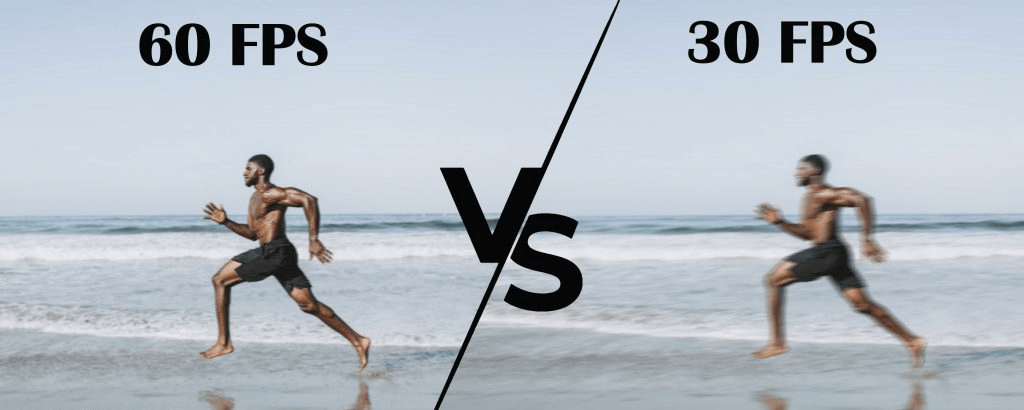
The best frame rate for TikTok is 30 frames per second (FPS). This setting keeps motion smooth and natural while maintaining manageable file sizes. Most creators use 30 FPS because it strikes the ideal balance between visual quality and performance.
TikTok also supports 60 FPS, which can make fast-paced content look even smoother. However, not all devices handle 60 FPS properly, and TikTok's compression may reduce the visual quality. Some creators also report that 60 FPS uploads are automatically converted to 30 FPS, suggesting platform-level limitations.
File Requirements
- Maximum file size: 287.76 MB (iOS) / 72 MB (Android)
- Recommended formats: MP4 or MOV
- Bitrate: 5-10 Mbps for optimal quality retention
- Audio: AAC audio codec, 128 kbps or higher
Avoiding Compression Issues
- Export at exactly 1080x1920 pixels, don’t go smaller
- Use high-quality export settings with the highest bitrate your editing software allows
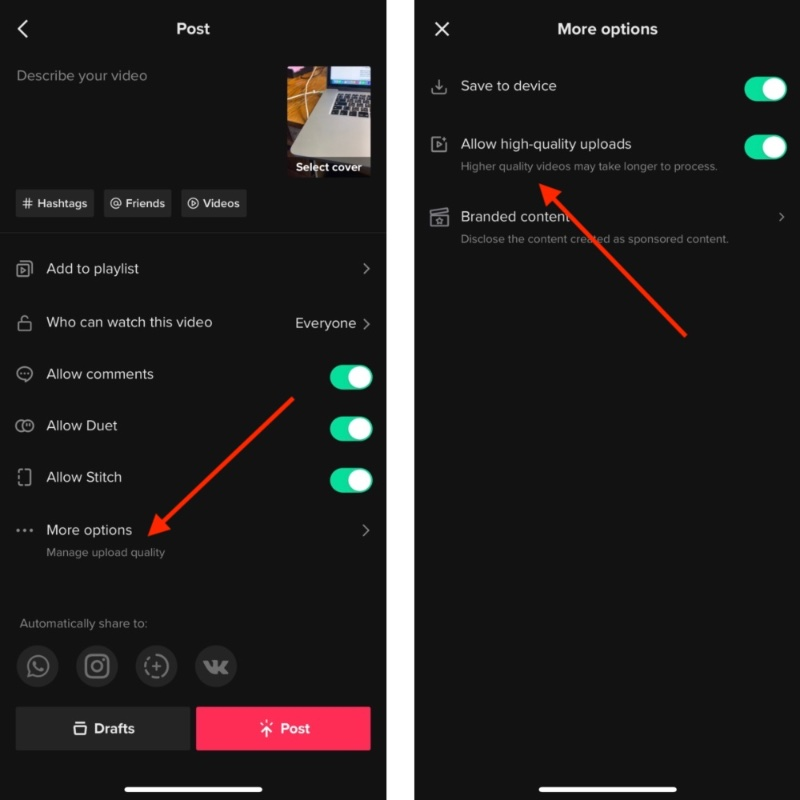
- Enable "Upload HD" in TikTok's app settings for dramatically improved upload quality
- Test before posting by previewing your video after uploading to catch quality issues
- Shoot in good lighting, as dark, grainy footage compresses worse than content with good lighting.
Best Practices for Optimizing Your TikTok Videos
- Frame Important Elements in Safe Zones: Keep key visuals within the center to avoid TikTok’s UI overlays and ensure captions or buttons don’t block your content.
- Optimize for Sound-Off Viewing: Add auto-captions and use clear visuals so your message stays engaging even on mute.
- Use High-Contrast Visuals: Choose vibrant colors, bold fonts, and defined outlines to ensure clarity across all lighting conditions.
- Repurpose Horizontal Content Smartly: Reframe or crop horizontal videos using AI tools to fit the 9:16 aspect ratio naturally.
- Maintain Consistent Visual Branding: Use recurring colors, fonts, and framing styles to make your videos instantly recognizable.
Repurposing Long Form Content Into TikTok Videos
Creating fresh TikTok content daily is exhausting, but you don't have to start from scratch. Your existing long-form videos, podcasts, webinars, YouTube content, and interviews can be repurposed into multiple TikTok clips using Klap, each properly formatted in the right aspect ratio for maximum engagement.
Here's how to repurpose your content with Klap:
Step 1: Sign Up for Klap and Choose Your Plan
Visit klap.app and sign up for free. Start with the free trial (no credit card required) or pick a plan that fits your needs.

Once registered, you'll have access to our AI-powered video editing platform designed specifically for content repurposing.
Step 2: Upload Your Source Content
Find the long-form content you want to repurpose: webinars and presentations, podcast episodes, product demos, or customer testimonials.
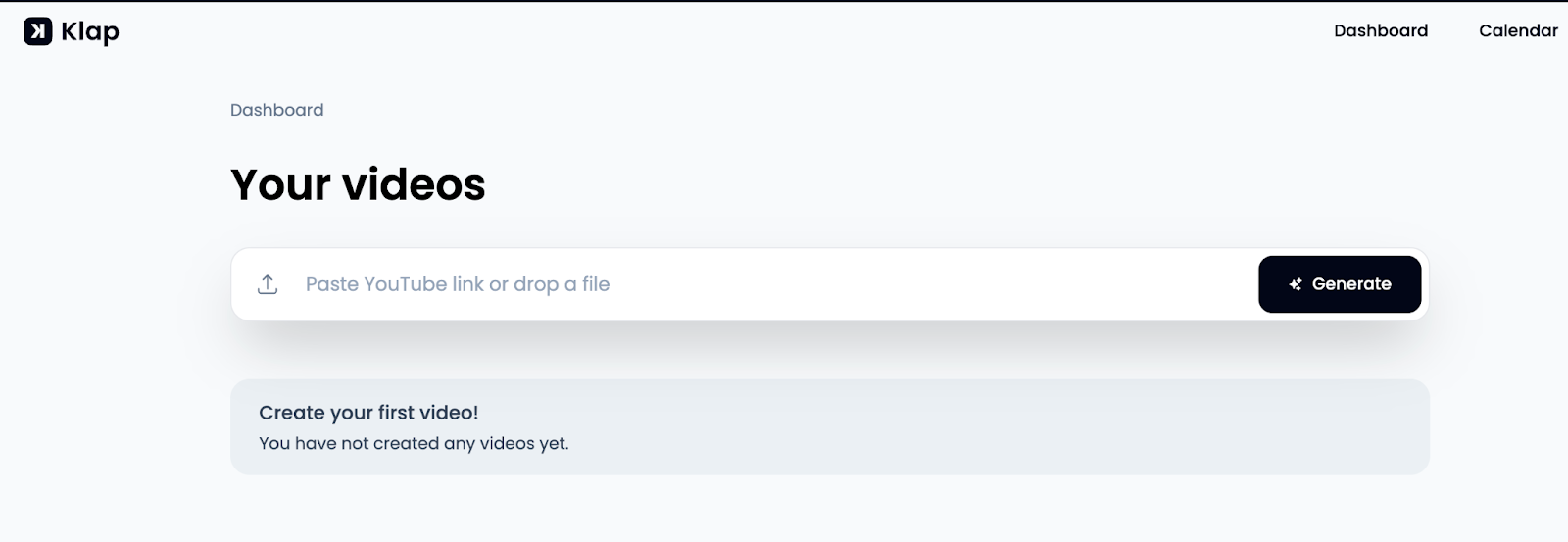
Upload your video file directly to Klap; we support all major video formats.
Step 3: Let Klap's AI Analyze Your Content
Once uploaded, Klap's AI automatically identifies the most engaging segments with high retention potential, such as key moments that contain value propositions, emotional triggers, and compelling storytelling elements. Then finds the segments that work as complete, standalone narratives.
This analysis typically takes just a few minutes, even for hour-long videos.
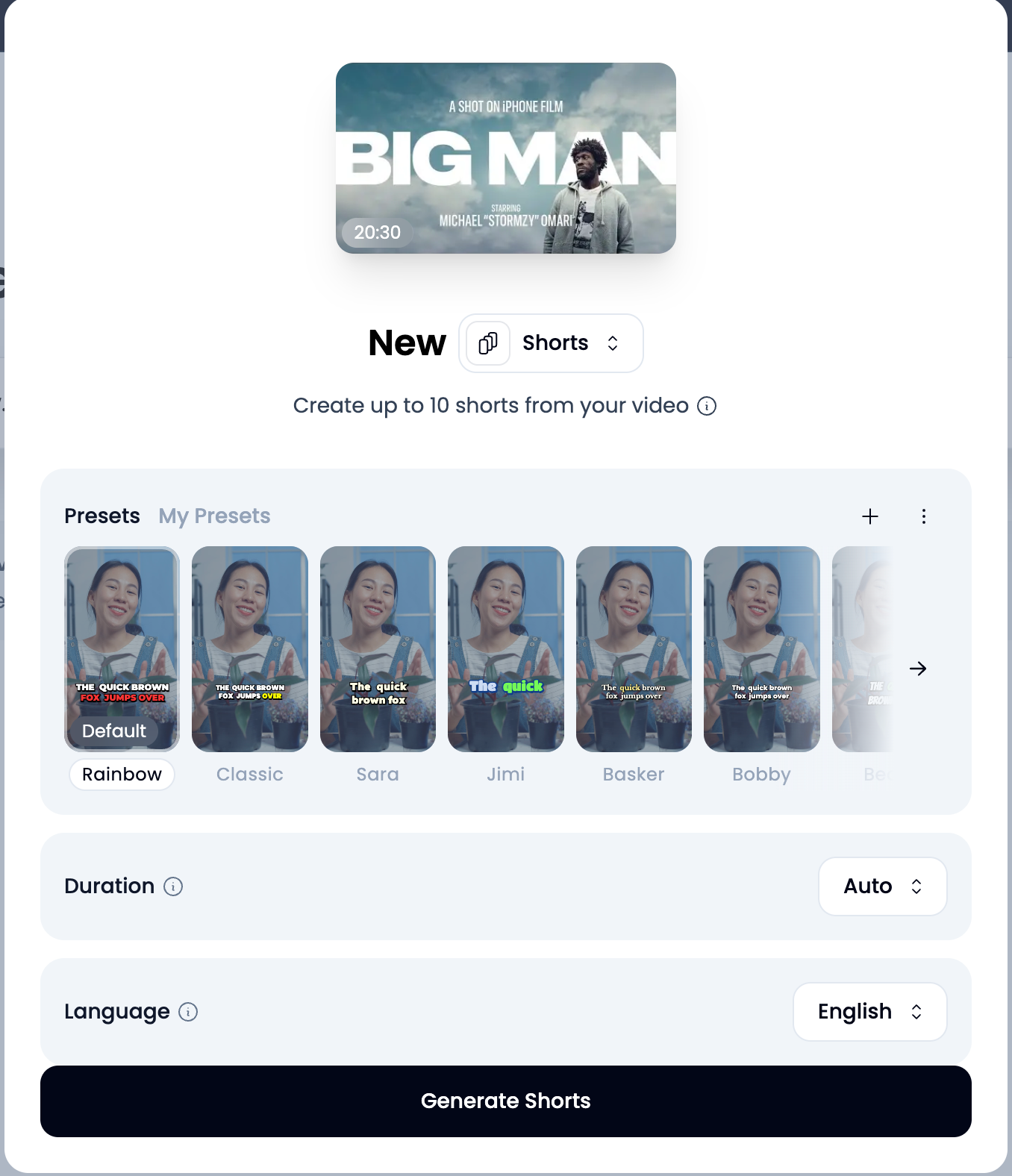
Step 4: Review and Select AI-Generated Clips
Klap presents you with multiple clip options:
- Engagement-focused clips with the highest viewer retention
- Conversion-optimized clips with clear calls-to-action
- Platform-specific suggestions optimized for TikTok's vertical format, and,
- Audience-targeted options tailored to specific demographics
Step 5: Customize for TikTok
Klap automatically creates versions optimized for TikTok (9:16 vertical), Instagram (Square 1:1 and vertical 4:5), Facebook, and YouTube Shorts. Each version includes smart edits, auto-generated captions, and consistent branding.
Step 6: Add Professional Finishing Touches
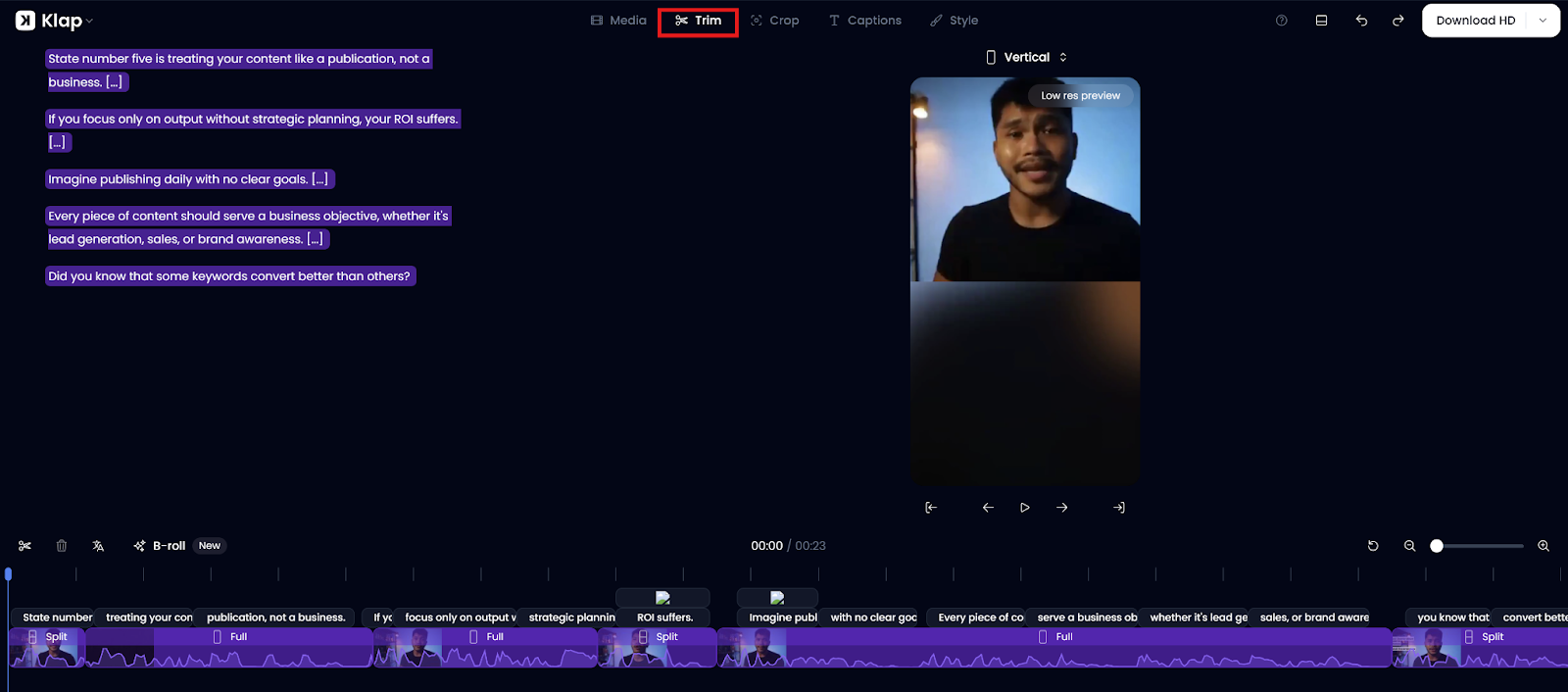
Enhance your clips with AI-generated captions that are automatically synced and styled for TikTok. Apply your colors, fonts, and logos across all variations for brand consistency. Choose from our royalty-free library of music and sound effects.
Step 7: Export Your Videos
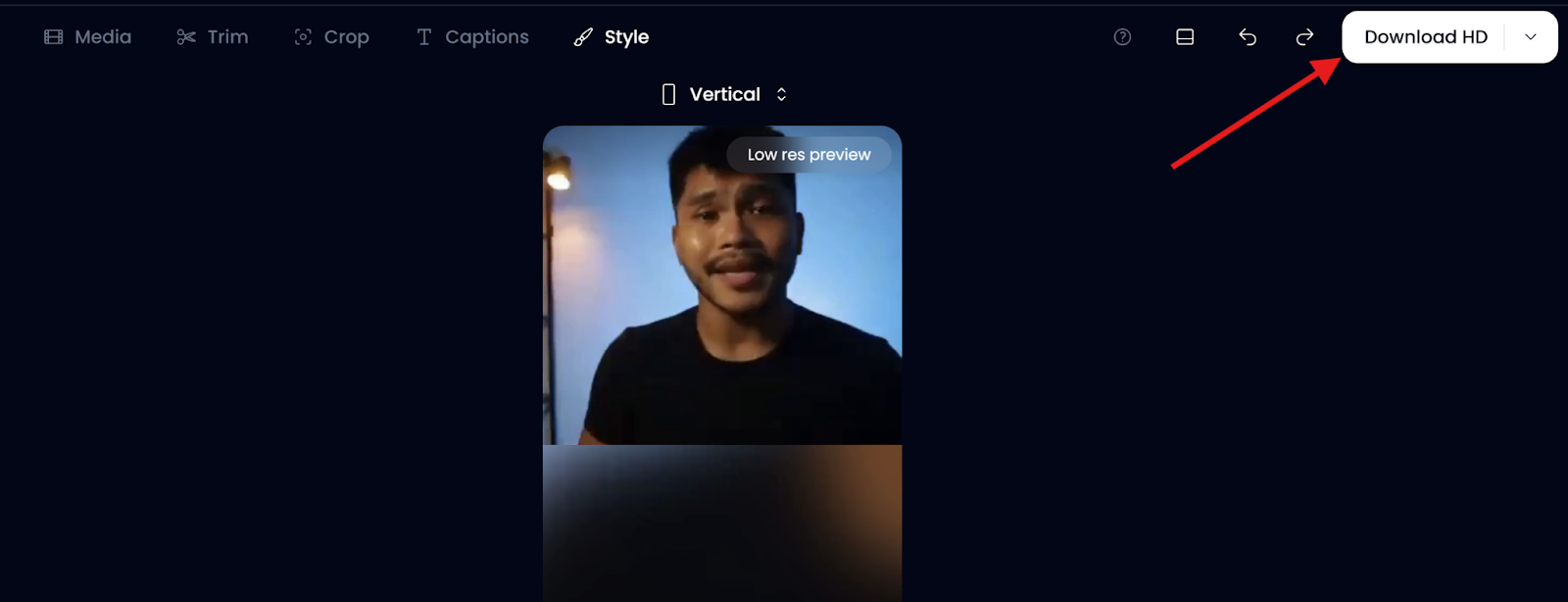
Download your finished video as high-quality MP4 files for direct upload to TikTok, with multiple variations available for A/B testing.
Create Perfectly Formatted TikToks with Klap
Getting the aspect ratio right gives your content the best possible chance to perform. Videos formatted in 9:16 ratios fill the screen, hold attention longer, and signal to both viewers and the algorithm that your content belongs on TikTok.
Klap makes it effortless to hit that sweet spot. Instead of manually reformatting every video, Klap automatically extracts your best moments, formats them for TikTok's vertical layout, and adds captions, all in minutes.
Start using Klap for free today and turn your existing content into high-performing TikTok videos that actually produce results.
