
Here are the 5 Best Descript Alternatives for Editing, Clips, Podcasts, and Repurposing
Tools for Creators
Quick Summary
The best Descript alternative depends on why you're leaving:
- Klap wins for turning long-form video into clips.
- DaVinci Resolve handles pro editing for free.
- HappyScribe is the transcription pick.
- VEED is best for quick browser based edits.
- Reduct is best for searchable video archives.
For more guides like this, visit the Klap blog.
Looking for the Best Descript Alternatives?
Descript changed pricing in 2025, shifting to media minutes and AI credits. For users who valued flat-rate predictability, that pushed many to look elsewhere. Reliability complaints and feature bloat add to it.
Most "Descript alternatives" lists rank tools generically. However, in this Klap guide, we sorted ours by why you might be leaving. Pricing, recording, video clipping software, transcription, and quick edits each route to a different tool. Pick by your reason, not by the list order.
If your workflow is mostly text-based editing of solo recordings and you don't hit the bugs, Descript is still fine. Don't switch for switching's sake.
Why Listen to Us?
At Klap, we have helped millions of creators turn long-form video into short clips for paid and organic distribution. A big share of our users arrived from Descript looking for a faster AI clip maker that can clip podcasts, webinars, and interviews into shorts.
That gives us a direct read on what people switch for, and where each alternative actually delivers on its promise. The recommendations below come from real customer workflows, not feature checklists.
What Is Descript?
Descript is an AI audio and video editor built around transcript based editing. You upload or record media, Descript transcribes it, then edit the recording by changing the text.
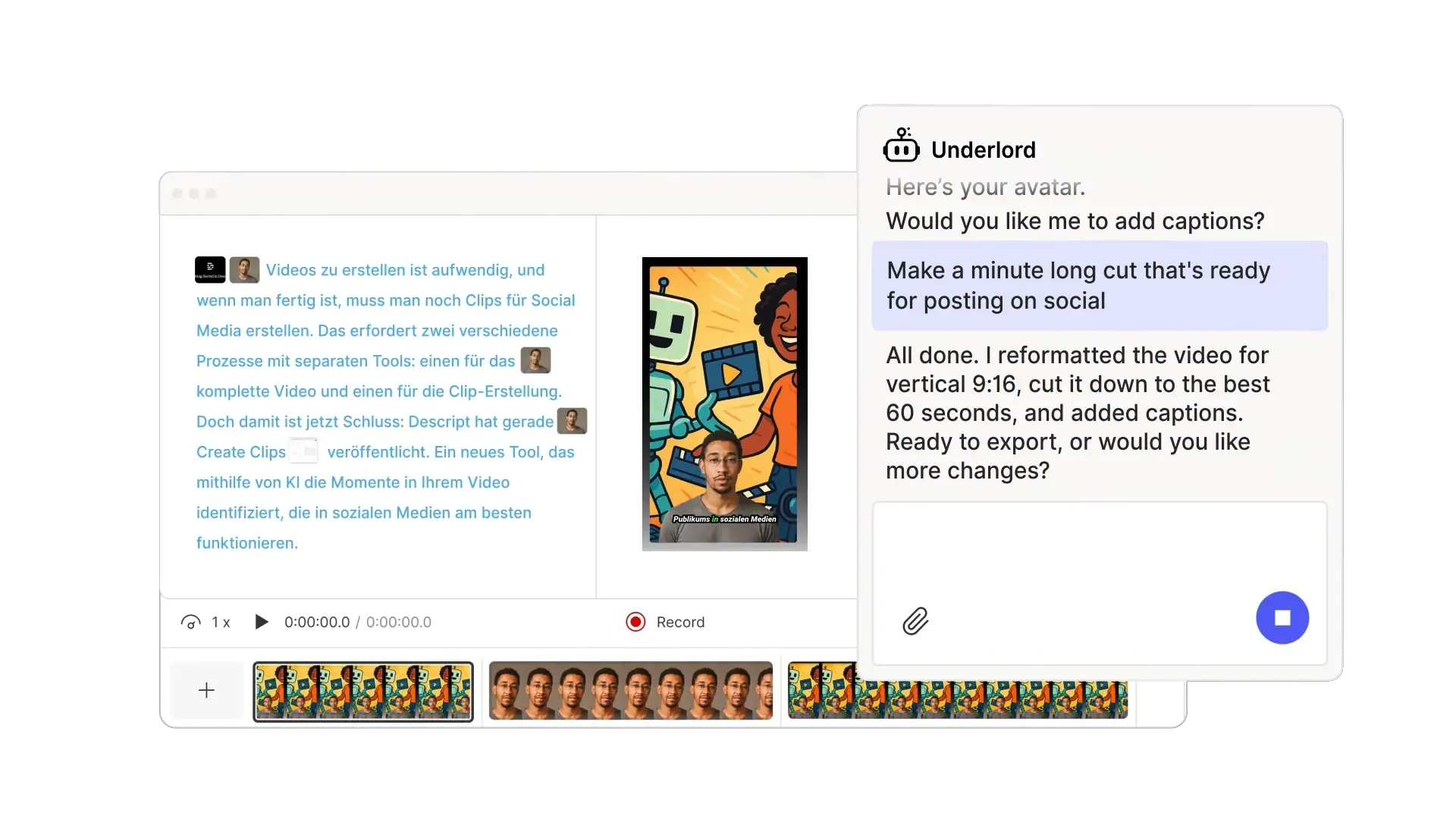
It also supports podcast editing, screen recording, captions, Studio Sound, filler word removal, AI clips, AI speech, translation, avatars, and collaboration. Its plans scale by media minutes and AI credits.
Key Features
- Text-Based Editing: Edits video by editing the transcript.
- Underlord: AI co-editor that drafts cuts from a prompt.
- Studio Sound: One-click audio cleanup for noisy recordings.
- Overdub: Clones your voice to patch short corrections.
- Remove Filler Words: Strips "ums" and "ahs" automatically.
- Avatars And AI Speech: Creates talking videos, voice clones, and speech.
- AI Captions: Burns in styled captions for social formats.
Pricing
Descript has a free plan to try out the basic text based editing and AI tools. Paid plans include:
- Hobbyist at $24 per person/month: 10 media hours, 400 AI credits, 1080p exports, AI tools
- Creator at $35 per person/month: Adds 30 media hours, 800 AI credits, 4K exports, stock media, generative video.
- Business at $65 per person/month: Adds 40 media hours, 1,500 AI credits, Brand Studio, translation, dubbing, custom avatars, and priority support.
- Enterprise uses custom pricing for larger teams.
Why Teams Are Looking for Descript Alternatives
Unpredictable Pricing
Descript replaced flat usage with media minutes and AI credits in September 2025. According to user reviews, top-ups now expire 12 months after purchase, unused allowances don't roll over, and credit consumption isn't always clear before you generate.
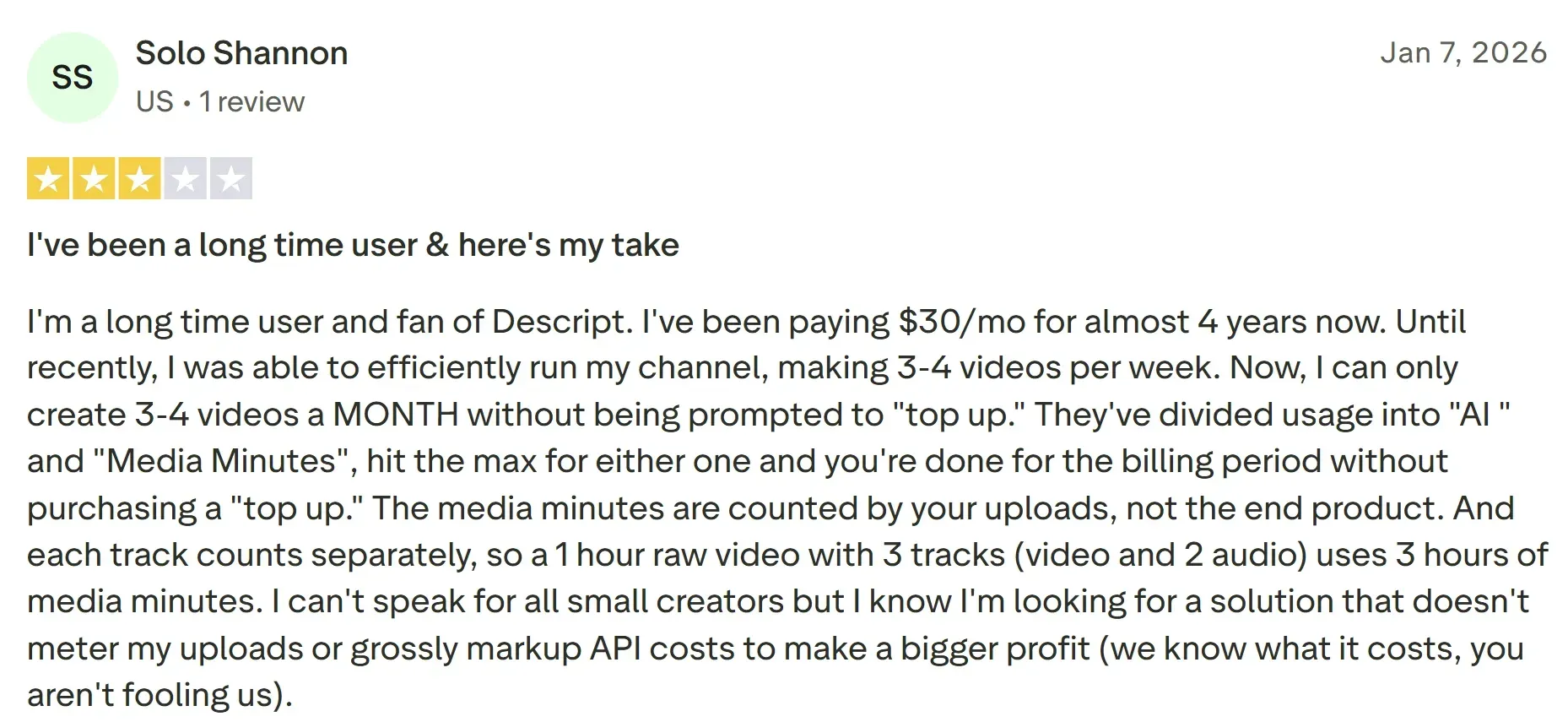
Source: Trustpilot
Feature Bloat and a Steep Learning Curve
Descript started as a text-based editor and grew to cover screen recording, avatars, voice cloning, and AI co-editing. New users describe the interface as cluttered and the early learning curve as steeper than the marketing suggests. If you want one workflow done cleanly, this "Swiss Army knife" framing can be distracting.
Customer Support Gaps
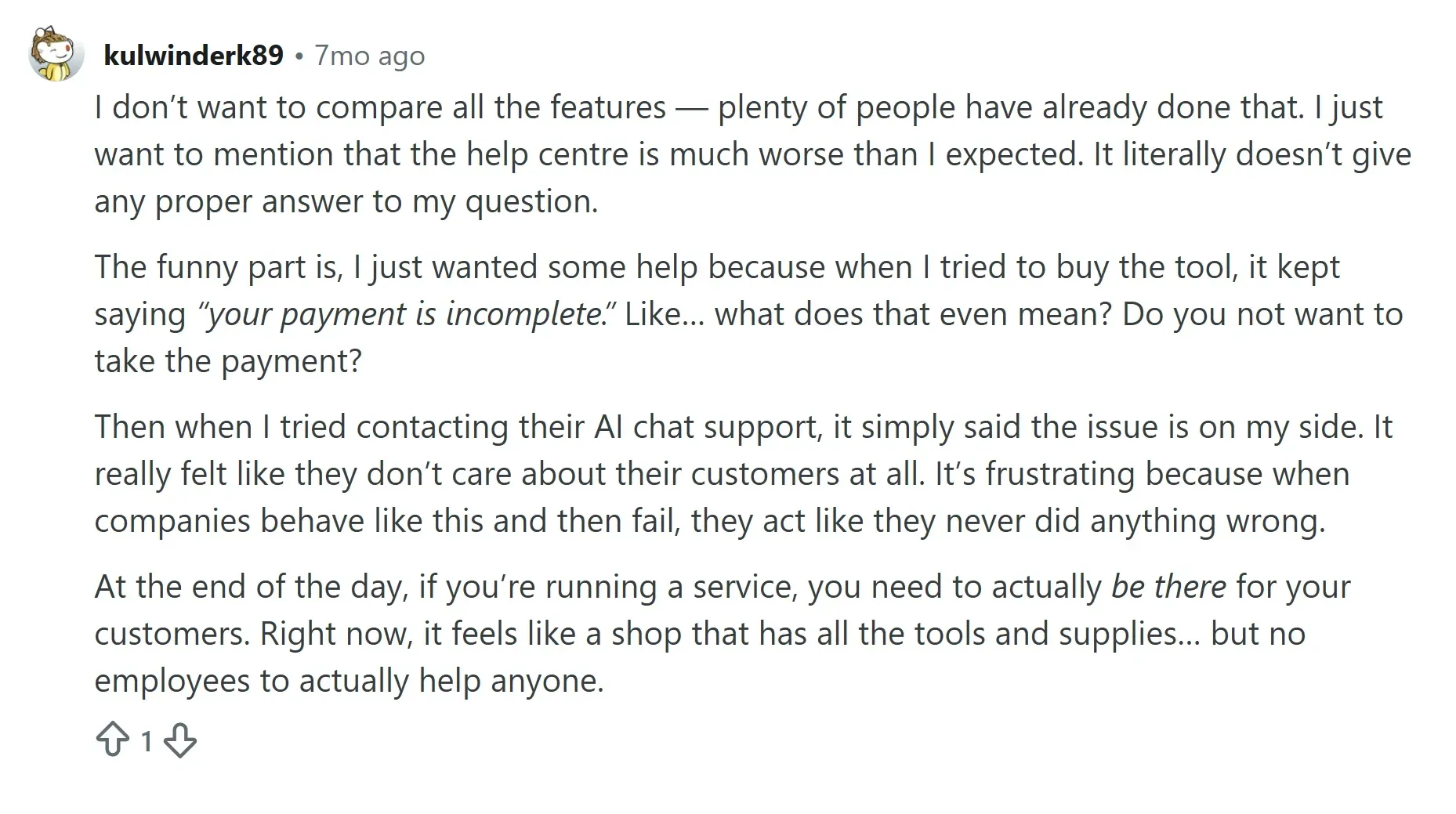
Reviewers point to support that now routes through an AI bot with limited human escalation. One Reddit user wrote: "they don’t care about their customers at all”. For teams with billing disputes, feature outage, or production-day issues, that matters.
Workflow mismatch for specific jobs
Descript is built for solo recordings and dialogue-heavy edits. Teams needing remote-guest recording quality, pro timeline color and audio, or volume clipping into social ads find Descript falls short of dedicated tools in each lane.
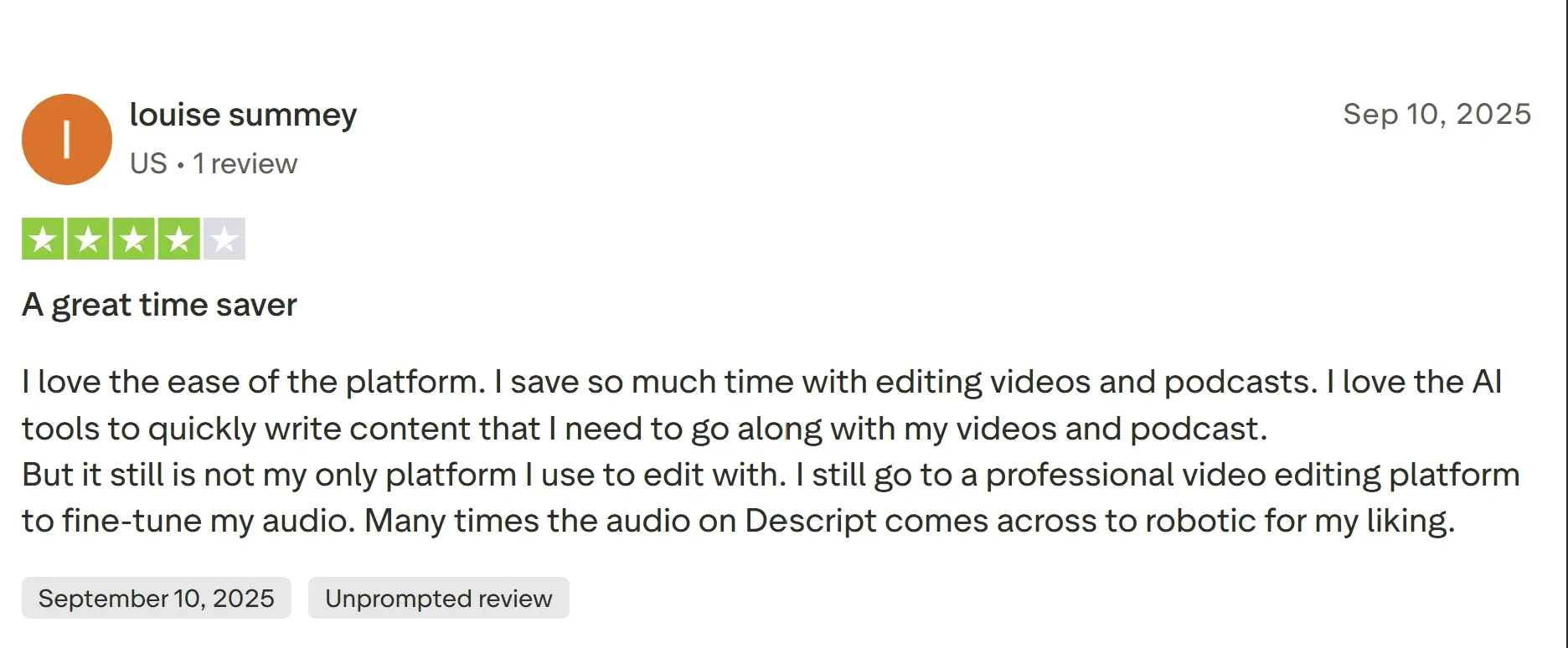
Source: Trustpilot
5 Best Descript Alternatives to Consider
Before we get to the detailed reviews, here are all Descript alternatives at a glance:
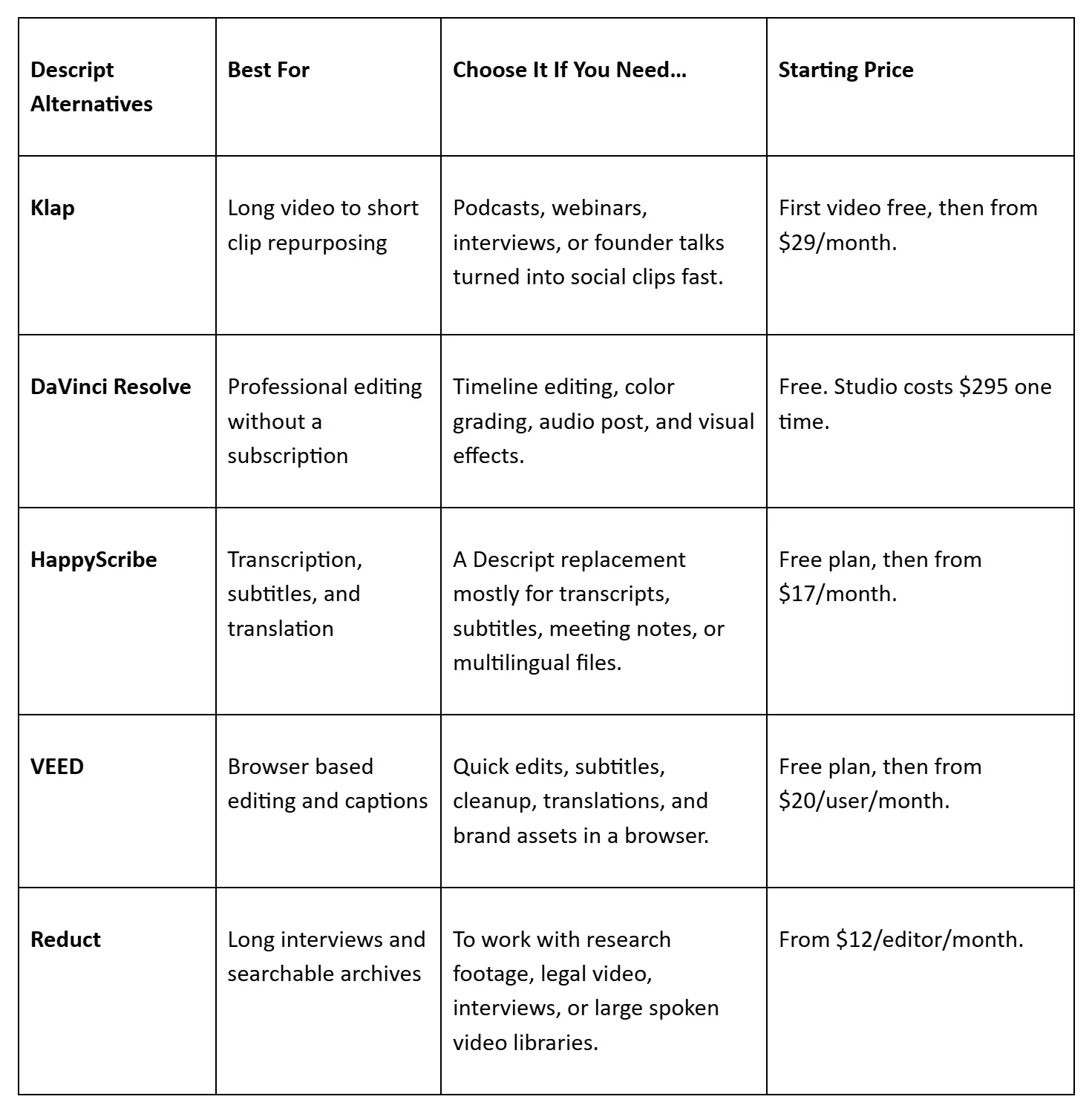
Now, to the reviews in full.
1. Klap
Klap is an AI clip maker built for a workflow Descript handles slowly, which is taking a podcast, webinar, interview, or founder talk and producing dozens of vertical clips ready to publish.
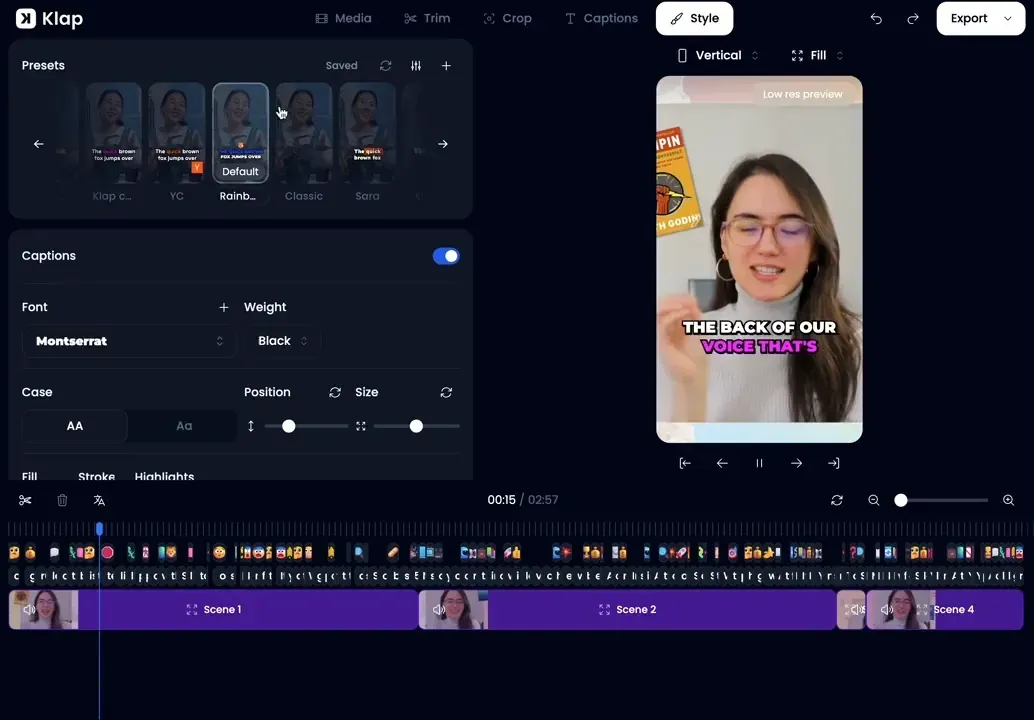
In Descript, you usually find good moments by scrolling through the transcript, trimming sections, and shaping the final clip yourself. As an AI clip generator, Klap speeds up that process by finding those moments automatically, turning them into short clips, and ranking them by predicted performance.
That is useful when you are creating clips for paid social, not just producing one polished video. For example, a B2B SaaS team can upload a 45 minute webinar and get a batch of vertical clips for LinkedIn and Meta the same day.
The same workflow also applies when teams need to repurpose podcast content from long episodes into short clips for TikTok, Reels, AI Shorts, and LinkedIn.
The virality score also helps you decide which clips to test first, instead of spreading budget across every version. AI Reframe 2 handles vertical formatting with layouts for split screen, screencasts, and gaming, so you do not have to keyframe every clip manually.
Key Features
- AI Video Converter: Finds strong moments and turns long videos into ready clips.
- Virality Score: Predicts which clips will perform best in feed.
- AI Reframe 2: Tracks faces and action with scene-aware layouts.
- Dynamic Captions: Burns in styled captions for muted feed playback.
- AI Dubbing: Translates clips into 29 languages for wider audience reach.
- Multi-language Transcription: Edits and transcribes videos in 52 languages.
- Direct Publishing: Posts and schedules to TikTok, Instagram, YouTube, LinkedIn.
NOTE: If translation is central to your workflow, our AI video translator guide explains the difference between subtitle output and dubbed output.
Pricing
Repurpose your first video for free, then choose from three paid plans for creators, teams, and agencies:
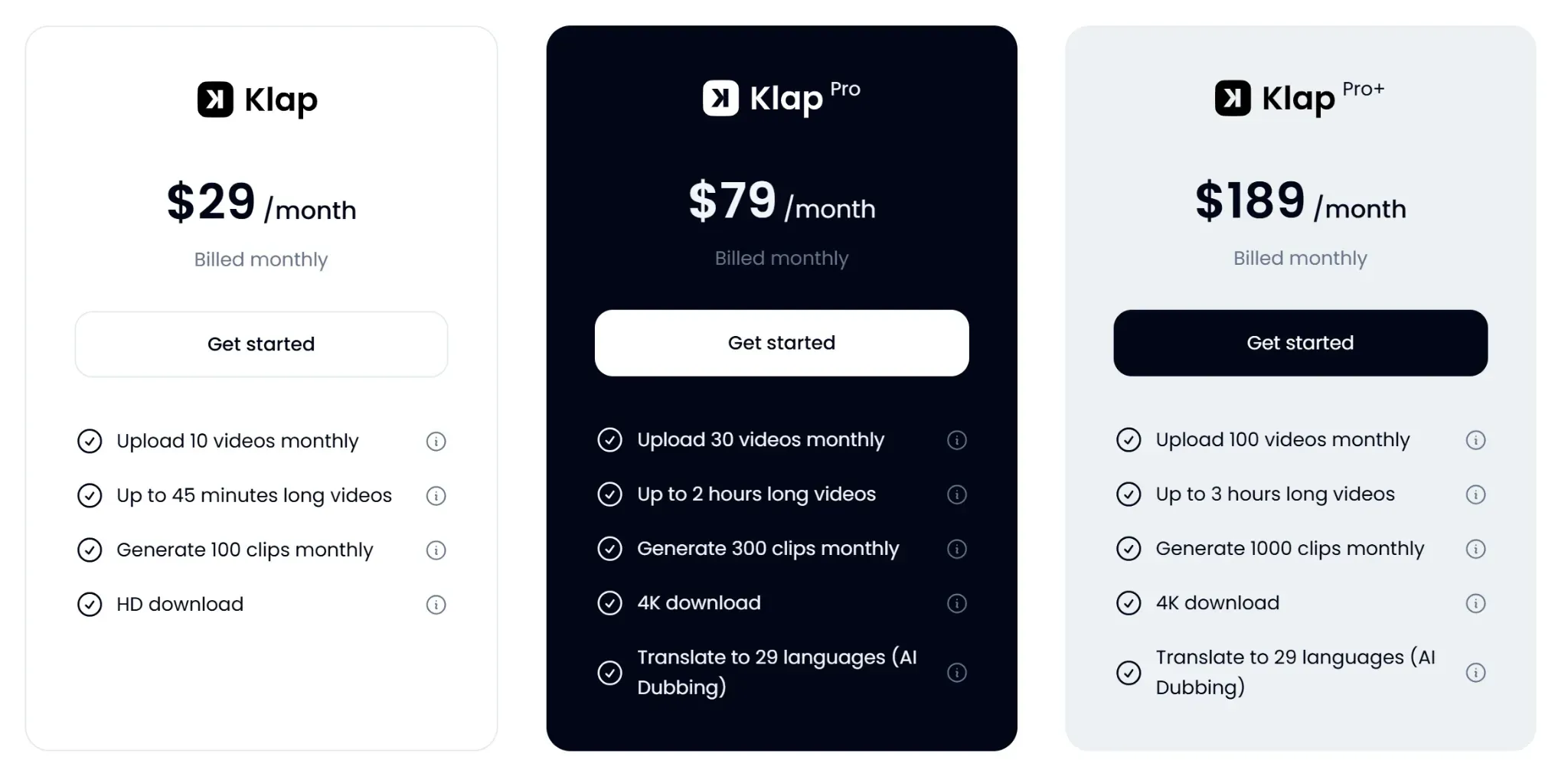
- Starter ($29/month) for 100 clips monthly and 45-minute videos.
- Pro ($79/month) for 300 clips, 2-hour videos, 4K downloads, and AI dubbing.
- Pro+ ($189/month) for 1,000 clips, 3-hour videos, 4K downloads, and AI dubbing.
Pros
- Fastest workflow from long-form to ad-ready clips
- Virality score guides paid testing spend efficiently
- Multi-language dubbing supports international ad accounts cleanly
- Built-in scheduler removes need for separate tool
Cons
- Free tier is one-time trial, not working plan
2. DaVinci Resolve
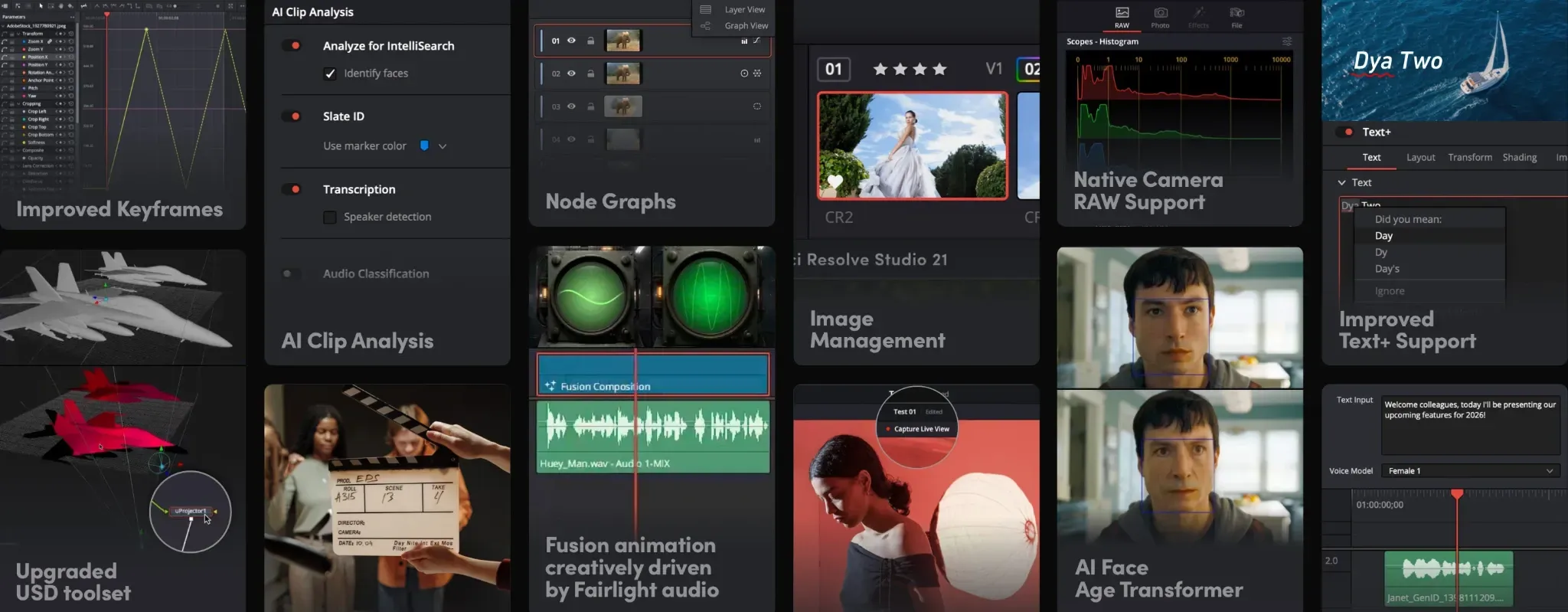
DaVinci Resolve is a full-featured video editor with a core version that is completely free. If you're leaving Descript over the recent pricing model change and want to stop paying for video editing entirely, this is the cleanest swap.
It handles timeline editing, color grading, audio post, and visual effects at a level Descript was never built to reach.
Key Features
- Free Core Version: Includes timeline editing and color grading.
- Studio Add-On: Adds AI features for a one-time fee.
- Multi-Cam Editing: Handles complex interview and podcast setups.
- Fairlight Audio: Professional audio post on the same timeline.
- Fusion VFX: Built-in motion graphics and visual effects.
Pricing
Choose between:
- DaVinci Resolve: Free, full core features.
- DaVinci Resolve Studio at $295 one-time license, AI features included.
Pros
- Free version genuinely covers most editing needs
- No subscription, no credits, no usage caps
- Professional-grade output without enterprise pricing tags
Cons
- No transcript-based editing in the Descript style
- Resource-heavy on older or low-spec machines
- Studio AI features locked behind one-time payment
3. HappyScribe
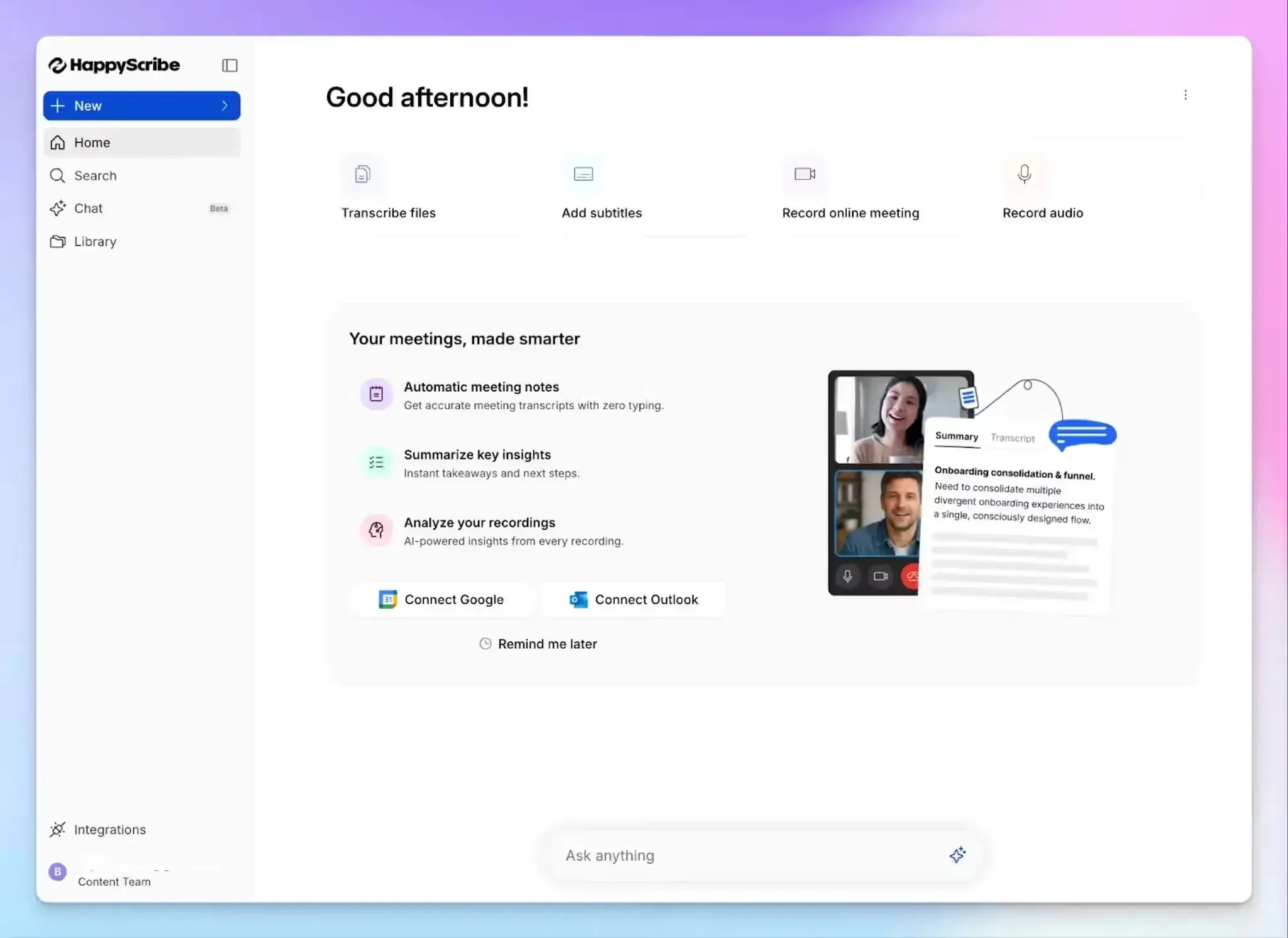
HappyScribe is a transcription and subtitling platform built around accuracy, speed, and multilingual support.
If you were only using Descript for transcripts and never used the video editor, HappyScribe is purpose-built for that lane and can be more cost-effective if your workflow is primarily transcription. It handles 120+ languages and supports human-verified transcription on higher tiers.
Key Features
- Automatic Transcription: AI transcribes in 120+ languages.
- Human Transcription: Verified accuracy for legal and academic use.
- Subtitle Export: SRT, VTT, and styled subtitle formats supported.
- Translation: Translates transcripts and subtitles between languages.
- Collaboration: Multi-user access with comment and edit permissions.
Pricing
HappyScribe has a free plan (up to 45 minute recordings) and three paid plans.
- Basic costs $17/month with 120 AI minutes and no watermark.
- Pro costs $29/month with 600 AI minutes and unlimited AI Chat.
- Business costs $89/month with 6,000 AI minutes, permissions, style guides, and glossaries.
Pros
- Strongest multilingual transcription support among these alternatives
- Human-verified option for high-accuracy use cases
- Subtitle export formats cover most workflow needs
Cons
- Not a video editor, transcript and subtitles only
- Subscription minutes do not roll over monthly
- No timeline integration with editing software available
4. VEED.io
VEED is a browser-based video editor with strong AI features for captions, subtitles, reframing, and audio cleanup.
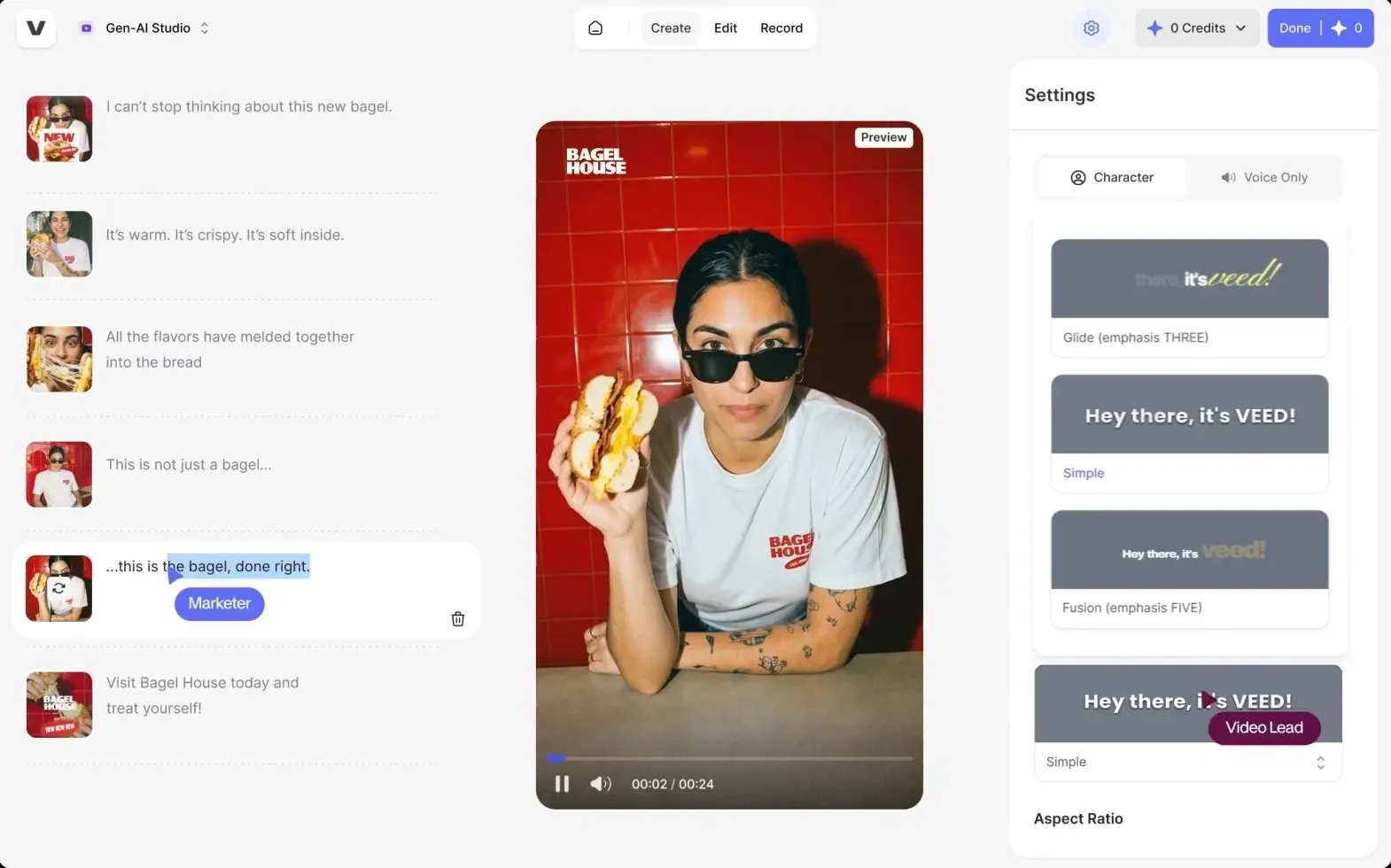
It sits between Descript's text-based approach and traditional timeline editors, which makes it a clean swap for short-form social content where you want manual control without installing software. The interface is closer to what Descript users expect than DaVinci Resolve.
Key Features
- AI Subtitle Generation: Captions videos automatically with style options.
- Eye Contact Correction: AI shifts gaze toward the camera.
- Clean Audio: Removes background noise with one click.
- Auto Reframe: Resizes for vertical and square aspect ratios.
- Brand Kit: Stores logos, fonts, and colors for reuse.
Pricing
VEED has a free plan, plus four paid options:
- Creator ($20/user/month): 500 credits, no watermark, unlimited auto subtitles, and 15+ AI tools.
- Pro ($44/user/month): Adds Multiple brand kits, translations, and more AI voice time.
- Studio ($70/user/month): Adds custom templates and higher AI limits.
- Enterprise: Custom pricing for larger teams.
Pros
- Browser-based, no install or local storage needed
- Eye-contact correction unique among text-based alternatives
- Brand kit speeds up repeat-format editing work
Cons
- Performance degrades on longer source files
- Best AI features locked behind higher tiers
- Not built for long-form podcast repurposing
- Export queue slows during peak load times
5. Reduct
Reduct is a transcript-based video platform built for workflows where you're working with hours of footages rather than a single recording.
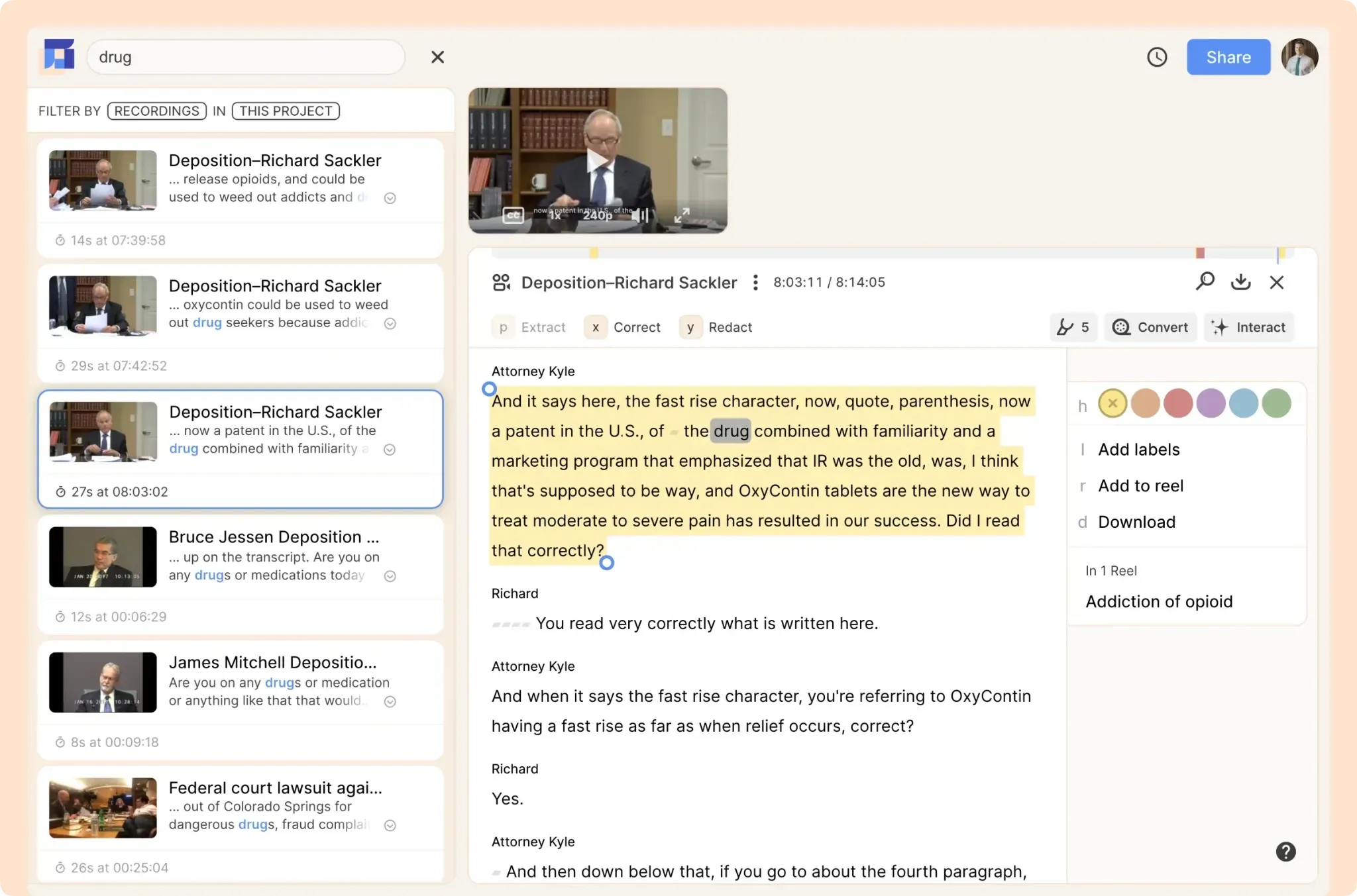
The text-based editing is the closest thing to Descript's flagship feature in this list, but Reduct is built around team collaboration, multicam timelines, and cross-project search. It also lets you edit footage in languages you don't speak, which Descript cannot do.
Key Features
- Transcript Editing: Edits video by deleting or rearranging words.
- Multicam Sync: Aligns multiple camera angles on one timeline.
- Foreign Language Editing: Edits footage in languages you don't speak.
- Video Redaction: Removes faces and PII for legal compliance.
- Cross-Project Search: Pulls clips across all projects into reels.
Pricing
Reduct prices per editor with pooled transcription hours:
- Personal at $15 per editor per month, for 120 hours, 720p export.
- Professional at$50 per editor per month, for 300 hours, multicam, 2K, API.
- Enterprise from $75 per editor per month, for 4K, SSO, SOC2.
Pros
- Multicam handling far stronger than Descript's setup
- Foreign language editing unique among Descript alternatives
- Redaction features serve legal and research use cases
Cons
- Per-editor pricing scales fast for larger teams
- Not built for short-form social clip output
- Built for team workflows, not solo creators
Pick the Tool That Matches Your Reason for Leaving
The best Descript alternative depends on which Descript problem you're trying to solve. Subscription cost, long-form clipping, transcription depth, browser-based editing, and multicam archives each route to a different tool.
If your core Descript workflow is turning long-form recordings into short clips for social, that's exactly what we built Klap for. As an AI clip generator, it helps you find strong moments, reframe them for vertical platforms, add captions, translate clips, score clip potential, and prepare content for publishing.
Try Klap free with your first video and turn one recording into weeks of ready-to-publish content.
