What is YouTube Automation? A Framework for Creating Viral Videos on Autopilot
Content Creation
-2.png&w=3840&q=75)
Quick Summary
This article covers how to automate your YouTube workflow for creating viral videos with less effort. It explains how to plan, edit, and schedule content more efficiently, while boosting your channel’s consistency and reach. You’ll also learn best practices for leveraging AI-powered tools, and how Klap can streamline your editing process by automatically turning long videos into optimized shareable Shorts in minutes.
Want to Create Viral YouTube Videos With Little Manual Effort?
Every minute, over 500 hours of video are uploaded to YouTube, and most of them never get discovered. Not because they’re bad, but because consistency, speed, and optimization now matter just as much as creativity.
That’s where YouTube automation flips the game. Instead of spending hours editing, uploading, rewriting descriptions, and posting links everywhere, automation turns your channel into a repeatable system. This way, you can publish more videos and increase your chances of hitting the algorithm sweet spot.
In this Klap guide, we’ll show you how to automate every step of your YouTube workflow so your channel can grow faster with less manual effort and more predictable results.
Why Listen to Us?
At Klap, we’ve helped millions of creators and brands turn long videos into viral Shorts. Our AI-powered platform streamlines the entire editing process, from clip selection and captioning in 50+ languages to resizing and instant sharing. This experience positions us to guide you on the best ways to automate your YouTube workflows and effortlessly create viral videos.
What Is YouTube Automation?
YouTube automation is when you use tools or software to automatically manage your YouTube channel and videos. Instead of doing everything manually, automation helps with tasks like editing and uploading videos, scheduling when they go live, and even promoting them across platforms. These tools can also track your performance and suggest improvements, making it easier to manage your channel.
Why Does YouTube Automation Matter?
- Increased efficiency: Automating tasks like video editing, uploading and scheduling frees up time, allowing you to focus on creating more content and engaging with your audience.
- Consistency: Automation ensures your videos are published on time, which helps maintain a steady flow of content that keeps your audience engaged and coming back for more.
- Better targeting: Automated tools can schedule your content for optimal times. This increases the chances of reaching your audience when they’re most active.
- Improved growth: By automating promotion and engagement, you can expand your reach and attract more subscribers without putting in extra manual effort.
- Smarter analytics: Automation tools provide insights into your channel’s performance, helping you make informed decisions to improve your content strategy.
How to Automate Your YouTube Workflow for Increased Video Virality
1. Use AI for Content Idea Generation
Stay ahead of trends by using AI tools to help generate content ideas. Platforms like TubeBuddy or BuzzSumo can suggest video topics based on trending keywords, popular videos, or niche gaps in the market. Automating the content brainstorming process allows you to focus more on execution while ensuring your videos are relevant and engaging.
2. Plan Your Content in Advance with a Content Calendar
Set up a content calendar using tools like Google Calendar, Trello, or Notion. Plan your video topics, script deadlines, and upload dates in advance. This will help you stay organized and consistent with your uploads.
Make sure to allocate time for key events like holidays or trending topics to maximize relevance. Once your content is mapped out, it becomes much easier to automate subsequent steps.
3. Edit Your Videos with AI
Video editing can be time-consuming, but AI-powered tools can significantly reduce editing time. Data shows that creators using AI for video editing report up to 80% reductions in production time and costs, making it a more efficient and cost-effective way to produce high-quality content.
A tool like Klap, an all-in-one AI video editor and Shorts generator, automates essential tasks such as clip selection, captioning, and resizing, allowing you to save time and expand your content's reach effortlessly.
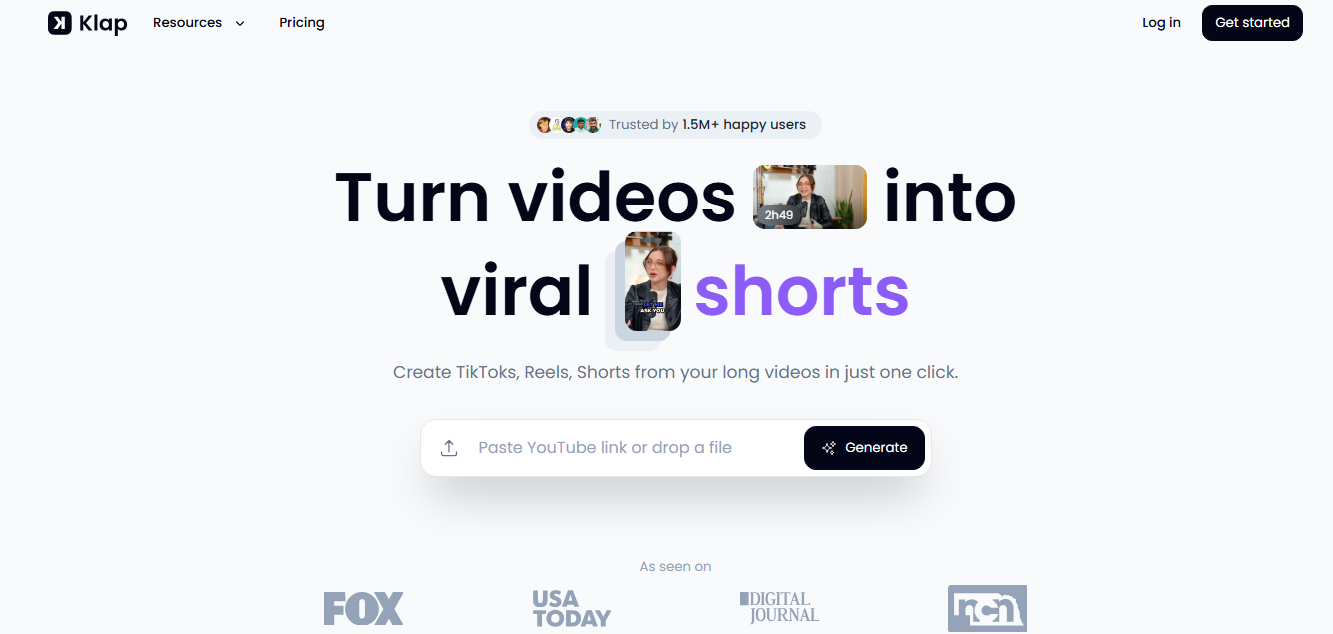
Here’s how Klap helps you automate the entire video editing process:
- Automatic clip generation: Klap’s AI transforms long videos into short, shareable clips perfect for TikTok, Instagram Reels, and YouTube Shorts.
- Smart highlight selection: The AI automatically picks the most engaging moments from your video, ensuring you get clips that capture attention.
- Auto-generated captions: Klap automatically adds captions to your videos, boosting accessibility and engagement. Videos with captions see 80% higher completion rates, making this feature essential for retaining viewers.

- Reframing and resizing: Our AI Reframe 2 automatically resizes your videos for any platform, applying the perfect layout—Split Screen, Screencast, Gaming, and more—in one click for professional quality results.
- Translate and subtitle: Klap’s AI can also translate your captions into multiple languages, helping you connect with a global audience.
- Instant social media sharing: Easily share your AI-edited video clips across all your social media platforms with just one click, and watch your content reach a wider audience without extra effort.
Klap lets you automate every step of the video editing process, so you can focus on creating content and effortlessly reach a global audience across multiple platforms.
Curious about how to generate highlights from your YouTube videos? Here, we share how you can Automatically Cut Video Highlights and Create Viral Content.
4. Schedule Your Videos
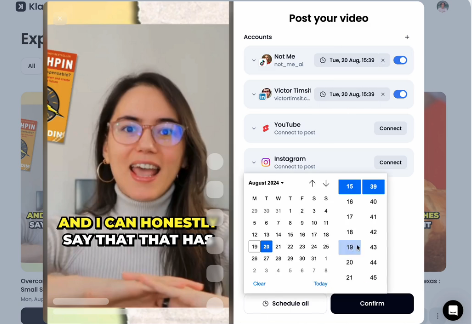
Scheduling your videos in advance ensures consistent content delivery without the need for manual posting. Klap allows you to schedule your edited videos for automatic publishing at optimal times, helping you maintain a steady upload schedule and reach your audience when they're most active. This saves time and makes sure your content is always live at the right moment.
5. Optimize Video Metadata
Automate your SEO processes by adding titles, descriptions, and tags with tools like TubeBuddy or VidIQ. These tools suggest popular keywords, helping your videos get more views and engagement without extra work.
Set up templates for your video descriptions and tags; this makes it even easier to upload optimized content quickly. With the right metadata in place, your videos are more likely to appear in relevant search results, increasing your chances of going viral.
6. Promote Videos Across Social Media Automatically
Use tools like Buffer or Hootsuite to schedule posts across all your social media platforms. Automatically share your new video link on Twitter, Facebook, Instagram, or LinkedIn as soon as it’s uploaded. This ensures your content reaches a wider audience immediately, boosting visibility and engagement without you needing to manually post on each platform.
7. Engage With Viewers With Smart Tools
Automate your comment moderation and response process using YouTube’s auto-moderation tools or third-party services like SocialBee. Set up filters to highlight or automatically reply to common comments or questions. This helps you maintain a connection with your audience without spending too much time on manual responses.
8. Track Performance with Automated Analytics
Use tools like TubeBuddy and SocialBlade to set up automated reports that track key metrics like views, watch time, and subscriber growth. These tools also analyze trends and offer recommendations to optimize your content strategy. When you do this, you can easily monitor your channel's performance and make data-driven decisions to improve future videos.
9. Repurpose Long Videos into Shorts With AI
Studies show that creators who post 12 times a month grow their views nearly 8 times faster and subscribers 3 times faster than those posting less than once a month. A tool like Klap lets you easily repurpose your long YouTube videos into Shorts, helping you post consistently.
Klap’s AI analyzes your video and automatically identifies the most engaging moments, like key highlights or interesting scenes, to create attention-grabbing clips. With just a few clicks, your long videos are transformed into Shorts, allowing you to share bite-sized content that grabs attention and boosts engagement on YouTube and other platforms.
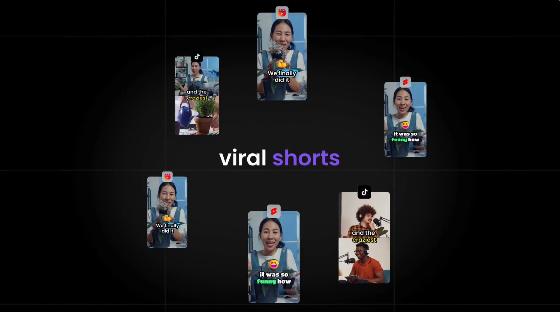
Want to know how to convert your long videos into Shorts in just minutes? Check out our guide on How to Turn Long Videos Into Viral Shorts With a YouTube Video Clip Generator.
10. Automate Thumbnail Creation
Consistent, eye-catching thumbnails are key to attracting clicks. Use tools like Canva or Adobe Spark to create thumbnail templates, and automate the process of inserting text, images, and colors that align with your branding. This ensures all your thumbnails are visually appealing and consistent without having to design each one manually.
Best Practices for Automating Your YouTube Channel for Better Results
Optimize Your Playlists
Group similar videos into playlists, so when one finishes, the next one automatically plays. This encourages viewers to keep watching your content without needing to click on anything. Automate the process by adding new videos to relevant playlists using tools like TubeBuddy, so your playlists are always up-to-date without extra effort.
Automate Video Descriptions with Templates
Save time by creating reusable templates for your video descriptions. Start with a basic structure that includes essential elements like links to your social media profiles, website, and related videos, as well as a call to action (CTA), such as "Subscribe for more" or "Check out our latest content." This gives you a solid foundation for every video, reducing the effort required each time you upload.
Want to streamline your Shorts workflow? Here’s Your Guide to a Viral YouTube Shorts Maker Workflow.
Track Trends and Adjust Content
Use automated tools like Google Trends, TrendSpottr, or TubeBuddy to monitor which topics and keywords are gaining popularity in your niche. These tools analyze real-time data to highlight emerging trends, giving you the opportunity to jump on popular topics early and boost your content's reach.
Schedule Regular Channel Audits
Even with automation, it’s crucial to periodically review your entire channel’s performance. Use automated audit tools like Channel Crawler to evaluate key metrics such as video performance, subscriber growth, and SEO optimization. Regular audits will help you identify areas for improvement and keep your content strategy aligned with your growth goals.
Looking for expert tips on how to grow your YouTube channel? Check out our guide on How to Promote Your YouTube Channel and Grow Your Audience.
Set Up Automated A/B Testing for Thumbnails and Titles
Testing different versions of thumbnails and titles can significantly improve your click-through rates. Use tools like TubeBuddy to set up A/B testing and automate the process of testing multiple versions of your thumbnails and titles. This helps you find what resonates best with your audience and continuously improve performance.
Case Studies of Successful YouTube Creators Using Automation
Matt Par
One well‑known example in the YouTube automation community is Matt Par, the creator behind the channel Make Money Matt, where he shares strategies for growing YouTube channels without showing your face.
Par runs multiple faceless channels that rely on automated and AI‑driven workflows for tasks like idea generation, scriptwriting, editing, voiceovers, and metadata optimization, helping him streamline production and scale output faster.
According to industry reports, Par has been able to reduce video production time from hours to roughly one hour per video by leveraging AI tools for scripting, voice generation, editing, titles, and descriptions, while still maintaining quality.
He has shared that tools like ChatGPT, AI voice software, and automated editing platforms have cut his workload and reduced costs by replacing many traditional freelance roles. This use of automation has enabled him to grow several channels with high view counts and substantial ad revenue, reportedly earning between $20,000 and $35,000 per month on YouTube alone.
Nora Morris
Another strong example in the YouTube automation space is Nora Morris, a creator who has built a large network of faceless channels by leaning heavily on automation tools and systems. According to reports, Morris runs as many as 18 YouTube channels and has amassed a combined audience of over 2.5 million subscribers by automating key parts of his workflow such as scripting, editing, voiceovers, and publishing.
Instead of doing everything manually, Morris uses automation to streamline repetitive tasks and free up time for strategic decisions like niche selection and content planning. This setup reportedly helped him scale quickly, with some channels earning seven‑figure revenue within a year.
Create Viral YouTube Videos Faster with Klap
Speed and consistency are what win on YouTube, but editing is often what slows creators down. Klap removes that bottleneck by turning long-form videos into viral-ready content automatically, so you can publish more without sacrificing quality.
Our AI identifies the most engaging moments in your videos, transforms them into optimized Shorts, adds captions, resizes layouts for every platform, and prepares everything for instant sharing. What used to take hours now takes minutes, giving you more opportunities to hit trends, stay consistent, and feed the algorithm what it rewards most.
Try Klap now and start creating viral-ready videos in minutes.
