
We Share 5 Top Vizard AI Alternatives for Creating Short-Form Videos
Tools for Creators
Quick Summary
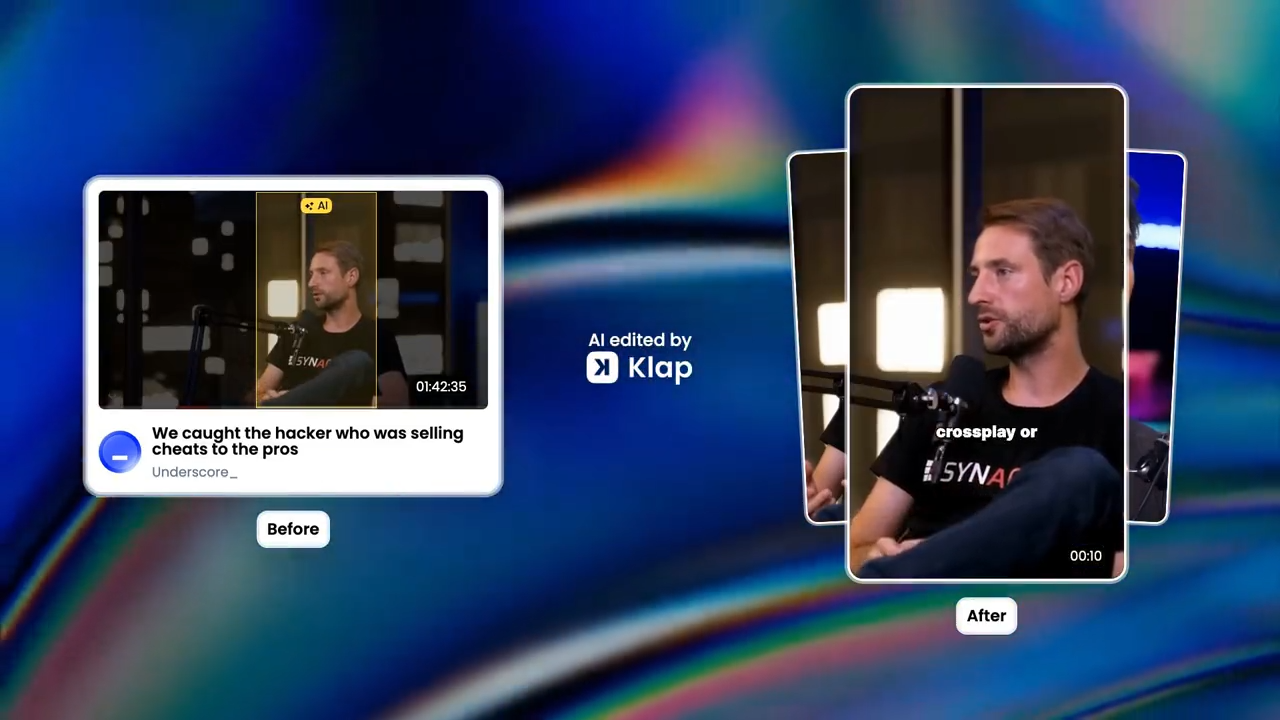
Vizard AI can help with video repurposing, but it may not suit every short-form workflow. In this guide, we compare five Vizard AI alternatives that help creators and teams turn long videos into TikToks, Reels, and YouTube Shorts with less manual editing. For more insights on creating short-form videos, check our blog.
Need a Vizard AI Alternative for Creating Shorts?
Vizard AI is a useful tool for turning long videos into short clips, but it may not be the best fit for every creator or team. Some users may want faster clip selection, a simpler short-form workflow, better pricing, or extra tools for recording, publishing, and content planning.
In this Klap guide, we’ll look at the top Vizard AI alternatives for turning long-form videos into TikToks, Reels, and YouTube Shorts.
Why Listen to Us?
At Klap, we’ve helped over 2 million creators, marketers, and media teams turn long-form videos into short clips for TikTok, Reels, and YouTube Shorts. That experience gives us a clear view of what makes a strong Vizard AI alternative, from faster clip creation to a simpler short-form workflow.
What is Vizard AI?
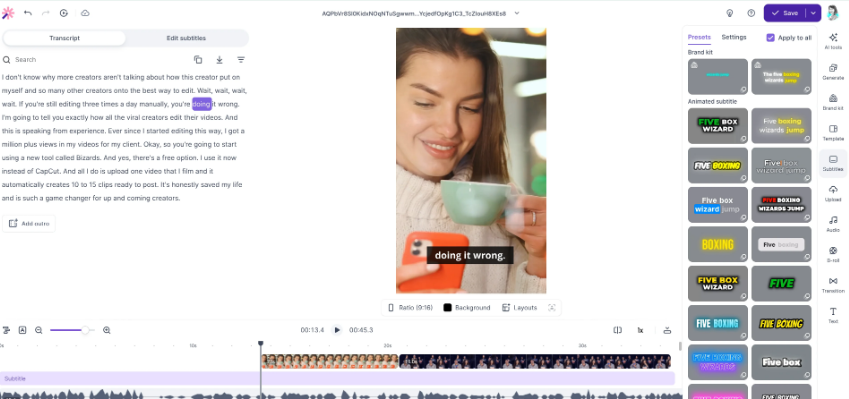
Vizard AI is a browser-based AI video editor built for repurposing long videos into social media clips. It helps users cut highlights, add captions, resize content, and create short videos from podcasts, webinars, interviews, and other long-form content.
Key Features
- AI Clips Generator: Finds highlight moments in long videos and turns them into short clips for social media.
- Auto Subtitles: Adds captions to videos, with options to adjust the font, size, line height, and caption style.
- Text-Based Editing: Lets users trim videos by editing the transcript instead of cutting clips manually.
- Change Ratio: Resizes videos for different social platforms, including TikTok, Instagram, and YouTube Shorts.
- Caption Translation: Translates captions into 100+ languages for global audiences.
Pricing
Vizard AI’s paid plans start around $16.9/month (billed annually), with higher tiers offering more credits, 4K exports, no watermark, social scheduling, longer storage, and team features.
Limitations of Vizard AI
- Slower Clip Selection: Vizard AI can help create short clips, but users may still spend time reviewing and refining the results before publishing.
- More Editing Steps: Some users may need to adjust clips, captions, formats, and branding manually before the final video feels ready.
- Less Focused on Viral Shorts: Vizard AI’s broader workflow may feel less direct for users focused only on TikToks, Reels, and Shorts.
- Credit-Based Limits: Vizard AI’s usage depends on credits, which may feel restrictive for creators or teams producing clips often.
Top 5 Vizard AI Alternatives
- Klap
- Quso.ai
- Munch
- Riverside
- Spikes Studio
1. Klap
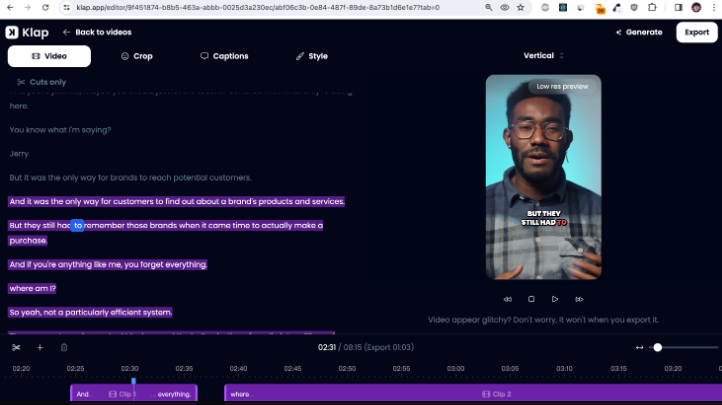
Klap gives creators a faster and simpler way to repurpose long videos into short-form content. As a Vizard AI alternative, it is especially useful for users who want to pull high-quality clips from podcasts, interviews, webinars, and YouTube videos without building each short from scratch.
Our platform handles the key parts of the workflow, from finding engaging topics to reframing clips and adding captions. This helps you create social-ready videos faster while keeping the process simple and easy to manage.
Key Features
- AI-Powered Clip Creation: Analyzes long-form videos and turns the most engaging moments into short, social-ready clips.
- Intelligent Reframing: Automatically reframes videos for vertical platforms like TikTok, Instagram Reels, and YouTube Shorts.
- Dynamic Captions: Adds captions to make short videos easier to watch, follow, and share without sound.
- Web-Based Editing: Klap runs in the browser, so you can create and edit clips without downloading editing software.
- Ready-to-Publish Shorts: Helps create bite-sized clips that are formatted for short-form social platforms.
Pricing
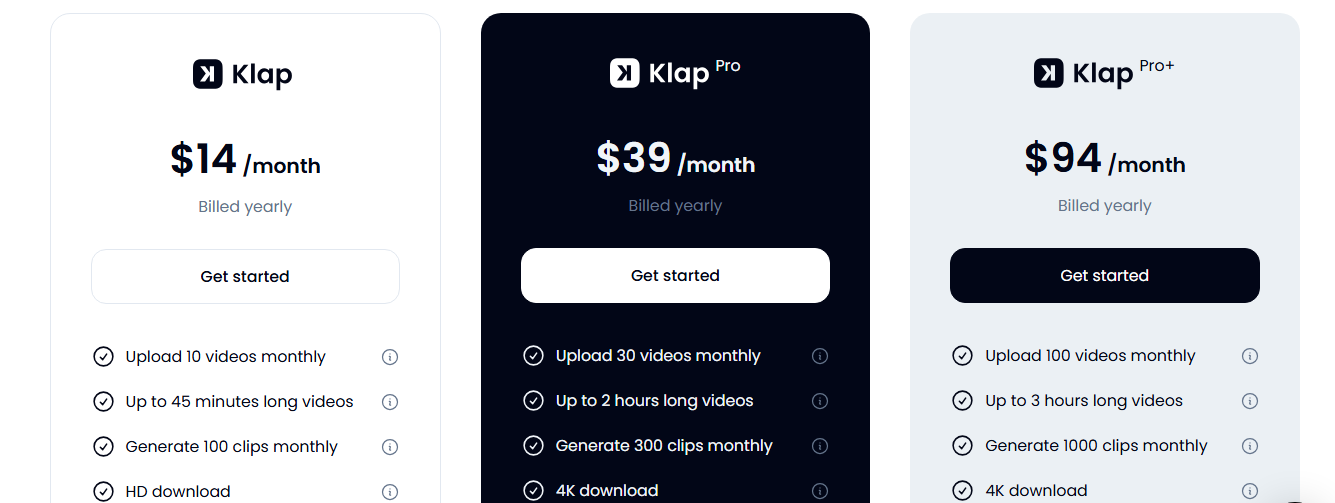
Klap uses a 3-tier subscription model based on video uploads and clip generation limits.
- Starter ($14/Month, Billed Yearly): 10 video uploads, up to 45 minutes each, and 100 clips with HD downloads
- Pro ($39/Month, Billed Yearly): 30 uploads, up to 2-hour videos, 300 clips, plus 4K downloads and AI dubbing
- Pro+ ($94/Month, Billed Yearly): 100 uploads, up to 3-hour videos, and 1000 clips for high-volume creators and teams
Pros
- Fast long-form video to short-form clip workflow
- Helps extend the value of existing podcasts, webinars, and YouTube videos
- Good fit for solo creators, small teams, and media companies
- Simple browser-based editor with no software download needed
- Strong option for users focused mainly on social media content
Cons
- Best suited for users who already have long-form video content
- Not built for creating videos from blog posts, scripts, or URLs
2. Quso.ai
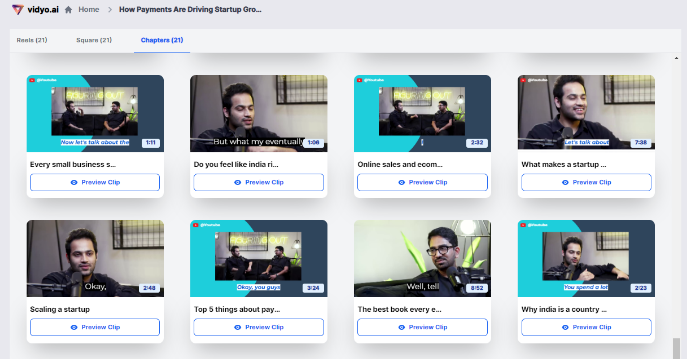
Quso.ai (formerly vidyo.ai) is an AI video repurposing platform that helps users turn long videos into short clips for social media. As a Vizard AI alternative, Quso.ai works well for creators and teams that want video clipping plus social media management in one workflow.
Key Features
- Short-Form Video Creation: Turns long videos into short clips for platforms like TikTok, Instagram Reels, and YouTube Shorts.
- Social Media Scheduling: Lets users publish or schedule content across multiple social platforms.
- AI Content Repurposing: Can turn one long video into clips, captions, blogs, show notes, and social posts.
- Video Resizing: Resizes videos into different aspect ratios, including 16:9, 9:16, and 1:1.
- Brand Kits And Templates: Allows users to save brand assets and templates for more consistent content.
Pricing
Quso.ai’s paid plans start around $15/month when billed annually, with higher tiers offering more credits, 1080p exports, AI tools, social scheduling, bulk publishing, brand kits, templates, and analytics.
Pros
- Useful for creators and teams managing content across multiple social channels
- Can turn one long video into clips, captions, posts, blogs, and show notes
- Includes brand kits and templates for more consistent content
Cons
- Broader feature set may feel more complex for users who only need short-form clips
- Credit limits can be restrictive for high-volume content workflows
3. Munch
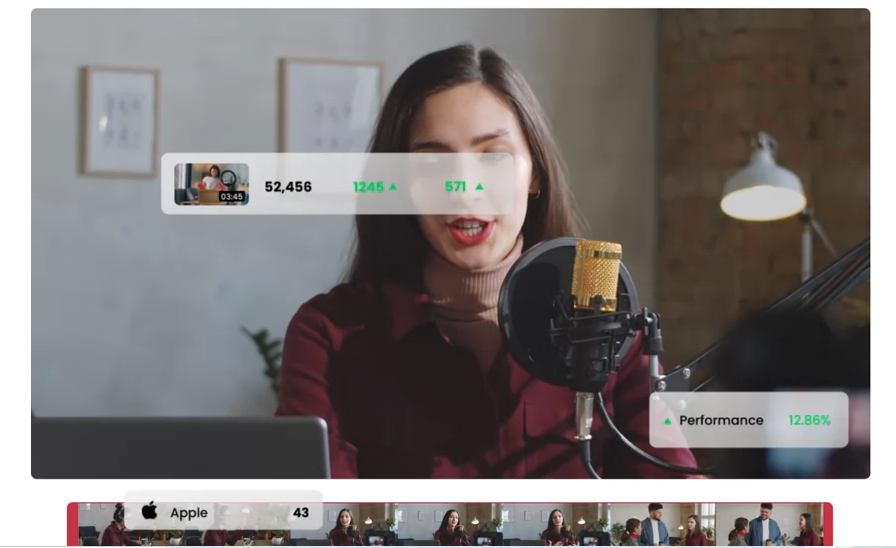
Munch is an AI video repurposing tool that turns long videos into shorts for social platforms. This Vizard AI alternative suits marketers, agencies, and content teams that want clip creation with added support for performance insights and trend-based content decisions.
Key features
- Smart Clip Selection: Finds strong moments from long-form videos and turns them into short clips for social media.
- Trend-Based Insights: Uses marketing and social trend data to help identify clips with stronger performance potential.
- Automatic Captions: Adds captions to clips so videos are easier to watch without sound.
- Platform-Specific Formatting: Adjusts clips for platforms like TikTok, Instagram, LinkedIn, and YouTube Shorts.
- Social Post Generation: Creates social media post copy to go with each repurposed clip.
Pricing
Munch does not list public pricing on its website. Users need to contact the company for current pricing details.
Pros
- Strong fit for marketers and agencies focused on content performance
- Helpful trend insights for choosing more relevant clips
- Can create both short clips and social post copy from long videos
Cons
- Public pricing is not listed, so users need to contact the company for details
- More setup time for teams that want a simple long-video-to-short-clips workflow
4. Riverside
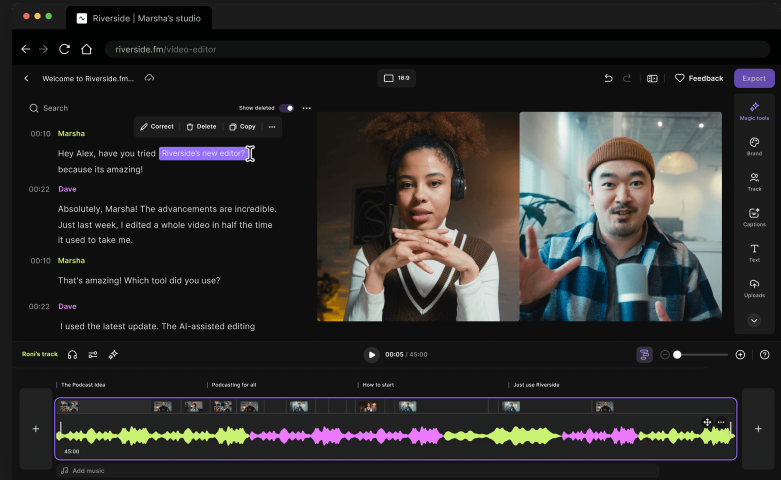
Riverside is a recording and editing platform for podcasts, interviews, webinars, and video content. It works well as a Vizard AI alternative for podcasters, interview hosts, and teams that want to record content and repurpose it into short clips from the same platform.
Key features
- Magic Clips: Finds key moments in long recordings and turns them into short clips for YouTube, Instagram, and TikTok.
- Studio-Quality Recording: Records podcasts, interviews, webinars, and videos in up to 4K quality.
- Text-Based Editing: Lets users edit videos by editing the transcript instead of cutting footage manually.
- Automatic Captions: Adds captions to clips so videos are easier to watch without sound.
- Audio Enhancement: Includes AI tools like Magic Audio to improve recording quality.
Pricing
Riverside’s paid plans start around $24/month when billed annually, with higher tiers offering more recording hours, 4K video, no watermark, AI tools, Magic Clips, and publishing features.
Pros
- Perfect for creators who need recording and clipping in one platform
- Useful for podcasts, interviews, webinars, and remote video recordings
- High-quality recording tools make it easier to start with better source footage
Cons
- Users who only need to repurpose existing videos may not need the recording features
- Recording-hour limits may be restrictive for creators with high-volume content needs
5. Spikes Studio
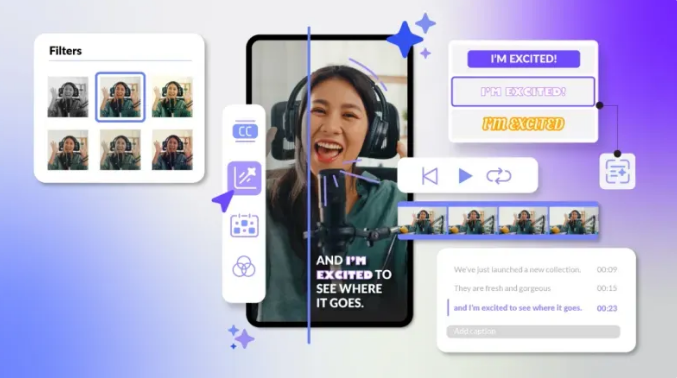
Spikes Studio helps creators turn long-form content into short clips for TikTok, Instagram Reels, and YouTube Shorts. It is a practical Vizard AI alternative for users working with YouTube videos, livestreams, podcasts, and creator-led content.
Key features
- AI Clip Creation: Analyzes long videos, finds clip-worthy moments, and turns them into short clips for TikTok, Instagram Reels, and YouTube Shorts.
- Auto-Captions: Adds captions to clips so videos are easier to follow, especially for viewers watching without sound.
- Animated Captions: Offers dynamic caption styles that can make short-form videos feel more polished and engaging.
- AI B-Roll: Can add supporting visuals to clips, helping make talking-head videos and podcast clips more visually interesting.
- Social Media Scheduler: Lets users schedule clips for publishing, which is useful for creators managing a consistent short-form content calendar.
Pricing
Spikes Studio’s paid plans start around $14.09/month when billed annually, with higher tiers offering 1080p exports, no watermark, animated captions, AI B-roll, scheduling, custom templates, and more storage.
Pros
- Great for repurposing long videos, streams, and podcasts
- Includes short-form extras like animated captions and AI B-roll
- Supports social media scheduling for a more organized publishing workflow
Cons
- The workflow may feel too creator-focused for larger marketing or media teams
- AI-selected clips may still need manual review before publishing
Create More Short-From Videos Faster With Klap
If Vizard AI feels too broad or slow for your short-form workflow, Klap is a strong alternative to consider. Our platform is built for creators and teams that want a simple and faster way to repurpose long-form videos into short clips.
Klap finds engaging moments, reframes clips for vertical viewing, and adds dynamic captions, so you can create more social-ready videos from content you already have. It works well for podcasts, interviews, webinars, YouTube videos, and other long-form content.
Try Klap for free today and create shorts faster.
