
AI Video Summarizer: Turn Hours of Footage Into Viral Clips
Other
You already know the frustrating part. The hard work is done. You recorded the podcast, finished the webinar, published the interview, or uploaded the tutorial. Then the footage just sits there because turning one long video into a week of Shorts, Reels, and TikToks still feels like a second job.
That's where an AI video summarizer becomes useful. Not because a paragraph summary is exciting, but because it can help you find the moments worth reusing. For most creators, the main bottleneck isn't understanding what the video says. It's finding the strongest hooks, pulling clean excerpts, and getting them into publishable formats before the next piece of content is due.
The shift worth paying attention to is simple. Video summarization is no longer just about reading less. It's becoming a way to create more from footage you already have.
You Have the Footage But Do You Have the Time
A familiar backlog looks like this: a one-hour podcast episode, a recorded client workshop, two product demos, and a panel discussion that should have produced at least a handful of social clips. Instead, they live in a folder called “repurpose later.”
“Later” usually means never.
Manual repurposing breaks down in predictable ways. You open the timeline, scrub for a strong moment, second-guess the opening line, trim dead space, add captions, resize for vertical, then repeat the same process again for the next clip. One long video can easily eat an afternoon before you've published anything.
That's why an AI video summarizer matters to creators right now. It compresses the review stage. Instead of rewatching the full recording to locate the useful bits, you start with an organized layer of signal: transcript, key moments, highlights, or clip suggestions. If your job is to turn long-form content into short-form distribution, that changes the workflow.
The real bottleneck isn't recording
Most creators don't have an idea problem. They have a post-production problem.
A webinar can become educational snippets. A founder interview can become opinion clips. A coaching call can become short answer-led videos. The value is already in the footage. The delay comes from the labor of mining it. That's also why tools built for long video to short video workflows are getting attention from teams that publish often.
Practical rule: If you consistently publish long-form video but rarely repurpose it, your issue probably isn't content creation. It's clip extraction.
Why text alone isn't enough
A plain text summary can tell you what happened. It usually doesn't tell you what will perform as a short-form video.
Creators need more than recap paragraphs. They need moments with a sharp opening, a self-contained point, and enough context to stand on their own. That's why the strongest AI summarizer workflows now lean toward highlights and clip candidates, not just summaries.
Peeking Inside the AI Black Box
An AI video summarizer works a lot like a very fast research assistant. It listens to the audio, watches the screen, reads what appears visually, and then decides what matters enough to surface back to you.
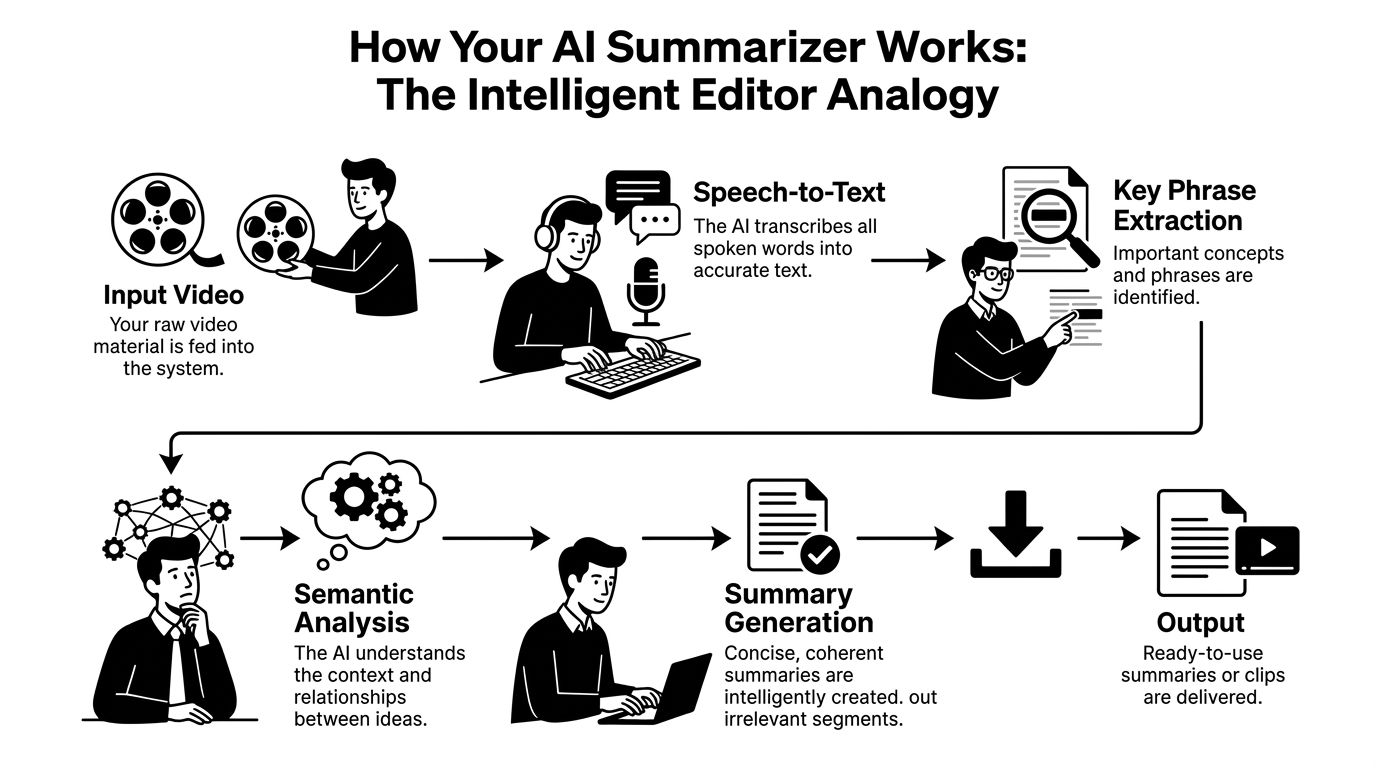
Under the hood, that process follows a three-stage pipeline. It starts with automatic speech recognition, then moves to computer vision, and finishes with natural language processing. EnterpriseTube describes this architecture as converting speech to text, analyzing visuals, and then synthesizing transcript and visual cues into a shorter summary. That's also why modern tools can handle more than spoken dialogue, including on-screen text and scene changes, as explained in EnterpriseTube's overview of AI video summarization.
First the tool listens
The first pass is speech-to-text. The tool transcribes spoken words so it has something searchable and structured to work with.
This matters more than many creators realize. If the transcript is weak, everything built on top of it gets shakier. Summary quality, highlight picking, and clip suggestions all depend on the system correctly hearing what was said.
Then it watches
The second pass is visual analysis. At this point, the tool stops acting like a transcription app and starts acting more like an editor.
It can detect slides, on-screen text, scene changes, and other visual context. That's useful when the most important part of the video isn't only in the spoken sentence. A chart, title card, screen recording, or product demo can change what a segment means.
Finally it decides what matters
The third pass uses language understanding to compress the material into something usable. That might be a short recap, a set of bullets, clickable timestamps, or candidate clips.
A good analogy is this: transcription gives the tool the words, visual analysis gives it the setting, and language processing gives it judgment.
The better the system understands context, the less likely it is to surface a sentence that sounds important but falls apart when clipped.
That's the practical difference between old “summarize this video” tools and newer repurposing tools. The first group mostly helps you read faster. The second group tries to help you publish faster.
Comparing Different AI Summarizer Outputs
Not all outputs from an AI video summarizer are equally useful. Some save reading time. Others save editing time. Those are not the same thing.
Current tools increasingly focus on low-latency processing and timestamped outputs, and some can generate summaries from YouTube or uploaded videos in under a minute. Wayin also notes that these outputs often extend into transcript access, highlights, and follow-up Q&A, which is why the tool becomes more of a repurposing engine than a simple recap utility in Wayin's video summarizer overview.
Three output types that matter
The easiest way to compare tools is by what they hand back to you.
AI Summarizer Output Comparison
Output Type
Primary Use Case
Editing Effort
Best For
Text summary
Quick understanding of a video's main points
High if your goal is social clips
Researchers, students, internal review
Timestamped highlights
Finding key moments fast inside a long recording
Moderate
Podcasters, marketers, interview shows
AI-generated clips
Producing shareable short videos from long-form content
Lower, assuming the edit controls are usable
Creators focused on TikTok, Reels, and Shorts
Where each output helps
A text summary is useful when you need recall. It's good for meeting notes, educational review, and scanning a video you don't want to fully watch.
A timestamped highlight set is where things get more practical for creators. You can jump directly to candidate moments instead of hunting manually through the timeline. That's why tools in the AI clip maker category sit closer to real content operations than pure summary apps.
A clip-first output is the most valuable when repurposing is the goal. If the tool can suggest segments, preserve the moment's context, and give you an easy way to trim, caption, and export, you're no longer just summarizing. You're building assets.
What usually disappoints creators
The least useful experience is getting a polished paragraph summary from a strong video and still having to do all the editing work yourself.
That's the mismatch many creators run into. They buy a summarizer expecting a production shortcut, but what they receive is a reading shortcut. If your channel grows through short-form distribution, reading faster doesn't solve enough of the workflow.
Your New Content Repurposing Workflow
The most effective workflow starts before you upload anything. Good input gives the AI something clean to work with. Strong source videos usually have one clear topic, visible structure, and speaking segments that can stand alone as short clips.
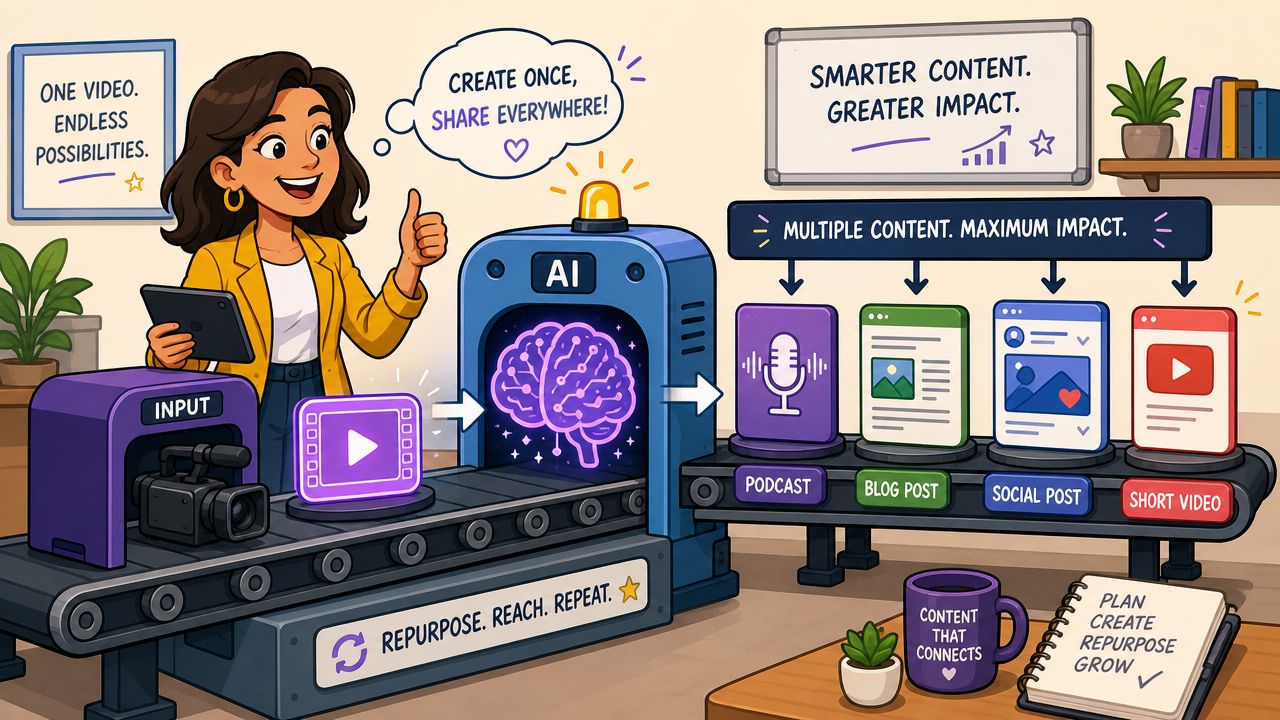
Several mainstream tools report producing transcripts and summaries in 30 to 60 seconds, and some products advertise even faster results for certain use cases. Knowt describes this as a major shift from manual review, where people would otherwise spend hours locating useful moments in long-form content, in its page on AI video summarizer speed and output.
Start with the right long-form video
Not every recording deserves to go through the pipeline.
These source formats usually work well:
- Interviews with opinionated answers because each response can become a stand-alone clip.
- Podcasts with clear segment breaks because topic shifts create natural editing boundaries.
- Tutorials and demos with one lesson per section because the takeaway is already packaged.
- Webinars with audience questions because Q&A often produces concise, high-intent moments.
A rambling livestream with poor audio can still produce clips, but you'll spend more time cleaning the output.
Review the first pass like an editor
Once the AI generates a transcript, summary, highlights, or clip candidates, don't treat the output as final. Treat it as a rough cut.
Look for three things right away:
- The opening line
A social clip needs a fast entry. If the first sentence takes too long to reach the point, tighten it. - The self-contained idea
The clip should make sense without the surrounding ten minutes. - The payoff
There should be a clear lesson, opinion, demonstration, or punchline.
A tool such as Klap fits this stage well because it takes long-form uploads or links, identifies highlight segments, reframes them for vertical formats, adds captions, and lets you adjust the resulting clips before export.
Edit what the AI can't judge perfectly
Creators still earn their keep, given AI's limitations. AI is strong at narrowing the search area. It's less reliable at knowing your brand voice, your audience's tolerance for context, or the exact moment a clip should begin.
Useful edits usually include:
- Trimming the lead-in so the clip starts on the point, not the runway
- Cleaning captions when a proper noun, technical term, or brand name is wrong
- Extending the end if the original cut drops the conclusion too early
- Changing framing when multiple speakers or screen elements compete for attention
If you're comparing editing environments after the summary stage, this guide to the best Descript alternative app is useful because it focuses on what happens after transcription, where review controls and editing comfort start to matter more than the summary itself.
Here's a good example of the kind of workflow creators increasingly want to support:
Export for the platform you're actually posting on
The final step isn't generic publishing. It's platform formatting.
A clip for TikTok or Reels needs different pacing than a YouTube Short built from the same source. Vertical framing, readable captions, and a clean first second matter more here than a beautiful long-form edit. The AI has already reduced the search work. Your job is to make the chosen moment native to the destination.
Workflow check: If the tool saves time finding moments but creates friction during trimming, caption editing, or reframing, it hasn't solved enough of the job.
Evaluating an AI Summarizer Before You Commit
Free trials are easy to waste. You upload a clean test video, get a neat summary, and assume the tool works. Then you feed it a noisy podcast or a jargon-heavy client recording and the quality drops fast.
A smarter test is to evaluate the tool against the kinds of videos you publish.
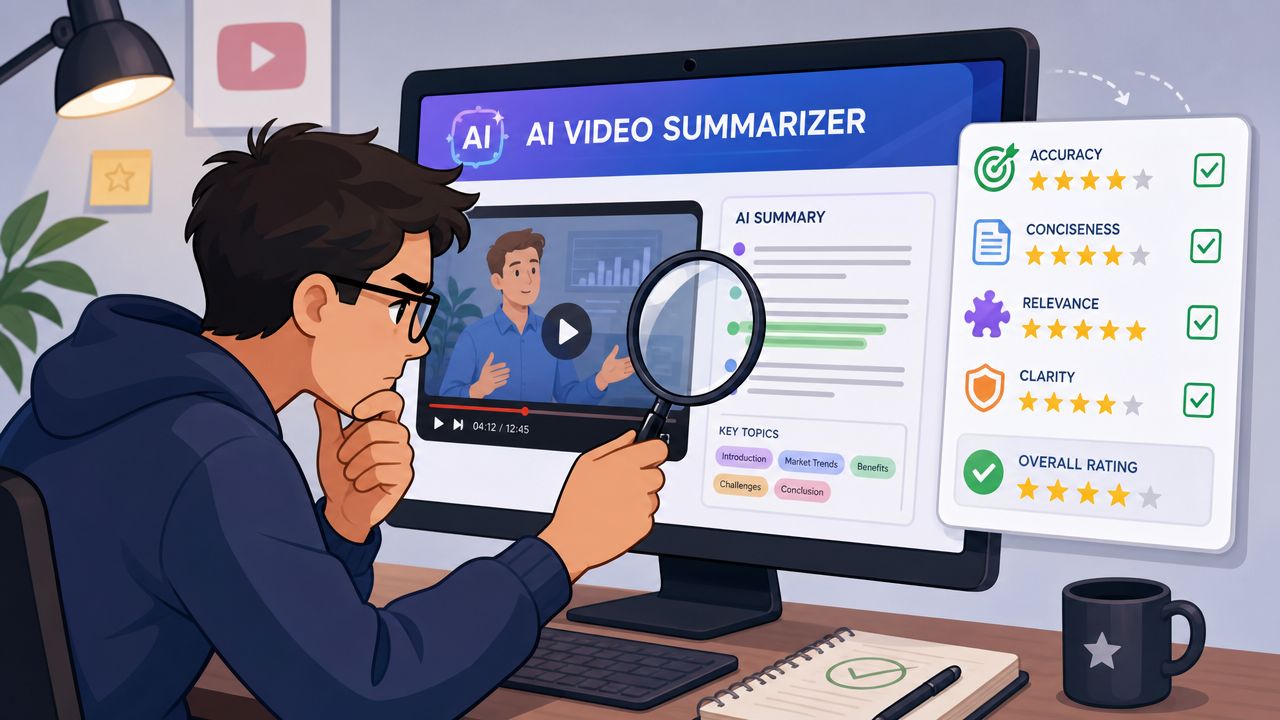
Independent coverage points to a key challenge here. Summary quality becomes harder to trust when the source has weak captions, heavy jargon, multiple speakers, or no strong transcript. Nearity also highlights timestamped outputs and speaker labels as useful ways to audit the AI's claims quickly in its article on how to assess AI video summary accuracy.
Test transcript accuracy first
Start with the transcript, not the summary.
If the tool mishears your core terminology, speaker names, or branded phrases, the summary will inherit those errors. That can be manageable for internal notes. It becomes risky when you plan to publish the output as captions, social clips, or client deliverables.
A quick audit method:
- Upload one clean video with strong audio
- Upload one difficult video with overlap, jargon, or inconsistent pacing
- Check named entities like people, products, and technical terms
- Scan speaker changes if your format includes interviews or roundtables
Judge relevance, not just readability
A smooth summary can still be strategically useless.
What you want to know is whether the tool finds moments that a human editor would choose. Does it catch the strongest argument? Does it identify a sharp answer instead of a setup sentence? Does it understand when a visual demonstration matters more than the spoken words?
A summary can be well written and still point you to the wrong parts of the video.
Stress-test the edit controls
The best trial question isn't “Can this summarize a video?” It's “How quickly can I correct what it gets wrong?”
Pay close attention to:
- Timestamp reliability because it determines how fast you can verify claims
- Speaker labeling because interview content falls apart without it
- Caption editability because small transcript errors become public mistakes
- Clip adjustment controls because social edits often need a slightly earlier start or later finish
If a tool gives you nice output but weak controls, you'll still lose time. In practice, editability is part of accuracy because the easier it is to fix the result, the safer the tool is to use in real publishing workflows.
Navigating Privacy and Ethical Considerations
Uploading source footage to an AI platform isn't just a workflow choice. It's also a trust choice. You're handing over unpublished material, client conversations, or intellectual property that may contain sensitive information.
The first question is simple. Where does the footage go after upload, and what happens to it after processing? Before using any platform, review its retention, access, and handling policies. If privacy is a serious concern in your workflow, it helps to compare the product's documentation against a concrete policy reference such as this page on data protection for Chronoid users.
Rights and ownership still matter
Creators should also check who owns the outputs. Summaries, captions, and clips may be generated by software, but they come from your original recording. The platform terms should be clear about what you retain and what the tool is allowed to do with uploaded material.
There's also a reputational layer. A clipped answer can become misleading if the AI chooses a sentence that works as a hook but removes the context that made it fair. That risk increases when creators lean on automation and volume, especially in systems connected to broader TikTok automation software workflows.
A responsible review habit
Before publishing AI-generated clips, ask:
- Does the clip preserve the speaker's intended meaning
- Is any important qualifier missing
- Would the original speaker feel misrepresented by the edit
Creators don't need to fear AI tools. They do need to keep editorial responsibility. The software can identify moments. You still decide what's accurate, fair, and publishable.
Why Smart Creators Are Choosing AI Clip Generators
The most useful insight in this category is that summarization was never the final goal. Reuse was.
Creators don't record a one-hour video because they want a one-paragraph recap. They record it because the footage can become a newsletter embed, an article source, a few quote graphics, and several short vertical clips. The summary only matters if it helps enable those outputs.
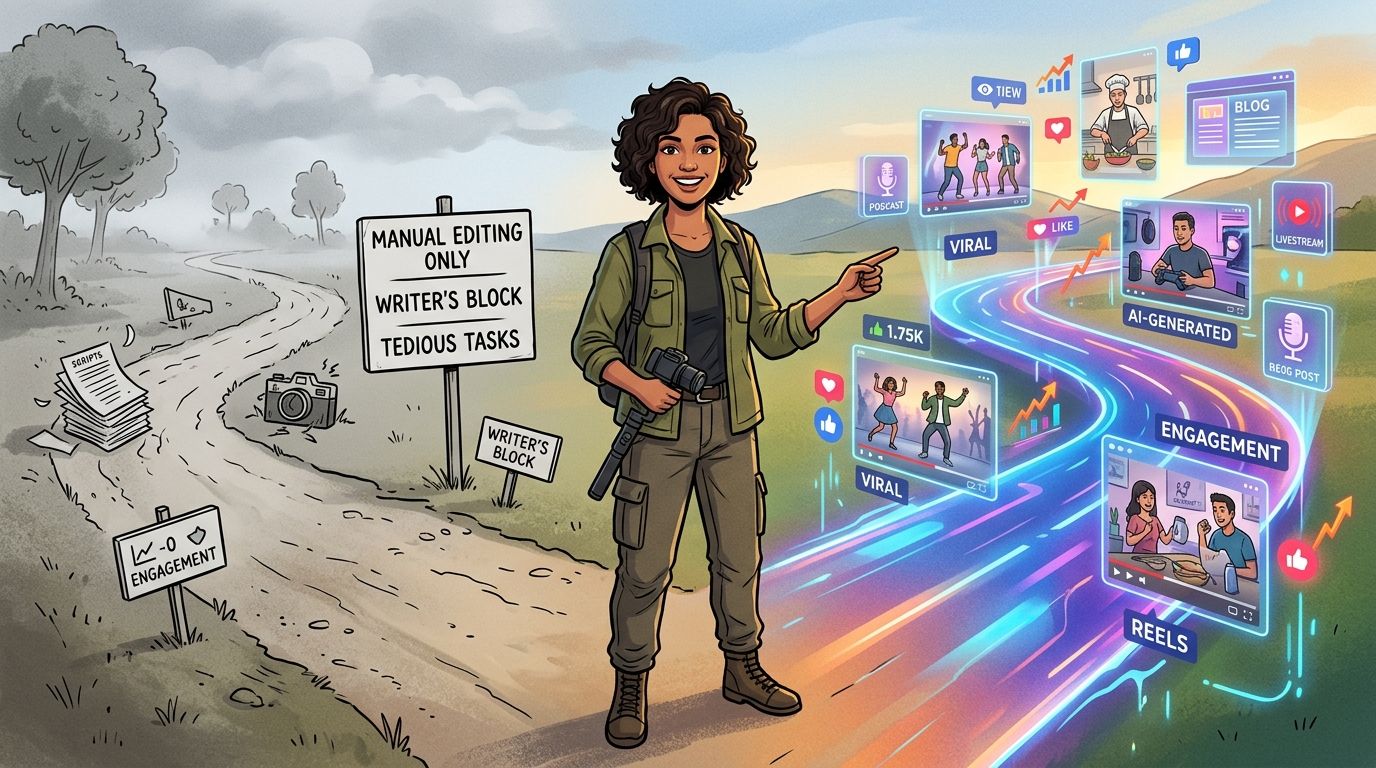
That's why the market is moving from summary-only tools to analysis plus repurposing platforms. MyLens frames the shift clearly: for creators, the better tool often isn't the one that produces the shortest text but the one that produces the most usable clip candidates with timestamps and easy review controls for short-form distribution, as described in its guide to AI YouTube video summarization and repurposing.
Why clip generation beats recap generation
Text summaries help with understanding. Clip generators help with publishing.
That distinction matters when your weekly job is to maintain reach across TikTok, Reels, and Shorts. The bigger business win comes from reducing the time between “video recorded” and “assets ready to post.” Once you look at the workflow this way, the ideal tool stops being a summarizer in the narrow sense.
It becomes a production assistant.
What creators should optimize for now
If you're choosing tools today, prioritize outputs that move directly into distribution:
- Clip candidates over paragraph summaries
- Timestamped review over generic recap
- Editable captions over fixed text
- Vertical reframing over raw horizontal export
- Fast audit controls over flashy AI copy
That's also why broader creator education increasingly talks about full workflows instead of isolated features. If you want a useful outside perspective on that shift, this breakdown of an AI video summarization workflow for creators is worth reading because it treats summarization as part of repurposing, not the endpoint.
The strongest AI video summarizer for a creator is usually the one that gets them closest to a publishable clip with the fewest corrections.
The category name may stay the same. The buying logic has already changed. Creators aren't really shopping for summaries anymore. They're shopping for an advantage.
If your backlog is full of podcasts, interviews, webinars, or YouTube uploads, Klap is worth looking at as a practical way to turn long-form footage into social-ready short clips with captions, reframing, and review controls built into the workflow.
