
What Video Is This? 5 Pro Techniques to Find Any Clip
Other
You're scrolling late, half-paying attention, and then a clip stops you cold. It's a podcast moment with a razor-sharp quote. Or a documentary scene that looks too good to be random repost bait. Or a weirdly familiar movie fragment with all the credits cropped out.
You tap the comments, hoping someone named the source. Instead it's the usual pileup: “what video is this?”, “full link?”, “where is this from?”, and one confident wrong answer.
That's usually where many give up. They try one reverse search, get junk results, and move on. The better approach is to treat the clip like a trail of evidence. You pull frames, isolate audio, search the spoken line, verify the earliest upload, and only then decide whether you've found the original.
This matters for curiosity, credit, and content work. If you create videos, run social, edit podcasts, or collect references, identifying the original source saves time and prevents you from building on reposts, edits, or fakes.
That Viral Clip With No Link
A lot of video hunts start the same way. A reposted vertical clip lands on TikTok, Instagram Reels, or X, and the uploader stripped out the title, the creator name, and any obvious context. The clip still carries clues, though. Often, the clues are not collected in a usable order.
The fastest wins happen when you stop asking “what video is this” as a single question and turn it into smaller ones. What language is being spoken? Is there on-screen text? Does the room look like a conference stage, a podcast studio, a film set, or a news segment? Is the clip cropped from horizontal video? Did the uploader leave a tiny watermark in one corner for a split second?
Practical rule: Don't search the whole mystery at once. Search one distinctive clue at a time, then combine results.
A good hunt feels less like random Googling and more like narrowing a suspect list. A single frame can reveal a logo. One quote can reveal an interview. One background song can reveal a trailer, scene, or creator montage. Once you start stacking those signals, the source usually surfaces fast.
If you want a clean breakdown of the overall process, this step-by-step video finding walkthrough is a useful companion. The key is speed with discipline. Grab evidence first. Search second. Verify last.
Gather Your Digital Evidence First
Most bad searches fail before the search even starts. People use one blurry screenshot, type two vague words into Google, and hope the internet reads their mind. It won't.
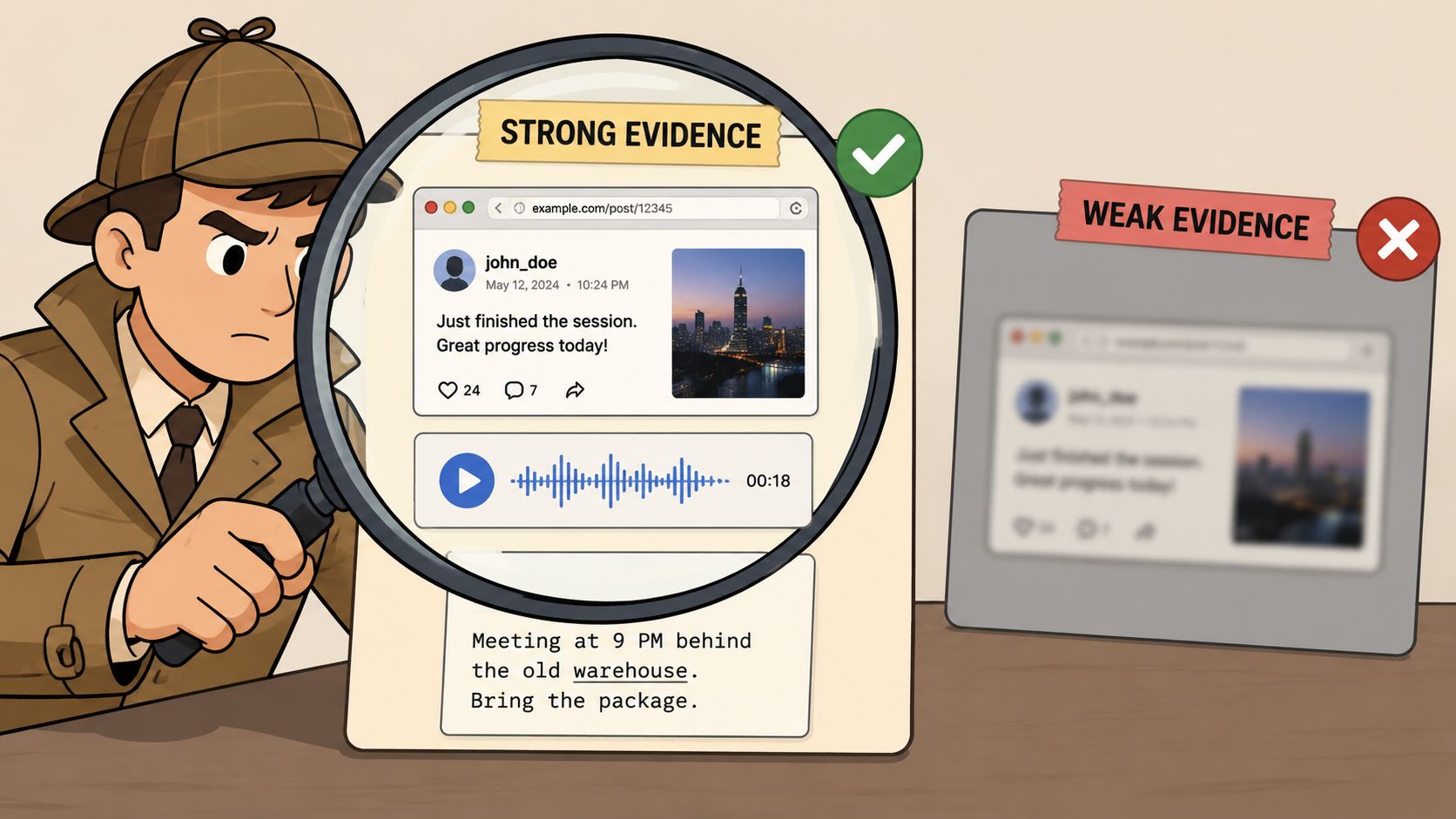
Pull better frames
Pause the clip at several points, not just one. Your best frame usually isn't the most dramatic one. It's the one with the most searchable detail.
Look for:
- Faces with context: A face alone helps. A face beside a microphone flag, event backdrop, or channel bug helps more.
- Text on screen: Subtitles, lower thirds, slide titles, jersey names, storefront signs, or captions.
- Distinct objects: Podcast mics, studio decor, stage lighting, branded mugs, tattoos, unusual clothing, or props.
- Platform leftovers: Usernames, watermarks, cropped handles, repost branding.
If the clip came from social, save the highest-quality version you can. Compression wrecks detail, and detail is what makes image search useful.
Strip out words and audio
Speech often beats visuals. A weirdly specific sentence is easier to trace than a generic face.
Do this in order:
- Write down exact phrases you hear. Don't paraphrase if you can avoid it.
- Note proper nouns like names, products, places, shows, or events.
- Capture visible subtitles because reposts often preserve them even when they remove credits.
- Save a clean audio snippet if music or dialogue is prominent.
If the speech is fast, run the clip through a transcript workflow instead of replaying it ten times. A practical shortcut is using a video-to-transcript process so you can search text instead of guessing from memory.
Strong evidence beats clever searching. The web can only match what you actually extract.
Build a tiny case file
Keep everything in one note before you search. Mine usually looks like this:
Clue typeExample to captureWhy it helps
Visual
conference logo in top left
ties clip to an event
Spoken line
exact sentence fragment
searchable in quotes
Audio
background song hook
identifies soundtrack or edit
Metadata
caption text from repost
reveals source language or topic
That prep takes a few minutes. It saves a lot more than that.
Master Reverse Image Search for Quick Wins
Reverse image search is still the fastest move when the frame is strong. The mistake is using it lazily.
Pick the frame that carries context
A close-up face can work, but it's often too generic. A frame with a face plus a stage banner, subtitle, product box, or unusual setting usually performs better because it gives search engines more to latch onto.
Run multiple frames, not one. If your first result set is noisy, switch from the speaker's face to a wider shot with environmental detail. For movies and documentaries, a frame that includes costume, set design, or title text often lands better than a cropped portrait.
A simple sequence that works:
- Start with Google Images: Good for broad web context and obvious source pages.
- Try TinEye next: Good for older copies and image-match history.
- Use Yandex Images after that: It often does better with faces and visually similar matches when other engines miss.
Read results for context, not just matches
A visual match isn't enough. You're looking for pages that explain what the clip is, who appears in it, and where the full video lives.
Good result types include:
- YouTube pages with longer versions
- News articles that identify a speaker or event
- IMDb pages when the frame comes from film or TV
- Conference or brand pages that name the original session
- Archived reposts that still preserve older titles
Bad result types are random Pinterest pins, meme repost farms, and clip dumps with no source chain.
A match tells you the image exists somewhere. Context tells you whether you've found the origin.
If the clip includes a face and you need a more careful workflow, this guide for discreet online verification is a practical reference for thinking through reverse image and facial matching without jumping to conclusions.
Know when reverse image search won't help
Some clips are too compressed, too dark, or too heavily edited. Others were generated, upscaled, mirrored, or subtitled in ways that confuse image engines. If all your reverse searches return near-duplicates of the repost, stop forcing it.
Use this quick decision table:
SituationBest next move
Clear face and visible text
keep pushing reverse image
No face, but spoken quote
search transcript and exact phrase
Music dominates clip
use audio fingerprinting
Lots of reposts, unclear original
compare upload dates and channels later
That pivot matters. Reverse image search is great for quick wins. It's not the whole job.
Deploy Advanced Audio and Text Sleuthing
When the visual route stalls, switch modes. Audio and text can crack clips that image search completely misses.
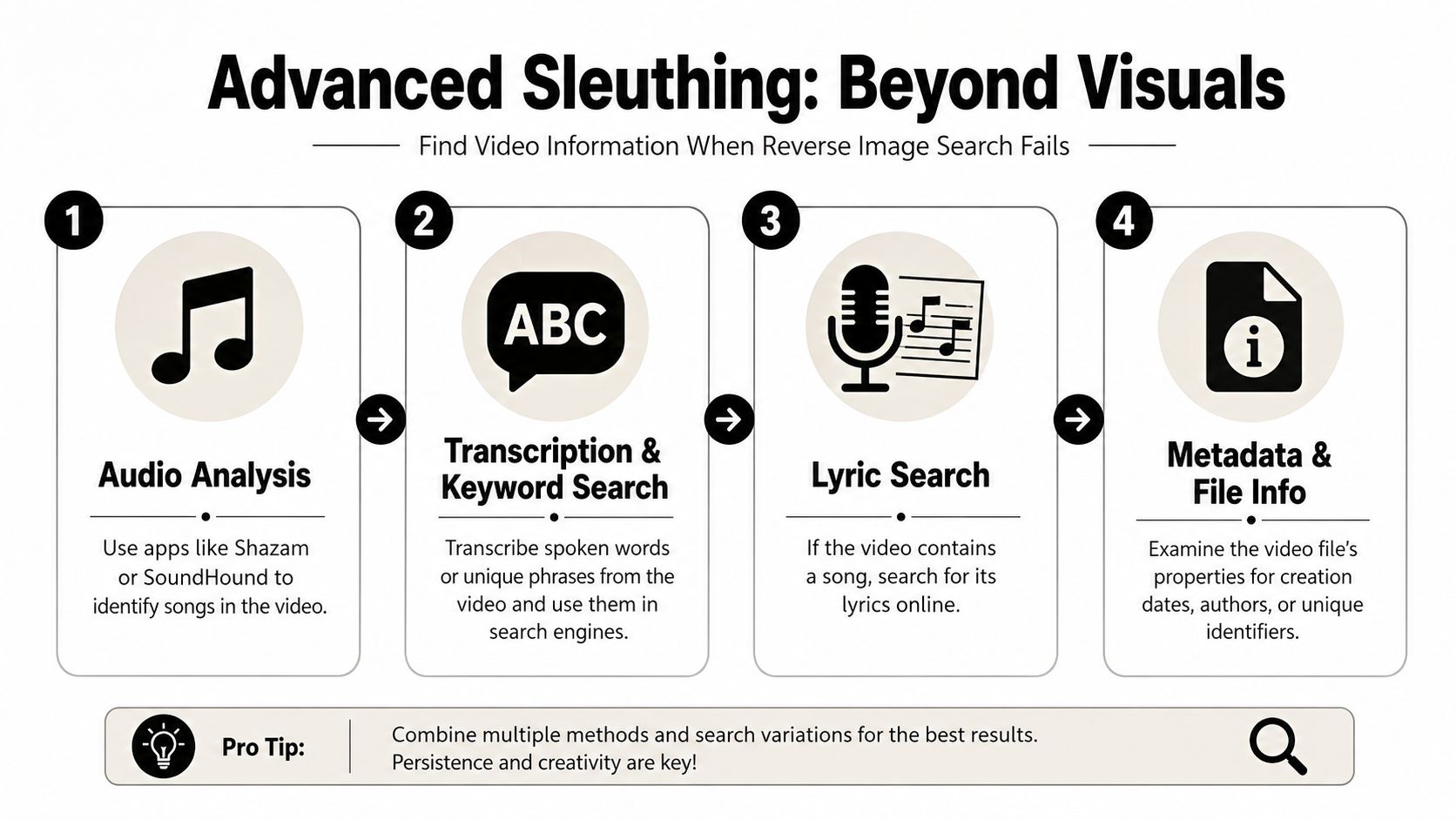
Search what people said
Spoken dialogue is often the cleanest path back to the source. Pull one unusual sentence, then search it in quotation marks on Google and YouTube. Don't choose a generic line like “that changed my life.” Choose the weird specific fragment that sounds too unique to repeat everywhere.
If the repost has burnt-in captions, use those too. Subtitle text often contains cleaner wording than what you catch by ear. And if you need the audio separated before transcribing, this method for getting audio off a video makes the process easier.
Try combinations like:
- Exact quote plus a topic word
- Speaker name plus quote fragment
- Quote plus podcast
- Quote plus site:youtube.com
Let music identify the clip for you
If the repost uses the original soundtrack or a recognizable song, audio fingerprinting can do the heavy lifting. Shazam and SoundHound are the obvious tools, but the key trick is using the result as a lead, not an answer.
A song match can point you toward:
- a trailer
- a fan edit series
- a movie soundtrack page
- a creator who uses the same track repeatedly
- a trend cluster on TikTok or Reels
If lyrics are clear, search the lyric fragment separately. Sometimes the song is the only surviving clue after the video itself has been copied and reuploaded endlessly.
Don't ask one tool to solve the whole mystery. Let each tool reveal one missing piece.
Search platforms like a local, not a tourist
Generic search bars hide a lot. Platform-native search can be better when you already have a phrase, topic, or rough upload window.
Useful moves:
- YouTube: Search the quote plus likely format words such as interview, podcast, panel, keynote, trailer.
- Reddit: Search descriptive phrases in r/HelpMeFind or r/TipOfMyTongue when the clip has fandom context or obscure media origins.
- X advanced search: Narrow by keywords and date ranges if the clip seems tied to a news event, launch, or viral moment.
- TikTok and Instagram: Search visible caption fragments, hashtags, or creator handles from any watermark residue.
Sometimes the answer appears in comments under a repost, but don't trust a single comment thread. Use it as a clue source, then verify elsewhere.
Verify the Source and Avoid Fakes
Finding a likely match isn't the finish line. It's the point where mistakes get expensive.
The essential task is identifying the primary source of publication. That means the earliest credible upload from the creator, publisher, studio, event organizer, or official channel. Repost networks muddy this fast, and edited versions can look more “real” than the original because they've been sharpened, subtitled, or stripped of context.
Check the source chain
Use a simple credibility pass:
- Compare upload timing: Earlier uploads usually beat compilations and meme pages.
- Inspect channel identity: Official brand, creator, studio, or event pages are stronger than random viral accounts.
- Check resolution and completeness: The original is often longer, cleaner, and less aggressively cropped.
- Look for external confirmation: Speaker names, event pages, or matching descriptions outside the repost ecosystem.
A useful caution comes from Clark et al. coverage on lineup identification limits. The paper is about identification procedures, but the practical takeaway for video sleuthing is relevant: increasing information in a lineup improves identification outcomes by up to 39% under U.S. procedures, while view angle and image quality can reduce accuracy. That's exactly why low-resolution clips, odd crops, and manipulated edits can push people toward false confidence.
Be skeptical of “close enough”
Deepfakes, face swaps, mirrored edits, and stitched clips all create false matches. If the face is blurry, the angle is harsh, or the scene lacks stable visual anchors, don't overclaim.
If the evidence is weak, the honest answer is “likely,” not “confirmed.”
When a clip involves identity claims, legal stakes, or surveillance-style footage, ordinary internet matching stops being enough. Forensic work depends on stricter methods than casual viewers assume, and most viral “what video is this” hunts never meet that standard.
You Found It Now What?
Once you've got the match, capture the useful metadata before you close the tab. Save the source URL, creator name, channel handle, upload date, title, and the exact caption or description. If the clip matters for research, reporting, or licensing, grab a screenshot too. Pages change. Accounts get renamed. Shorts get deleted.
Then make a decision. Archive it, cite it, or repurpose it.
If you're a creator, editor, marketer, or podcaster, finding the full source is the start of the workflow, not the finish line. A longer video often contains several usable moments, but only if you cut with intent. Klap's short-form video benchmark notes that shorter clips tend to outperform full-length uploads on social, which matches what editors see in practice. The best hits are usually a tight opening, one clear idea, and a payoff that lands fast.
Start by pulling clips with distinct jobs:
- A strong first 3 to 5 seconds for attention
- A quote with tension or surprise for Shorts and Reels
- A self-contained teaching moment for captioned social posts
- A reaction, disagreement, or punchline that stands on its own
Rights come first. If you don't own the footage, get permission or stay in commentary, critique, or citation territory where that use fits. If you do have the rights, store the source file, note the original timestamp, and label your selects so you can find them again without repeating the hunt.
That last part matters more than people expect.
A good video search workflow ends with a verified source, clean attribution, and a next action. Sometimes that means citing the original upload in a newsletter. Sometimes it means clipping a 45-minute interview into five usable vertical videos. Sometimes it means ruling a clip out because the match is weak and the safest call is not to publish.
If you already have long videos and want to turn the best moments into social-ready clips fast, Klap is built for that. You can upload or link a long-form video, let the AI find strong segments, add captions, reframe for vertical formats, and export shorts without doing the whole edit manually.
