
Viral Shorts: Master Social Media Video Templates for 2026 Success
Other
Social media video templates are pre-designed layouts that let you create professional-looking short videos in minutes. When you use a tool like Klap, you’re not just trimming clips; you’re applying customizable templates that instantly add dynamic captions, your brand elements, and eye-catching effects to your content. No editing skills required. It’s the fastest way to repurpose your existing videos into engaging, platform-ready shorts.
Why Templates Are a Creator's Secret Weapon
Let's be honest: the pressure to constantly feed the content machine is relentless. Short-form video is now the main event for audience engagement, but churning out a steady stream of high-quality clips for TikTok, Reels, and Shorts is a fast track to burnout. This is where getting smart about content repurposing isn’t just a good idea—it’s essential for survival.
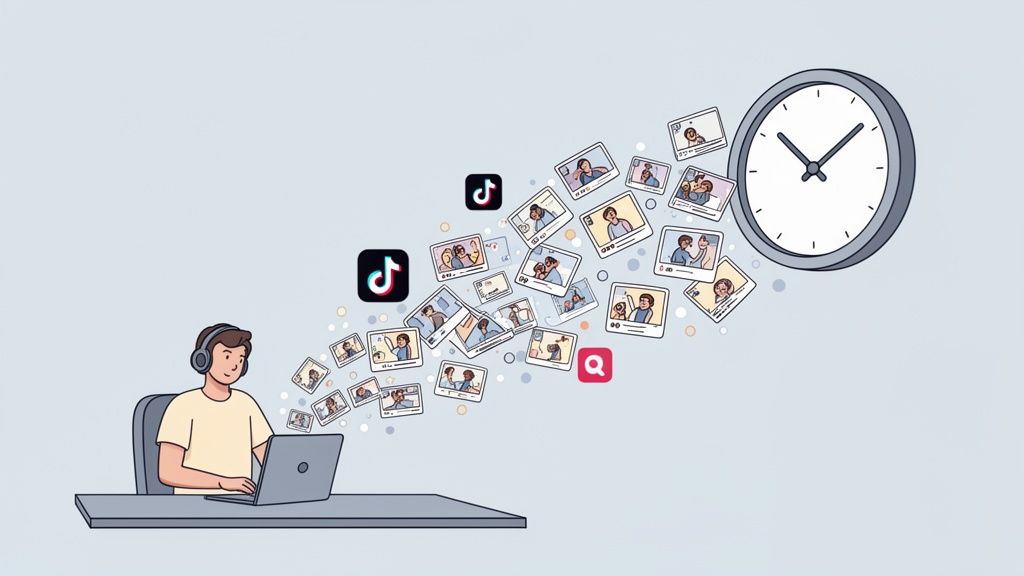
Instead of filming new content from scratch every day, you can tap your existing long-form videos—like podcasts, webinars, or YouTube deep dives—as a goldmine for short clips. This isn't just about chopping up a long video. It's about strategically pulling the best moments and packaging them for maximum impact on social media.
Scale Your Content Without Scaling Your Workload
The explosion of short-form video makes it clear this isn't a passing fad. Recent data shows a 36% year-over-year growth in short-form video consumption. Platforms like YouTube Shorts are pulling in over 70 billion daily views all on their own. If you're not repurposing, you're leaving a massive amount of engagement on the table. For an even deeper look, check out these key video marketing statistics for 2026.
This is where social media video templates really shine. They solve the single biggest bottleneck in content creation: the editing.
Templates give you a proven framework. They handle the formatting, styling, and pacing so you can stop worrying about the technical stuff and focus on finding the most valuable moments in your original video.
How AI and Templates Work Hand-in-Hand
AI-powered tools like Klap take this process to the next level. The AI scans your entire video, pinpoints the most viral-worthy moments and key takeaways, and automatically generates short clips from them. All that’s left for you is to apply a video template with a single click.
This powerful combination helps you:
- Stay On-Brand, Effortlessly: Set up your brand colors, fonts, and logo just once. Klap applies them consistently across every single clip, making sure your content is always recognizable.
- Keep Viewers Hooked: Use templates with dynamic, word-by-word captions. They’re designed to grab attention and have been proven to keep viewers watching longer, with some studies showing an 80% increase in view duration.
- Optimize for Every Platform: Instantly format your clips into the 9:16 vertical aspect ratio—the gold standard for mobile viewing on TikTok, Reels, and Shorts.
In the end, social media video templates turn repurposing from a mind-numbing editing chore into a scalable growth strategy. They empower you to pull months of scroll-stopping content from a single long video, ensuring every clip is perfectly engineered to grow your audience.
Choosing the Right Templates for Maximum Impact
Picking the right social media video templates isn't just about finding a style that looks cool. The best templates are strategic tools, each designed to do a specific job. They take raw moments from your long-form videos and turn them into focused, high-impact shorts.
Think of your templates as a toolkit. You wouldn't use a hammer to saw a board, right? The same logic applies here. Instead of just slapping a random style on a clip, you need to match the template to the goal. This is how you go from making generic clips to building a powerful library of social content.
The Core Template Categories
You don't need a hundred different templates. In fact, that would just slow you down. A small, versatile library organized by function is all you need to handle almost any situation.
- Strong Hook Templates: These are your most valuable assets. Their only job is to stop the scroll and grab someone's attention in the first 3 seconds. Look for templates with bold, animated text and dynamic captions that have room for a provocative question or a bold statement right at the start.
- Quote Card Templates: Perfect for pulling highlights from interviews, podcasts, or coaching calls. These templates put a powerful quote front and center, usually with the speaker's name and handle. They turn a single insightful sentence into a super-shareable piece of wisdom.
- Key Takeaway Templates: Use these to break down valuable info from a tutorial, webinar, or presentation. They often use bullet points or numbered lists to make complex ideas simple and scannable. Think of them as the "cheat sheet" version of your content.
Matching Template Style to Your Brand
Your clips need to feel like you, not like they rolled off a generic content assembly line. A financial advisor’s videos should have a completely different vibe than a gaming creator’s, even if they're both repurposing their content.
Don't just slap your logo on a random template. Customize the fonts, colors, and animation styles to match your brand's visual identity. Consistency is what builds recognition and trust with your audience over time.
For example, if your brand has a clean, minimalist aesthetic, stick with templates that have simple text animations and lots of clean space. But if your brand is all about high energy, go for templates with vibrant colors and more dynamic effects. A tool like Klap lets you set these brand parameters once, so every clip it generates is already a perfect match.
Building Your Starter Template Library
You don't need to reinvent the wheel for every single video. Start with a core set of templates that cover the most common scenarios you'll face. This not only keeps your brand looking consistent but also makes your workflow way faster.
Let's imagine you just finished recording a one-hour podcast episode. Here’s a practical workflow:
- Grab the part where your guest makes a really controversial statement and apply a Strong Hook template.
- Find the three most powerful one-liners and turn them into individual clips using a Quote Card template.
- Create one final short that summarizes the episode's top three lessons using a Key Takeaway template.
Just like that, you've turned one piece of long-form content into five distinct, purpose-driven clips. The template you choose directly shapes how your message lands, and this is especially true on different platforms. For a deeper dive into platform differences, see how TikTok vs YouTube Shorts compare in our detailed guide.
This small library becomes your content engine, ready to transform any video into a batch of shareable shorts.
How to Repurpose Videos Using AI and Templates
Alright, let's get practical. The idea of turning one long video into a dozen polished shorts can sound like a ton of work. But it's actually much simpler when you combine a smart AI tool with the right social media video templates. We'll use a tool like Klap as our example to show you just how fast this workflow can be.
It all kicks off the second you upload your video file or even just paste a YouTube link. Forget manually scrubbing through an hour of footage. The AI jumps right in, analyzing the transcript, tone, and even visual cues to pinpoint the most compelling segments—the moments with real hook potential.
In just a few minutes, you’ll get a list of AI-suggested clips that are ready to go. Now comes the fun part: using templates to turn these rough cuts into share-worthy, on-brand content.
Applying Templates to Keep Viewers Watching
Once the AI has found your best moments, your job is to add the polish. This is where you apply your brand templates to give every clip a consistent, professional look.
The first thing to tackle is captions. This isn't optional anymore. With around 85% of social media videos being watched on silent, captions are essential for accessibility and engagement. Modern tools give you those dynamic, karaoke-style captions that highlight words as they're spoken, which is a massive win for engagement. Applying a caption-focused template is usually a one-click affair.
This simple workflow below shows how you can think about structuring your clips—grab them with a hook, deliver a key quote, and leave them with a takeaway.
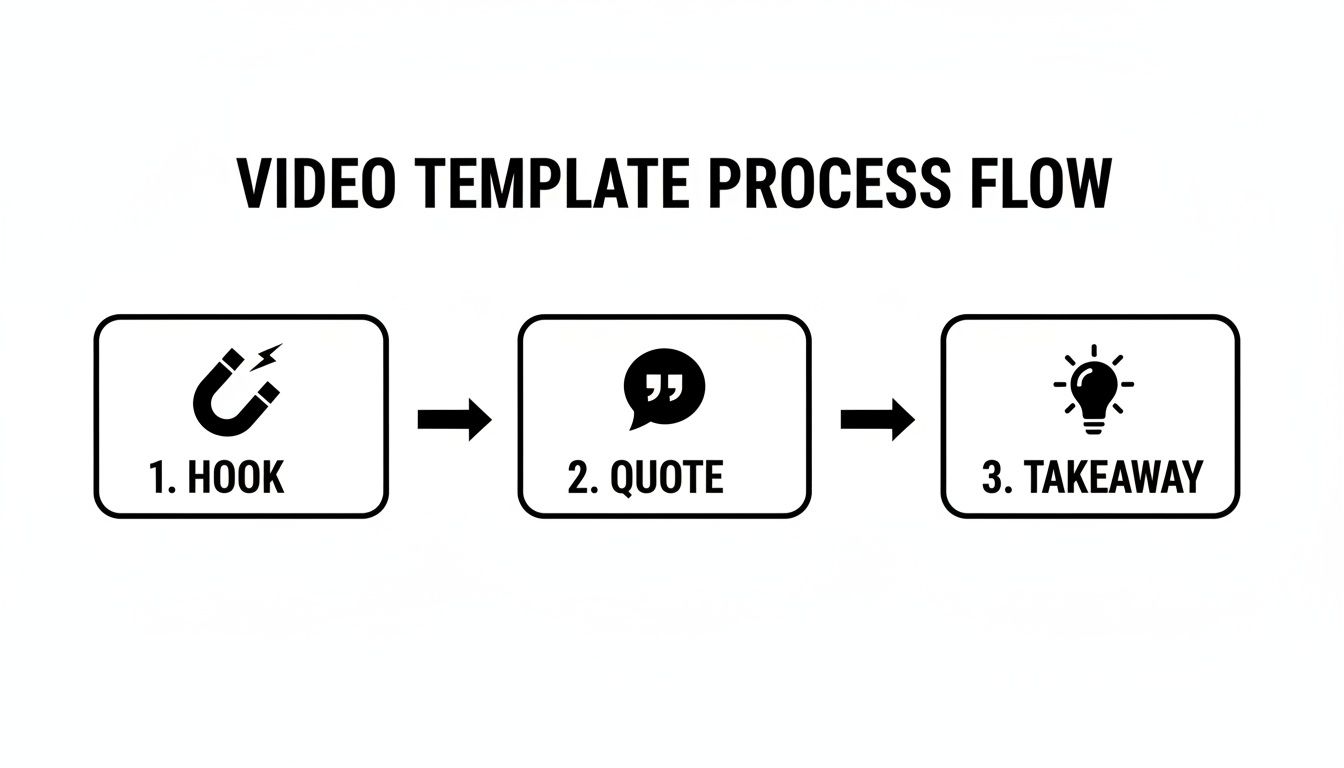
This is a great starting point for structuring your clips. Next up, you need to make sure everything looks perfect on a phone screen.
Auto-Reframing and Making It Your Own
One of the biggest headaches of repurposing horizontal video is trying to keep the speaker centered in a vertical 9:16 frame. This is where AI-powered auto-reframing is a lifesaver. The tool automatically tracks the main speaker or point of action, ensuring they stay perfectly in focus without you having to mess with tedious keyframes.
This is also where you inject your brand's personality. The template gives you the skeleton, but you make it yours by:
- Setting Your Colors: Adjust the text, highlights, and background elements to match your brand palette.
- Choosing Your Fonts: Lock in the primary and secondary fonts from your brand guidelines.
- Adding Your Logo: Stamp your logo in a consistent spot on every clip for instant recognition.
Most tools let you save these choices as your default style, so every clip you generate from then on is automatically on-brand. If you're looking for other ways to automate your video workflow, checking out what an AI video ad creator can do is also a smart move for creating promotional assets.
The Final Polish: Your Pre-Export Checklist
Before you hit that export button, take five minutes to run through a final quality check. This quick review can be the difference between a clip that does "okay" and one that really performs.
A great clip is more than just a good moment; it's a well-timed, branded, and clear piece of communication. Don’t skip the final check—it’s where you turn a good clip into a great one.
Here’s a practical checklist:
- Tight Timing: Are the start and end points as tight as possible? Cut out any dead air or awkward pauses.
- Caption Accuracy: Give the captions a quick read-through to catch any weird transcription mistakes.
- Brand Consistency: Does the clip have the right colors, fonts, and logo placement?
- A Clear CTA: If it makes sense for the clip, do you have a call-to-action planned, either in the video itself or in the post's copy?
Once you’re happy with everything, you’re ready to export and schedule. For anyone keen to dive right in, you can see how an AI shorts maker can simplify this entire process for you. This is how you stop the content treadmill and start turning hours of footage into weeks of engaging social media content.
Using a great video template gets you 90% of the way to a finished clip. But that last 10%? That's where good content becomes great content.
A slick, well-edited clip can still completely miss the mark if you ignore the unwritten rules of each social media platform. You don't have to create entirely new videos for every app, but making a few smart tweaks to your repurposed shorts is what helps them feel native and truly connect with viewers.
It's all about making your content feel like it was made for the platform it’s on, not just dropped there.
Mastering the TikTok Vibe
On TikTok, everything is about speed, sound, and a raw, authentic feel. Your video is up against a firehose of high-energy content, so you have to find a way to fit in while still grabbing attention.
- Layer in Trending Audio: Don't just stick with your original video's sound. Export your clip without any background music, upload it to TikTok, and then add a trending sound. Just turn the volume way down—somewhere between 1-5%—so it doesn't overpower your dialogue. This tiny trick is a huge signal to the algorithm, helping it categorize your video and show it to more people.
- Add a Native Text Hook: Your template probably has a solid hook, but you can double down by adding a text overlay directly in TikTok for the first three seconds. Use a bold, native-looking font to ask a punchy question or drop a surprising statement. It tells viewers exactly why they should stop scrolling.
Acing Aesthetics on Instagram Reels
Instagram Reels leans more toward a polished, aesthetic vibe. While authenticity still matters, users here tend to appreciate a cleaner, higher-production look.
On Reels, your caption is just as important as the video itself. Think of it as a mini-blog post. Use the space to add more context, tell a deeper story, or offer extra value. This encourages people to save and share your Reel, which are huge wins for the Instagram algorithm. Pair a well-written caption with a clean, visually pleasing video, and you've got a recipe for success.
Platform-specific optimization isn't just a nice-to-have; it's critical. Data shows that Instagram Reels can drive 22% higher engagement than other post types on the platform. Making these small tweaks helps you tap into that extra performance.
To really get your clips optimized and grabbing attention, it helps to understand what goes into creating engaging social media ready highlight reels.
Looping for Watch Time on YouTube Shorts
With YouTube Shorts, it's all about watch time and audience retention. The algorithm is obsessed with videos that people watch more than once.
The single most powerful tactic for Shorts is the seamless loop. As you edit your templated clip, pay close attention to the beginning and end. Try to trim them so the last word flows perfectly back into the first. When someone doesn't even realize the video has started over, they'll often watch it two or three times. This massively inflates your average view duration and signals to YouTube that your content is a keeper.
Don't forget to use your Shorts to point viewers toward your main channel, either by mentioning your long-form videos directly or linking to them in the comments.
The demand for this kind of platform-optimized content is skyrocketing. In fact, the market for vertical video templates is expected to reach $3.09 billion by 2030. And with over 53% of influencers now favoring 15-30 second videos for brand deals, having templates that fit these platform norms is essential. You can learn more about this growing market and its drivers.
No matter the platform, clean, easy-to-read captions are non-negotiable. If you need a hand with that, check out our free subtitle generator tool.
Common Mistakes to Avoid with Video Templates
Social media video templates are a lifesaver, but they're not foolproof. Many creators grab a template, slap their video in, and call it a day, only to wonder why their engagement is flat. A few common slip-ups can make your carefully repurposed clips look cheap, lazy, or just plain off-brand.
Avoiding these pitfalls is the difference between a video that gets scrolled past and one that actually stops the thumb and gets your message across.
One of the biggest red flags is over-branding. While you definitely want people to recognize your content, plastering your logo and brand colors on every available pixel makes your video feel less like authentic content and more like a desperate ad. Viewers on TikTok and Reels are incredibly savvy—they sniff out overly corporate videos in a second and keep scrolling.
Think of your branding as a subtle signature, not a giant billboard. It should be there, but it shouldn't be the main event.
Relying on Captions to Fix Bad Audio
Another trap is neglecting audio quality. The thinking goes, "I've got captions, so who cares if the audio is a bit fuzzy?" This is a massive mistake. Sure, a huge number of people watch with the sound off, but many don't. For them, muffled or distorted audio is an instant turn-off.
Bad audio screams low quality. It makes your content feel unprofessional and frustrating to consume, no matter how great your captions are.
Your audio is half of your video. Always start with clear, crisp sound from your original long-form content. No template or caption style can salvage a clip that’s hard to listen to.
Using Generic Templates That Clash with Your Brand
Finally, there's the classic mistake of grabbing a template just because it’s popular. A high-energy, flashy template might be perfect for a gaming creator, but it’s going to feel completely jarring coming from a financial advisor or a therapist. When your template's vibe clashes with your brand's voice, it creates a disconnect that confuses your audience.
The key is to be selective. Don't just pull a random template from an app like CapCut and assume it will work. Instead, take a little time to curate a small library of social media video templates that genuinely reflect your brand's personality.
Here’s an actionable plan:
- Customize Your Core Templates: In a tool like Klap, you can plug in your brand’s specific fonts and color hex codes. This one-time setup ensures every clip you create feels uniquely yours.
- Match the Vibe: Be intentional. A serious, educational topic works best with a clean, minimalist template. A fun, behind-the-scenes clip can handle more dynamic effects.
- Test and Refine: Don't just set it and forget it. Pay attention to your analytics to see which template styles get the best engagement, and double down on what works.
By sidestepping these common blunders, your templated videos will stop feeling like generic, repurposed clips and start feeling like authentic, valuable pieces of your brand's story.
Your Questions About Video Templates Answered
Jumping into AI repurposing and using social media video templates can feel like a big shift. It's totally normal to have a few questions. We’ve put together some straight answers to the most common ones we get from creators.
Think of this as the last piece of the puzzle. Let's clear up any doubts so you can start creating way more efficiently, with total confidence.
How Many Shorts Can I Get From One Video?
This is where the real magic of AI shines. From a single 60-minute video, you can realistically pull 10 to 15 high-quality, distinct clips.
The AI isn't just slicing your video into random bits. It’s smart enough to pinpoint dozens of engaging moments, powerful soundbites, and potential hooks you might have overlooked. Each one becomes a unique short, squeezing every last drop of value out of your original content.
Will Using Templates Make My Content Look Generic?
That’s a common fear, but the short answer is no—not if you do it right. The point of using templates isn't to blend in; it’s to build a recognizable style that’s all your own.
The best AI tools aren't just template libraries. They're brand-building engines. They let you lock in your specific colors, fonts, and logos so every clip has your unique fingerprint on it.
Think of a template as your foundation. A great platform like Klap lets you bake your branding right into your styles, so every single clip comes out looking polished and perfectly on-brand from the get-go.
Can I Use These Templates Without Editing Skills?
Absolutely. In fact, that's the whole idea. AI-powered platforms and their social media video templates are built for creators, marketers, and entrepreneurs—not for professional video editors.
The entire workflow is designed to be as hands-off as possible.
- The AI does the heavy lifting, finding all the best clips for you.
- Auto-reframing keeps your subject perfectly centered in any vertical format.
- Applying a fully branded template is usually just a single click.
These tools are made to tear down the technical walls, letting you put all your energy into your content and message. You don't need to know a thing about keyframes or timelines; you just need to have something great to share.
Ready to stop wasting time on manual editing and start turning your long-form videos into a steady stream of viral shorts? Klap uses AI to do the hard work for you. Find your best moments, apply stunning templates, and create weeks of content in minutes. Try Klap today and see the magic for yourself.
