
Is Capcut Pro Worth It? An Honest, Detailed Review for Creators
Tools for Creators

Quick Summary
CapCut Pro offers a strong set of editing tools and higher-quality exports, which makes it appealing for creators who want hands-on control. However, its broad feature set can feel heavy if your priority is speed and simplicity. This article breaks down what CapCut Pro includes, where it works well, where it doesn’t, and why Klap is a more efficient alternative.
Should You Upgrade to CapCut Pro?
CapCut is one of the most popular video editors today, and its Pro plan promises advanced tools and better exports, but not every upgrade delivers the same value for every creator.
The real decision comes down to how you work. CapCut Pro adds more control, more effects, and higher-quality output, but those benefits matter most if you’re comfortable spending time editing for long. For faster, repeatable workflows, extra features can sometimes slow things down.
In this Klap article, we’ll highlight what CapCut Pro actually unlocks, how it compares to the free version, and whether its approach fits your editing style, or if a lighter, more automated tool makes more sense.
But first…
Why Listen to Us
At Klap, we’ve helped over a million creators, brands, and media teams turn long recordings into high-performing short clips. Our product focuses on automating clipping, framing, captions, and translation in over 50+ languages. That gives us firsthand insight into where traditional editors like CapCut Pro help, and where they slow workflows down.
Main Highlights
Before we review CapCut Pro in detail, here are a few key takeaways to help you decide whether it is worth paying for.
- CapCut Pro noticeably improves export quality, with support for 4K and higher-end formats that make videos look cleaner and more polished than the free version.
- Removing watermarks is a small change, but it matters if you’re publishing consistently or building a brand and don’t want platform branding on your work.
- The AI tools, like auto captions and background cutout, help speed things up and reduce some of the repetitive editing work.
- Many of the more interesting features are locked behind the paid plan, while the free version already handles basic edits just fine.
- For creators focused on fast, lightweight short-form content, the broader toolset can sometimes feel like more than you actually need.
What is Capcut Pro?
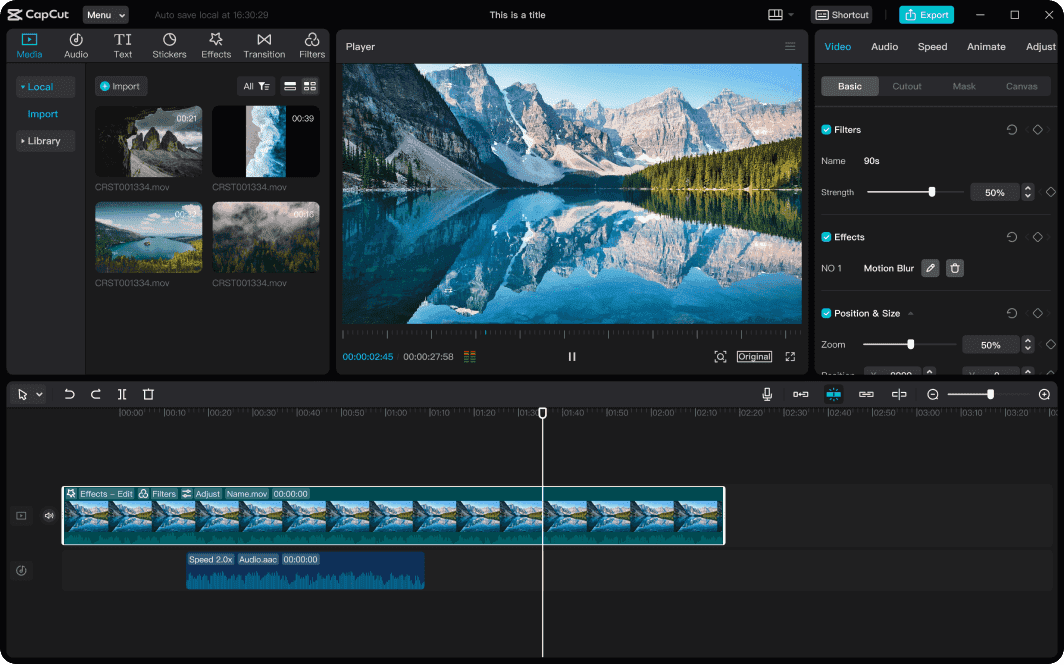
CapCut Pro is the paid version of CapCut that unlocks more advanced editing features than the free plan. It adds higher-quality export options, access to premium effects and assets, and AI tools like auto captions and background removal that can speed up editing tasks. Whether it’s worth paying for really comes down to how much control and polish you need in your videos, and how often you’re editing beyond basic cuts.
Key Features
- 4K and High-Frame Export: Export videos in higher resolutions and smoother frame rates, which is useful when quality matters and you don’t want your footage to look compressed after publishing.
- Extended Effects Library: Access a larger set of transitions, overlays, and templates that aren’t available in the free version, giving you more room to experiment without building everything manually.
- Multi-Device Sync and Cloud Storage: Start editing on one device and pick up where you left off on another. Projects are stored in the cloud, which helps avoid file transfers and version confusion.
- No Watermark Export: Remove CapCut branding from your videos, making the final output cleaner and more suitable for professional or branded use.
- Premium Audio Tools: Use built-in tools like noise reduction and audio adjustments to clean up sound and make videos easier to watch and listen to.
Pricing
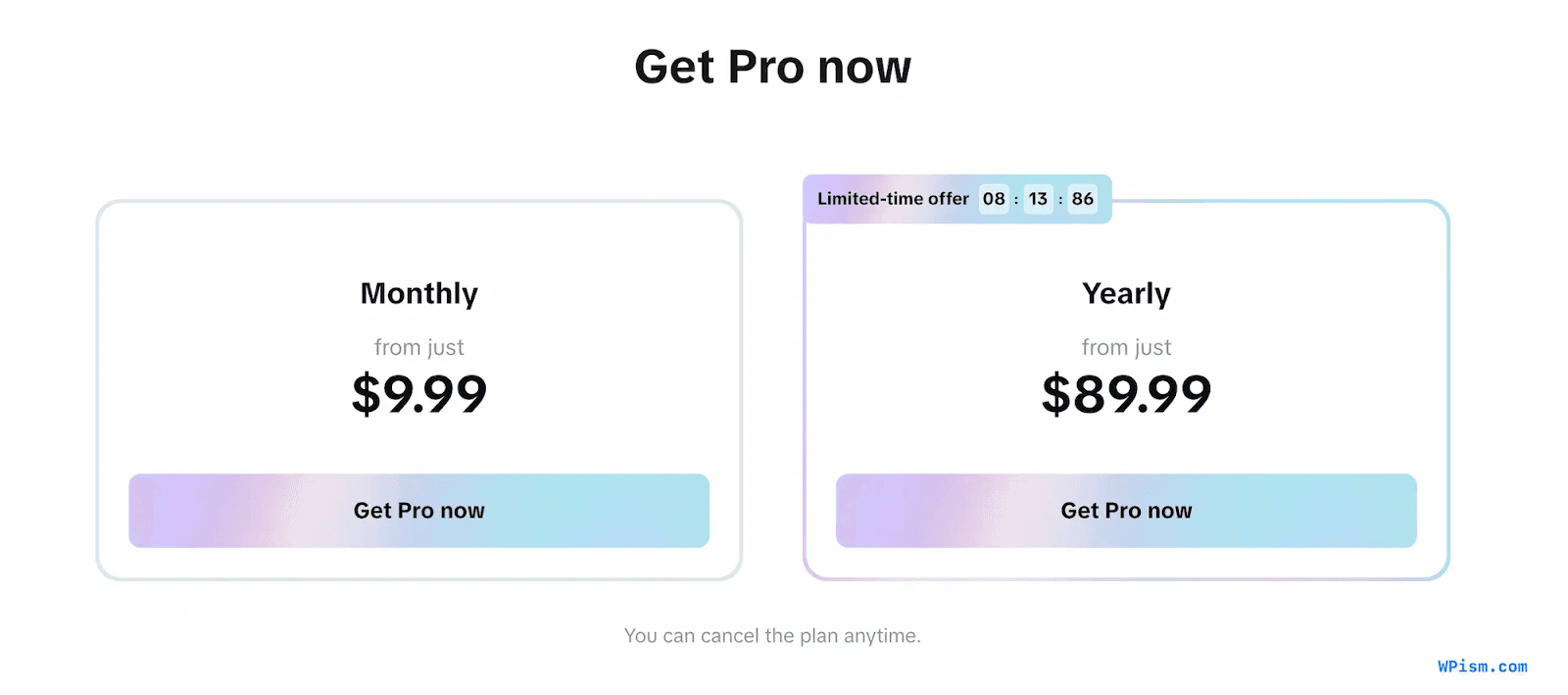
CapCut Pro has a few paid subscription options available
- Free Plan ($0): Includes basic editing tools with limited access to premium effects and lower export quality.
- Standard Plan ($9.99/month): Unlocks additional transitions, templates, and editing tools, but is typically limited to mobile devices.
- Pro Plan ($19.99/month): Provides cross-platform access (mobile, desktop, web) with advanced tools such as extended AI features, premium effects, higher export options, and cloud storage.
- Team Plan ($24.99/month): Designed for collaborative workflows with shared libraries and team management features.
CapCut also offers a free trial period (often 7 days) for new users to test Pro features before committing to a subscription.
What We Like
- Depth When You Need It: CapCut Pro gives you access to a wide range of tools and effects that go well beyond the free version, which helps when you want your edits to look more refined.
- Helpful AI Tools: Features like auto captions and background removal genuinely save time, especially when you’re producing social content regularly.
- Stronger Export Quality: The ability to export in 4K (and higher-quality formats) makes a noticeable difference if visual clarity matters to your work.
- Works Across Devices: Being able to switch between mobile, desktop, and web without restarting a project makes editing more flexible.
- More Creative Room: The expanded library of templates, transitions, and effects gives you more options without having to build everything from scratch.
What We Don’t Like
- Accuracy of Some AI Tools: Auto captions and background removal work well in clean footage, but they can struggle with background noise or busy scenes and may need quick manual fixes.
- Some Features Behind Paywall: Several effects and templates sit behind the paid plan, which can feel limiting if you’re expecting more flexibility from the free version.
- Performance Limits on Large Projects: Users report occasional slowdowns or instability when working with longer videos or heavy edits.
- Dependence on Internet: Some features and template downloads require a stable connection, which can interrupt editing workflows.
- Customer Support Variability: While many users have no issues, support responses can be inconsistent, particularly when it comes to billing or subscription questions.
Introducing Klap, a Better Alternative to CapCut Pro
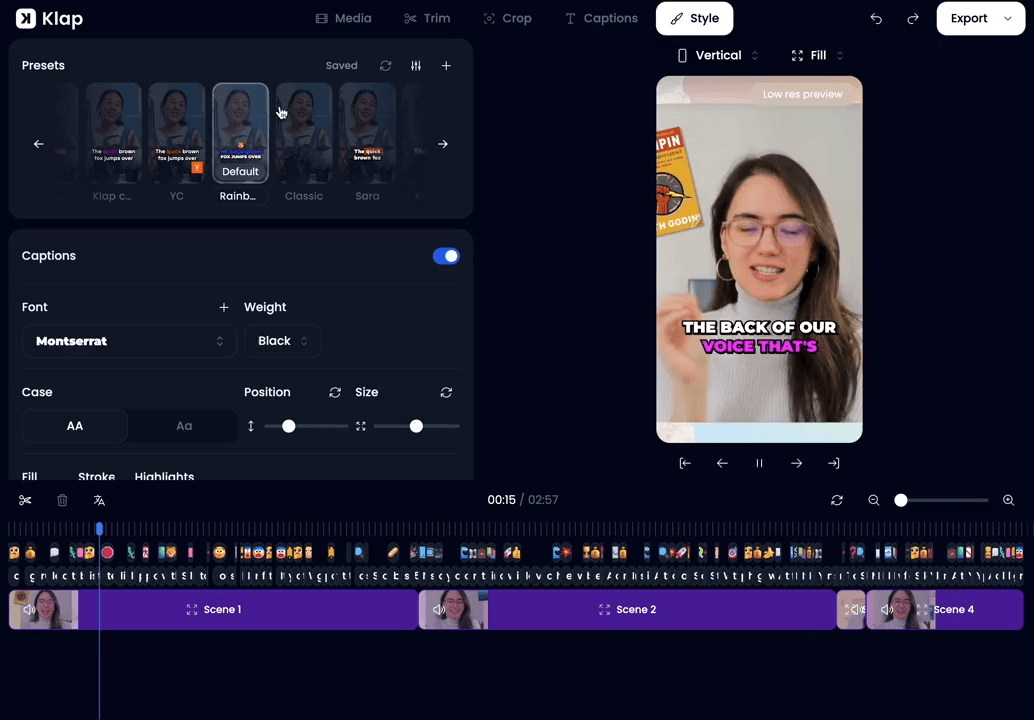
Klap takes a simpler approach to video editing. Rather than offering an all-purpose editor packed with manual tools, it focuses on automating the repetitive work that comes with short-form content. This makes it a better fit for workflows where speed and consistency matter more than detailed creative control.
Unlike CapCut Pro, Klap doesn’t rely on heavy timelines or large asset libraries. It analyzes full videos, selects usable moments, applies framing automatically, and generates captions as part of a single process. This reduces manual cleanup and the back-and-forth decisions that slow editing down.
Klap also adds built-in captioning and translation support in over 50 languages, making it practical for creators and teams publishing across platforms and languages without adding extra tools or editing steps.
Read: Don’t want to use CapCut? Here’s our list of top CapCut alternatives.
Key Features
- Automatic Moment Detection: Identifies key segments within long videos by analyzing structure, pacing, and spoken content, so you don’t have to manually review and mark cut points.
- Intelligent Reframing: Videos are automatically adjusted for vertical or square formats, keeping the focus on the main subject even when the original footage was shot horizontally.
- Auto-Generated Captions: Captions are created and synced to the audio, making videos easier to follow whether viewers have sound on or off.
- Translation Support: Captions can be translated into over 50 languages, which helps teams reach wider audiences without adding separate translation tools.
- Context-Aware Clip Creation: Produces clips that feel complete and coherent by taking the full video into account before making editing decisions, rather than using fixed time slicing.
- Cross-Platform Export: Provides ready-to-publish video formats for different social platforms, so outputs match the technical requirements without separate export workflows.
- Batch Processing: Handles multiple clips or segments at once, reducing the time it takes to generate a series of short videos from a single long source.
Pricing
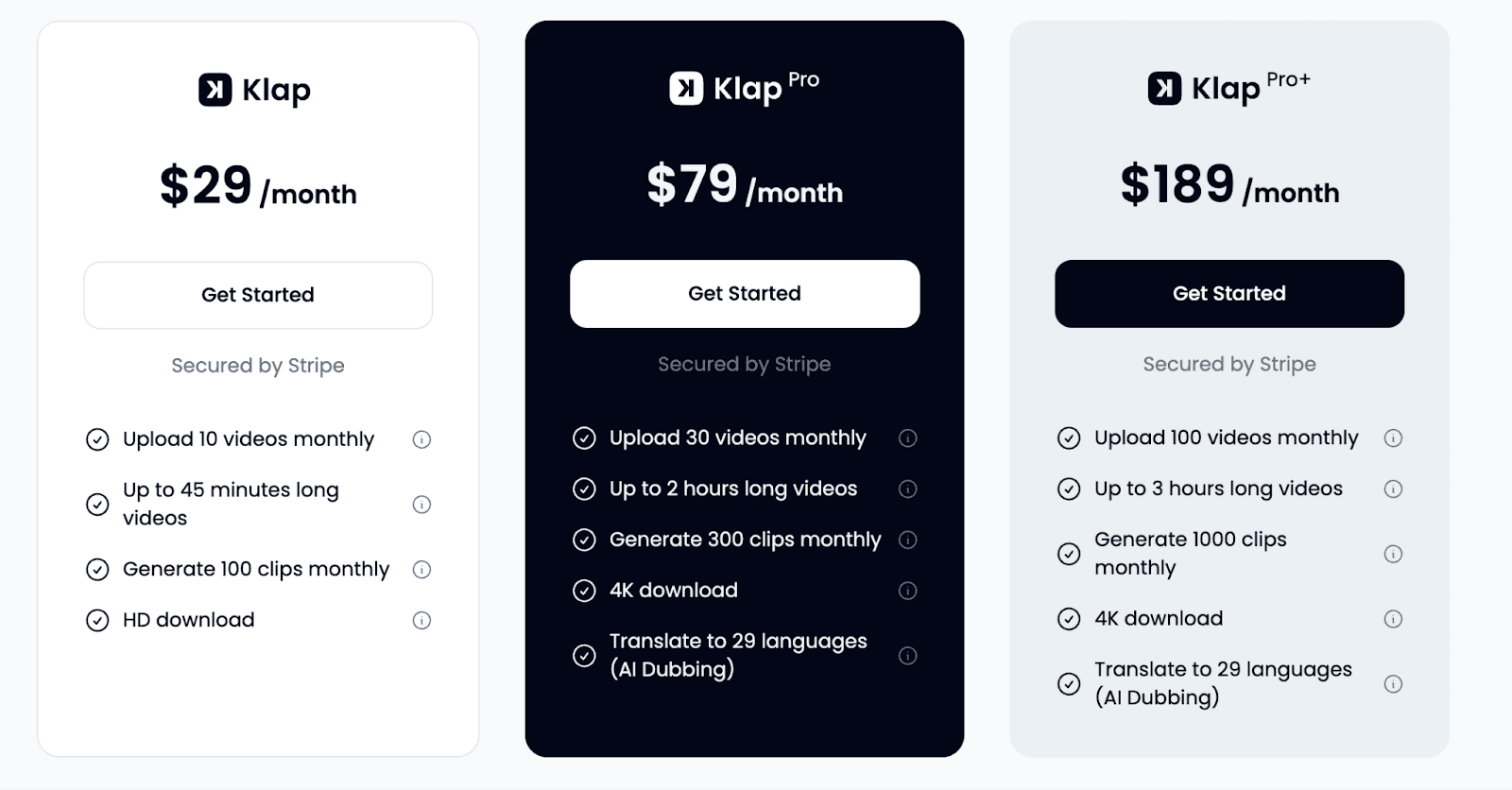
Klap has several plans available:
- Free Trial (Free): Allows creation of one video with limited clip generation so you can try the core features before subscribing.
- Klap Plan ($29/month): Lets you upload up to 10 videos monthly, generate around 100 clips, and download in HD.
- Pro Plan ($79/month): Increases usage to about 30 video uploads, 300 clips, and enables 4K downloads.
- Pro+ Plan ($189/month): Provides the highest limits with roughly 100 uploads and 1,000 clips per month.
Read: Here’s Our List of the Top AI tools for Content Creators
Why Choose Klap Over Capcut Pro
1. Lightweight, Automated Editing
Klap is designed to take editing work off your hands. Instead of managing timelines, layers, and manual cuts, you upload a video or paste a link and let the platform handle the analysis. It finds usable moments and turns them into ready-to-use clips automatically.
For creators focused on turning long videos into short-form content, this removes a lot of hands-on work. Compared to CapCut Pro’s broader, more manual editing setup, Klap feels lighter and easier to move through when speed matters.
2. Built-In Captions and Translation
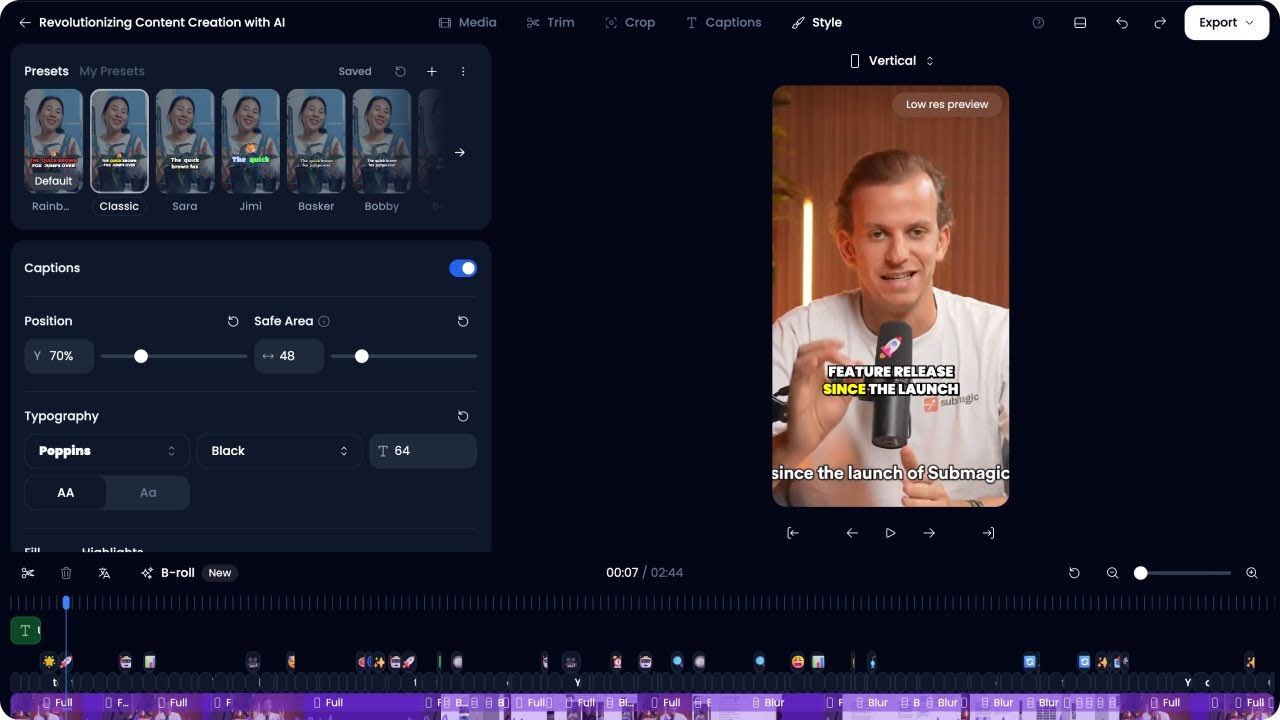
Klap handles captions and translation as part of the same workflow. Captions are generated automatically and can be translated into multiple languages without exporting files or using separate tools. This makes it easier to publish content for different regions or audiences without adding extra steps.
While CapCut Pro includes auto captions, multilingual support often requires more manual work. Klap’s built-in approach is better suited for creators and teams working with non-English content or distributing videos across multiple languages.
3. AI-Driven Clip Selection
Klap looks beyond simple trimming. It analyzes how a video is structured and what’s being said to identify moments that can stand on their own as short clips. This helps produce clips that feel complete and relevant, rather than randomly cut.
That approach works well for short-form platforms like TikTok, Reels, and Shorts. Compared to CapCut Pro, which leans more on manual editing and refinement, Klap focuses on deciding what to clip automatically, not just how to edit it.
4. One Workflow for Short-Form Content
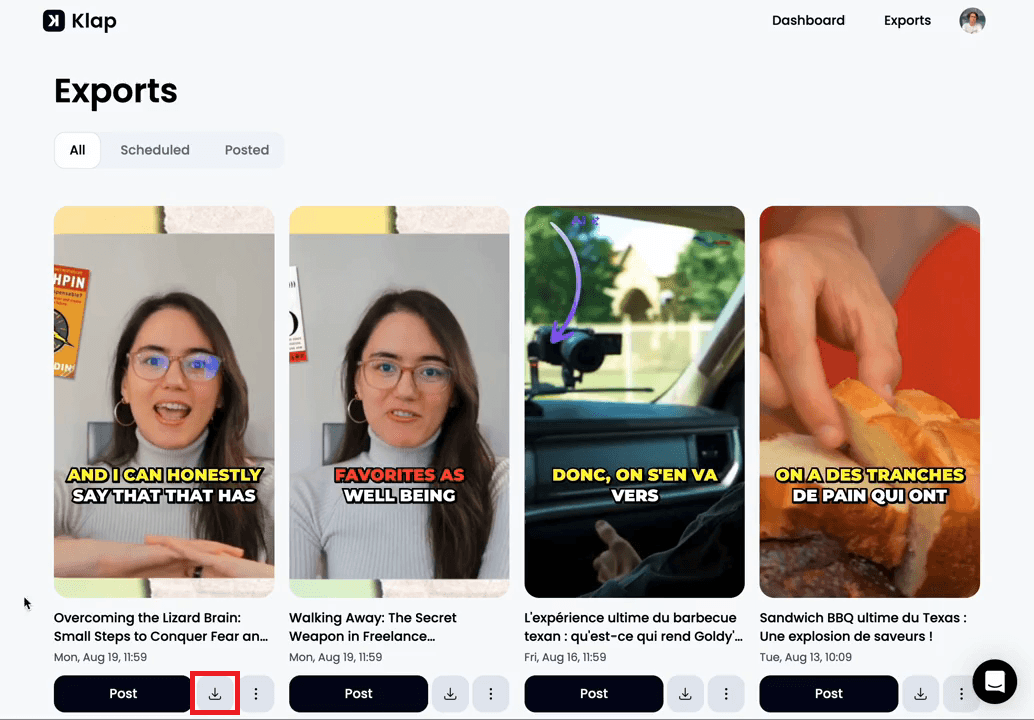
Klap brings the entire short-form process into one place. From selecting clips to reframing for vertical formats, adding captions, and exporting, everything happens in a single flow. That makes it easier to move from a long video to finished short clips without jumping between tools.
CapCut Pro is designed as a general-purpose editor, which offers flexibility but often involves more steps for tasks like caption localization or generating multiple clips at once. Klap’s workflow is more focused on getting short-form content out quickly and consistently.
5. Ready for Every Platform
Klap prepares short-form clips specifically for mobile-first platforms. It automatically handles vertical and square formats, keeps the subject in frame, and maintains pacing that fits short-form viewing. This removes the need to tweak framing or timing for each platform.
With more traditional editors like CapCut Pro, these adjustments are usually manual. Klap’s approach works better for creators who want clips ready for each platform without spending extra time refining each version.
6. Less Setup, Fewer Decisions
Klap requires very little setup to get started. You don’t need to choose templates, build timelines, or decide how to structure edits upfront. The system handles those decisions automatically, which helps you move faster and avoid overthinking. For short-form content, that simplicity often matters more than having dozens of manual options.
7. Better Fit for Content at Scale
Klap is designed for people producing a lot of short-form content from long videos. It handles multiple clips, captions, and formats in one pass, which makes it easier to maintain consistency over time. CapCut Pro can do many things well, but scaling short-form output usually means more manual work per video.
Choosing the Right Tool For Your Workflow
CapCut Pro is worth it for creators who want hands-on control, a wide effects library, and a traditional editing setup. But if your workflow centers on speed, short-form output, captions, and reuse, it can feel heavier than necessary. That’s where Klap becomes a more practical option.
Klap is built for lightweight, automated editing. It analyzes long videos, selects usable moments, applies vertical framing, generates captions, and supports translation in one flow. This makes it better suited for turning existing content into consistent short clips without manual timelines.
Try Klap today and see how much simpler short-form editing can be.
