
Deadline Tracking for Creators: Your 2026 System
Other

Your team's deadline problem probably isn't a calendar problem. It's the daily scramble of turning one long video into a pile of clips, captions, exports, approvals, and publish dates, while someone on Slack keeps asking whether the cut for tomorrow is ready yet. In that environment, deadline tracking has to do more than remind people, it has to make the work visible, predictable, and hard to lose.
The teams that stay calm don't rely on memory or heroics. They build a system that tells them what exists, who owns it, what's blocked, and what happens next. That shift matters because the work of repurposing video is usually not one big deadline, it's dozens of small ones that can slip unnoticed until the whole batch is late.
Why Your Current Deadline Tracking Fails
The failure usually starts with a false sense of control. A creator uploads a one-hour YouTube video, the editor trims a few clips, someone drops notes in a spreadsheet, and then the requests start stacking up across Slack, email, and shared docs. By the time the social team asks for the final captions, nobody is sure which version is current.
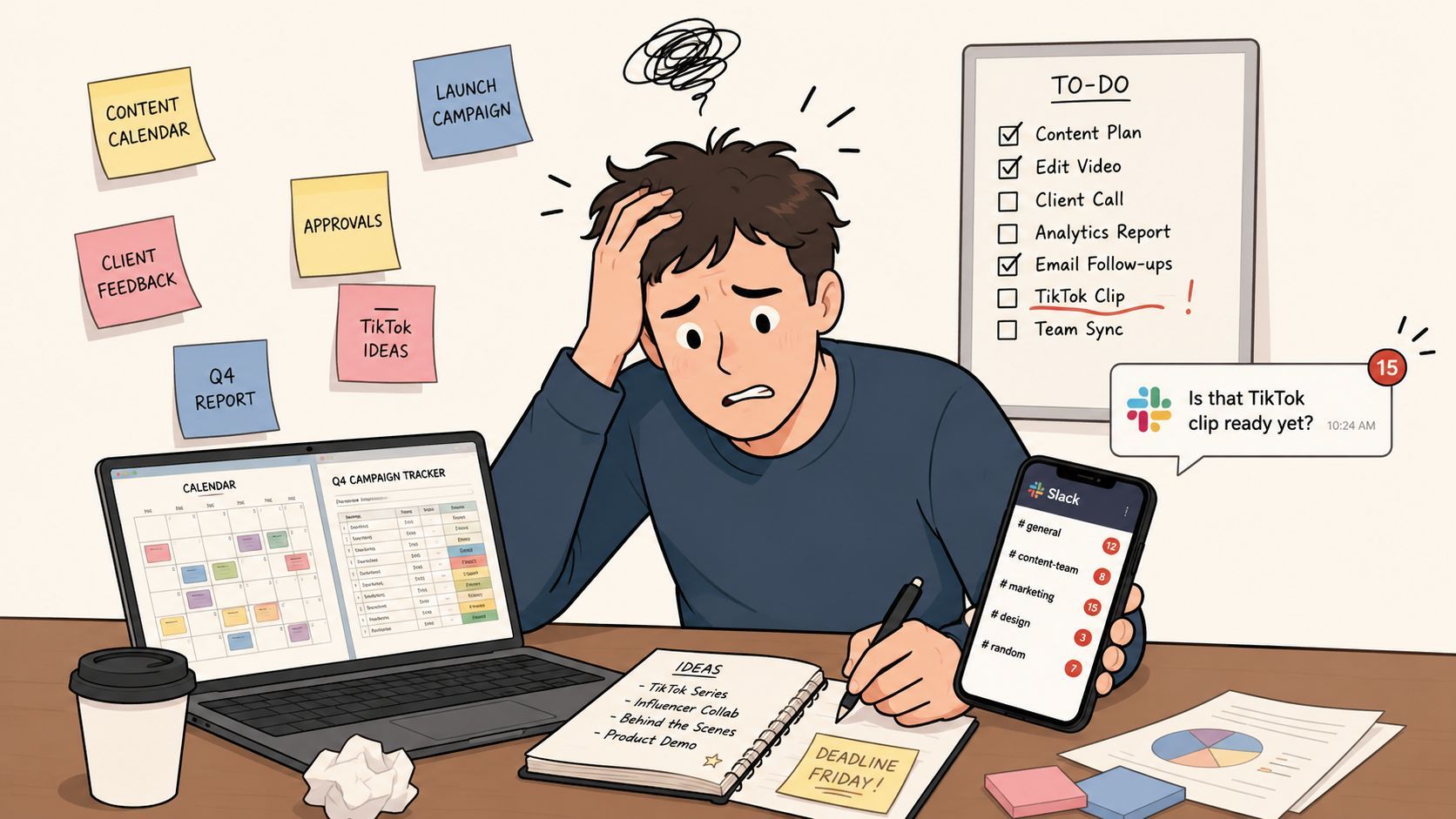
That's not deadline tracking. That's message forwarding.
You're tracking assets, not flow
A lot of creator teams treat each clip like an isolated task. The problem is that a repurposing pipeline is a chain, not a list. If the ingest step is late, the review step slips. If the review step is vague, captions get revised three times. If the publish slot changes, the whole batch needs rework.
That's why generic to-do lists break under volume. They can tell you that something exists, but they don't show how far it is from being publishable. A more useful model is a content machine, where every asset moves through the same states and every handoff is visible.
For a practical perspective on creator workflows, the YouTube creator productivity system is a useful outside reference because it frames time management as a repeatable operating habit rather than a one-off cleanup task.
The real problem is uncertainty
Deadline tracking fails when the team can't answer three questions fast enough.
- What stage is this clip in? If the answer lives in someone's head, the system is fragile.
- Who owns the next move? If ownership is fuzzy, the clip sits idle.
- What happens if it slips? If there's no visible consequence, delays compound imperceptibly.
A 2024 quasi-experimental study on college business statistics homework found that changing the deadline time didn't produce a statistically discernible difference in time spent, grades, late submissions, or extension requests, which suggests that deadline timing alone is often less important than task design and workload management for performance outcomes (study). That's a useful warning for creator teams too. Moving the due time won't fix a broken workflow.
A deadline only works when the work behind it is decomposed enough to see trouble early.
The teams that look “organized” from the outside usually aren't just better at reminding people. They've made the workflow visible enough that no single person has to hold the whole batch in their head.
Laying the Foundation of Your Tracking System
Start with one source of truth. Not a separate document for each editor, not a running Slack thread, and not a spreadsheet that only one producer can decode. The point is to create a master view where every repurposing project starts the same way and ends the same way, even if the content varies.
Choose a tool that shows work, not just notes
For video repurposing, the right tool is the one your team will update when the day gets messy. Asana works well when you need structured workflows, clear owners, and reusable templates. Trello is useful if the team wants a lightweight board with simple visual movement. Notion is strong when you want project notes, scripts, and task status in one workspace.
The tool matters less than the setup. If the board doesn't force stage-by-stage progress, it'll drift back into a task dump. If it can't show due dates, owners, and blocked items in one view, you'll end up asking people for status instead of reading it.
A solid template for creator teams should include these stages:
- Long-form video ingested, the source file or link is captured.
- AI clips generated, the first batch of candidate shorts is produced.
- Clips reviewed, the team checks hook quality, framing, and pacing.
- Captions finalized, titles, subtitles, and platform copy are locked.
- Scheduled for publish, the clip is queued in the calendar.
Those stages work because they reflect the actual path from source content to distribution. They also make it obvious where a clip is stuck.
Build the template once, then reuse it
A reusable template saves you from rebuilding the same project logic every week. What's more, it creates consistency across creators, editors, and managers. When everyone sees the same stages, they stop asking, “Where is this?” and start asking, “What does this need to move forward?”
Historical delivery performance should shape the deadlines inside that template. The strongest guidance for setting realistic deadlines suggests using historical data, not gut feelings, because teams often estimate from optimism rather than past delivery performance (video framework guidance). That principle matters in content operations. If a clip batch usually takes longer when a webinar has multiple speakers, the schedule should reflect that pattern instead of a wish.
Build the template around how your team actually ships, not how you hope it will ship.
The foundation is simple. One board. One template. One naming convention. One path from raw footage to publish-ready clip. Once that's in place, deadline tracking stops being a rescue operation and starts becoming a planning system.
Building Your Daily Video Repurposing Workflow
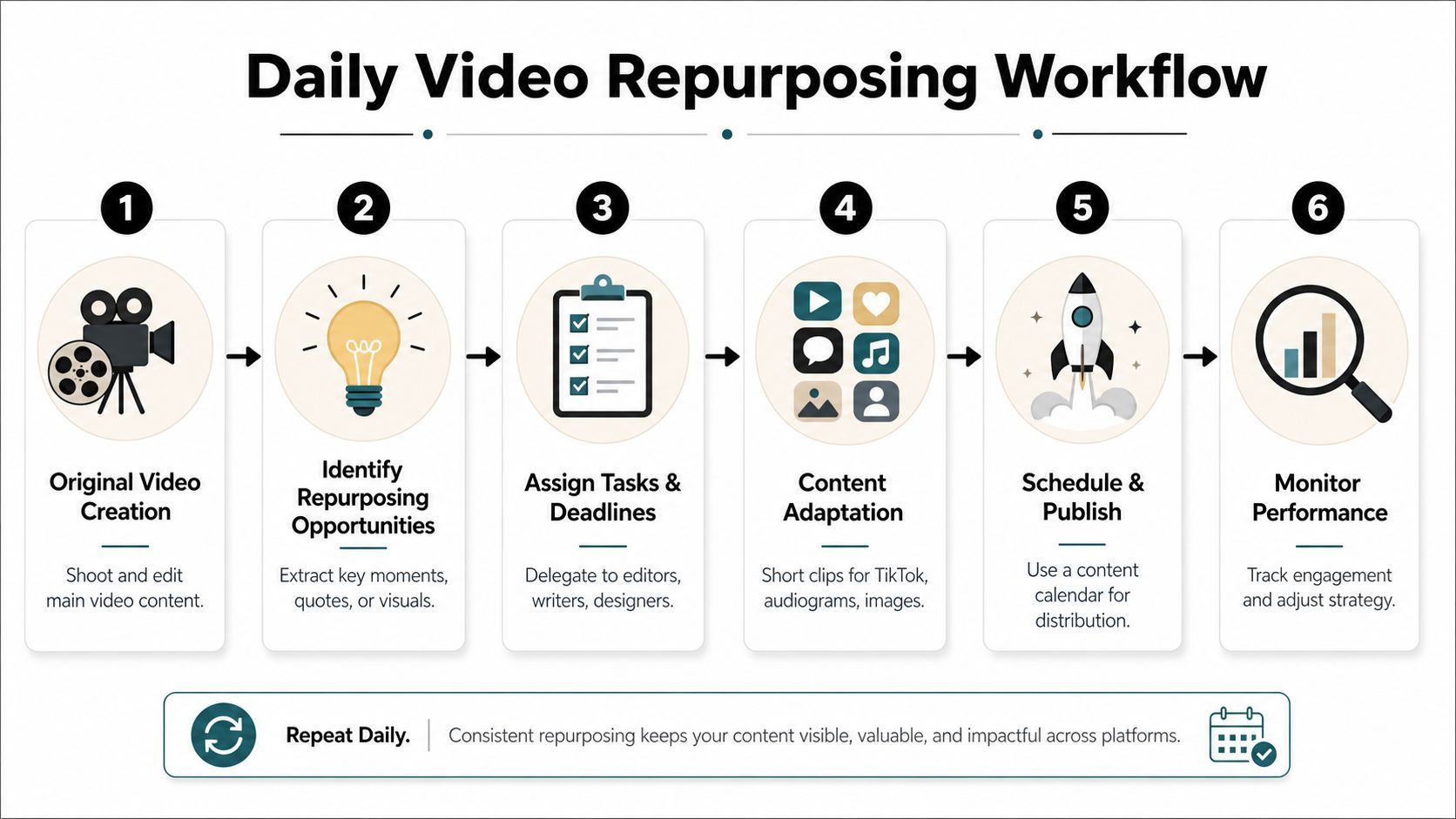
A useful workflow begins the moment the source video lands. The editor uploads the long-form asset, the project card is created from the template, and the owner of the batch confirms the source link, the target platforms, and the publish window. That early confirmation matters because it prevents the most common issue in repurposing work, which is discovering missing context after the clips are already cut.
The flow should move in a clean sequence, with no ambiguity about who triggers the next step.
Define owners at every handoff
Each stage needs a named owner, not a floating department. The ingest step belongs to the producer or content ops lead. Clip generation belongs to the editor or the tool operator. Review belongs to whoever decides what fits the brand. Scheduling belongs to the person managing the channel calendar.
That sounds basic, but it prevents stalled work. Without a named owner, every handoff becomes a waiting room. With one, the project can move even when other jobs are active.
A useful internal resource on structuring repurposing pipelines is content repurposing strategies, because the best workflows tie clip selection to platform fit rather than just chopping up the source video at random.
Use check-ins to surface blockers early
Deadlines hold when the team sees problems before they harden. Effective deadline management hinges on weekly check-ins and breaking work into trackable units, with 15-30 minute status meetings at least once per week and standardized reporting that surfaces progress and blockers (project tracking guidance). For creator teams, that meeting should be short and tactical.
Use the same agenda every time.
- What moved since the last check-in? Focus only on finished work.
- What's blocked right now? Name approvals, missing assets, or unclear instructions.
- What's the next publishable unit? Don't discuss the whole project, just the next step.
That rhythm keeps a batch from drifting. It also forces the team to think in units that can be completed in a day, not in vague “content tasks” that expand until they eat the afternoon.
Map the handoff from source video to scheduled post
A practical repurposing workflow looks like this.
- The source video is ingested and tagged by project.
- The AI or editor generates a batch of candidate clips.
- The reviewer marks which clips are usable, which need edits, and which should be dropped.
- Captions, hooks, and platform-specific formatting are finalized.
- The approved clips are scheduled.
- The published batch is logged so future turnaround estimates improve.
A helpful way to think about this is that the workflow is not a sequence of chores, it's a visibility ladder. Each step reduces uncertainty. Each handoff creates a checkpoint. Each checkpoint makes the next deadline less fragile.
Integrating Tools and Automating Alerts
The fastest teams don't ask people to remember every next step. They connect the tools so the next step appears automatically. That's where simple automations become more valuable than another round of status pings.
A practical example is moving a clip card into a Ready for Review column and triggering a Slack message to the social manager with the clip link. Another is creating a new project board from a template when a YouTube upload is detected. These aren't complex automations. They're small rules that stop work from disappearing between tools.
Track time at the task level
Granular time data changes the quality of decisions. Software teams that use granular, accurate task-level time data are 3.4 times more likely to meet deadlines, and projects where time variances are identified within the first 20% of the timeline have an 82% chance of successful course correction (industry analysis). The lesson for creator teams is direct, even if the work is different. If you know which stage is dragging, you can fix it before the batch gets old.
That means tracking more than “the project is in progress.” Track the time between ingest and first clip draft. Track the time between draft and review. Track the time between review and final schedule. Those numbers tell you where the system is slowing down.
Early variance detection is more useful than perfect reporting at the end of the week.
Automate the notifications that matter
Notifications should reduce questions, not increase noise. A good rule is to send alerts only when a card changes status, a deadline is approaching, or an approval is required. If everything pings everyone, nobody pays attention when a major blocker shows up.
For teams using tool connections, the logic stays simple.
- When a clip is approved, notify the scheduler.
- When a publish date changes, notify the editor and social lead.
- When a source upload arrives, create the project from the template.
A workflow like that lowers coordination cost. It also helps remote and hybrid teams, where notification overload and context switching can erode on-time delivery. The issue isn't just remembering deadlines, it's protecting focus long enough to finish the work.
A related reference on YouTube automation with AI is useful for teams that want to connect production steps without adding manual admin to every clip.
Use dashboards for the whole batch
Deadline tracking works best when the whole pipeline is visible in one place. A dashboard should show what's due, what's blocked, what's approved, and what's waiting on someone else. That's easier to manage than scattered task views because the team sees the batch, not just the current assignment.
The goal isn't more reporting. It's less ambiguity. When the dashboard is clear, the team spends less time asking for updates and more time moving clips forward.
Advanced Tips to Protect Your Deadlines
A buffer is not a license to drift. It's a reserve for the surprises you already know will happen. Export errors, missing b-roll, last-minute caption fixes, and approval delays are normal in content work, which is why the schedule has to absorb friction instead of pretending it doesn't exist.

Treat buffer time as live capacity
A practical rule for deadline management is to add 20–30% time buffer to task estimates, then revisit it as work progresses (deadline buffer guidance). That buffer should sit inside the schedule, not outside it. If it's hidden, the team will spend it without realizing it.
Use the buffer where the risk is real. A straight-cut testimonial clip may need less slack than a multi-speaker webinar with custom captions and platform-specific formatting. The more handoffs a clip requires, the more likely the buffer will be spent.
Keep scope creep visible
Scope creep usually arrives as a small favor. “Can we get three more clips from that webinar?” sounds harmless until the extra clips push review into the next day. The fix is not to say no to everything. The fix is to make the added work visible as a trade-off.
If the team wants more clips, something else needs to move. A publish date can shift. Another batch can slide. Or the new request can go into the next cycle. That conversation is easier when the system shows workload in plain sight.
Use short, structured reviews
Deadline control improves when reviews are fast and consistent. A weekly meeting should stay close to the work, with progress, blockers, and next actions on the table. If the conversation becomes a status history lesson, it's too long.
A brief check-in should produce three outputs.
- Updated priorities, so the team knows what matters this week.
- Escalated blockers, so approvals don't stall for days.
- Revised estimates, so the next batch starts with better assumptions.
A practical reminder from industry guidance on video editing outsourcing is that handoffs need clear expectations. Whether the work stays in-house or not, deadlines are easier to protect when responsibilities are narrow and explicit.
The best deadline protection is boring. It's the same review rhythm, the same buffer logic, and the same rule about surfacing problems early. That consistency is what keeps the team out of fire-drill mode.
From Chaos to a Predictable Content Machine
Once the system is in place, the work feels different. The team isn't chasing each clip individually anymore, because the board shows what's moving, what's blocked, and what's ready. That's the point of deadline tracking for creators, not to make people stare at due dates, but to make output predictable enough that everyone can plan around it.
Breaking work into smaller units helps that system hold. Research from PMI shows teams complete assignments 36% more often on time when tasks are limited to no more than 16 hours each (PMI-linked guidance). For repurposing, that means treating each clip, caption pass, and publish slot as a manageable unit instead of one giant “video project.”
That's the shift. A chaotic process depends on memory, urgency, and luck. A predictable content machine depends on a template, a visible workflow, and simple automations that keep the batch moving.
If your current repurposing process still lives in spreadsheets and Slack threads, build one master board for the next source video, define each stage, and assign every handoff before the edit starts. If you want a faster path from long-form video to publish-ready shorts, Klap can help you turn that workflow into something easier to ship consistently.
