
10 Content Repurposing Strategies to Go Viral in 2026
Other
Creating fresh, high-quality content for every platform, every day is a direct path to burnout. The most successful creators and marketers aren't just creating more; they're strategically maximizing the value of every single asset they produce. This is the core of effective content repurposing strategies: transforming one pillar piece of content, like a long-form video or podcast, into a cascade of platform-optimized assets for TikTok, Instagram Reels, and YouTube Shorts.
This approach isn't just about saving time—it's about amplifying your impact. A 2022 HubSpot study found that marketers who repurpose content are able to expand their reach to new audiences by a significant margin. By systematically breaking down your core content, you can dramatically increase engagement without expanding your production budget. To truly work smarter, not harder, it's vital to implement robust content marketing best practices that integrate repurposing into your overall strategy from day one.
This guide moves beyond generic advice to provide a comprehensive roundup of actionable tactics. You will learn the specific workflows, tools, and metrics needed to turn your existing content library into a powerful, self-sustaining engine for growth. We will cover everything from AI-powered clip extraction and vertical video optimization to podcast-to-video conversion and guest highlight amplification. Each strategy is designed to help you scale your output, save hundreds of valuable hours, and consistently dominate social feeds. Let's dive into the 10 proven methods for getting maximum ROI from every single piece of content you create.
1. AI-Powered Clip Extraction from Long-Form Content
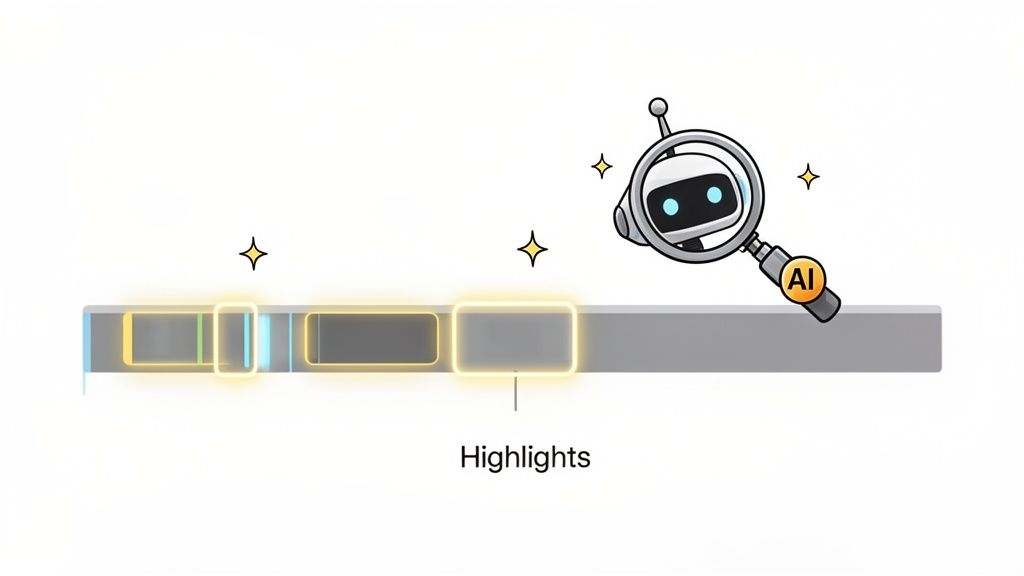
One of the most efficient and scalable content repurposing strategies is leveraging artificial intelligence to automatically find and extract high-impact moments from your long-form content. Instead of manually scrubbing through an hour-long webinar to find a 30-second gem, AI tools analyze the source material for you, identifying segments with the highest potential to perform well as short-form clips.
These platforms analyze data points like speaker intonation, facial expressions, and transcript text to detect moments of high emotion, key takeaways, or compelling questions. This process transforms a task that could take an editor 2-3 hours into a streamlined workflow completed in under 10 minutes, allowing you to generate 10-15 high-quality clips from a single video.
How It Works & Key Tools
This strategy works by feeding your source content (like a YouTube video URL or an MP4 file) into a specialized AI engine. The AI transcribes the audio, identifies different speakers, and scores various segments based on their potential for engagement. It then presents a series of ready-to-edit clips, often with auto-generated captions, reframing, and headlines.
- Popular Tools: Platforms like Klap, OpusClip, and Descript are leaders in this space. Klap, for instance, specializes in turning YouTube videos into viral-style Shorts and Reels. Adobe Premiere Pro is also integrating AI features to help editors identify key moments faster.
- Best Use-Cases: This method is ideal for content-heavy creators, such as podcasters, interviewers, and educators, who produce long-form videos (typically 15 minutes or longer) and need to maintain a high-frequency posting schedule on platforms like TikTok, Instagram Reels, and YouTube Shorts.
Actionable Tips for Implementation
To get the most out of this content repurposing strategy, follow these best practices:
- Start with High-Quality Source Material: Use clear audio and high-resolution video. AI transcription accuracy drops significantly with poor audio quality, so a good microphone is non-negotiable.
- Review and Refine AI Selections: Always treat the AI's suggestions as a first draft. Review each clip to ensure it aligns with your brand voice, makes sense out of context, and provides standalone value. A human touch is still required.
- Train the Algorithm: Many tools allow you to provide feedback on the clips they generate. Consistently approving good suggestions and rejecting poor ones helps the AI learn your preferences, improving the quality of its suggestions by up to 20-30% over time.
2. Vertical Video Reformatting & Aspect Ratio Optimization
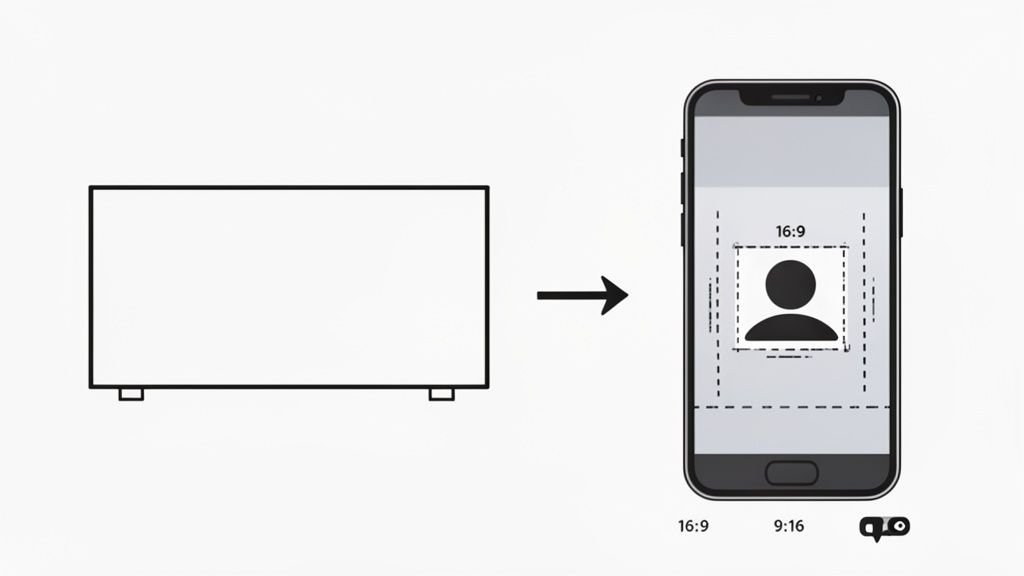
Simply trimming a horizontal video and posting it to a vertical-first platform isn't enough. This content repurposing strategy focuses on intelligently converting landscape (16:9) content into the vertical (9:16) formats demanded by mobile audiences. It goes beyond simple cropping, employing techniques like AI-powered reframing and dynamic zooming to ensure key speakers and visual elements remain centered and impactful.
Properly optimizing aspect ratios is crucial for engagement. Data from TikTok shows that vertically-shot content sees a 25% higher six-second watch-through rate than videos shot horizontally. Content that fills the entire vertical screen is more immersive and signals to both the audience and the algorithm that it's native to the platform.
How It Works & Key Tools
The process involves importing your 16:9 video into an editor and changing the project's aspect ratio to 9:16. From there, you must manually or automatically reframe the shot to follow the action or the speaker. Many modern tools use AI to automate this, detecting faces and keeping them in the frame, which saves a tremendous amount of editing time.
- Popular Tools: AI-powered clipping tools like Klap and OpusClip offer automatic reframing (often called "Auto Reframe") as a core feature. Traditional video editors like Adobe Premiere Pro and Final Cut Pro have built-in smart reframing tools, while mobile-first editors like CapCut excel at vertical layouts.
- Best Use-Cases: This is an essential strategy for any creator or brand with a library of horizontal content, such as YouTube videos, webinars, or interviews. It is non-negotiable for anyone looking to build an audience on TikTok, Instagram Reels, YouTube Shorts, or Snapchat.
Actionable Tips for Implementation
To maximize the impact of your vertical reformatted content, apply these best practices:
- Prioritize the "Safe Zone": Keep the most critical visual elements, like faces and on-screen text, within the central part of the screen. This prevents them from being obscured by platform UI elements like usernames, captions, or like/comment buttons.
- Use Dynamic Motion: Don't just set a static crop. Use subtle zooms or pans to follow the speaker or action. This adds a layer of dynamic movement that makes the reframed shot feel more intentional and engaging.
- Create Custom Layouts for Multi-Speaker Content: If your horizontal video features two speakers (like a podcast interview), instead of awkwardly panning between them, consider a split-screen layout. Place one speaker on the top half of the screen and the other on the bottom to keep both visible.
3. Automatic Caption & Subtitle Generation
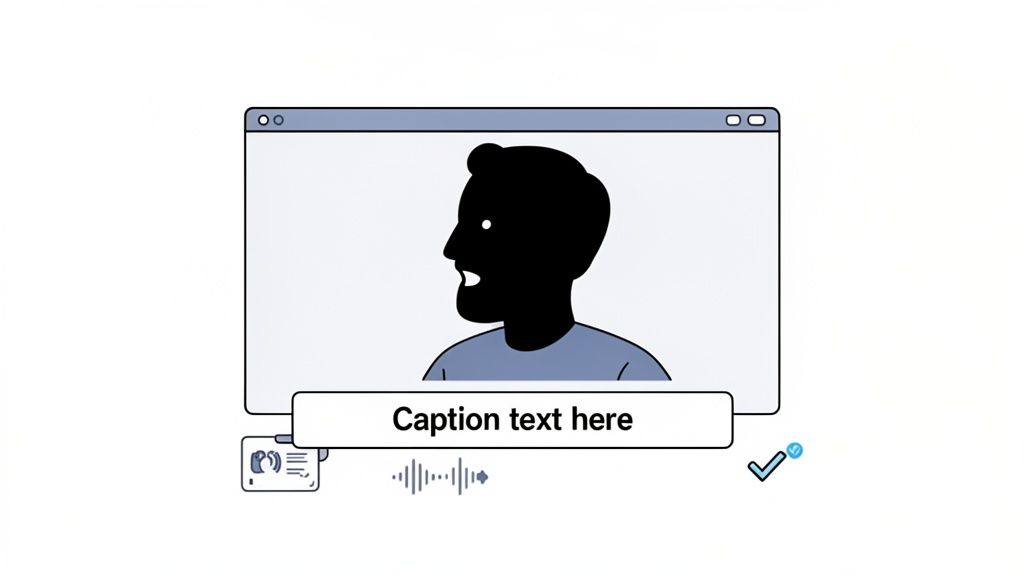
One of the most impactful yet simple content repurposing strategies is leveraging AI-powered speech-to-text technology to automatically generate captions for your video clips. With studies showing as high as 85% of social media videos are watched on mute, captions are no longer optional. They are essential for capturing attention, improving comprehension, and making your content accessible to a wider audience.
Automating this process transforms a tedious transcription task into a quick, scalable part of your workflow. Instead of manually typing out every word, AI tools listen to your audio and generate a text overlay in seconds, dramatically speeding up your content production. This strategy not only boosts engagement—some reports indicate an 80% increase in view time—but also ensures your message lands effectively, with or without sound.
How It Works & Key Tools
This strategy relies on AI models trained on vast datasets of spoken language. When you upload a video, the software transcribes the audio into time-stamped text, which is then overlaid onto the video as captions. Modern tools often include features for customizing the font, color, and style of the captions to match your brand's aesthetic.
- Popular Tools: Many content repurposing platforms like Klap have this feature built-in, generating dynamic, engaging captions automatically. Standalone services like Rev and Otter.ai offer highly accurate transcriptions, while social media platforms like YouTube, TikTok, and Instagram provide native auto-captioning tools directly within their apps.
- Best Use-Cases: This is a non-negotiable step for any short-form video content destined for social media feeds. It is particularly crucial for creators in the education, coaching, and marketing niches where clarity and information retention are paramount.
Actionable Tips for Implementation
To maximize the effectiveness of your auto-generated captions, follow these best practices:
- Always Review for Accuracy: AI is powerful but not perfect. Manually review and edit the generated text to correct any errors, especially with proper names, technical jargon, or brand-specific terminology. Aim for 99%+ accuracy.
- Brand Your Captions: Use a consistent font, color palette, and style for your captions to reinforce brand identity. Avoid generic styles that blend in with every other video on the feed.
- Optimize for Readability and Placement: Ensure your captions are large enough to be easily read on a small mobile screen. Position them carefully to avoid covering important on-screen visuals or the speaker's face.
- Use Dynamic Captions to Retain Attention: For short-form content, consider using word-by-word or "karaoke-style" captions that highlight words as they are spoken. This visual effect can help keep viewers engaged and focused on your message.
4. Multi-Platform Content Distribution & Syndication
Creating a high-value short-form clip is only half the battle; the other half is maximizing its reach. Multi-platform distribution is a content repurposing strategy focused on taking a single finished clip and systematically publishing it across all relevant social media channels, such as TikTok, Instagram Reels, YouTube Shorts, and even professional networks like LinkedIn. This approach amplifies your message and multiplies your potential for audience engagement with minimal additional effort.
Instead of treating each platform as a separate content silo, this method treats your core clip as a master asset. You then create slightly optimized variations for each platform’s unique audience and technical requirements. This ensures your content is seen by the largest possible audience, capturing different demographic segments that may frequent one platform over another and dramatically improving the ROI on your initial content creation efforts.
How It Works & Key Tools
The workflow involves taking a finalized short-form video and using a scheduling or distribution tool to push it to multiple platforms simultaneously or in a planned sequence. These tools often allow for platform-specific customizations, like different captions, hashtags, or calls to action, all managed from a single dashboard. This transforms a repetitive, time-consuming task into an efficient, centralized process.
- Popular Tools: Platforms like Buffer, Later, and Hootsuite offer robust social media scheduling with multi-platform support. Specialized tools like Repurpose.io automate the entire workflow, pulling content from one source (like TikTok) and automatically distributing it to others. AI clip makers like Klap are also integrating direct export features to streamline publishing.
- Best Use-Cases: This strategy is essential for any creator or brand aiming for maximum visibility and audience growth. It is particularly effective for social media managers, marketing agencies, and solo creators who need to maintain a consistent presence across 3-5 platforms without spending all their time manually uploading content.
Actionable Tips for Implementation
To execute a multi-platform distribution strategy effectively, focus on optimization rather than simple duplication:
- Customize for Each Channel: While the video is the same, tailor your captions and hashtags for each platform. Use professional, value-driven language for LinkedIn, trendy sounds and effects for TikTok, and community-focused questions for Instagram.
- Schedule for Peak Engagement: Use each platform's analytics to identify when your audience is most active. Schedule your posts to go live during these peak windows to maximize initial velocity and engagement, which can boost algorithmic reach.
- Monitor Cross-Platform Performance: Track metrics like views, engagement rate, and click-throughs on each platform. This data will reveal where your content resonates most, allowing you to double down on high-performing channels and adjust your strategy on underperforming ones.
5. Podcast-to-Short-Form Video Conversion
A powerful content repurposing strategy for creators with audio-first content is transforming podcast episodes into engaging short-form videos. This approach bridges the gap between auditory and visual platforms, making long-form conversations accessible to audiences on TikTok, Instagram Reels, and YouTube Shorts who prefer dynamic video content. By adding visual elements, you can give your audio new life and reach untapped listener segments.
This process involves taking the most compelling audio segments from a podcast and overlaying them with visuals like animated captions, progress bars, speaker headshots, or relevant b-roll footage. It effectively turns a passive listening experience into an active viewing one, capturing attention and driving engagement in a crowded social feed. This not only boosts discoverability for the podcast itself but also monetizes existing audio content across new channels.
How It Works & Key Tools
The strategy begins with identifying highlight-worthy moments in a podcast episode, such as memorable quotes, strong opinions, actionable advice, or humorous exchanges. These audio clips are then imported into a video editing tool where visual branding and engaging elements are added. The final output is a short, shareable video optimized for vertical viewing.
- Popular Tools: Platforms like Descript offer an all-in-one workflow, allowing you to edit audio by editing the text transcript and then easily export it into a social video template. Tools like Klap and OpusClip can also process video podcast files, while more traditional video editors like CapCut or Adobe Premiere Pro offer full creative control for manual creation.
- Best Use-Cases: This method is essential for podcasters aiming to grow their audience on visual-first social media platforms. It's particularly effective for interview-style shows (e.g., Joe Rogan Experience clips), educational podcasts (e.g., Tim Ferriss sharing key takeaways), and any creator looking to drive traffic back to their full-length Spotify or Apple Podcasts episodes.
Actionable Tips for Implementation
To maximize the impact of your podcast video clips, follow these best practices:
- Prioritize Controversial or Emotional Hooks: Select audio clips that feature a strong opinion, a surprising statistic, or an emotional story. These moments are more likely to stop the scroll and encourage comments and shares.
- Use Consistent, Bold Branding: Apply a consistent visual template across all your clips with your podcast’s logo, brand colors, and fonts. This builds brand recognition as users see your content repeatedly.
- Prominently Display Guest Information: If your clip features a guest, add their name and social media handle directly on the video. This encourages them to share it with their audience, expanding your reach.
- Include a Clear Call-to-Action: Always include the podcast name, episode number, and a link in the video description or comments to guide interested viewers to the full episode.
6. Webinar & Educational Content Clip Extraction
Transforming comprehensive educational content into focused, bite-sized lessons is a powerful content repurposing strategy for building authority and driving leads. This method involves extracting key concepts, "aha moments," or single-skill tutorials from longer webinars or online courses. The goal is to isolate a core piece of value and present it as a standalone micro-lesson.
These clips act as powerful promotional assets, giving potential students a preview of your teaching style and the quality of your full-length material. By offering tangible value upfront, you build trust and create a natural pathway for viewers to seek out the complete course or webinar. Data shows that brands using video for lead generation increase their qualified leads by over 60% year-over-year.
How It Works & Key Tools
This strategy begins by identifying the most impactful segments within your educational content. Look for moments that solve a common pain point, reveal a surprising statistic, or demonstrate a quick, valuable technique. These clips are then edited for clarity and engagement, often with added on-screen text to reinforce key takeaways for viewers watching without sound.
- Popular Tools: Video editing software like Adobe Premiere Pro or Final Cut Pro is essential for precise editing. For screen recordings and simple edits, tools like Camtasia and Loom are highly effective. You can also use AI clip extractors like OpusClip to find engaging moments within your lecture-style videos.
- Best Use-Cases: This method is ideal for educators, coaches, course creators, and B2B companies that use webinars for lead generation. Platforms like LinkedIn, Instagram, and TikTok are perfect for sharing these micro-lessons, as they cater to audiences seeking to learn new skills quickly.
Actionable Tips for Implementation
To maximize the impact of your educational clips, follow these best practices:
- Frame Each Clip as a Problem-Solution: Start the clip by stating a common problem your audience faces (e.g., "Struggling to write compelling headlines?"). Then, present your segment as the direct solution to that problem.
- Focus on One Key Takeaway: Each short clip should teach one thing and one thing only. Avoid overwhelming the viewer with too much information; the goal is to provide a quick win that leaves them wanting more.
- Add a Clear Call-to-Action (CTA): End each clip by telling the viewer what to do next. A simple CTA like, "Get the full training at the link in our bio," guides interested viewers directly into your conversion funnel.
- Use On-Screen Text and Subtitles: Reinforce key learning points with bold text overlays. Since many users watch videos on mute, captions and visual text are critical for comprehension and retention.
7. Interview Highlight Extraction & Guest Amplification
One of the most powerful content repurposing strategies for interview-based shows is to isolate compelling moments and empower guests to share them. This approach transforms a single interview into a series of shareable assets, effectively doubling your distribution reach by tapping into your guest's audience. Instead of just promoting the full episode, you create bite-sized, high-value clips that both your channel and your guest can leverage.
This strategy hinges on a symbiotic relationship: you provide your guest with professionally produced, ready-to-post content, and in return, they promote your show to their dedicated followers. This not only drives new viewership to the original long-form content but also enhances the perceived value and credibility of your interview by showcasing the guest's expertise in a digestible format.
How It Works & Key Tools
The workflow involves identifying the most impactful, insightful, or emotionally resonant segments from an interview and editing them into standalone vertical videos. These clips are then branded with both your and your guest's information, making cross-promotion seamless. The key is to select moments that make your guest look like a true expert, motivating them to share proudly.
- Popular Tools: Video editing software like Adobe Premiere Pro or Final Cut Pro is essential for manual highlight extraction. For a more automated approach, tools like Descript can help you find key moments by searching the transcript. For social scheduling and collaboration, platforms like Buffer or Hootsuite can be used to coordinate posts with guests.
- Best Use-Cases: This method is a non-negotiable for podcasters, interview show hosts, and any brand conducting expert roundtables or client testimonials. It is particularly effective for shows like those hosted by Tim Ferriss or Lex Fridman, where guest expertise is the primary draw, and guest amplification is a major growth lever.
Actionable Tips for Implementation
To maximize the impact of this collaborative content repurposing strategy, follow these best practices:
- Prioritize Guest-Centric Moments: Extract clips where your guest shares a profound insight, a powerful personal story, or a critical piece of advice. The goal is to create content they are genuinely excited to share with their network.
- Make Sharing Effortless: Send your guest the finalized clips 24-48 hours before you publish. Provide them in the correct format (e.g., 9:16 vertical video), include their social media handle directly in the video, and even suggest a caption they can use.
- Systematize Your Output: Aim to create a set number of clips per interview, such as 3-5 high-quality highlights for every hour of conversation. This ensures a consistent flow of promotional material for both you and your guest.
8. Trending Audio & Music Integration
One of the most powerful content repurposing strategies for short-form video is integrating trending audio. This involves overlaying popular sounds or viral audio clips onto your repurposed content to dramatically increase its discoverability. Platforms like TikTok and Instagram use audio as a key algorithmic signal, meaning videos that use a trending sound are often pushed to a wider audience, with some seeing a reach increase of over 150%.
This strategy works because it taps into existing cultural moments and conversations. When users hear a familiar, popular sound, it instantly creates a sense of relevance and encourages them to watch. This transforms a standard video clip into a piece of content that feels native and timely, helping your brand appear more relatable and current.
How It Works & Key Tools
The process involves identifying a trending sound on a platform and then finding a clip from your long-form content that can be creatively paired with it. The video's original audio is often lowered or removed, and the trending sound becomes the primary audio driver. The key is to match the video's mood, message, or visual rhythm to the audio for a seamless fit.
- Popular Tools: You can find trending sounds directly within the TikTok Creative Center or on the Instagram Reels audio browser. Tools like Klap are also beginning to suggest trending sounds that might pair well with your AI-generated clips. For editing, CapCut is excellent for syncing video to audio beats and adding text overlays that complement the sound.
- Best Use-Cases: This method is essential for anyone creating content for TikTok, Instagram Reels, and YouTube Shorts. It's particularly effective for brands aiming to increase reach, comedy creators using popular sound effects for punchlines, and educational creators who can reframe a key insight to fit a trending audio format.
Actionable Tips for Implementation
To maximize the impact of this content repurposing strategy, follow these best practices:
- Monitor Trends Daily: Actively browse TikTok's "For You" page and the Instagram Reels tab to identify emerging sounds. The key to virality is often speed; aim to use a sound within the first 3-5 days as it starts gaining traction.
- Ensure Brand & Context Alignment: Don't force a trend. Choose sounds that genuinely align with your brand's voice and the message of your video clip. A mismatched audio and video pairing can feel disjointed and inauthentic to viewers.
- Sync Visuals to the Beat: Edit your video so key actions, cuts, or text reveals align with the beats or important moments in the audio. This creates a more polished and satisfying viewing experience that can significantly boost watch time and engagement.
9. Carousel & Series Content Creation from Single Video
Instead of extracting disconnected moments, this content repurposing strategy involves strategically segmenting a single long-form video into a cohesive, multi-part series. This approach maintains narrative continuity and builds anticipation, encouraging viewers to follow along for the complete story or lesson. It transforms one asset into multiple audience touchpoints, increasing your posting frequency without creating new material from scratch.
This method works exceptionally well because it taps into the audience's natural desire for closure. By ending each segment on a cliffhanger or a compelling question, you create a powerful incentive for them to return for the next part. This serializes your content, turning passive viewers into an engaged audience invested in the narrative you’ve built from a single video source.
How It Works & Key Tools
The process involves identifying a long-form video with distinct chapters or a step-by-step flow, such as a tutorial, a deep-dive analysis, or a storytelling podcast. You then edit this video into several shorter, sequential clips, each one building on the last. These can be published as a formal series on TikTok or YouTube, or as a multi-slide carousel post on Instagram and LinkedIn.
- Popular Tools: Standard video editors like CapCut, Adobe Premiere Pro, and Final Cut Pro are perfect for this, as they give you precise control over where to make your cuts. For social media carousels, a tool like Canva can help you package the video clips into a visually consistent, multi-slide format with branded text overlays.
- Best Use-Cases: This is ideal for educational content (e.g., "3 Steps to Better SEO, Part 1"), storytelling narratives, and detailed case studies. It’s particularly effective on TikTok, where creators build massive followings by releasing daily "episodes," and on LinkedIn, where a multi-part thought leadership series can establish authority.
Actionable Tips for Implementation
To successfully turn one video into a must-watch series, follow these guidelines:
- Clearly Number Each Part: Start each video’s on-screen text or caption with "Part 1 of 3," "Step 2/4," etc. This manages viewer expectations and makes it easy for them to find the correct sequence.
- End Each Clip with a Hook: The final few seconds of each part are critical. End with an unresolved point, a provocative question, or a preview of what’s next to maximize the chances a viewer will seek out the next installment.
- Maintain Consistent Branding: Use the same intro/outro, text styles, and background music across all parts of the series. This visual and auditory consistency ties the clips together into a recognizable package.
- Strategize Your Publishing Cadence: Don't post all parts at once. Space them out by 12-24 hours to build anticipation and give each clip time to gain traction in the algorithm.
10. User-Generated Content (UGC) Remix & Community Amplification
One of the most authentic and powerful content repurposing strategies involves turning your audience into your content creation engine. This method focuses on amplifying your community's voice by remixing user-generated content (UGC), such as comments, testimonials, and reaction videos, into new, standalone pieces of content. It shifts the spotlight from you to your audience, fostering a deeper sense of community and providing powerful social proof.
This approach transforms passive consumption into active participation. According to Nielsen, 92% of consumers trust earned media (like UGC) more than traditional advertising. This not only lightens your content creation load but also builds immense brand loyalty. Featuring UGC can boost engagement significantly, as the original creator and their network will be highly motivated to share the repurposed clip.
How It Works & Key Tools
This strategy involves actively sourcing, curating, and featuring content created by your audience. You might turn a thought-provoking comment into a quote graphic, create a video responding directly to a viewer's question, or compile a highlight reel of customer video testimonials. Native platform features are often the best tools for this.
- Popular Tools: TikTok's Duet and Stitch features are built for this, allowing direct video responses to user content. Instagram's Collab feature lets you co-author a post with a community member, sharing it with both audiences. For testimonials, tools like Testimonial.to or Senja help you collect and manage video and text reviews that can be easily repurposed.
- Best Use-Cases: This is ideal for community-focused brands, creators with an engaged following, and businesses looking to build social proof. It's particularly effective for product-based companies that can showcase customer unboxing videos or for educators who can respond to student questions.
Actionable Tips for Implementation
To implement this UGC-centric content repurposing strategy effectively, focus on ethics and engagement:
- Always Get Explicit Permission: Before featuring any user's content, reach out and ask for their consent. This respects their ownership and prevents potential issues.
- Credit Users Prominently: When you repurpose content, tag the original creator's handle in the caption, on the video itself, and in the description. This gives them exposure and encourages others to submit content.
- Create a Clear Submission Process: Make it easy for your audience to participate. Create a branded hashtag, a dedicated email address, or a submission form on your website where users can send their videos, comments, and testimonials.
- Feature a Diverse Range of Voices: Actively look for and showcase content from all segments of your audience. Highlighting different perspectives and experiences makes your community feel more inclusive and representative.
10-Point Content Repurposing Strategy Comparison
Item🔄 Implementation Complexity⚡ Resource Requirements📊 Expected Outcomes💡 Ideal Use Cases⭐ Key Advantages
AI-Powered Clip Extraction from Long-Form Content
Moderate–High (model training, integration)
High compute & storage; minimal manual editing
High clip volume; better engagement discovery
Weekly creators, podcast/webinar repurposing
⭐⭐⭐⭐ — Saves editing time; finds non-obvious moments
Vertical Video Reformatting & Aspect Ratio Optimization
Low–Medium (auto-reframe + manual review)
Low compute; design review for safe zones
Improved mobile CTR and viewability
Any long-form to TikTok/Reels/Shorts
⭐⭐⭐ — Removes black bars; preserves focus for mobile
Automatic Caption & Subtitle Generation
Low (speech-to-text pipelines)
Moderate for multi-language support; editor time for fixes
Higher mute-view engagement; better accessibility & SEO
All platforms; accessibility-focused publishers
⭐⭐⭐⭐ — Boosts watch time and discoverability
Multi-Platform Content Distribution & Syndication
Medium (APIs, scheduling, permissions)
Moderate (accounts, integrations, dashboard)
Significantly increased reach and impressions
Brands, social teams, multi-channel campaigns
⭐⭐⭐⭐ — One-click publishing; cross-platform analytics
Podcast-to-Short-Form Video Conversion
Medium (audio→visual templates, captioning)
Low–Moderate (templates, captioning tools)
Expanded audience on video platforms; increased discoverability
Podcasters seeking social growth
⭐⭐⭐ — Monetizes audio with minimal extra effort
Webinar & Educational Content Clip Extraction
High (educational context detection, slide sync)
Moderate–High (curation, metadata sync)
Lead generation; thought-leadership and SEO lift
Course creators, educators, webinar hosts
⭐⭐⭐⭐ — Produces lead magnets and micro-lessons
Interview Highlight Extraction & Guest Amplification
Medium (quote detection, guest metadata)
Low–Moderate (coordination with guests, clipping)
Multiplied reach when guests share; networking benefits
Interview podcasts/shows with notable guests
⭐⭐⭐⭐ — Amplifies via guest promotion; creates shareable assets
Trending Audio & Music Integration
Low (trend detection + overlay)
Moderate (trend monitoring, licensing where needed)
Higher virality probability and FYP placement
Viral creators, brands aiming for trends
⭐⭐⭐⭐ — Increases discoverability; emotional resonance
Carousel & Series Content Creation from Single Video
Medium (narrative planning & sequencing)
Low–Moderate (branding, scheduling)
Higher total engagement; audience retention across parts
Story-driven creators, thought leadership series
⭐⭐⭐ — Builds habit and repeated engagement
User-Generated Content (UGC) Remix & Community Amplification
Medium (moderation, permissions, editing)
Low (community sourcing) + legal/consent overhead
Authentic engagement, social proof, organic reach
Brands and creators with active communities
⭐⭐⭐⭐ — Low production burden; turns users into advocates
From Strategy to Action: Building Your Repurposing Engine
Throughout this guide, we've explored ten powerful content repurposing strategies designed to transform your single pillar content asset into a vast ecosystem of engaging, platform-native posts. We've moved beyond the simple advice of "post your video everywhere" and delved into the specific, actionable mechanics of turning one long-form video, podcast, or webinar into dozens of high-performing assets.
The core principle is no longer about working harder; it's about working smarter. By implementing a system, you shift from the relentless content treadmill to a strategic content engine that consistently drives growth, engagement, and brand awareness. The strategies we've covered, from AI-powered clip extraction and vertical video reformatting to creating carousels and amplifying user-generated content, are not just isolated tactics. They are interconnected components of a modern content marketing machine.
Key Takeaways for Building Your System
To truly capitalize on these methods, it's crucial to move from understanding the concepts to implementing a workflow. Here are the most critical takeaways to focus on as you begin:
- Systemization is Everything: The real power of content repurposing is unlocked through a repeatable process. Don't treat it as a one-off task. Build a checklist or a standard operating procedure (SOP) for every long-form piece you create. This ensures consistency and efficiency, turning a complex process into a simple, recurring task.
- AI is Your Accelerator: Manually finding, cutting, and captioning dozens of clips is a significant bottleneck. Leveraging AI tools for tasks like clip extraction, subtitle generation, and even identifying viral-potential moments is non-negotiable for scaling your output. This automation frees up your team's valuable time to focus on creative strategy and community interaction rather than tedious editing.
- Platform-Native is Non-Negotiable: A 16:9 clip simply dropped onto TikTok or Instagram Reels will almost always underperform. Optimizing for each platform's native format, from aspect ratio (9:16 for vertical video) to trending audio integration and caption styles, is essential for capturing audience attention and satisfying platform algorithms.
- Data-Driven Iteration: Your first batch of repurposed clips is a starting point, not a final destination. Pay close attention to your analytics. Which hooks generate the highest watch time? Do carousels outperform single-clip videos on Instagram? Use metrics like engagement rate, view-through rate (VTR), and shares per clip to refine your content repurposing strategies over time.
Your Actionable Next Steps
Feeling overwhelmed by the possibilities is normal. The key is to start small and build momentum. Don't try to implement all ten strategies at once. Instead, follow this simple, phased approach:
- Select Your "Golden" Asset: Choose one of your best-performing long-form pieces of content. This could be your most-viewed YouTube video, your most-downloaded podcast episode, or a webinar that received fantastic feedback. Starting with proven content increases your chances of initial success.
- Choose Two Strategies: Pick just two strategies from this list to test. A great starting combination is AI-Powered Clip Extraction paired with Vertical Video Reformatting & Aspect Ratio Optimization. This duo offers the highest impact for the least initial effort.
- Execute and Measure: Create 5-10 short-form clips from your golden asset using your chosen strategies. Publish them over two weeks on a single platform like TikTok or Instagram. Track the performance of each clip closely.
- Analyze and Expand: After the test period, review your results. What worked? What didn't? Use these initial insights to inform your next batch of content and gradually incorporate another strategy from the list, such as Carousel & Series Content Creation.
By mastering these content repurposing strategies, you fundamentally change your relationship with content creation. A single hour of recorded video can realistically become a month's worth of diverse, high-value social media content. This approach not only maximizes your ROI but also ensures your core message reaches a wider audience across multiple touchpoints, building a stronger, more resilient brand presence in a crowded digital landscape. As you begin to integrate more advanced tools, understanding their specific functions becomes crucial; for instance, exploring the nuances in tools that handle audio, such as the difference between Lyric Change vs AI Song Generators, will help you make more informed decisions for your creative workflow. Ultimately, this engine empowers you to focus on what truly matters: creating exceptional pillar content that serves as the fuel for your entire marketing ecosystem.
Ready to stop manually chopping up your videos and start building your content engine? Klap uses AI to automatically identify the best moments from your long-form videos, reframes them for vertical platforms, and adds dynamic captions in just minutes. Turn your content creation from hours into clicks and unlock your full potential with Klap today.
