
Summarize AI: Turn Long Videos Into Viral Clips Fast
Other
You already have the raw material.
There's a podcast episode that landed better than expected. A webinar with sharp answers buried in the middle. A customer interview with three or four lines that would make excellent Reels or Shorts if someone had the patience to dig them out. The problem usually isn't content quality. It's that clipping long-form video by hand is slow, repetitive, and easy to postpone.
That's where summarize AI is commonly misunderstood. They use it to produce notes, bullet points, or study summaries. Useful, sure. But that still leaves the hardest part untouched: finding the moments that look compelling on screen and can survive the brutal first seconds of short-form feeds.
A better workflow treats AI as an extraction system, not just an understanding system. The win isn't that the tool “knows what the video is about.” The win is that it helps you surface the segments worth turning into clips, then shortens the distance between long-form publishing and daily short-form output.
The Creator's Dilemma with Long-Form Content
Most creators hit the same bottleneck after they build a decent long-form library. Recording a podcast or webinar is one job. Turning that one asset into a week or month of short-form content is another job entirely.
The old workflow is painful. You scrub the timeline, wait for something quotable, mark in and out points, second-guess whether the clip starts too late, then repeat the process until you've burned an afternoon. If you manage multiple channels, it gets worse. A single long video can hold several strong clips, but manually locating them is what slows everything down.
Why text summaries aren't enough
Most summarize AI tools solve the wrong problem for creators. They tell you the themes, the takeaways, or the argument. That helps if you're studying a lecture. It doesn't help much if you need a 35-second vertical clip with a clear opening hook, visible emotion, and enough movement to stop a scroll.
The actual gap is Extraction vs. Understanding. As Nearity's breakdown of YouTube AI summaries points out, most tools focus on text summaries for passive consumption, while creators need help extracting visual hooks for repurposing. The same piece notes that 78% of short-form content success relies on visual hooks within the first 3 seconds, not textual summaries.
Practical rule: If your AI output ends as bullet points, you're still halfway through the workflow.
What creators actually need from summarize AI
A useful summarize AI process for video should answer different questions:
- Where is the strongest opening moment? Not just the main topic, but the line or reaction that earns attention fast.
- Which segment has visual energy? A clip with gesture changes, camera movement, slides, demos, or facial expression usually outperforms a flat talking stretch.
- Can the segment stand alone? Some great moments depend too much on earlier context. Those rarely work as Shorts without heavy editing.
- Does the clip promise a payoff quickly? Curiosity beats completeness in short-form video.
That shift changes how you use AI. Instead of asking for “a summary of this episode,” you're looking for candidate hooks, visual pivots, emotional beats, repeated ideas, strong phrases, and natural cut points.
When creators get this right, long-form stops feeling like a publishing dead end. It becomes a source file for a repeatable short-form pipeline.
From Hours to Minutes The AI-Powered Workflow
The fastest creators don't behave like manual editors anymore. They behave like reviewers. AI handles the first pass, and the creator steps in to approve, trim, reject, or reposition.
That distinction matters because it changes where your time goes. Instead of spending most of your effort searching, you spend it choosing.
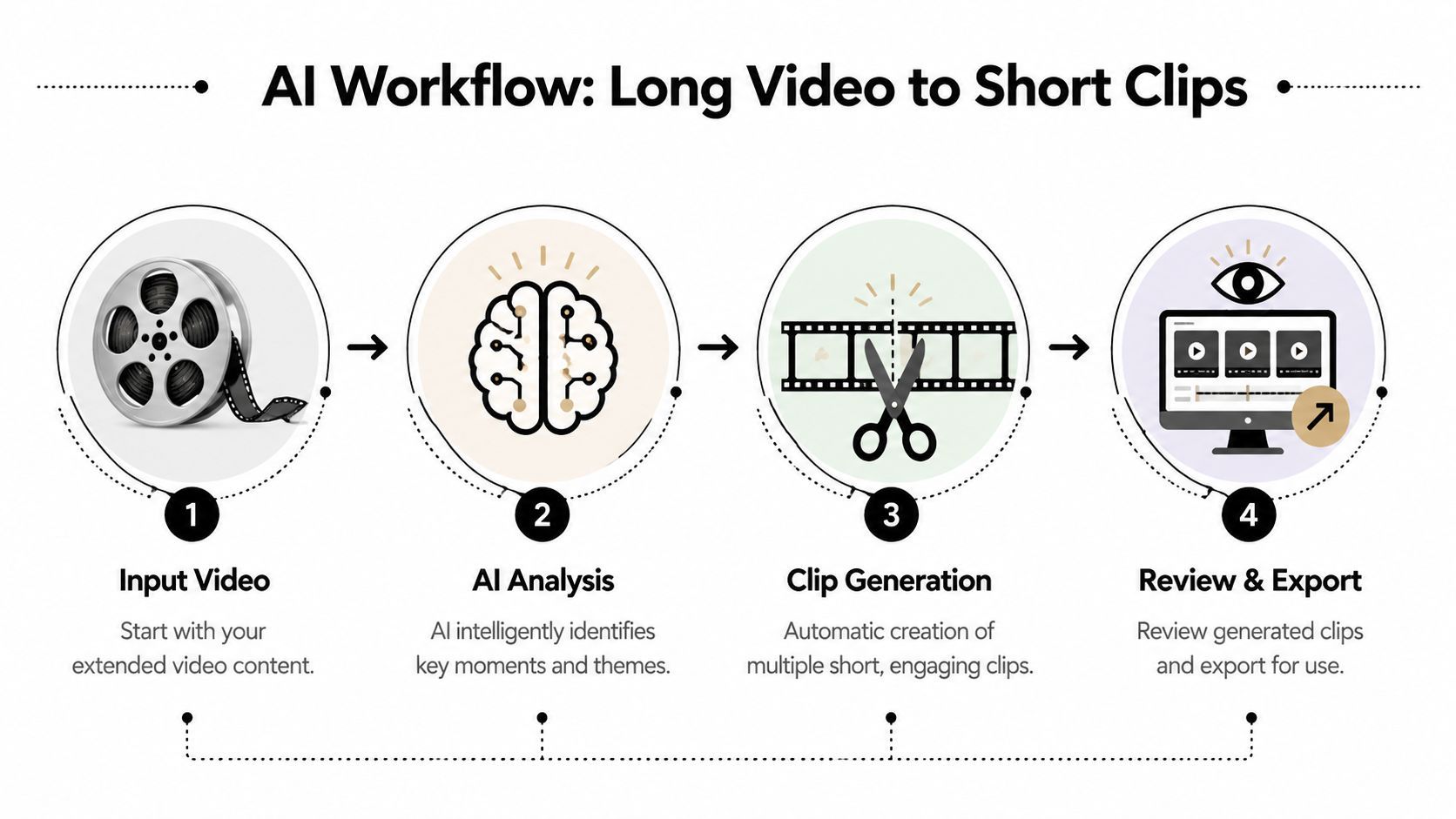
The five-stage workflow that actually scales
I've found the cleanest process looks like this:
- Upload the source video
Start with a YouTube link or a local file. This sounds trivial, but friction at the start kills consistency. If importing content is annoying, repurposing becomes a “later” task. - Let AI analyze the full asset
Summarize AI becomes useful for creators. The system reviews the audio, transcript, and visual signals to find sections that are likely to matter. Good tools don't just transcribe. They identify moments. - Review suggested clips instead of hunting manually
This is the biggest shift. You're no longer scanning an hour-long timeline cold. You're evaluating preselected candidates and deciding which ones deserve publishing. - Refine for clarity and pace
AI gives you a first draft, not a finished post. Tighten the start, cut dead air, and make sure the clip lands even if a viewer knows nothing about the original video. - Export in social-ready formats
Once the clip is structurally sound, package it for the platform. Aspect ratio, captions, and framing all matter here.
Where the time savings come from
The speed gain doesn't come from “editing faster” in the traditional sense. It comes from skipping the most expensive stage, which is searching through raw footage. According to Eduonix's write-up on automated video repurposing, creators using automated repurposing tools cut editing time from 4.5 hours per long-form video to 12 minutes, a 96% time saving, and 78% of users reported increased content output frequency within six weeks.
That's why this workflow works. The creator stops acting as a miner and starts acting as an editor-in-chief.
A strong overview of this model appears in this guide to AI tools that summarize videos, especially if you're trying to map the jump from long uploads to repeatable clip production.
The practical payoff is simple. Less scrubbing, more publishing.
What doesn't work
Some teams still treat AI clip generation like a one-click vending machine. That usually produces generic output. If you publish everything the model suggests without review, quality drops fast.
The better approach is selective. Accept that AI is strong at narrowing the field. Humans are still better at deciding what feels alive, sharp, and platform-ready.
Getting Your Content Ready for AI Summarization
The first useful rule is boring but important: clean input produces better clips.
If your long-form video has usable audio, a clear speaker, and a coherent topic arc, summarize AI has something to work with. If the source is full of crosstalk, long pauses, or meandering intros, the tool can still help, but you'll spend more time correcting weak suggestions.

Two easy ways to start
Most creators use one of two inputs:
- Paste a YouTube link if the video is already live or unlisted.
- Upload the video file directly if you're working from local recordings, raw interviews, webinars, or exports from another editor.
That low-friction import step matters more than people think. The easier it is to feed your backlog into the system, the more likely you are to repurpose older assets instead of letting them sit unused.
What to check before you upload
You don't need perfect footage. You do need footage that gives the AI enough structure to recognize meaningful moments.
A quick pre-flight check helps:
- Audio clarity first: If speech is muddy, every downstream task gets harder.
- Visible speaker or subject: When the person on screen is framed clearly, visual extraction gets easier.
- Shorten the dead opening: Long branded intros or waiting-room chatter dilute the clip suggestions.
- One core topic per asset: Videos with a messy agenda produce weaker clip candidates than focused recordings.
Better inputs don't guarantee viral outputs. They do make the AI's first pass far more usable.
A practical mindset shift
Don't wait for “special” videos before using summarize AI. Use it on the assets you already have. Podcast interviews, coaching calls, product walkthroughs, livestream replays, webinars, and Q&A sessions all contain reusable moments.
What matters is whether the video includes distinct ideas, reactions, demonstrations, or sharp phrases. If it does, it can usually be mined for short-form.
The point of the setup stage isn't perfection. It's momentum. If you can import quickly and feed the system a steady stream of usable long-form content, you stop treating repurposing as a separate production project and start treating it as standard publishing.
Reviewing and Refining Your AI-Generated Clips
Creators separate useful automation from lazy automation.
AI can surface clip candidates, but it can't fully understand your audience, your positioning, or the tone that keeps people watching on your channels. Review is where the raw suggestions become publishable assets.

How AI finds likely highlights
The best video summarization systems don't only read transcripts. They examine video structure over time. In Scientific Reports on AI-driven video summarization, summarization frameworks reached precision scores up to 89% by combining frame-level analysis with temporal feature extraction. They analyze video as a series of frames and locate relevant segments through content-derived queries, which helps the system focus on the most pertinent sections.
In practical terms, that means the tool can do more than spot a keyword. It can identify where the moment happens on screen and how it unfolds across time.
If you want a deeper look at this part of the workflow, this guide on finding highlights in video with AI is a useful companion read.
What to approve and what to reject
Not every suggested clip deserves a post. Some clips are technically relevant but socially weak. Others are strong ideas trapped in a slow opening.
I review AI-generated clips using a simple filter:
CheckWhat to look for
Opening strength
Does the first moment create tension, curiosity, surprise, or a clear promise?
Stand-alone clarity
Can a stranger understand the clip without needing the previous five minutes?
Visual movement
Does the frame change enough to feel alive in-feed?
Payoff
Does the clip deliver something worth staying for?
A lot of bad clips fail on the first line. The insight may be good, but the opening sounds like scene-setting from the original long video. That's fine in a podcast. It's weak in a feed.
A short clip doesn't need the whole setup. It needs the strongest entry point into the idea.
The edits that usually matter most
AI gets you to a shortlist. Small manual adjustments usually determine whether the clip feels polished.
I'd focus on these:
- Trim the front aggressively: If the speaker warms up for several seconds before making the point, cut closer.
- End on the conclusion: Don't leave the clip trailing into the next topic.
- Swap segments when needed: Sometimes the AI finds the right topic but the wrong beat inside that topic.
- Keep sentence integrity: Cutting too tightly can damage comprehension, even when the clip starts stronger.
What creators often get wrong
The most common mistake is trusting “important” over “interesting.” AI may identify a core point from the source video, but that doesn't mean it's the right short-form clip.
A good social clip usually has one of these traits:
- a provocative claim
- a concrete lesson
- a visible reaction
- a direct answer to a common question
- a moment of contrast or tension
A mediocre clip often contains information but no momentum.
That's why summarize AI works best when you treat it like a research assistant with editing instincts, not a final decision-maker. Let it narrow the timeline. Then use your judgment to choose the moments that can survive the feed.
Optimizing Clips for Maximum Social Reach
A good clip can still underperform if the packaging is wrong.
This is the stage many creators rush through because the hard part seems “done.” But social distribution is unforgiving. The same message can feel native and compelling in one format, then awkward and skippable in another.
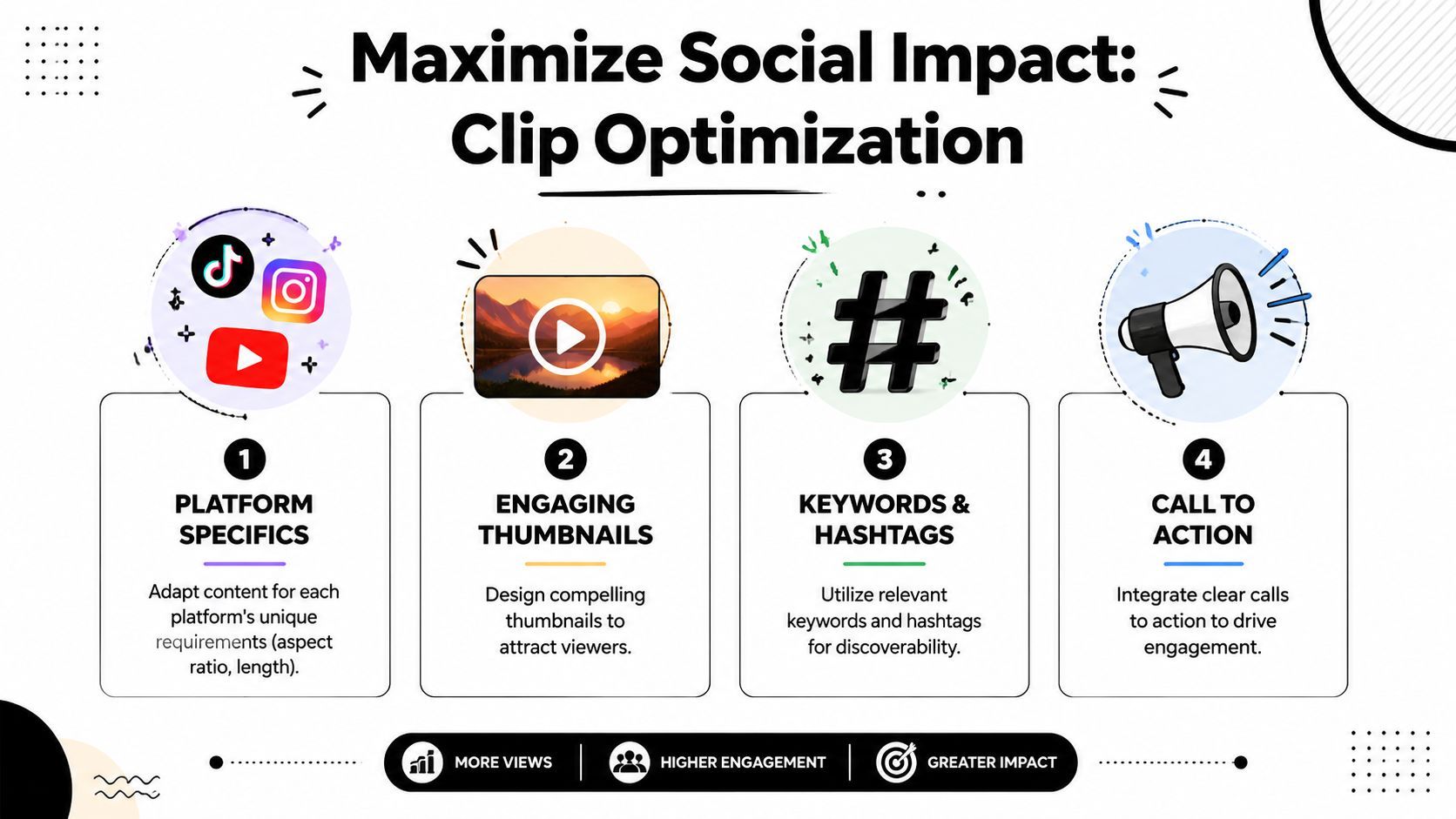
Format for the feed you're entering
Repurposed clips perform best when they look like they belong on the platform, not like a long video that got awkwardly squeezed into a phone screen. According to Blink's article citing a 2025 Meta Industry Report, AI-powered short-form video repurposed from long-form content drives 62% higher engagement on Instagram Reels than static posts, and vertical 9:16 clips account for 89% of top-performing content.
That tells you something simple but important. Vertical isn't a cosmetic choice. It's the baseline format for serious short-form distribution.
The optimization moves that matter most
A few refinements usually have the biggest impact:
- Use vertical framing: If the original video was horizontal, reframe around the speaker, demo, or action so the subject stays central.
- Add dynamic subtitles: Many viewers start with sound off. Captions also reinforce the hook and help carry the message visually.
- Tighten visual focus: Remove dead space. A face, product, or active screen should dominate the frame.
- Match clip length to the idea: Don't stretch a small point into a longer clip than it can support.
- Keep the title promise clear: The first line, subtitle styling, and frame composition should all point to the same payoff.
What high-performing clips usually have in common
Not every strong clip is loud or sensational. But high-performing clips usually feel intentional within the first seconds.
That often means:
ElementWhy it matters
Clear visual center
The viewer immediately knows where to look
Readable captions
The message survives muted autoplay
Fast context
The viewer understands what the clip is about quickly
Single idea
The clip doesn't split attention across multiple takeaways
Field note: Export isn't the finish line. It's the handoff between editing and distribution.
Don't optimize everything the same way
A founder clip, an interview highlight, a product demo, and a teaching segment shouldn't all use identical pacing or caption treatment. The point of optimization is fit.
If the clip is opinion-driven, let the opening line carry more weight. If it's instructional, captions need to support comprehension. If it's emotional or reactive, framing and timing matter more than added text.
Creators who scale well usually build a lightweight finishing routine. They don't reinvent every clip, but they also don't publish raw exports untouched. That final pass is where a generated asset starts to feel channel-native.
Beyond Repurposing Building a Content Engine
The ultimate payoff isn't saving time on one video. It's changing how your whole publishing system works.
Once summarize AI becomes part of your workflow, long-form content stops being a one-and-done asset. It becomes the hub. Every podcast, webinar, interview, or training session can generate multiple short-form outputs, each designed to pull attention from a different angle.
Why this shift matters now
This isn't a niche tactic anymore. According to Klap's summary of short-form marketing trends, 89% of social media marketers prioritize short-form video repurposing in their 2025 content strategy, and they cite an average 5.1x increase in follower growth over 90 days when converting long-form content into TikTok and Reels clips.
That doesn't mean every clip wins. It means the operating model has changed.
A smarter publishing rhythm
Think in terms of an engine:
- Long-form creates depth: It holds your full conversation, expertise, or story.
- Short-form creates reach: It gives new viewers a fast entry point.
- AI creates throughput: It reduces the labor required to turn one asset into many.
- Human review protects quality: It keeps your output from becoming generic.
A useful way to frame this strategy is through content repurposing as a growth system, not as a side task you squeeze in when you have spare time.
Creators who adopt this approach stop asking, “What should I post today?” They already have source material. The better question becomes, “Which moments from what I already made deserve distribution next?”
If you're ready to turn a backlog of podcasts, webinars, interviews, or YouTube videos into social-ready shorts without spending hours on manual clipping, Klap is built for exactly that workflow. It helps you import long-form video, identify strong moments, reframe for vertical formats, add captions, refine the output, and publish faster. If your goal is to summarize AI content in a way that produces clips instead of just notes, it's a practical place to start.
