
Our Guide on How to Share a Podcast on Instagram: Stories, Reels, and Feed Posts
Content Creation
Quick Summary
This article explains how to share a podcast on Instagram using Stories, Reels, and Feed posts. You’ll learn how to turn episodes into engaging visuals, choose the right clips, and post effectively to grow your audience. For more tips and strategies, check out our blog.
You Can't Upload a Podcast to Instagram, But You Can Still Grow There
Instagram and podcasting seem like such an odd pair at first, right? One is all about visuals and scrolling, while the other is pure audio.
But that tension is exactly why Instagram works so well as a podcast growth channel. Because you can't just drop an RSS link and call it a day, you're forced to create something worth watching.
And when you do, the algorithm rewards you for it.
There are three main ways to share your podcast on Instagram, and in this Klap guide, we'll walk through all of them step-by-step.
But first…
Why Listen to Us?
At Klap, we build tools used by over 2 million video creators and podcasters to repurpose long-form content into short clips for Instagram, TikTok, and YouTube Shorts.
We work directly in this workflow every day, analyzing what makes podcast clips perform, what the algorithm responds to, and where most creators lose time. That hands-on context is what this guide is built on.
Can You Post a Podcast Directly on Instagram?
No. Instagram doesn't support raw audio file uploads. You can't post an episode the way you'd publish it on Spotify or Apple Podcasts.
What you can do is share it in three visual formats:
- A Story with a clickable link to the episode
- A Reel made from a short clip of the episode
- An audiogram — an animated waveform graphic — posted to your Instagram Story or Feed
And no, you don't strictly need a video podcast for this. Audio-only podcasters can use audiograms and branded visuals just as effectively as video podcasters.
Why Share Your Podcast on Instagram?
There are a few genuinely good reasons to make Instagram part of your podcast promotion strategy, not just the usual "be everywhere" advice.
- Organic reach to cold audiences: Instagram has over three billion monthly active users, and its Reels algorithm is designed to show content to people who don't follow you yet. A well-made Instagram Reel can land in front of people who have never heard of your show.
- Strong format fit for podcast content: Podcast conversations, opinionated, direct, built around a single strong point, translate naturally into short clips. A 45-second moment where your guest says something surprising is exactly the kind of content the algorithm is built to push.
- High content efficiency: One episode can generate a Reel, a Story, an audiogram, and a quote graphic. Spread across the week, that's four posts from a single recording session, which matters a lot if you're a solo creator or a small team.
- No ad spend required: Unlike most channels where reaching new people means paying for distribution, Instagram Reels give you a legitimate path to audience growth without a budget.
How to Share a Podcast on Instagram
Method 1: Share a Podcast Link to Your Instagram Story
This is the fastest method. If your main goal is getting your current followers to listen to a new episode the day it drops, Stories are the move.
The steps differ slightly depending on which platform your podcast lives on.
1. Sharing from Spotify
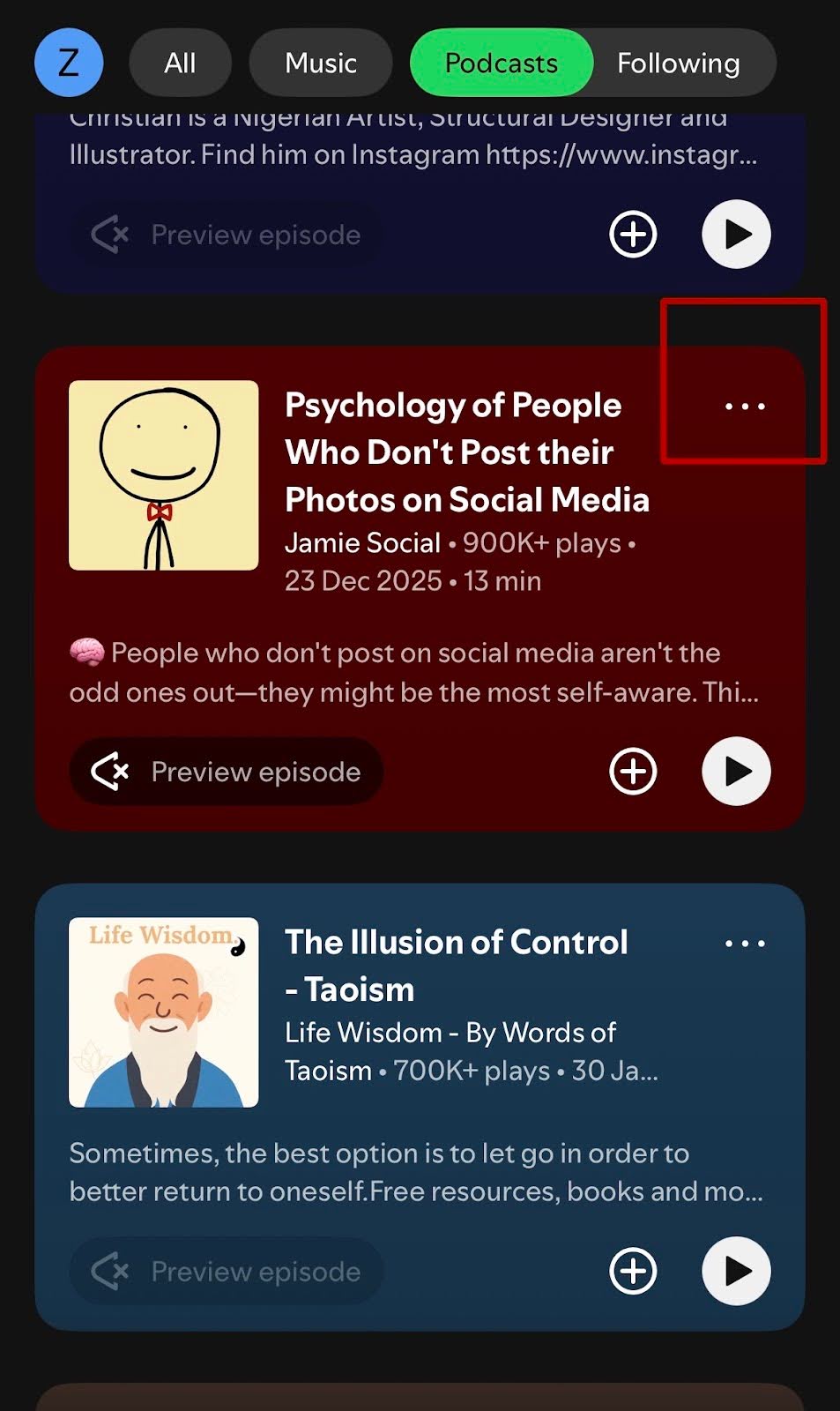
Open the episode in Spotify and tap the ellipsis (the three-dot menu) next to the episode title.
Tap Share, then select Instagram Stories.
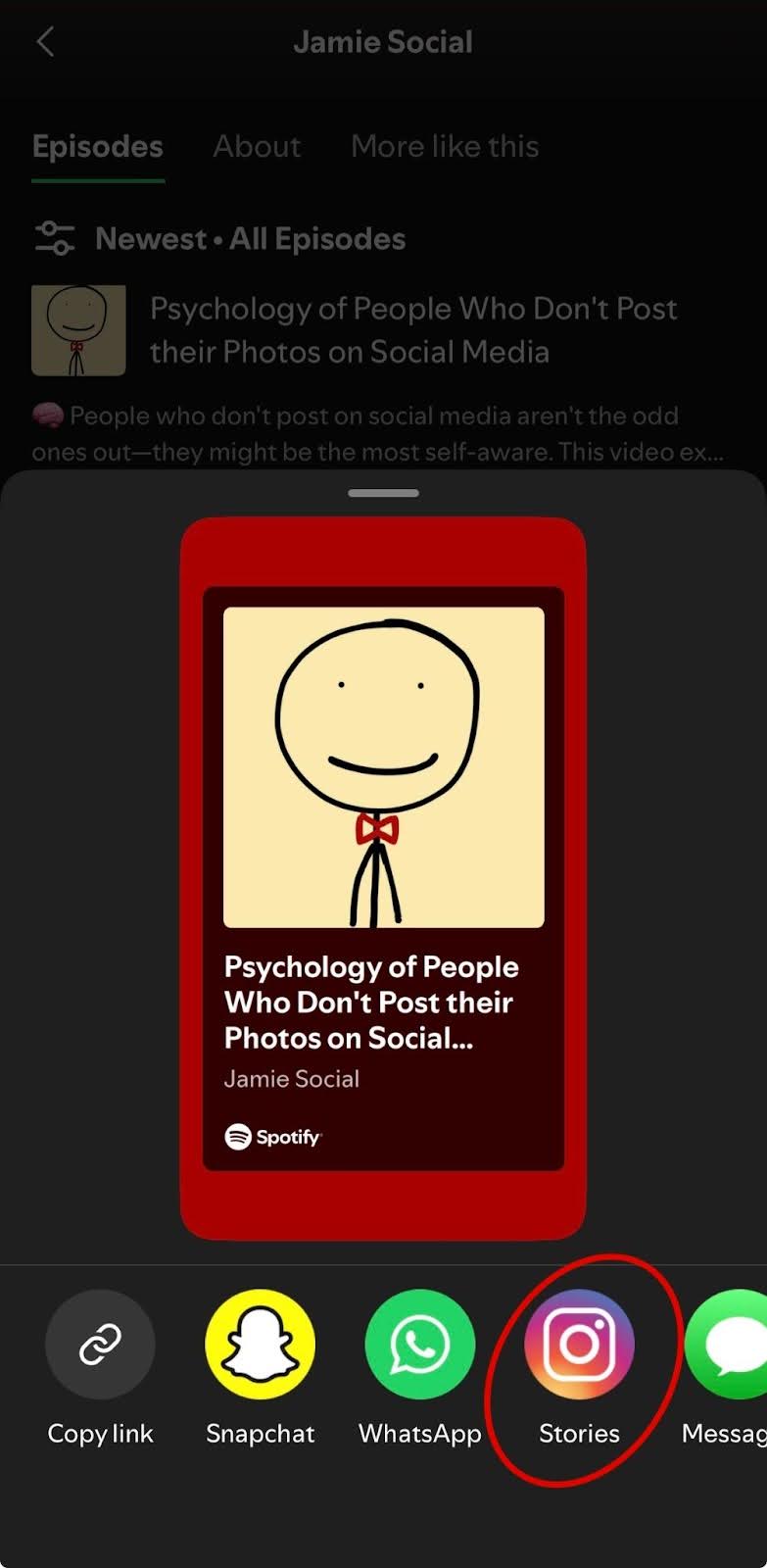
Spotify will open Instagram automatically and populate your Story with the episode artwork.
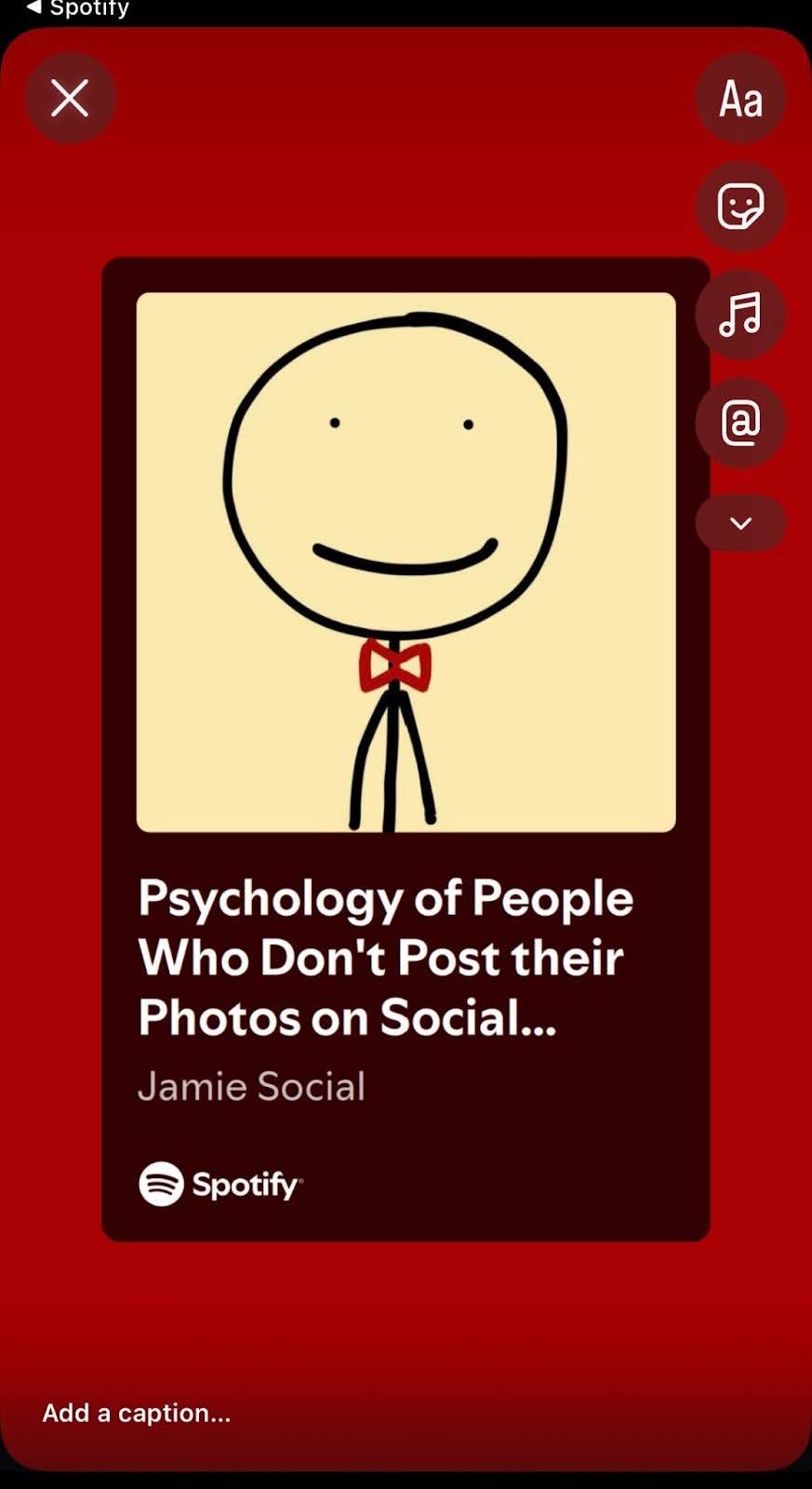
From there, customize the background, add text if you want, and publish.
2. Sharing from Apple Podcasts
Open the episode in Apple Podcasts, tap the ellipsis next to the title, and select Copy Link.
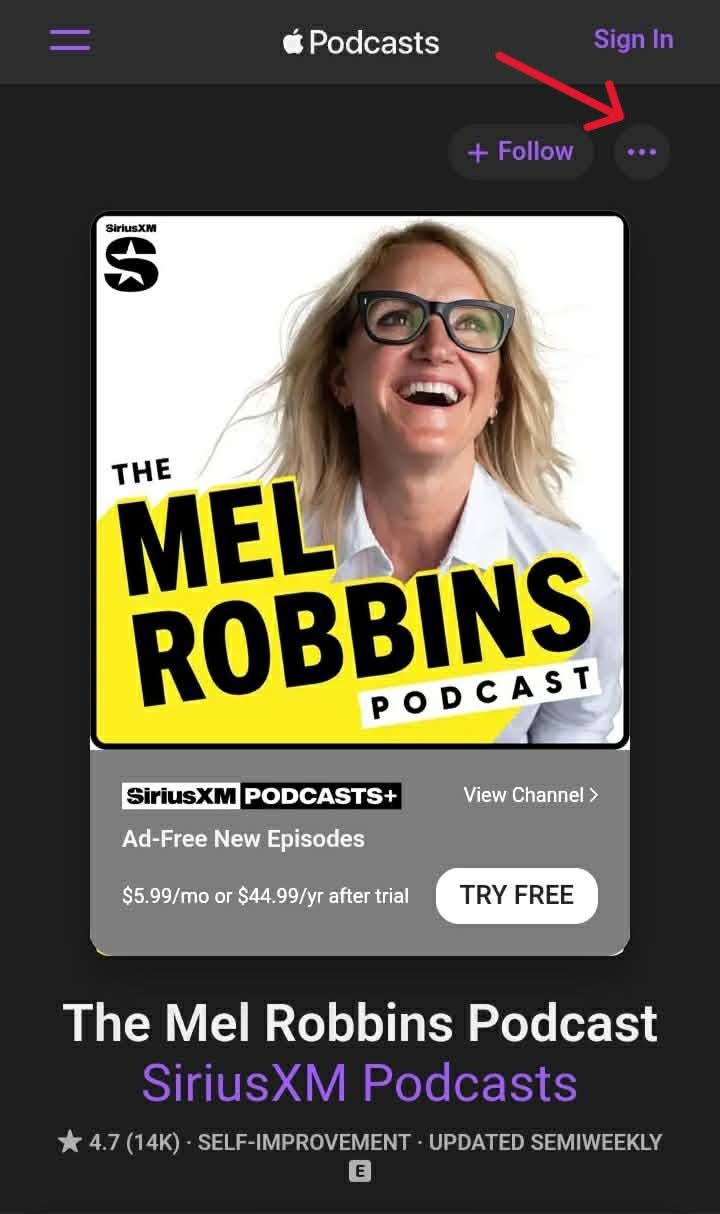
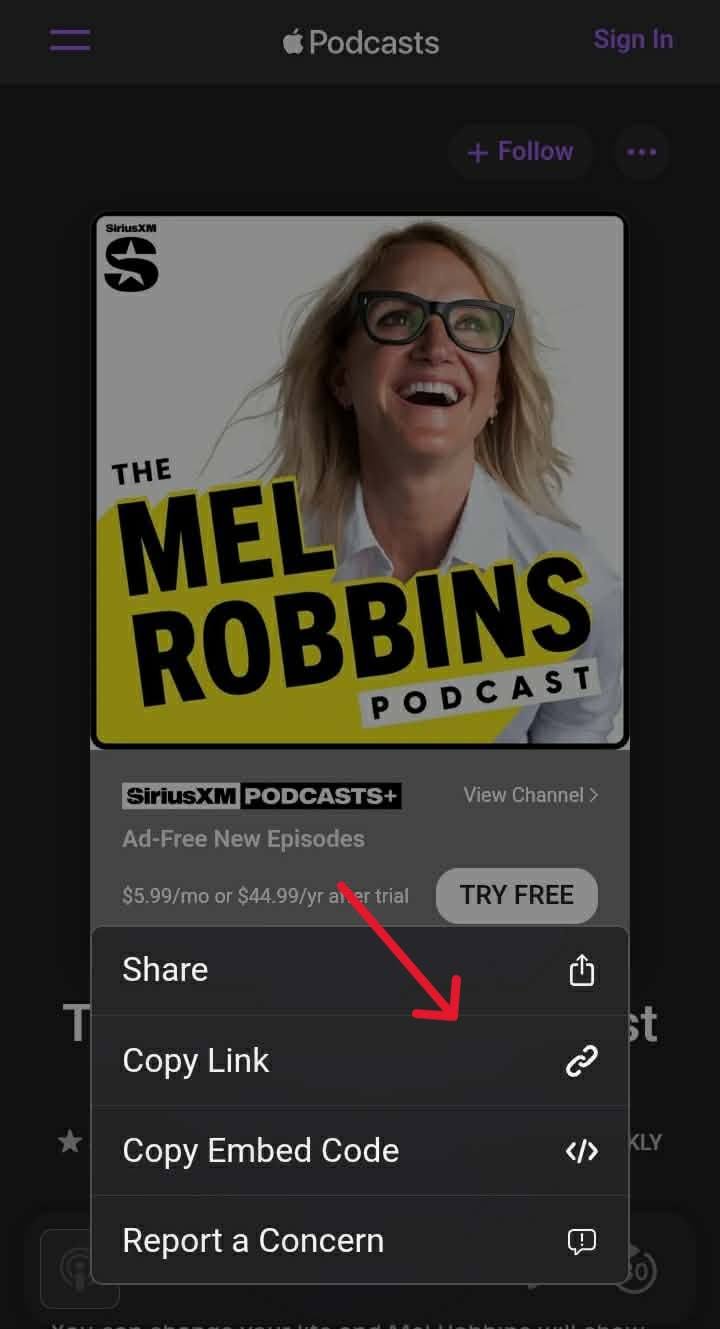
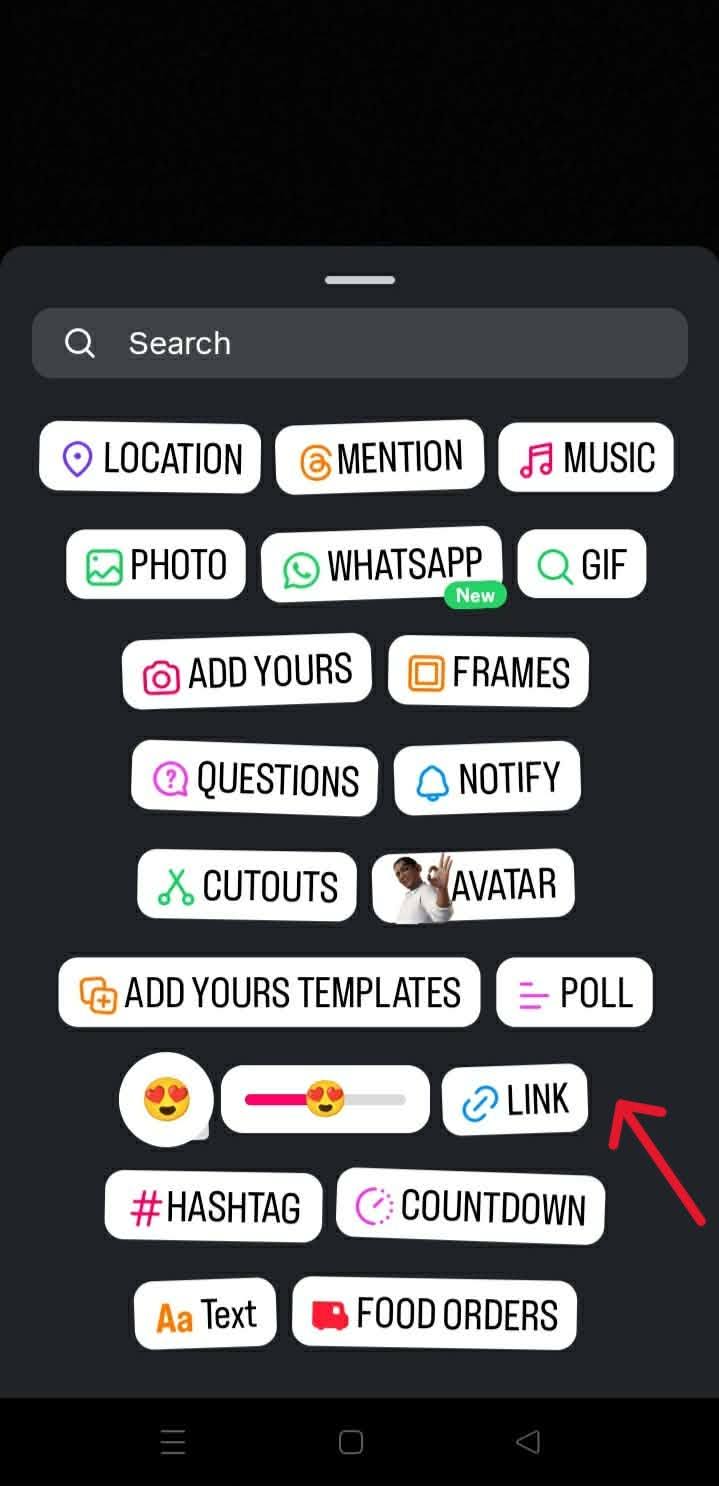
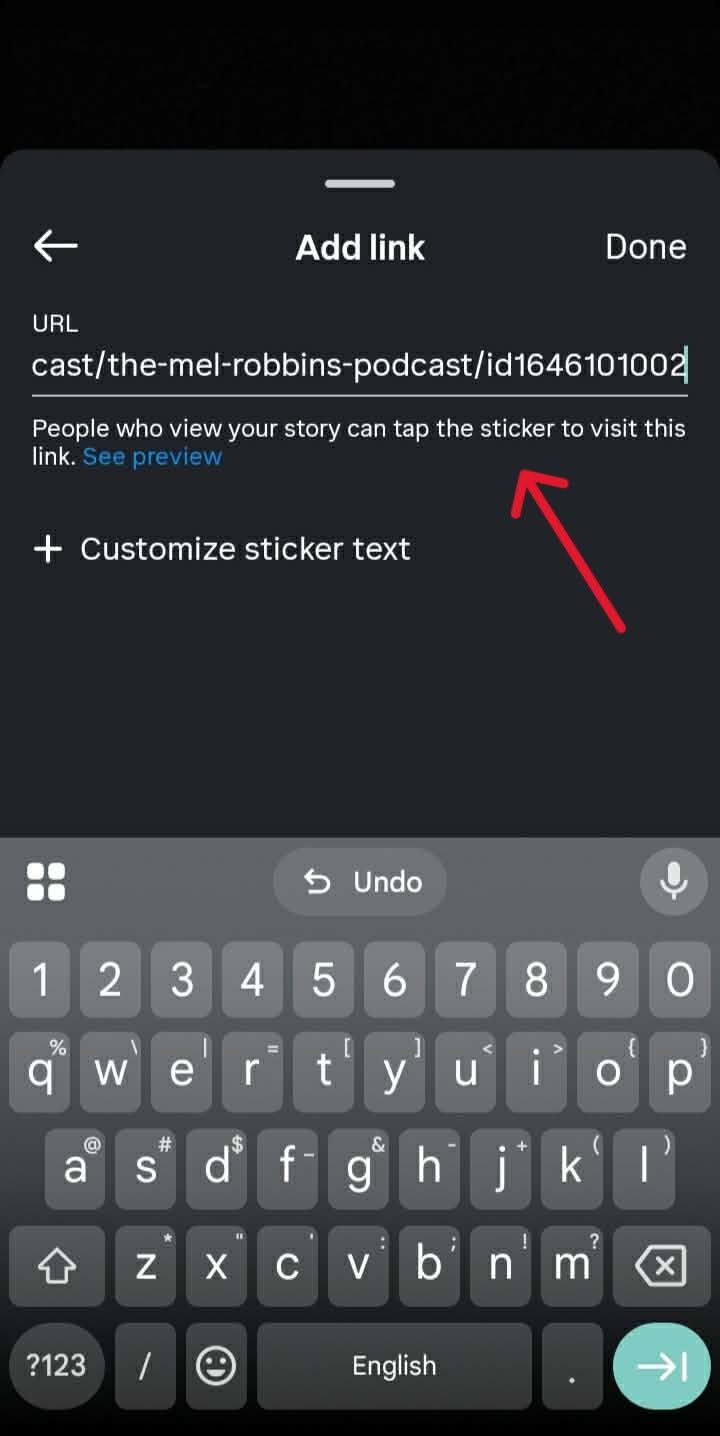
Open Instagram, tap the + icon, and create a new Story. Tap the sticker icon at the top of the screen, select Link, paste the episode URL into the URL field, and position the sticker on your Story before publishing.
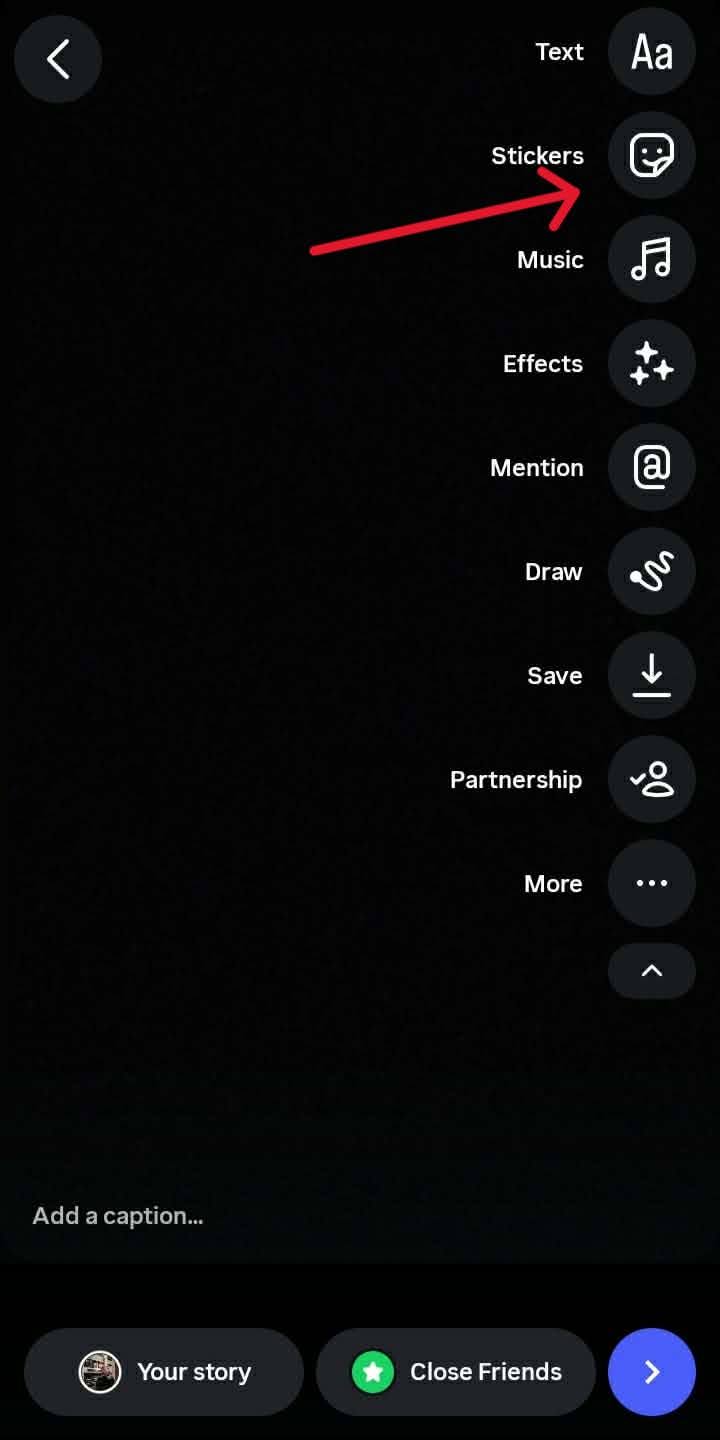
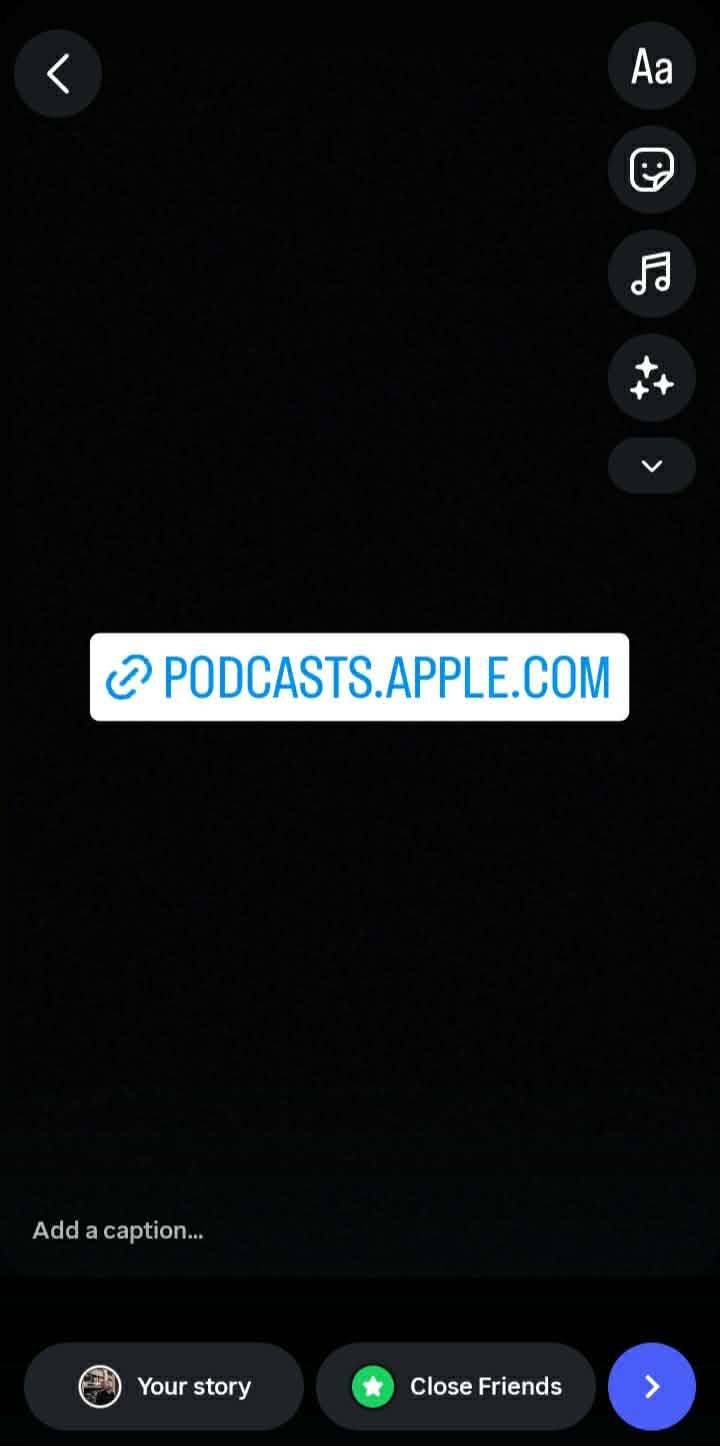
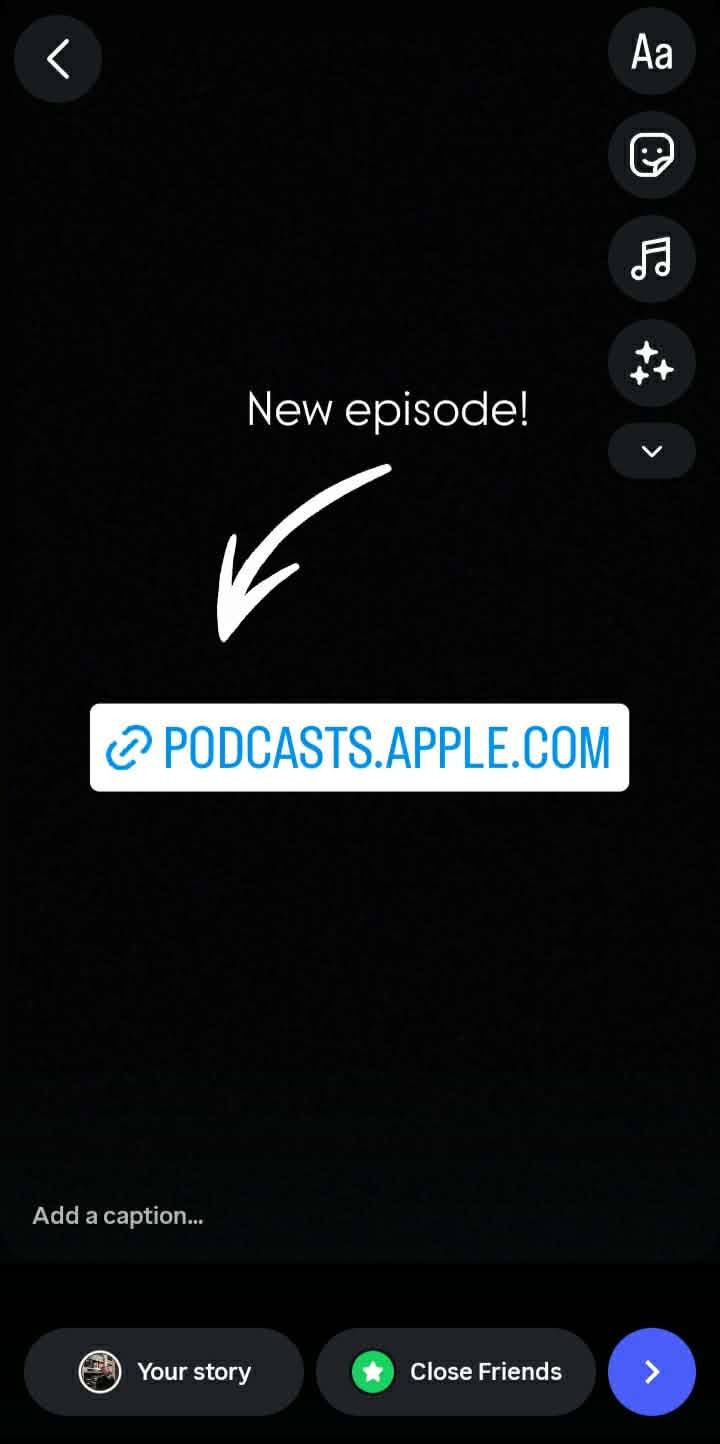
One thing most creators skip: add a short text overlay pointing to the link sticker, something like "new episode" or "listen here." It's a small detail, but it makes a real difference in tap-through rate.
Also worth doing, save the Story to a Highlight on your profile. Stories disappear after 24 hours; Highlights don't, and they give every new profile visitor an easy way to find recent episodes.
Method 2: Create a Podcast Reel
This is the method that actually grows your audience. Instagram's Reels are designed to reach non-followers on the Reels tab and Explore page, which is where new listener discovery happens. Stories reach the people who already know you. Reels reach the people who don't yet.
Step 1: Find the Right Moment to Clip
This is where most people go wrong. They clip something that makes sense in the context of the full episode, but lands flat on its own. A good Instagram clip has three qualities:
- It opens with a hook in the first two or three seconds (a strong opinion, a surprising claim, a question the viewer immediately wants answered)
- It stands alone without requiring episode context
- It has a natural endpoint rather than trailing off mid-thought.
Structurally, look for a moment where your guest makes a counterintuitive claim, where you challenge a common assumption, or where someone tells a short story with a clear payoff. Those moments clip well. Long explanations with qualifications don't.
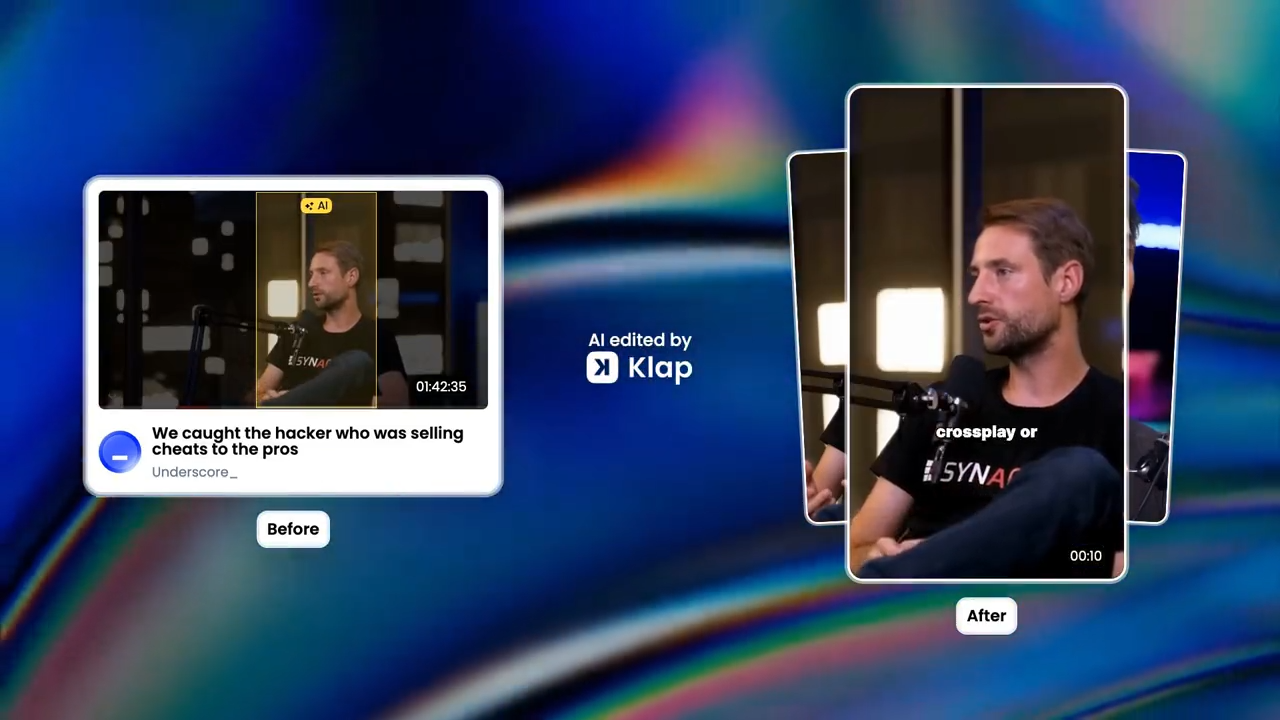
If you're working from a long-form video podcast, finding those moments manually means a lot of scrubbing. This is what we built Klap for.
Upload your episode to Klap, and our AI analyzes the full recording to identify the most interesting/engaging moments, the parts most likely to hold attention on short-form platforms.
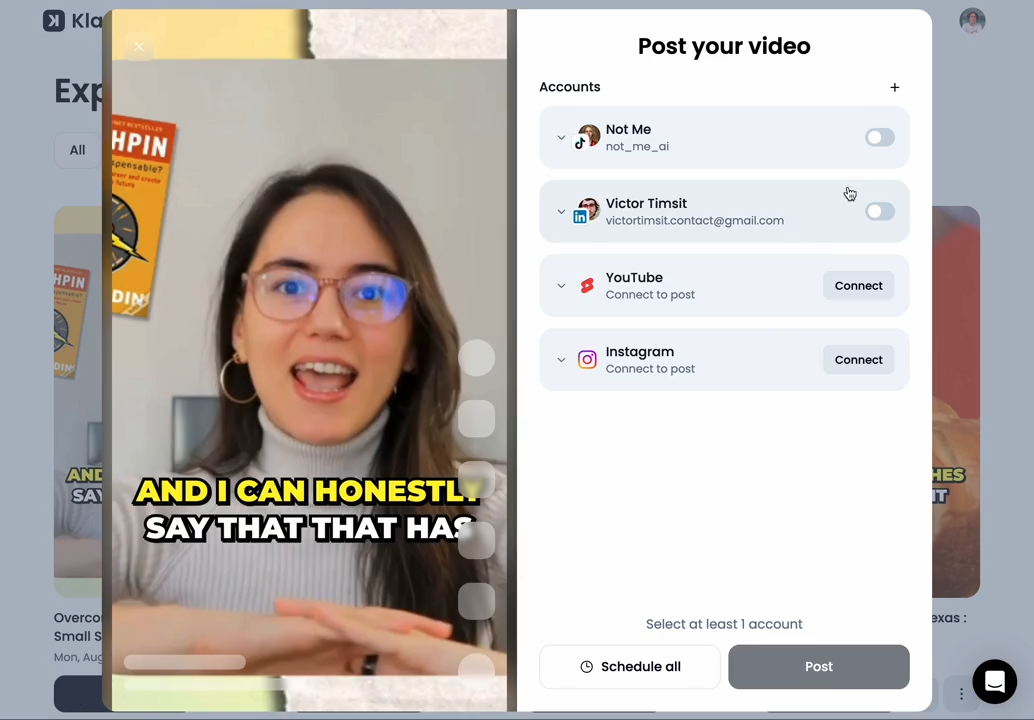
It generates multiple viral-worthy clips, so you can choose the one that fits best rather than just settling for the first decent moment you find.
Step 2: Format for Vertical Video
Instagram Reels require a 9:16 vertical aspect ratio at 1080x1920 resolution. If you recorded a video podcast in standard landscape (16:9), you need to reframe the footage for vertical. Klap handles this automatically with intelligent reframing and facial recognition that keeps the speaker centered in the frame as they move.
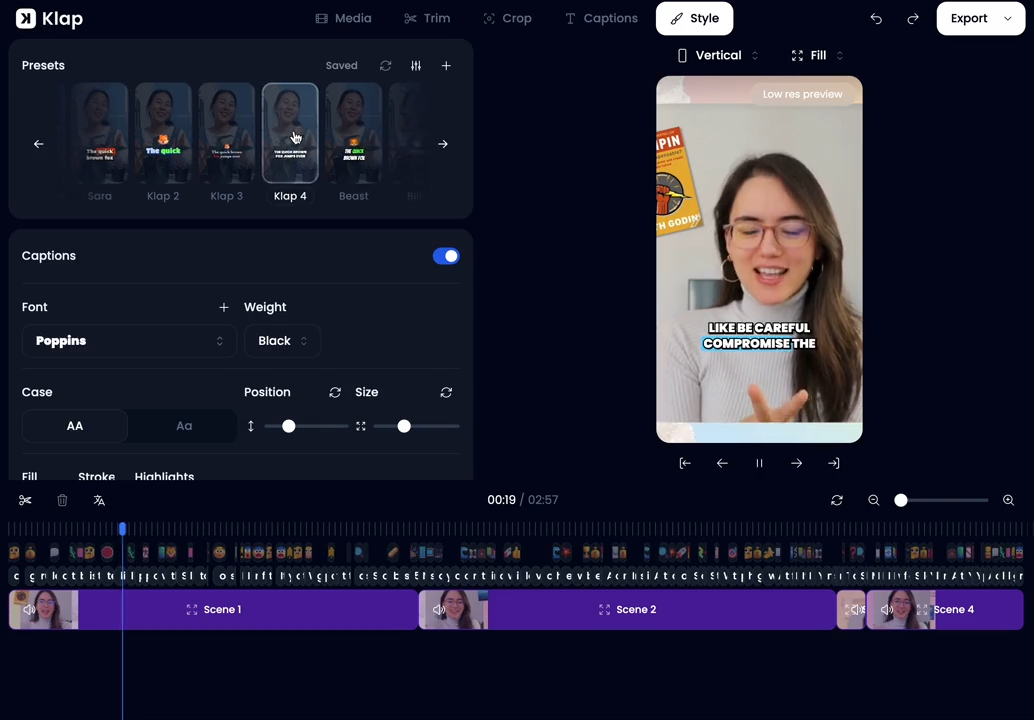
If you're working from audio only, a branded waveform animation or a clean static background with captions works fine. The visual doesn't need to be fancy. It just needs to not look like an afterthought.
Step 3: Add Captions
This is non-negotiable. A Reel without captions is effectively invisible to a large share of potential viewers.
Good captions are high-contrast, positioned in the safe zone away from Instagram's bottom navigation bar and top notification area, and timed in short phrases rather than full sentences. Word-by-word pop captions are more likely to perform well because they're easy to read quickly.
If you created your clip with Klap, dynamic captions are already included in the export.
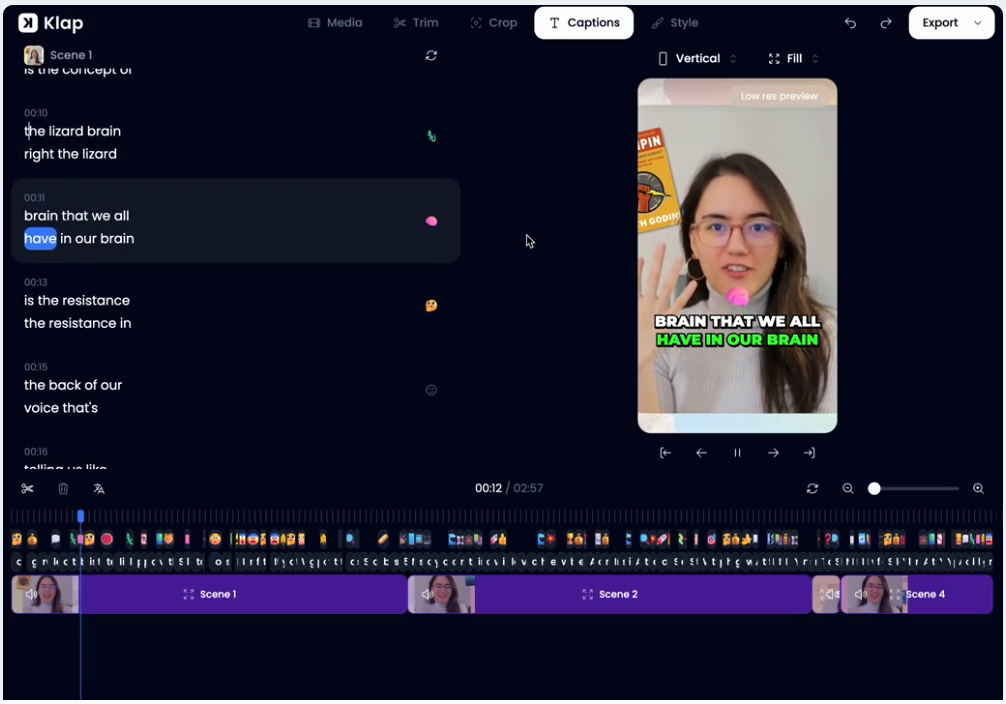
If you're editing manually, tools like Capcut and Headliner both have caption generators that handle the timing for you.
Step 4: Upload and Publish
Once your clip is formatted and captioned, open Instagram, tap +, select Reel, and upload on Instagram from your camera roll. Write a caption (more on this in Best Practices), select a cover frame that looks good as a static thumbnail on your profile grid, and share.
The upload itself is straightforward. The earlier steps are where the real work happens.
Method 3: Share an Audiogram as a Feed Post or Story
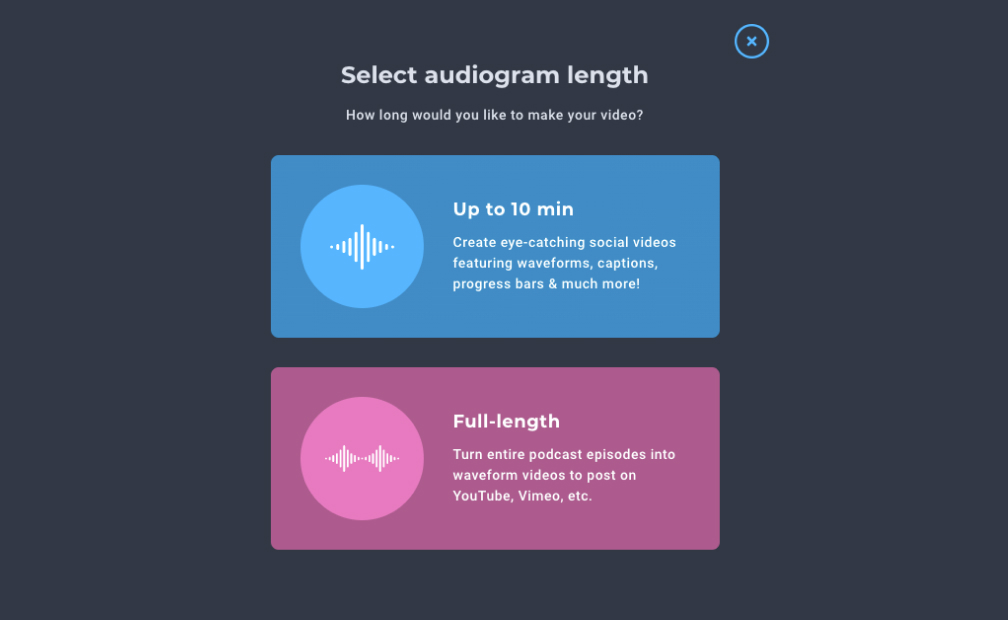
An audiogram is a short video clip where an animated audio waveform plays over a static background image, typically your podcast cover art. It's how audio-only podcasters create something visual enough for Instagram's Feed.
This method is lower-effort than a Reel and lower-reach, but it gives you permanent Feed presence, which Stories don't.
Step 1: Choose Your Audio Excerpt
Pick a 30 to 60-second clip with a clear, self-contained quote or insight. It should make sense without context and communicate one specific idea.
Step 2: Create the Audiogram
Headliner is the most widely used tool for this. Import your episode, trim to your excerpt, choose your aspect ratio (square for Feed posts, 9:16 for Stories), add captions if the tool supports it, and customize the background with your podcast artwork or brand colors.
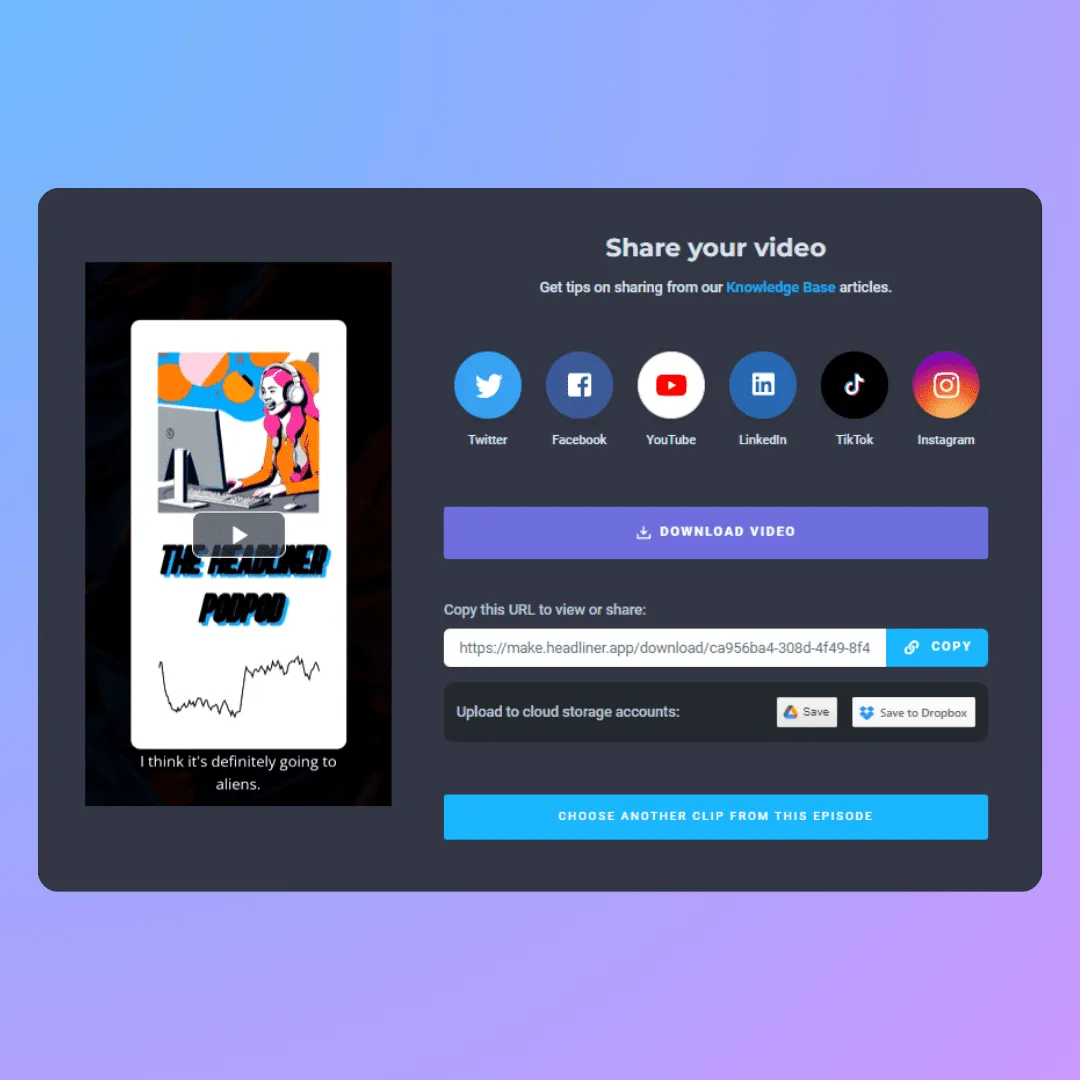
Step 3: Export and Post
Download the finished audiogram and upload it to Instagram as a Feed post or Story. For Feed posts, write a caption that names the episode and ends with "link in bio" to direct followers to the full episode.
Best Practices for Sharing a Podcast on Instagram
Get More than One Post out of Every Episode
A single episode should give you a Reel from the strongest clip, a Story link share on launch day, an audiogram from a second good quote, and potentially a static pull-quote graphic.
Spreading these across the week keeps your account active between episodes and gives the algorithm more chances to distribute your content. It also means you're not scrambling to create new material constantly.
Write Captions that Tease, not Summarize
The caption under a Reel should make someone curious, not give the whole episode away.
A formula that works well: one sentence identifying the topic or guest, one sentence surfacing the specific claim or tension in the clip, then a short call to action. Additionally, Instagram now allows only up to five hashtags, with some users reporting that they can use a maximum of three.
Instagram's algorithm has become sophisticated enough that hashtag stuffing doesn't help and can look spammy.
Tag Your Guest and Engage Early
If your episode has a guest, tag them in the post. Their followers may see the tag and discover your show without any extra effort on your part.
Beyond tagging, try to reply to comments that land as soon as you post. Early engagement signals to Instagram's algorithm that the post is worth distributing further, and it can meaningfully extend your reach window.
Watch Your Clip Back with the Sound Off
Before you post a Reel, mute it and watch it through. If it doesn't communicate anything compelling through captions alone, either find a different clip or rework the caption to carry more of the meaning.
Instagram is a mute-first environment. Content that accounts for that consistently outperforms content that doesn't.
Post Consistently, not Just at Launch
Most podcasters go quiet between episodes. A better approach is to treat each episode as a week's worth of content and distribute posts throughout the week.
Consistent posting signals to the algorithm that your account is active, which affects how reliably your content gets distributed over time.
Start Turning Episodes Into Reels Today
Sharing a podcast on Instagram comes down to choosing the right format for your goal: Stories for getting current followers to listen, Reels for reaching new audiences, audiograms for building Feed presence. The biggest lever is Reels, but only if the clip is strong, formatted correctly, and captioned.
If the production side is what's slowing you down, that's exactly what we built Klap to solve.
Upload your podcast, and Klap automatically finds the best moments, reframes for vertical, and adds captions, so you can go from raw recording to a ready-to-post Instagram Reel in a few minutes rather than a few hours.
Join millions of creators using Klap and create Instagram-ready clips today.
