
AI Motion Graphics: The Complete 2026 Guide
Other
Let's be honest: the idea of "AI motion graphics" probably sounds like something out of a sci-fi movie. But this isn't about robots taking over your creative job. It's about giving you a team of tireless assistants to handle the grunt work, freeing you up to be the creative director.
Think of it as a powerful collaboration. You bring the vision, the story, and the strategy. The AI brings the speed, automating the tedious parts of animation that used to eat up hours of your day. This lets you focus on what really moves the needle: creating standout content.
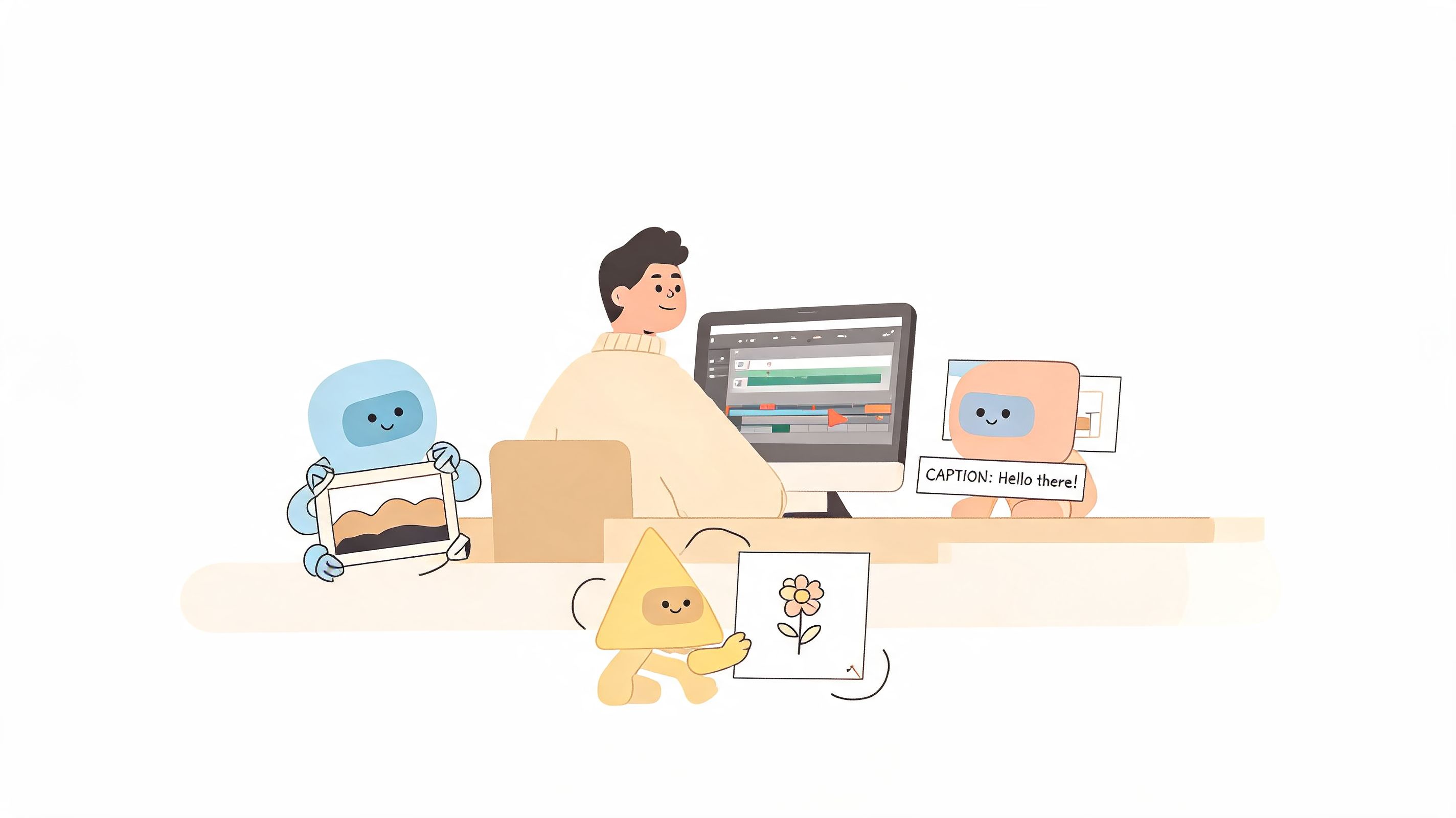
This isn't some far-off future. It's happening right now, driven by the relentless demand for short-form video on platforms like TikTok and Instagram. In fact, short-form video now accounts for over 80% of mobile data traffic. These tools aren't replacing animators; they're empowering them to keep up.
The New Engine of Production
The numbers tell the same story. The global motion graphics market, which was valued at USD 98.3 billion in 2025, is on track to hit a staggering USD 280 billion by 2034. AI has become a crucial layer in this growth, handling tasks like reframing and captioning that can turn one long video into a dozen social-ready clips with up to 90% less manual effort.
This shift means creators and brands can now produce content at a speed and scale that was simply impossible before.
Actionable Insight: AI motion graphics tools are not about removing the human element; they're about supercharging it. By automating repetitive tasks, they allow creative professionals to operate at the speed of their ideas, not the speed of their software.
To really get what's happening with AI motion graphics, it helps to look at where it came from: computer-generated imagery (CGI). AI is completely reshaping the field, taking it from static images to smart, dynamic animations. If you want to dig into the fundamentals, the AI Image Detector's guide on CGI is a great place to start.
Ultimately, AI motion graphics are becoming an essential part of the modern creator’s toolkit for a few key reasons:
- Amplify Your Productivity: Spend less time on manual, repetitive tasks and more time on strategy and creativity. A recent study found AI tools can reduce post-production time by an average of 40-50%.
- Scale Your Content: Easily turn one video into dozens of variations tailored for different platforms and audiences.
- Enhance Your Creativity: Experiment with new styles and ideas without the high cost and time commitment of manual production.
The Core Techniques Behind AI Animation
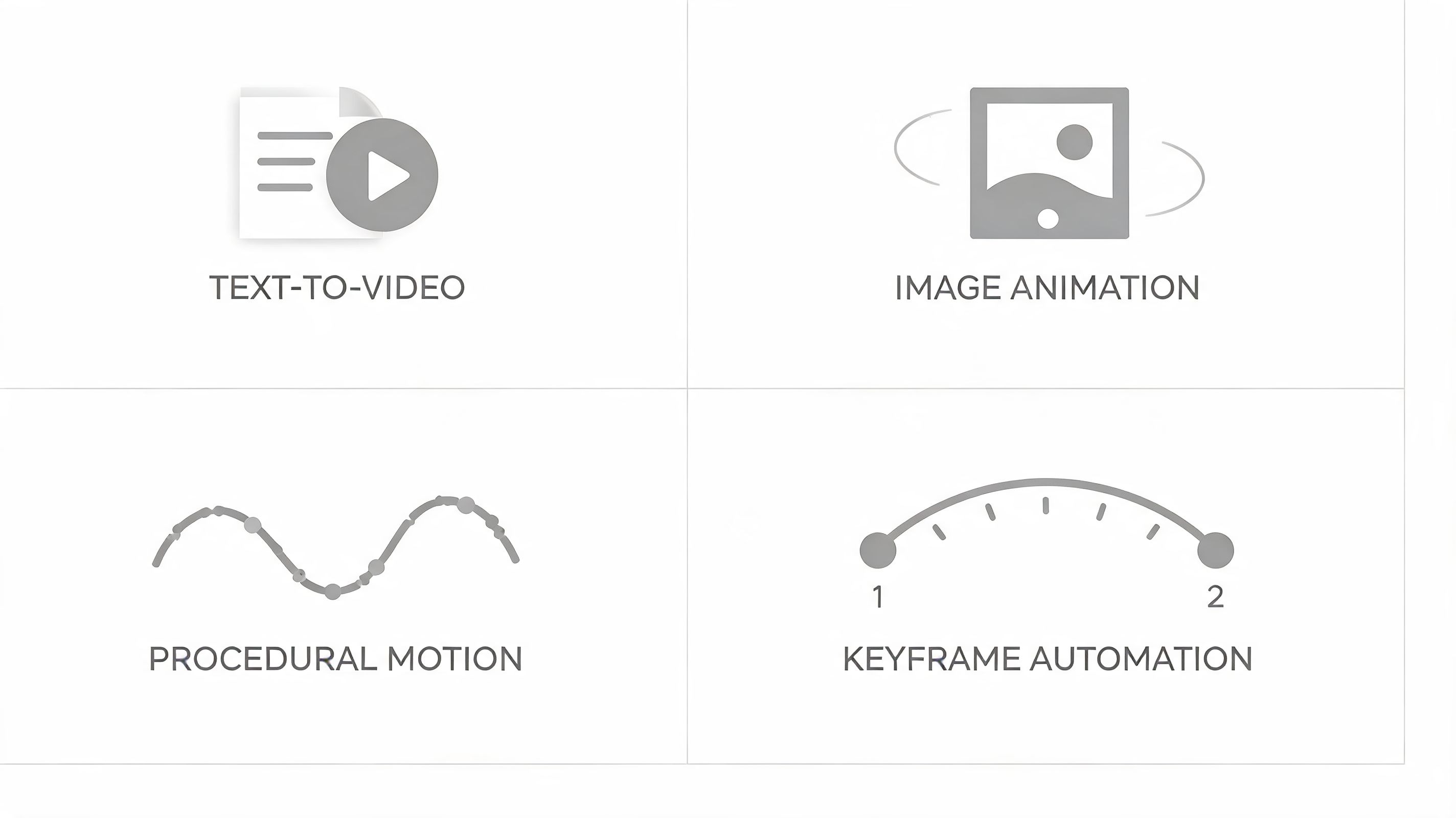
To really grasp what makes AI motion graphics tick, you need to peek under the hood at the techniques doing all the heavy lifting. Think of these as the essential new tools in your creative arsenal. Each one tackles a different part of the animation process, helping you turn an idea into a finished video faster than ever.
Knowing how these methods work will help you pick the right tool for the job, whether you’re dreaming up an entire scene from a text prompt or just trying to add a little pop to a static image.
From Text Prompts to Video Scenes
One of the most mind-blowing advances is text-to-video generation. It's exactly what it sounds like: you write a description of a scene, and the AI builds a short video clip based on your words. Imagine typing "a golden retriever catching a frisbee in a sunny park" and getting a usable video draft in seconds.
While the technology is still young, it's already a game-changer for creating quick B-roll, visualizing storyboards, or generating abstract backgrounds. Actionable Insight: Use text-to-video to rapidly prototype concepts. Instead of spending hours searching for stock footage, generate a dozen variations in minutes to see which one best fits your narrative.
Breathing Life into Still Images
Next up is AI image animation, a technique that makes static pictures move. This can be anything from a subtle 3D parallax effect that gives a photo depth to animating a character’s expression in a drawing. Tools like LeiaPix have made this incredibly accessible.
This is a huge win for social media. You can take a standard graphic or photo and turn it into a thumb-stopping video post. Since video posts on Instagram can generate up to 3x more engagement than static images, this simple trick is critical for boosting performance.
At its core, AI animation is about lowering the barrier to entry for motion design. What once required specialized skills and hours of painstaking work can now be accomplished with a simple prompt or a single click, empowering a new generation of creators.
Simulating the Natural World
Procedural motion has been around for a while, but AI has put it on steroids. This technique uses algorithms to generate natural physics and phenomena. Think of ultra-realistic flowing water, crackling fire, or billowing smoke.
Instead of an animator hand-drawing every single frame of a flickering candle, an AI can generate it based on how flames actually behave. This not only saves a ton of time but often creates results that look far more authentic than what could be done by hand. Research shows AI can generate these complex effects with over 75% more realism compared to older procedural methods.
Automating the Tedious Work
Finally, there’s keyframe automation. In classic animation, a keyframe marks the start and end point of a movement. The animator then has to manually draw all the "in-between" frames to create a smooth motion—a slog known as tweening.
AI now handles this tedious part for you. An animator can just set the main poses—a ball at the top of its bounce and then hitting the ground—and the AI intelligently fills in all the frames in between. This is a massive time-saver, with some modern tools offering tracking speeds up to 20x faster than older methods. This frees up animators to focus on the creative performance of the shot instead of the repetitive labor.
Building Your AI Motion Graphics Toolkit
Picking the right software is your first real step toward creating impressive AI motion graphics without the brutal learning curve. The market is packed with options, so it's helpful to categorize them by what they do best. It’s a bit like building a physical toolkit: you need a good multi-tool for everyday jobs, a few specialized instruments for specific tasks, and a solid workbench to bring it all together.
This breakdown slices AI motion graphics tools into their main categories to help you build out your creative stack.
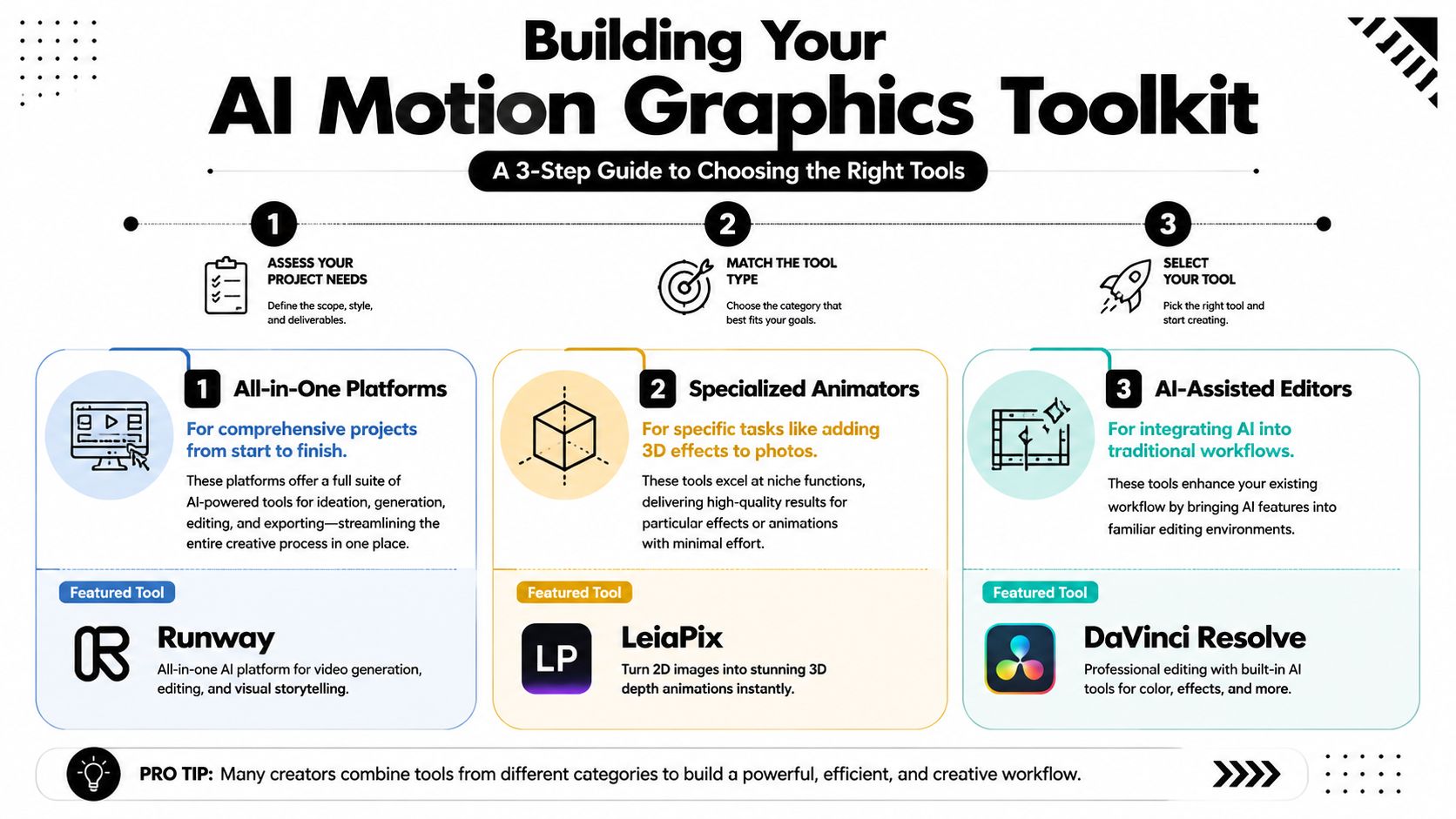
As you can see, you can go with an all-in-one platform for broad projects, a specialized animator for a specific effect, or an AI-assisted editor that brings smart features into a workflow you already know.
All-in-One Generative Platforms
Think of all-in-one platforms like Runway and Pika as the Swiss Army knives of AI animation. They pack multiple functions—from text-to-video and image animation to AI-powered editing—into a single interface. These are perfect for creators who want one spot to handle entire projects from idea to final export.
- Best for: Quickly producing a wide variety of animated content without having to bounce between different apps.
- Actionable Insight: Use these platforms to create fast-turnaround social media content. A marketing team can generate 5-10 video ad variations in under an hour, a task that would have previously taken a full day.
Specialized Animator Tools
Next up are the specialists. These tools are masters of one particular task. LeiaPix, for example, is brilliant at adding stunning 3D depth and parallax effects to still photos, turning a flat image into something dynamic and eye-catching. You reach for these when you need a specific effect done exceptionally well.
Actionable Insight: The real power of an AI toolkit comes from combining tools. You might generate a background in an all-in-one platform, animate a key visual with a specialized tool, and assemble everything in your main video editor.
AI-Assisted Video Editors
Finally, we have traditional video editors that are getting smarter. Tools like DaVinci Resolve are baking AI right into their software, offering features like AI-powered motion tracking, object removal, and smart reframing. This brings the power of AI into a familiar workflow that many editors already know and love.
The adoption of these tools is fueling incredible market growth. The Generative AI in Animation market, valued at $2.1 billion in 2024, is on track to hit a staggering $15.9 billion by 2030. This growth is all about efficiency; AI-assisted motion tracking, for instance, can slash production time by up to 60%, delivering a massive return on investment.
Of course, beyond these dedicated AI tools, you still need a solid video editing suite to polish and integrate your AI-generated graphics into a final project. For Mac users, the guide from Smooth Capture gives a great overview of the options out there. You can also check out our guide on the best AI video editing software to see more solutions that blend AI with traditional editing.
An Actionable Workflow for Repurposing Content with AI
Alright, let's get practical. Knowing the theory behind AI motion graphics is great, but the real payoff comes when you put it to work. Let's walk through a simple, step-by-step workflow that turns one long-form video—like a podcast or webinar—into a week's worth of killer social media clips.
This is how you stop working harder and start working smarter.
With a content repurposing tool like Klap, you can get this whole process done in less than an hour. Seriously. One video asset becomes dozens of high-quality, ready-to-post clips.
This diagram nails the core idea: one long video gets chopped and screwed into multiple vertical clips, each one perfectly optimized with smart framing and captions.
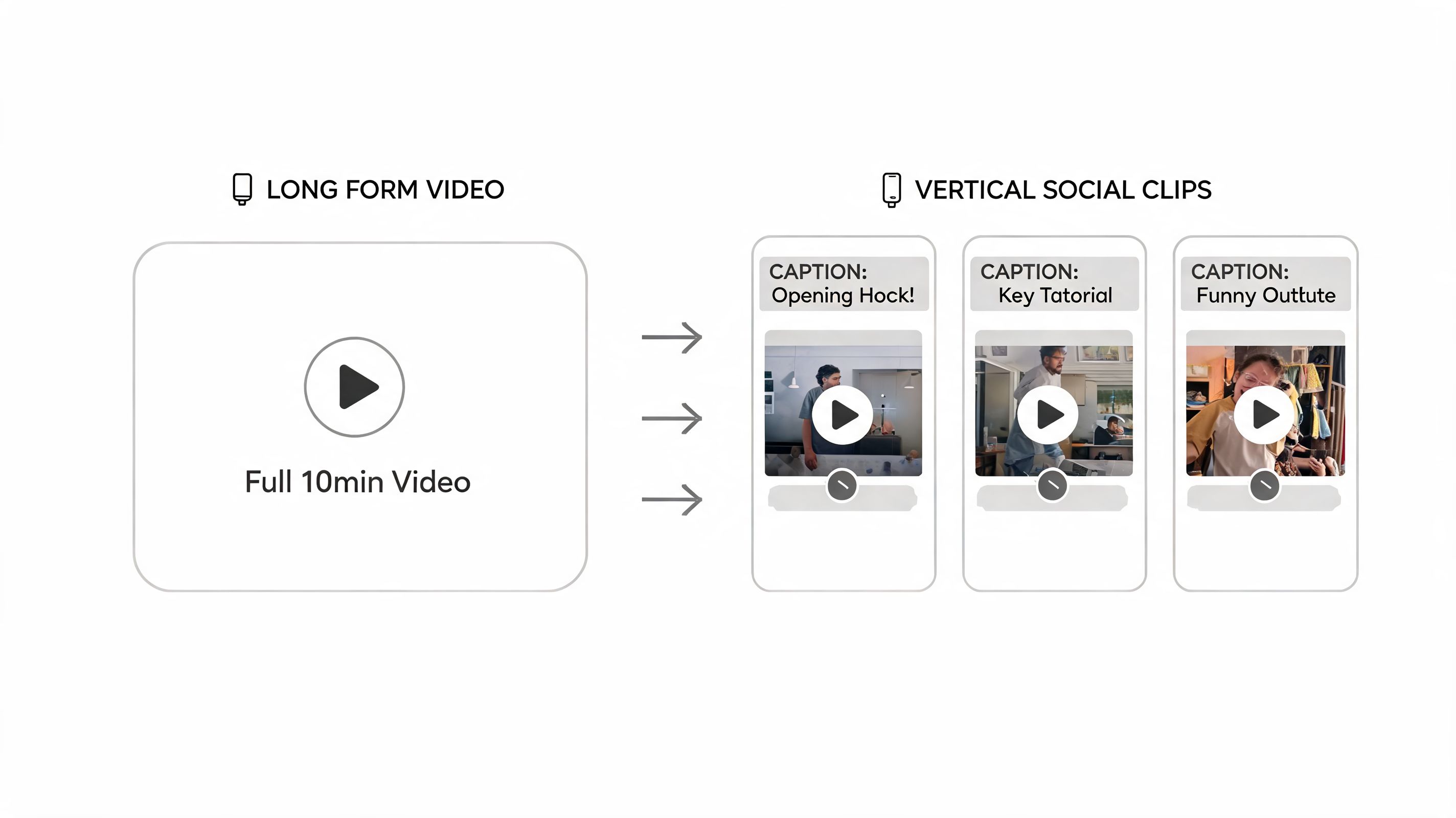
This is the goal right here: maximum impact, minimum effort. You're turning one recording into a ton of unique content without spending days in an editing bay.
Step 1: Source Your Content
Everything starts with your source material. This can be any long-form video you already have sitting on a hard drive or YouTube channel. Think of your existing content library as a gold mine waiting to be excavated.
Actionable Insight: All you have to do is upload a video file or just drop in a YouTube link. The AI takes it from there, pulling in the video and its transcript to get it ready for the next step. It’s the only raw ingredient you need.
Step 2: Let the AI Discover Your Clips
This is where it gets really cool. Instead of you painfully scrubbing through an hour-long recording looking for good moments, the AI does the heavy lifting. It scans the transcript and listens to the audio to pinpoint the most compelling segments—the hooks, the big takeaways, and the questions that will stop a scroller in their tracks.
Think of the AI as your super-efficient producer. It has a knack for spotting those potential viral moments based on what you said and how you said it. It then serves you a menu of suggested clips, saving you hours of tedious review.
This discovery phase is what separates a smart workflow from a manual one. It ensures the clips you create aren't just random snippets but are powerful, self-contained pieces of content.
Step 3: Use AI-Powered Reframing and Captions
Once you've picked your favorite moments, the AI handles all the technical stuff that makes a clip work on social media. This boils down to two key actions.
- Automatic Reframing: Your horizontal video is instantly transformed into a vertical 9:16 aspect ratio, the native format for TikTok, Reels, and Shorts. The AI uses face detection to keep the speaker perfectly centered, even if they move around. No more awkward, off-center framing.
- Dynamic Captions: Next, it generates and animates captions. With over 85% of social media videos watched on mute, this is a non-negotiable. The AI creates clean, engaging subtitles that make your content accessible and keep viewers locked in.
Step 4: Apply the Final Polish and Distribute
Finally, you get to play director. The AI gives you the first draft, but you have the final say.
Actionable Insight: Review the generated clips. You can easily trim the start or end points, fix any small typos in the captions, or adjust the branding to match your style guide. Once you’re happy, just export the clips and start scheduling them out.
This is how you build a scalable content machine instead of staying on the content treadmill. For a deeper look at the strategy behind this, check out our guide on repurposing content for social media.
Tech demos are one thing, but the real magic of AI motion graphics happens when creators use these tools to solve everyday problems. It's time to stop talking about the "what" and start looking at the "how"—seeing the workflows that are actually driving results for brands and creators.
These aren't just cool tricks; they’re a smarter way to work. Creators are using AI motion graphics to pump out high-quality visuals for platforms like Instagram Reels, where the demand for fresh content is relentless. If you're trying to keep up, you'll need to know the latest Instagram Reels best practices.
Helping Podcasters and Interviewers Get Seen
Think about a podcaster who puts hours into recording a great interview. That amazing audio used to be stuck in a format that social media feeds just ignore. Now, with AI, they can turn that audio into an animated audiogram with dynamic, word-by-word captions in minutes.
Suddenly, a passive audio file becomes a thumb-stopping video clip that’s perfect for Instagram or LinkedIn. The result? Podcasters using this method have reported up to a 300% bump in reach and engagement, because native video always beats a plain audio link. The AI does all the heavy lifting—animating and transcribing—turning one recording into a dozen potential social posts.
Actionable Insight: The goal is no longer just to create content, but to maximize its lifespan and reach. AI motion graphics tools act as a multiplier, turning one asset into a library of platform-specific content with minimal manual effort.
Scaling Social Campaigns for Marketers
Or how about a marketing agency trying to launch a new product? They need a bunch of animated explainer videos, and they need them yesterday. Instead of getting bogged down in a weeks-long animation project, they can use AI to generate multiple versions at once.
Just feed the AI a script and some product shots, and out come short, punchy animated videos in different styles and formats. This lets them A/B test creatives on the fly and make decisions based on real data. For a typical campaign, this can mean a dramatically shorter production timeline (from 2 weeks to 2 days) and a much more agile campaign.
Finding Viral Gold for YouTubers
Finally, let’s look at a YouTuber using a tool like Klap. After they upload a long interview, the AI scans the entire video to pinpoint the most engaging, shareable, and potentially viral clips. It then pulls those moments, reframes them for a vertical screen, and slaps on dynamic captions.
Instead of spending hours scrubbing through footage, the creator gets a ready-made list of high-potential Shorts and Reels. This workflow creates a constant stream of promotional content that funnels viewers back to their main channel, driving new subscribers and more views. If you want to see exactly how this works, you can check out how an AI video clip generator makes it happen.
As exciting as AI motion graphics are, it's important to be realistic: it's not a magical fix for all your creative problems. Anyone who has spent time with these tools knows you'll run into some real-world headaches.
The biggest one? The risk of your work looking, well… a bit generic. Many AI models are trained to produce widely appealing visuals, which can strip away the unique artistic flair that makes your brand stand out.
You'll also run into the occasional visual glitch. AI-generated video can be notorious for strange artifacts—a background that won't stop flickering, an object that morphs unnaturally, or other weird bugs. These imperfections often mean you’re back in the editor for manual cleanup, adding an unexpected and frustrating step to your workflow.
Actionable Insight: A quick note on safety: When you're using powerful agentic AI tools, a few simple habits go a long way. Always scope their access as narrowly as possible and make a point to review any code or commands they generate before running them.
The Style, Copyright, and Data Conundrum
Beyond the technical hiccups, there are deeper and more complex questions that every creator needs to think about. How do you maintain a distinct style when everyone is pulling from the same generative engine?
This question opens up a Pandora's box of copyright and data privacy issues.
- Training Data: AI models learn by analyzing massive datasets of existing images and videos. Whether this counts as fair use or copyright infringement is still a huge legal and ethical gray area.
- Content Ownership: So, who actually owns the animation you just generated? The answer is often buried in a platform’s terms of service. It's critical to know if you actually have the full commercial rights to use what you create.
- Data Privacy: What happens to the content you upload to an AI platform? Some services might use your data to train their models further. While many reputable companies like Adobe have policies against this, it’s a major privacy concern you should always be aware of.
Ultimately, using these tools wisely is a balancing act. You have to weigh the incredible efficiency of AI motion graphics against a clear-eyed understanding of its limitations and the tricky ethical landscape. Keeping that perspective is the key to creating amazing and responsible content.
Frequently Asked Questions About AI Motion Graphics
As AI motion graphics tools start popping up everywhere, a few big questions keep coming up for creators and marketers. It’s natural to wonder about the cost, the capabilities, and how this all affects creative jobs.
Let's clear the air and tackle those questions head-on.
Will AI Replace Motion Graphics Designers?
This is the big one, and the short answer is no. AI tools are powerful assistants, not replacements.
Think of it this way: AI is great at the heavy lifting—the repetitive, time-sucking tasks like generating rough drafts, transcribing audio, or reframing a dozen clips. This frees up designers to focus on what actually matters: storytelling, creative direction, and adding that final polish that only a human can.
An AI might be able to assemble the parts of a car, but the designer is still the one in the driver's seat, deciding where to go. In fact, a 2026 industry survey found that 78% of creative directors believe AI will increase the demand for skilled artists who can guide these tools and bring a unique vision to life.
How Much Do AI Motion Graphics Tools Cost?
The price tag on these tools can vary a lot, so there’s usually an option for every budget. Most platforms use a freemium model, letting you test the waters before committing.
- Free Tiers: Perfect for experimenting with the technology or for one-off projects.
- Subscription Plans: These typically run from $20 to $100 per month. You’ll get more processing credits, higher-quality exports, and access to advanced features.
- Enterprise Solutions: If you have a large team, custom pricing is usually available for high-volume usage and dedicated support.
Actionable Insight: The goal of these tools is to give you a positive return on your investment. When you add up the hours saved on manual editing, the monthly subscription cost often pays for itself, especially if you're creating content at scale. A small team producing 10 videos a week can save over 20 hours of labor, making a $50/month subscription incredibly cost-effective.
Can I Use AI to Animate My Company Logo?
Yes, but you’ll want to be careful. You can definitely use AI to add simple movements to a static logo, like a subtle pulse or a quick zoom effect.
However, AI isn’t quite ready to create a complex logo animation from scratch that truly reflects your brand identity. It often struggles to maintain brand consistency and lacks the fine-tuned artistic control needed for high-stakes branding.
For a unique and professional brand animation, your best bet is still to work with a human designer—either to create it manually or to guide an AI tool with their expert eye.
Ready to stop spending hours on tedious video editing? Klap helps you turn one long video into a dozen viral-ready shorts in minutes. Try Klap for free and see how AI can multiply your content output.
