
Jump Cut Definition: A Modern Creator's Guide
Other
A jump cut is what happens when you slice a piece out of a continuous video clip, making your subject seem to "jump" forward in time. What was once considered a filmmaking faux pas is now the very heartbeat of fast-paced content on platforms like TikTok and YouTube, creating a dynamic rhythm that can increase viewer retention by over 50% in short-form videos.
What Is a Jump Cut and Why Does It Matter?
Think of a jump cut as a storytelling shortcut. It’s like snipping out unnecessary sentences from a paragraph to get straight to the point. Instead of a smooth, seamless transition, the subject on screen abruptly changes position, instantly signaling a leap forward in time. This creates a distinct, energetic feel that’s perfect for holding attention in a world of endless scrolling.
Here's the simple, actionable process:
- You start with a single, unbroken shot of someone talking or something happening.
- You cut out a middle section—maybe a pause, a filler word like "um," or a moment that slows the pace.
- You then stitch the two remaining pieces back together.
The result is that jarring but effective "jump" that makes the action feel tighter and more concise. What used to be a rule-breaking, avant-garde style is now a fundamental tool for any creator looking to boost engagement.
From Film Theory to Viral Videos
At its core, a jump cut is a deliberate break in temporal continuity. The technique was famously thrown into the spotlight in the 1960s by French New Wave director Jean-Luc Godard in his film Breathless, shocking audiences who were used to invisible, seamless editing. You can find more on its cinematic history and impact over at Videomaker.com.
Today, that same "shocking" technique is the standard for creators who need to pump out high-energy content that grabs and holds attention. This concept map breaks down how the jump cut functions as a modern storytelling device.

As the map shows, the whole point is to manipulate time to serve the needs of today's fast-paced media landscape. It's a direct line from technique to purpose.
A well-executed jump cut isn't a mistake; it's a deliberate choice to prioritize pacing and energy over seamless continuity. It tells the audience, "Let's skip the fluff and get to the good part."
This intense focus on momentum is exactly why jump cuts dominate short-form video. With average attention spans hovering around 8 seconds, you have to deliver value fast. By trimming every unnecessary pause, breath, and filler word, jump cuts help you craft videos that feel punchy, direct, and respectful of your viewer's time. They’re no longer just a stylistic choice—they're a strategic one for keeping your audience watching.
When to Use Jump Cuts for Maximum Impact

Knowing what a jump cut is is one thing. Knowing exactly when to use it is the real skill that separates amateur edits from polished, high-performing content. A few smart jump cuts can turn hours of footage into a tight, punchy video that keeps viewers hooked.
It’s not about cutting for the sake of cutting. It’s about making strategic choices that serve a purpose.
Think of it like this: your long-form video is a detailed book, and the short-form clip you want to create is the movie trailer. Jump cuts are how you select only the most exciting scenes to build a fast-paced narrative that grabs attention from the first second. This is especially true when you create YouTube Shorts from existing video or make clips for TikTok and Reels.
By focusing your jump cuts on a few key scenarios, you can dramatically boost viewer retention and make your content feel professional and dynamic.
High-Impact Scenarios for Jump Cuts
Top creators lean on jump cuts for one main reason: to maintain momentum. The goal is to ruthlessly eliminate anything that might give a viewer a reason to scroll away. It’s about trimming the fat to serve up a lean, high-impact final product.
Here are the best times to deploy a jump cut:
- Condensing Tutorials and Demos: A 30-minute makeup tutorial or a product demo is packed with value, but not every second is golden. Use jump cuts to skip the tedious parts—like waiting for a product to set or fumbling with packaging—and jump straight to the key steps and the final result.
- Removing Filler Words and Pauses: We all use them. The "ums," "ahs," and long pauses in interviews or talking-head videos are natural, but they kill the pacing. Cutting these out makes the speaker sound more confident and authoritative, and it keeps the energy high.
- Creating Comedic Timing: In comedy, timing is everything. A perfectly placed jump cut can sharpen a punchline, create an absurd transition, or deliver a rapid-fire sequence of gags. It’s a classic tool for landing a joke with maximum impact.
Actionable insight: If a frame doesn't add value or move the story forward, it’s a candidate for a jump cut. This aggressive editing mindset is what gives modern short-form content its signature fast-paced feel.
But remember, a jump cut isn’t a one-size-fits-all solution. In a slow, emotional scene designed to build atmosphere, a jump cut would feel jarring and disruptive. It can completely break the mood and pull the viewer out of the experience you’re trying to create.
The key is to match your editing style to the emotional goal of your video.
Avoiding Bad Jump Cuts with the 30-Degree Rule
There’s a razor-thin line between a jump cut that looks sharp and one that just looks like an amateur editing mistake. For decades, filmmakers used a classic principle to stay on the right side of that line: the 30-degree rule.
This rule was the gold standard for maintaining visual continuity. Here's how it works: to cut between two shots of the same subject without it feeling jarring, your camera’s angle has to change by at least 30 degrees.
Anything less, and the audience’s brain doesn’t register a new perspective. It just sees a glitchy "jump" in the same shot, shattering the illusion of continuous time and making the edit feel accidental. That’s why in movies, you'll often see a wide shot of a character followed by a much closer shot taken from a noticeably different angle—the big change makes it feel smooth.
Breaking the Rule for a Modern Audience
While the 30-degree rule is still a cornerstone of traditional filmmaking, today's top creators on social media have completely thrown it out the window. In fact, the very "mistake" it was designed to prevent is now the signature editing style of TikTok, Instagram Reels, and YouTube Shorts.
This wasn't an accident. It was a strategic shift to match how people consume content today. The old rule was designed to hide edits, but the new style embraces them for pacing and energy. You can dig into the formal principles of this technique on Wikipedia's jump cut page.
For today's creators, a "bad" jump cut is one that feels random or sloppy. A "good" jump cut serves a clear purpose—it injects energy, tightens up the story, and respects the viewer's time.
So, why does breaking this old-school rule work so well now?
- Pacing and Energy: Quick, back-to-back jump cuts, even without a change in angle, create a high-energy rhythm. This is crucial for holding attention in a fast-scrolling feed where watch time is measured in seconds.
- Direct-to-Camera Authenticity: In talking-head videos, this style lets you slice out every "um," "ah," and awkward pause. It creates the feeling of a confident, unfiltered conversation that gets straight to the point.
- Audience Expectation: Viewers on these platforms are conditioned to this visual language. A video without jump cuts can feel slow and unpolished. A recent study showed that videos with fast-paced editing see up to a 3x higher completion rate on platforms like TikTok.
Understanding this difference is everything. When you use a jump cut on purpose to drive your video forward, you aren't making a mistake—you're speaking the native language of modern social video. The goal isn’t to hide the edit anymore; it's to use the edit as a tool for intentional, rhythmic storytelling.
How to Manually Create Perfect Jump Cuts
 Anyone can make a jump cut, but making one that feels right takes practice. The goal isn't just to chop out the dead air; it's to create a rhythm that pulls the viewer forward. When done well, your edits should feel intentional, not like a mistake.
The basic process in any editing software is the same: find the part you don't want, use a "blade" tool to cut on either side of it, and delete the segment. This snaps the two remaining clips together, creating the jump.
But the real secret isn't how you cut, it's where you cut. Finding the perfect moment to make an edit is what separates an amateur from a pro.
A Step-by-Step Guide to Manual Edits
The challenge here isn’t technical—it's creative. You'll need to develop an ear for pacing and an eye for what looks good. These actionable steps will help you create jump cuts that feel sharp and purposeful.
- Find Your Natural Cut Points: The best spots to cut are almost always the natural pauses in speech. Listen for where the speaker takes a breath or finishes a thought. Cutting here makes the edit feel like a deliberate beat in the conversation, not a jarring glitch.
- Use the Blade Tool Precisely: This is where you need to get surgical. Zoom way into your video timeline so you can see individual frames. Make your first cut right before an "um" or a long pause starts. Your second cut should come immediately after it ends, making sure you don't clip the words on either side.
- Delete and Review: Once you've removed the unwanted piece, play it back. And then play it back again. Does the jump feel energetic and punchy, or just plain awkward? If it’s jarring, undo the cut and try adjusting your edit points by a few frames in either direction.
A perfect jump cut is all about rhythm. Think of your edits as a drumbeat that drives the video forward. Each cut should add to the momentum, not break it.
Beyond these specific techniques, exploring broader actionable video editing tips can help you refine your entire post-production workflow. To make your jump cuts even more invisible, try these two tricks:
- Cut on an Action: If the person on screen is gesturing or moving, try to place your cut right in the middle of that motion. The viewer's eye is busy following the action, which helps mask the abruptness of the edit.
- Maintain a Consistent Pace: Try to establish a rhythm and stick with it. Mixing long, slow segments with a bunch of rapid-fire cuts can be disorienting. A consistent pace keeps your audience locked in.
Manually trimming footage like this is a fundamental skill that pays off. You can get faster with a simple online video trimmer that makes the interface easier to manage. But even then, the manual process is incredibly time-consuming, which is why so many creators now turn to AI for a faster, smarter workflow.
Automating Your Workflow with AI-Powered Edits
While knowing how to create a jump cut is a great skill to have, doing it manually is a serious time sink. Imagine creating perfectly paced short-form videos without spending hours painstakingly trimming every single pause. That’s where AI-powered editing comes in, and it's a huge shift for creators and marketers.
Tools like Klap work like a smart editing assistant. You just upload a long-form video—a podcast, webinar, or YouTube stream—and let the AI do the heavy lifting. It doesn't just cut randomly; it actually analyzes your content to find the most engaging and powerful moments worth sharing.
This turns a manual chore into a simple, automated workflow. The AI intelligently finds and trims out dead air, filler words, stumbles, and the less interesting parts of your video. In the process, it creates a whole series of polished jump cuts, giving you a final clip that feels tight and energetic right from the start.
The Efficiency Revolution in Video Editing
The impact this has on your workflow is massive. For busy creators, social media managers, and marketing teams, time is everything. Manually adding jump cuts to even a short clip can take hours, but AI can get you a solid first draft in just a few minutes.
This adds up to huge efficiency gains. Some creators report saving up to 90% of their editing time, which frees them up to focus on strategy, being creative, and actually filming more content. It’s no longer about whether you have the hours to edit, but whether you have the ideas to film.
Actionable insight: AI-powered jump cuts aren't just about speed; they're about precision. The technology is trained on datasets of viral content, so it understands what kinds of pacing and rhythm keep viewers engaged on platforms like TikTok and Reels.
This smart automation takes the guesswork out of finding the "good parts." Instead of you scrubbing through a 60-minute timeline, the AI presents you with the most shareable highlights, complete with dynamic jump cuts already in place. It’s a move away from manual labor toward creative oversight. You can see how this works with an AI short video generator.
Before and After: An AI Transformation
Let’s look at a real-world example. A raw clip from a talking-head video is often full of natural pauses and moments where the speaker is just gathering their thoughts. While it feels authentic, that slow pace is the enemy of retention on social media.
- Before AI: A one-minute raw clip might have 15-20 seconds of dead air and filler words like "um" or "ah." Finding and cutting each one is tedious and requires a good sense of rhythm.
- After AI: The AI scans the audio and video, precisely slicing out every awkward silence. It creates a series of quick jump cuts that make the speaker sound more confident and their message more direct. That one-minute clip is now a punchy, 45-second video that’s ready to perform.
This isn’t just a basic trim, either. The AI can also reframe the video for vertical formats and add dynamic captions, turning one piece of long-form content into multiple assets optimized for every platform. This is what allows creators to scale their output without burning out.
Viral Jump Cut Examples Deconstructed
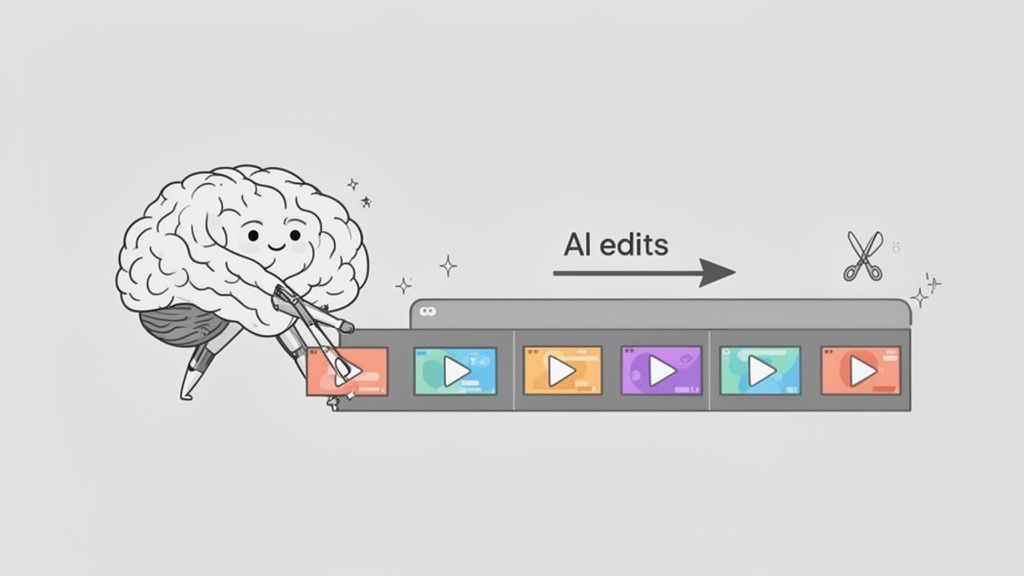
Knowing the theory behind jump cuts is one thing, but seeing them in action is where the real learning happens. To really get good at this, you have to watch what the top creators are doing and figure out the why behind their edits.
Let’s pull back the curtain on three viral formats where jump cuts are the secret weapon. Each one uses the technique for a specific reason, giving you a playbook of ideas you can steal for your own content.
Condensing Time in GRWM Videos
A "Get Ready With Me" (GRWM) video is the perfect sandbox for this. A creator might film their entire 45-minute makeup and hair routine, but they need to squeeze it into a minute-long clip that holds attention. The jump cut is the only way to make that happen.
- The Edit: You’ll see them start applying foundation and then—bam—they’ve got a full face of eyeshadow on. Another cut might jump from tangled, wet hair straight to a finished hairstyle.
- The Strategy: It’s all about transformation and pacing. Each cut chops out the boring parts, showing only the moments of clear progress. This makes a long, repetitive process feel fast and satisfying to watch.
Sharpening Punchlines in Comedy Sketches
For comedy on TikTok or Reels, timing is everything. A joke that drags for even a second is dead on arrival. Jump cuts are the engine that powers rapid-fire gags and keeps the energy high, so your audience doesn't scroll before the punchline lands.
It’s not uncommon to see a single sketch pack over 20 jump cuts into just 30 seconds.
A well-placed jump cut in a comedy video acts like a verbal exclamation point. It emphasizes the absurdity, quickens the pace, and ensures the punchline lands with maximum impact.
Think about it: a character makes a shocking statement, and we cut to their friend's reaction. Then, a quick jump cut to an even more exaggerated, wide-eyed version of that same reaction. The edit itself becomes part of the joke.
Simplifying Complex Topics in Educational Clips
Educational content has to feel simple, even when the topic isn't. Jump cuts are crucial for trimming every single "um," "ah," and pointless pause. This makes the speaker sound more confident and helps the viewer process the information without getting distracted.
A creator explaining a tough concept in science or marketing will use jump cuts to move cleanly from one key point to the next. This creates a punchy, step-by-step rhythm that turns a potentially dry lecture into an engaging and easy-to-follow lesson.
Frequently Asked Questions About Jump Cuts
So you get the what and the why of jump cuts. But when it comes to actually using them, a few practical questions always pop up.
Let's tackle the questions we hear most often from creators.
How Many Jump Cuts Are Too Many?
Honestly, there’s no magic number. For short-form content, it's not unusual for a 30-second clip to have over 20 jump cuts.
The right amount is whatever keeps the rhythm compelling without making the viewer feel lost. If the edits start feeling sloppy instead of energetic, you’ve probably gone too far.
Think of it as a balancing act. You want pace, not chaos.
Do Jump Cuts Work on All Platforms?
Yes, but you have to know your audience. Jump cuts are the native language of TikTok, Instagram Reels, and YouTube Shorts, where viewers are conditioned for rapid-fire pacing.
On a standard YouTube vlog or tutorial, they're perfectly normal. But on a platform like LinkedIn, a few clean jump cuts can make a talking-head video feel sharp and professional, while too many might come across as unprofessional or frantic.
Should I Hide My Jump Cuts?
This all comes down to your goal. In old-school filmmaking, the whole point was to hide edits with things like B-roll to create a seamless experience.
But for social media content, the visibility of the jump cut is part of the style. It tells your audience you're giving them the good stuff, no fluff. Don't be afraid to let your edits show—it feels authentic.
What Is the Easiest Way to Create Jump Cuts?
Doing it by hand—slicing out every pause and "um"—is one way to go, but it takes forever. The fastest and smartest method is using an AI-powered tool.
These platforms can scan an entire video, find all the silences and filler words, and whip up dozens of precise jump cuts in a few minutes. It turns hours of tedious work into a simple, automated step.
Ready to create perfectly-paced short videos without all the manual effort? Klap uses AI to turn your long-form content into viral-ready shorts in minutes. Try it for yourself.
