
Facebook Trending Hashtags: Your 2026 Video Guide
Other
#facebook has 3.1 billion posts, #love has 2.2 billion, and #trending has 1.1 billion according to Sprout Social’s Facebook hashtag data. That scale is why facebook trending hashtags still matter. But scale is also why most advice fails. On a crowded platform, generic tag stuffing doesn’t help video creators much.
The key shift is this: hashtags work best when they sharpen context, not when they pad captions. For short-form video, that means pairing the right trend with the right clip, at the right moment, and resisting the urge to throw every possible tag into the post.
Beyond The Basics Why Old Hashtag Rules Fail for Video
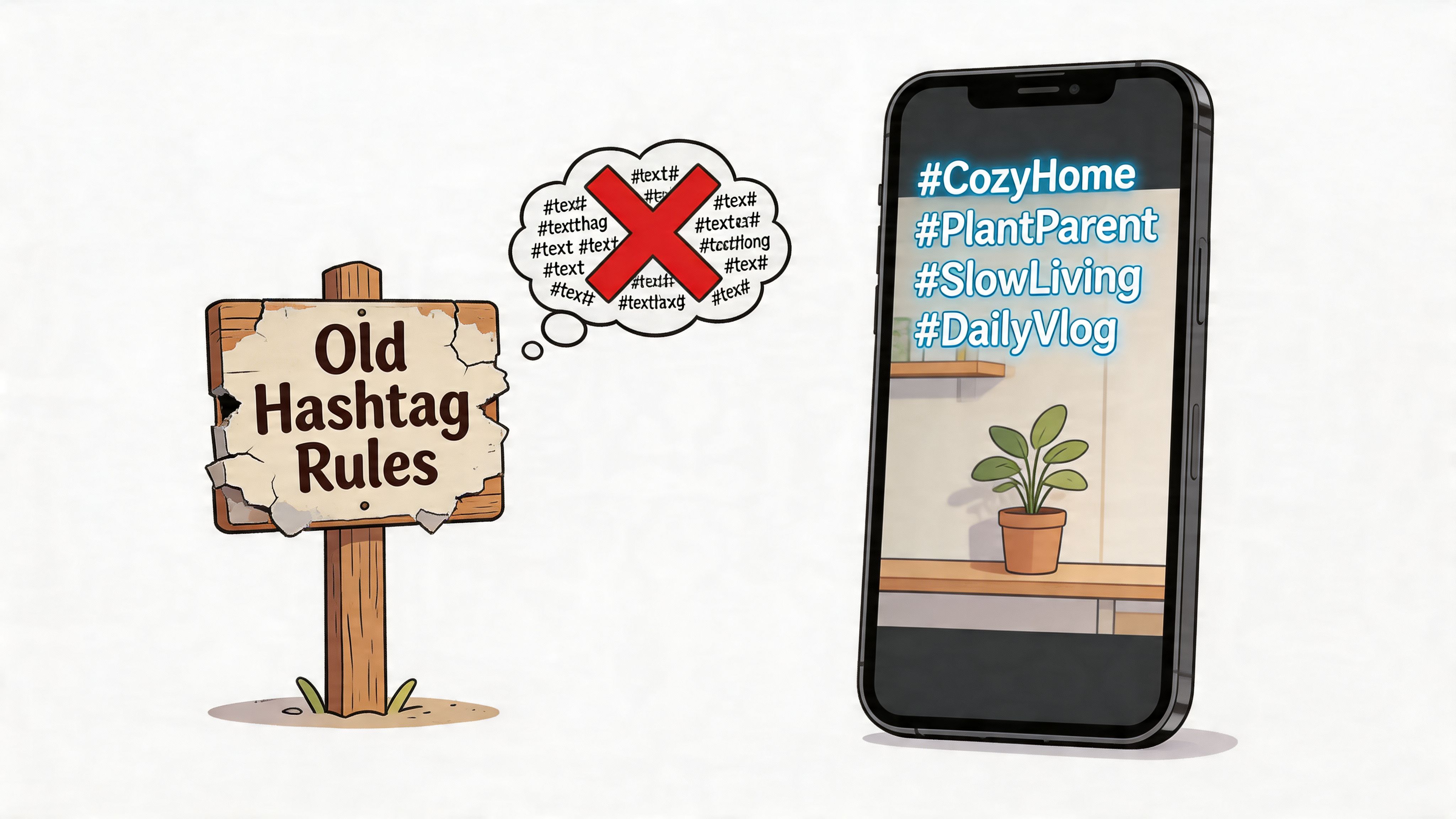
The old rule was simple: use as many hashtags as the platform allows. That advice aged badly.
On Facebook, Swiftia reports that posts using a single hashtag average approximately 593 engagements, while posts with 3 to 5 hashtags average 416, and posts exceeding ten hashtags fall to 188, which is a 68% decrease from the single-hashtag baseline. If you're publishing video, especially short clips, that pattern matters because weak hashtag choices don't just clutter the caption. They muddy the content signal.
Why video needs a different hashtag mindset
Static posts can sometimes survive broad tagging because the audience decides quickly whether an image or headline is relevant. Video asks for more commitment. Facebook has to infer topic, audience fit, and likely watch behavior faster. Hashtags can help, but only when they clarify what the clip is about.
That’s why broad, unrelated tags often underperform on Reels. A cooking clip with a generic pile of tags like #trending, #love, #video, #content, #socialmedia sends a weak signal. A narrower set aligned to the clip’s exact topic gives Facebook a better distribution cue.
Practical rule: Use hashtags to label the clip’s angle, not the creator’s ambition.
The algorithm no longer rewards randomness
A major post-2025 shift changed the playbook for Reels. Facebook now favors semantic clusters, meaning related micro-trends that reinforce one another rather than isolated tags pulled from different contexts. Meta’s own data shows that using 5 to 7 related micro-trends can boost reach by 1.8x compared to single, unrelated hashtags.
That doesn’t mean every creator should blindly use seven tags on every Reel. It means coherence matters more than volume. A tightly related cluster can work for Reels because the tags support one theme. A random stack of broad tags still looks like noise.
If you work across platforms, this is one reason cross-posting tactics often break. What works for one channel’s discovery system doesn’t always map neatly to another. The trade-offs are similar to the ones discussed in this breakdown of TikTok vs YouTube Shorts, where distribution logic changes how packaging affects performance.
What still works in practice
The strongest facebook trending hashtags strategy for video is usually built on restraint:
- Lead with relevance: Choose tags that match the spoken topic, visual topic, and audience intent.
- Avoid generic filler: High-volume hashtags look attractive, but they often describe the platform, not the clip.
- Think in clusters: If you use more than one hashtag, make sure they belong together conceptually.
- Treat every clip separately: One webinar can produce ten clips, and each clip may need a different set.
If the hashtag could fit any video on Facebook, it probably won’t help your specific one much.
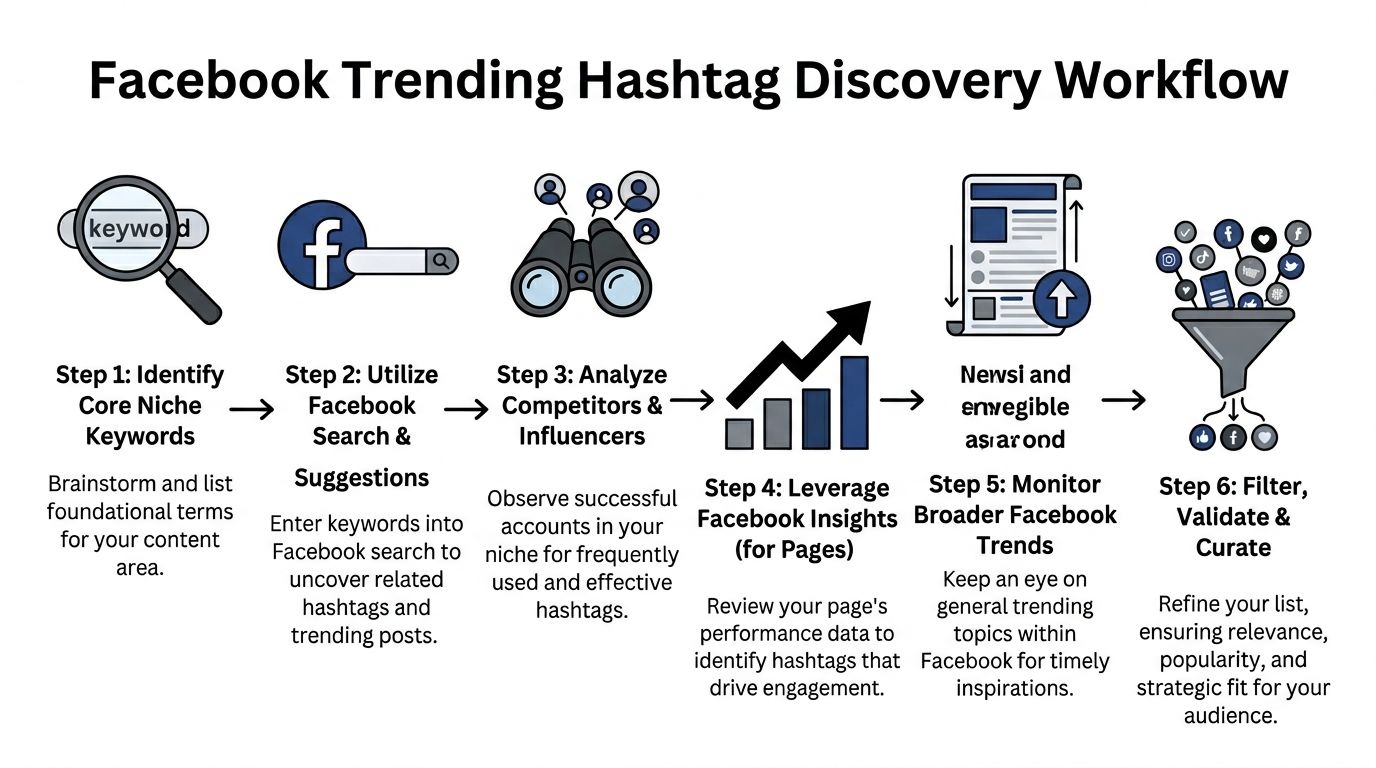
The Discovery Workflow Finding Trending Facebook Hashtags
Creators who repurpose long-form video into short clips usually miss trends for a simple reason. They start with hashtag lists instead of clip analysis.
That approach breaks fast on Facebook because each short video has its own topic, viewer intent, and packaging. A 30-second segment about pricing psychology needs a different discovery path than a clip on camera settings, even if both came from the same podcast episode. For video creators, hashtag research works best when it begins upstream, at the moment you decide which moment is worth clipping.
Start with topic extraction, not hashtag lists
Pull the language from the clip itself. Use the spoken line, the visual proof, and the promise in the hook.
If I am cutting a long interview into shorts, I write down three inputs before I touch Facebook search:
- Core topic: what the clip is about, such as “pricing psychology” or “caption workflow”
- Audience intent: what the viewer wants, such as “improve watch time” or “fix low conversions”
- Format cue: what kind of clip it is, such as “tutorial,” “mistake breakdown,” or “founder advice”
AI tools provide practical time savings. If you use Klap or a similar tool to turn long-form content into short clips, you already have a head start because the transcript, hook candidates, and strong moments give you better seed phrases than any generic hashtag database. The clip itself becomes the research brief.
Broad inputs still create weak results. Search “marketing” and you get noise. Search “product page copy” or “beginner camera settings” and the phrasing gets tighter fast.
Use Facebook search to find phrasing patterns
Facebook search is more useful for vocabulary mining than for collecting hashtags line by line. Enter a seed phrase, then study how creators, pages, and communities label similar ideas.
Focus on three things:
- Repeated wording in captions: This shows how the topic is described in the wild.
- Hashtag variants: Singular, plural, acronym, full phrase, and audience-specific wording often split into different intent buckets.
- Video framing: Strong posts usually pair a clear claim with a small set of tags that match it.
High-volume hashtags can still be useful as reference points, but they are rarely enough on their own. Broad tags attract broad competition. For short-form video, the better signal is usually the overlap between the caption language, the hook, and the tag.
Scan adjacent creators, not just large competitors
Study creators who publish the same kind of video, not just creators with the biggest audience.
A talking-head educator should review other talking-head educators. A brand posting product demos should study other product-led video accounts. A creator clipping webinars into snackable tips should watch accounts using the same repurposing model. The goal is not to copy their tags. The goal is to see which terms keep showing up around clips that match your format and audience.
Check for:
- Recurring topic labels across several strong posts
- Comment wording that reveals how viewers describe the problem
- Group language that surfaces newer phrasing before it appears in polished creator posts
If you want a broader library of tactical ideas beyond hashtags, this collection of Facebook Marketing strategies is useful for comparing how organic discovery fits into the rest of your channel strategy.
One caution here. Niche fit matters more than creator size. I have seen mid-sized pages produce better hashtag clues than major accounts because their content format was closer to the clip being published.
Use your own video data to narrow the field
Your page history is usually a better filter than any public trend list.
Look at which clips reached non-followers, which ones held attention longer, and which topics earned shares or saves. Then compare the language on those posts. The useful pattern is rarely a single winning hashtag. It is usually a repeated topic cluster tied to a certain clip style.
A simple workflow looks like this:
StepWhat to checkWhat you’re looking for
Clip review
Hook, transcript, visual proof
Clear seed phrases from the video itself
Search
Suggested posts and related phrasing
Public vocabulary around the topic
Creator scan
Similar-format accounts
Repeated labels tied to strong packaging
Group review
Questions and comment language
Emerging pain points and audience wording
Insights review
Non-follower reach, retention, shares
Topic clusters worth testing again
Shortlist
Final candidate tags
Current, relevant, clip-specific options
Keep a working document with three columns. Reliable tags. Test tags. Retired tags.
That small habit matters if you publish clips at scale. Video creators using AI repurposing tools can move from one long-form source into a dozen shorts in a week, and each clip can pull a different hashtag set. A searchable system prevents you from treating every cut as if it belongs in the same bucket.
For teams building that kind of repeatable workflow, Klap’s content creation resources for repurposing and publishing workflows pair well with this process because they connect source footage, clip selection, and packaging decisions into one operating system.
How to Validate and Select Your Final Hashtag Set
Discovery gives you options. Selection is where strategy shows up.
Most creators fail here because they judge hashtags by popularity alone. A hashtag can be huge and still be a weak choice. It can also be niche and still be wrong if it attracts the wrong viewer intent. The best set isn’t the loudest one. It’s the one that makes your clip easier for Facebook to classify and easier for the right audience to find.
Use a three-tier selection model
A practical way to choose facebook trending hashtags is to build a set from three roles rather than one list.
Tier one is the context tag.
This is the broadest tag you’ll allow. Its job is to place the clip in a recognizable category. Think of it as a shelf label, not a growth hack.
Tier two is the topic tag.
This is usually the most important choice. It should describe the exact subject of the clip, not the general niche of your brand.
Tier three is the angle tag.
This captures the format, audience, or specific use case. It often performs well because it narrows intent.
A clip on repurposing a podcast interview might use one category tag related to video creation, one topic tag around repurposing, and one angle tag tied to podcast clips or creator workflow. That combination is more useful than stacking broad tags from unrelated spaces.
Validate every candidate before posting
I use a simple filter. If a hashtag fails two of these checks, it doesn’t make the final caption.
- Topical match: Does it describe what the viewer will see and hear in the clip?
- Audience match: Will the people browsing that hashtag care about this exact format and message?
- Language fit: Is this the phrasing real creators and viewers use on Facebook?
- Cluster fit: Does it naturally belong with the other tags you selected?
- Freshness: Is it still active, or does it feel recycled and stale?
The semantic cluster idea gains practicality. Meta’s post-2025 Reels shift favors related groupings, and Meta’s own data says 5 to 7 related micro-trends can lift reach by 1.8x versus single unrelated hashtags. The important takeaway isn’t “always use seven.” It’s “make the tags reinforce one meaning.”
A strong hashtag set reads like a sentence fragment about the clip. A weak one reads like a keyword dump.
What to cut without hesitation
Some hashtags look tempting because they’re familiar. They still dilute the signal.
Common examples to remove:
Keep if it helps classificationCut if it adds noise
Niche topic labels
Generic motivational tags
Specific format descriptors
Broad “viral” style tags
Audience-intent phrases
Tags unrelated to the clip’s promise
Related micro-trends
Leftover tags copied from another platform
One practical test helps. Read your selected hashtags out loud after the hook. If they sound like they belong to the same idea, you’re close. If they sound like four different content strategies stitched together, trim the set.
Best Practices for Tagging Your Repurposed Video Clips
Once the hashtags are selected, execution matters. Small posting habits can weaken a good strategy fast.
For repurposed content, the biggest mistake is batch-tagging. A creator turns one long webinar into multiple clips, then posts each one with the same caption structure and identical hashtags. That saves time, but it wastes the strongest advantage of repurposing. Each clip usually has its own hook, its own audience angle, and its own discovery opportunity.
Tag the clip, not the source video
A sixty-minute webinar can produce clips about objections, onboarding, pricing, retention, and customer language. Those aren’t one topic. They’re several.
If you use the same tag set on all of them, Facebook gets a blurry topical signal. If you customize the set clip by clip, each Reel has a better shot at reaching viewers who care about that exact moment.
A clean workflow looks like this:
- Review each clip’s first line: The opening hook usually tells you the actual hashtag theme.
- Name the viewer problem: If the clip solves one concrete issue, make that issue part of your tag logic.
- Apply a small set: Keep the hashtags tight and aligned to that one promise.
- Change tags between clips: Even clips from the same source should rarely share an identical set.
Caption placement and count
On Facebook, I prefer putting hashtags in the caption itself when they’re integral to context. It keeps the topic signal attached to the post and avoids hiding core metadata in the comments. More importantly, it forces discipline. If the caption looks overloaded, the hashtag set probably is too.
Use enough hashtags to clarify the clip, not enough to impress yourself. For most repurposed video posts, a small, focused set works better than a long trail of tags.
If you feel the need to add “just a few more,” that’s usually the moment to stop.
Here’s a practical comparison table for posting discipline:
DoDon't
Match hashtags to the specific clip topic
Reuse one hashtag block across every clip
Put tags where they support context in the caption
Hide weak tag choices in a first comment
Refresh tags when the angle changes
Treat all clips from one source as the same content
Pair tags with a clear hook
Let hashtags do all the discovery work
Keep the set coherent
Mix unrelated trends because they’re popular
A repurposing example that holds up
Say you cut ten short videos from one interview. One clip is about creator burnout. Another is about scripting hooks. Another is about repackaging old content. Those should not carry the same hashtags.
The burnout clip should use tags that frame creator pressure or workflow strain. The scripting clip needs tags tied to hooks, copy, or audience retention. The repackaging clip needs tags around short-form repurposing and content reuse. Same source video. Different viewer intent.
For teams trying to operationalize that process, this guide on making Reels from existing video is useful because it matches the editorial reality many marketers face. You’re not creating every Reel from scratch. You’re extracting distinct stories from one larger asset.
Measuring What Matters and Refining Your Strategy
A good hashtag set should improve distribution quality, not just inflate surface metrics. For repurposed video clips, I track whether the tags brought in the right viewers for that specific edit.
Three metrics matter most here: non-follower reach, average watch time or completion rate, and shares. Together, they answer the questions that matter to a video creator. Did Facebook test the clip beyond your existing audience? Did those viewers stay long enough to confirm the topic match? Did the clip earn enough value perception for someone to pass it on?
Save count can help too, especially for educational clips. But if non-followers never see the post, saves will not tell you much about hashtag selection.
What to review after each post
Use a simple review pass 24 to 72 hours after publishing:
- Non-follower reach: A lift here usually means your topic labeling was clear enough for discovery.
- Completion rate: If viewers drop early, the problem may be the hook, the clip edit, or a hashtag set that attracted the wrong audience.
- Shares: Shares are one of the cleanest signals that the content reached people who found it relevant.
- Performance by hashtag cluster: Group your tags by intent, such as creator workflow, video editing, podcast clips, or marketing advice. Then compare results across clusters instead of judging tags one by one.
- Speed of decay: Some trending hashtags burn out fast. If a tag works for one post and then stops contributing reach, retire it.
Many creators often misread the results. A weak post does not always mean the hashtag choice failed. I have seen plenty of AI-cut clips lose watch time because the opening two seconds were too slow, even though the tag set was tightly matched. The reverse happens too. A sharp hook can carry a mediocre hashtag set farther than it deserves.
That is why I review hashtags alongside the clip itself. For teams using AI tools like Klap to turn webinars, podcasts, or interviews into short-form assets, this gets more important. One long-form source can produce ten clips with completely different retention curves, even when they came from the same recording. The right workflow is to compare packaging variables together: hook, on-screen text, caption angle, and hashtag cluster.
Treat hashtag testing like editorial testing. The tag is part of the package, not a separate tactic.
Over time, patterns show up. You will usually find that a small number of topic-specific hashtag clusters keep helping the same kinds of clips travel farther with non-followers. Keep those. Cut the generic tags that bring loose reach and weak watch time.
If you're turning webinars, podcasts, interviews, or YouTube videos into short clips, Klap makes the production side much faster. It helps you pull strong hooks from long-form video, format them for vertical platforms, add captions, and export social-ready shorts so you can spend more time refining packaging and discovery instead of editing from scratch.
