
How to Get More Views on Reels with AI Strategies
Other

You’re posting Reels consistently, the edits look clean, the topic is solid, and the view count still stalls. That’s the frustration most creators hit. The usual advice makes it worse because it stays shallow: use trending audio, post consistently, add hashtags, hope for the algorithm.
That approach breaks down fast when you’re trying to grow from a small audience or stretch a lean content budget. It’s even more painful if you already have strong long-form content sitting on YouTube, in webinars, or inside podcast recordings, but you’re still starting every Reel from a blank timeline.
The better way to think about how to get more views on reels is simple. Stop treating each Reel like an isolated creative gamble. Treat it like a distribution asset built for three things: instant retention, strong sharing signals, and efficient repurposing.
That shift matters because Reels already outperform other Instagram formats on reach. They reach about 36% more users than carousels and 125% more than photo posts, while generating 22% more interactions than standard in-feed videos, according to Contra’s 2025 Reels stats roundup. If your goal is visibility, Reels deserve disproportionate attention.
The creators getting outsized results usually aren’t just filming more. They’re building tighter hooks, editing for watch time, pushing saves and shares, and turning existing long-form footage into multiple short clips that fit the platform.
Introduction to Getting More Views on Reels
Most low-view Reels fail before the content itself gets a fair chance.
The problem usually isn’t that the idea is bad. It’s that the Reel opens too slowly, asks too much from a cold viewer, or depends on loyalty from followers instead of earning attention from strangers.
A lot of creators still make Reels like miniature YouTube videos. They start with an introduction, add context, ease into the point, and only deliver the payoff later. On Instagram, that sequence usually loses people early.
What actually changes results
The accounts that grow on Reels tend to do a few practical things differently:
- They open with the payoff or tension first. The viewer gets a reason to stay in the opening seconds.
- They edit for movement. Cuts, overlays, captions, and visual changes keep the frame alive.
- They make the Reel shareable. Useful clips travel farther than clips that only ask for likes.
- They repurpose strong moments from long-form content. That gives them more volume without lowering quality.
There’s a real trade-off here. Original filming can feel more authentic and custom. Repurposing is faster and often gives you stronger raw material because the moment already proved itself in a longer format. If a section of a podcast, interview, or tutorial held attention there, it often has enough substance to become a compelling Reel once it’s tightened.
Practical rule: Don’t judge a Reel by whether it looks polished. Judge it by whether a non-follower would keep watching after the first glance.
What doesn’t move the needle enough
Creators waste time on details that matter less than they think.
Things like minor hashtag tweaks, decorative transitions, or obsessing over perfect camera quality won’t rescue weak retention. A clean video with a slow opening still sinks. A simple video with a sharp hook can travel.
If you want more views, focus on the parts of the process that affect distribution. That means the opening frame, pacing, captions, cover, posting workflow, and what happens in the first hours after publishing.
Understanding Instagram Mechanics
A Reel usually wins or dies in stages.
Instagram does not distribute every post evenly. It gives a Reel a small first test, watches how people respond, then decides whether the clip deserves a wider audience. That matters if you are repurposing long-form content with Klap, because the goal is not to cram a 10-minute idea into 30 seconds. The goal is to extract the segment that can survive that first distribution test.

Distribution starts with audience fit
Instagram treats Reels as a discovery product. In practice, that means the platform is trying to match each clip with viewers who have shown interest in similar topics, formats, and creators.
That matching step is why niche clarity matters more than many creators expect. A broad clip might feel safer, but it often gives Instagram a weaker signal. A specific clip about one problem, one opinion, or one tactic is easier for the platform to place in front of the right viewer.
I see this in repurposing work all the time. A 45-minute podcast may contain ten usable moments. Only two or three are usually sharp enough for Reels. The clips that travel are rarely the ones with the most context. They are the ones with the clearest audience fit and the fastest payoff.
Retention decides whether reach expands
After that first audience match, watch time and completion behavior carry more weight than surface-level engagement.
A Reel that gets quick stops but poor hold rate often stalls. A Reel with modest early engagement but strong retention can keep spreading for hours or days. That is why repurposed clips often outperform newly filmed Reels. The strongest moment from a long-form video already proved it could hold attention. You are starting with better raw material.
Use this lens when reviewing performance:
SignalWhat Instagram likely infersWhat usually improves it
Strong initial plays
The topic and packaging earned a stop
Clear cover, direct first frame, specific premise
View duration past the opening
The promise matched the content
Tight editing, fast context, no throat-clearing
Replays
The clip delivers dense or repeatable value
Loops, concise tips, clean phrasing
Saves and shares
The content is useful beyond the first watch
Frameworks, how-tos, contrarian points
Likes still help, but they are a lighter signal. Saves, shares, replays, and sustained watch time usually say more about whether a Reel deserves broader distribution.
Formatting affects performance more than creators admit
Mechanics are not only about topic selection. Packaging changes how many people stay long enough for the algorithm to gather a positive signal.
Captions are part of that. Many viewers watch with sound low or off, especially in public. Clean on-screen text improves comprehension and reduces early drop-off. If you are clipping interviews, webinars, or podcasts, a tool like AI subtitle generation for short-form videos helps make repurposed footage readable without adding manual editing time.
There is a trade-off, though. Heavy captions can clutter the frame. I keep text short, high-contrast, and placed away from Instagram’s UI so the viewer gets support, not visual noise.
Shares outside the feed still matter
Reels performance is shaped by what happens after the first watch too. Sends in DMs, saves for later, profile visits, and follow-through into your other content all strengthen the case that the clip is worth distributing.
That is one reason practical, discussion-worthy content tends to outperform polished filler. A creator can post a visually slick Reel and get polite likes. A sharp opinion, a useful tutorial, or a clip people want to drop into group chats often goes further. Communities such as social media marketing groups amplify that behavior because people share tactics, examples, and strong takes with peers.
The takeaway is simple. Instagram rewards clips that create a strong first stop, hold attention, and give viewers a reason to save or send them. If you are repurposing long-form content, choose moments that already did those jobs before you ever open the editor.
Crafting Hooks and Editing for Retention
Most Reels lose momentum in the opening seconds because they ask the viewer to be patient.
Patience is expensive on Instagram. If the first frame looks like setup, the scroll continues.
The fix isn’t random shock value. It’s relevance delivered fast. Your opening should tell the viewer one of three things immediately: what they’ll gain, what they’re doing wrong, or what they’re about to see that they didn’t expect.
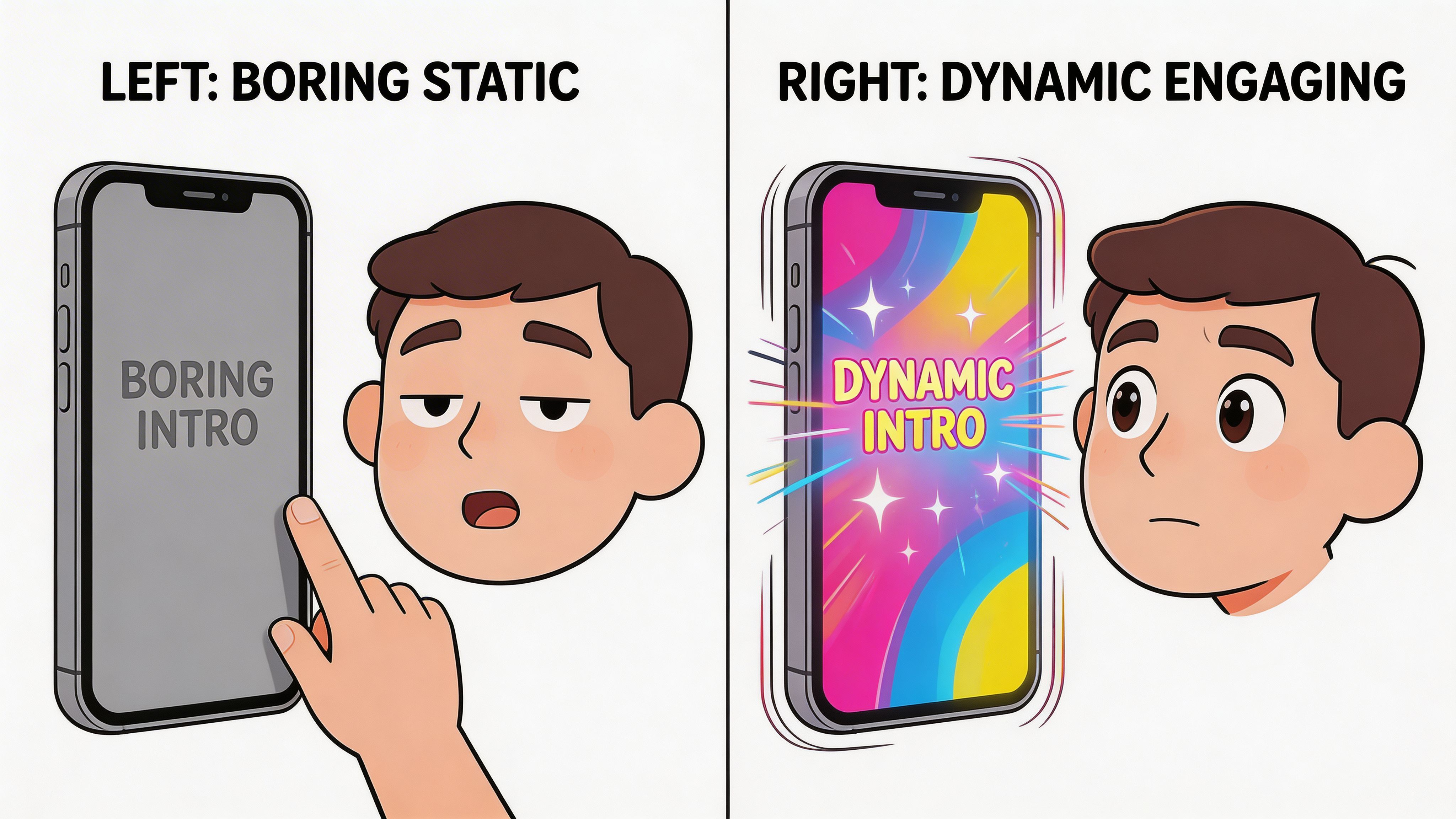
The hook mistakes that kill views
These are the patterns I see sink otherwise strong clips:
- A slow verbal intro. “Hey guys, today I want to talk about…” gives the viewer no reason to stay.
- A branded lead-in. Logo animations and self-identification belong later, if at all.
- Too much context upfront. The backstory matters less than the tension.
- A visual that doesn’t match the topic. If the frame looks generic, people assume the content is generic.
The first job of a hook is not to explain everything. It’s to earn the next few seconds.
Hook formats that work better
You don’t need dozens of formulas. You need a few repeatable ones that fit your niche.
Try these:
- Direct result
- “This is why your Reels stall after the first hour.”
- Good for education, marketing, coaching, and tutorials.
- Common mistake
- “Most creators lose views because they open their Reel like this.”
- Useful when you’re correcting behavior.
- Compressed promise
- “Three edits that make a talking-head Reel easier to watch.”
- Works when the value is practical and specific.
- Tension first
- “This clip looked boring until one edit changed the whole thing.”
- Strong for before-and-after content.
- Opinion with stakes
- “Trending audio won’t save a weak Reel.”
- Good when you have a clear point of view and can back it up.
Use the three-second metric as a creative filter
The most useful retention diagnostic is View Rate Past First 3 Seconds. The recommendation is to aim for over 70% retention, and creators who A/B test hook swaps often see a 20% to 30% watch time uplift, according to this analysis of Reel retention tactics.
That metric tells you whether the opening did its job. If people don’t survive the first few seconds, the rest of the edit barely matters.
A practical workflow looks like this:
If this happensIt usually meansWhat to change
Low retention past 3 seconds
Weak hook or delayed value
Replace first line, cut intro, show payoff sooner
Strong start then sharp drop
Middle section drags
Add visual shifts, tighten explanation
Steady retention but low views
Packaging issue
Improve cover, caption, Story support
Good views but weak replays
Value delivered once
Add loop, denser takeaway, cleaner ending
Edit for movement, not for decoration
Fast editing helps because it keeps the brain engaged. It doesn’t mean throwing in effects for no reason.
The better rule is pacing. The guidance many editors use is 1.5 to 2 cuts per 3 seconds, which supports stronger watch time according to the same retention-focused YouTube breakdown.
That can mean:
- switching camera angle
- dropping in B-roll
- adding a text overlay
- zooming on emphasis
- cutting dead air
- inserting a graphic or screenshot
The Two-C rule in practice
I use a simple edit check that keeps Reels from feeling static. Don’t let more than a short stretch pass without a change on screen.
That change doesn’t have to be dramatic. It just has to refresh attention.
If the viewer can predict the visual rhythm, they start scrolling before your point lands.
Many creators under-edit talking-head Reels. They leave full sentences intact because the performance felt natural when recorded. On the timeline, that natural pacing often reads slow.
Captions are part of retention
On-screen text does more than improve accessibility. It gives the eye another reason to stay.
Strong captions help when:
- the viewer is watching with sound low or off
- the speaker talks quickly
- the topic is instructional
- key phrases deserve emphasis
If you’re building clips from existing footage, tools like an AI short video generator can help pull a usable first pass from long-form material, especially when you need vertical framing and timed captions without rebuilding everything manually.
Script the middle so it keeps paying off
A lot of hooks work, then the clip loses shape. That usually comes from stacking too much explanation between the opening and the payoff.
Instead, build the body like this:
- Point
- Proof or example
- Next point
- Tight conclusion or loop
Don’t add every nuance. Reels reward compression. If a point needs depth, let the Reel open the loop and use comments, DMs, or long-form content to finish it.
Endings should create replay value
A clean ending often matters more than people think.
The weakest endings sound like this:
- “So yeah, that’s it.”
- “Follow for more.”
- “Let me know what you think.”
The stronger endings do one of two things:
- they close the loop cleanly
- they create a reason to replay or save
Examples:
- “That single change is why the second version holds attention better.”
- “Save this and check your next Reel against these three edits.”
- “If your first sentence needs context, it’s probably not your hook.”
Optimizing Captions Thumbnails Hashtags Scheduling and Engagement
A Reel can be well edited and still underperform because the packaging doesn’t help it travel.
Many creators separate creative quality from distribution quality. They spend time on the clip and rush everything around it. That usually costs views.
Write captions for clarity, not filler
Your caption doesn’t need to be long. It needs to support the Reel.
Good captions do one or more of these things:
- reinforce the core takeaway
- add search context
- give the viewer a reason to save or share
- continue the conversation without repeating the entire video
Weak captions often sound generic. They say things like “Thoughts?” or “Do you agree?” with no real invitation.
A stronger caption structure looks like this:
- Open with the problem
- State the takeaway
- Add one concrete use case
- Finish with a specific CTA
Example structure:
- “If your Reels stall early, your hook probably asks viewers to wait.”
- “Lead with the result, not the intro.”
- “This works especially well for tutorials, podcast clips, and talking-head content.”
- “Send this to the person still opening Reels with ‘Hey guys.’”
Thumbnails decide whether the scroll stops
Your cover doesn’t need cinematic design. It needs a readable promise.
A useful thumbnail usually has:
- a short phrase, not a sentence block
- strong contrast
- one focal subject
- wording that matches the actual Reel
Keep the message tight. If the cover promises one thing and the opening delivers another, retention suffers.
Hashtags still matter, but mostly as organization
Hashtags won’t rescue weak content, but they can help Instagram place your Reel in the right topical bucket.
Use them with intent:
- Broad tags for category relevance
- Niche tags for specificity
- Context tags tied to the exact audience or format
Don’t stuff them. Don’t make them your strategy. They’re supporting metadata, not the engine.
Scheduling should follow audience behavior
There isn’t one magical posting time that works for every account. Audience habits vary too much.
What does work is consistent testing. Run the same content category at different times across several weeks and compare how quickly the Reel picks up initial views, Story interactions, and follow-on saves or shares.
Use a simple tracking sheet like this:
SlotContent typeEarly responseKeep testing
Morning
Tutorial clip
Check for immediate reach and Story taps
Yes if audience is active before work
Midday
Tip or opinion Reel
Watch how non-followers respond
Useful for broad topics
Evening
Personality or story-led Reel
Compare watch behavior and comments
Good for more casual viewing
The point is not to guess. It’s to test repeatably.
Shares and saves matter more than vanity engagement
Instagram’s algorithm prioritizes Sends per Reach over likes by up to 6x, and Reels that exceed 1% to 2% share rates and 5% saves rank better for non-follower distribution, according to AmpiFire’s breakdown of Reel distribution signals.
That changes how you should write your CTA.
A bad CTA:
- “Like for part 2”
A better CTA:
- “Send this to the person editing Reels the hard way”
- “Save this before your next content batch”
- “DM this to your team before your next shoot”
Those prompts work because they match actual user behavior on useful content.
Field note: The easiest Reel to share is the one that helps someone else solve a small problem fast.
Story support and immediate engagement
Once the Reel goes live, don’t disappear.
Do three things quickly:
- share it to Stories with a simple context line
- use an interactive sticker if it fits
- respond to early comments while the post is still fresh
That first wave matters because Instagram is still learning who to show the Reel to. If viewers interact through Stories or comments, you’re feeding that process.
If you want outside feedback on hooks, covers, and caption language before posting, communities can help. Smaller creator circles and niche social media marketing groups are useful for spotting weak packaging before a Reel goes live.
Subtitle styling can lift clarity
A lot of creators add captions but style them badly. Tiny text, poor contrast, or too many words per frame make the Reel harder to watch, not easier.
A subtitle generator can speed up the first pass, but the essential work is editorial. Trim clutter, highlight key words, and make sure the text supports the pacing of the clip instead of lagging behind it.
Measuring Performance and Iterating
Reel growth gets more predictable once review stops being emotional and starts being diagnostic.
The creators and brands that improve fastest do not reinvent their content every week. They review each post for a specific failure point, then change the part that limited reach.
What to check first
Start with distribution and retention signals, because those tell you whether the Reel earned another round of reach.
Look at:
- Views relative to your usual baseline
- Whether views keep climbing after the initial push
- Average watch time or completion trend
- Saves, sends, and comments with clear intent
- Profile visits if the Reel was meant to build audience, not just reach
A Reel that stalls early usually has a packaging problem, an opening problem, or both. A Reel that gets decent watch behavior but weak sharing usually delivered information without giving viewers a reason to send it to someone else.
That distinction matters. It changes what you fix next.
A practical review routine
Review each Reel in three passes.
First pass after posting
Check whether people stopped long enough to enter the video.
Questions to ask:
- Did the cover earn the tap?
- Did the first frame match the promise of the cover?
- Did the opening line make the topic clear fast?
- Did early viewers comment, save, or leave right away?
This pass is about the entry point. If people never really entered the Reel, the rest of the edit barely mattered.
Second pass after momentum settles
Now judge whether the content was strong enough to keep spreading.
Look for:
- saves
- sends
- profile visits
- useful comments
- whether views continue to build instead of flattening fast
This is usually where long-form repurposing has an edge. Clips pulled from webinars, interviews, podcasts, or YouTube videos often carry more substance than a Reel recorded from scratch in one take. If the source material already held attention in long form, you are starting with a stronger raw asset. The edit still decides whether that substance survives the short-form cut.
Third pass before the next production batch
This pass is not about a single Reel. It is about patterns across a batch.
Group recent posts by content family:
- tutorials
- opinion clips
- podcast moments
- founder talking-heads
- before-and-after edits
Then compare performance inside each group. Tutorials should compete with tutorials. Podcast clips should compete with podcast clips. That keeps the analysis clean and helps you spot what travels for your audience.
In client work, this is often the point where the answer gets obvious. One account keeps trying to force polished talking-head Reels, while clipped customer stories from long interviews outperform them on sends and completion. Another account gets reach from bold opinions but earns follows from tactical breakdowns. Those are different jobs. They should be measured differently.
Diagnose the likely problem before editing again
A simple diagnostic grid keeps you from making random changes.
SymptomLikely issueNext move
Low views from the start
Weak packaging or weak first frame
Rewrite cover and opening
Strong opening, weak finish
Poor pacing in the middle
Cut filler and add visual shifts
Good watch behavior, low spread
Not shareable enough
Add a clearer takeaway and a stronger send/save reason
Good spread, weak conversion
Topic creates curiosity but not loyalty
Tighten the connection between the Reel and your account's core theme
Many underperforming Reels do not need a new concept. They need a cleaner opening or a better reason to share.
That is why I rarely advise reshooting first. I look at the first sentence, the first visual, and the point where attention drops. In a lot of cases, the winning version already exists inside the footage. It just was not cut for short-form distribution.
Repost with intent
Reposting can work if you change something meaningful and give the clip a real second chance.
Good variables to test:
- a new first line
- a different first visual
- a stronger cover
- a tighter end CTA
- a shorter cut
Poor repost decisions:
- publishing the exact same clip again
- changing hashtags only
- reposting before you know what failed
I have seen repurposed clips from the same long-form source produce completely different results with only two edits: a sharper first sentence and a tighter first five seconds. That is one reason repurposing scales so well. You can test multiple openings against the same core idea without scheduling another shoot.
Build a repeatable test cadence
Keep the cadence simple enough that you can maintain it for a few weeks.
A workable rhythm looks like this:
- publish a small batch from the same topic or source video
- vary one or two creative variables at a time
- review results by content family, not as one mixed pile
- keep the winners, retire the weak formats, and recut promising misses
This is the trade-off. More variation gives you faster learning, but too many variables at once blur the lesson. Fewer variables give cleaner feedback, but they slow volume. For teams, a good middle ground is to turn one strong long-form asset into several Reels, test different hooks and cuts, then use the next batch to refine what already showed promise.
AI Workflow for Repurposing with Klap
If you already have webinars, podcasts, interviews, demos, or YouTube videos, starting every Reel from scratch is usually the wrong production model.
Repurposing gives you more surface area to test. It also helps you pull from moments that already carried some attention in long form.

A useful stat here is that repurposed clips from long videos achieve 2.5x higher retention when AI-optimized for hooks and captions, boosting views for podcasters and YouTubers by 40% per user tests, according to Leadenforce’s write-up on low Reel reach fixes.
A practical repurposing workflow
Use this sequence when turning one long video into several Reels:
- Start with a source that already has substance
Tutorials, interviews, hot takes, breakdowns, Q&As, and stories with a clear lesson usually cut best. - Look for self-contained moments
The ideal segment makes sense without the full episode around it. - Trim to one idea per clip
Don’t force a whole conversation into one Reel. Isolate the sharpest insight. - Adapt the opening
Long-form content often starts slower than short-form needs. Tighten the first line and move the strongest phrase earlier. - Reframe vertically and check eye-line
A good crop matters. If the face is too small or the focal point shifts off-center, the Reel feels lower quality even if the content is strong. - Edit captions manually after automation
Auto captions save time. They still need cleanup for emphasis, timing, and readability.
One option for that workflow is an AI reel generator, which can take a long-form source, identify clip candidates, reframe for vertical formats, and prepare subtitle-ready outputs for editing.
Review before export
Automation speeds up the rough cut. It doesn’t replace judgment.
Check:
- whether the clip makes sense on its own
- whether the first frame earns attention
- whether the subtitles land on the right beats
- whether the ending feels abrupt or replayable
A short walkthrough helps if you want to see the process in action:
The trade-off with AI repurposing is straightforward. You gain speed and output volume, but you still need editorial control. The creators who get the most from this approach don’t publish raw AI picks untouched. They use AI to surface options quickly, then apply human judgment to the hook, pacing, captions, and packaging.
Conclusion and Next Steps
If you want to know how to get more views on reels, the answer isn’t one trick. It’s alignment.
Your Reel has to align with how Instagram distributes content, how viewers decide to keep watching, and how efficiently you can produce enough strong ideas to learn from the data. That means tighter hooks, faster editing, clearer captions, better covers, stronger share prompts, and a workflow that doesn’t force you to rebuild from zero every time.
The creators who grow steadily usually do less guessing and more refining. They don’t chase every trend. They publish, review what happened, and improve the next batch based on retention and distribution signals.
Start with two long-form videos you already have. Pull several short clips from each. Tighten the first seconds. Package them carefully. Share them to Stories early. Then review what earned views, saves, and sends, and make your next round sharper.
That’s how Reels stop feeling random and start becoming a repeatable growth channel.
If you already have long-form video sitting unused, Klap gives you a practical way to turn those recordings into short, vertical clips without rebuilding each Reel by hand. Use it to create faster first drafts, then refine the hooks, captions, and packaging so each post has a better shot at earning views.
