
Top 6 Repurpose.io Alternatives for Faster Content Repurposing
Tools for Creators

Quick Summary
This article reviews six top alternatives to Repurpose.io, comparing features, pricing, and usability to help creators and teams find the best tool for repurposing videos, podcasts, and webinars. For deeper insights and content workflow tips, check out our blog.
Looking for a better repurpose.io alternative for your content workflow?
Creating content is only half the job. The real challenge is turning one video, podcast, or webinar into multiple clips, posts, and platform-ready assets without losing too much time along the way.
Repurpose.io is useful for distribution, but some creators and teams need more flexibility, faster editing, or a more hands-on repurposing workflow. Pricing can also become a deciding factor, especially for newer creators and smaller teams.
The best repurposing tool depends on how you create and distribute content. Some tools are built for AI video clipping, while others focus on transcription, scheduling, or automation.
In this Klap article, we break down the best repurpose.io alternatives, compare features and pricing, and help you choose the right fit.
Why Listen to Us?
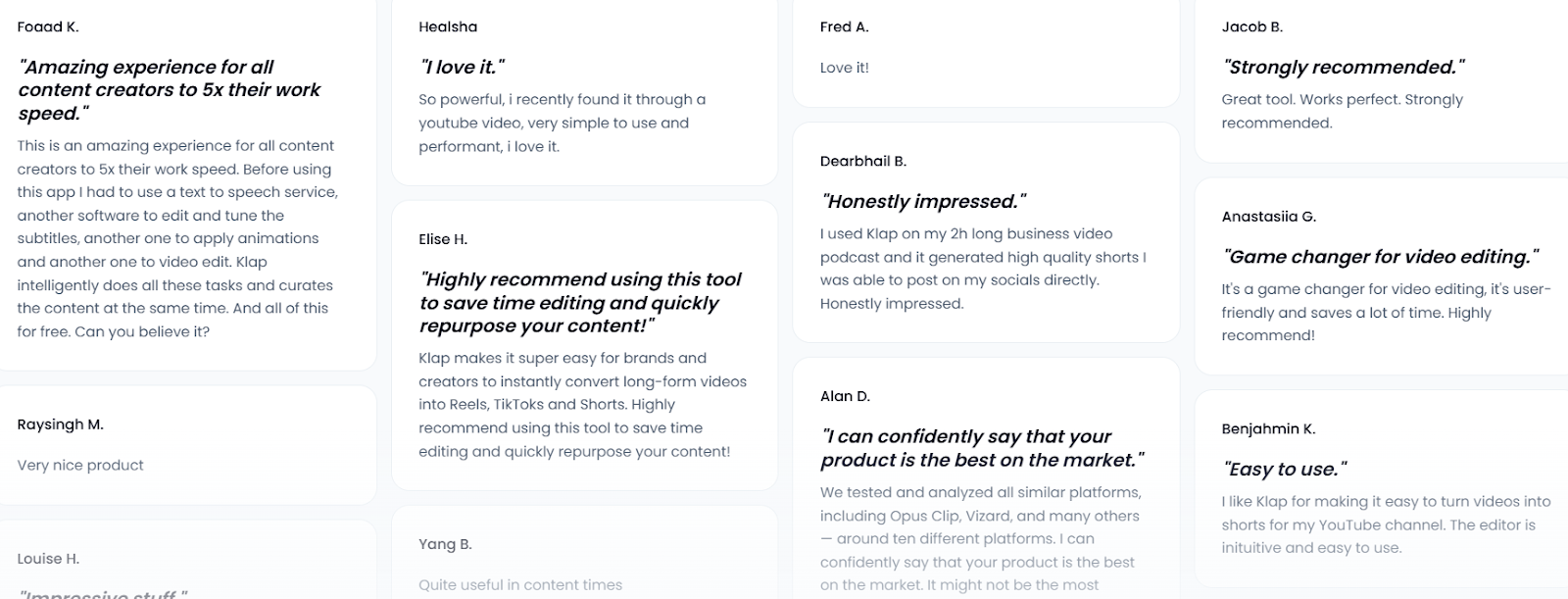
At Klap, we build tools for turning long videos into short, high-performing clips. Our platform is trusted by over 2.2M creators and teams, giving us direct insight into what actually saves time in content workflows. That experience helps us cut through the noise and recommend tools that truly improve how you repurpose content.
What is Repurpose.io?
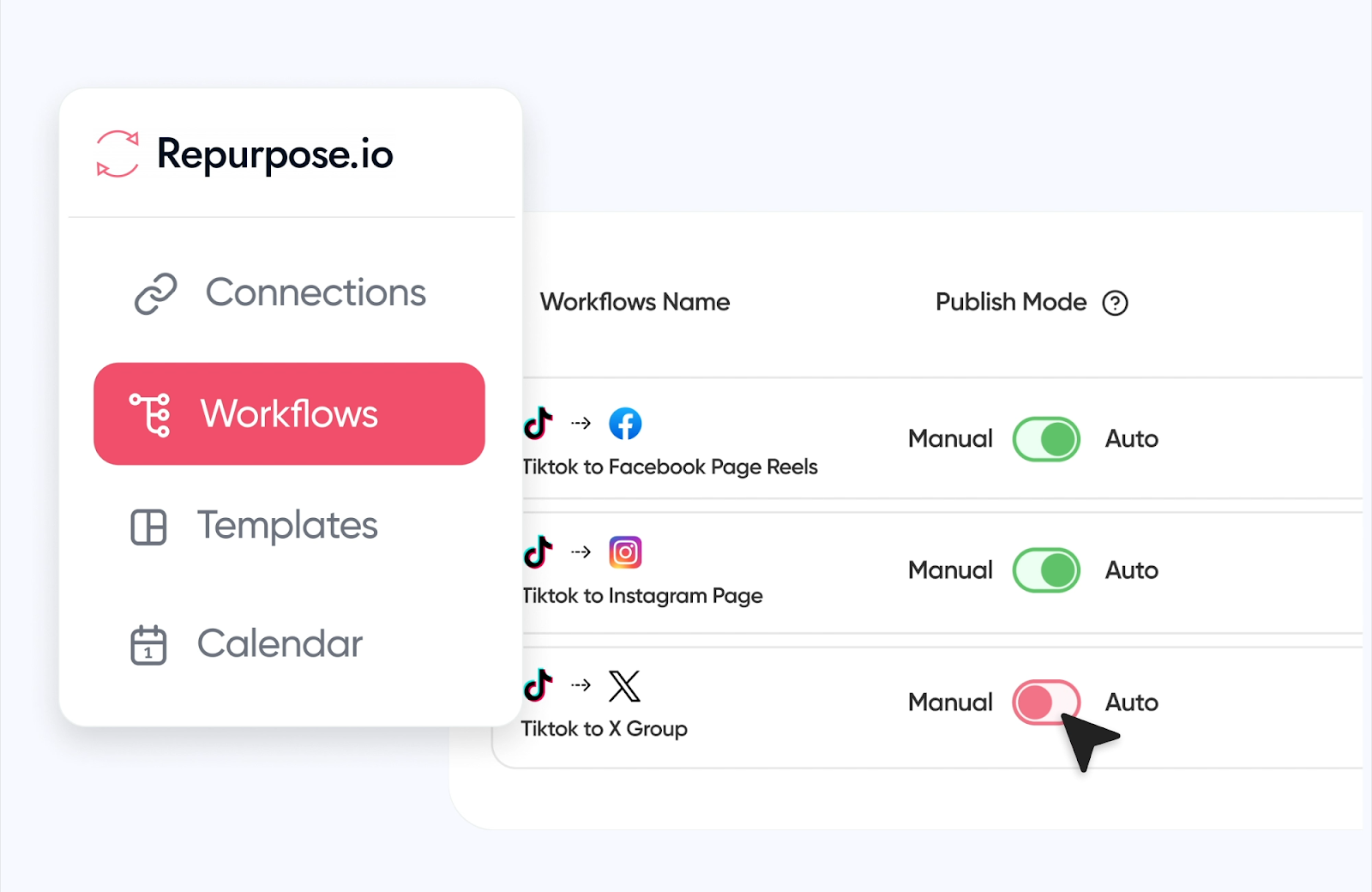
Repurpose.io is a content automation tool that helps creators and marketers distribute audio and video content across platforms. It connects sources like podcasts, live streams, or videos to destinations such as YouTube, TikTok, and social channels.
Instead of manually uploading content multiple times, users can set up workflows that automatically publish or republish content in different formats.
It is mainly used by podcasters, video creators, and content marketers looking to save time on distribution.
Key Features
- Automated content workflows: Repurpose.io lets you create workflows that automatically publish content from one platform to another, such as a podcast to YouTube or TikTok to Instagram, which reduces manual uploading work.
- Multi-platform integration: You can connect multiple social platforms, like TikTok, YouTube, Instagram, Facebook, and podcast platforms, then distribute content across all of them from one dashboard.
- Auto scheduling and publishing: You can set a posting schedule and Repurpose.io will automatically publish content at specific times and days, helping maintain a consistent posting schedule without logging in daily.
- Video resizing and optimization: The platform automatically resizes and optimizes videos to fit different platforms, so content looks native on each platform without manual editing.
- Content backup and watermark removal: Repurpose.io can automatically back up content to Google Drive or Dropbox and remove platform watermarks so content can be reused across platforms professionally.
Pricing
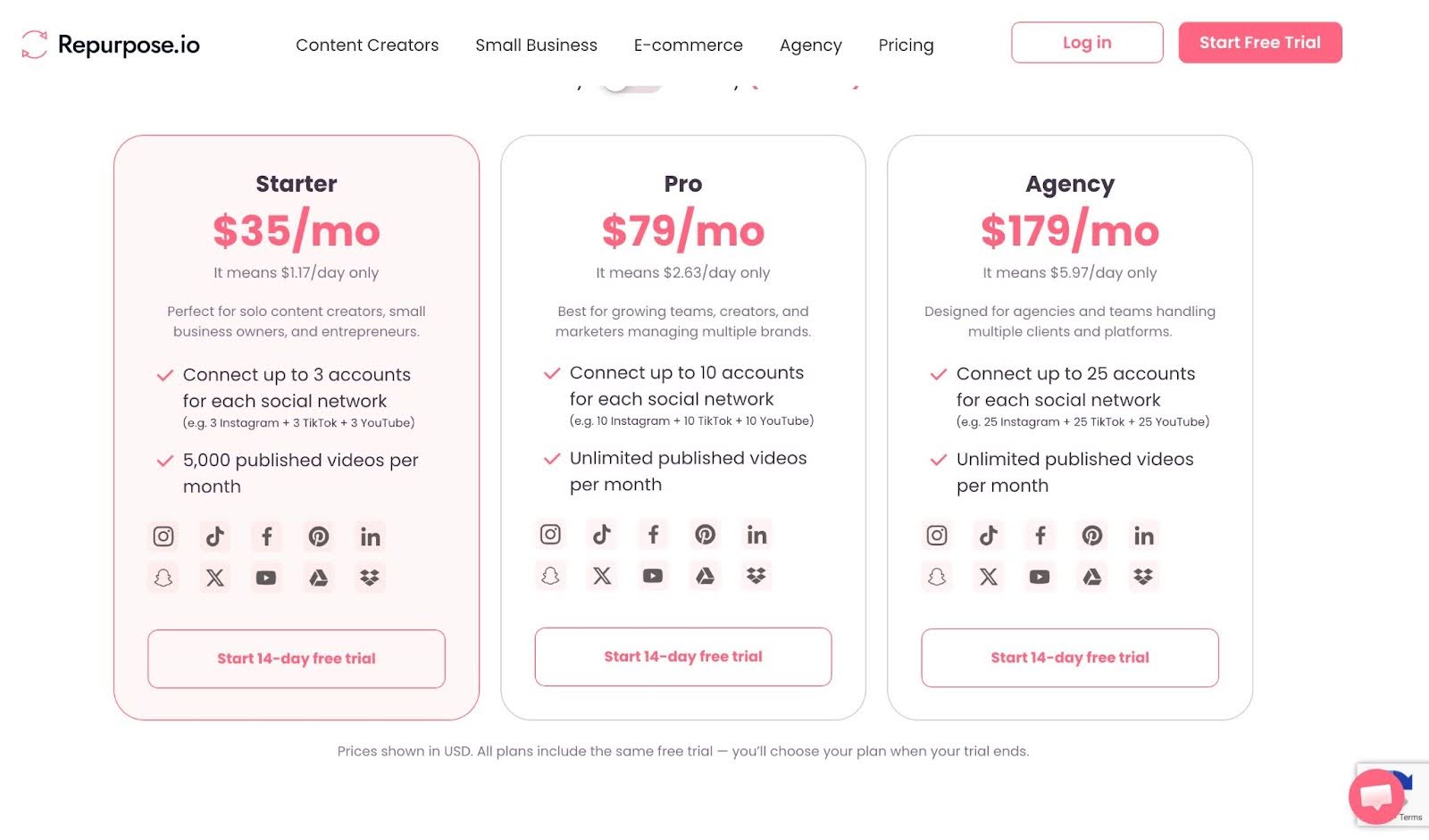
Repurpose.io has 3 pricing tiers.
- Starter – $35/month: For solo creators. Connect up to 3 accounts per platform and publish up to 5,000 videos per month.
- Pro – $79/month: For growing teams and marketers. Connect up to 10 accounts per platform with unlimited published videos.
- Agency – $179/month: For agencies managing multiple clients. Connect up to 25 accounts per platform with unlimited publishing.
Limitations of Repurpose
- Pricing can be a concern for small creators: Repurpose.io is powerful, but the pricing may feel expensive if you’re just starting out or don’t publish content frequently across multiple platforms.
- Some users report poor customer support: Trustpilot reviews frequently mention slow responses and unhelpful fixes. One user described it as "awful customer support," which can be detrimental when you're in the middle of a workflow and require a swift resolution.
- Workflow failures and posting issues: Some users reported scheduled posts not publishing, videos uploading multiple times, or quality being reduced, which defeats the purpose of automation and creates extra manual work.
- Account and platform risk concerns: A few reviewers mentioned social platforms flagging or restricting accounts due to automated posting behavior from third-party tools, which can be risky for business accounts.
- Cancellation and billing complaints: Some users claimed it was difficult to cancel subscriptions or that they were charged after cancelling, which created frustration and trust issues with the platform.
6 Best Repurpose Alternatives
- Klap
- Opus Clip
- Exemplary AI
- Quso.ai
- Veed.io
- Minvo
1. Klap
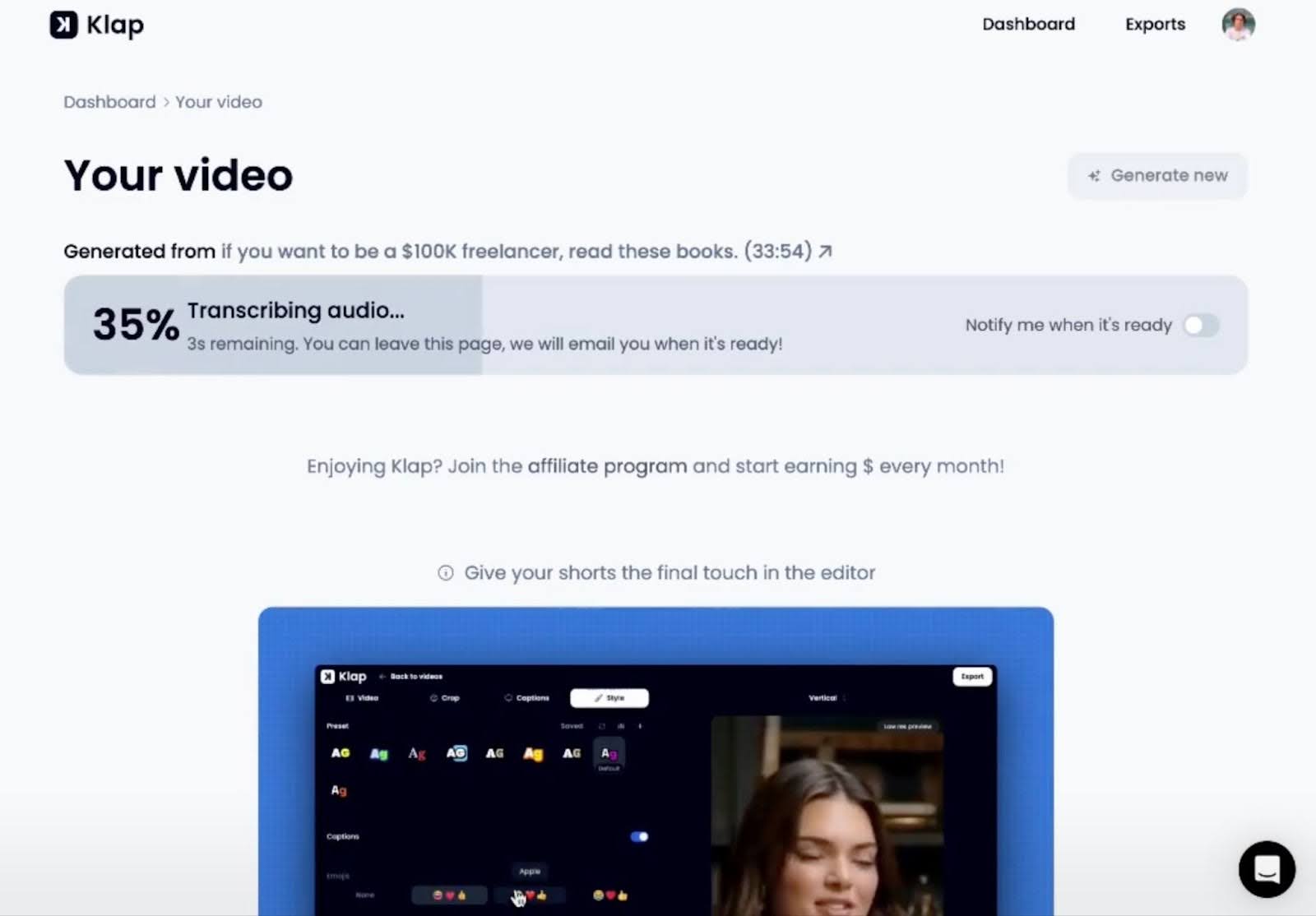
Our video repurposing tool is designed to transform long‑form content into ready‑to‑share short videos for TikTok, Instagram Reels, and YouTube Shorts. Its focus is on automating clipping, captions, reframing, and scheduling, so creators spend less time editing and more time publishing.
Klap is designed for creators, marketers, and teams who publish consistently and need volume without spending hours on editing timelines. It works especially well for podcasts, interviews, webinars, and YouTube content
Whether you’re a solo creator or part of a team, Klap lets you streamline your short‑form video workflow without complex editing software.
Key features
- AI‑Powered Clip Generation: Automatically detects and extracts the most engaging segments from long‑form videos, saving hours of manual editing.
- Auto Captions & Formatting: Generates accurate captions and formats clips in vertical and other aspect ratios ready for platforms like TikTok and Shorts.
- AI Translation & Dubbing: Translate and dub clips in up to 29 languages on higher-tier plans, expanding reach to global audiences.
- High‑Resolution Downloads: Download clips in HD or 4K quality depending on your subscription level for professional output.
- Batch Processing & Scheduling: Process multiple videos per month and schedule posts directly from the platform, reducing workflow steps.
Pricing
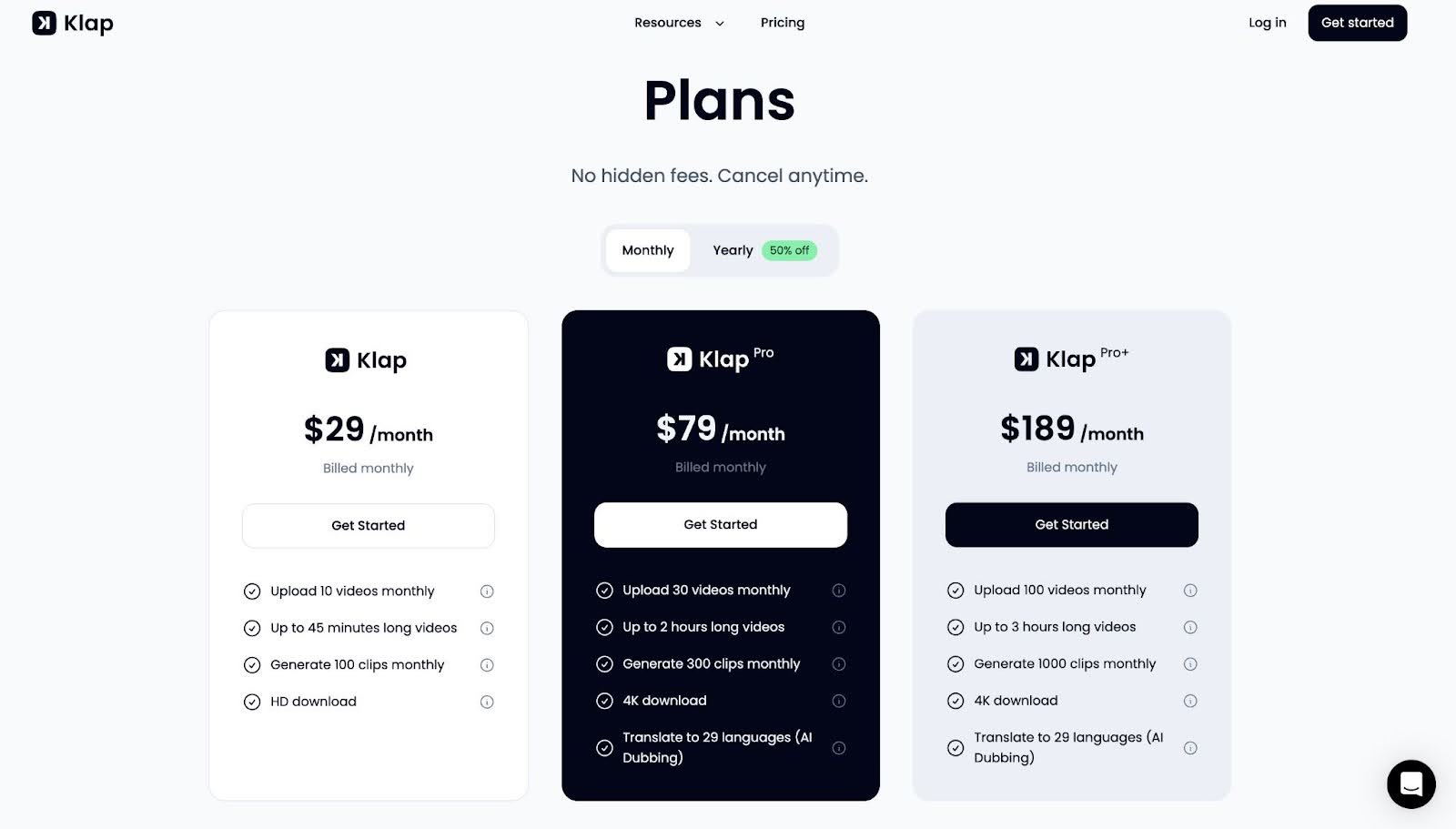
Klap uses a 3-tier subscription model based on video uploads and clip generation limits.
- Starter ($29/month billed yearly): 10 video uploads, up to 45 minutes each, and 100 clips with HD downloads
- Pro ($79/month billed yearly): 30 uploads, up to 2-hour videos, 300 clips, plus 4K downloads and AI dubbing
- Pro+ ($189/month billed yearly): 100 uploads, up to 3-hour videos, and 1000 clips for high-volume creators and teams
Pros
- Built specifically for turning long videos into short-form content
- Very fast workflow with minimal manual editing required
- Strong output quality for social-ready clips
- Scales well for creators producing high content volume
Cons
- No true free forever plan (paid tiers required for full features)
- May require manual tweaks on some AI‑generated clips
2. Opus Clip
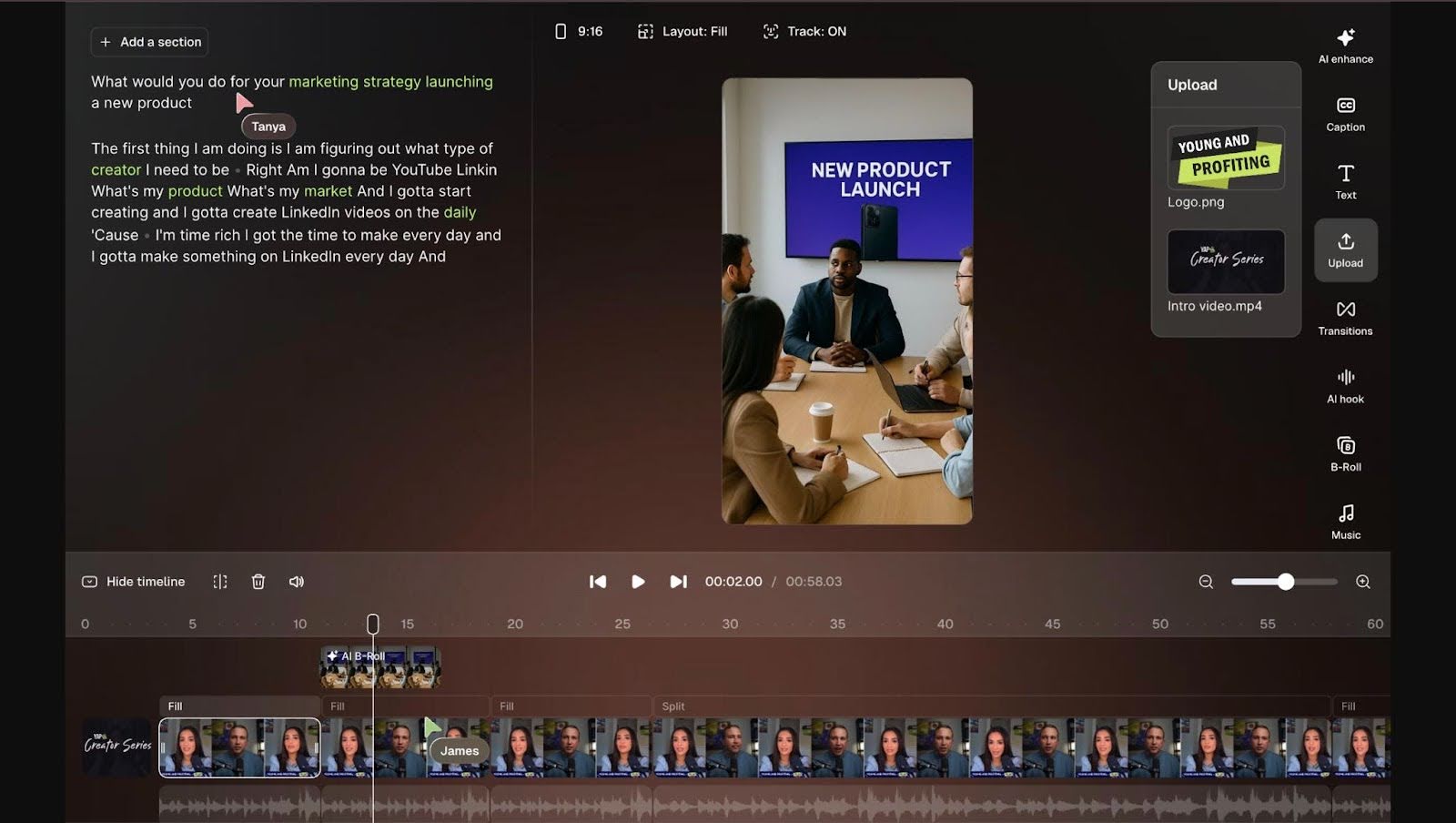
Opus Clip is an AI video repurposing tool that helps creators turn long-form videos like podcasts, webinars, and interviews into short, social-media-ready clips.
The main selling point is speed; Opus Clip can automatically generate multiple short clips from a single long video in minutes.
Key features
- AI clip detection: Automatically scans long videos and selects key moments based on engagement signals, helping users generate multiple clips without manually scrubbing timelines
- Auto reframing: Adjusts framing dynamically to keep speakers centered in vertical formats, reducing the need for manual cropping when preparing content for Shorts or Reels
- Virality scoring: Assigns scores to clips based on predicted engagement, helping users decide which segments are most likely to perform well on social platforms
- Caption generation: Adds styled subtitles automatically, improving accessibility and retention for viewers watching without sound across mobile-first platforms
- Batch clip creation: Produces multiple clips from a single upload, allowing creators to scale content output quickly without repeating the editing process
Pricing
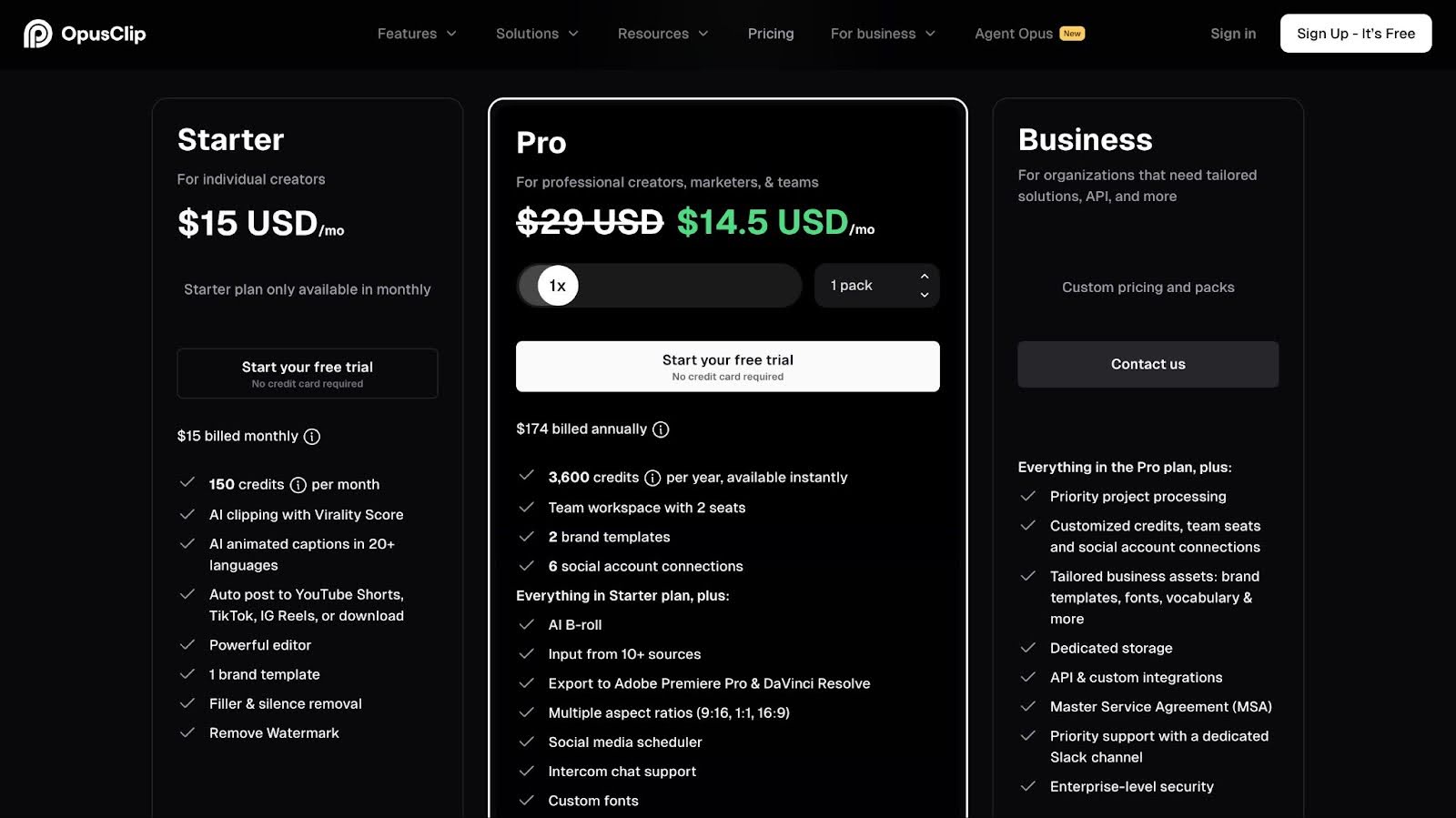
Opus Clip uses a credit system, where 1 credit = 1 minute of video processing.
- Free Plan: 60 credits/month (watermarked videos)
- Starter Plan: $15/month → 150 credits/month
- Pro Plan: $29/month → 300 credits/month (or 3,600/year on annual plan)
- Business/Enterprise: Custom pricing for teams and high-volume users
Paid plans include features like watermark removal, scheduling, team workspace, and advanced AI features. Free trial available for paid plans
Pros
- Saves significant time compared to manual video editing
- Easy to use even for non-editors
- Generates multiple clips quickly from one video
- Helps increase content output and engagement
Cons
- Credit system becomes expensive at scale
- AI sometimes selects wrong clip timing or context.
3. Exemplary AI
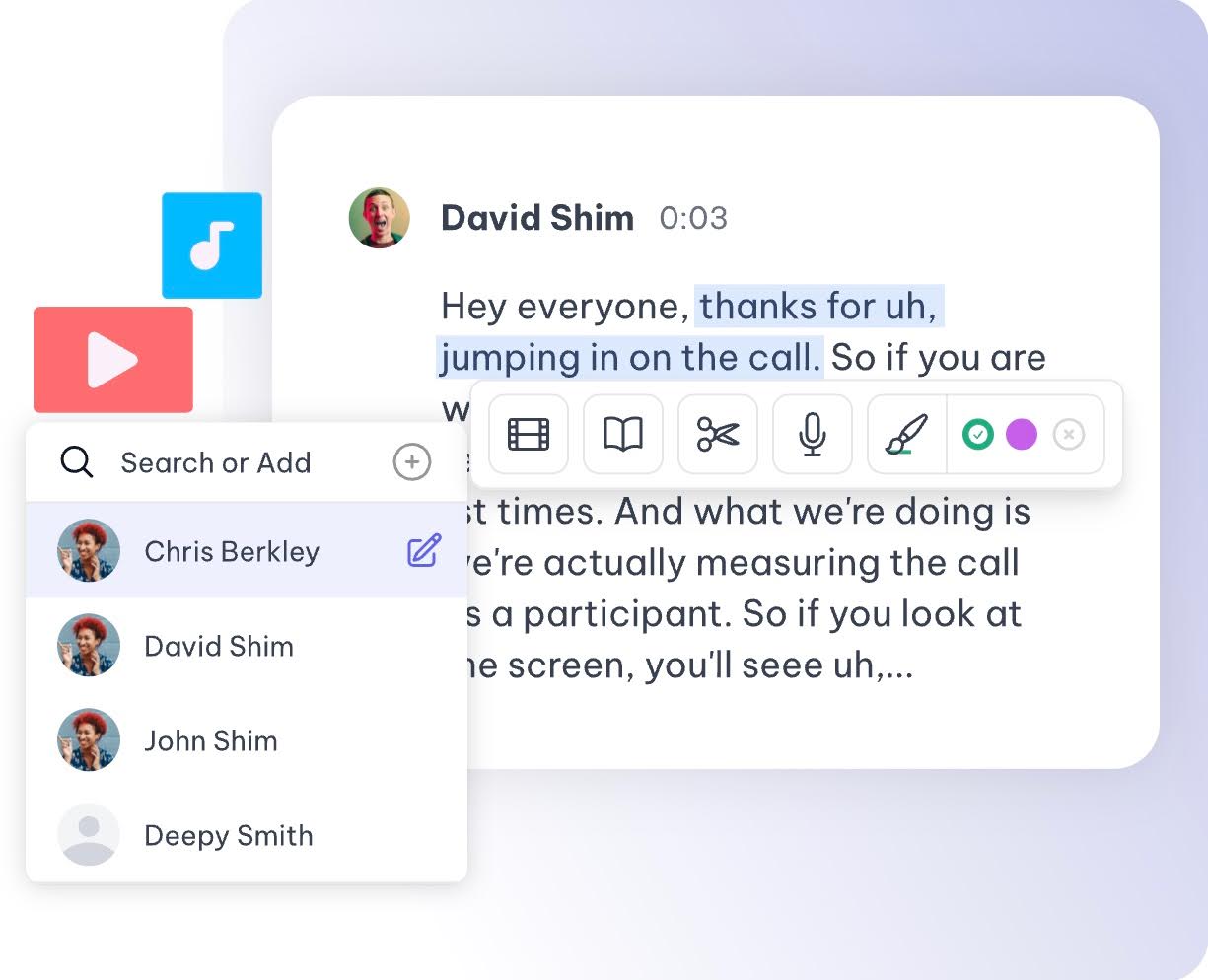
Exemplary AI is an all-in-one content repurposing tool built for turning long audio and video into written and visual content.
It works best for podcasts, webinars, and interviews where the value is in the conversation. Instead of rewatching content, the platform helps you pull out key moments and ideas quickly.
This makes it a strong choice for teams that need both written content and short clips from a single source.
Key features
- Multilingual transcription: Converts audio and video into accurate transcripts across 120+ languages, making content accessible and ready for global repurposing workflows
- AI content generation: Turns transcripts into blogs, summaries, quotes, and social posts, helping users skip manual writing after recording long-form content
- Transcript-based editing: Lets users edit, highlight, and extract key moments directly from text, making it easier to identify clips without scrubbing through timelines
- AI chat with content: Allows users to ask questions about their video or audio and get instant answers, summaries, or extracted insights from the transcript
- Clip and audiogram creation: Generates short clips and audiograms from key transcript sections, making it easier to distribute content across social platforms
Pricing
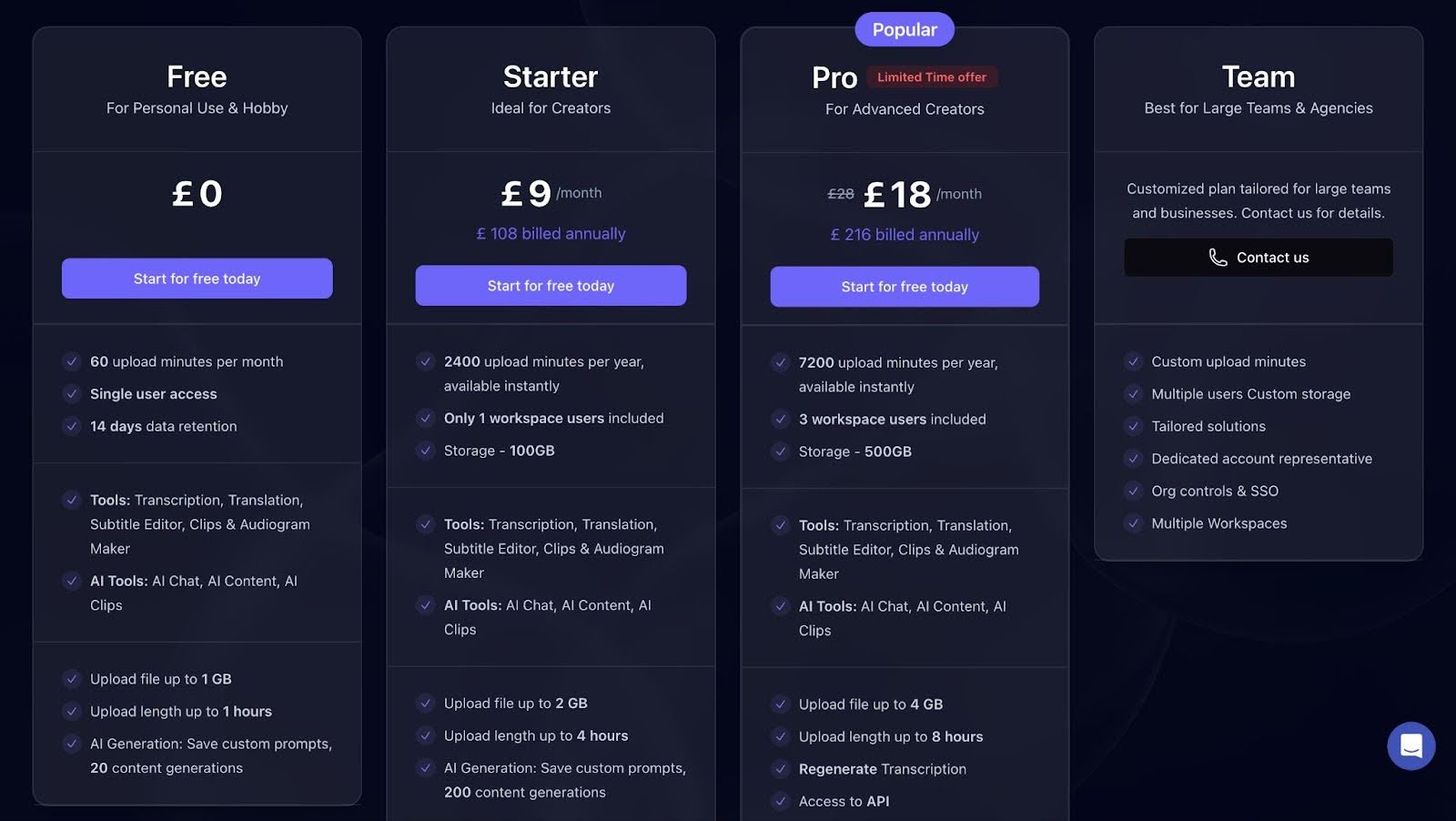
Exemplary AI uses a tiered pricing model based on upload minutes, storage, etc.
- Free: Best for testing the platform or light personal use.
- Starter: £12/month (billed annually): Designed for solo creators.
- Pro: £19/month (billed annually): Built for advanced creators and small teams.
- Team: Custom pricing: Includes multiple users, custom upload minutes, organization controls, and dedicated support for agencies and larger teams.
Pros
- Fast upload and transcription workflows
- Strong value for money based on user ratings
- Generates multiple content formats from one input
- Helpful for content marketing and blogging workflows
Cons
- Limited transcription minutes on lower plans
- AI-generated content still needs manual editing for quality.
4. Quso.ai
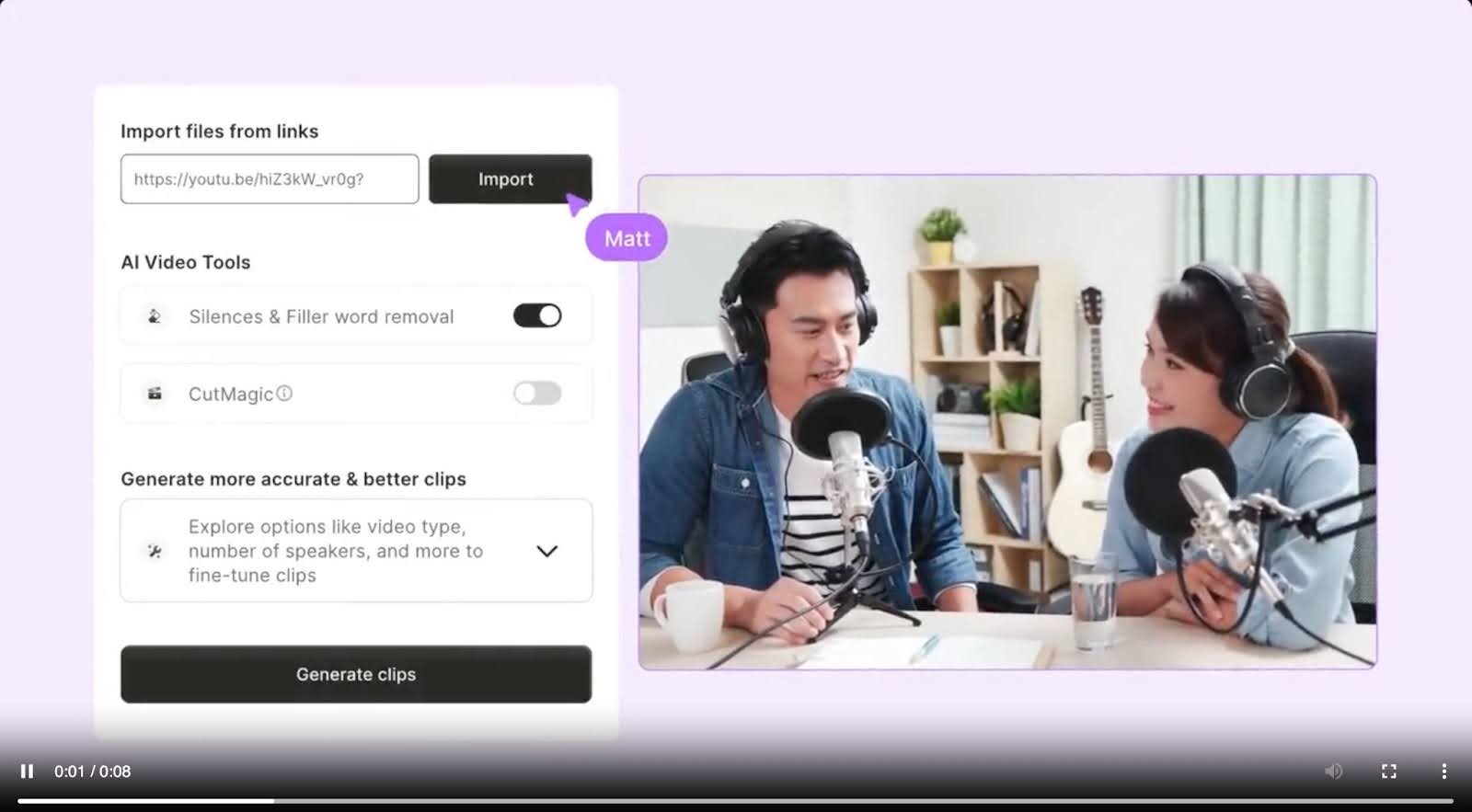
Quso.ai is a smart content workflow platform that turns long videos into ready-to-publish clips, captions, and social posts without hopping between multiple tools.
Unlike traditional repurposing tools that focus only on clipping, Quso emphasizes streamlining content creation and publishing in a single workflow.
It combines AI editing with content distribution, which together helps reduce repetitive manual steps while maintaining brand consistency.
Key features
- AI clip extraction: Identifies key moments in long videos and turns them into short clips, helping users create platform-ready content without manually reviewing footage
- Native scheduling tools: Allows users to schedule and publish clips directly to social platforms, reducing the need for external scheduling tools or manual uploads
- Content suggestions: Generates captions, hashtags, and post ideas based on your video, helping maintain consistent posting without separate planning workflows
- Silence and filler removal: Automatically trims pauses and filler words, improving pacing and watchability without manual editing
- Brand templates: Applies consistent visual styles to clips using pre-built templates, making it easier to maintain a recognizable look across posts
Pricing
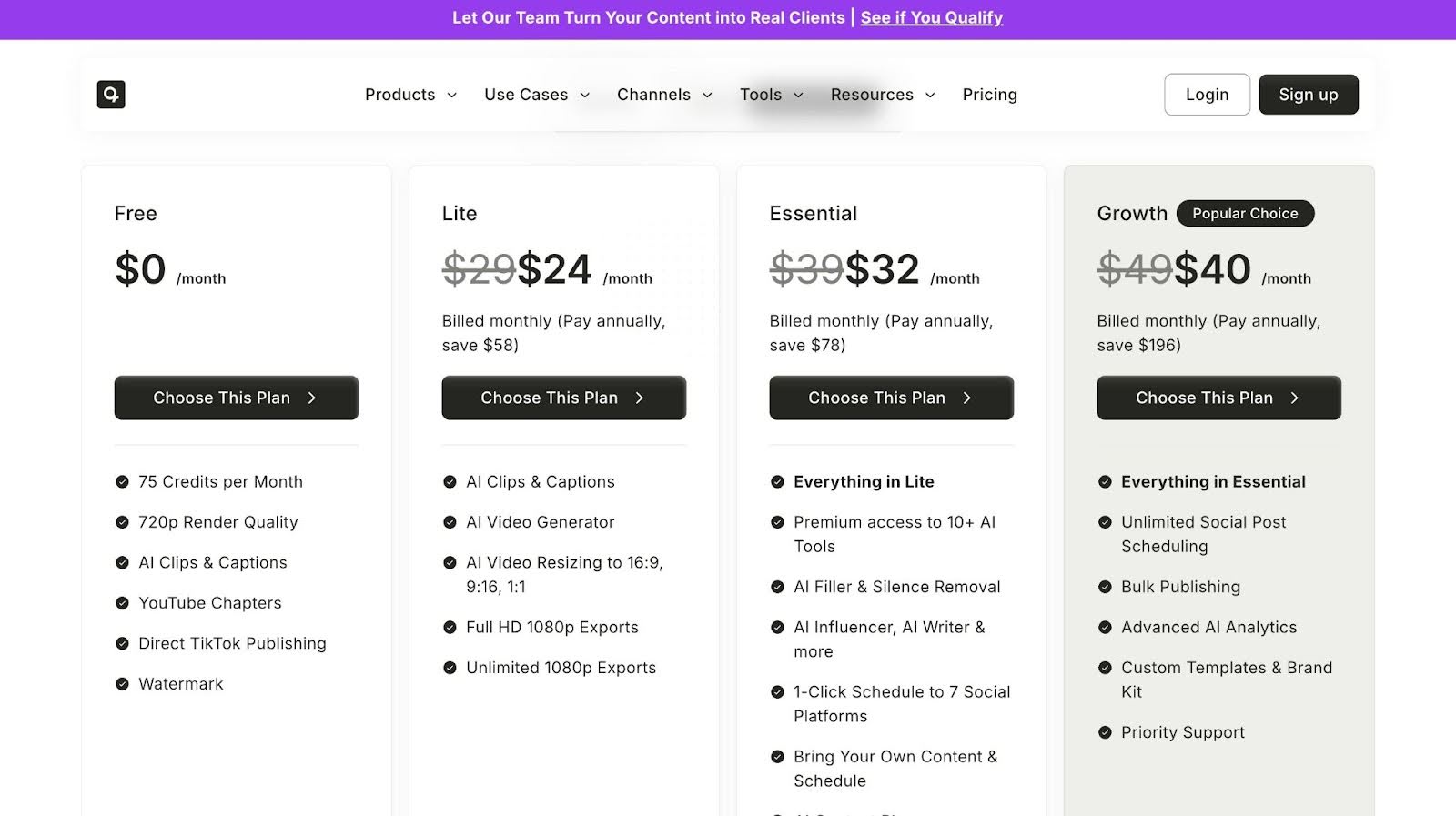
Quso.ai uses a credit/minutes-based pricing model with multiple tiers:
- Free: 75 minutes/month, 720p exports, a watermark, and basic AI clips and captions.
- Lite—$24/month: 1080p exports, AI video resizing, and AI video generator.
- Essential - $32/month: Includes AI tools, content planner, and more.
- Growth - $40/month: Unlimited scheduling, bulk publishing, analytics, and brand templates.
Pros
- Handles both content creation and publishing in one workflow
- Saves time for creators managing multiple platforms
- Simple interface with quick setup
- Free plan available for testing
Cons
- Limited fine control for advanced video editing
- AI outputs may need manual tweaks for accuracy.
5. Veed.io
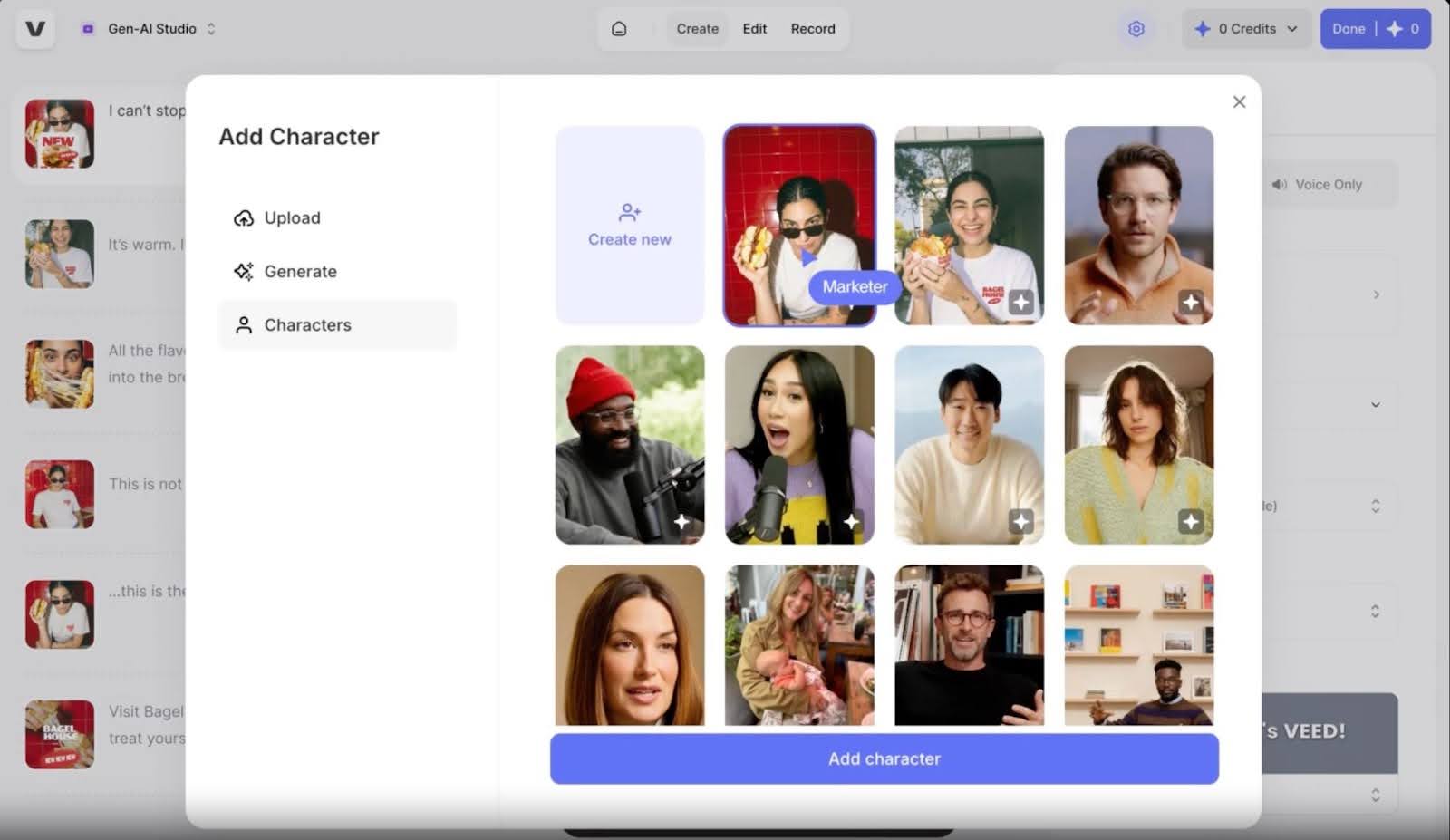
Veed.io is a cloud-based video editing platform designed for creators who need fast, intuitive editing with AI enhancements. Beyond basic trimming and captioning, it provides automated subtitling, transcription, and social-ready outputs.
Unlike tools focused solely on clipping, Veed.io is built for editing, formatting, and polishing videos for multiple channels, making it useful for marketers, educators, and social media managers.
Key Features
- Auto subtitle generator: Generates accurate captions across multiple languages, improving accessibility and retention without requiring manual transcription
- Text-based editing: Lets users edit videos through transcripts, making it easier to remove sections without working through a traditional timeline
- AI video generation: Turns text into videos using avatars, voiceovers, and scenes, helping create content quickly without filming
- Magic cut editing: Removes filler words, pauses, and silence to improve pacing and keep videos more engaging
- Browser-based workflow: Works entirely online, so projects stay accessible from any device without installing software
Pricing
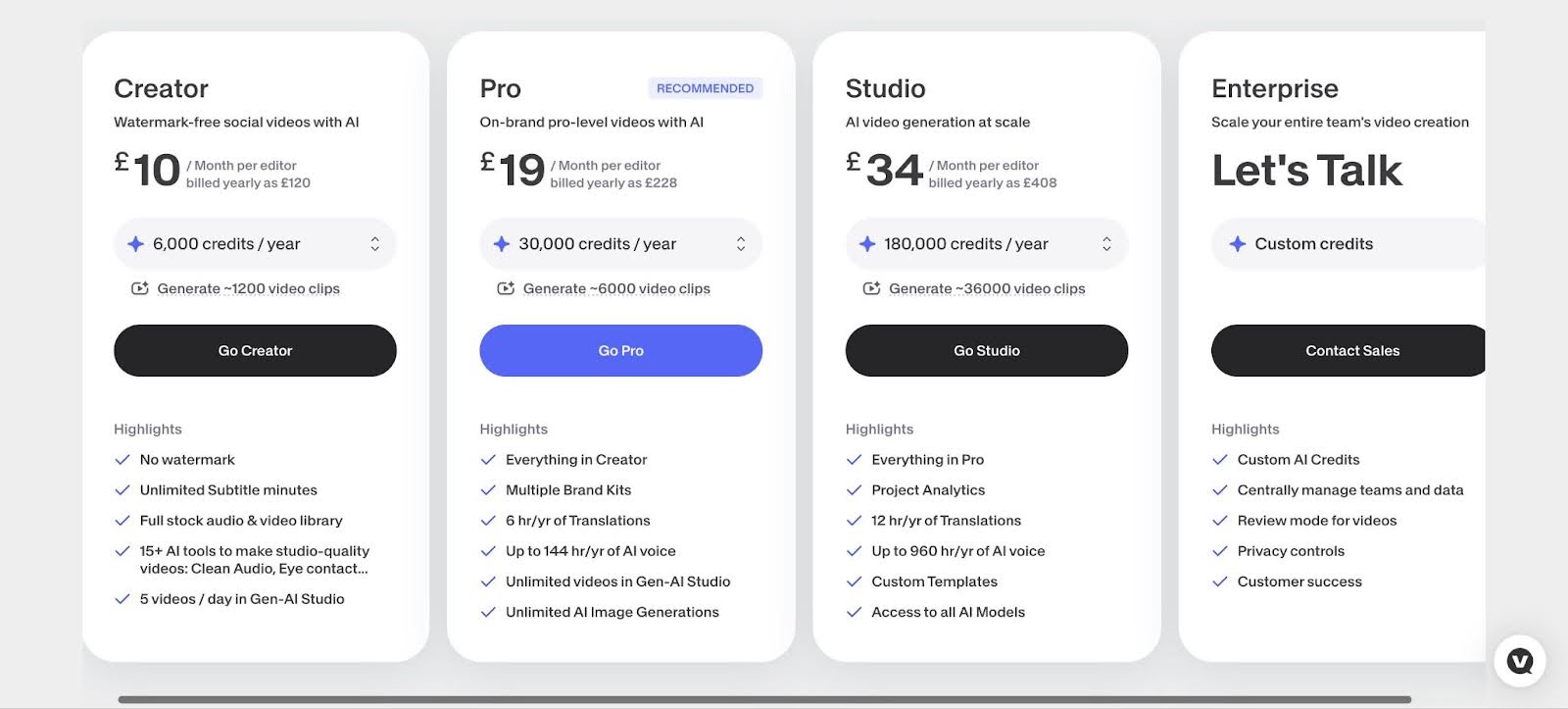
Veed.io offers four subscription tiers tailored to creators and teams:
- Creator – £10/month: Basic watermark-free features
- Pro – £19/month (billed annually): All Creator features plus multiple brand kits, etc.
- Studio – £34/month (billed annually): Everything under Pro plus project analysis, custom templates, etc.
- Enterprise – Custom pricing: All essential features plus advanced analysis and more.
Pros
- AI subtitles save time on captioning.
- Browser-based, no downloads required
- Supports multiple languages for international audiences
- Collaboration tools streamline team workflows
Cons
- Some advanced features require a Pro plan.
- Export speed can slow for longer videos.
6. Minvo
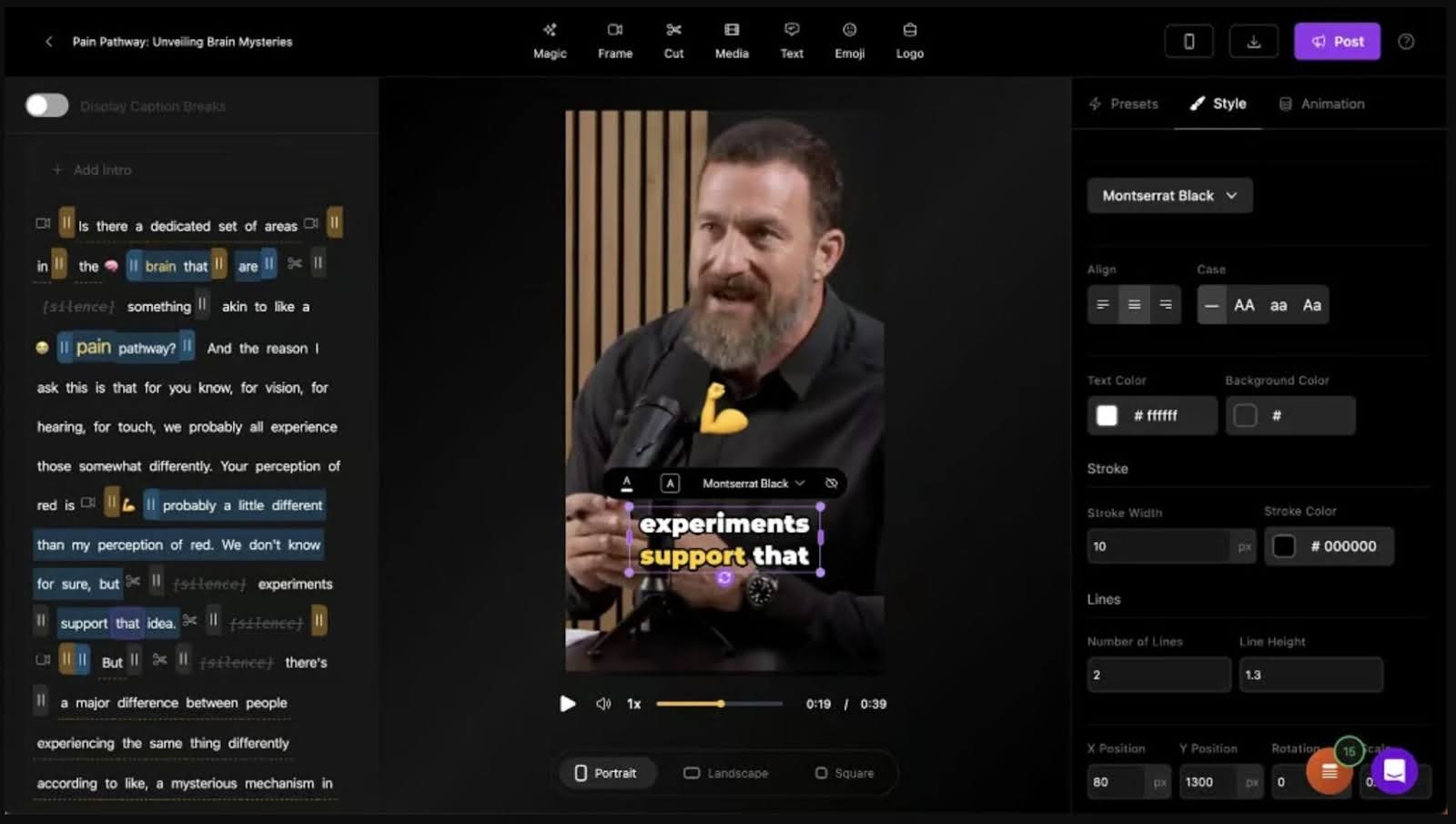
Minvo is an AI-driven video platform built for creators, marketers, and agencies who want to streamline editing and boost content reach across social media. It turns recordings like podcasts, interviews, or livestreams into polished, captioned clips optimized for each platform.
Minvo also offers AI-powered transcription, audio enhancement, and brand-consistent styling, reducing manual work. Combined with multi-platform scheduling, it allows teams to efficiently publish, track, and repurpose content, all from a single, intuitive interface.
Key Feature
- AI Video Clipping: Automatically generates short clips from long videos, scoring them for engagement to highlight the most compelling moments.
- Animated Captions: Adds AI-generated captions in over 20 languages, enhancing accessibility and social media reach.
- AI Writing Tools: Generates blog posts, social media copy, email newsletters, and content ideas from your video content.
- Multi-Platform Scheduling: Schedule unlimited posts to YouTube, TikTok, Instagram, Facebook, and LinkedIn, ensuring a seamless publishing workflow.
- Advanced AI Editing: Remove filler words, cut silences, frame faces, and enhance audio using intelligent AI-powered editing features.
Pricing
Minvo offers three main subscription tiers:
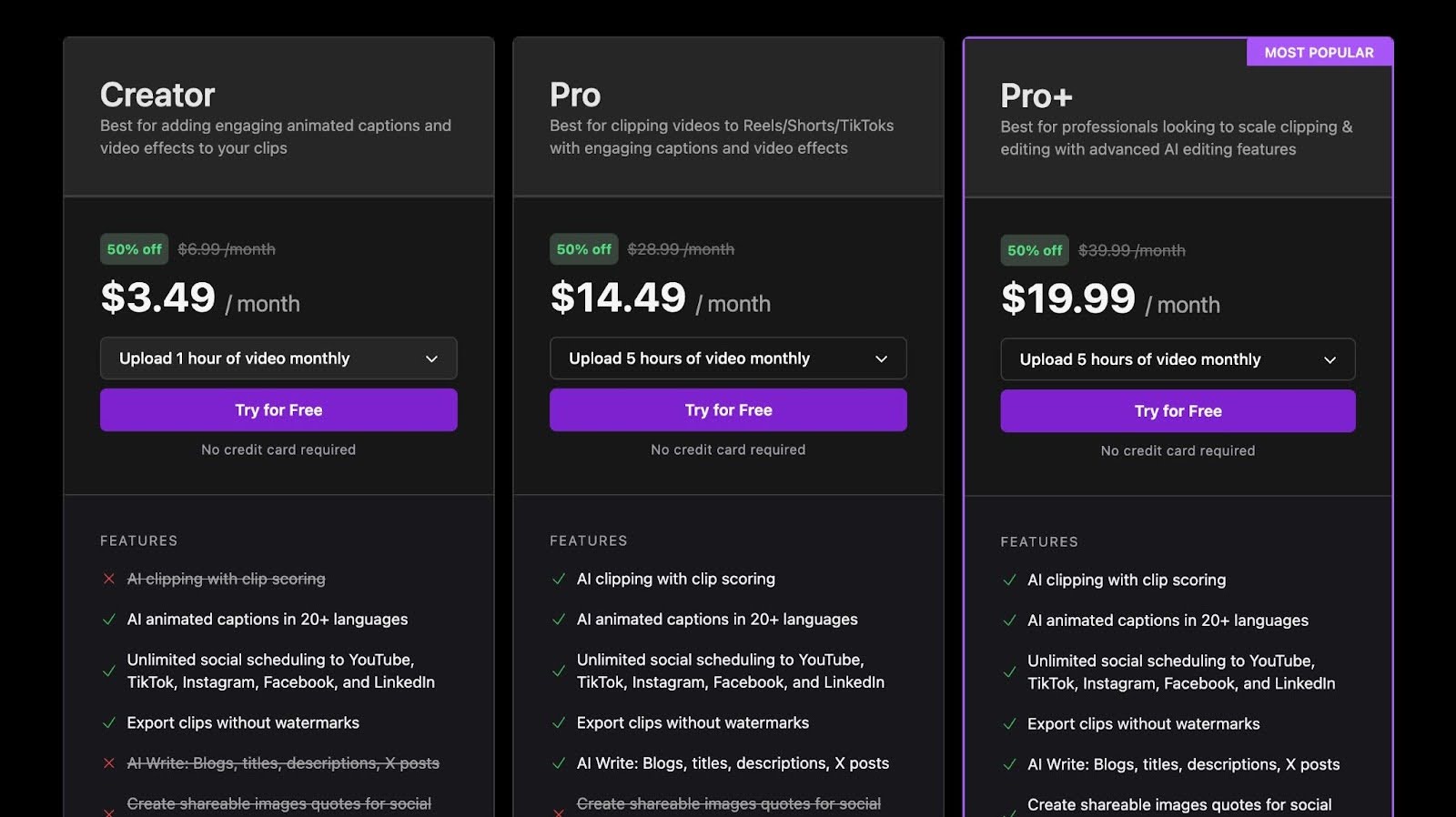
- Creator – $3.49/month (annual): Features to add animated captions and video effects.
- Pro – $14.49/month (annual): Includes clipping options with engaging captions and video effects
- Pro+ – $19.99/month (annual): Includes advanced AI editing features best for professional use
Pros
- Fast AI-powered video clipping and editing
- Multi-platform social scheduling
- Supports 50+ languages
- Generates written content from video
Cons
- Limited free trial features
- Maximum video length restrictions depending on plan
Streamline Your Content Workflow Using Klap
Content repurposing should make your workflow easier, not add more steps. The right tool helps you move faster, publish more consistently, and get more value from every video you create.
If your focus is short-form video, that process starts with better clips. We built Klap to handle the heavy lifting. Upload a long video, and our AI turns it into ready-to-post clips with reframing and captions. No timeline editing. No back-and-forth between tools. Just faster output from content you already have.
Ready to simplify your workflow and maximize your content reach? Sign up for Klap today and start creating more efficiently.
