
The Ultimate Guide to AI Video Cutter Tools
Other

Let's say you've just recorded a fantastic hour-long video—maybe a podcast or a webinar. Hidden inside are dozens of brilliant quotes and shareable moments perfect for TikTok, Reels, and Shorts. So how do you find them? An AI video cutter is a smart tool that automatically watches your long-form videos and pulls out those viral-worthy clips for you, saving you from hours of tedious manual editing.
Why AI Video Cutters Are a Game Changer
Without AI, getting those short clips is a huge headache. A human editor has to sit there, re-watching the entire video, painstakingly hunting for good moments and then slicing them up one by one. It’s slow, it’s expensive, and for any creator trying to keep up with the demands of social media, it's a massive bottleneck.
This is exactly the problem an AI video cutter solves.
Think of it as your super-powered assistant editor, one that’s been trained on millions of viral videos. It doesn't just make random cuts; it actually understands what makes content engaging and applies that intelligence to your footage.
This technology is leveling the playing field, making high-volume content production a reality for everyone. Here’s a breakdown of the core issues it tackles head-on:
- The Time Sink: Manually chopping up a long video into short clips can easily eat up 5-10 hours for a single piece of content. That's an entire workday spent on one video.
- The Content Demand: Audiences on platforms like TikTok and Instagram have an endless appetite for a constant stream of fresh, short-form videos. Keeping up is nearly impossible without help.
- The Resource Barrier: Not everyone can afford to hire dedicated video editors. For individual creators and small businesses, that expense is often a non-starter.
The Surge in AI-Powered Video Tools
The explosive growth of the AI video market really tells the story. In 2024, the global AI video market was valued at USD 11.2 billion and is projected to skyrocket to USD 246.03 billion by 2034. This boom is being fueled by creators and marketers who want to transform their long videos into viral shorts without the soul-crushing manual grind.
Here’s a look at how a modern AI video cutter platform like Klap keeps its interface simple but incredibly powerful.
The clean design gets straight to the point: just give it a source link, and let the AI do the heavy lifting of generating your clips.
At the end of the day, an ai video cutter is your secret weapon for turning a single long video into a content-generating machine. By automating the most painful parts of video editing, these tools free you up to do what you do best—create amazing original content. You can see this in action by exploring how a https://klap.app/tools/long-to-short-video-converter works. And it’s not just video; AI is also being used to create other visual formats, like with AI slideshow generation tools.
How AI Magically Finds Your Best Clips
An AI video cutter doesn’t just slice your videos at random. It works like a highly trained production crew, combining several smart technologies to analyze your content and pinpoint those perfect, shareable moments. While it feels like magic, it’s really just a clever system doing the heavy lifting for you.
Think of the first piece of the puzzle as a script supervisor. This technology, called Natural Language Processing (NLP), reads and understands every single word spoken in your video. It transcribes the dialogue and then dives deeper, analyzing the text for meaning and context. NLP can identify questions, find key topics, and even pick up on shifts in vocal tone that signal something important is happening.
This is how an AI can instantly find every segment where you talked about a specific theme, even if you never said the exact keyword. It actually understands the flow of the conversation.
The AI Director and Its Vision
While NLP is focused on what’s being said, another system acts as the director, watching everything on screen. This is computer vision. This technology analyzes the visual elements of your video, frame by frame, just like a human director would.
Here are some practical things computer vision handles:
- Speaker Detection: It knows who is talking and makes sure they stay in the shot, which is absolutely critical for automatically reframing a horizontal video into a vertical clip.
- Action Recognition: It can spot important visual cues like hand gestures, on-screen graphics, or moments of high energy that usually make for engaging content.
- Scene Analysis: It helps the AI understand the setting and context, adding another layer of data to its decision-making.
By combining what it hears (NLP) with what it sees (computer vision), the AI develops a deep, holistic understanding of your video’s story and visual structure.
“The real power of an AI video cutter lies in its ability to synthesize multiple data points. It connects a powerful statement (identified by NLP) with the speaker's expressive gesture (spotted by computer vision) to find a truly compelling clip.”
This infographic gives you a simple overview of how these tools solve the core problem every creator faces: endless manual editing.
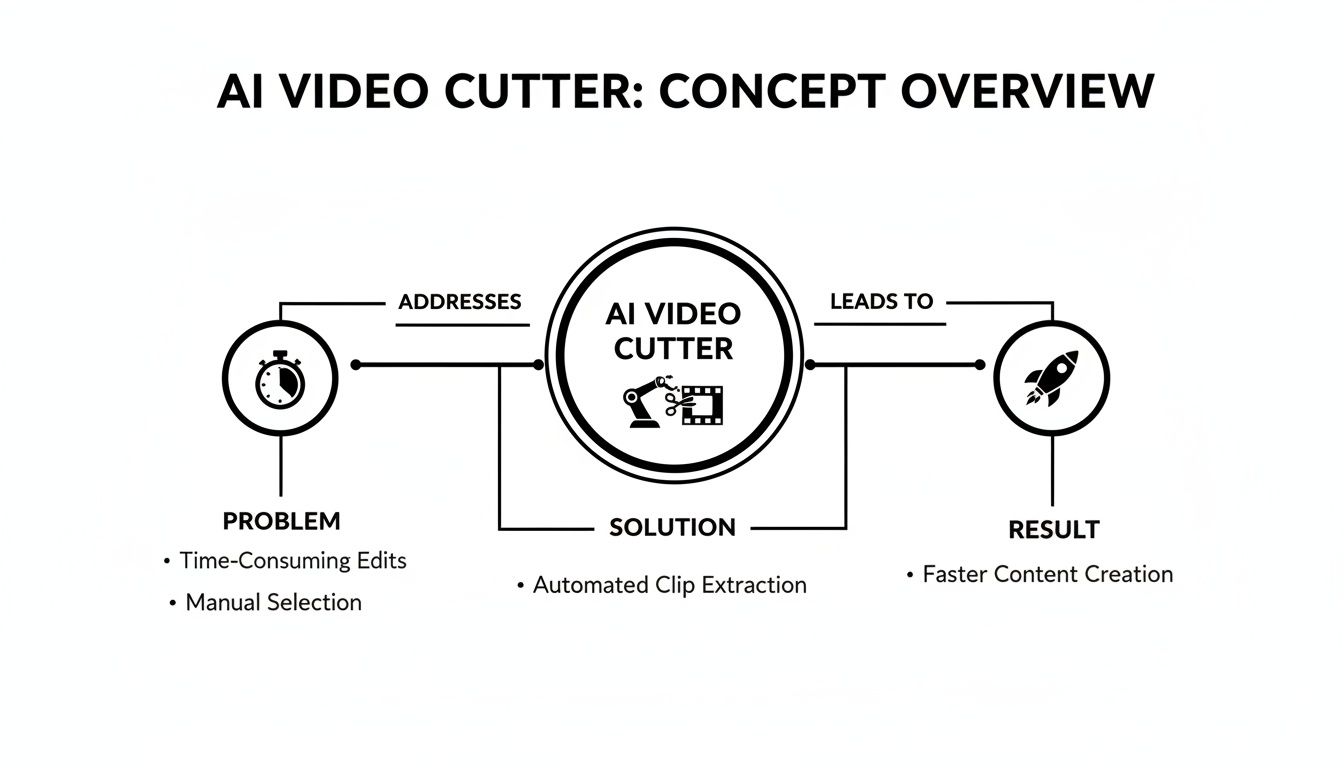
As you can see, by applying an AI solution to the painfully slow process of finding good clips, creators can scale up their content production and get results much faster.
Learning What Makes a Clip Go Viral
The final—and arguably most important—layer is machine learning. The AI models inside tools like Klap have been trained on massive datasets of thousands of viral short-form videos. This process teaches the AI to recognize the specific patterns that lead to high engagement.
It learns to spot elements that consistently perform well, such as:
- Strong, attention-grabbing hooks in the first three seconds.
- Emotional peaks, whether it’s through laughter, surprise, or an impactful statement.
- Concise, valuable takeaways that give the viewer an immediate "aha!" moment.
This predictive skill is what really separates a basic video trimmer from a true AI video cutter. It doesn’t just cut your video; it curates it based on proven patterns of what captures audience attention online, giving your content the best possible shot at performing well.
Unlock Game-Changing Benefits for Your Content
Sure, the time savings are a huge plus, but the real magic of an AI video cutter is how it impacts your growth and revenue. This isn't just about working faster—it's about unlocking opportunities that used to be impossible unless you had a massive content team and a budget to match.
For creators and marketers, this tech directly turns saved hours into measurable returns. Every hour you’re not manually scrubbing through timelines is another hour you can pour into strategy, community building, or dreaming up your next big idea.
Slash Production Costs and Scale Your Output
Let's be honest: traditional video production is expensive. Whether you're hiring an editor or sinking your own valuable time into tedious cuts, the costs add up fast. An AI video cutter flips that model on its head by automating the most soul-crushing parts of the job.
Imagine turning a single one-hour podcast into a full week's worth of high-engagement Reels, Shorts, and TikToks... in about 15 minutes. That’s not a hypothetical, it’s a real-world workflow. This kind of efficiency lets you scale your content output like never before. Instead of posting one short clip a week, you can suddenly churn out ten a day, blowing up your visibility across platforms.
An AI video cutter is like having a clone of your best editor, letting you multiply your content presence without multiplying your budget. It’s the ultimate force multiplier for lean teams.
For YouTubers and podcasters, these tools can cut editing time by up to 78% thanks to features like auto-reframing and smart captioning. We're also seeing brands and educators pull killer clips from long webinars—a must-do in a world where short-form video consumption has jumped 5x on social media since 2020. It's clear: AI video cutters are engagement machines. You can dig deeper into the numbers in this insightful report on the AI video market.
Discover Hidden Content Gold
Your archives are a goldmine just waiting to be tapped. Every podcast, webinar, or interview you’ve ever recorded is packed with brilliant moments. An AI video cutter breathes new life into this old content, letting you repurpose assets that would otherwise just sit there collecting digital dust.
By running your back catalog through an AI, you can instantly pull out dozens of evergreen clips. This isn't just a great way to fill your content calendar—it re-engages your audience with proven, high-value insights from your best work.
Amplify Reach and Engagement
Here’s the kicker: AI-optimized clips often perform better than manually created ones. Why? Because the AI is literally trained to spot what social media algorithms love—strong hooks, dynamic captions, and punchy edits.
Here are some actionable ways AI boosts performance:
- Algorithm-Friendly: The AI finds clips based on patterns it knows lead to higher watch times and more interaction.
- Optimized for Silent Viewing: Dynamic, word-by-word captions grab attention even when the sound is off, which is how most people scroll on their phones.
- Perfectly Framed: Automatic face-tracking and reframing keep the speaker centered, giving your vertical videos a clean, professional look.
By using these built-in optimizations, your content has a much better shot at getting pushed out to a wider audience, growing your reach far beyond your current followers.
Must-Have Features in a Modern AI Video Cutter
Not all AI video cutters are built the same. Once you start looking, it’s easy to get lost in promises of automation. But the real magic isn’t just about making cuts; it’s about finding an intelligent partner that understands your content strategy.

Think of the features below as a checklist. The more boxes a tool can tick, the less time you’ll spend fighting with edits and the more time you’ll have for creating.
Intelligent Clip Curation
The heart of any great ai video cutter is the quality of its suggestions. A basic tool might just find moments where you spoke loudly, but a truly smart one analyzes the context of your conversation, identifies viral hooks, and pulls out the key takeaways.
This is what really saves you time. It's the difference between getting a folder of random clips versus a set of shorts that are ready to perform from the get-go.
Automatic Reframing With Face Tracking
Let’s be real: your original video was probably filmed in a horizontal 16:9 format. But social media lives and breathes vertical 9:16 video. Automatic reframing is non-negotiable. It intelligently crops your wide video into a vertical frame, but the secret sauce is face tracking.
This tech makes sure the speaker stays perfectly centered, even if they move around. Without it, you’d be back to manually keyframing every single clip, which completely defeats the point of using AI in the first place.
Customizable Dynamic Captions
A huge chunk of social media videos are watched on mute, making captions essential. But static, boring captions won't cut it anymore. Dynamic, word-by-word captions—often called "karaoke-style"—are proven to grab and hold viewer attention for way longer.
In fact, some studies show that videos with engaging, animated captions can boost watch time by over 50%. A good tool won’t just generate these; it will let you customize them. You can learn more about creating these visuals with an automated subtitle generator.
The best AI video cutters don't just add text to your screen; they turn your dialogue into a captivating visual element that keeps viewers hooked, even with the sound off.
To really see the difference, let’s compare how these AI-powered features stack up against the old-school, manual way of doing things.
Essential AI Video Cutter Feature Checklist
This table breaks down just how much time and effort a smart tool can save you compared to grinding it out in a traditional video editor.
FeatureAI Video Cutter (e.g., Klap)Manual Video Editing
Clip Selection
AI-driven suggestions based on viral patterns
Hours of manual timeline scrubbing
Reframing
Instant auto-reframing with face tracking
Tedious keyframing for each clip
Captions
Automated dynamic captions in minutes
Manual transcription and text animation
Aspect Ratios
One-click export for TikTok, Reels, Shorts
Separate project file for each platform
As you can see, the AI approach automates the most time-consuming parts of the process, freeing you up to focus on strategy instead of tedious tasks.
Multi-Platform Aspect Ratios
Your audience is scattered across TikTok, Instagram Reels, and YouTube Shorts. Each platform has its own little quirks. Your AI video cutter should make it dead simple to export clips for all of them, with one-click options to resize your video into the perfect aspect ratio for each network.
Finally, a top-tier tool will include a brand kit. This is where you upload your logo, set your brand colors, and choose your default fonts. It ensures every single clip that comes out of the tool is instantly recognizable as yours, keeping your look professional and consistent everywhere you post.
Your Workflow From Long Video to Viral Short
Putting an AI video cutter to work is way simpler than you might think. Forget about messing with complex timelines and confusing settings—the whole point is to make it fast and intuitive.
Let's walk through the exact steps. We'll turn a long YouTube interview into a batch of viral-ready shorts in just a few minutes.
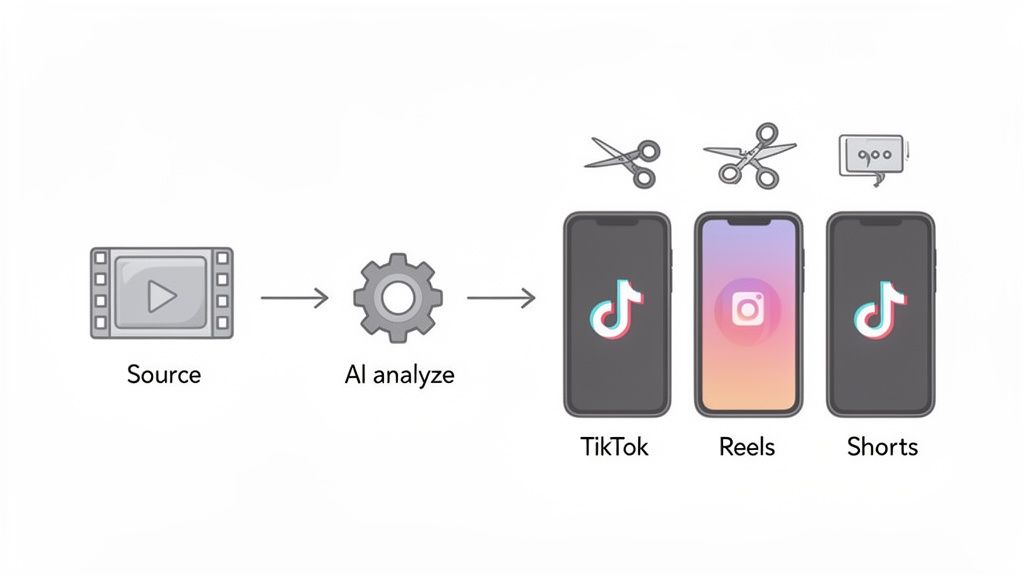
This entire workflow takes what used to be hours of manual labor and turns it into a quick, automated process.
Step 1: Upload Your Source Video
It all starts by feeding the AI your long-form content. With a tool like Klap, you don’t even have to download the video file. Just paste the YouTube link directly into the platform.
That one action kicks off the whole process. The AI fetches your video and gets it ready for analysis. It’s like handing your raw footage over to a whole editing team.
Step 2: Let the AI Analyze Your Content
Once you’ve provided the link, the AI gets to work. This is where the real magic happens behind the scenes. The system transcribes every single word, analyzes vocal tones to find emotional peaks, and uses computer vision to track who is speaking and when.
It then checks all that data against what it knows about viral videos, looking for strong hooks, interesting questions, and clear takeaways. This isn't just random cutting; it's smart curation.
Actionable Tip: The AI is hunting for moments with the highest potential for views, likes, and shares, based on patterns from millions of successful shorts. Trust its first batch of suggestions—they're a powerful starting point that saves you the initial hours of searching.
Step 3: Review and Refine AI Suggestions
No AI is perfect, which is why the review stage is so important. The tool will give you a list of suggested clips, each with auto-generated captions and a score showing its viral potential.
Your job is to be the final director. It's easy to:
- Adjust Clip Boundaries: Just drag the start and end points to make a clip a little tighter or to add a bit more context.
- Edit Captions: Quickly fix any transcription mistakes or tweak the wording to make it punchier.
- Select the Best Moments: Not every suggestion will be gold. You can quickly get rid of the clips that don't quite fit your strategy.
Step 4: Customize Your Brand Style
Consistency is everything on social media. Before you export, you can apply your brand kit in a couple of clicks. This means adding your logo, setting your brand colors for the captions, and picking a font that matches your vibe.
A good AI video cutter applies your style across all your selected clips at once, saving you a ton of time.
Step 5: Export for Social Media
With your clips perfected and branded, all that's left is to export. The best tools have presets for every major platform—TikTok, Instagram Reels, and YouTube Shorts. For a deeper look at platform-specific strategies, check out our guide on how to create YouTube Shorts from existing video.
Just choose the formats you need and download the final videos. What used to take a full day of editing is now done in less time than it takes to drink a cup of coffee. If you're looking for a platform dedicated to making this even easier, tools like Shortgenius offer some great automated solutions.
Common Questions About AI Video Cutters
Jumping into any new tech brings up questions. An AI video cutter sounds great on paper, but you need to know how it works in the real world. Let's tackle the most common questions creators and marketers have.
My goal here is to give you straight, honest answers so you can feel confident about what these tools can actually do for you.
Will an AI Video Cutter Replace My Human Editor?
Not really. It's better to think of an AI video cutter as a powerful assistant, not a replacement. Its main job is to do the heavy lifting—sifting through a long video to find and format dozens of potential clips. That’s the tedious, repetitive work where AI really shines.
This frees up human editors to do what they do best: focus on high-level creative work. Instead of scrubbing through hours of footage, they can jump straight to advanced storytelling, sound design, and adding that final professional polish to the clips AI suggests. Many top teams use AI for the first pass, then hand off the best options to an editor for that expert touch.
How Accurately Does the AI Find the Best Parts?
You'd be surprised. The best AI video cutters are trained on millions of high-performing social media videos, which teaches them to spot what makes a clip compelling. The AI listens to dialogue for strong hooks, detects emotional peaks in someone's voice, and pinpoints the most important takeaways.
No AI is perfect, but a solid tool will nail 80-90% of the most valuable moments in your video. That’s a massive head start that saves you hours of manual searching, even if you decide to tweak a few things later.
Is My Content Secure When I Upload It?
This is a huge deal, and any reputable AI platform takes it very seriously. Professional tools use secure cloud infrastructure and encryption to protect your videos during upload, processing, and storage. They know your content is your intellectual property, and they treat it that way.
It’s always smart to check a tool's privacy policy before you commit. But you can be confident that established platforms have strong security measures in place to keep your content safe, private, and owned by you.
What Types of Videos Work Best with AI Cutters?
AI video cutters work best with dialogue-driven content. The AI leans heavily on analyzing spoken words to understand context and find key moments, so these types of videos are a perfect match:
- Podcasts and interviews
- Webinars and online courses
- Educational lectures and tutorials
- Talking-head YouTube videos
You can upload other kinds of videos, of course, but the AI might struggle with content that relies only on visuals, like cinematic b-roll or music montages. Without dialogue to analyze, it has a harder time knowing what's important.
Ready to stop wasting hours on manual editing and start scaling your content? Klap uses AI to turn your long videos into viral-ready shorts in minutes. Try Klap for free and see how easy it is to create engaging clips.
