
A Modern Guide to Social Media Video Editing
Other
When people talk about "social media video editing," they're talking about a very specific craft. It's the art of chopping up, rearranging, and polishing video clips so they feel native to platforms like TikTok, Instagram Reels, and YouTube Shorts.
This isn't your traditional editing job. It means everything is optimized for vertical screens, loaded with engaging captions and sounds, and paced lightning-fast to hook a viewer who’s just one swipe away from the next video.
Rethinking Your Social Media Video Workflow
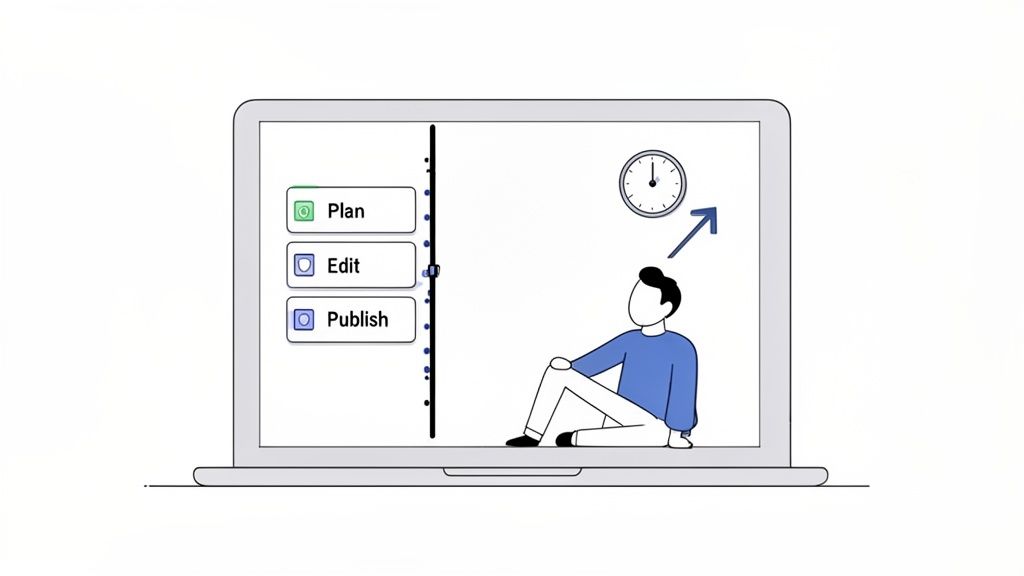
Does this sound familiar? You spend hours in an editor, meticulously crafting what ends up being just a handful of social media clips. If so, you're not alone. The non-stop demand for short-form video has turned content production into a massive bottleneck for most creators and marketers. It feels like you're in a constant sprint, trying to keep up with an algorithm where the time you pour into editing rarely pays off in the results.
This cycle is completely unsustainable. It burns you out creatively and holds you back from actually testing what your audience wants to see. The old-school, perfectionist approach to video editing just wasn't built for the speed and volume that today's social feeds demand. A smarter, more efficient system isn't just a nice-to-have; it's a necessity.
Building a Modern, Sustainable System
The fix isn't about working harder—it's about shifting your mindset from manual perfection to scalable production. This guide will give you an actionable workflow that blends timeless editing principles with smart AI tools, letting you create higher-quality content in a fraction of the time. The whole idea is to build a repeatable system that turns one long-form video into a goldmine of engaging social clips.
When you have a system, you can finally move faster and get back to what actually matters: strategy and creativity. Instead of getting lost in the weeds of repetitive edits, you can focus on the big picture of your content's performance.
The core of a killer social video strategy isn't landing one viral hit. It's building a consistent, high-quality presence that protects your most valuable resource—your time.
By adopting this new workflow, you can finally make your effort match your results. We’ll cover the practical steps to make it happen, from spotting viral-worthy moments in your long-form content to reframing it for the vertical world. Specifically, we'll dig into how to:
- Maximize Your Content ROI: Turn a single long-form video into dozens of social clips without ever starting from scratch.
- Publish More Frequently: Keep a steady stream of content flowing across all your platforms without burning out yourself or your team.
- Learn from Your Audience Faster: Test more clips, hooks, and ideas to quickly discover what your audience truly engages with.
It’s time to ditch the tedious, manual grind. Let's build a workflow that actually works for you, not against you.
Finding Viral Moments and Reframing for Vertical Video
Great social media video editing doesn't start in the timeline. It starts with a treasure hunt through your long-form content—like a podcast or webinar—to find those little segments with real viral potential.
This isn't just about slicing up a video at random. It's a strategic hunt for moments that are powerful enough to stop someone mid-scroll. Think of these as your "hook-worthy" moments. They're the golden nuggets that spark curiosity, trigger an emotion, or start a debate, and they're the foundation for turning one long video into a dozen high-performing social clips.
Spotting Your Hook-Worthy Moments
The trick is to listen for specific patterns that naturally grab attention. As you scrub through your content, keep your ears open for segments that check one or more of these boxes:
- Contrarian Takes: Look for any moment where the speaker challenges a popular belief or shares an unpopular opinion. These are absolute magnets for comments and shares.
- Surprising Statistics: A jaw-dropping number or a piece of data that goes against common sense can instantly hook a viewer and build your authority.
- Powerful Emotional Beats: A heartfelt story, a vulnerable moment, or a passionate rant can create an immediate human connection that’s hard to ignore.
- Actionable Advice: Find those short, practical tips that give someone immediate value. A clip that teaches something useful in under 30 seconds is gold.
For example, don't just pull a generic clip titled "Marketing Tips." Instead, isolate the exact moment where your expert says, "Everyone thinks you need a huge ad budget, but here’s how we got 10,000 leads with zero ad spend." That specific, contrarian, and value-packed statement is the perfect hook.
A great social media video doesn't just present information; it provokes a reaction. Your best clips will be the ones that make someone think, "Wow, I never thought of it that way," or, "I have to share this with someone."
Once you’ve found these gems, the next job in your social media video editing workflow is adapting them for the vertical world.
Mastering the Art of Vertical Reframing
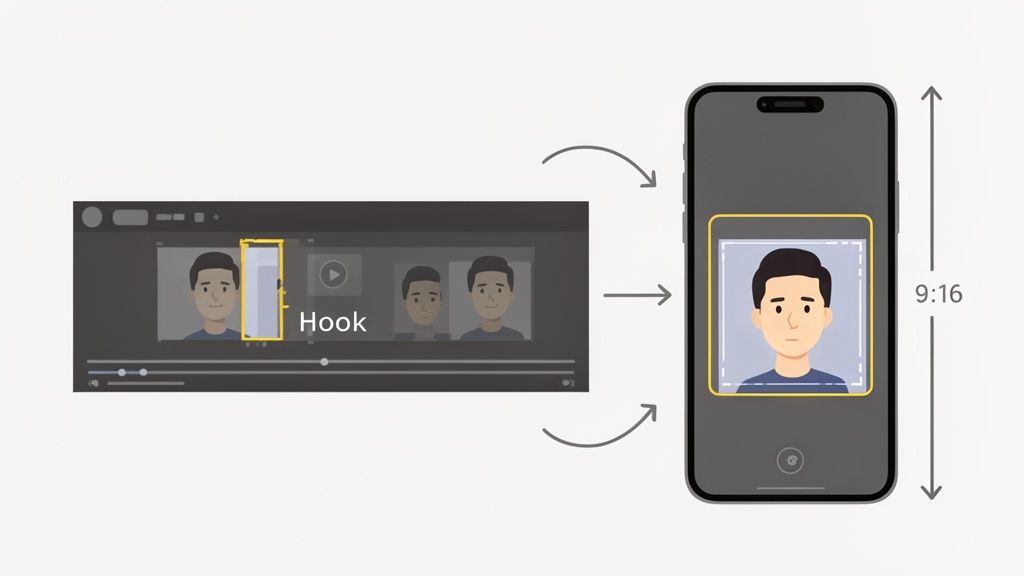
Just cropping your horizontal 16:9 video into a 9:16 vertical frame won't cut it. Today’s viewers are used to high-quality content, and a lazy, static crop can make your video feel amateurish and confusing. With up to 94% of mobile users holding their phones vertically, getting this format right is non-negotiable.
The goal here is to keep the viewer's focus on the most important thing on screen—which is usually the speaker's face. If you have two speakers in one shot, a static crop might cut one person off entirely or leave them awkwardly hanging on the edge. This is where dynamic reframing is a game-changer.
Modern AI tools can intelligently track who is talking and automatically keep them centered in the vertical frame. This creates a seamless, professional-looking conversation that feels like a real camera operator is following the action, making the clip far more engaging than a simple, fixed crop.
This approach ensures no important visual information gets lost and keeps your video looking polished enough to hold a viewer's attention. To really dive deep into capturing attention with vertical video, check out these advanced strategies for short-form video ads on TikTok and Reels.
By combining a sharp eye for viral moments with smart reframing techniques, you'll end up with a video that feels perfectly native to the platform and commands attention from the very first second.
Using Captions and Sound to Stop the Scroll
Alright, you've picked the perfect clip and framed it for vertical. Now it’s time to layer in the elements that make your video impossible to swipe past. On platforms where the next dopamine hit is just a flick away, you have to grab both their eyes and their ears.
Attention is the name of the game. You earn it by creating a rich sensory experience that pulls the viewer in from the very first second. We're talking about a killer combo of dynamic captions that guide the eye and strategic sound that sets the mood. It's about making your content feel alive.
Why Dynamic Captions Are a Must-Have
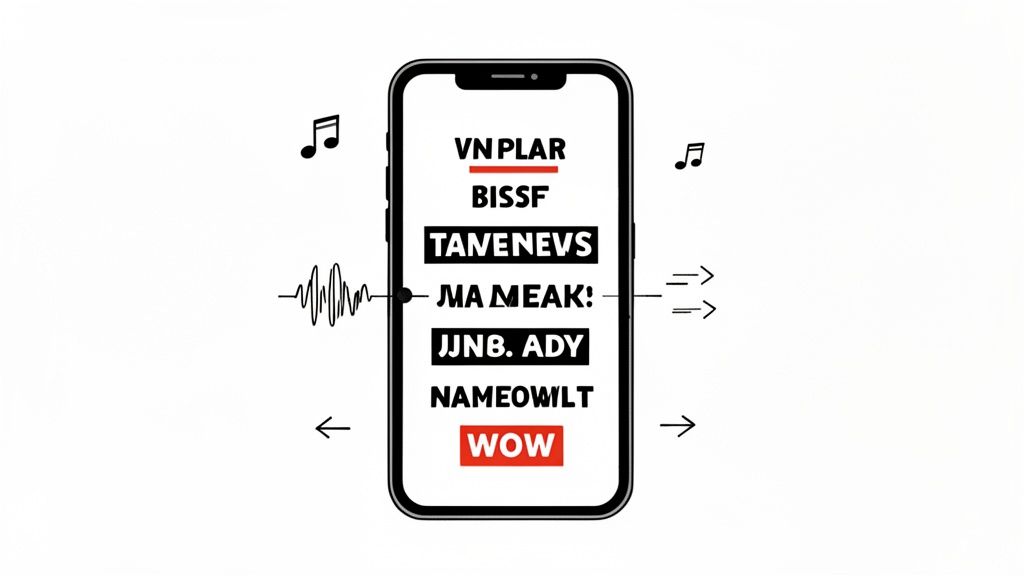
Forget plain, boring subtitles parked at the bottom of the screen. Those days are long gone. Today, captions are a vital part of the creative itself. With a jaw-dropping 85% of social media videos watched on mute, your captions are often the only way your message gets through.
But they do so much more than just convey information. Dynamic, word-by-word captions—often called "karaoke-style"—are a massive visual hook. They force the viewer's eyes to follow along, keeping them locked in and focused. This is a technique mastered by giants like MrBeast and Alex Hormozi, who use animated text to inject energy and hammer home key points.
Dynamic captions don't just tell your story; they perform it. By highlighting important words with color, size changes, or emojis, you turn passive viewing into an active experience, significantly boosting retention.
So, how do you make them work for you? Keep it simple. Pick a bold, readable font that fits your brand but still pops on a cluttered screen. Use color and emojis to highlight the words you really want to land. And finally, get the timing right—the word should appear the instant it’s spoken to create that satisfying, seamless rhythm.
If that sounds like a lot of tedious work, it is. Tools like a dedicated AI subtitle generator can be a lifesaver, automating the transcription and timing so you can focus on the creative.
Master the Art of Pacing and Flow
Great social video editing is all about momentum. You need to keep things moving at a brisk pace to stop that thumb from wandering. This is all about "micro-pacing"—tiny, subtle techniques that create a constant sense of forward movement, even in a basic talking-head video.
These aren't big, flashy edits. They're the almost invisible cuts and shifts that keep the visuals from feeling stale.
- Strategic Jump Cuts: Be ruthless. Cut out every single pause, "um," or breath. These quick cuts make the dialogue feel tight and punchy, giving it that energetic feel that's native to platforms like TikTok.
- Subtle Zoom-Ins: A gentle zoom-in on the speaker's face when they're making a key point is a classic for a reason. It adds emphasis and breaks up the visual monotony, making a statement feel more intimate.
- Pattern Interrupts: Throw in some visual variety. Cut away to B-roll, a relevant image, or a text overlay that illustrates what's being said. These quick interruptions are like hitting a reset button on the viewer's attention span.
Think of it like telling a good story. You wouldn't speak in a flat monotone. You’d change your pace and tone. Your editing needs to do the same for your visuals, creating a rhythm that keeps people hooked.
Use Sound to Build an Immersive Experience
While most people start watching on mute, audio is your secret weapon for the ones who turn the sound on. The right sound design can completely transform the emotional vibe of your content. And no, this isn't just about having clear dialogue.
First up, music. On platforms like Reels and TikTok, jumping on a trending audio can give you a serious algorithmic boost. But don't just slap a popular song on your video for the sake of it. Make sure the vibe actually matches your message—whether it’s inspirational, funny, or educational.
Beyond the music, layer in these audio elements:
- Sound Effects (SFX): Small sounds can make a big difference. A little "swoosh" for a transition or a "ding" when an idea pops up adds a layer of polish and personality.
- Background Ambience: A low-volume track of something like coffee shop chatter or a subtle synth pad can fill the dead air and make your video feel much more professional.
- Audio Balancing: Your dialogue is the star of the show. Make sure any background music or effects support the voice, never overpower it.
When you blend captivating captions with sharp pacing and immersive sound, you create content that doesn't just get seen—it gets felt. That’s the stuff people remember and share.
How AI Is Changing the Social Media Video Game
This is where things get really exciting. While manual editing gives you that final, pixel-perfect control, it’s a notorious time-sink. AI is flipping the script entirely, moving creators from the role of a hands-on technician to more of a strategic director.
Instead of getting bogged down in hours of repetitive tasks, you can now oversee an AI that handles the heavy lifting in minutes. This shift lets you multiply your output and pour your energy into the creative stuff an AI can't touch—like your unique voice and big-picture strategy.
Automating the Grind
Let's get practical. Imagine you have a one-hour webinar and you want to pull 15 great short-form clips from it. Manually, you’d have to watch the whole thing, jot down timestamps, slice the clips, transcribe every word, create captions, and then reframe each one for vertical. That’s easily a full day’s work.
An AI-powered tool does all of that in the time it takes to grab a coffee.
- Finding the Gold (Automatic Highlight Detection): The AI scans the video's transcript and visual cues to pinpoint the most compelling moments. It’s trained to look for questions, powerful statements, and emotional peaks—the stuff that has the best shot at going viral.
- Perfect Framing, Every Time (Intelligent Reframing): Like we talked about earlier, AI can automatically track the speaker's face and keep them centered in a 9:16 frame. This gives your clips a dynamic, pro look without you ever touching a keyframe.
- Bye-Bye, Manual Typing (Instant Subtitles): The AI transcribes the audio and generates accurate, word-by-word captions in seconds. This one feature alone can save you hours of tedious work.
This isn't just about moving faster. It's about completely rethinking what's possible for your content strategy.
The real magic of AI in video editing isn't just speed—it's scale. It gives you the power to test more ideas, publish more often, and get feedback from your audience at a pace that's just not humanly possible.
The Real-World Impact of AI-Powered Editing
Bringing AI into your workflow isn't just a convenience; it delivers clear, measurable advantages. For creators and marketers, the boost in productivity is massive, and you can see this shift happening across the industry.
The numbers don't lie. Back in 2023, only 18% of businesses were using AI for video creation. Fast forward to 2025, and that figure is projected to hit 41%—a 128% jump. Today, 63% of video marketers already have AI tools in their workflow, proving just how effective they are.
Here’s a quick breakdown of the core benefits:
BenefitThe Old Manual WayThe AI-Powered Way
More Content, Less Effort
Editing one long video into a few clips takes hours, making daily posting a struggle.
Generate dozens of polished clips from one video in minutes, making daily posting easy.
Rock-Solid Brand Consistency
Manually applying brand fonts, colors, and logos to every single clip is tedious and invites mistakes.
Set up your brand kit once, and the AI applies it perfectly to every clip, every time.
Focus on What Matters
Teams get stuck in the weeds, spending most of their time cutting clips and syncing captions.
Your team is freed up to focus on high-level strategy, analyzing what works, and coming up with the next big idea.
This efficiency opens up entirely new strategic doors. For instance, an AI reel generator can spit out multiple versions of the same clip with different hooks. This lets you A/B test your ideas and see what your audience actually responds to, sharpening your content strategy with real data.
Picking the Right Tool for the Job
The market for AI editing tools is booming, with options for every need and skill level. If you're looking to bring artificial intelligence into your editing process, checking out some of the best AI video editing software is a great place to start. Platforms like Klap are built specifically for repurposing long-form content, which is a lifesaver for podcasters, marketers, and course creators.
Think of these tools not as a replacement for a creative editor, but as a super-powered assistant. The human touch is still crucial for that final polish—giving the clips a final approval, tweaking a caption to nail the tone, and making sure the end product feels 100% on-brand. The AI handles the science, so you can focus on the art.
Building a Scalable Content Repurposing System
Editing a single video faster is a good start, but the real magic happens when you build a sustainable system that keeps your content calendar full without the burnout. All the methods we've covered—nailing the hook, reframing for vertical, and adding dynamic captions—are the building blocks of a powerful, repeatable content engine.
This is your answer to the never-ending demand for fresh social media content. It turns every long-form video you create, whether it's a podcast or a webinar, into a goldmine of clips. This approach squeezes every last drop of value from your original effort and keeps your online presence consistent and high-quality.
Your Four-Step Content Repurposing Engine
Making the jump from a manual, clip-by-clip editing grind to a scalable system is way easier than it sounds. It’s all about creating a clear workflow that lets AI do the heavy lifting, saving your brainpower for the final strategic polish. This is the only way to keep up with a modern social media video strategy.
Here’s a practical, four-step workflow you can start using right away:
- Start with Your Pillar Content: Your journey begins with a finished, polished long-form video. This could be the latest podcast episode you just wrapped, a recorded webinar, or even a detailed product demo. This is the "pillar" from which all your short-form clips will be born.
- Let the AI Take the First Pass: Now, upload that long-form video into your AI editing tool of choice. The platform gets to work immediately, scanning for the most compelling moments, identifying potential hooks, transcribing everything, and spitting out dozens of short, vertically-framed clips with captions already baked in.
- Add the Human Touch: This is where you come in. A team member does a quick review of the AI-generated clips. They might trim the start or end point just a little, tweak a caption to better match your brand's voice, or pick a different visual style. It's about ensuring everything is perfect for primetime.
- Schedule and Publish in Bulk: With a batch of approved, polished clips ready to go, the last step is loading them into your scheduler. You can literally fill your content calendar for weeks from a single long-form video, guaranteeing a steady stream of valuable posts.
This workflow perfectly illustrates the partnership between AI and human creativity—moving from tedious manual labor to AI-assisted editing, and finally, to strategic oversight.
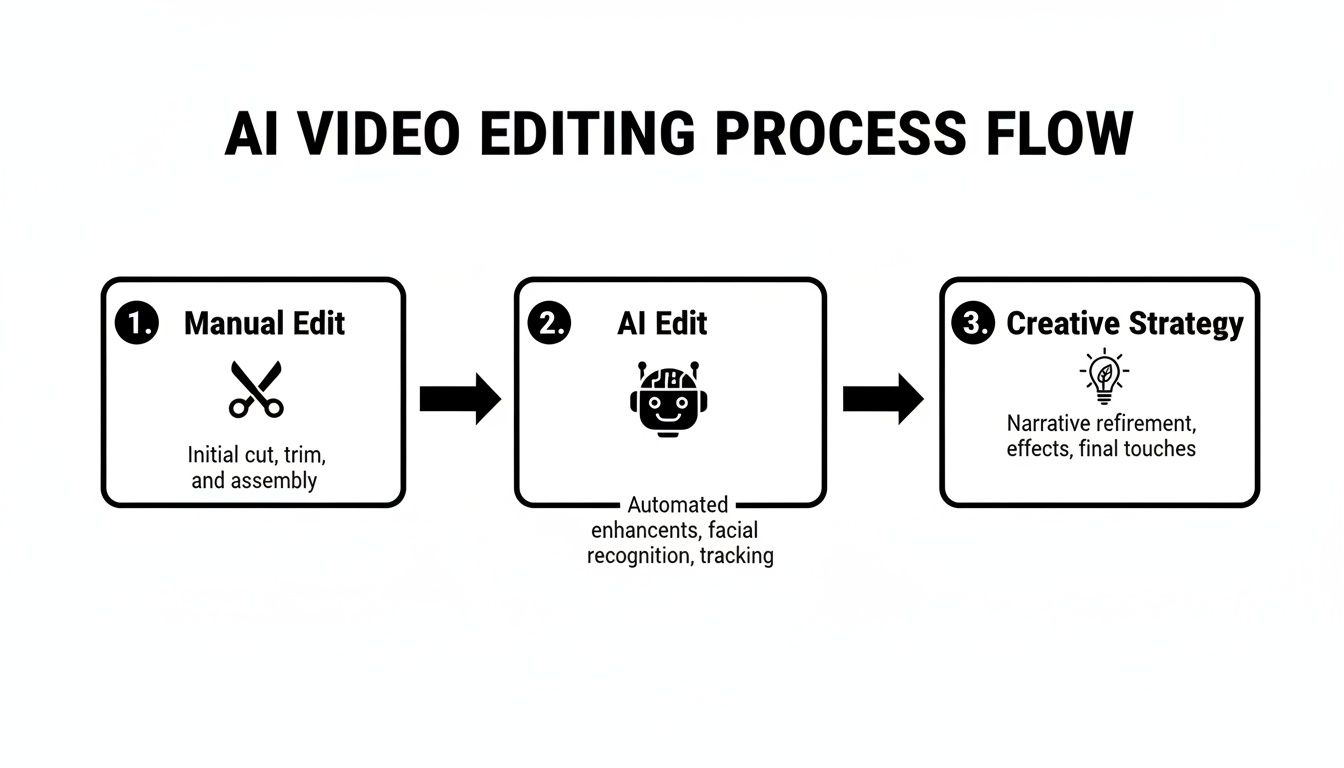
This process flow shows exactly how a modern content workflow should look. AI tackles the repetitive, time-sucking editing tasks, which frees you up to focus on the bigger picture.
Test, Learn, and Optimize Faster
One of the biggest wins of a scalable system is the ability to test ideas at a volume that’s just not possible with manual editing. When an AI tool can whip up 20 different clips from one video, you suddenly have 20 unique chances to learn what your audience actually cares about.
You can experiment with different hooks, formats, and angles to see what stops the scroll. For example, you could A/B test a clip that starts with a question against one that kicks off with a bold, controversial statement. This approach shifts your content strategy from a guessing game to a data-driven science.
By systematizing your video production, you're not just creating content; you're building a feedback loop. Every clip you post becomes a data point that sharpens your understanding of what your audience wants to see.
This is more important now than ever. Video isn't just a "nice to have" anymore; it's a core requirement. An incredible 92% of businesses report being happy with the ROI from their social media video marketing, and 91% of businesses now use video as a fundamental marketing tool. People are also watching more than ever, averaging 17 hours per week of online video consumption. You can find more of these eye-opening video marketing stats over at Wyzowl.
Putting Your System into Action
To make this system a reality, you need the right tools. A dedicated long-to-short video converter is built specifically for this workflow, automating the most draining parts of the process.
Think of it this way: for every hour of long-form content you produce, you're sitting on a treasure trove of potential social media gold. Without a system, that potential goes to waste. But with an efficient repurposing engine, that single hour of work can fuel your entire social presence for weeks. This is how you stop chasing the algorithm and start building a reliable content machine that drives real results.
Common Questions Answered
Jumping into a new video editing workflow, especially one with AI, is going to bring up questions. That’s smart. Thinking through the practical side of things before you dive in headfirst is how you build a system that actually works.
Let's tackle some of the most common hurdles and concerns I hear from creators.
Will AI Make My Content Look Generic?
This is a huge—and totally valid—concern. The short answer is no, but only if you use it the right way.
Think of AI less like a creative director and more like an incredibly fast assistant editor. The best modern workflows use AI to handle the grunt work, the stuff that drains your time and creative energy.
Let the AI do the heavy lifting:
- Sifting through an hour-long video to find the most promising moments.
- Automatically reframing those clips for a vertical screen.
- Generating the first draft of your transcriptions for captions.
Once that groundwork is laid, you step back in as the director. Your job is to add the human touch—the final branding, the nuanced caption edits, the polish that makes the content unmistakably yours. The goal isn't to create cookie-cutter content; it's to gain efficiency so you have more time for the creative stuff.
How Do I Choose the Right Clips?
Pinpointing the best moments in a long video is part art, part science. AI can give you a great starting point, but your gut instinct is still your most powerful tool. As you review footage, keep an eye out for specific triggers that are proven to stop the scroll.
A great strategy is to hunt for moments that create a "curiosity gap." You can do this by presenting a fascinating problem but cutting the clip just before you reveal the full solution. It’s a simple trick, but it encourages viewers to comment, ask questions, or follow you to see what happens next, which is pure gold for engagement.
The most powerful social media clips don't just give answers; they spark conversations. Look for the moments that make people think, feel, or question something they thought they knew.
Should I Use Trending Audio or Original Audio?
There's no single right answer here. The choice between trending and original audio really depends on what you want that specific video to accomplish. In my experience, a balanced approach works best.
Trending audio, especially on platforms like TikTok and Instagram Reels, is a massive lever for reach. The algorithms are literally built to push popular sounds, giving your video a shot at getting seen by a much wider audience beyond your followers.
But for building brand authority and delivering a unique message, nothing beats your own original audio. When it comes to your core thought leadership content, tutorials, or personal stories, your voice is your most valuable asset.
A good mix is key. Use trending sounds for lighter, fun content and stick to your original audio for the high-value, educational pieces that build your reputation.
Ready to stop wasting hours on manual edits and finally scale your content production?
With Klap, you can turn any long-form video into dozens of viral-ready social clips in minutes. Let our AI find your best moments, add dynamic captions, and perfectly reframe your shots. You get to focus on what really matters—growing your audience.
