
Your Guide to the Best AI Video Splicing Tool
Other
An AI video splicing tool is smart software that automatically analyzes your long videos—like podcasts, webinars, or interviews—and identifies the most compelling segments. It then transforms those highlights into dozens of shareable short clips perfect for TikTok, Reels, and YouTube Shorts, saving you countless hours of manual editing.
What Is an AI Video Splicing Tool Anyway?
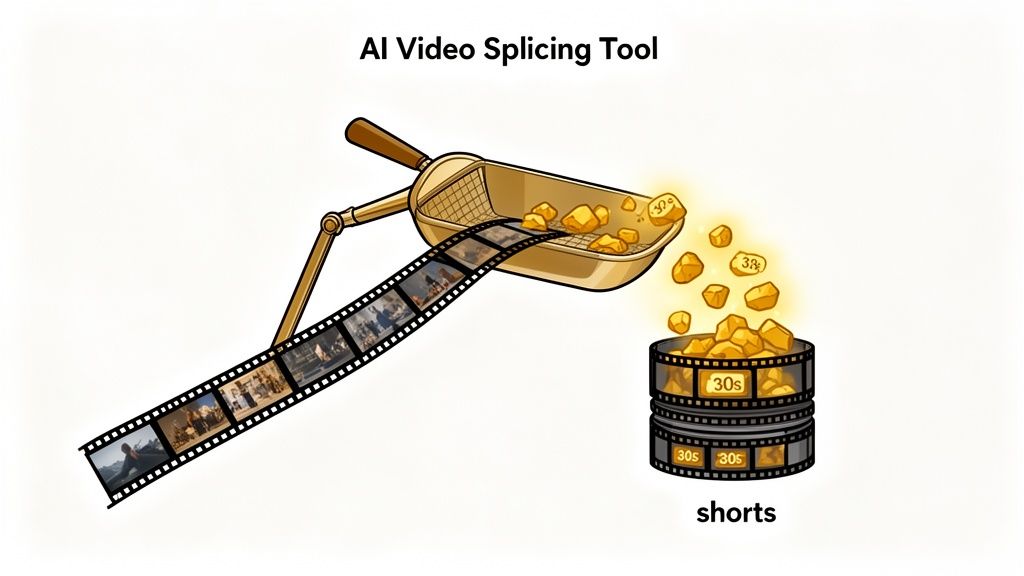
Think of an AI video splicing tool as your personal content strategist. Your long video is a goldmine of valuable moments, but finding them can feel like searching for a needle in a haystack. The tool’s job is to sift through everything and instantly pinpoint those viral-worthy moments for you.
Instead of manually scrubbing through a two-hour timeline to find one great quote, the software does the heavy lifting. It analyzes the audio, visuals, and even the context to identify the exact segments most likely to capture an audience's attention and stop their scroll.
The Massive Shift to Short-Form Content
Let's be real: the demand for short-form video has skyrocketed. Audiences now consume quick, impactful clips, and creators are under pressure to consistently deliver. But manually chopping up a single hour-long podcast into 10 or 20 high-quality shorts is an incredibly time-consuming task that requires significant editing skills.
This is the exact problem AI video splicing tools solve. They break down the content production bottleneck, allowing you to scale your output without scaling your workload.
Actionable Insight: By automating the single most time-consuming part of video repurposing—finding the best clips—these tools let creators multiply their content output by 10x or more. This is achieved without hiring a massive editing team, directly impacting your content ROI.
Who Is This For? (Hint: Almost Everyone)
This technology isn't just for large media companies. It puts powerful, intelligent video editing into the hands of anyone, regardless of their technical skill. You don't need to be a Premiere Pro expert to turn your long-form content into a steady stream of social media gold.
Here’s how different creators are using it to get results:
- Podcasters: Instantly pull out guest highlights and key takeaways to promote new episodes, boosting listenership by cross-promoting on visual platforms.
- Marketers: Turn webinars and product demos into dozens of bite-sized ads and social proof clips, increasing lead generation from existing assets.
- YouTubers: Repurpose their video library to fuel a consistent TikTok and Instagram Reels strategy, driving new subscribers back to their main channel without creator burnout.
Ultimately, these tools act as your personal editing assistant, one that knows how to find and package your best moments for maximum impact. For anyone serious about growing an audience, an AI short video generator isn't just a nice-to-have; it's a strategic asset that makes your content workflow faster, smarter, and more effective.
How AI Magically Finds Your Best Moments
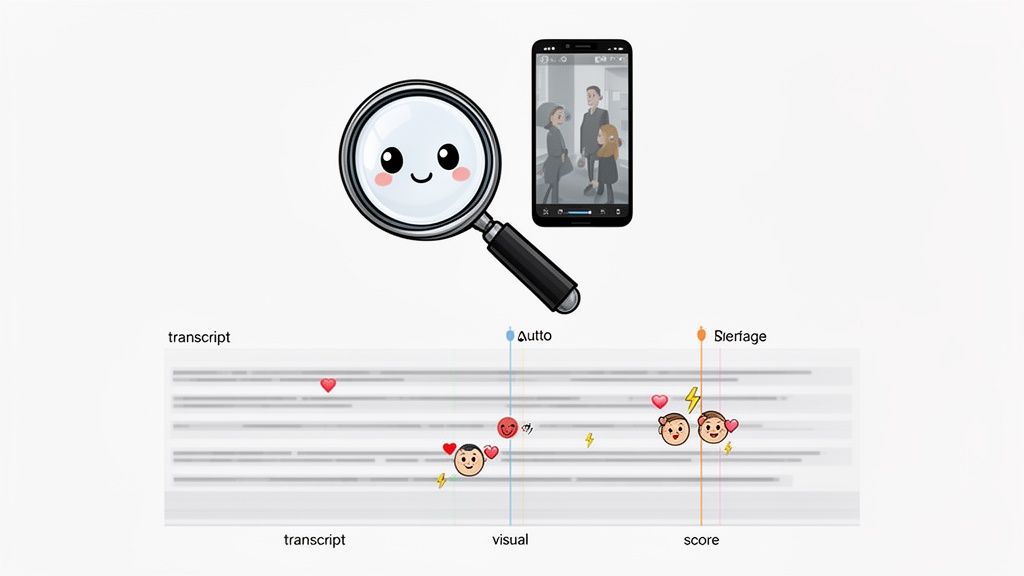
If you've ever wondered how an AI video splicing tool pinpoints the perfect clip, it's not magic—it’s sophisticated technology. The AI acts like a team of super-fast video editors and data analysts working in tandem.
It systematically deconstructs your long-form video, layer by layer, looking for the specific signals that make a viewer stop scrolling and pay attention.
Reading Between the Lines with Transcript Analysis
First, the AI needs to understand what you're actually saying. It begins by transcribing every word of your video, creating a complete text document from the audio.
But it doesn’t just stop there. The real intelligence comes from analyzing that transcript for linguistic cues that signal an engaging moment.
It’s trained to identify things like:
- Powerful Keywords and Topics: It identifies the core ideas and recurring themes, which are often the most valuable parts of your content.
- Questions and Answers: Q&A segments are natural engagement magnets, and the AI knows to flag them as high-potential clips.
- Emotional Peaks: Using sentiment analysis, the tool can detect shifts in your vocal tone, picking out moments of excitement, passion, or humor.
This process gives the AI a deep contextual understanding of what was said and which parts carry the most weight. Think of it as the AI highlighting the most important lines in your script before any editing begins.
Seeing What Viewers See with Visual Analysis
Okay, the AI knows what you said. Now it needs to figure out what looks good. The software scans your video frame-by-frame, hunting for visual triggers that keep people’s eyes on the screen.
It’s looking for dynamic speaker changes, genuine facial expressions, on-screen graphics, or any type of action. By pairing this visual data with the transcript, the AI can connect a powerful statement with an equally powerful visual—a proven formula for a viral clip.
This is a big deal for creators and marketers. The global Video Enhancing AI Tool market is projected to hit USD 1,166 million by 2032, because businesses are seeing tangible results, cutting production costs by an average of 58% compared to manual methods.
Actionable Insight: An AI video splicing tool works by layering data. It combines what was said (transcript), how it looked (visuals), and how it might perform (predictive scoring) to make intelligent, data-driven suggestions.
Perfecting the Frame for Vertical Video
Finally, the AI solves one of the most tedious parts of repurposing: reframing for vertical platforms like TikTok and Reels.
Using smart face and object tracking, the tool ensures the main speaker or subject stays perfectly centered, even as they move around in the original wide-screen video. This intelligent reframing is what makes your clips look professionally produced for mobile, not awkwardly cropped from a longer video.
The tech behind this is constantly evolving, with platform-specific enhancements like the new Apple Intelligence features on iPhone 15 pushing the boundaries of what’s possible.
Ultimately, all this analysis leads to a predictive score. The tool rates each potential clip on its likelihood of performing well, giving you a curated list of your best moments, ranked and ready to post.
Core Features Your AI Splicing Tool Must Have
Trying to choose the right AI video splicing tool can feel overwhelming. Many platforms promise the world, but your focus should be on a few core features that actually drive results. Not all tools are created equal, and the gap between a flashy gadget and a genuine content machine comes down to these non-negotiables.
Think of it this way: a top-tier tool does more than just trim your videos. To truly scale your content, you need flexibility. That means being able to upload a video file directly or, even better, simply paste a YouTube link and let the AI do the work. This adaptability is critical for a fast and efficient workflow.
Automated Clip Discovery and Scoring
The single most valuable function of an AI splicing tool is its ability to find viral-worthy moments for you. The AI should analyze your video’s transcript and visuals to pinpoint segments with the highest potential for engagement. It’s not just about finding any clip; it's about finding the right ones.
The most advanced systems will even assign a "virality score" to each suggested clip. This gives you a data-backed reason to prioritize which shorts to create first, removing the guesswork from your content strategy. It transforms an intuitive art into a data-driven science.
Actionable Insight: A powerful AI doesn't just cut your video; it curates it. By automatically identifying and ranking the most compelling moments, it can eliminate up to 80% of the manual review time that kills productivity.
Intelligent Reframing and Captioning
Your tool must be built for today's vertical video landscape. Intelligent face tracking is a must-have—it automatically keeps the speaker perfectly centered in a 9:16 frame, even if they move around in the original widescreen footage. This single feature elevates your clips from amateurish to professionally produced for TikTok, Reels, and YouTube Shorts.
Equally critical is dynamic captioning. With over 85% of social media videos watched on mute, you can't afford to skip subtitles. A good tool will offer customizable caption styles so you can match your brand’s aesthetic with different fonts, colors, and animations. It also needs a simple editor to quickly correct any transcription errors. If you just need to make a few quick cuts, a basic online video trimmer can be a good place to start.
Finally, one-click exporting makes the final step seamless. The best tools let you download your clips pre-formatted for each social platform, saving you from wasting time with separate conversion or editing software.
To make it even clearer, here’s a quick breakdown of the features you should be looking for.
Essential vs. Advanced Features in AI Video Splicing Tools
When evaluating AI tools, it helps to separate the absolute must-haves from the "nice-to-have" features better suited for professional teams. This table breaks down what to prioritize.
Feature CategoryEssential (Must-Have)Advanced (Nice-to-Have)
Clip Identification
Automated clip suggestions
Predictive virality scores
Video Editing
Intelligent vertical reframing
Multi-speaker detection
Subtitles
Customizable caption styles
Branded caption templates
Workflow
One-click social exports
Team collaboration features
Ultimately, the essential features are what you'll use daily to create great content efficiently. The advanced ones are what you’ll grow into as you scale your content production.
A Step-By-Step Workflow for Viral Shorts
Turning your long-form content into a steady stream of viral shorts doesn't have to be complicated. The key is to establish a repeatable process. With an AI video splicing tool, what used to be a multi-hour editing slog becomes a quick, strategic session.
Let's walk through the exact steps to integrate this into your content strategy. The process boils down to three stages: finding the clips, adding captions, and reframing them for mobile.
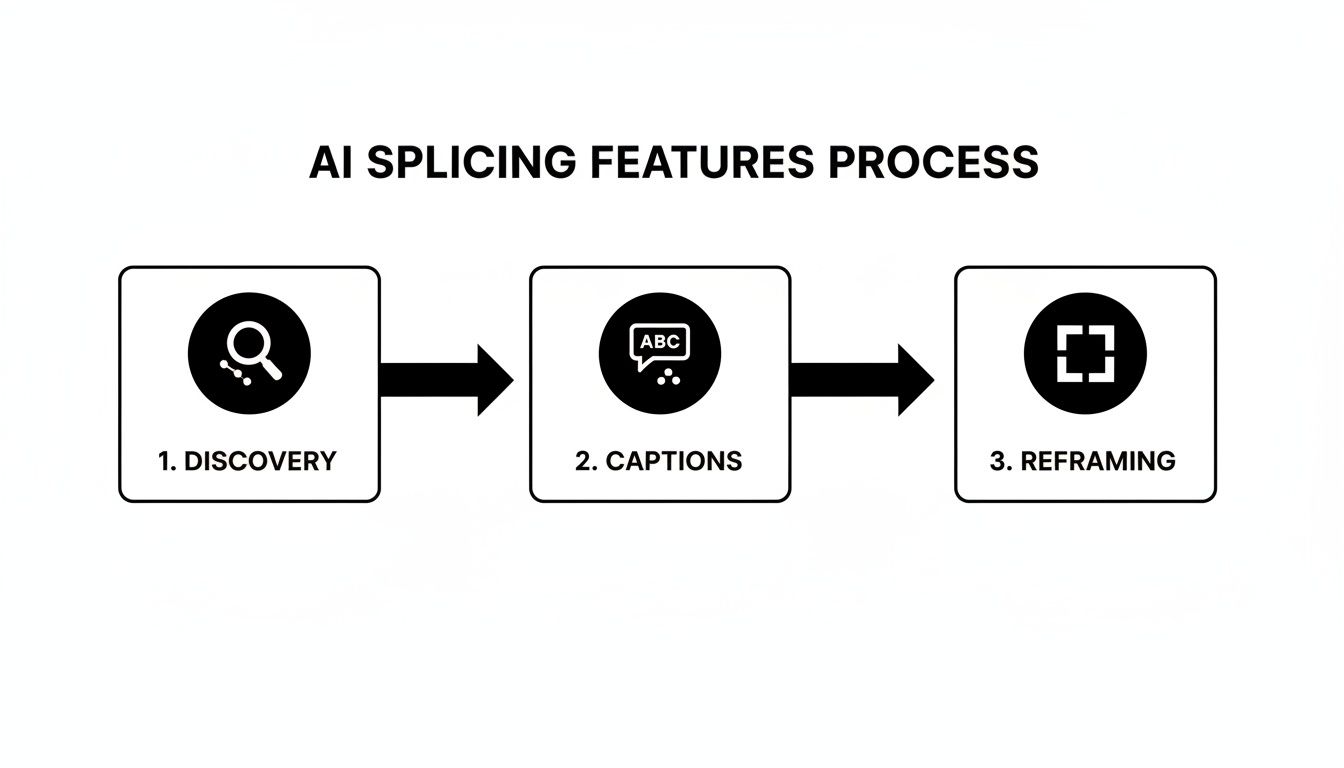
This process is straightforward: the AI first discovers potential clips, then adds text, and finally adapts the format for vertical viewing on mobile devices.
Step 1: Import Your Long-Form Content
It all starts by feeding the AI your source material. Most quality tools offer two simple import methods, ensuring your workflow isn't limited by file types or where your content is hosted.
- Direct File Upload: Drag and drop your video file—like a podcast recording or webinar—directly into the platform. This is perfect for pre-published content.
- YouTube Link: For content already online, just paste the YouTube URL. The tool will automatically fetch the video and audio, saving you the hassle of downloading and re-uploading.
Once imported, the AI gets to work transcribing the entire video and analyzing it for high-engagement moments. This typically takes just a few minutes, even for hour-long videos.
Step 2: Review and Refine AI Suggestions
After the analysis, the tool will present a list of suggested short clips. This is where your human oversight adds the most value. The AI has done 90% of the heavy lifting by finding potential gold, but you're the expert who can spot the true gems.
When reviewing the clips, ask yourself these questions:
- Emotional Hooks: Does the clip start with a strong question, a surprising statement, or a burst of energy?
- Clear Takeaways: Does the clip offer a single, valuable piece of information a viewer can immediately understand?
- Adjusting Timestamps: Use the simple editor to tweak the start and end points. Sometimes, adding a second of context or trimming a pause makes all the difference.
Actionable Insight: The goal isn't just to find good clips, but to find moments that can stand entirely on their own. Each short should feel like a complete, self-contained piece of content that delivers value in under 60 seconds.
Step 3: Polish Captions and Export
Finally, it’s time for the finishing touches. The AI will have already generated captions, but you should always give them a quick review. Correct any minor transcription errors, especially with names or industry-specific terms.
Then, customize the caption style—font, color, and animation—to align with your brand's identity. The demand for these tools is growing for a reason: the social media segment in AI video generators is projected to expand at a 23.5% CAGR, driven by the relentless need for bite-sized content.
With your clips polished and ready, you can export them in the correct 9:16 aspect ratio for each platform and start posting.
Best Practices for Engaging AI-Generated Clips
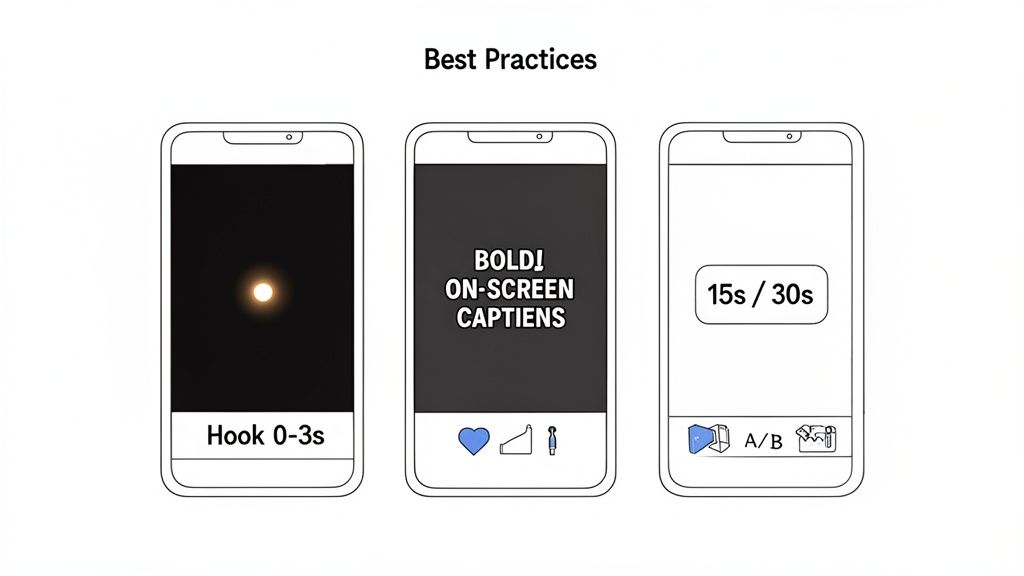 Using an AI video splicing tool is a huge strategic advantage, but creating clips is only half the battle. To make your AI-generated content truly perform, you need to combine smart technology with proven engagement tactics that stop the scroll and earn a viewer's attention.
The most critical part of your video is the first three seconds. That’s your one and only chance to hook a viewer before they swipe away. Don't waste it with a slow intro. Jump straight in with a provocative question, a surprising statement, or a visual that makes them pause.
Crafting the Perfect Hook
To make your clips irresistible, you have to think like a social media user with fragmented attention and zero patience. A strong hook immediately answers every viewer's silent question: "Why should I care?"
Your hook must deliver immediate value or spark intense curiosity. Here are a few actionable formulas:
- Lead with a Problem: Start by calling out a common pain point. For example, "Tired of spending hours editing a single video?"
- Make a Bold Claim: A shocking statistic or a contrarian opinion can instantly grab attention. Try, "You're probably creating your social media clips all wrong."
- Ask a Relatable Question: Frame a question that your target viewer would instinctively answer "yes" to, such as, "Ever feel like you're talking to an empty room on social media?"
This opening moment is crucial. Data from social platforms consistently shows a massive viewer drop-off after just a few seconds. By front-loading the value, you give people a reason to stick around.
Optimizing for Mobile Viewing
Once you have their attention, the viewing experience must be seamless. This means optimizing every element for a mobile-first world, where nearly all short-form content is consumed.
The ideal aspect ratio is 9:16 (vertical). This fills the entire screen on platforms like TikTok, Instagram Reels, and YouTube Shorts, creating an immersive experience. Keep your clips short and to the point—while under 60 seconds is the standard, data shows the sweet spot for engagement often falls between 15 and 30 seconds.
Actionable Insight: On-screen text and dynamic captions are no longer optional. With a huge number of users watching videos on mute, captions ensure your message lands even without sound. They also boost accessibility and have been shown to increase watch time.
Make sure any text you add is large, bold, and easy to read. Use high-contrast colors and be mindful of the "safe zones," keeping important text away from the platform's interface elements at the top and bottom of the screen.
Beyond visuals, AI’s creative reach is expanding into other media, including things like AI generating new music. Ultimately, a winning strategy combines a powerful hook with a frictionless viewing experience, turning your AI-spliced clips into reliable engagement drivers.
Choosing the Right AI Video Splicing Tool
Picking the perfect AI video splicing tool isn't about finding the one with the longest feature list. It's about finding the one that best fits your specific workflow and goals.
For podcasters, the top priority should be transcription accuracy. A tool that constantly misspells names or industry terms creates more work. Look for platforms that boast accuracy rates above 95% and include a simple editor for quick corrections.
For social media managers juggling multiple accounts, look for strong collaboration and branding features. Can you save branded templates with your custom fonts and colors? Can you invite team members to review clips? These features are what separate a smooth workflow from a chaotic one.
Actionable Insight: A major pitfall is choosing a tool with a clunky or slow editing interface. If trimming a clip or adjusting a caption feels like a chore, you won't use it. Prioritize a tool with a clean, intuitive user experience during your evaluation.
For small businesses, the goal is often an affordable, all-in-one solution. The best option is a user-friendly platform with transparent pricing that doesn't require a film degree to operate.
Got Questions? We've Got Answers
Still on the fence about whether an AI video splicing tool can really work for you? Let's tackle some of the most common questions from creators and marketers.
Can an AI Tool Really Understand My Content and Find Good Clips?
Yes—and it's surprisingly effective. Modern AI doesn't just scan for keywords. It analyzes the full transcript for questions, emotional shifts, and key topics while also spotting visual cues like speaker changes or animated gestures.
While it’s not perfect, it excels at flagging moments with high engagement potential. Most creators find these tools reduce their initial clip-finding time by 80-90%. Think of the AI as a super-fast assistant who curates the best shots for you. You still make the final creative decision, but the tedious searching is eliminated.
How Much Time Will I Actually Save?
The time savings are significant. To put it in perspective: manually finding, cutting, and captioning just 10 short clips from a one-hour podcast could easily take a skilled editor 3-5 hours.
An AI video splicing tool can generate the first draft of those 10 clips—fully captioned and reframed—in about 15 minutes. Even if you spend another 30-60 minutes refining them, you've condensed a half-day project into a task you can complete on your lunch break.
For content teams, this efficiency boost is a complete game-changer for their output and is the number one reason these tools are becoming an essential part of the modern content workflow.
Are the Automatic Captions Accurate Enough to Use?
Absolutely. Modern AI transcription now regularly achieves 95-98% accuracy for clear audio. The best tools, like Klap, include a user-friendly editor, allowing you to quickly scan the text and correct any minor errors before exporting.
This is worlds faster than transcribing and timing captions by hand. We always recommend a quick proofread, especially for content with niche jargon or multiple speakers, to ensure every word lands perfectly.
Ready to stop wasting hours digging for clips and start pumping out viral shorts? Klap uses AI to find the best moments in your videos, add dynamic captions, and perfectly reframe them for social media—all in a matter of minutes. Turn your long videos into viral shorts with Klap today!
